10 mins read
Core Web Vitals for WordPress: What They Mean and How to Improve Them
Share Article :



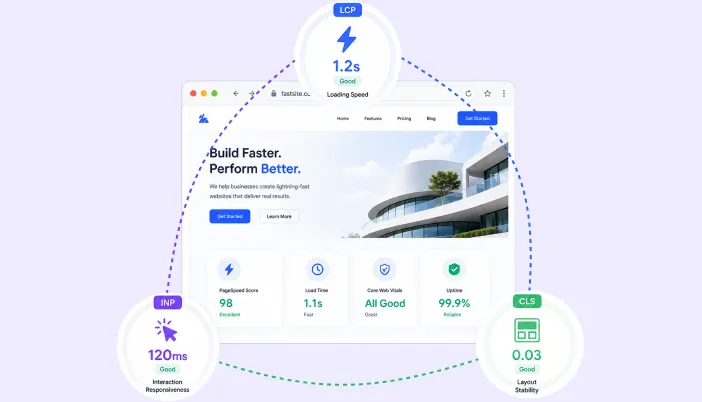
In this blog, you will learn what Core Web Vitals are, why they matter for WordPress websites, and how to improve them for better speed and user experience. We’ll break down key metrics like LCP, INP, and CLS, explain common performance issues, and share practical ways to optimize your website with tools like SpeedyGo.
If you run a WordPress website and care about SEO, user experience, or conversions, you need to understand Core Web Vitals. Google defines Core Web Vitals as metrics that measure loading performance, interactivity, and visual stability. Right now, the three metrics that matter are Largest Contentful Paint, Interaction to Next Paint, and Cumulative Layout Shift. (Google for Developers)
A lot of WordPress site owners obsess over the score without understanding what the metrics actually mean. That is backwards. The score is just a signal. The real question is whether your page feels fast, stable, and responsive for real users. Google itself recommends focusing on good Core Web Vitals as part of a strong overall page experience. (Google for Developers)
What are Core Web Vitals?
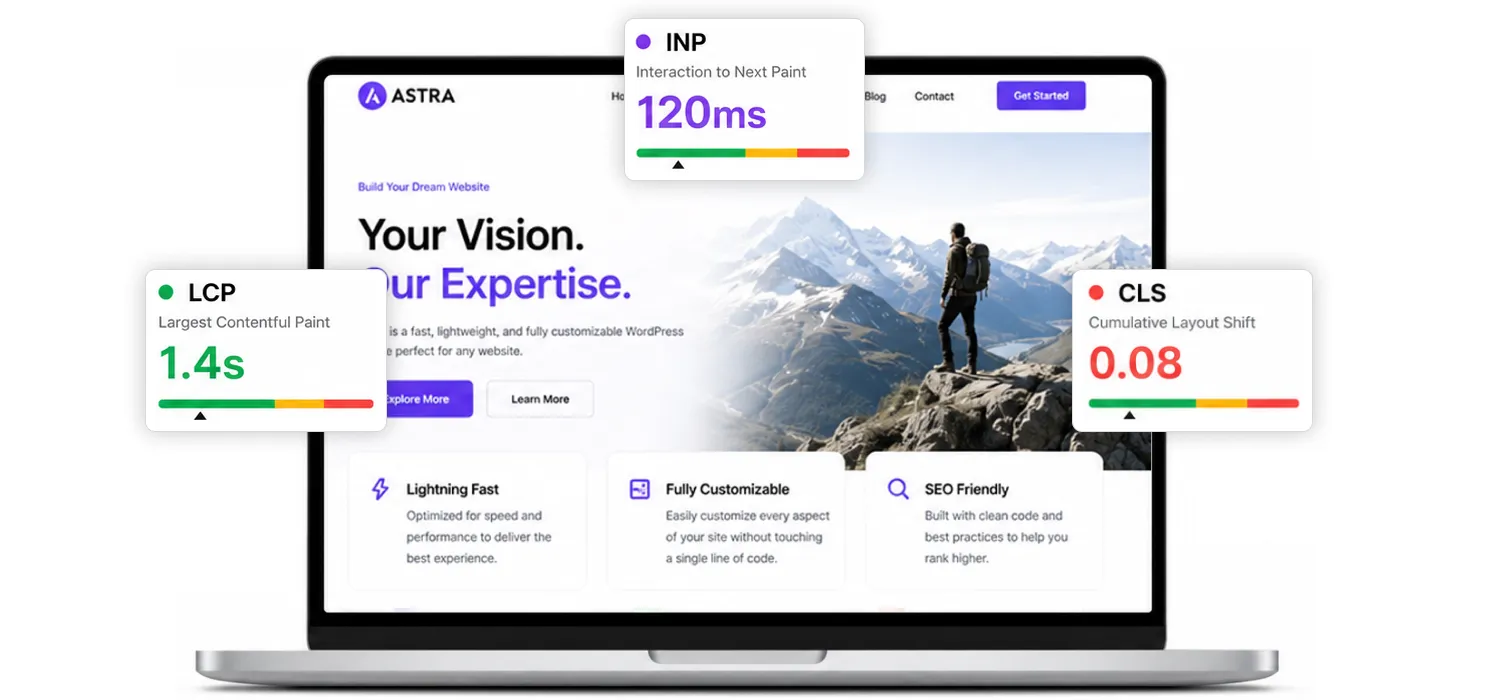
Core Web Vitals are a set of user-focused performance metrics. Google says they measure three things:
- loading performance through LCP
- responsiveness through INP
- visual stability through CLS
Google’s recommended thresholds are:
- LCP: 2.5 seconds or less
- INP: less than 200 milliseconds
- CLS: less than 0.1
Google also evaluates these using the 75th percentile of real user data, not just one perfect test run on your own device. (Google for Developers)
That last point matters. A website may look fine on your laptop and still fail for real users on slower phones, weaker networks, or heavier pages.
Why Core Web Vitals matter for WordPress websites
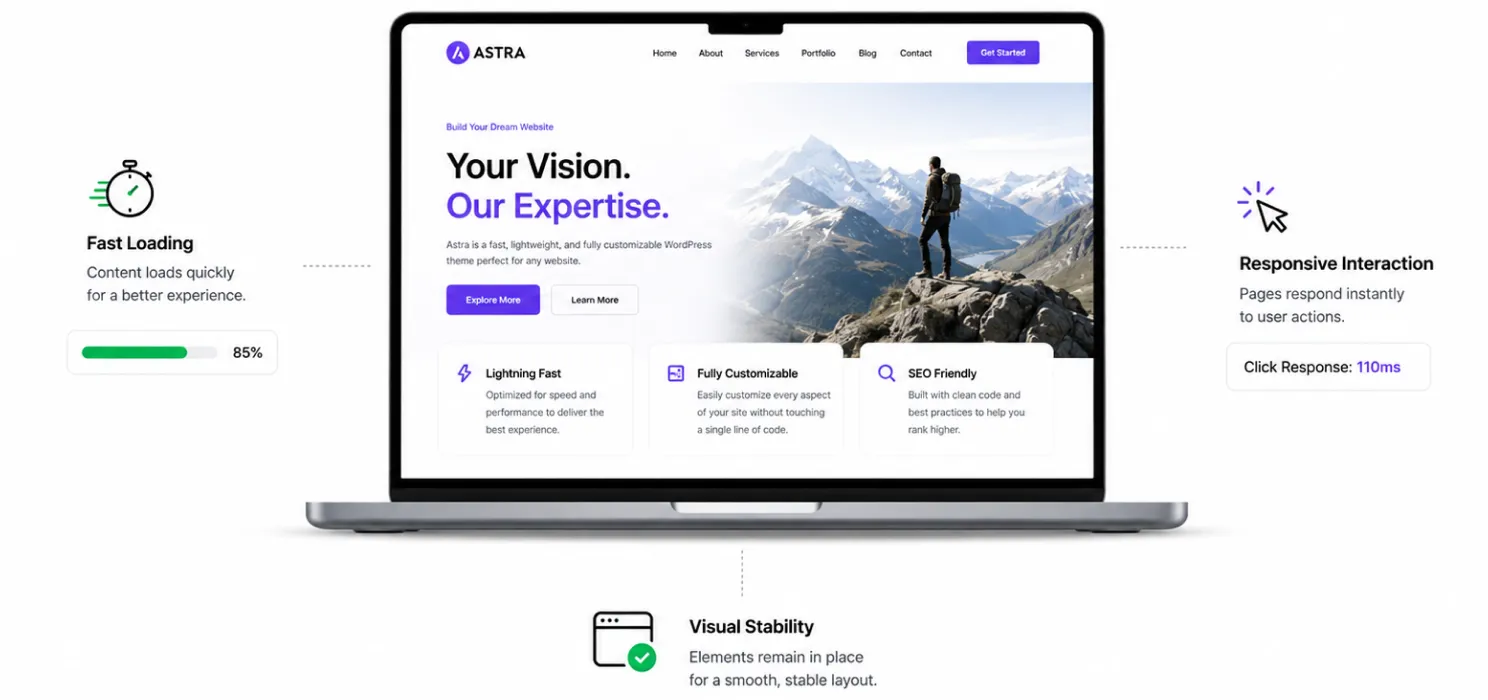
WordPress sites often grow messy over time. More plugins, more scripts, bigger images, more widgets, more CSS, more JavaScript, more third-party tools. That combination usually hits Core Web Vitals hard.
Google has been explicit that strong Core Web Vitals support both user experience and search performance. That does not mean one score alone decides rankings, but bad user experience is still a problem you cannot ignore. (Google for Developers)
For WordPress sites, Core Web Vitals matter because they often reveal deeper issues such as:
- slow server response
- oversized hero images
- heavy page builders
- bloated theme files
- third-party scripts
- layout shifts from ads, embeds, or image sizing mistakes
- delayed interaction from too much JavaScript
If you fix these properly, your website usually becomes better for both users and business.
Metric 1: Largest contentful paint, or LCP
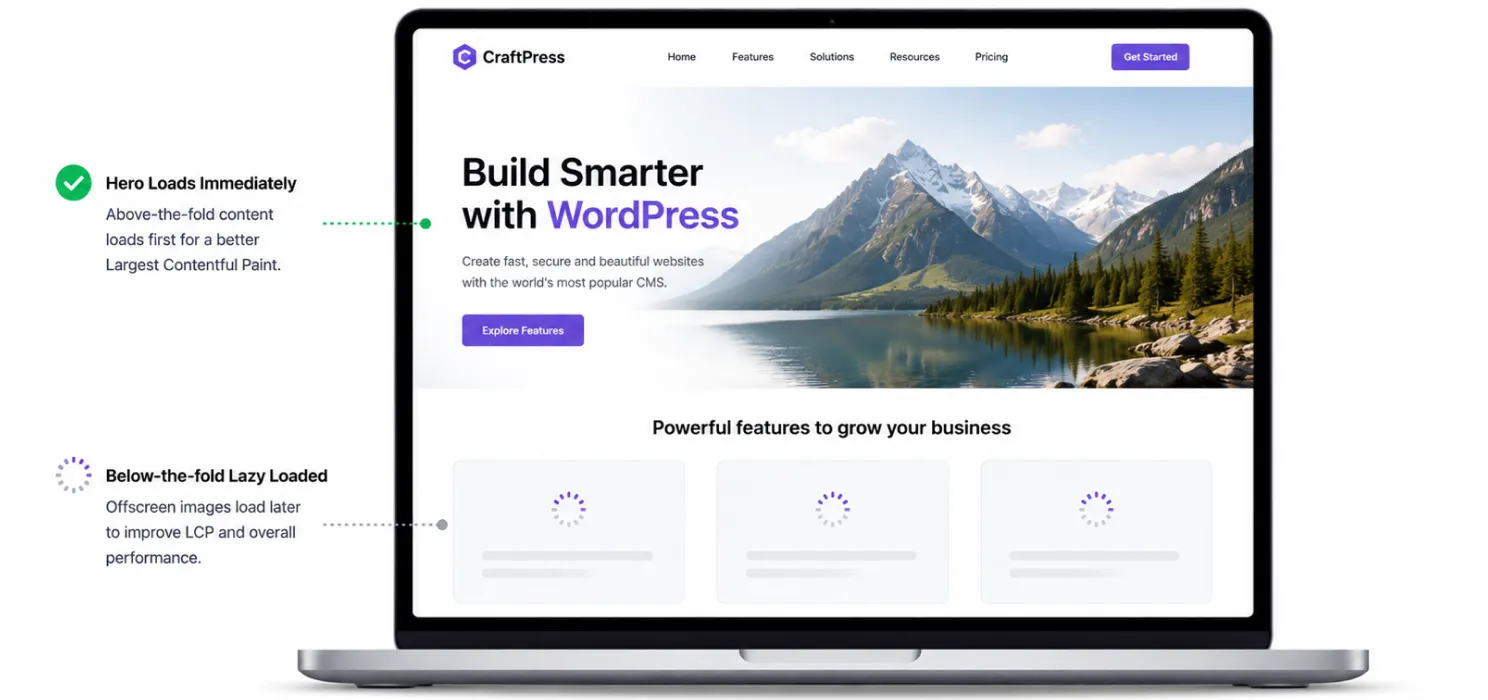
LCP measures when the largest visible image, text block, or video in the viewport is rendered. In plain English, it is a strong signal for when the main content of the page actually becomes visible to the user. Google recommends keeping LCP at 2.5 seconds or less. (web.dev)
What usually causes poor LCP in WordPress
The biggest WordPress causes are:
- heavy hero images
- slow server response time
- unoptimized above-the-fold content
- render-blocking CSS and JavaScript
- too many competing requests during initial load
- lazy loading the most important image by mistake
web.dev notes that LCP includes delays such as redirects, connection setup, and Time to First Byte, which means bad hosting or slow server response can absolutely hurt it. web.dev also emphasizes that LCP is about the largest visible content, not just any random resource on the page. (web.dev)
How to improve LCP on WordPress
Start with the obvious fixes:
- optimize the main hero image
- use properly sized images
- use modern image formats such as the WebP image format where appropriate
- reduce render-blocking CSS and JavaScript
- enable caching
- use compression
- avoid overloading the first screen with sliders, videos, or heavy effects
- do not lazy load the primary above-the-fold image
That last mistake is common. web.dev has documented that too much lazy loading can correlate with worse LCP performance, especially on WordPress sites. Lazy loading is useful for offscreen content, but not for the main content users need immediately. (web.dev)
Metric 2: Interaction to next paint, or INP
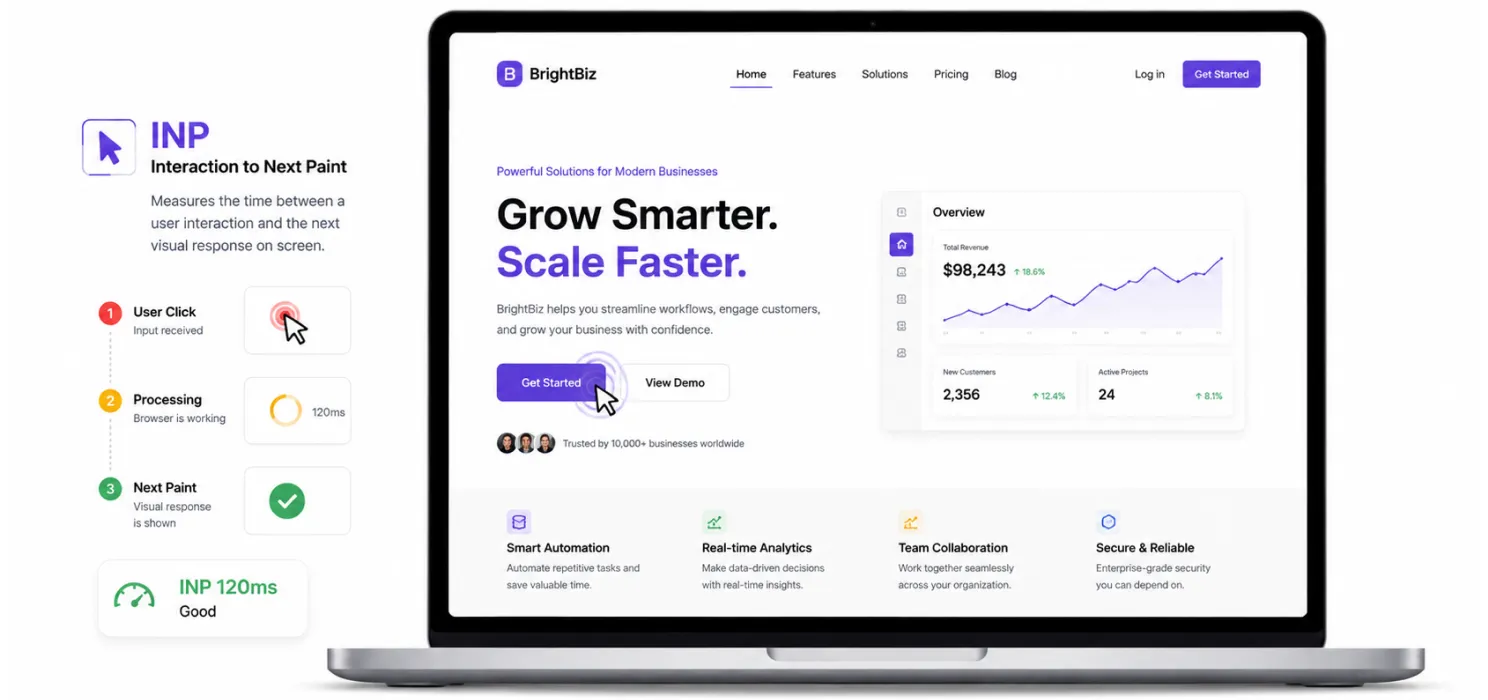
INP measures responsiveness. Google recommends an INP below 200 milliseconds. It replaced FID as the Core Web Vitals responsiveness metric in March 2024. (Google for Developers)
What INP actually means
INP looks at user interactions on a page and measures the time from user input through event handling until the browser can paint the next frame. web.dev explains that INP improves on FID because it considers overall interaction responsiveness, not just the delay of the first interaction. (web.dev)
That makes INP more realistic. A page can seem fine on initial load and still feel slow when users click filters, open menus, type into forms, or interact with carts and product options.
What usually causes poor INP in WordPress
Common reasons include:
- too much JavaScript running on the page
- heavy page builder logic
- plugin scripts firing on every page
- large DOM size
- main-thread blocking from third-party tools
- slow interaction handling on WooCommerce or dynamic pages
In plain English, if your site is doing too much work when the user taps or clicks, responsiveness gets worse.
How to improve INP on WordPress
Focus on reducing unnecessary JavaScript and unnecessary interaction work.
Practical fixes:
- remove scripts you do not need
- stop loading plugin assets site-wide if they are only used on a few pages
- reduce third-party widgets
- simplify interaction-heavy components
- test filters, menus, search boxes, and forms on mobile
- be careful with heavy sliders, popups, and animation libraries
web.dev’s guidance on optimizing INP is very clear on one point: improving responsiveness usually takes repeated diagnosis and cleanup, not one magic switch. (web.dev)
Metric 3: Cumulative layout shift, or CLS
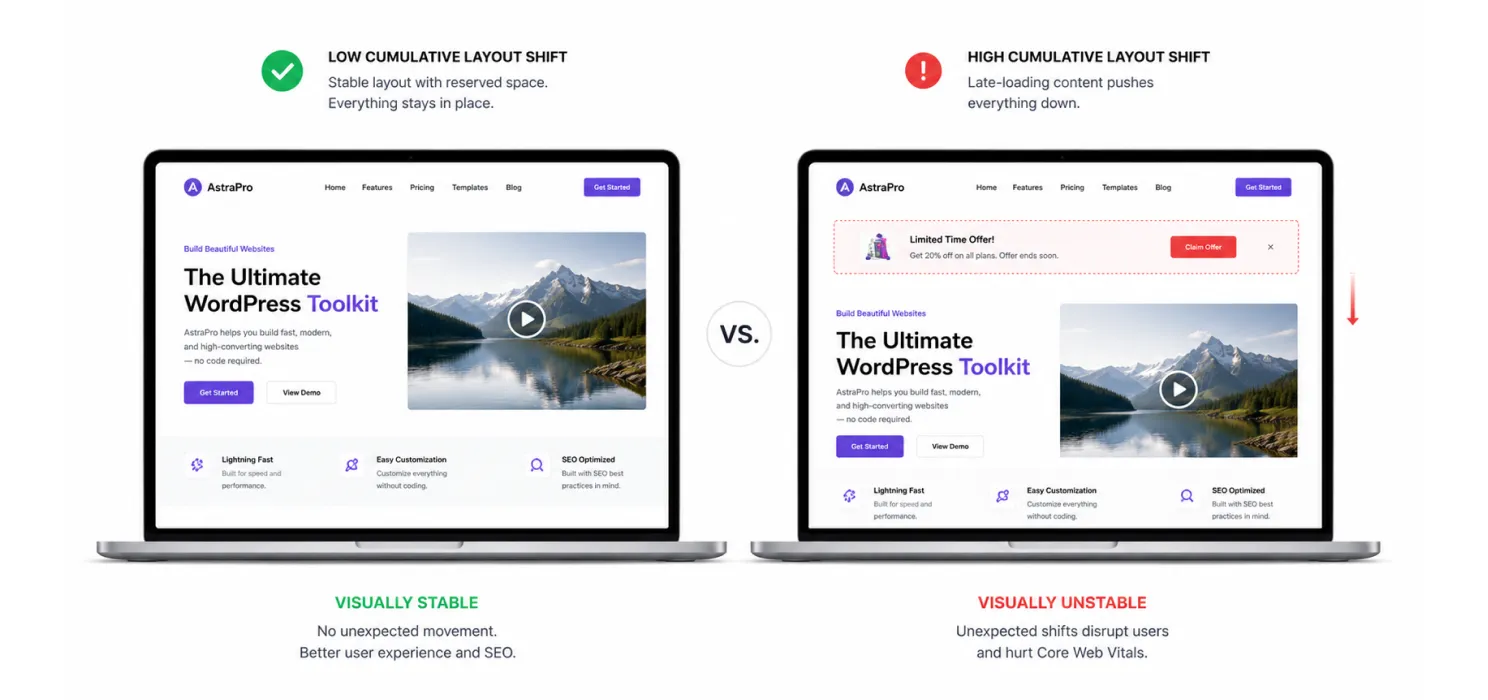
CLS measures visual stability. Google recommends a CLS score below 0.1. Unlike LCP and INP, CLS is not measured in seconds or milliseconds. It is a score based on how much content shifts and how far it shifts unexpectedly. (Google for Developers)
What usually causes poor CLS in WordPress
The most common causes are:
- images without width and height
- videos or embeds without reserved space
- ads or widgets that load later and push content around
- dynamic banners or popups inserted above existing content
- web font swaps that change layout size
web.dev specifically calls out images without dimensions, ads and embeds without dimensions, dynamically injected content, and web fonts as common CLS problems. (web.dev)
How to improve CLS on WordPress
This is usually more straightforward than people think:
- set width and height for images
- reserve space for videos, iframes, embeds, and ads
- avoid injecting content above existing content after load
- test popups and cookie banners carefully
- watch for font changes that alter spacing or line wrapping
If content jumps while the page is loading, users hate it. It makes the website feel broken, even if the load time is technically acceptable.
Real user data vs lab data: stop confusing the two
A lot of people misuse PageSpeed Insights.
Google’s PageSpeed Insights shows both field data and lab data. Field data reflects real user experience over a trailing 28-day period. Lab data comes from Lighthouse in a simulated environment. PSI reports the 75th percentile for field metrics, and the Core Web Vitals assessment passes only when the required metrics are in the good range. (Google for Developers)
This matters because:
- lab data helps you debug
- field data tells you what real users experienced
- a green Lighthouse score does not automatically mean your real user metrics are fixed
- one quick test does not cancel a month of poor user experience
If you do not understand this difference, you will misread your own progress.
What usually hurts Core Web Vitals on WordPress sites
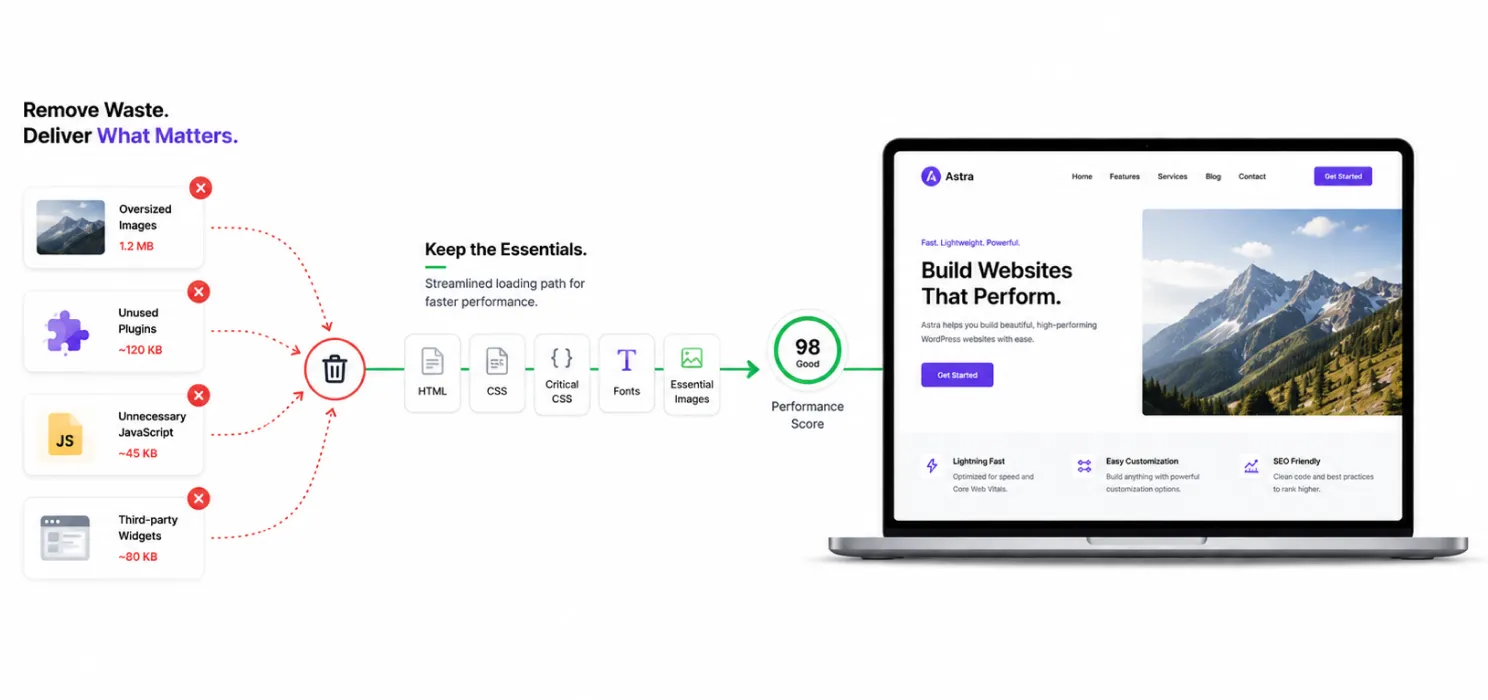
Here is the blunt version. Most WordPress Core Web Vitals problems come from the same repeat offenders:
- large hero images
- too many plugins
- bloated themes or builders
- bad caching setup
- too much CSS and JavaScript
- unnecessary third-party scripts
- poor mobile optimization
- images and embeds without reserved dimensions
- using lazy loading too aggressively
- weak hosting or slow TTFB
You do not fix Core Web Vitals by chasing every warning. You fix them by removing waste from the loading path and interaction path.
A practical Core Web Vitals improvement workflow for WordPress
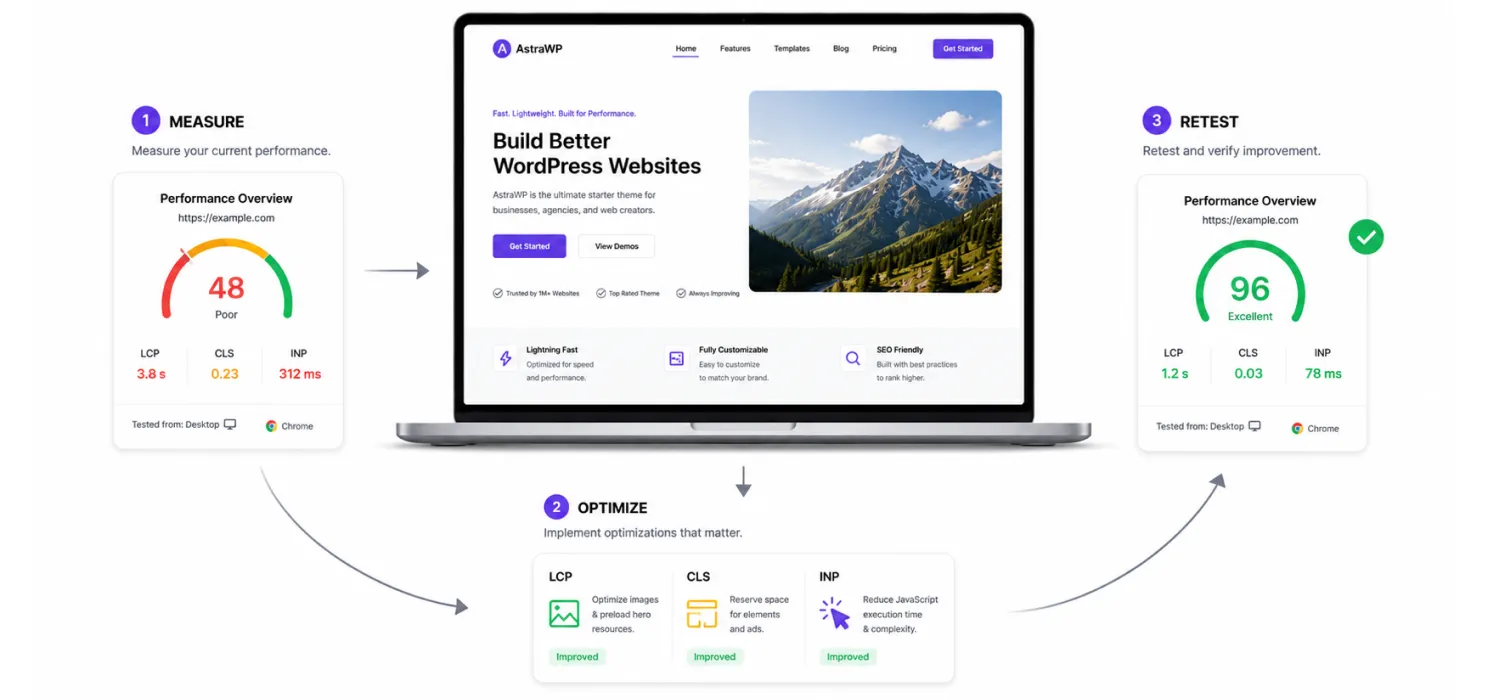
If you want a sensible process, use this order:
1. Measure properly
Check PageSpeed Insights and Search Console first. Look at page-level and origin-level data where available. Review both mobile and desktop.
2. Fix LCP first
If your main content loads late, nothing else feels fast. Start with the hero section, main image, server response, and render-blocking files.
3. Fix obvious CLS mistakes
Set image dimensions. Reserve space for embeds and ads. Test dynamic components.
4. Reduce JavaScript for better INP
Remove heavy scripts and interaction bloat. This is especially important for mobile.
5. Retest after each meaningful change
Do not enable ten things at once and then wonder what broke.
This is not glamorous, but it works.
How SpeedyGo can help with Core Web Vitals
SpeedyGo’s public feature set includes full-page caching, HTML/CSS/JS minification and combination, browser and object caching, Gzip and Brotli compression, lazy loading, mobile-specific caching, cache preloading, scheduled expiration, and advanced cache rules. Those features map directly to several common Core Web Vitals issues on WordPress sites. (WordPress.org)
In practical terms, that means SpeedyGo can help support improvements such as:
- faster delivery through caching and compression
- smaller frontend payloads through minification
- reduced request overhead through controlled combination
- better offscreen media handling through lazy loading
- cleaner handling of page-specific behavior through advanced rules and exclusions
That does not mean a plugin magically fixes every bad site. If your theme is bloated, your hosting is weak, or your pages are overloaded with third-party junk, you still need cleanup. But a solid all-in-one optimization plugin can simplify the speed stack and make Core Web Vitals work more manageable.
Common mistakes people make when trying to improve Core Web Vitals
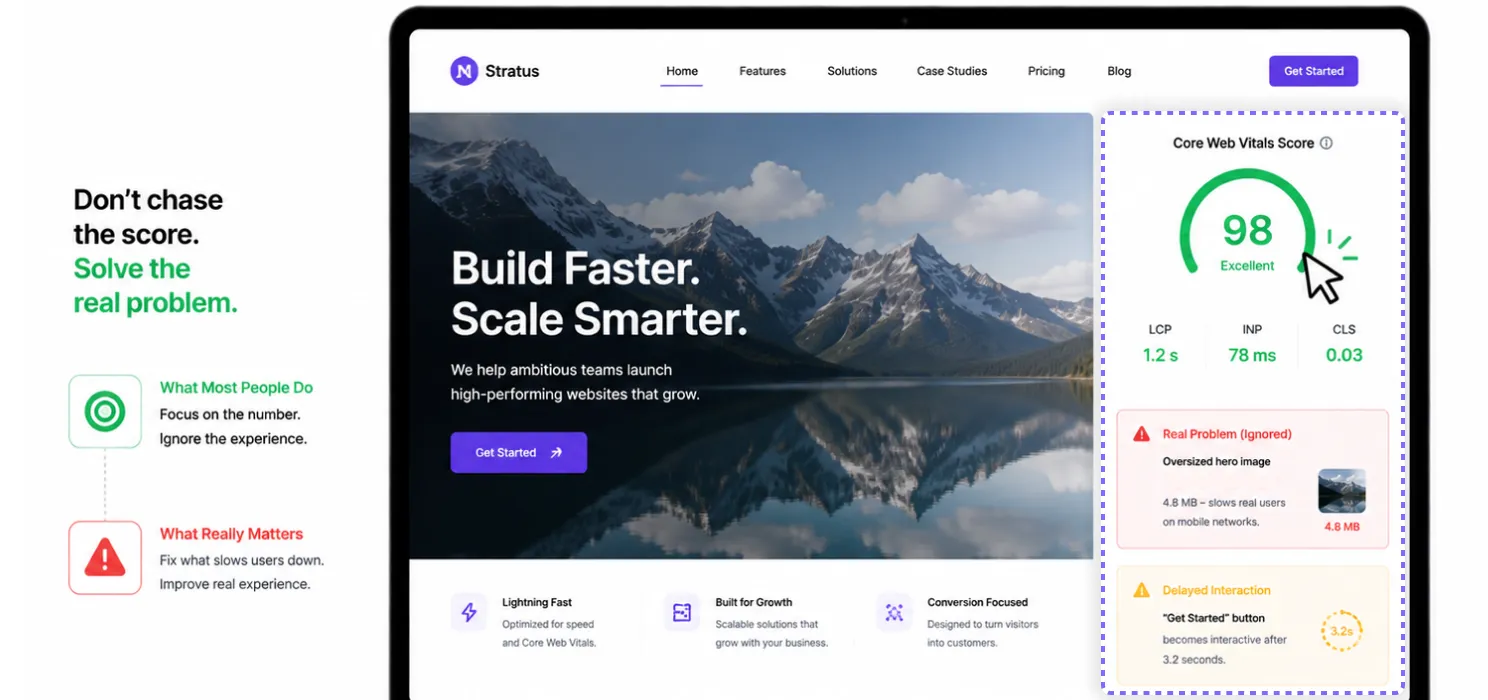
These are the usual self-inflicted mistakes:
- focusing only on desktop tests
- chasing the score instead of the real issue
- lazy loading the main hero image
- enabling aggressive file optimization without testing
- ignoring layout shift from ads, cookie bars, and popups
- keeping too many third-party scripts
- assuming hosting alone will solve everything
- confusing Lighthouse lab data with real user data
If you do any of these, you are slowing yourself down before the site even improves.
Final thoughts
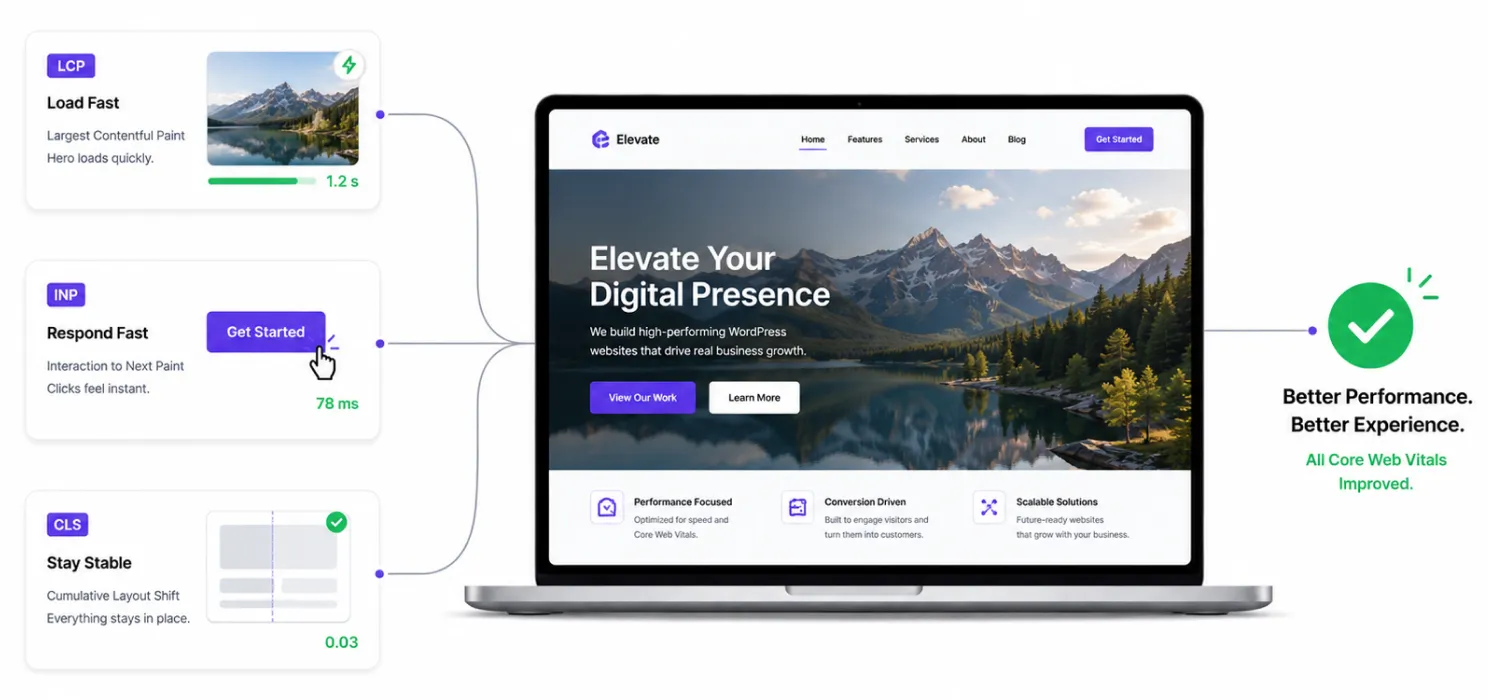
Core Web Vitals are not magic, and they are not optional if you care about modern website performance.
For WordPress, the path is usually clear:
- improve LCP by speeding up the main visible content
- improve INP by reducing interaction-heavy JavaScript
- improve CLS by stopping layout jumps
Then test again using the right tools and the right expectations.
If you want a cleaner way to apply caching, compression, minification, lazy loading, and related optimization from one place, SpeedyGo gives you a practical WordPress-focused setup that aligns well with the work required to improve Core Web Vitals. (WordPress.org)
See what fast feels like
Start free, no credit card needed — or pick the plan that fits your site.
Frequently Asked Question
Whether you’re a solo professional, a small business, or a large corporation, we have a plan that’s right for you.
What are the three Core Web Vitals?
They are LCP, INP, and CLS. Google defines them as measures of loading performance, responsiveness, and visual stability. (Google for Developers)
What is a good LCP score?
Google recommends LCP at 2.5 seconds or less. (Google for Developers)
What is a good INP score?
Google recommends INP below 200 milliseconds. (Google for Developers)
What is a good CLS score?
Google recommends CLS below 0.1. (Google for Developers)
Why does my WordPress site fail Core Web Vitals on mobile but not desktop?
Real users on mobile often have slower devices and networks, and heavy images, scripts, and layout issues affect them more. Google also evaluates Core Web Vitals using real user data at the 75th percentile. (Google for Developers)
Does improving Core Web Vitals guarantee better rankings?
No. Google recommends good Core Web Vitals because they support a better page experience, but they are part of a broader quality and ranking picture, not a magic ranking switch. (Google for Developers)