8 mins read
What is SpeedyGo Lazy Load?
Share Article :


We’ve all been there. You click on a website, and instead of seeing content, you’re stuck watching a spinner. The header loads, but the images take a while to load. Videos take their sweet time. You’re staring at a half-baked page, wondering if it’s broken or just bloated. And then you leave because no one has time to wait.
Now flip that around. What if it’s your site people are bouncing from?
It’s not always about broken code or bad hosting. In most cases, your site is trying to load everything: images, videos, background media, and iframes all at once, before the visitor even scrolls. That overload slows down your first impression, frustrates users, and quietly kills your SEO.
That’s where Lazy Load comes in.
Lazy Load is a smart web technique that delays loading non-essential content until it’s actually needed. Instead of dumping everything on the user upfront, it loads only what’s visible and waits to load the rest when the user scrolls near it.
Here’s what Lazy Load helps fix:
- Slow first paint: Your site becomes interactive faster.
- Heavy bandwidth usage: Only necessary assets are downloaded upfront.
- Mobile frustration: Less data means smoother performance on slower connections.
- High bounce rates: Faster load times keep users engaged.
“Images account for up to 70% of page weight.” – NitroPack
And the best part? You don’t need to code or configure anything manually. With tools like SpeedyGo, Lazy Load becomes automatic. One click, and your site starts breathing easier, loading faster, ranking higher, and keeping visitors around longer.
Let’s break it down: what Lazy Load actually is, how SpeedyGo makes it effortless, and why it’s one of the simplest ways to speed up your WordPress site.
What Is Lazy Load?
Lazy Load is one of those behind-the-scenes tricks that makes your site feel faster without changing how it looks. It’s not a flashy feature; it’s a smart one. And once you understand how it works, you’ll wonder why you didn’t use it sooner.
Here’s the simple idea: Instead of loading every image, video, and iframe the moment someone lands on your page, Lazy Load waits. It only loads what’s visible on the screen. The rest? It loads later when the user scrolls near it.
This means your site doesn’t waste time or bandwidth loading stuff people haven’t even seen yet. It speeds up the first impression and makes everything feel smoother.
Lazy Load helps with:
- Faster initial load: Only key content loads first, so your site becomes interactive quicker.
- Less bandwidth usage: Visitors download less data upfront, which helps on slow connections.
- Better mobile experience: Phones don’t get bogged down by heavy media.
- Improved SEO: Google rewards fast, efficient pages.
To make it even clearer, here’s a quick comparison:
| Feature | Normal Load | Lazy Load |
| Image loading | All at once | Only when needed |
| Page speed | Slower | Faster |
| Bandwidth usage | High | Low |
| User experience | Delayed visuals | Instant interaction |
| Mobile performance | Often clunky | Much smoother |
Lazy Load isn’t just a performance booster; it’s a user experience upgrade. And when paired with a plugin like SpeedyGo, it becomes automatic. No coding. No setup headaches. Just faster pages and happier visitors.
Why Lazy Load Matters for Your Site
Lazy Load isn’t just a technical feature; it’s a performance upgrade that directly affects how people experience your site. When your page loads faster, users stay longer, bounce less, and are more likely to trust what they see. That’s not just good UX, it’s good business.
Here’s why Lazy Load makes a real difference:
- Faster first impression: Visitors see your content quicker, even on slower connections.
- Less data upfront: Only visible elements load first, saving bandwidth and speeding up interaction.
- Better mobile experience: Phones don’t get bogged down by heavy media, making your site feel snappy.
- Improved SEO: Google rewards fast-loading pages, especially those that pass Core Web Vitals.
- Lower bounce rates: People are more likely to stick around when your site doesn’t lag.
Lazy Load helps your site feel alive the moment someone lands on it. Instead of waiting for every image and video to load, users get instant access to what matters, and that keeps them engaged.
How SpeedyGo Makes Lazy Load Easy
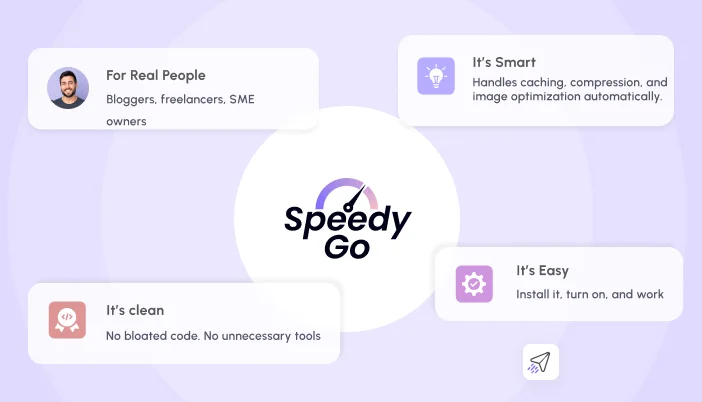
Lazy loading sounds technical, but with SpeedyGo, it’s not. You don’t need to touch code, tweak settings, or install five different plugins. SpeedyGo handles it all in the background, quietly making your site faster, lighter, and smoother.
Once installed, SpeedyGo automatically enables lazy loading for images, videos, iframes, and even background media. It adds the right attributes (loading=”lazy”) to your content, making sure browsers only load what’s needed when it’s needed.
Here’s what SpeedyGo does for you:
- Auto-enables lazy load for all major media types, no setup required
- Optimizes below-the-fold content, so your first screen loads lightning fast
- Supports native browser lazy loading, compatible with WordPress 5.5+
- Extends lazy load to background images and custom themes, going beyond default WordPress behavior
- Works with other SpeedyGo features like caching, CDN, and file minification for full-stack speed
💡 Tips to Know:
- Lazy Load is turned on by default in SpeedyGo
- You can customize which elements get lazy-loaded (images, videos, iframes, backgrounds)
- It works seamlessly with most WordPress themes and page builders
SpeedyGo doesn’t just add lazy load; it makes it smarter. By combining it with caching and compression, your site becomes faster across the board. And because it’s automated, you can focus on your content while SpeedyGo handles the performance.
Real Benefits You’ll See with SpeedyGo
Once Lazy Load is active through SpeedyGo, your site starts to feel different, lighter, faster, and more responsive. Visitors don’t have to wait for every image or video to load before they can interact. Instead, they get instant access to what matters most.
This isn’t just about technical performance it’s about how your site feels to real people. And that feeling translates into better engagement, stronger SEO, and higher conversions.
Here’s what you’ll notice:
- Faster Page Loads: Your site becomes interactive in seconds, even on slower connections.
- Lower Bounce Rates: Visitors stick around because the page doesn’t lag or stall.
- Better Mobile Experience: Phones and tablets handle your site more smoothly, with less data strain.
- Improved SEO: Google rewards fast-loading pages, especially those that pass Core Web Vitals.
- Higher Conversion Rates: When your site feels fast and trustworthy, users are more likely to take action, buy, sign up, or share.
SpeedyGo doesn’t just enable Lazy Load, it amplifies it. By combining it with caching, compression, and smart file handling, it turns your WordPress site into a performance machine. And because it’s automated, you don’t have to worry about setup or compatibility; it just works.
Quick Checklist: How to Enable Lazy Load with SpeedyGo
If you’re using WordPress and want to speed up your site without touching code, SpeedyGo makes it incredibly simple. Lazy Load is built right into the plugin, and turning it on takes less than a minute.
Here’s your step-by-step checklist to get it working:
✅ Install SpeedyGo: Go to your WordPress dashboard, search for SpeedyGo, and install the plugin. Activate it once installed.
✅ Open SpeedyGo Settings: You’ll find a new tab in your dashboard. Click into it to access performance options.
✅ Enable Lazy Load: Find the Lazy Load toggle and switch it on. SpeedyGo will automatically apply lazy loading to images, videos, iframes, and background media.
✅ Choose What to Lazy Load: You can customize which elements get delayed images only, or include videos and iframes too.
✅ Save Your Settings: Click “Save” and you’re done. No coding, no manual edits.
✅ Test Your Site Speed: Use Google PageSpeed Insights or GTmetrix to see the difference. You’ll likely notice faster load times and better Core Web Vitals.
💡 Tip: Combine Lazy Load with SpeedyGo caching and minification features for even better results.
This checklist isn’t just for developers; it’s for anyone who wants a faster, smoother site without the stress. SpeedyGo handles the heavy lifting so you can focus on your content.
Final Thought:
Speed isn’t just a technical metric; it’s a feeling. When your site loads fast, it feels clean, trustworthy, and effortless. When it drags, even for a few seconds, it feels broken. That’s the emotional side of performance, and it’s exactly what Lazy Load helps fix.
By delaying the loading of off-screen content, Lazy Load gives your visitors a smoother experience. They see what they need instantly, without waiting for every image or video to load. And when you use SpeedyGo, that experience becomes automatic. No setup stress. No coding. Just results.
Lazy Load isn’t a luxury; it’s a necessity for modern websites. It improves load times, reduces bounce rates, boosts SEO, and makes your site feel alive. And with SpeedyGo, you get all those benefits with one click.
So if you’re serious about speed, user experience, and search rankings, Lazy Load is your starting point. Let SpeedyGo handle the tech so you can focus on what really matters: content, connection, and conversion.
👉 Try SpeedyGo Now and see what fast feels like.