
 4 mins read
Why WebP Is the Smarter Image Format for Faster Websites
Share Article :


Why WebP Is the Smarter Image Format for Faster Websites
We all love beautiful images on our websites. They make things look polished, professional, and engaging. But those same images are often the reason your site loads slowly.
Big JPEGs. Heavy PNGs. Old-school GIFs. They take up space, eat bandwidth, and drag down your page speed.
And when your site’s slow, People bounce. Google drops your ranking. You lose clicks, sales, and trust.
That’s where WebP comes in. It’s a modern image format that’s lighter, faster, and smarter without sacrificing quality.
In this blog, we’ll break down why switching to WebP is one of the simplest ways to speed up your site and give your visitors a smoother experience.
What Is WebP (And Why It Matters)
WebP is a modern image format made by Google. It’s designed to do one thing really well: make images smaller without making them look worse.
Think of it like this: JPEG and PNG are the old-school formats. They’re fine, but they weren’t built for today’s web. WebP is.
Here’s why it matters:
- Smaller file sizes mean faster load times
- No quality loss – your images still look sharp
- Supports transparency and animation like PNG and GIF
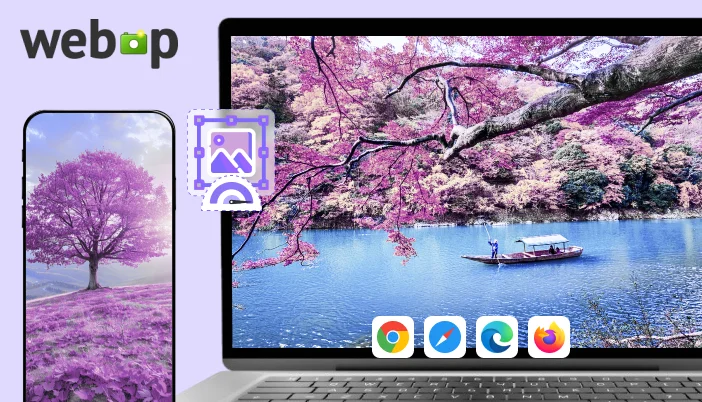
- Works everywhere – Chrome, Safari, Firefox, Edge… It’s all covered
In short, WebP gives you the same visual impact with way less weight. And when your site loads faster, everything improves SEO, user experience, and conversions.
Real Benefits of Using WebP
Switching to WebP isn’t just a tech upgrade; it’s a smart move that makes your site faster, lighter, and more user-friendly. Here’s what you actually get:
- Faster load times: WebP files are smaller, so your pages load quicker. Visitors stay longer, bounce less, and convert more.
- Better SEO: Google loves fast sites. WebP helps your pages rank higher without extra effort.
- Less storage and bandwidth: Smaller images mean less strain on your server and faster delivery to users, especially on mobile.
- Cleaner mobile experience: WebP keeps your site snappy on slower connections and smaller screens.
- One format for everything: WebP handles transparency, animation, and high-quality visuals so you don’t need to juggle PNGs, JPEGs, and GIFs anymore.
How WebP Stacks Up Against JPEG, PNG, and GIF
Let’s break it down. You’ve probably used JPEGs for photos, PNGs for graphics with transparency, and GIFs for animations. WebP does all of that and does it better.
Here’s a quick look:
| Feature | ✅ WebP | JPEG | PNG | GIF |
| File Size | ✅ Smallest | ❌ Larger | ❌ Larger | ❌ Larger |
| Image Quality | ✅ High | ✅ High | ✅ High | ⚠️ Limited |
| Transparency Support | ✅ Yes | ❌ No | ✅ Yes | ❌ No |
| Animation Support | ✅ Yes | ❌ No | ❌ No | ✅ Yes |
| Browser Compatibility | ✅ Full | ✅ Full | ✅ Full | ✅ Full |
| SEO Impact | ✅ Positive | ⚠️ Neutral | ⚠️ Neutral | ❌ Negative |
How to Switch to WebP (Without the Headache)
Good news, moving to WebP doesn’t mean redoing your whole site. It’s actually one of the easiest upgrades you can make.
Here’s how to do it:
- Use a plugin: If you’re on WordPress, tools like SpeedyGo already handle WebP conversion automatically. No extra setup needed.
- Convert manually (if needed): Free tools like Squoosh or TinyPNG let you convert images to WebP in seconds.
- Replace old formats: Swap out heavy JPEGs and PNGs with WebP versions. Your site will load faster instantly.
- Test and preview: Make sure everything looks good across devices and browsers. WebP is widely supported, but it’s always smart to double-check.
No coding. No stress. Just faster images and a better experience for your visitors.
Final Thought:
If your site is still using JPEGs, PNGs, or GIFs, you’re missing out on faster load times, better SEO, and a smoother user experience.
WebP is the upgrade your site deserves: lighter, smarter, and built for today’s web.
It’s easy to switch. It’s easy to see the difference. And once you do, you won’t go back.
Start Using WebP Today
👉 Try SpeedyGo Now and see what fast feels like.