
 5 mins read
Why WebP Is the Smarter Image Format for Faster Websites
Share Article :


In this blog, you will learn what WebP is, why it is better than traditional image formats like JPEG and PNG, and how it helps improve website speed. We’ll explore the benefits of WebP images, how they impact SEO
We all love beautiful images on our websites. They make things look polished, professional, and engaging. But those same images are often the reason your site loads slowly.
Big JPEGs. Heavy PNGs. Old-school GIFs. They take up space, eat bandwidth, and drag down your page speed.
And when your site’s slow, People bounce. Google drops your ranking. You lose clicks, sales, and trust.
That’s exactly why website speed matters. Every second your visitors spend waiting can affect how they interact with your site and whether they stick around.
That’s where WebP comes in. It’s a modern image format that’s lighter, faster, and smarter without sacrificing quality.
What Is WebP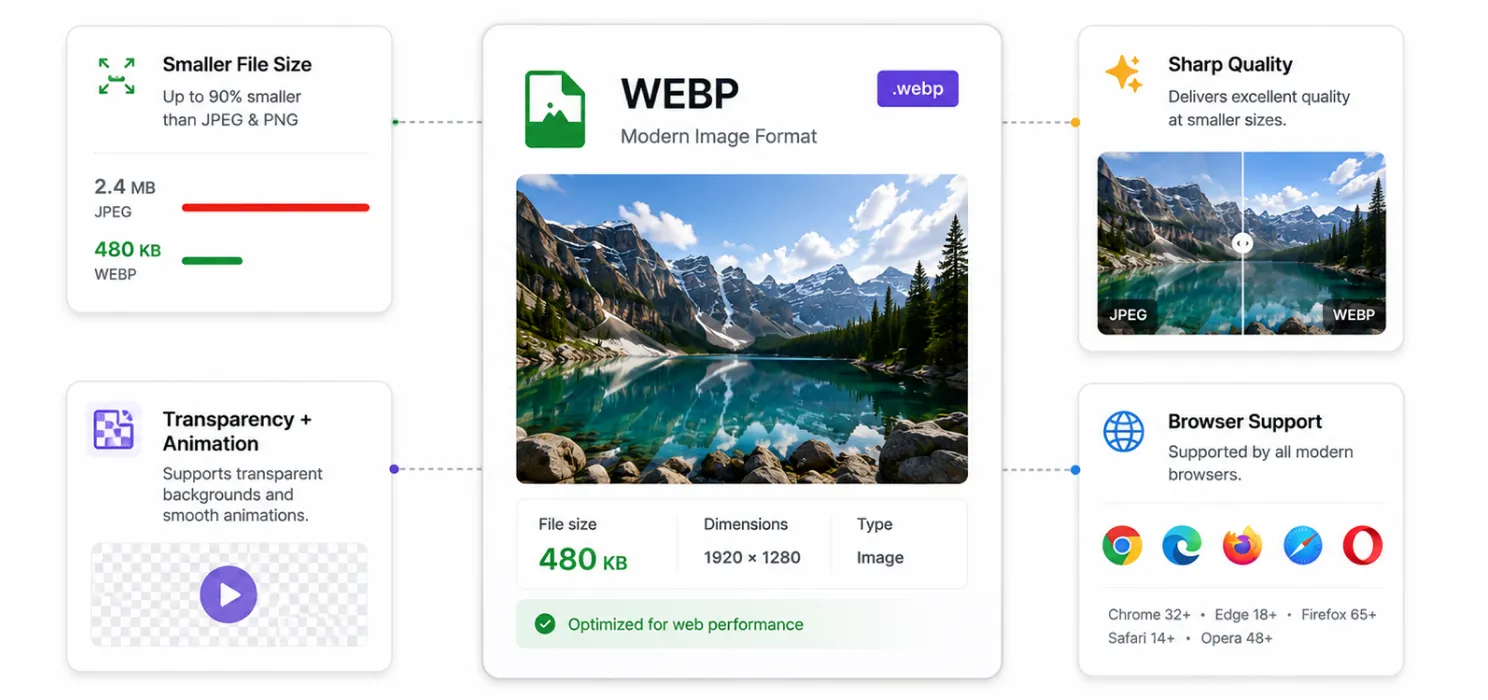
WebP is a modern image format made by Google. It’s designed to do one thing really well: make images smaller without making them look worse.
Think of it like this: JPEG and PNG are the old-school formats. They’re fine, but they weren’t built for today’s web. WebP is.
Here’s why it matters:
- Smaller file sizes mean faster load times
- No quality loss – your images still look sharp
- Supports transparency and animation like PNG and GIF
- Works everywhere – Chrome, Safari, Firefox, Edge… It’s all covered
In short, WebP gives you the same visual impact with way less weight. And when your site loads faster, everything improves SEO, user experience, and conversions.
Real benefits of using WebP
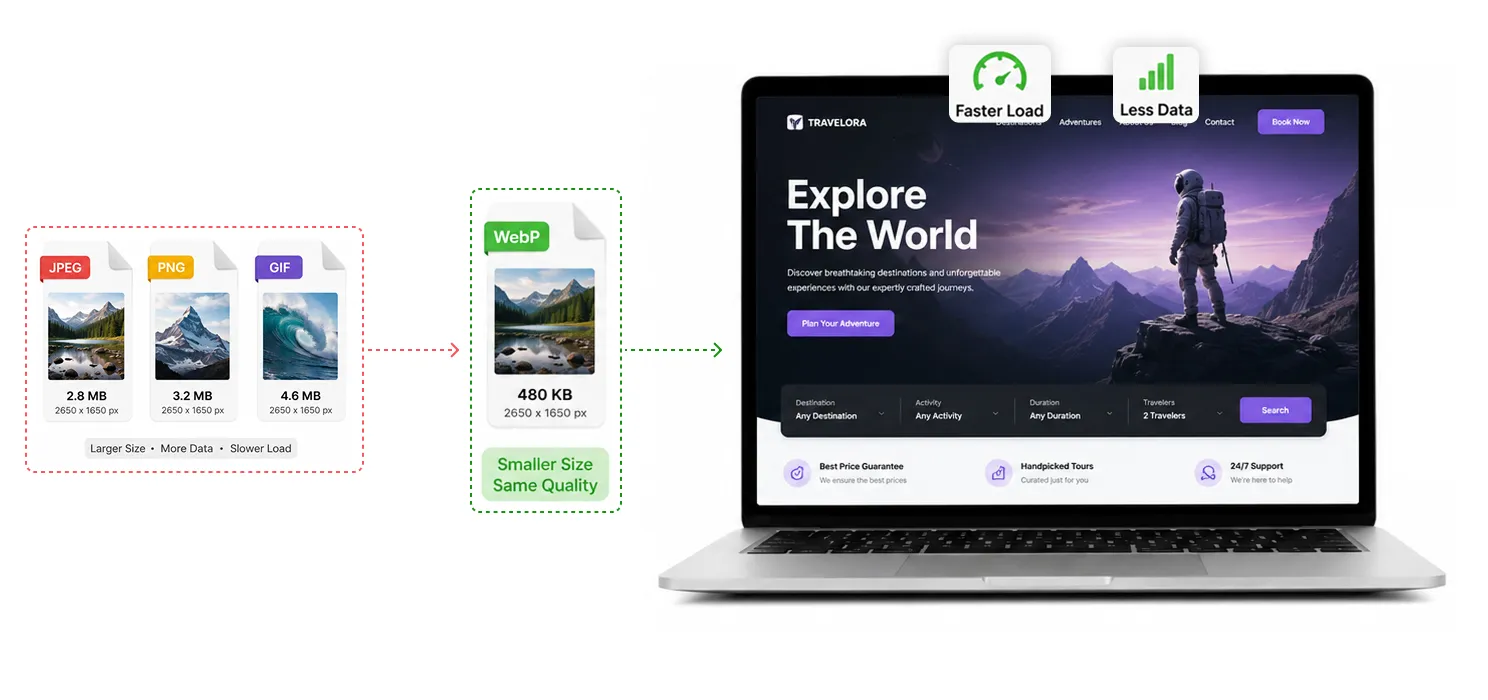
Switching to WebP isn’t just a tech upgrade; it’s a smart move that makes your site faster, lighter, and more user-friendly. Here’s what you actually get:
- Faster load times: WebP files are smaller, so your pages load quicker. Visitors stay longer, bounce less, and convert more.
- Better SEO:Google considers page experience and performance when evaluating websites. Using smaller WebP images can help improve loading performance and contribute to better Core Web Vitals.
- Less storage and bandwidth: Smaller images mean less strain on your server and faster delivery to users, especially on mobile.
- Cleaner mobile experience: WebP keeps your site snappy on slower connections and smaller screens.
- One format for everything: WebP handles transparency, animation, and high-quality visuals so you don’t need to juggle PNGs, JPEGs, and GIFs anymore.
How WebP stacks up against JPEG, PNG, and GIF
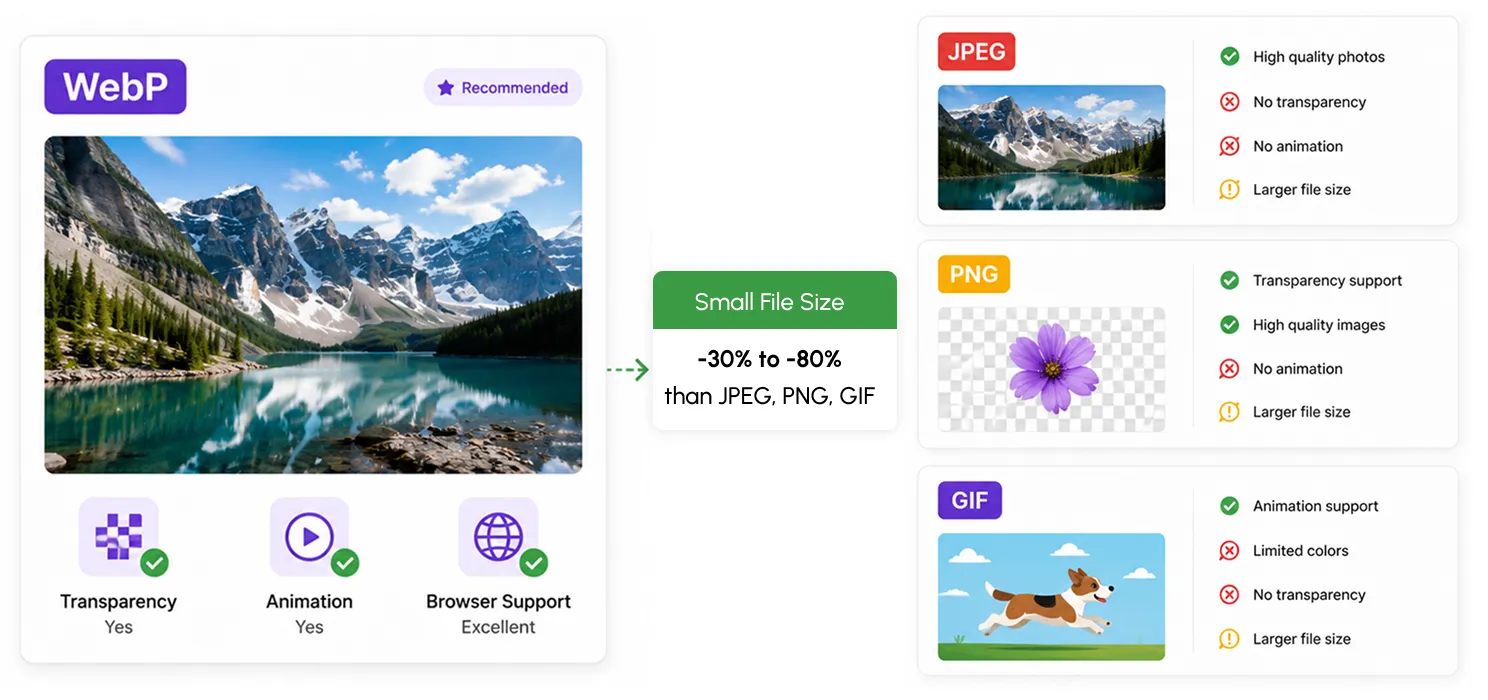
Let’s break it down. You’ve probably used JPEGs for photos, PNGs for graphics with transparency, and GIFs for animations. WebP does all of that and does it better.
Here’s a quick look:
| Feature | ✅ WebP | JPEG | PNG | GIF |
| File Size | ✅ Smallest | ❌ Larger | ❌ Larger | ❌ Larger |
| Image Quality | ✅ High | ✅ High | ✅ High | ⚠️ Limited |
| Transparency Support | ✅ Yes | ❌ No | ✅ Yes | ❌ No |
| Animation Support | ✅ Yes | ❌ No | ❌ No | ✅ Yes |
| Browser Compatibility | ✅ Full | ✅ Full | ✅ Full | ✅ Full |
| SEO Impact | ✅ Positive | ⚠️ Neutral | ⚠️ Neutral | ❌ Negative |
How to switch to WebP
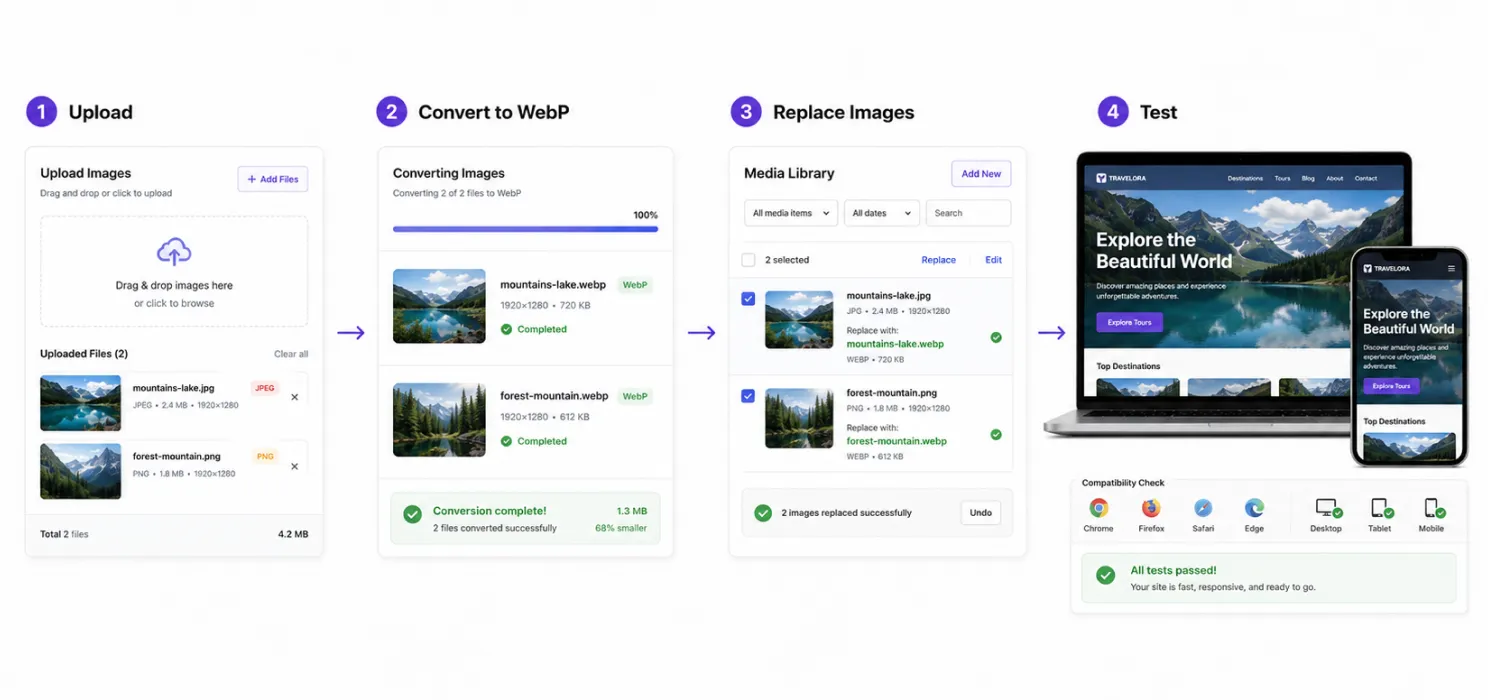
Good news, moving to WebP doesn’t mean redoing your whole site. It’s actually one of the easiest upgrades you can make.
Here’s how to do it:
- Use a plugin: If you’re on WordPress, a WordPress speed optimization plugin like SpeedyGo can handle WebP conversion automatically, so you don’t have to convert and replace images manually. No extra setup needed.
- Convert manually (if needed): Free tools like Squoosh or TinyPNG let you convert images to WebP in seconds.
- Replace old formats: Swap out heavy JPEGs and PNGs with WebP versions. Your site will load faster instantly.
- Test and preview: Make sure everything looks good across devices and browsers. WebP is widely supported, but it’s always smart to double-check.
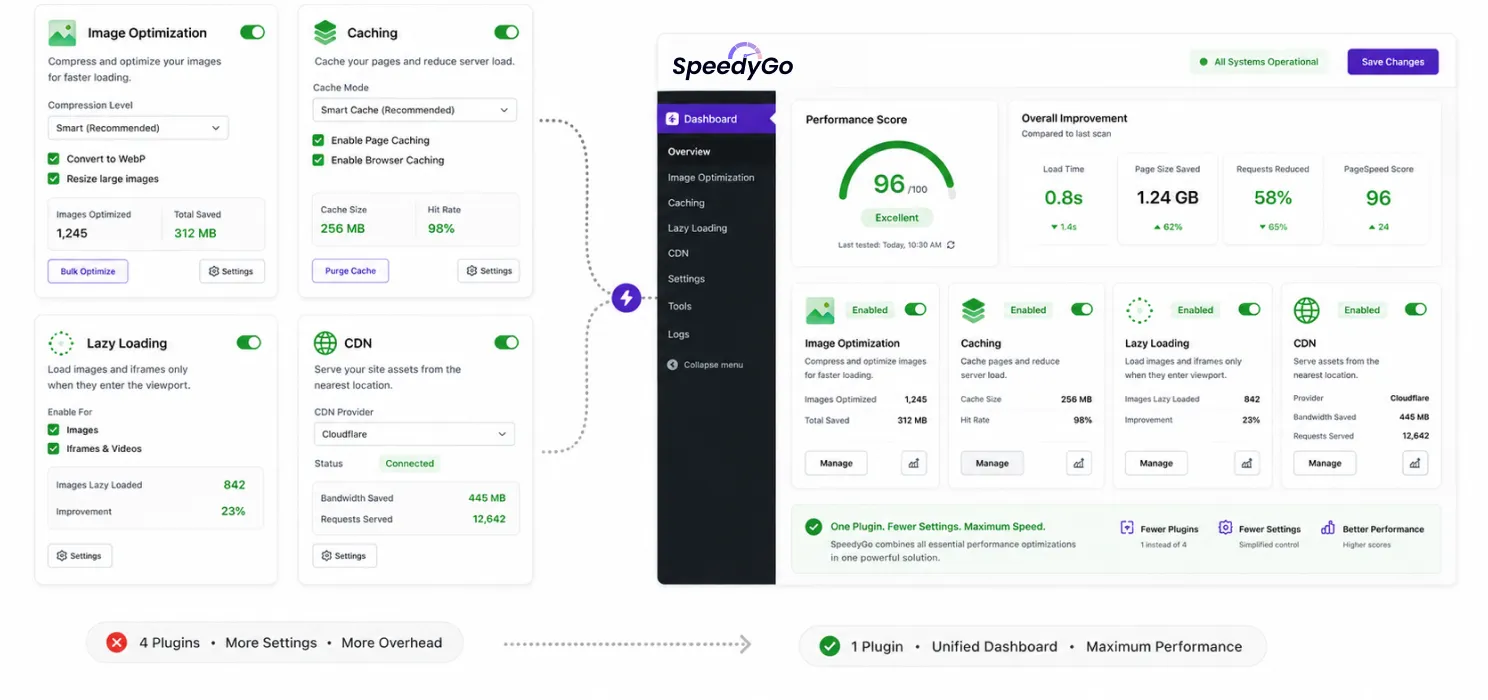
WebP conversion is just one part of what SpeedyGo can do. You can explore the full range of SpeedyGo features, including image optimization, caching, CDN integration, lazy loading, and file minification.
No coding. No stress. Just faster images and a better experience for your visitors.
Why choose SpeedyGo?
If image optimization is only one part of your speed problem, SpeedyGo gives you more than WebP conversion. It combines image optimization with caching, lazy loading, CDN delivery, and other performance tools in one place. That means fewer separate plugins to manage and fewer settings to worry about.
If you’re comparing WordPress performance tools, learn why choose SpeedyGo for your website.
Final thought:
If your site is still using JPEGs, PNGs, or GIFs, you’re missing out on faster load times, better SEO, and a smoother user experience.
WebP is the upgrade your site deserves: lighter, smarter, and built for today’s web.
It’s easy to switch. It’s easy to see the difference. And once you do, you won’t go back.
See what fast feels like
Start free, no credit card needed — or pick the plan that fits your site.

Frequently Asked Question
Whether you’re a solo professional, a small business, or a large corporation, we have a plan that’s right for you.
What is WebP?
WebP is a modern image format developed by Google that creates significantly smaller image files while maintaining excellent visual quality. It supports both lossy and lossless compression, as well as transparency and animation.
Why is WebP better than JPEG or PNG?
WebP images are typically much smaller than JPEG and PNG files while delivering similar image quality. Smaller file sizes help websites load faster, reduce bandwidth usage, and improve the overall user experience.
Does using WebP improve SEO?
Yes. While WebP itself isn’t a direct ranking factor, smaller image files improve page speed and Core Web Vitals. Faster websites provide a better user experience, which can contribute to improved search engine rankings.
Does SpeedyGo automatically convert images to WebP?
Yes. SpeedyGo can automatically convert your existing images to the WebP format, helping reduce image sizes without requiring manual editing or additional plugins.
Will WebP images work in all browsers?
Yes. Modern browsers including Chrome, Firefox, Edge, Safari, and Opera support WebP. For older browsers, WordPress optimization plugins like SpeedyGo can provide compatible fallback images when needed.
Will converting to WebP reduce image quality?
In most cases, no. WebP is designed to maintain high visual quality while significantly reducing file size. Most visitors won’t notice any difference in appearance they’ll simply enjoy a faster-loading website.