7 mins read
SpeedyGo Agency: Scalable Speed Solutions for Professional Team
Share Article :


In this blog, you will learn why speed optimization stops being a simple task the moment your team is responsible for more than a handful of WordPress sites, what actually breaks down at that point, and how SpeedyGo is built specifically to handle that shift.
If you’re managing WordPress sites for clients, or for a growing product with multiple properties, you already know the moment we’re talking about. One site is manageable. A handful is still fine. But somewhere between ten and thirty sites, something changes. The manual checklist that used to work stops working, and it’s not because anyone got worse at their job.
Here’s a number that puts this in perspective:
47% of solo and small agency operators manage more than 20 client sites, and 18% of agencies manage more than 100.
That’s not a small handful of outliers running huge operations. That’s a genuinely common reality for teams that started small and simply grew.
Where the manual approach quietly breaks down
When a team manages one or two sites, keeping them fast is genuinely manageable by hand. Someone checks a PageSpeed score, clears a cache, maybe compresses a few images once a month. These are all familiar parts of WordPress speed optimization, and at a small scale, they’re manageable manually. That works fine at a small scale.
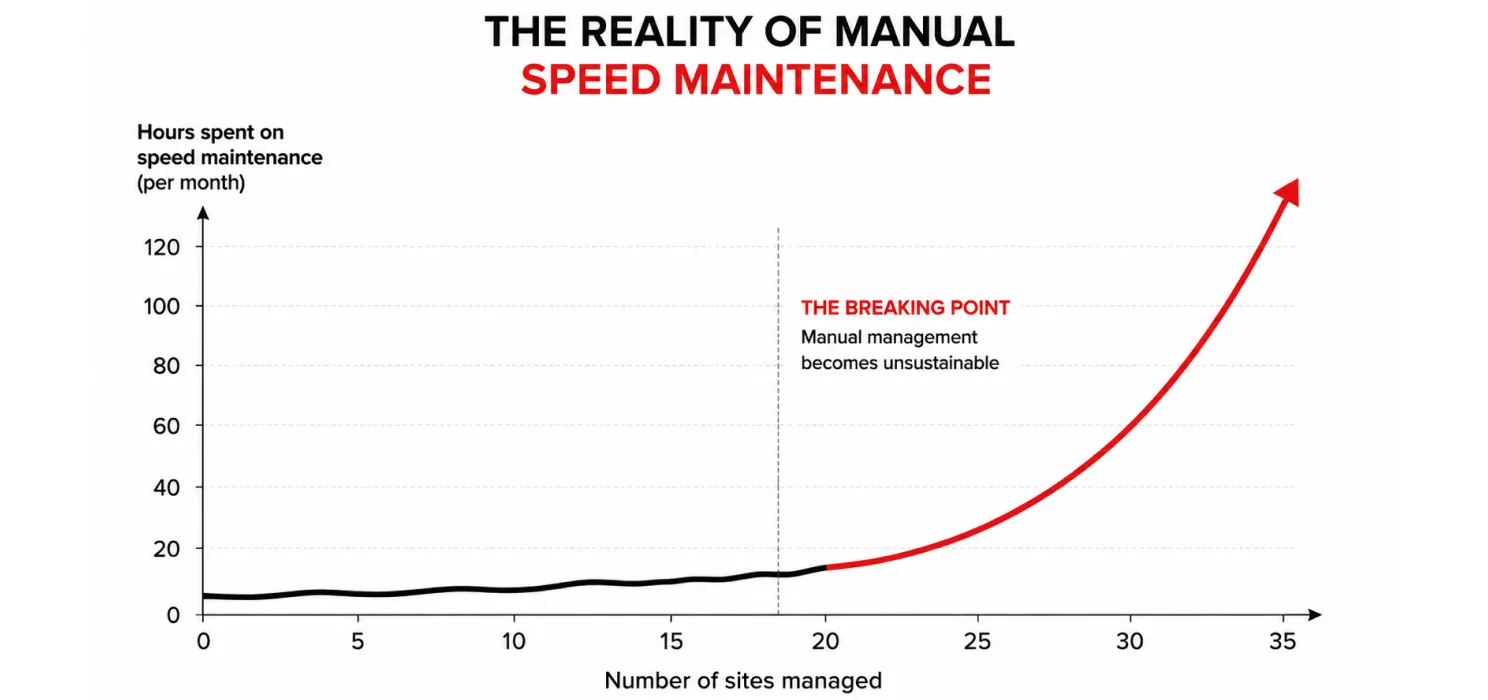
The problem is that this approach doesn’t scale linearly. It scales worse than that. Every additional site adds its own plugins, its own theme quirks, its own hosting environment, its own history of accumulated bloat. As one recent breakdown of how agencies actually operate put it plainly:
“Manual WordPress site management does not scale past a handful of sites.”
That’s not a criticism of the teams doing it manually; it’s just an honest description of the math. Keeping plugins and themes properly maintained across every client site is already named as a top challenge by 65% of agencies, and that number climbs to 75% among agencies managing more than 100 sites. Speed work sits right alongside that same challenge, since a bloated, outdated plugin stack is very often the same thing dragging down both security and performance at once. Using a WordPress speed optimization plugin can help standardize some of this work across multiple sites.
What actually happens without a scalable system in place
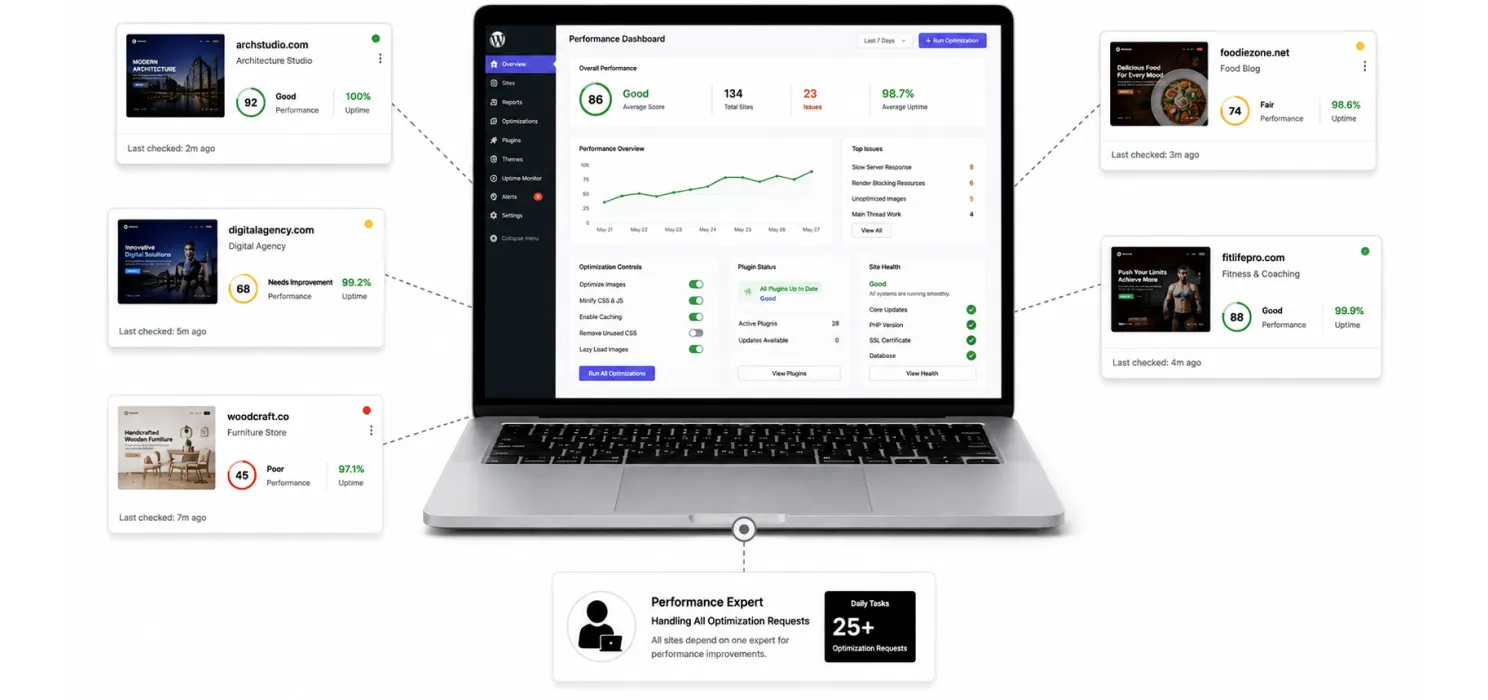
- Speed checks get done inconsistently, some sites get real attention, others get forgotten between fires
- The same fix gets manually re-applied site by site, instead of once, because there’s no shared process
- A plugin update on one site breaks something, and nobody notices until a client flags it
- Your best developer becomes the person everyone defers to for anything performance-related, across every client, which quietly caps how much the team can actually take on
- Reporting to clients becomes a manual, time-consuming task instead of something that just exists
None of this is really about ability. It’s about a manual process getting asked to do a job it was never built to do at scale.
What a professional team actually needs from a speed solution
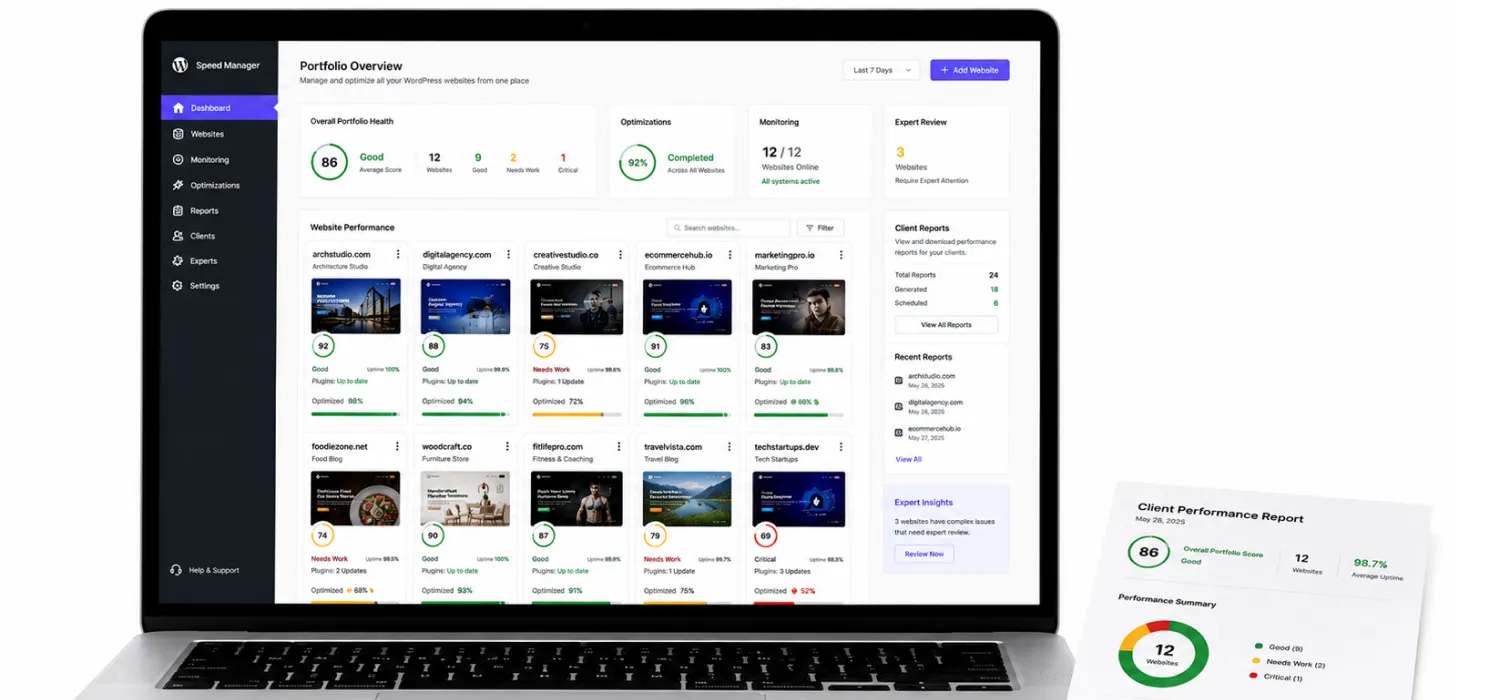
A scalable approach to WordPress speed needs to answer a few specific questions well, not just run a single audit once and call it done:
- Can we see the state of every site at a glance? Not logging into each one individually to check
- Are fixes consistent across the portfolio? So a best practice applied to one client’s site is applied everywhere it’s relevant, not reinvented each time
- Is there ongoing monitoring, not just a one-time cleanup? Since a plugin update six months from now can quietly undo work that was already done
- Can this be reported to clients without hours of manual write-up? Client-facing reporting matters just as much as the technical fix itself
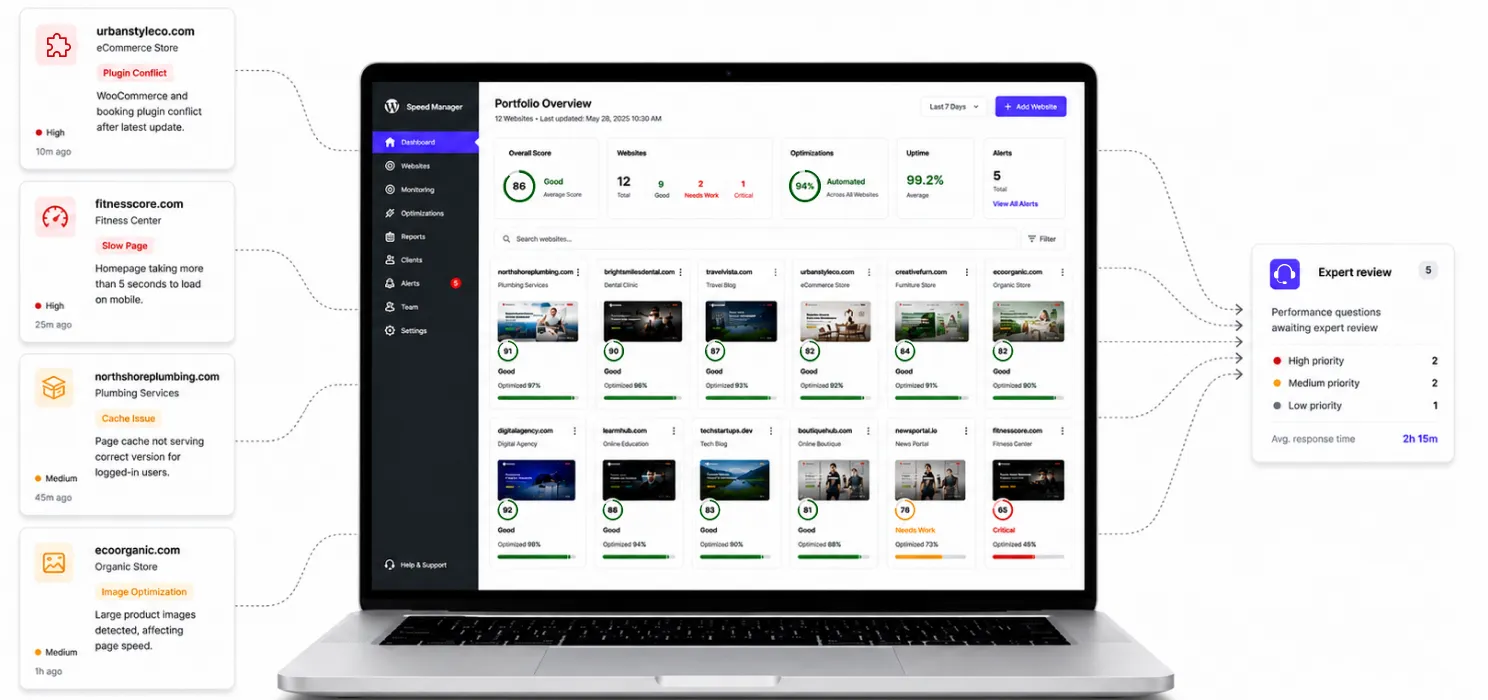
- Is there real expert backup for the genuinely hard cases? Automation handles most of it, but the rare, tricky problem still needs a human who knows what they’re looking at
SpeedyGo
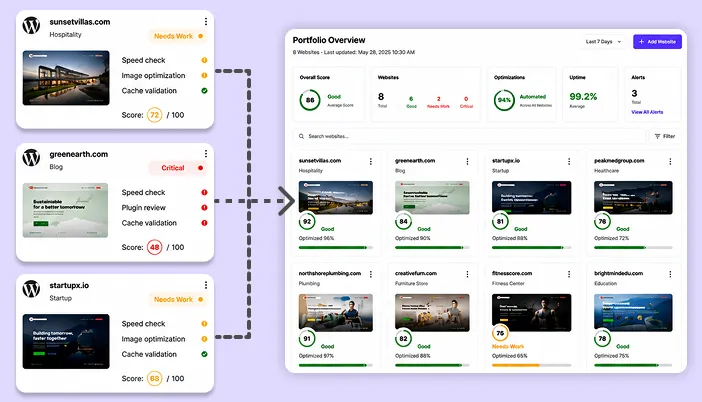
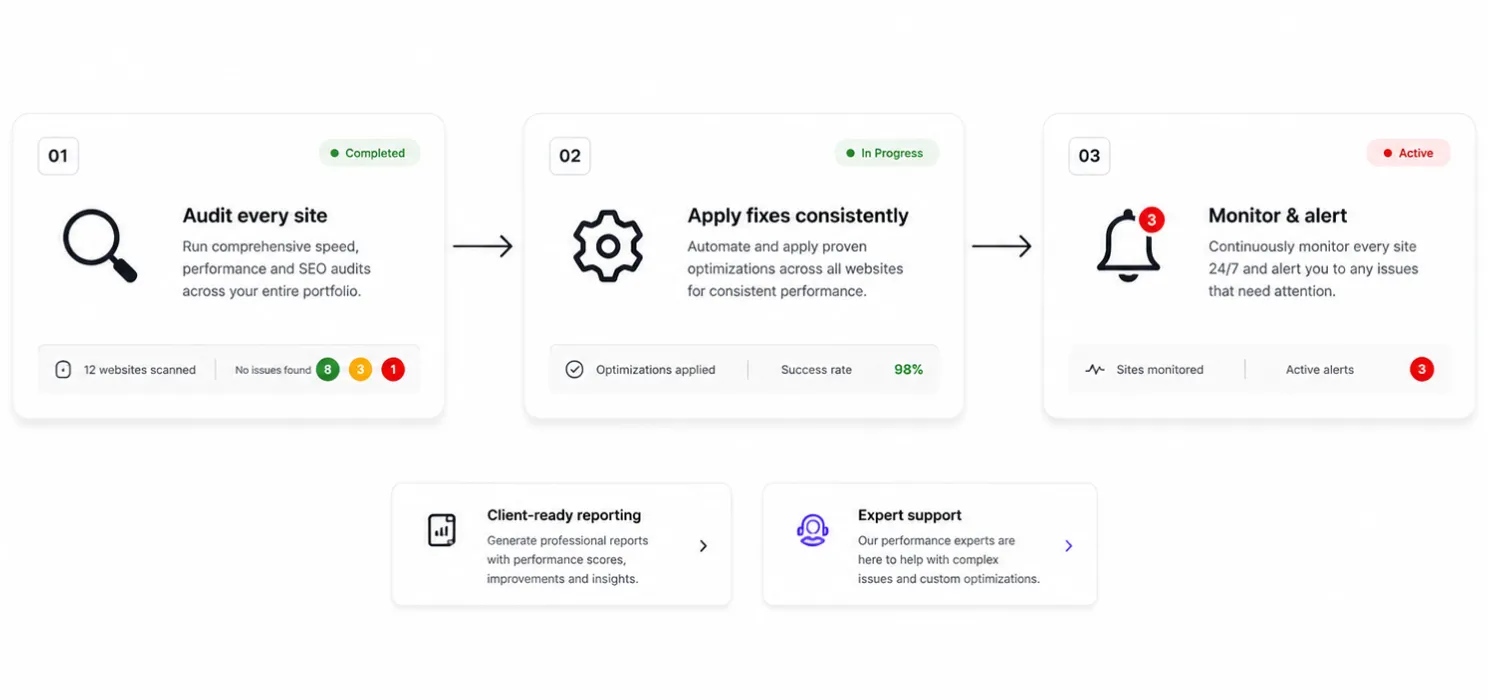
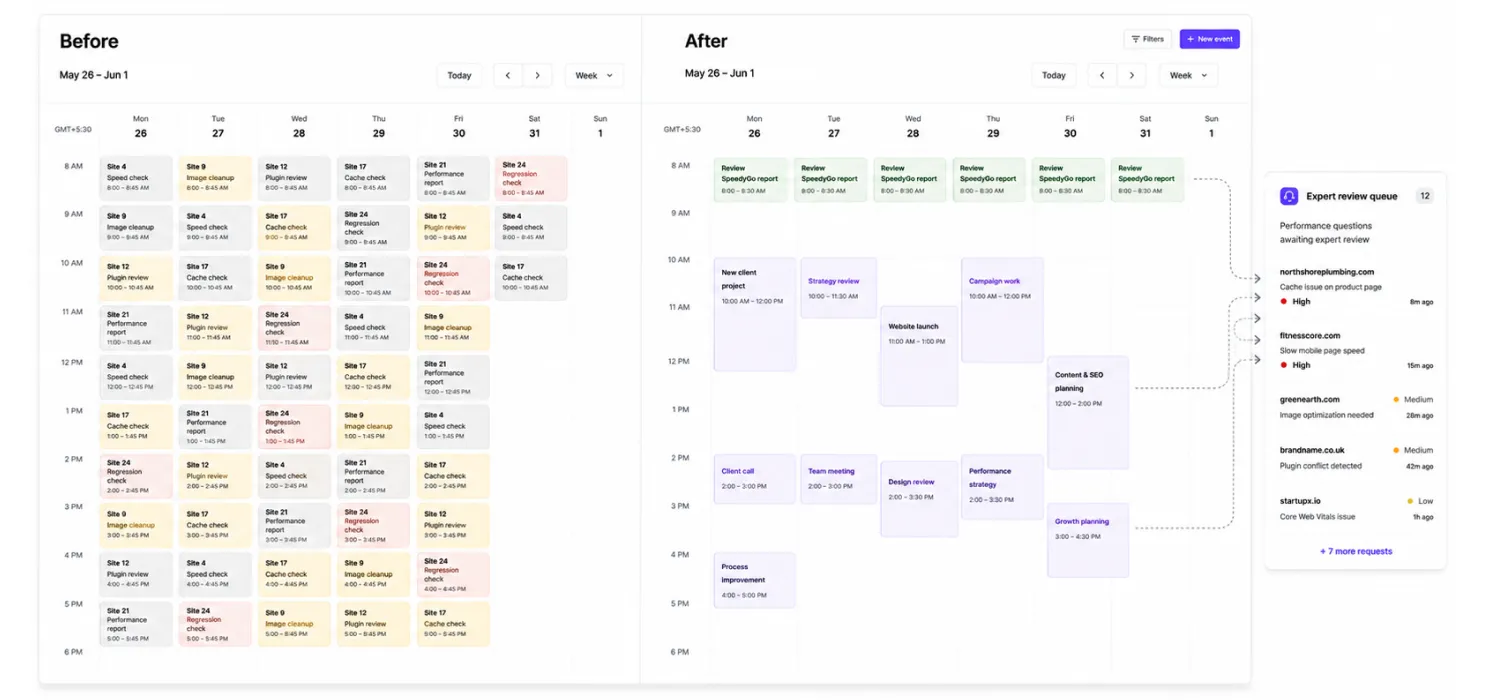
This is really the gap SpeedyGo exists to close. Instead of your team running the same manual checklist on every individual site, SpeedyGo is built to handle the repeatable parts of speed optimization consistently, across your whole portfolio, from one place. A single view across every site you manage, so you’re not logging into a dozen different dashboards to know what’s actually going on
- A single view across every site you manage, so you’re not logging into a dozen different dashboards to know what’s actually going on
- Consistent fixes applied at scale, caching, image optimization, and the other repeatable work that used to take a developer’s afternoon per site
- Ongoing monitoring, so a regression gets caught automatically instead of waiting for a client to notice and email you about it
- Client-ready reporting, built to hand off or white-label, rather than something your team has to assemble by hand every month
- Real support behind it, for the genuinely unusual cases that still need a person, not just an automated rule
We built it this way because the actual problem agencies and internal teams describe isn’t “we don’t know how to speed up a WordPress site.” Most experienced teams know exactly what needs to happen. The problem is doing that consistently across twenty, fifty, or a hundred sites, without it eating every available hour.
| Note: Automation handles the repeatable, well-understood fixes extremely well. It’s not meant to replace judgment on the genuinely unusual cases, an odd plugin conflict, a strange hosting quirk, those still benefit from a person who can actually look closely. A good system knows the difference and routes accordingly, rather than pretending everything can be automated away. |
Manual approach vs a scalable system
| Manual, site by site | Scalable system (like SpeedyGo) | |
| Visibility across your portfolio | Have to check each site individually | One view across everything you manage |
| Consistency of fixes | Depends on who did the work and when | Applied the same way across every relevant site |
| Catching regressions | Usually after a client notices | Monitored and flagged automatically |
| Reporting to clients | Manually written up, time-consuming | Built to hand off with minimal extra work |
| Team capacity | Caps out as the portfolio grows | Scales without a proportional increase in hours |
Tip: If you’re trying to decide whether your team has actually hit this wall yet, look at how much of your team’s week goes to repeatable maintenance tasks versus genuinely new client work. If that ratio has been creeping in the wrong direction, that’s usually the clearest sign the manual approach has run out of room.
Who this is actually built for
- Agencies managing a growing roster of client WordPress sites who need consistency without hiring a developer for every ten new clients
- In-house teams responsible for multiple properties (a main site, regional sites, campaign landing pages) who need one place to keep tabs on all of them
- Freelancers and small shops scaling past the point where manual, one-off fixes are still realistic to keep up with
- Any team that’s found itself with a talented developer quietly becoming the bottleneck for every performance question across every client
The bottom line
Every team managing WordPress sites eventually hits the same wall: the manual process that worked at five sites simply doesn’t work at fifty. That’s not a reflection on the team’s skill, it’s just what happens when a repeatable job outgrows a manual process built for a much smaller scale.
SpeedyGo exists specifically for that moment, giving professional teams a way to keep speed consistent across a growing portfolio without it consuming every spare hour, while still leaving room for real expertise where it actually matters. If that gap sounds familiar, it’s probably worth a closer look at how your team is currently spending its time on this.
Quick questions people ask
Quick answers to common questions about how the platform works, developer collaboration, client site control, scalability, and reporting.
Does this replace our developers, or work alongside them?
Alongside.
The goal is to take the repeatable, well-understood work off their plate so they can spend their time on the genuinely hard problems, and on the actual client work they were hired for.
Do we lose control over what changes get made on client sites?
No. Fixes are visible and reviewable, not silent black-box changes. You should always know what changed and why, especially on sites you’re ultimately responsible for.
Is this only useful once we're managing a large number of sites?
It helps most noticeably once manual maintenance starts eating real hours, but even smaller teams benefit from consistency and monitoring rather than relying on memory and one-off checks.
How does client reporting actually work?
Reports are built to be handed off with minimal extra effort, so your team isn’t spending hours each month manually compiling PageSpeed screenshots and writing summaries from scratch.