9 mins read
The Agency Guide to Managing WordPress Speed Across 10+ Client Sites
Share Article :


This guide is the playbook we wish every agency had when they crossed that line. Tooling, pricing math, workflow, reporting, and how to win the speed conversation with clients.
Every WordPress agency hits the same wall around the tenth client site: speed becomes a problem that touches every site, every month, and there is no clean way to manage it without burning the team’s calendar.
Every client wants their site to be fast. None of them want to learn what makes it fast. And every site you don’t actively maintain quietly degrades.
That is the gap an agency has to close at scale, without consuming the team’s bandwidth.
The five things agencies actually need
Forget feature checklists. These are the five capabilities that decide whether your agency’s speed offering is profitable.
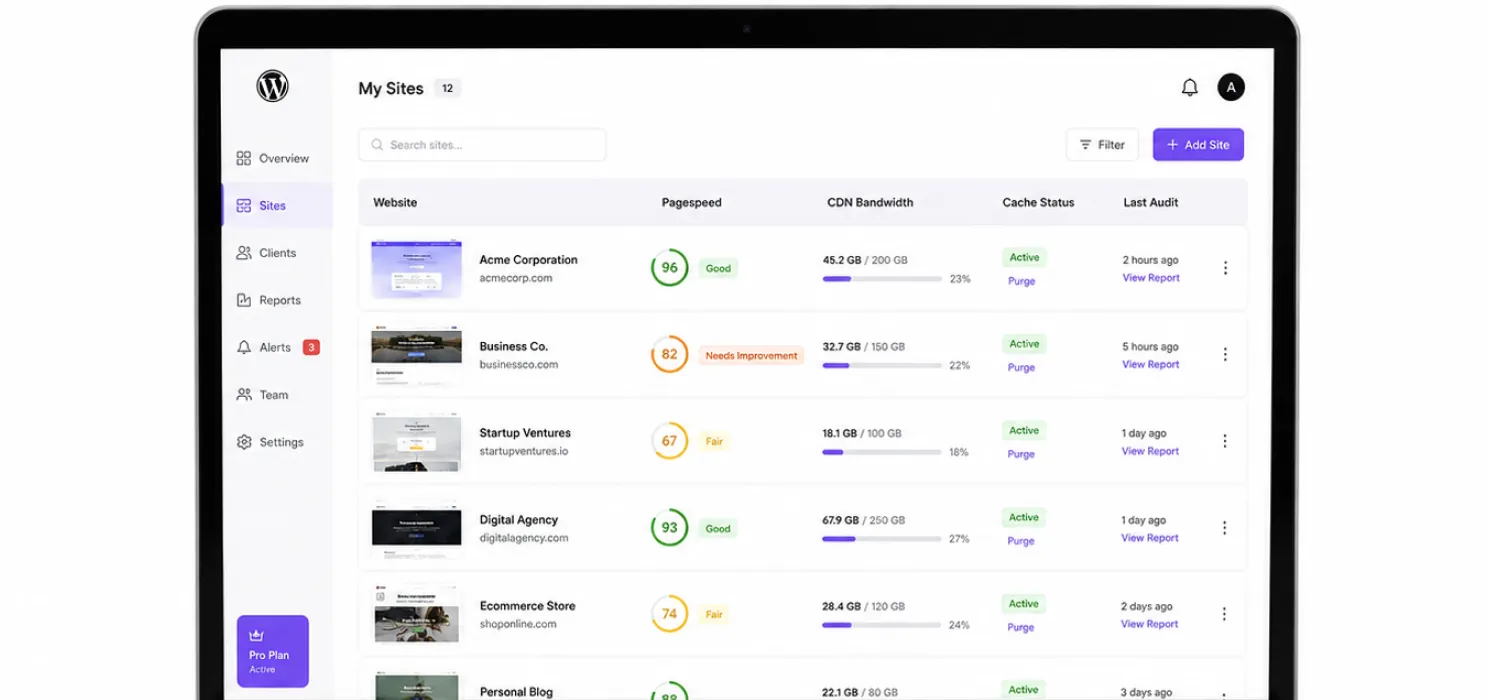
1. A central dashboard
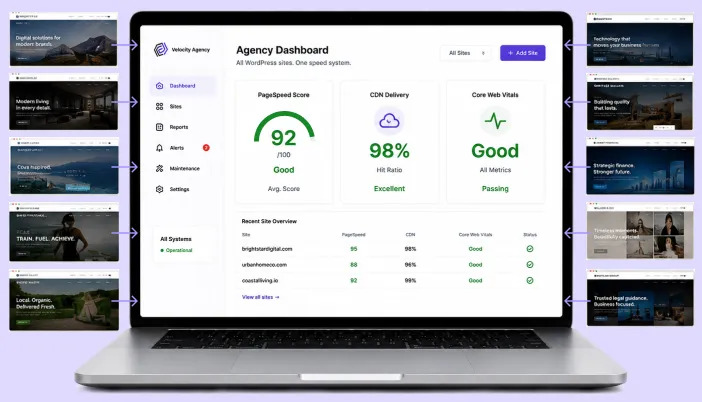
You need to see all client sites in one place, current PageSpeed score, CDN bandwidth used, last cache purge, last audit. Click into any site without logging into 10 separate WordPress dashboards.
Without this, the cost of monitoring 10 sites is 10x the cost of monitoring one. With it, monitoring 10 sites costs about 1.5x.
2. Bulk CDN with predictable pricing
A WooCommerce client doing 200 GB/month on a site you also manage for a content client doing 50 GB/month both costs need to land in one place, with bulk pricing.
Per-site CDN billing means you are quoting 12 different numbers. Bulk CDN means you quote one.
3. White-label or co-branded reporting (optional but powerful)
Monthly speed reports your account managers can send clients without the client seeing a tool name they did not buy. The agency’s brand on the report; the agency’s expertise framing the numbers.
This is the difference between “we optimize sites” (commodity) and “your dedicated performance team” (premium).
4. A response-time SLA from your speed vendor
When something breaks at 2pm on Friday and your client is waiting, you cannot wait three business days for an email. Your speed tooling vendor needs to reply on a defined SLA and they need a way to look at the problem with you, not over email.
5. Onboarding that scales
You need a repeatable, documented process to take any new client site from “as-shipped by the developer” to “passes Core Web Vitals” in under 90 minutes. Otherwise every new client is a fresh research project.
Common mistakes agencies make
We see these constantly:
- Buying one site licence per client. Ends up being 30% more expensive than a multi-site or agency plan, and triples the admin work.
- Mixing four caching plugins across the client roster. Half your team knows WP Rocket, half knows NitroPack, every client problem becomes a “how does this one work” investigation.
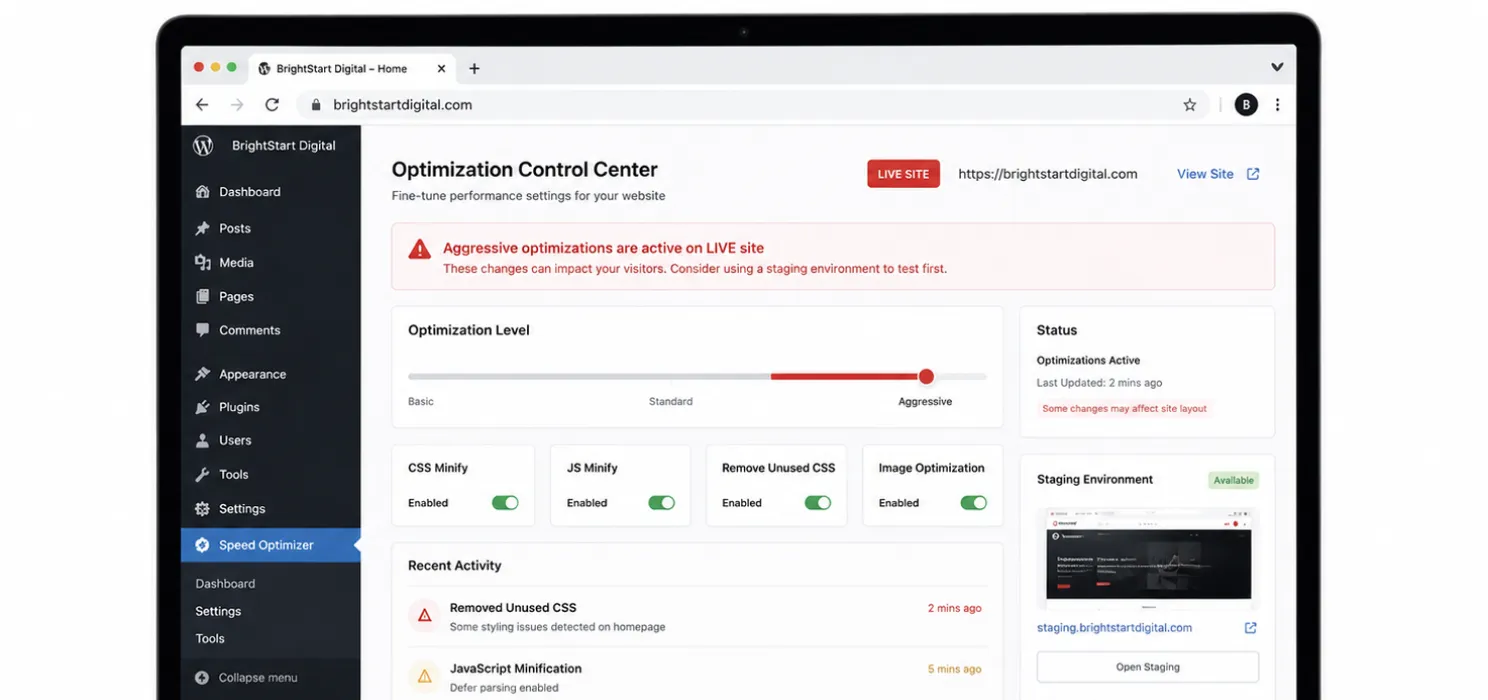
- No staging policy. Aggressive optimizations get tested on live client sites. Eventually one of them breaks during a campaign.
- Reporting only when something breaks. Clients only hear from you when there’s a problem. They never see the value of the monthly maintenance they are paying for.
- No SLA conversation with clients. Speed expectations are vague “fast” until a client complains, and then the agency has no defined response.
- Treating CDN as optional. Without a CDN, global clients always feel slow somewhere. The agency keeps fielding “why is it slow in Singapore?” tickets.
A scalable agency workflow
This is the workflow that works across 10–100 client sites. It assumes one speed-tooling stack across all of them, pick one, standardise.
Step 1 Inventory and baseline (week 1)
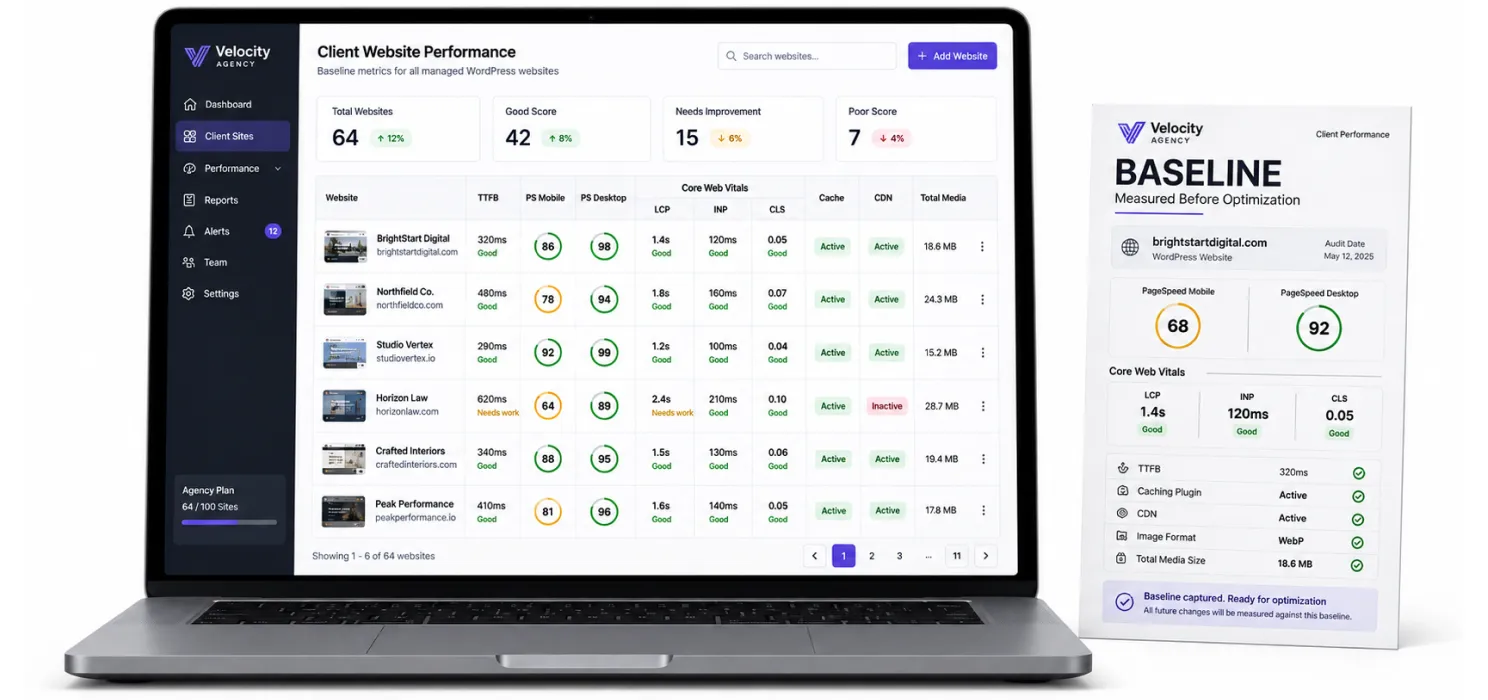
For every client site, capture:
- Current host and TTFB.
- Current PageSpeed mobile + desktop score.
- Current Core Web Vitals (LCP, INP, CLS) from real-user data.
- Current caching plugin (if any) and version.
- Current CDN setup (if any).
- Current image format and total media size.
- WooCommerce / membership / multilingual flags.
This becomes the baseline. Every change is measured against it.
Step 2 Standardise on one stack
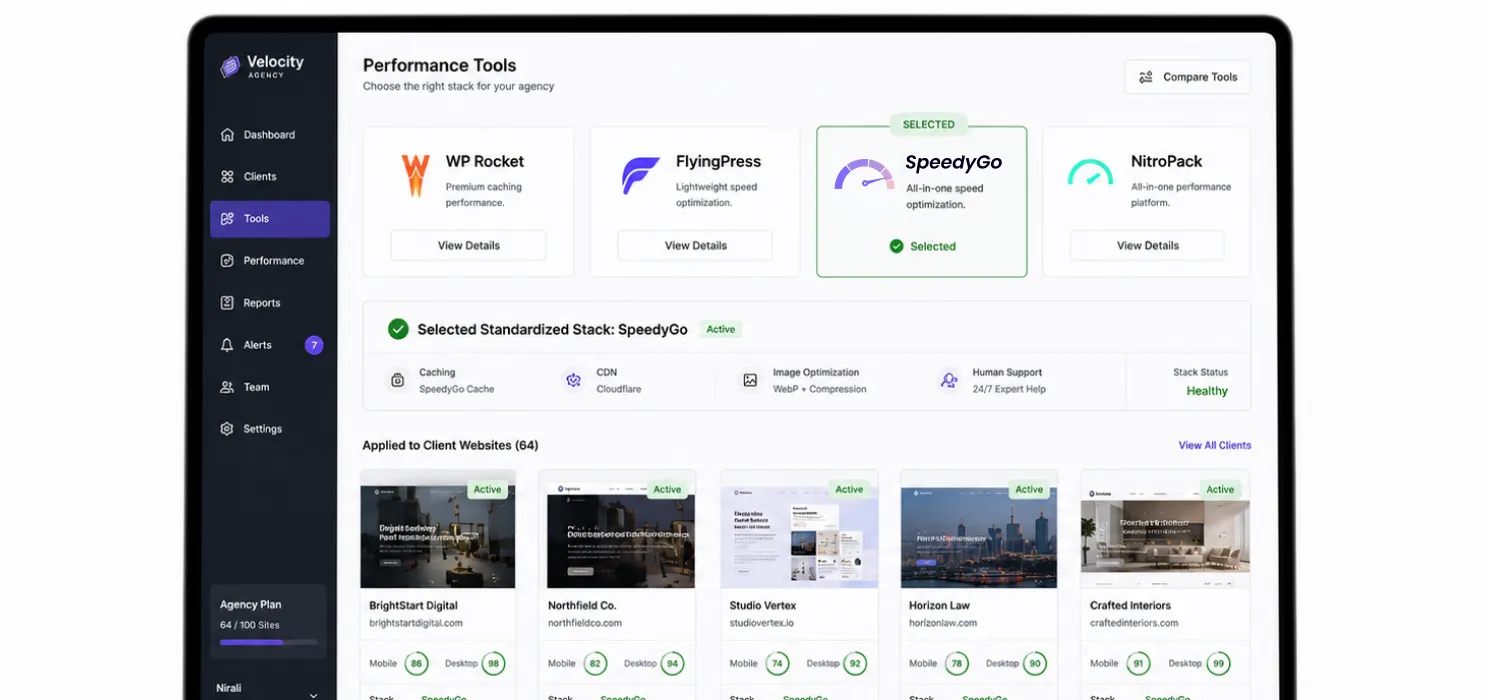
Pick one speed product across all client sites. The honest options for agencies:
- WP Rocket Multi-100/300/500 licences only; you still need to wire up CDN and image opt per client.
- FlyingPress Unlimited ($249/year) unlimited sites; technical and lean, no human help.
- SpeedyGo Agency bundled caching + BunnyCDN + WebP + dedicated human support; per-quote pricing.
- NitroPack Agency bundled, but pageview-metered across client sites; can get expensive with volatile traffic.
Pick by your team’s profile:
| If your team is… | Pick |
|---|---|
| Technical, hands-on, no need for vendor support | FlyingPress Unlimited |
| Mixed, value support, want CDN bundled | SpeedyGo Agency |
| Already deep in WP Rocket workflow | WP Rocket Multi + Cloudflare/RocketCDN |
| Optimising for one or two huge content clients | NitroPack Agency |
Step 3 Build a standard configuration
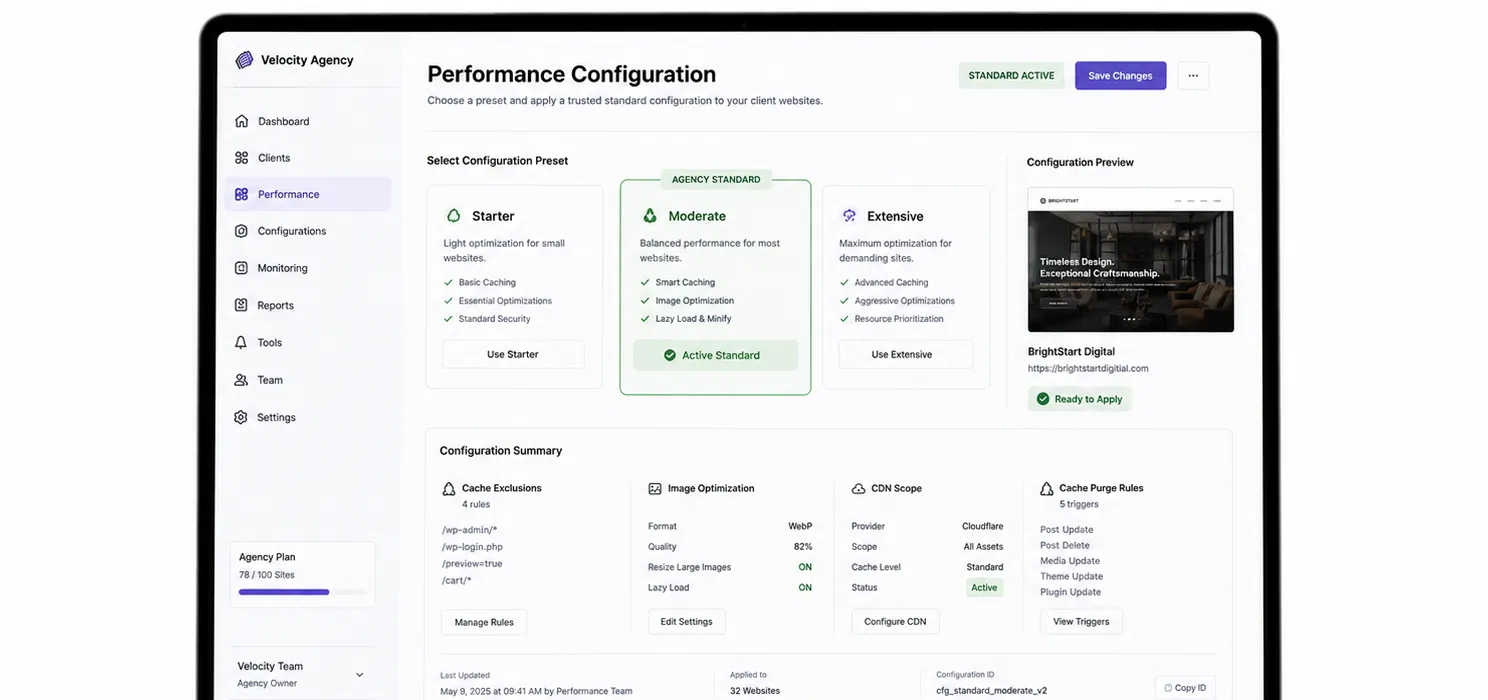
Document one configuration that gets applied to every new client site by default. Include:
- Default preset (Starter / Moderate / Extensive, pick one your team trusts).
- Standard cache exclusions for WordPress (admin, login, account, cart, checkout, REST API).
- WooCommerce-specific exclusions for stores.
- Standard image conversion quota and quality (recommend 75–82% for WebP).
- Standard CDN scope (assets only, never HTML for WooCommerce).
- Standard cache purge triggers (after deploys, after admin changes).
Save it as a JSON/YAML config file in your team wiki. New onboardings copy it.
Step 4 Audit + apply (90-minute target)
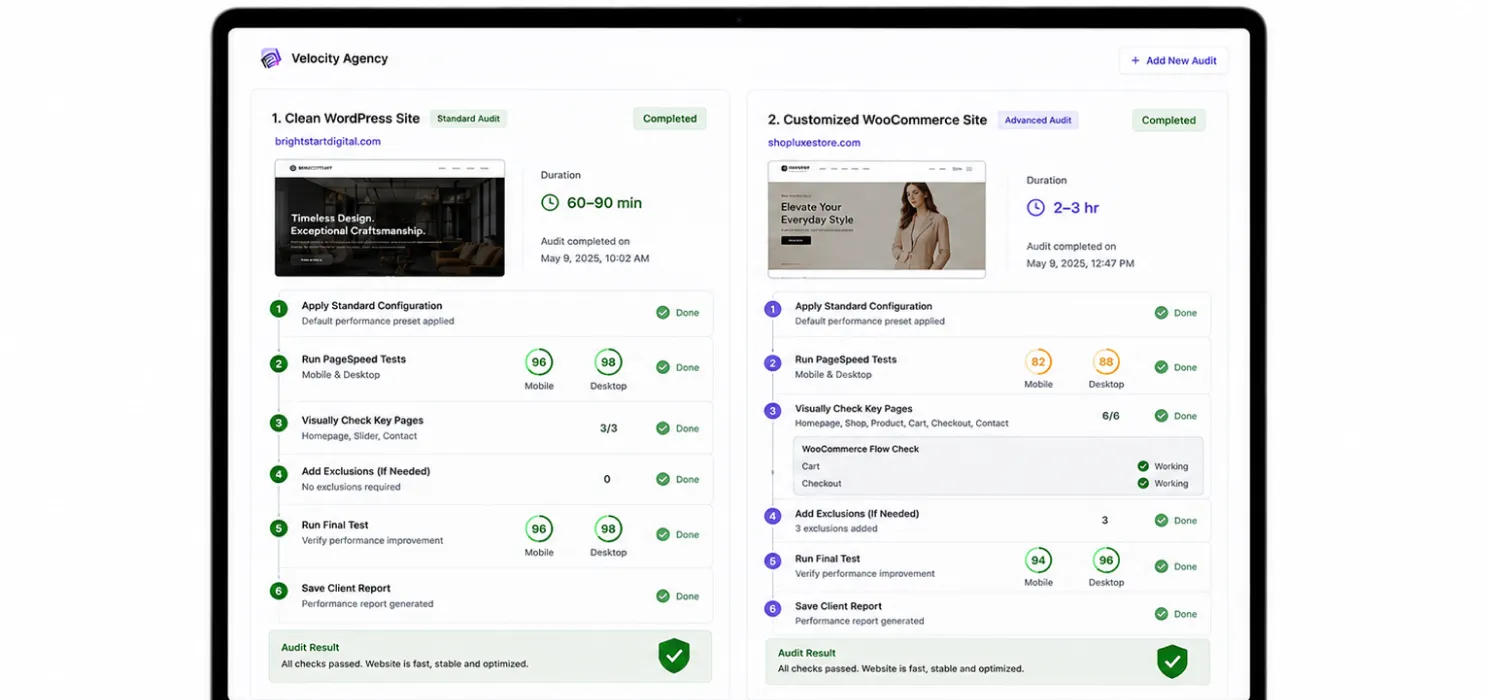
For each new client site:
- Activate the chosen speed plugin and apply the standard config.
- Run before/after PageSpeed Insights tests (mobile + desktop).
- Check the site visually on three or four key pages, sliders, cart, checkout, contact form.
- Add exclusions if anything broke.
- Run a final PageSpeed test.
- Save the report to the client’s folder.
Total time: 60–90 minutes for a clean WordPress site. 2–3 hours for a heavily-loaded WooCommerce site with custom code.
Step 5 Monthly maintenance and reporting
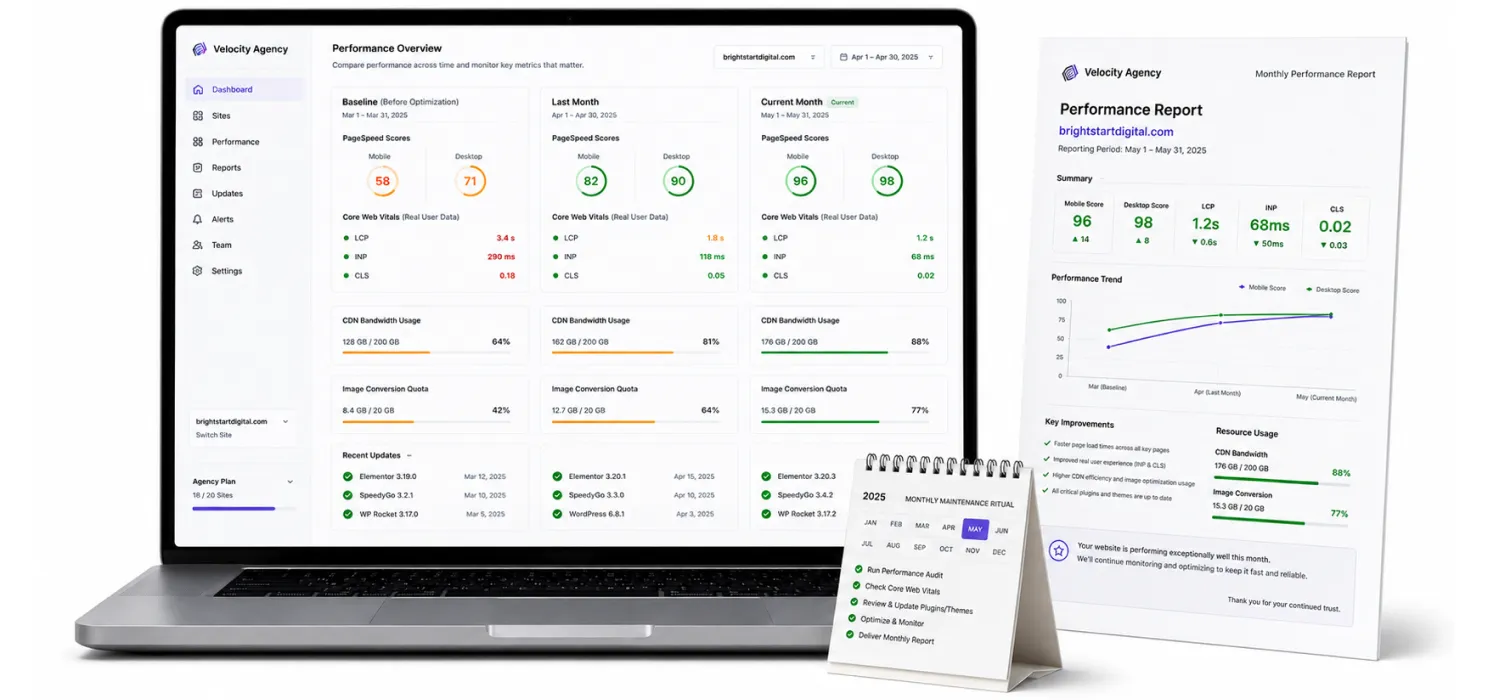
Every month, for every client:
- Run PageSpeed Insights, compare to baseline and last month.
- Check Core Web Vitals from real-user data (CrUX or Google Search Console).
- Check CDN bandwidth used vs quota.
- Check image conversion quota used.
- Note any new plugins or theme updates that may need testing.
- Send a one-page report with the numbers and a sentence of context.
This is the ritual that turns speed from a “we did this once” engagement into a recurring monthly service.
Step 6 Escalation playbook
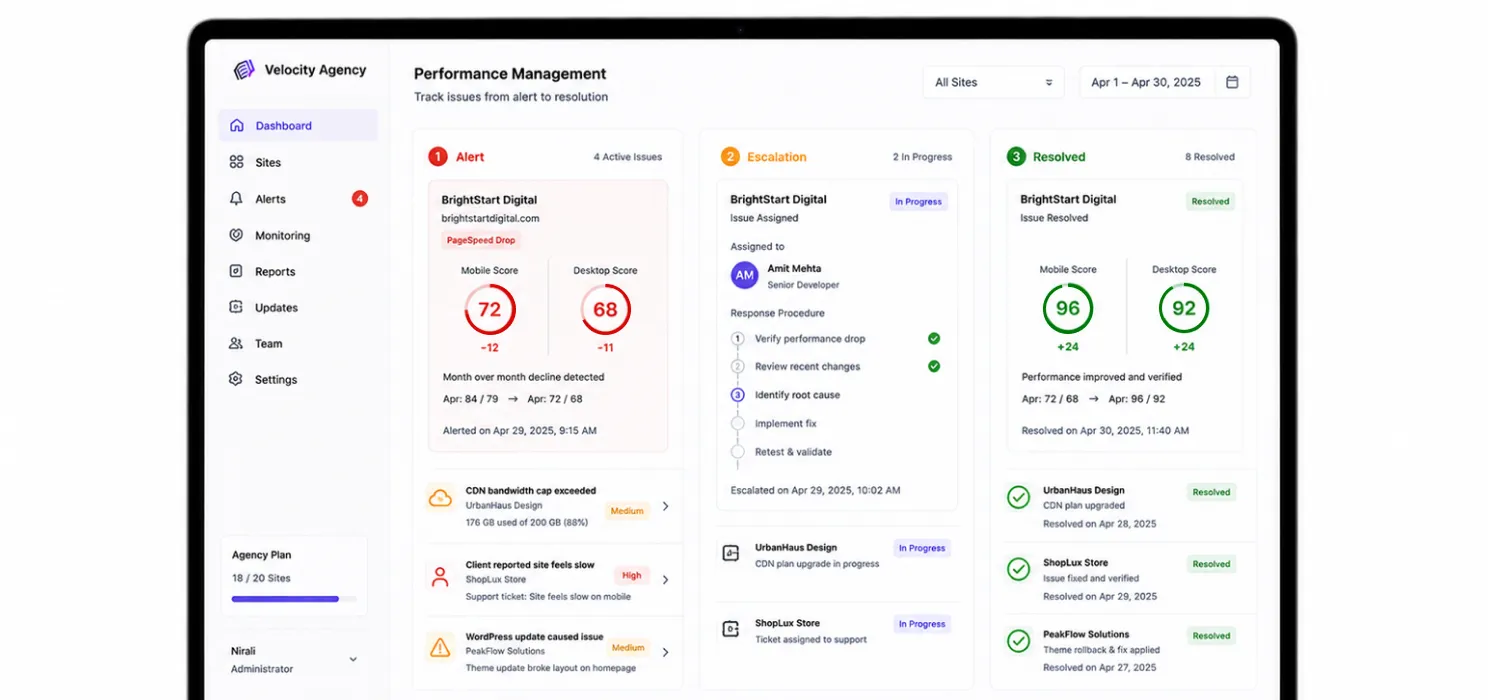
Define what happens when:
- A client site’s PageSpeed score drops more than 10 points month-over-month.
- CDN bandwidth exceeds the plan cap.
- A client reports their site is slow (regardless of the score).
- A WordPress core or theme update breaks something.
Write the playbook down. Train every team member on it. Speed support without an escalation playbook becomes firefighting.
Pricing math at agency scale
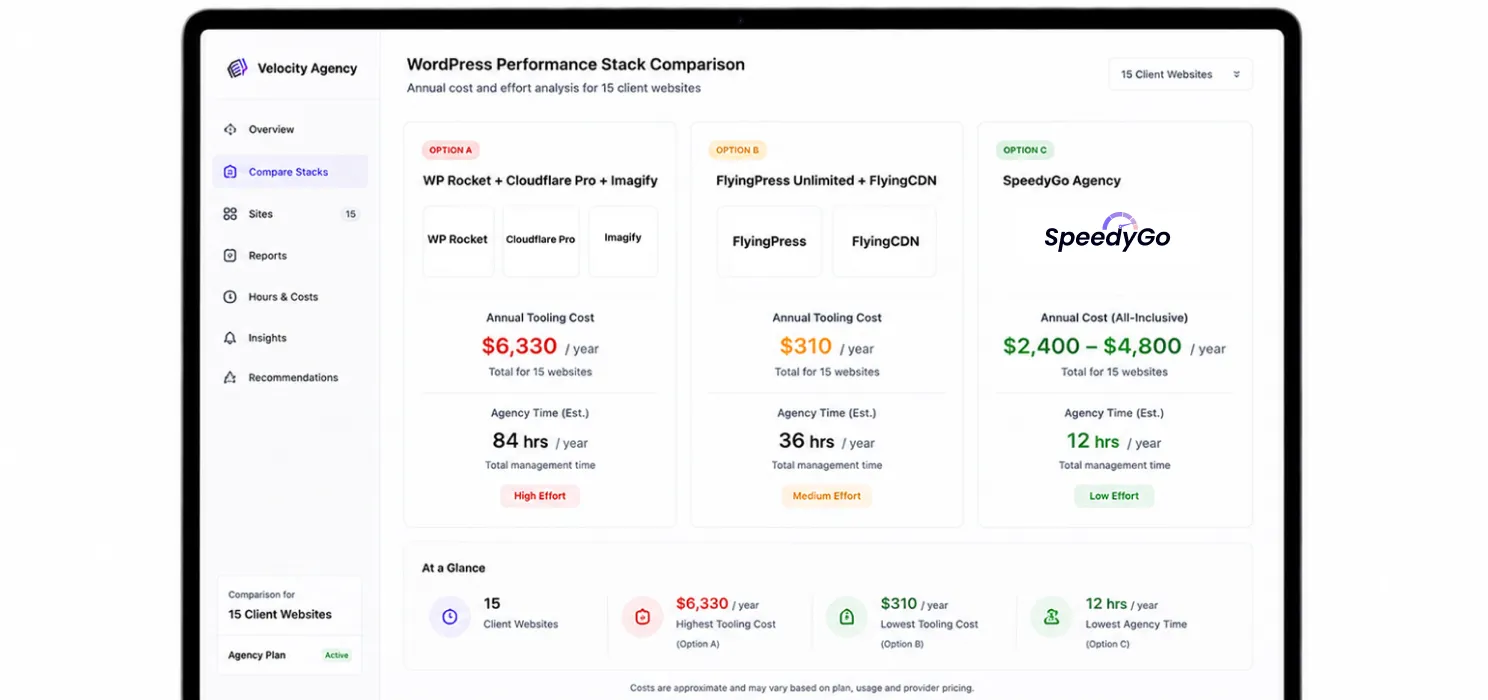
Let’s do the real math on 15 client sites.
Option A WP Rocket Multi-100 + Cloudflare Pro + Imagify
| Item | Cost |
|---|---|
| WP Rocket Multi-100 (covers 100 sites) | ~$300/yr |
| Cloudflare Pro × 15 sites (if you upsell APO) | $300/mo = $3,600/yr |
| Imagify Plus × 15 sites | ~$13.50/mo each = $2,430/yr |
| Agency time managing 3 separate tools across 15 sites | ~40 hours/yr |
| Total tooling per year | ~$6,330 + your time |
Option B FlyingPress Unlimited + FlyingCDN
| Item | Cost |
|---|---|
| FlyingPress Unlimited (all sites) | $249/yr |
| FlyingCDN bandwidth (~75 GB/mo aggregate × $5/100GB) | ~$60/yr (very cheap) |
| Image optimization | Included |
| Agency time | ~40 hours/yr |
| Total tooling per year | ~$310 + your time |
FlyingPress Unlimited is genuinely the cheapest licence option for technical agencies. The trade-off: no human support layer, you handle everything in-house.
Option C SpeedyGo Agency
| Item | Cost |
|---|---|
| SpeedyGo Agency (custom quote, 15 sites + bulk CDN) | Typically $200–400/mo = ~$2,400–4,800/yr |
| Includes | BunnyCDN bandwidth (bulk-discounted), WebP conversion, all features, dedicated channel, onboarding, scheduled audits |
| Agency time | Reduced (centralised dashboard, support included) |
| Total tooling per year | ~$2,400–4,800 + less of your time |
The right answer depends on your agency’s bottleneck. If your bottleneck is tooling cost, FlyingPress wins. If your bottleneck is team hours, SpeedyGo’s bundled support and centralised dashboard usually pay for themselves.
A useful rule: if your team’s hourly rate × 40 hours saved per year > the cost difference between options, the more bundled option wins.
Pricing models per client: how to charge
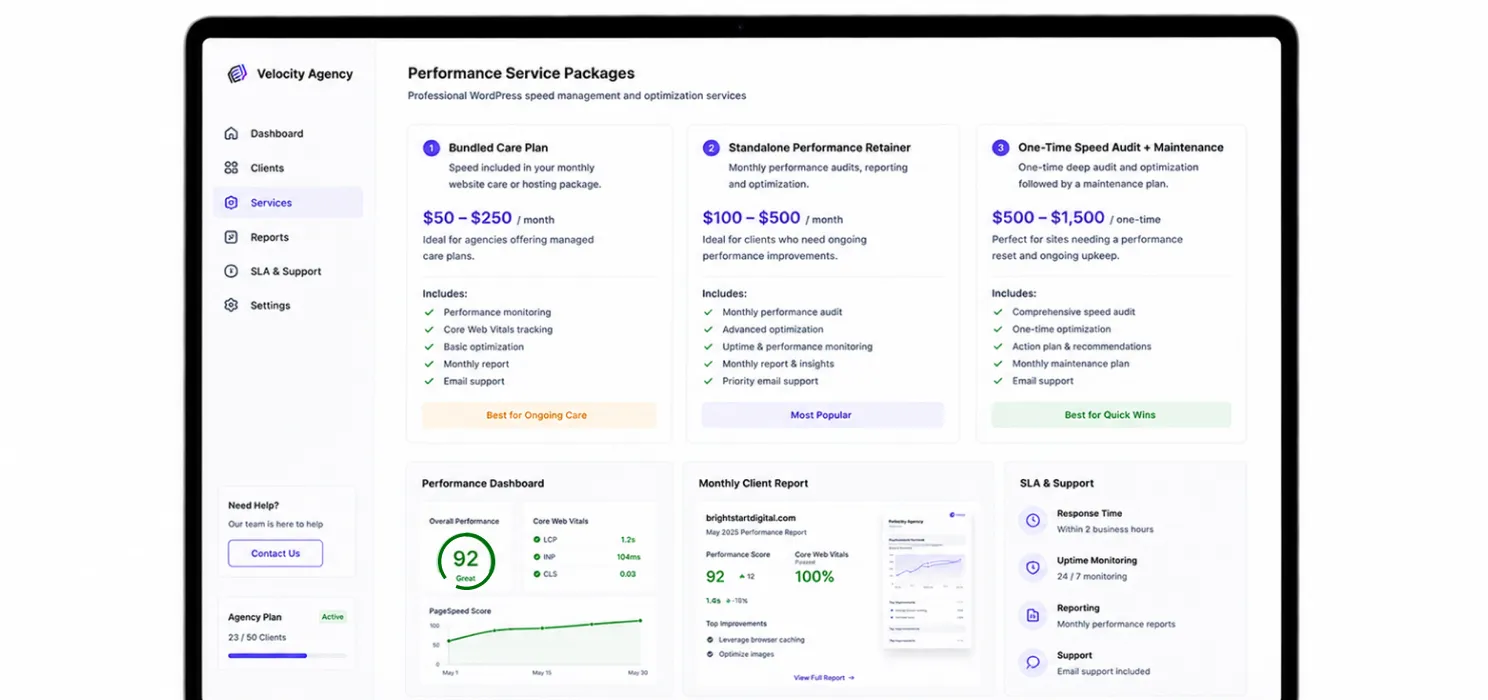
Most agencies undercharge for speed services. Three models that work:
- Bundled with hosting/care plan. Speed is “included” in the monthly care plan ($50–250/month). Margin built into the package.
- Standalone monthly performance retainer. $100–500/month per client for monthly audits, reporting, optimization. Sold as a separate line item.
- One-time speed audit + monthly maintenance. One-time $500–1,500 audit + smaller monthly retainer. Good for new client onboarding.
Whichever model you use, the speed tooling is a cost of goods sold, not the product. The product is your expertise, the dashboard, the report, and the SLA.
How to win the speed conversation with clients
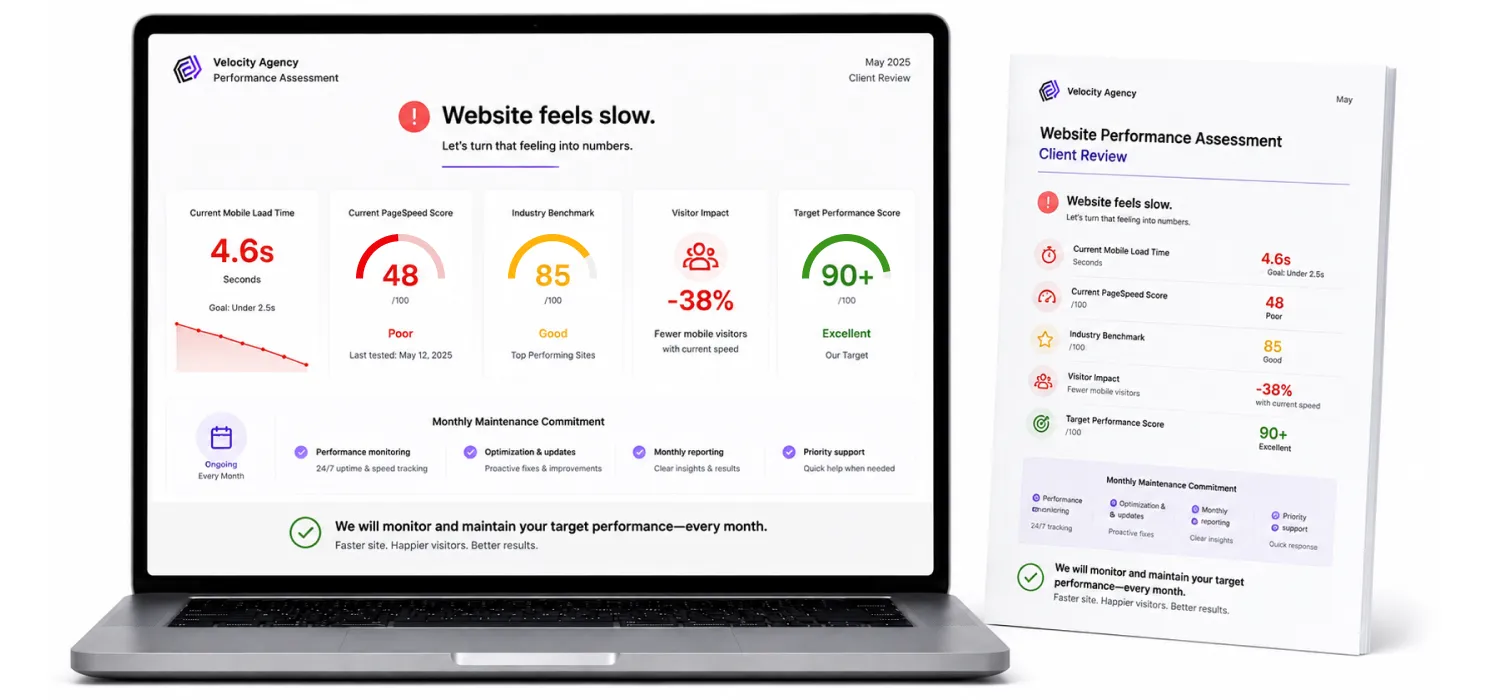
Most clients do not know what to ask for. They want their site to “be fast.” Your job is to translate that into something measurable.
Three lines that work:
- “Your site currently loads in X seconds on mobile, with a PageSpeed score of Y. Industry average for sites your size is around Z.” Gives them a baseline.
- “Every extra second of load time loses you about X% of mobile visitors.” Gives them stakes. (Real Google data, the 1–3 second range typically loses 5–10% of users.)
- “We will get you to a PageSpeed score of [target] and keep you there with monthly maintenance.” Gives them a goal and a retainer.
The conversation works because most clients have only ever heard “your site is slow.” Numbers + stakes + commitment converts that into a paid service.
The verdict
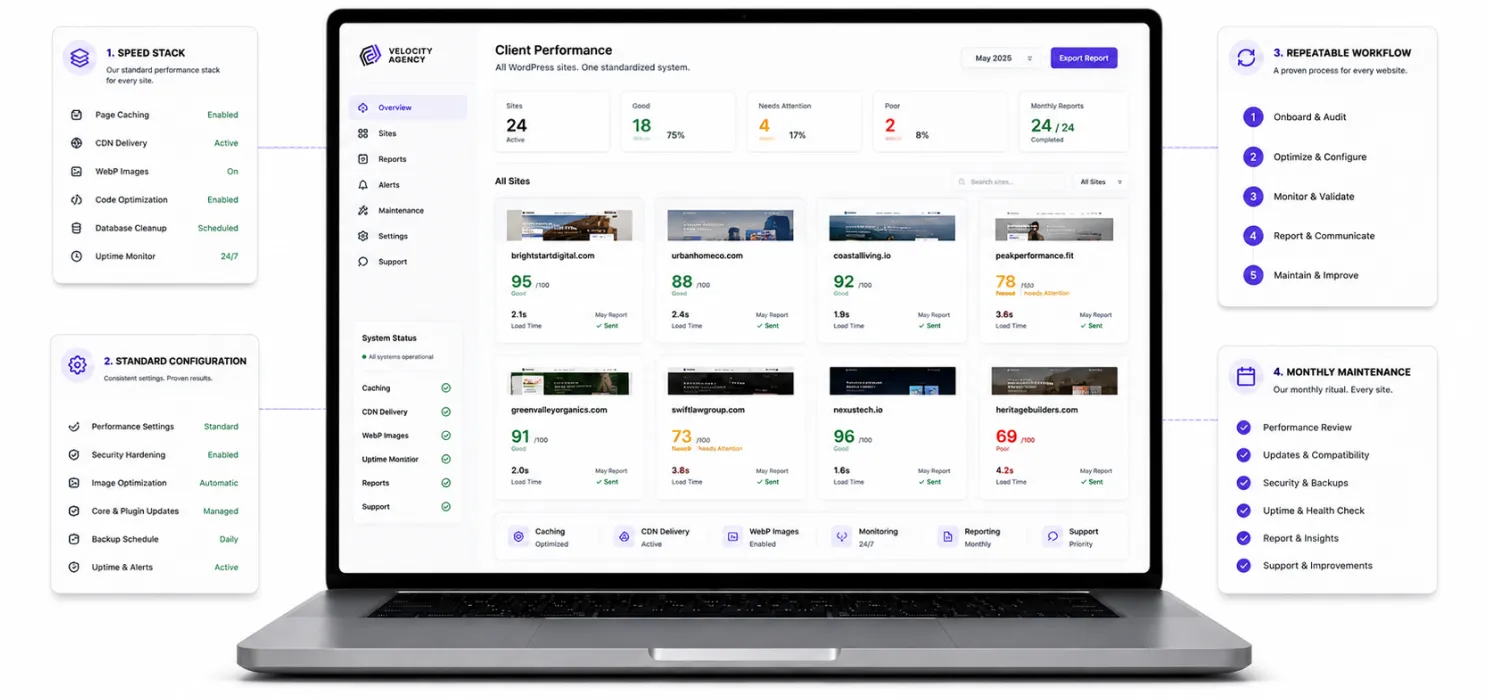
Agency speed work scales when you standardise on one stack, one config, one workflow, and one monthly ritual. It does not scale when you customise every client.
If your agency is buying tools just to fill gaps, one plugin for caching, one for CDN, one for images, one for monitoring, you are doing the work of integration that your tooling should be doing for you.
If your agency wants a single stack, caching, BunnyCDN, WebP, multi-site dashboard, dedicated human support, custom bulk pricing, that is what SpeedyGo’s Agency plan is built for.
Want to speed up your WordPress website without handling every technical setting manually? Try SpeedyGo and start optimizing your site performance faster.
See what fast feels like
Start free, no credit card needed, or pick the plan that fits your site.

Do I need a separate caching plugin if my client is on managed WordPress hosting?
Often no.
Kinsta, WP Engine, Flywheel and others handle server-level caching themselves. On those hosts, you usually only run an asset-optimization plugin or a CDN. Always check the host’s compatibility list.
Can I white-label SpeedyGo for my agency's clients?
SpeedyGo’s Agency plan includes the agency dashboard and per-quote configuration.
For full white-labelling (your brand inside the client dashboard), discuss it during onboarding, it is an option on Agency plans.
What is a realistic PageSpeed target for client sites?
Depending on the site, 80+ on mobile and 95+ on desktop is the standard agency target. Above 90 on mobile is excellent for most WordPress sites. 100/100 is rarely worth chasing, the last 10 points often cost 10x the time of the first 90.
How do I handle a client whose site I cannot get fast?
Be honest.
If a client’s site is built on a heavy theme, has 80 plugins, and runs on cheap shared hosting, no caching plugin will save it. Recommend a host change, a theme audit, or plugin reduction first.
Walking away from clients who refuse to address fundamentals protects your retainer’s reputation.
Do agencies need their own CDN account?
With most tooling stacks (WP Rocket, FlyingPress, NitroPack), yes, you typically need a CDN account that bills you or your client separately.
SpeedyGo Agency is the exception, BunnyCDN bandwidth is bundled and bulk-priced into your plan.
How long does it take to get a new client from sign-up to fully-optimized?
60–90 minutes for a clean WordPress site with your standard config.
2–4 hours for a complex WooCommerce or multilingual site. Plan for testing time, not just configuration time.