5 mins read
Brotli vs GZIP: When Each One Wins (2026 Guide for WordPress)
Share Article :


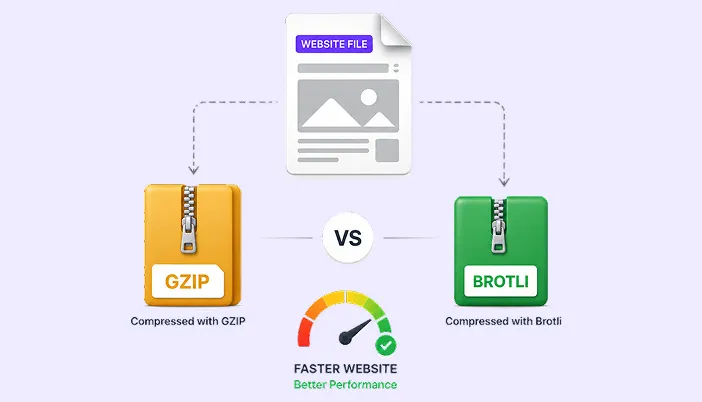
In this blog, you’ll learn the key differences between Brotli and GZIP compression, how each one works, and how they can affect your WordPress website’s speed and performance. We’ll also look at when to use each compression method so you can choose the right option for your site.
Brotli and GZIP are both compression algorithms, they shrink your website files before sending them, so visitors download less data and pages load faster.
They are not interchangeable. Brotli compresses smaller. GZIP works everywhere. In 2026, most WordPress sites should be using both, and let the visitor’s browser pick the right one.
TL;DR
- GZIP: older (1992), universal browser support, decent compression. Should always be on.
- Brotli: newer (2015, from Google), better compression on text files (15–25% smaller than GZIP), supported by all modern browsers but needs server support.
- Best practice in 2026:enable both on the server. Modern browsers will get Brotli; older browsers fall back to GZIP.
How Compression Actually Works
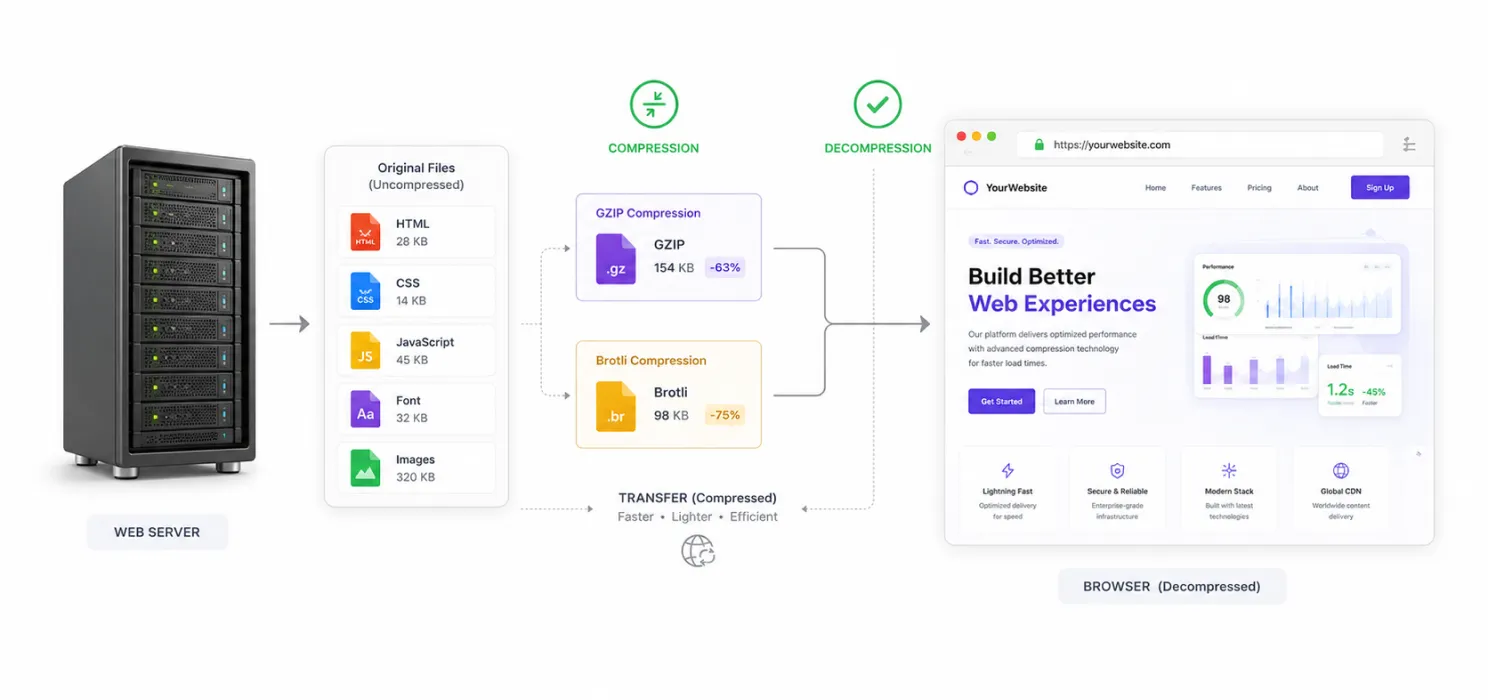
When a visitor loads your page, your server sends them files: HTML, CSS, JavaScript, fonts, images. Most of these are text-based and very compressible.
Compression works in three steps:
- The browser tells the server which compression formats it accepts (via
Accept-Encoding: gzip, br). - The server compresses the file using one of those formats before sending.
- The browser decompresses the file in memory and renders it.
How Much Smaller Is Each One?
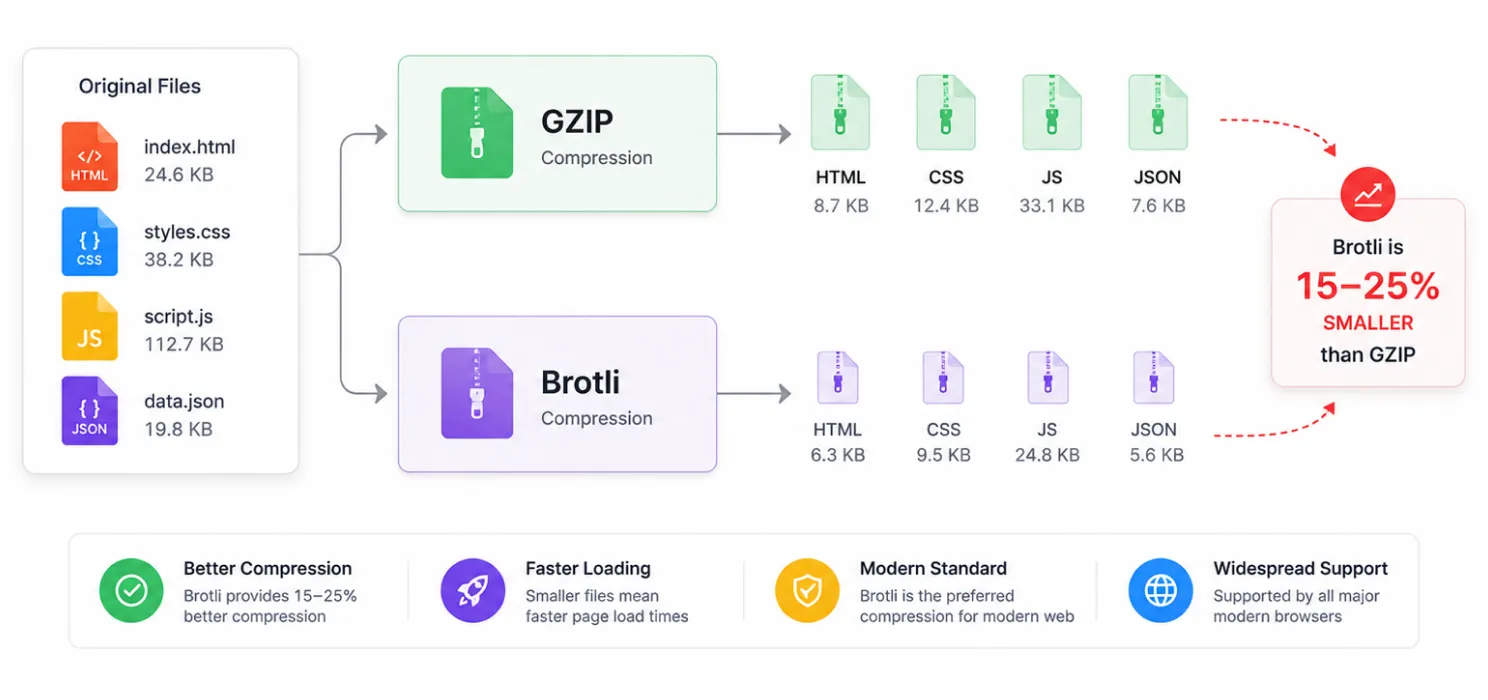
| File type | Uncompressed | GZIP | Brotli |
|---|---|---|---|
| HTML | 100 KB | ~25 KB (75% smaller) | ~20 KB (80% smaller) |
| CSS | 80 KB | ~20 KB | ~15 KB |
| JavaScript | 200 KB | ~70 KB | ~55 KB |
| JSON / API responses | 50 KB | ~12 KB | ~9 KB |
| Web fonts (WOFF2) | already compressed | no further gain | no further gain |
| Images (JPEG, PNG, WebP) | already compressed | no further gain | no further gain |
Brotli wins by 15–25% on real-world text payloads compared to GZIP.
Browser Support
| Browser | GZIP | Brotli |
|---|---|---|
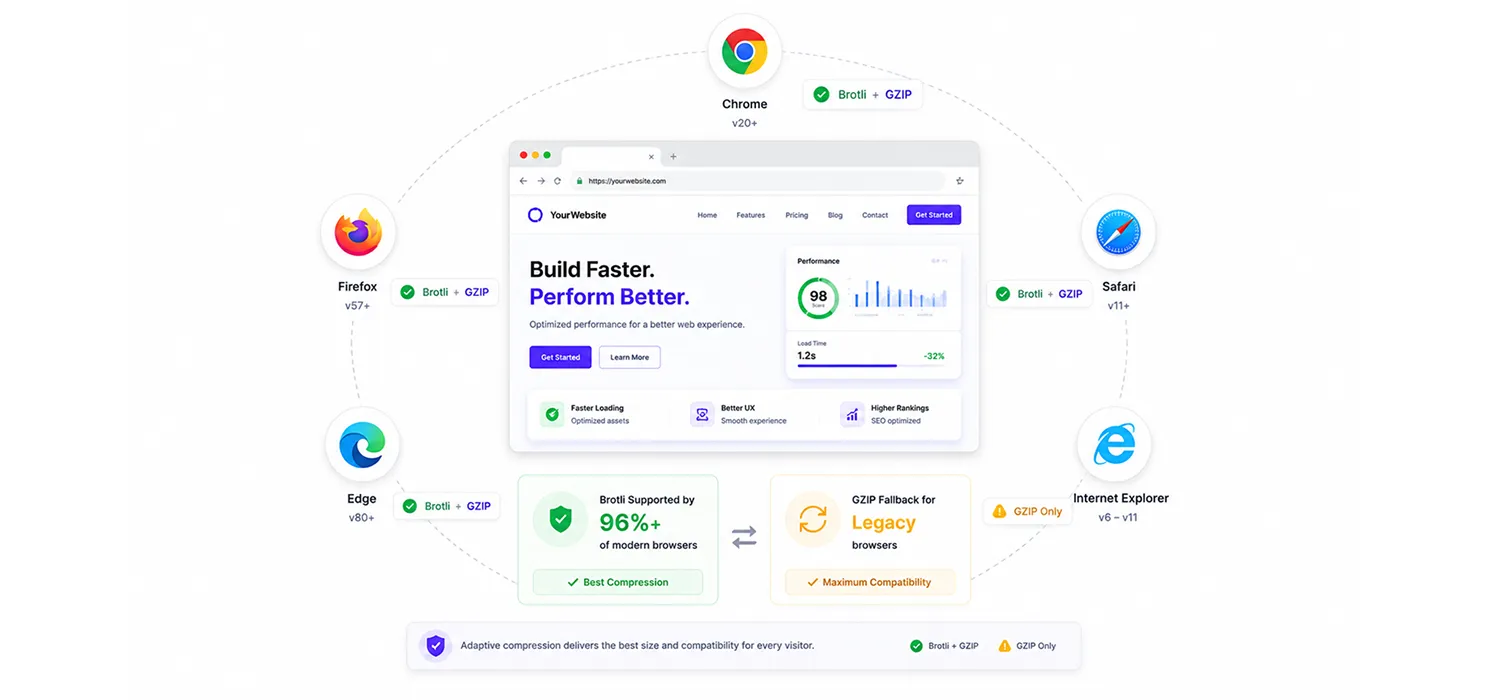
| Chrome | ✅ all versions | ✅ since 2016 |
| Firefox | ✅ all versions | ✅ since 2016 |
| Safari | ✅ all versions | ✅ since 2017 |
| Edge | ✅ all versions | ✅ since 2016 |
| Internet Explorer 11 | ✅ | ❌ (no Brotli) |
In 2026, over 96% of global web traffic supports Brotli. That is why “enable both” is the right answer, browsers that support Brotli get Brotli; the rest fall back to GZIP automatically.
Server Support: The Real Bottleneck
| Server | GZIP | Brotli |
|---|---|---|
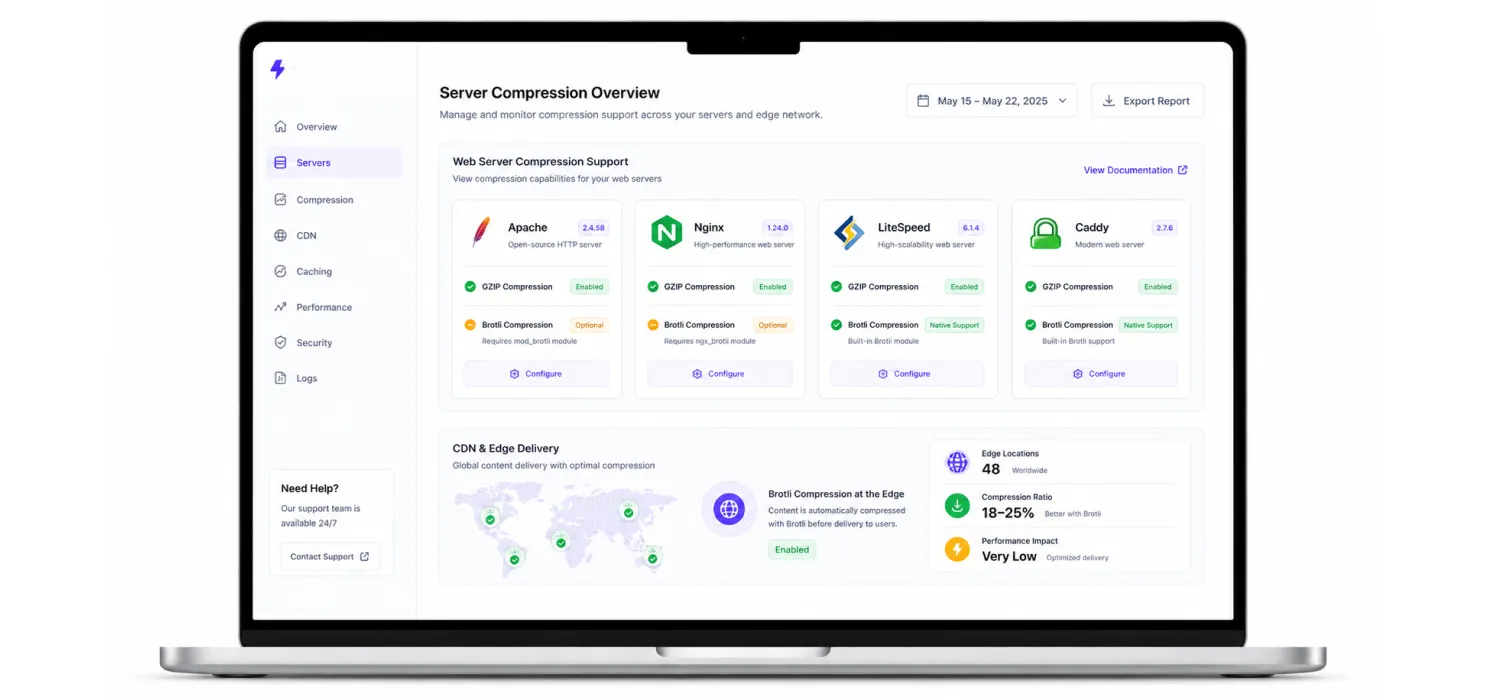
| Apache | ✅ via mod_deflate (default) | ✅ via mod_brotli (Apache 2.4.26+, must be enabled) |
| Nginx | ✅ via ngx_http_gzip_module | ✅ via ngx_brotli (compiled module, not always default) |
| LiteSpeed / OpenLiteSpeed | ✅ | ✅ (native, easy to enable) |
| Caddy | ✅ | ✅ (native, on by default) |
| Shared / managed hosting | almost always on | sometimes varies by host |
Many shared hosting providers ship GZIP enabled by default but do not include Brotli. The easiest fix: use a CDN that compresses with Brotli at the edge.
CDN-Level Brotli: The Simple Solution
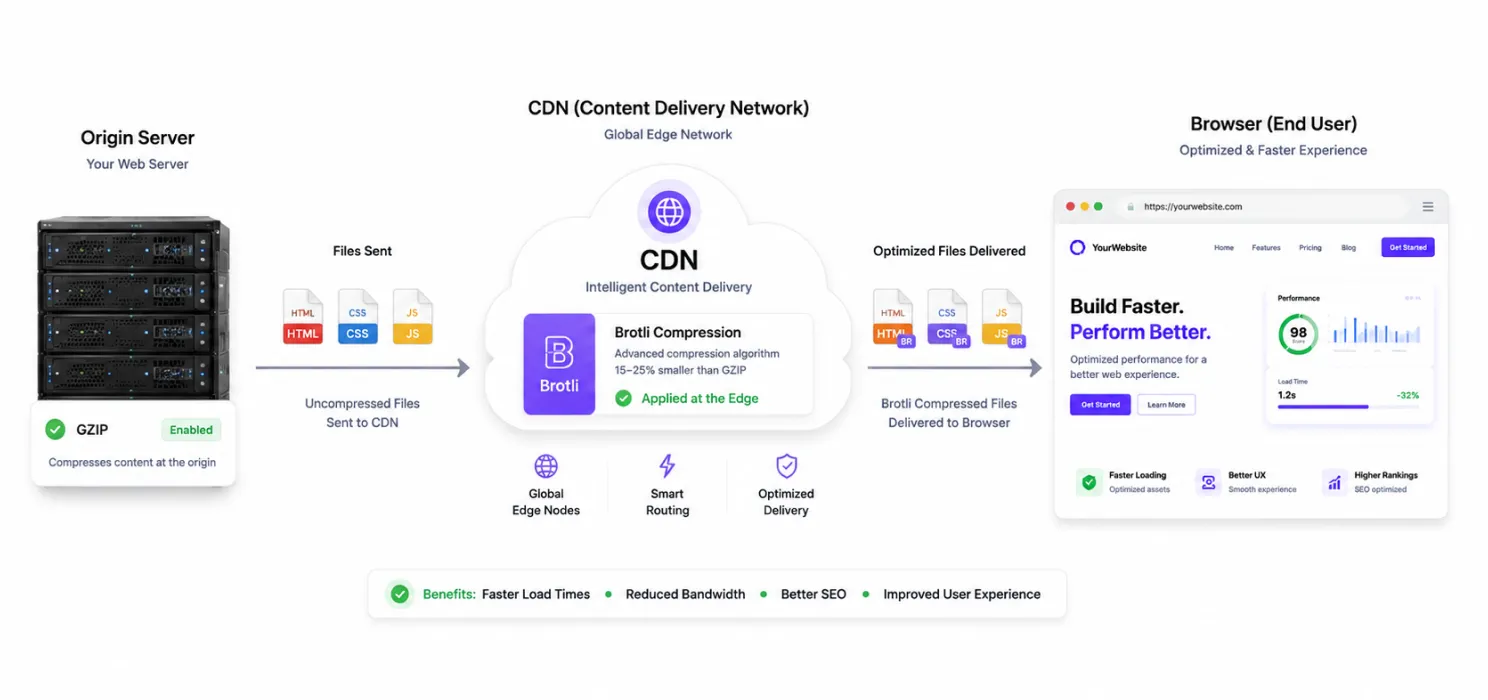
You do not need your origin server to support Brotli you can compress at the CDN edge instead.
- BunnyCDN supports Brotli natively at the edge.
- Cloudflare enables Brotli on the free tier.
- FlyingCDN supports Brotli.
File-Type Behavior: Which Files Actually Benefit
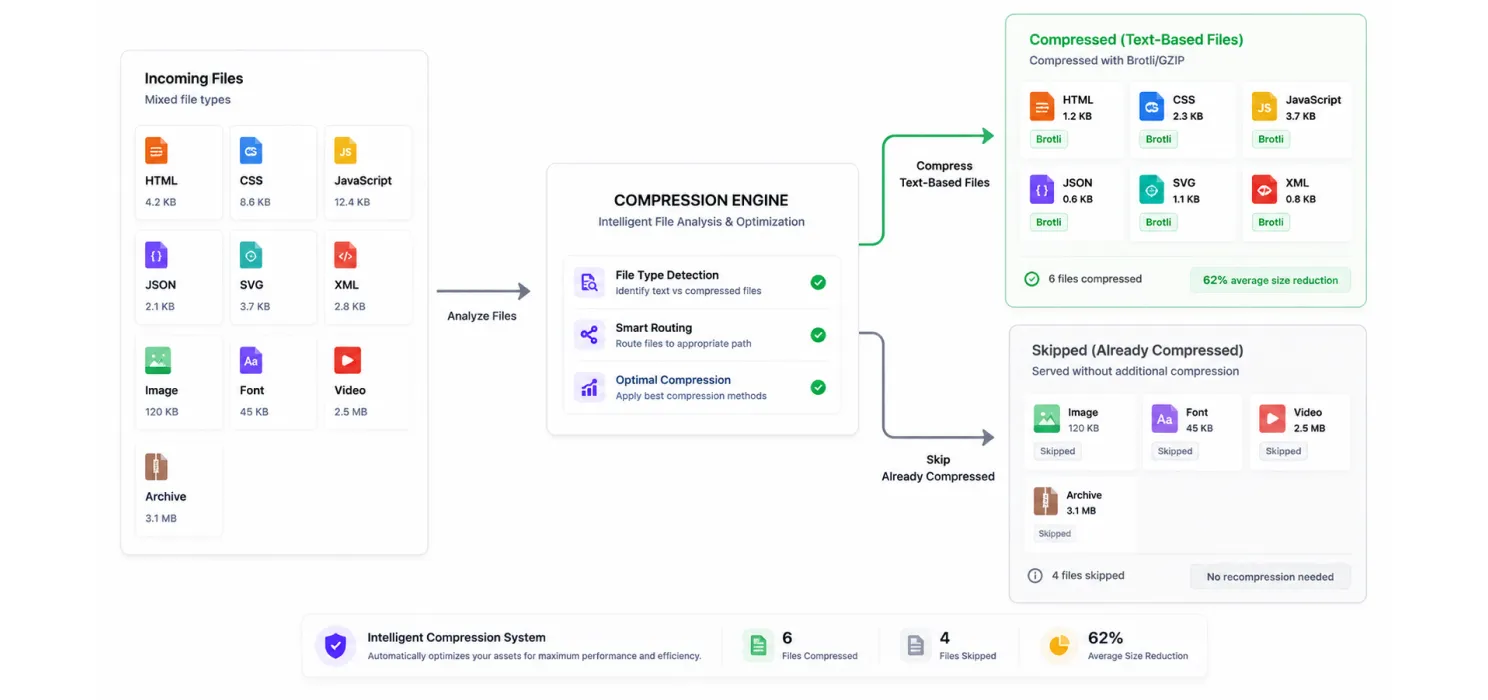
Always compress:
- HTML pages
- CSS stylesheets
- JavaScript files
- JSON / API responses
- SVG images
- Plain text and XML
Do not compress:
- JPEG, PNG, GIF, WebP, AVIF images (already compressed)
- WOFF, WOFF2 fonts (already compressed)
- MP4, WebM video (already compressed)
- ZIP, RAR, GZ archives (already compressed)
How to Enable Each on WordPress
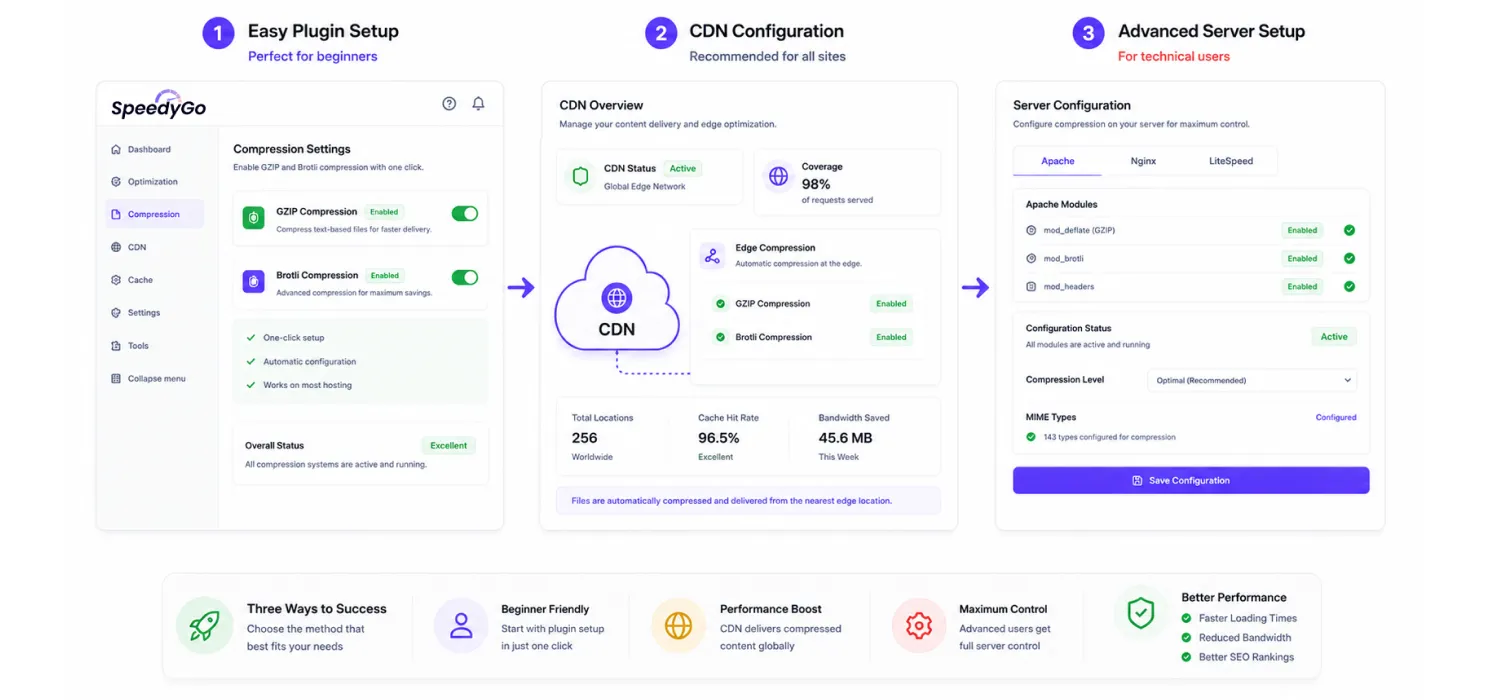
Option 1 Via a Caching Plugin (Easiest)
With SpeedyGo, both GZIP and Brotli are available as one-click toggles on the Asset Optimization page. GZIP is on by default; Brotli is on if your server supports it.
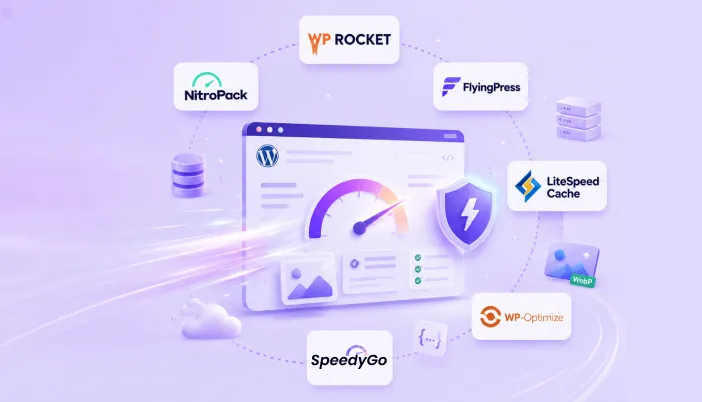
With WP Rocket, FlyingPress, NitroPack and LiteSpeed Cache, the toggles work the same way. The plugin checks server support and uses what is available.
Option 2 Via Your CDN
Configure your CDN (BunnyCDN, Cloudflare, FlyingCDN) to compress assets at the edge, most have this enabled by default.
Option 3 Manually at the Server (Technical)
On Apache, add this to your .htaccess:
<IfModule mod_brotli.c><IfModule mod_deflate.c>
AddOutputFilterByType BROTLI_COMPRESS text/html text/plain text/css text/javascript application/javascript application/json image/svg+xml
</IfModule>
AddOutputFilterByType DEFLATE text/html text/plain text/css text/javascript application/javascript application/json image/svg+xml
</IfModule>
If those lines look unfamiliar, use Option 1 or 2 instead.
How to Verify Compression Is Working
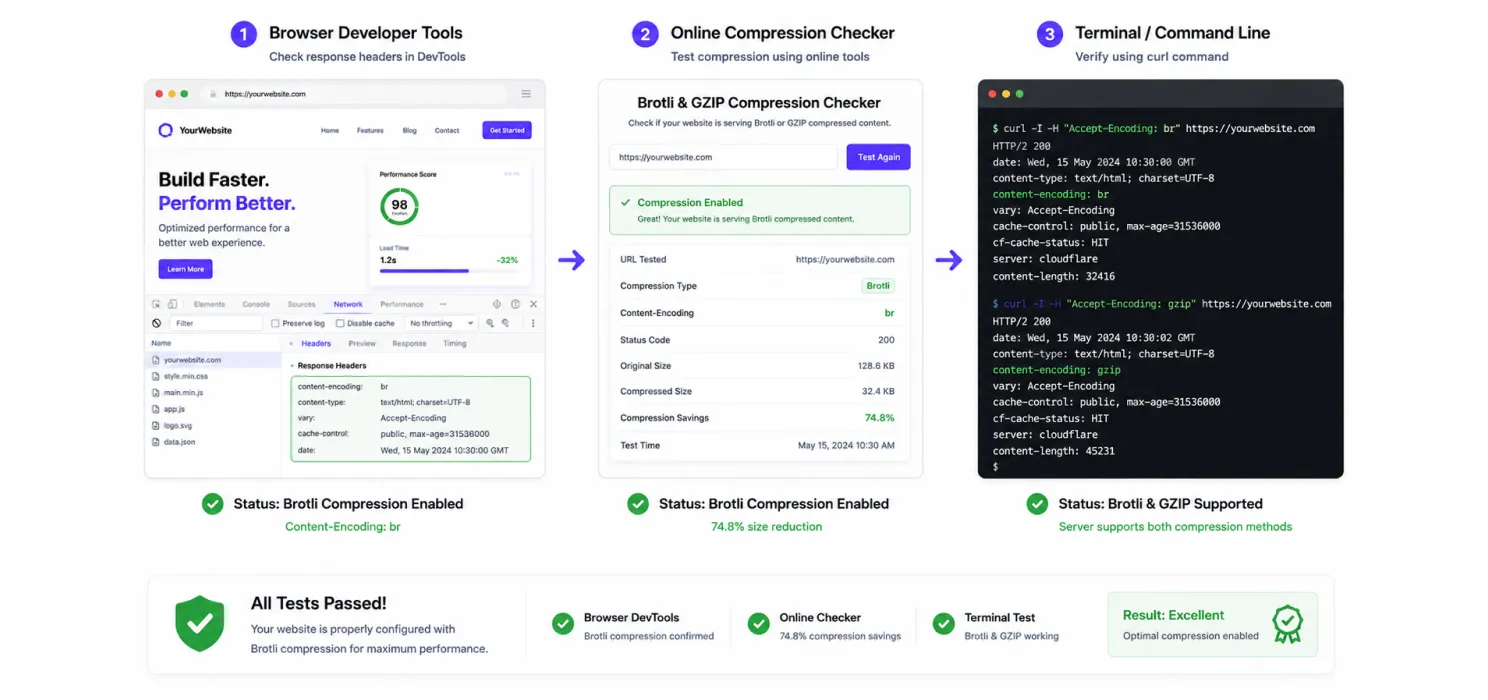
- Browser dev tools: open Network tab → click any CSS or JS file → look at “Content-Encoding” in Response Headers. It should say
br(Brotli) orgzip. - Online checker: tools like check-gzip-compression.com or keycdn’s brotli test will test your URL.
- curl from terminal:
curl -H "Accept-Encoding: br" -I https://yoursite.com/style.csslook forContent-Encoding: brin the response.
The Verdict
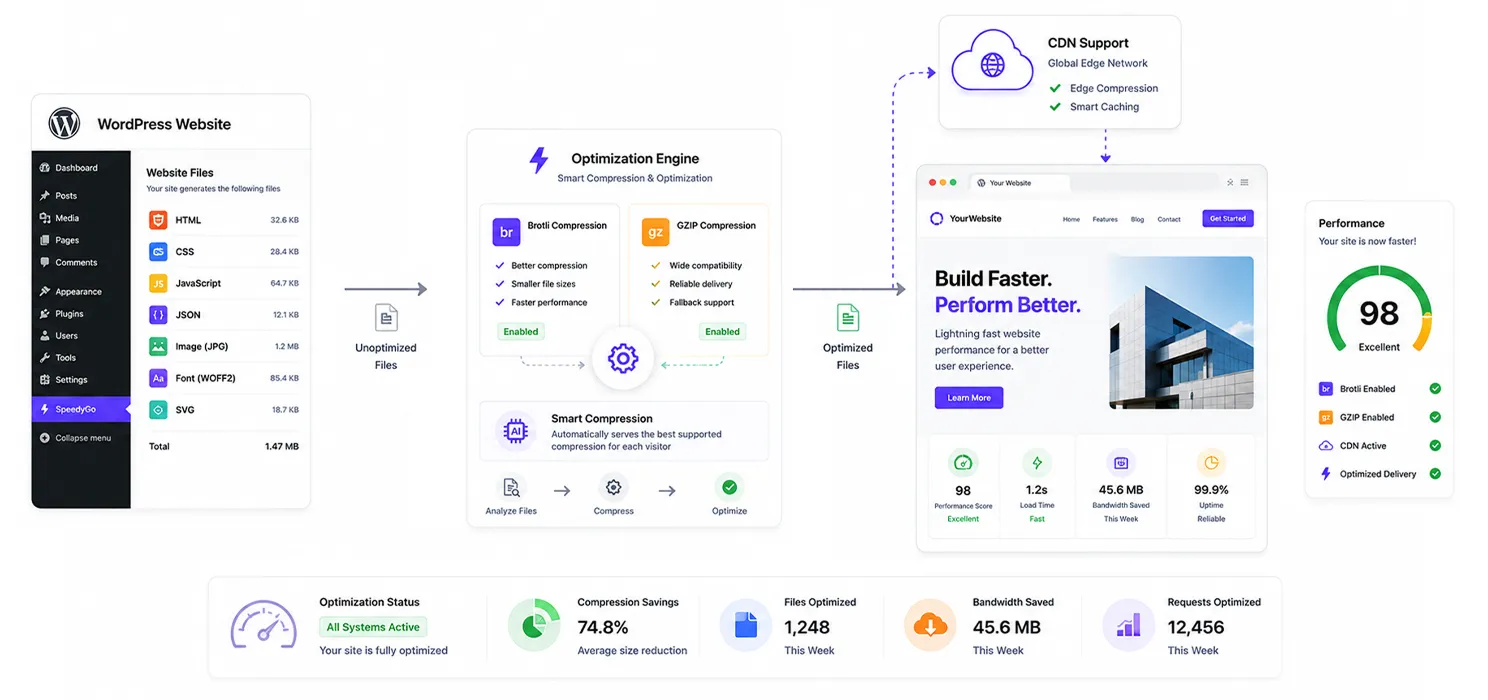
In 2026, the answer is simple: Use both. Let the browser pick.
If you have a modern host or LiteSpeed server, both Brotli and GZIP are usually a click away. If you are on shared hosting that does not support Brotli, put a CDN in front BunnyCDN, Cloudflare or FlyingCDN will compress at the edge for you.
Want to speed up your WordPress website without handling every technical setting manually? Try SpeedyGo and start optimizing your site performance faster.
See what fast feels like
Start free, no credit card needed, or pick the plan that fits your site.

Frequently Asked Questions
Is Brotli always better than GZIP?
On text files, yes. 15–25% smaller on average. On already-compressed files (images, fonts, video), neither helps.
Should I compress images with Brotli or GZIP?
No. Images are already compressed with image-specific algorithms. Running them through Brotli or GZIP wastes CPU.
Does compression slow down my server?
Slightly, compression uses CPU. On modern servers, the CPU cost is negligible compared to the bandwidth saved.
Will enabling Brotli break my site?
Not on its own, Brotli is content-encoding, not content. The browser decompresses transparently.
Does Brotli affect Core Web Vitals?
Indirectly. Smaller payloads load faster, which improves LCP and FCP. The impact is usually 100–300 ms on text-heavy pages.