13 mins read
How to Hire a WordPress Performance Expert: A Practical Guide
Share Article :


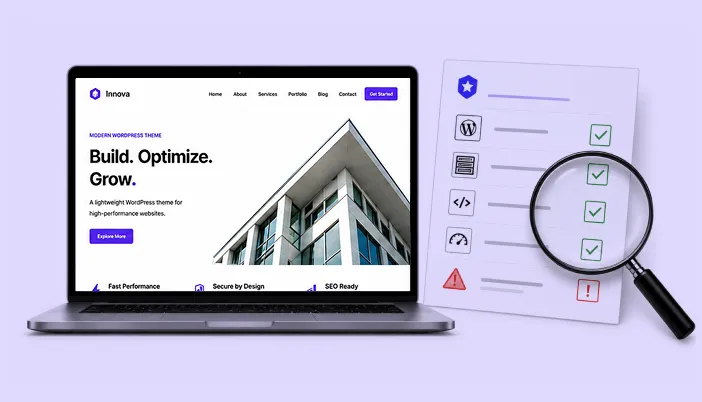
In this guide, you’ll learn when you should hire a WordPress performance expert, what a good expert actually does, which skills to look for, what questions to ask before hiring, what a performance audit should include, how much the scope can vary, which red flags to avoid, and how to tell whether the work actually improved your website. We’ll also look at the tools and metrics a good expert should use, so you can make a hiring decision based on evidence rather than promises.
And if you’re wondering whether you even need to hire someone, we’ll help you answer that too.
Your website isn’t necessarily slow because WordPress is slow
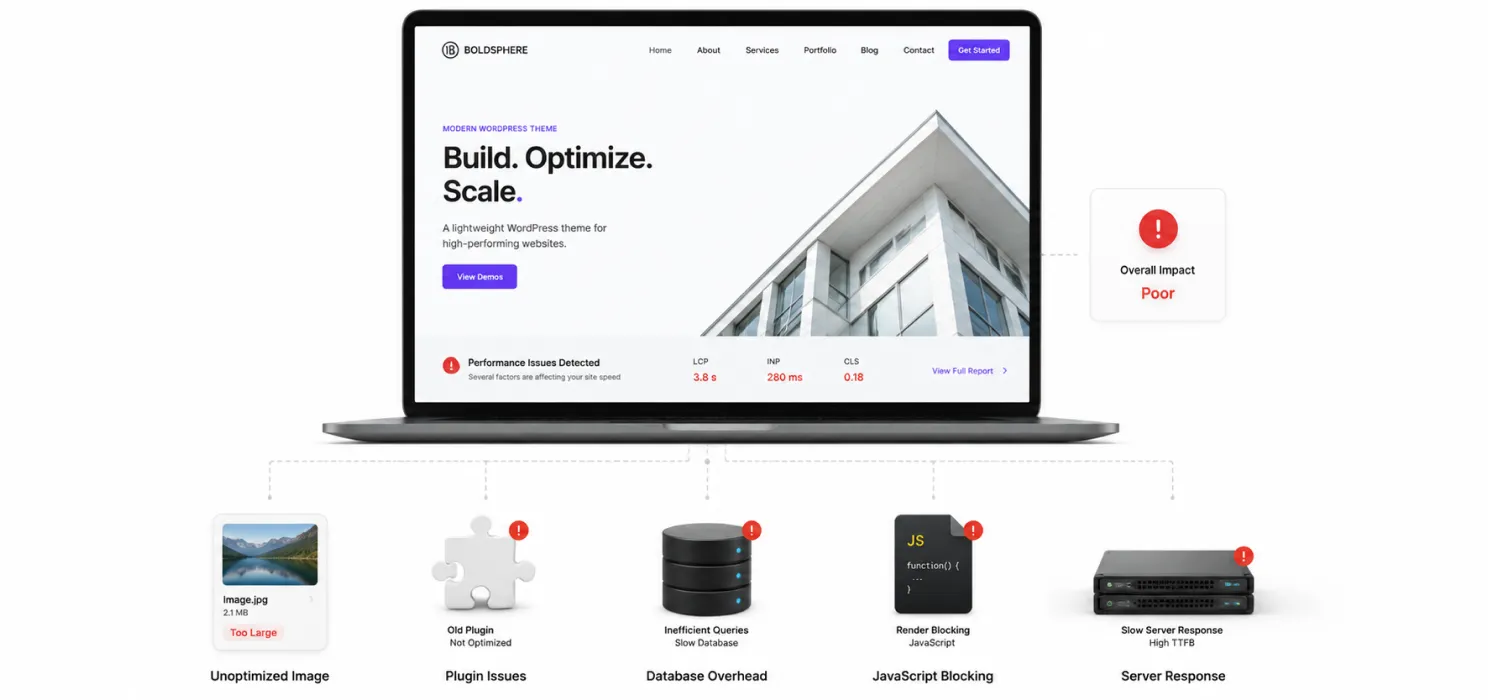
Let’s start there. WordPress itself isn’t automatically the problem.
In fact, WordPress powers 41.2% of all websites on the web as of August 2026, representing 59.1% of websites whose CMS is known, according to W3Techs.
That is a lot of websites. Small blogs use WordPress. Corporate websites use it. News websites use it. WooCommerce stores use it. Agencies build client websites with it. So when someone says, “WordPress is slow,” the better question is:
What is making this particular WordPress website slow?
That distinction matters.
A website can have:
- too many plugins
- an oversized theme
- unoptimized images
- poor hosting
- slow database queries
- excessive CSS
- JavaScript blocking interaction
- poorly configured caching
- third-party scripts
- inefficient WooCommerce functionality
- large fonts and media files
- an overloaded database
- a CDN that isn’t configured properly
- or several small problems adding up to one large problem
This is exactly where a WordPress performance expert can be valuable.
What does a WordPress performance expert actually do?
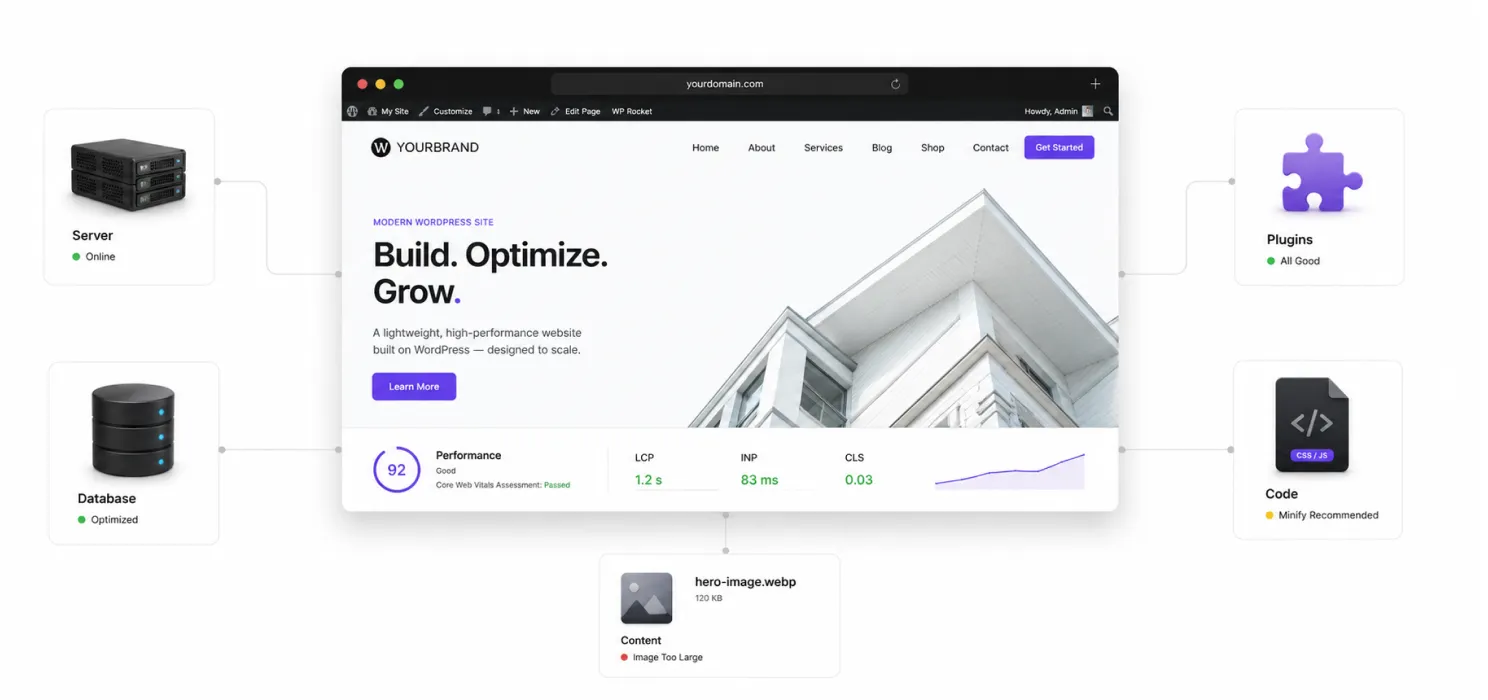
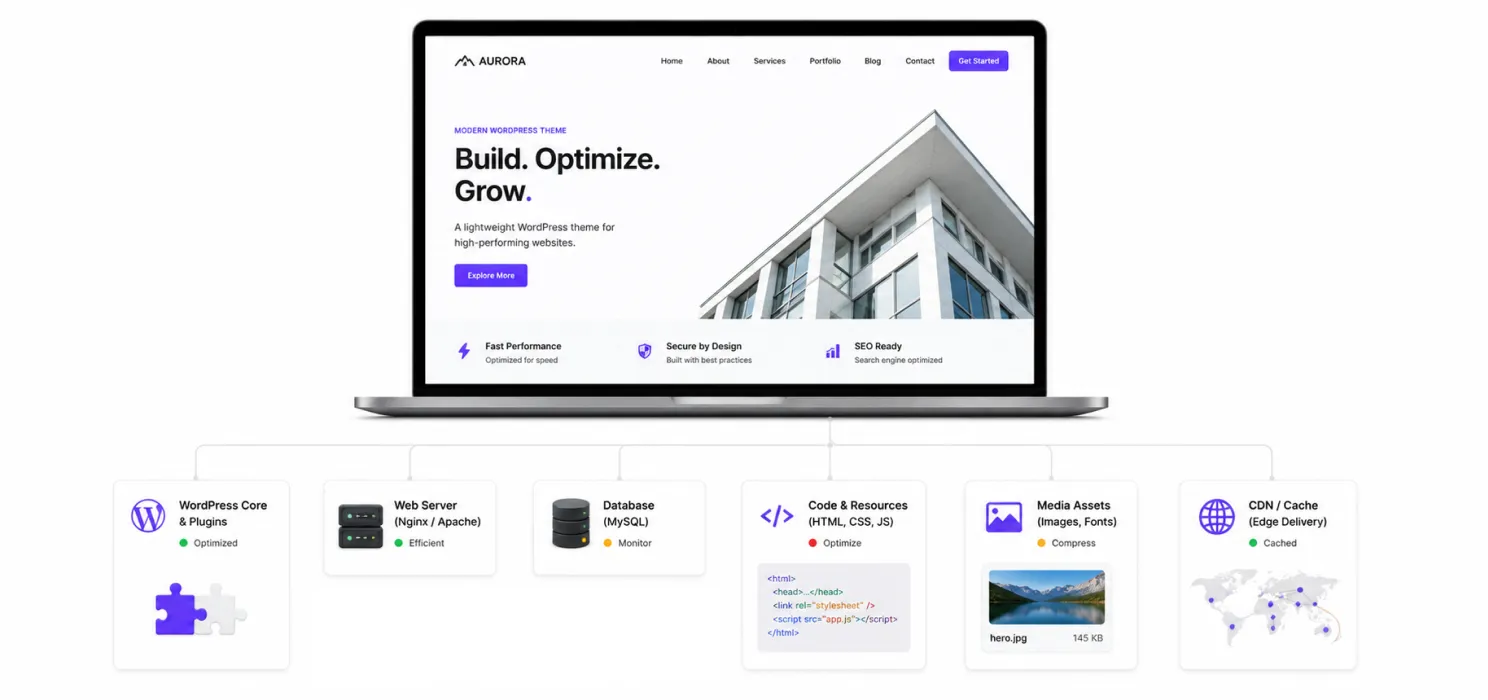
A WordPress performance expert isn’t simply someone who installs a caching plugin and tells you to clear your cache. That may be part of the work. It isn’t the whole job. A good performance expert looks at your website as a system. They investigate how the browser, server, WordPress installation, database, theme, plugins, images, scripts, hosting environment and content delivery work together.
Think of it like taking your car to a mechanic. You don’t want someone who simply changes the oil every time you hear a strange noise. You want someone who asks:
Where is the problem coming from?
A proper WordPress performance expert may work on:
| Area | What they investigate |
| Hosting | Server response time, resources, configuration |
| WordPress | Core setup, configuration and bottlenecks |
| Plugins | Heavy, redundant or poorly coded plugins |
| Theme | Unnecessary assets, scripts and rendering issues |
| Images | File size, dimensions, formats and lazy loading |
| CSS | Unused, oversized or render-blocking CSS |
| JavaScript | Blocking scripts, execution time and third-party code |
| Database | Queries, autoloaded data, revisions and overhead |
| Caching | Page, browser and object caching |
| CDN | Content delivery and geographic performance |
| Core Web Vitals | LCP, INP and CLS |
| Mobile | Performance on real mobile conditions |
| WooCommerce | Cart, checkout, product and dynamic-content performance |
When should you hire a WordPress performance expert?
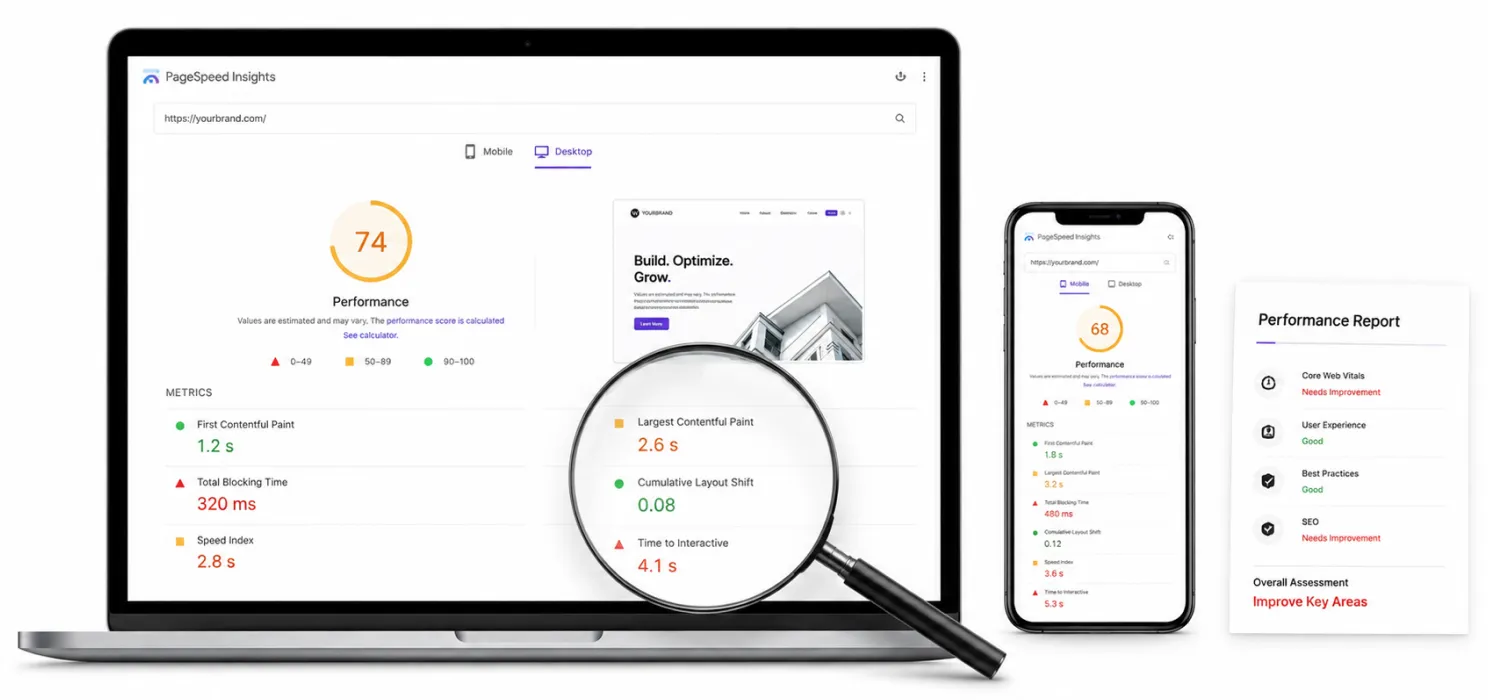
You don’t necessarily need an expert just because your PageSpeed score isn’t 100. This is an important distinction. A perfect laboratory score isn’t the same thing as a perfect website. Google itself says that site owners shouldn’t focus on one or two page-experience signals alone. Core Web Vitals matter, but overall page experience and helpful content matter too. So when should you actually bring in an expert?
Your website is consistently slow
If your pages regularly take several seconds to become usable, don’t keep installing random optimization plugins. Find the cause.
Your performance keeps getting worse
Maybe your website was fast six months ago. Then you added a few plugins. A new theme section. A tracking script. More images. A popup. A chat widget. A WooCommerce extension. Suddenly the site feels different. That gradual decline is a good reason to get a proper performance review.
Your PageSpeed results are poor across important pages
One homepage score isn’t enough.
A performance expert should examine important templates and user journeys:
- Homepage
- Service pages
- Product pages
- Blog posts
- Category pages
- Landing pages
- Cart
- Checkout
- Account pages
A website can have a fast homepage and a painfully slow checkout.
Your website is slow only on mobile
This is especially worth investigating. Your desktop computer may load a website beautifully because it has a fast processor, strong connection and plenty of resources. Your customer may be using a mid-range phone on a mobile network. The experience can be completely different.
You have a WooCommerce store
WooCommerce websites can become more complicated because some pages are dynamic. Products, variations, cart functionality, checkout, customer sessions, filters and third-party integrations can all affect performance. If sales depend on the website, performance shouldn’t be treated as an afterthought.
You have already tried several optimization plugins
This is one of the biggest signs. If you’ve installed plugin after plugin and still don’t understand why the website is slow, stop adding tools. You may have created another layer of complexity. At that point, diagnosis is more useful than another plugin.
A quick test: do you actually need an expert?
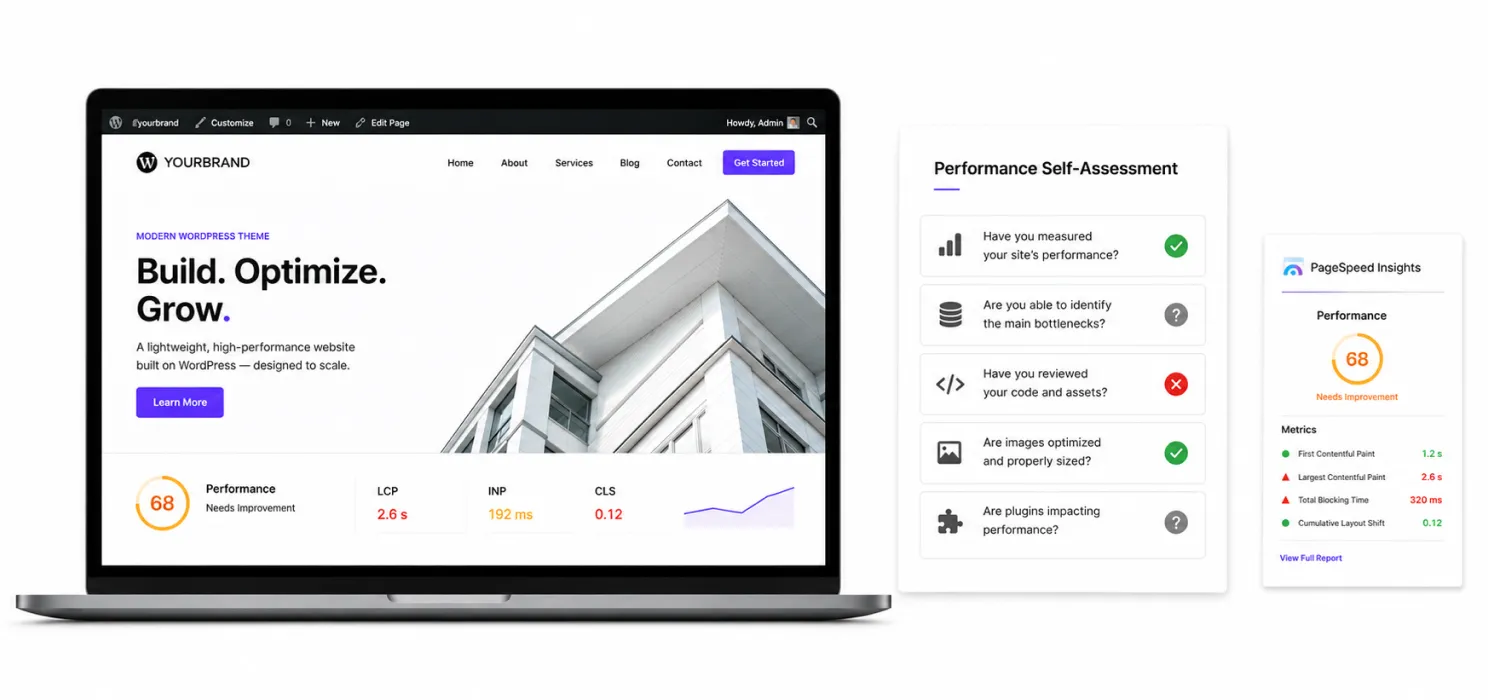
Ask yourself these five questions:
- Do I know what is causing the slowdown?
- Can I explain which pages are affected?
- Do I know whether the issue is server-side or browser-side?
- Can I safely change caching, JavaScript, CSS and database settings?
- Can I measure whether my changes actually improved real user experience?
If you answered “no” to most of them, hiring a WordPress performance expert may save you more time and potentially more money than trying to fix everything yourself.
What skills should a WordPress performance expert have?
You don’t necessarily need someone who knows every technology on the internet. But they should understand the important layers that affect WordPress performance.
WordPress architecture
They should understand how WordPress loads themes, plugins, templates, queries and assets. Otherwise, they may treat symptoms instead of causes.
PHP and server-side performance
If the problem happens before the browser even receives the page, front-end optimization won’t solve everything.
An expert should understand concepts such as:
- PHP execution
- server response time
- PHP workers
- database queries
- object caching
- server resources
- HTTP requests
HTML, CSS and JavaScript
Performance isn’t only a WordPress problem. A visually beautiful website can load enormous amounts of CSS and JavaScript.
A good expert should understand:
- render-blocking resources
- unused CSS
- JavaScript execution
- script deferral
- minification
- asset loading
- DOM complexity
Images and media
Large images are one of the most common practical performance problems. An expert should know when to use:
- WebP or other modern formats
- compression
- responsive images
- lazy loading
- correct image dimensions
- image resizing
Caching and CDNs
They should understand the difference between:
- page caching
- browser caching
- object caching
- CDN caching
- server caching
And, more importantly, when each one is appropriate.
The three Core Web Vitals you should understand before hiring
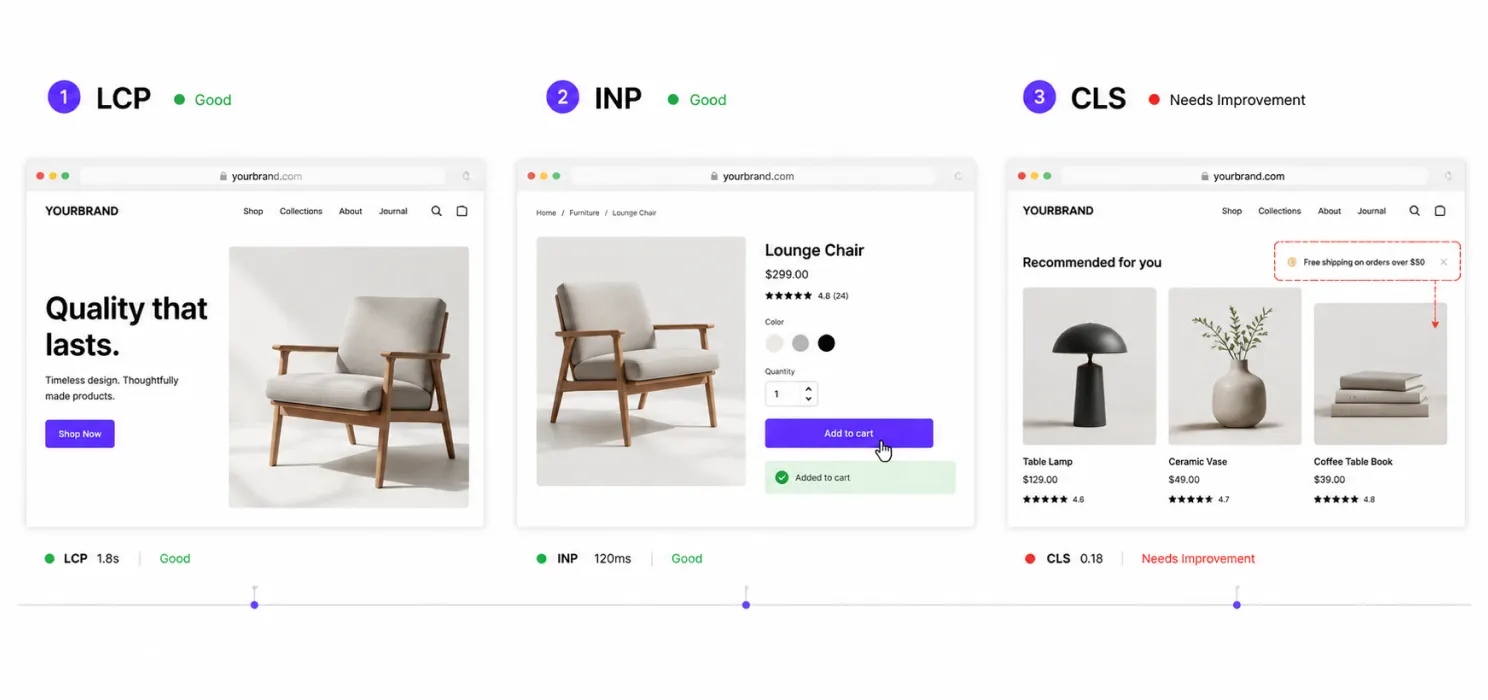
You don’t need to become a performance engineer. But understanding these three metrics will help you ask better questions.
1. LCP: how quickly does the important content appear?
Imagine clicking a website and seeing a blank screen for several seconds. That’s a loading problem. LCP focuses on when the main content becomes visible. A slow LCP can be caused by things such as:
- slow server response
- large hero images
- render-blocking CSS
- heavy JavaScript
- poor caching
- slow fonts
- network delays
2. INP: does the website respond when I interact?
Imagine clicking: “Add to cart.”
Nothing happens. You click again. Still nothing. That’s frustrating.
INP looks at responsiveness during interactions. A page can appear to load quickly and still feel slow because JavaScript keeps the browser busy.
3. CLS: does the page jump around?
You’re about to click a button. Suddenly an image loads. The button moves. You click something else. We’ve all experienced this. CLS measures unexpected layout movement. It can happen when images don’t have defined dimensions, fonts swap unexpectedly or content is injected into the page.
What should a performance audit include?
Before hiring someone, ask them to explain what their audit actually covers. A useful audit should usually look beyond a single PageSpeed test.
Start with the baseline
The expert should document the current state. For example:
| Metric | Before optimization |
| LCP | 4.1s |
| INP | 280ms |
| CLS | 0.21 |
| Server response | 1.4s |
| Page size | 4.8 MB |
| Requests | 145 |
These numbers are only an example, but the principle is important. You need a before-and-after comparison. Otherwise, how do you know whether the work helped?
They should identify the actual bottleneck
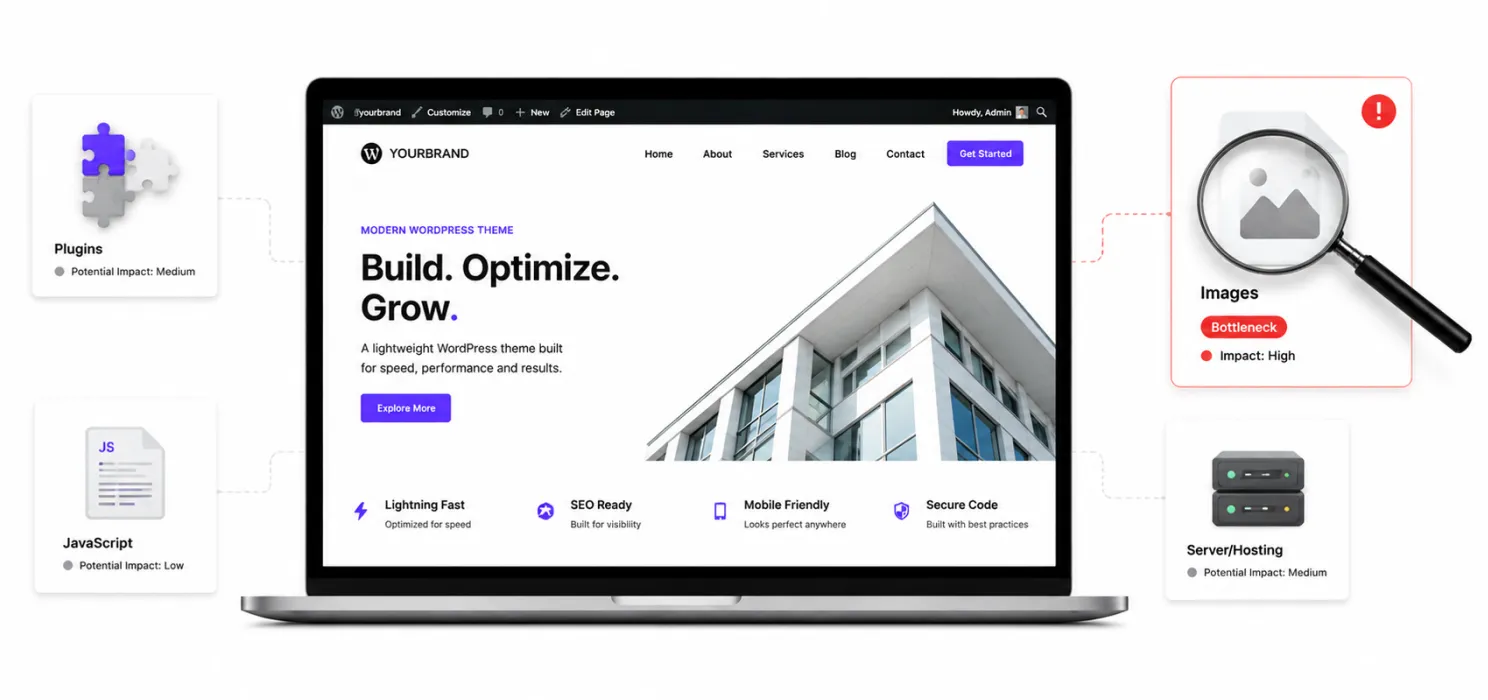
This is where experience matters. Suppose your website has:
- 40 plugins
- 3.5 MB of images
- 1.2 MB of JavaScript
- slow hosting
- no CDN
Which one should be fixed first? You don’t necessarily fix everything at once. You prioritize based on impact. A good expert should be able to explain: “This is the biggest bottleneck. This is why it matters. This is what we’ll change first.” That explanation is more valuable than a long list of technical terms.
They should test before and after
Don’t accept: “Your website is optimized.”
Ask: “What changed?”
Then ask: “What were the measurements before and after?”
Even better, ask for results from:
- PageSpeed Insights
- Lighthouse
- Google Search Console
- real-user data where available
- server monitoring
- relevant business metrics
Google recommends using tools such as Search Console and PageSpeed Insights to understand Core Web Vitals and page performance.
Ask these questions before hiring a WordPress performance expert
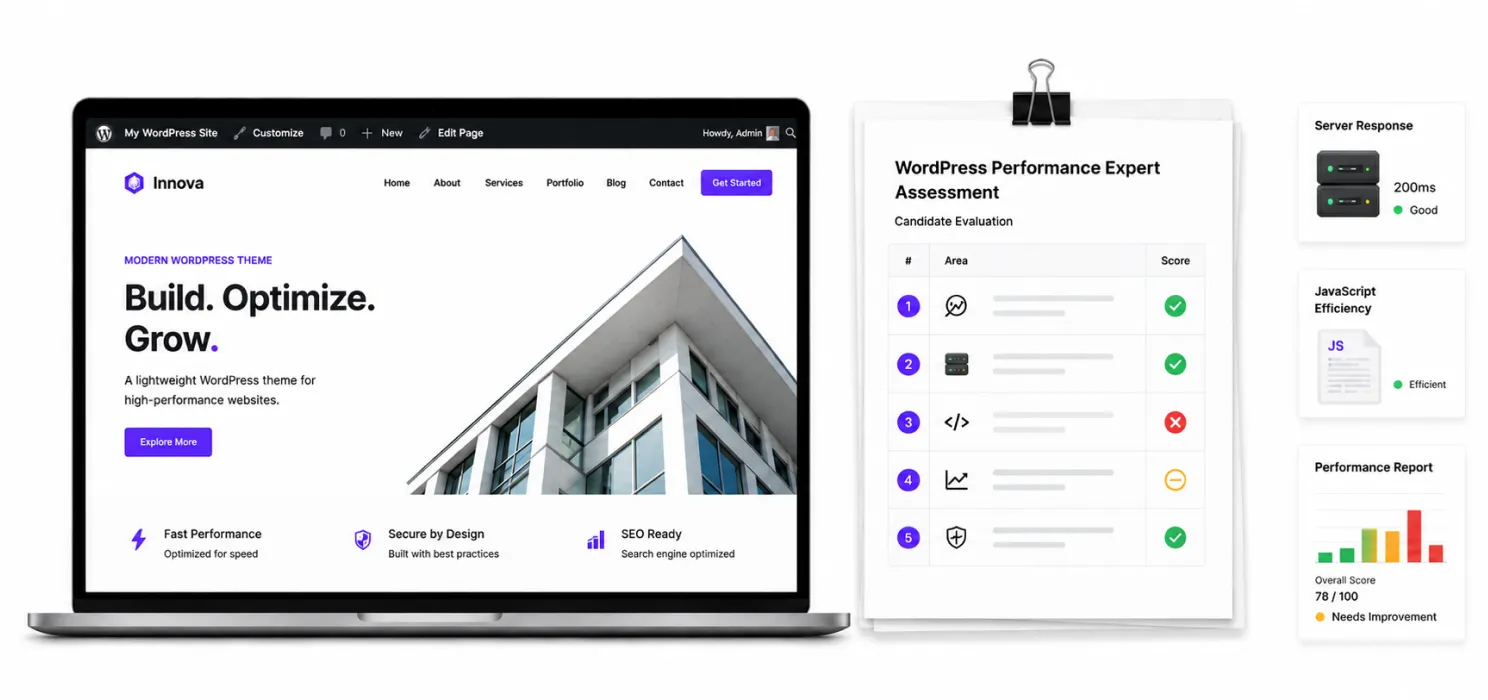
You don’t need a technical interview. These questions are enough to reveal a lot.
“How will you find the cause of the slowdown?”
A good answer should involve diagnosis, testing and measurement. Be cautious if the answer is simply: “I’ll install a caching plugin.”
“Will you test mobile performance?”
The answer should be yes. Performance needs to be considered in the conditions your users actually experience.
“Will you work on the server as well as WordPress?”
Sometimes the problem isn’t inside WordPress. The expert should at least know how to identify server-side bottlenecks.
“What tools do you use?”
There isn’t one magic tool. You may hear names such as:
- PageSpeed Insights
- Lighthouse
- Chrome DevTools
- Google Search Console
- Query Monitor
- WebPageTest
- server monitoring tools
The exact tool matters less than whether the expert knows how to interpret the results.
“How will you measure success?”
This is a great question. A strong answer should include measurable performance improvements rather than vague promises.
Red flags when hiring a WordPress performance expert
Some warning signs are surprisingly easy to spot.
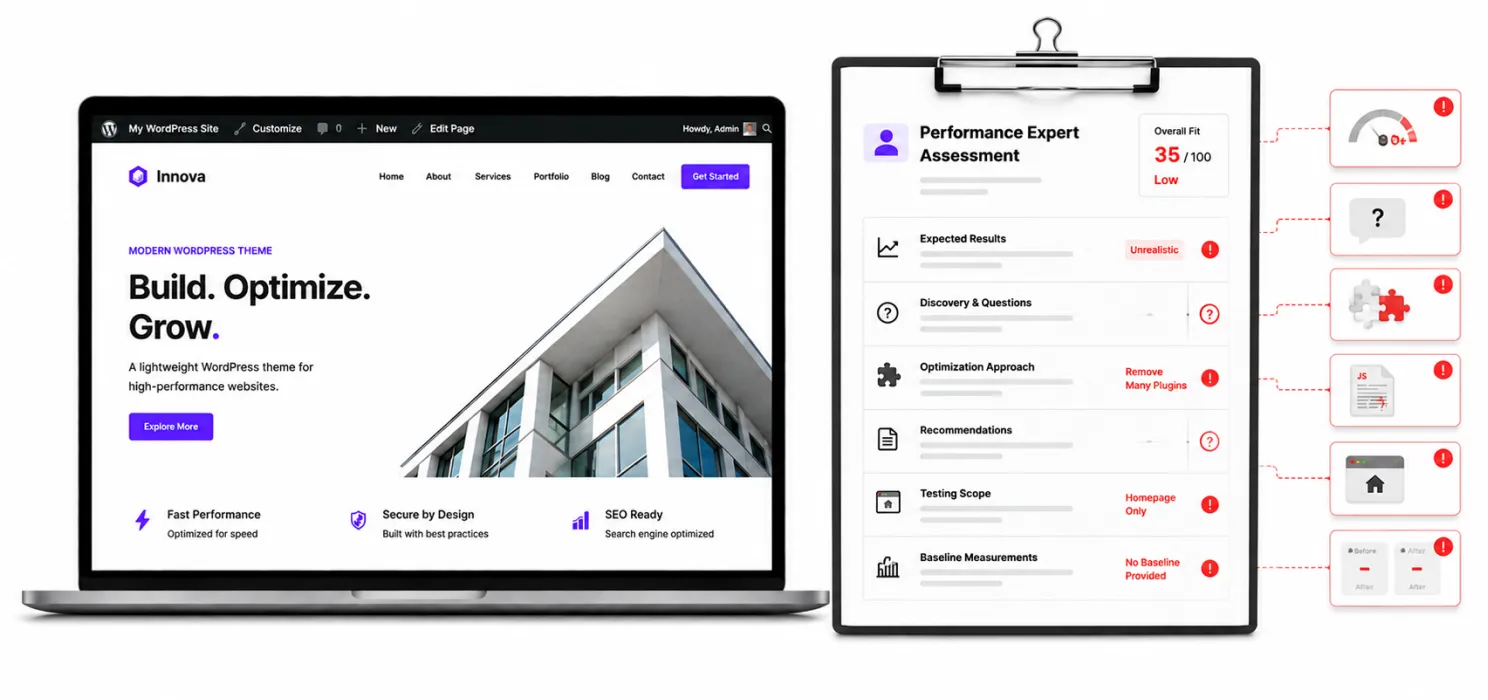
Red flag #1: They promise a perfect score
As we discussed, 100/100 isn’t the same thing as excellent real-world performance.
Red flag #2: They don’t ask about your website
If someone gives you a performance plan without asking about your hosting, traffic, plugins, theme, WooCommerce setup or business goals, be careful.
Red flag #3: They immediately recommend removing plugins
A plugin isn’t automatically bad because it is a plugin.
The question is what it does, how efficiently it does it and whether it contributes meaningful functionality.
Red flag #4: They can’t explain their recommendations
Technical work shouldn’t feel like magic.
You should be able to understand:
Problem → Cause → Fix → Expected impact
Red flag #5: They only test the homepage
Your customers don’t necessarily spend their entire journey on your homepage. A proper performance review should consider important pages and user journeys.
Red flag #6: They don’t provide a baseline
Without before-and-after measurements, it’s difficult to evaluate the work objectively.
Do you need an expert or just a WordPress optimization tool?
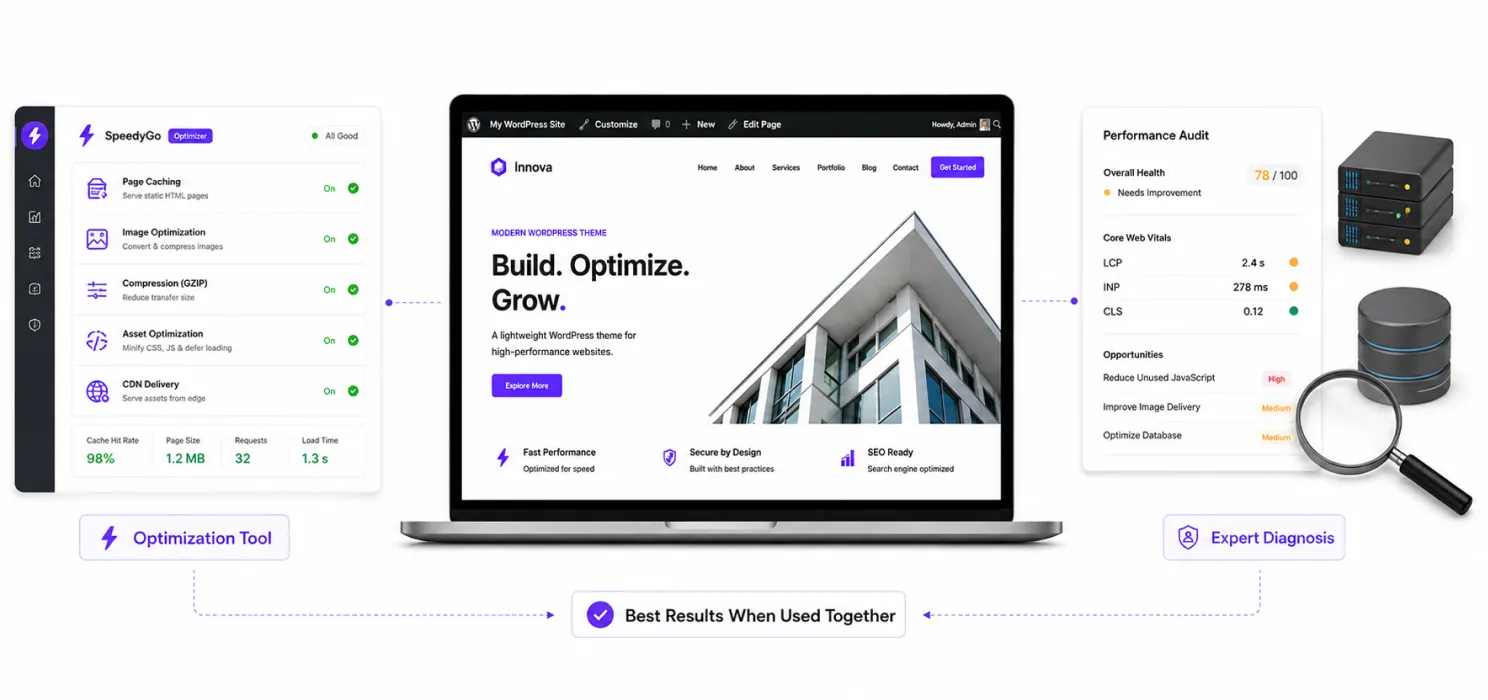
This is another question worth answering honestly. You don’t always need to hire someone. If your website has relatively straightforward performance issues, an optimization tool may handle a lot of the repetitive work. For example, modern performance tools can help with:
- caching
- image optimization
- WebP conversion
- compression
- CSS optimization
- JavaScript optimization
- CDN delivery
- asset optimization
This is where a tool like SpeedyGo can be useful.
SpeedyGo combines features such as caching, image optimization, asset optimization, compression and CDN support, with the goal of improving WordPress performance without requiring users to manually manage every technical setting.
A simple way to decide
Use a performance tool when:
- your issues are fairly standard
- you want ongoing optimization
- you want to reduce manual work
- you need caching and image optimization
- you don’t want to manage several separate tools
Consider an expert when:
- you don’t know what is causing the problem
- performance is severely degraded
- your website has custom functionality
- WooCommerce is affected
- server configuration may be involved
- optimization changes keep breaking things
- you need a complete technical audit
And sometimes the best answer is both. An expert can diagnose the problem and configure the right optimization stack. A performance tool can then handle ongoing optimization.
A practical hiring checklist
Before you hire anyone, save this checklist.
Technical experience
- Experience with WordPress performance optimization
- Understanding of PHP and server-side performance
- Understanding of HTML, CSS and JavaScript
- Experience with caching and CDN configuration
- Knowledge of Core Web Vitals
- Experience with image optimization
- Understanding of database performance
- WooCommerce experience if relevant
Process
- Performs a proper audit first
- Establishes baseline metrics
- Identifies the biggest bottlenecks
- Explains recommended changes
- Tests changes safely
- Measures results afterward
- Provides documentation
- Has a rollback plan
Communication
- Doesn’t make unrealistic promises
- Explains technical issues clearly
- Doesn’t recommend unnecessary changes
- Understands your business goals
- Tells you what is urgent versus optional
The smartest way to hire a WordPress performance expert
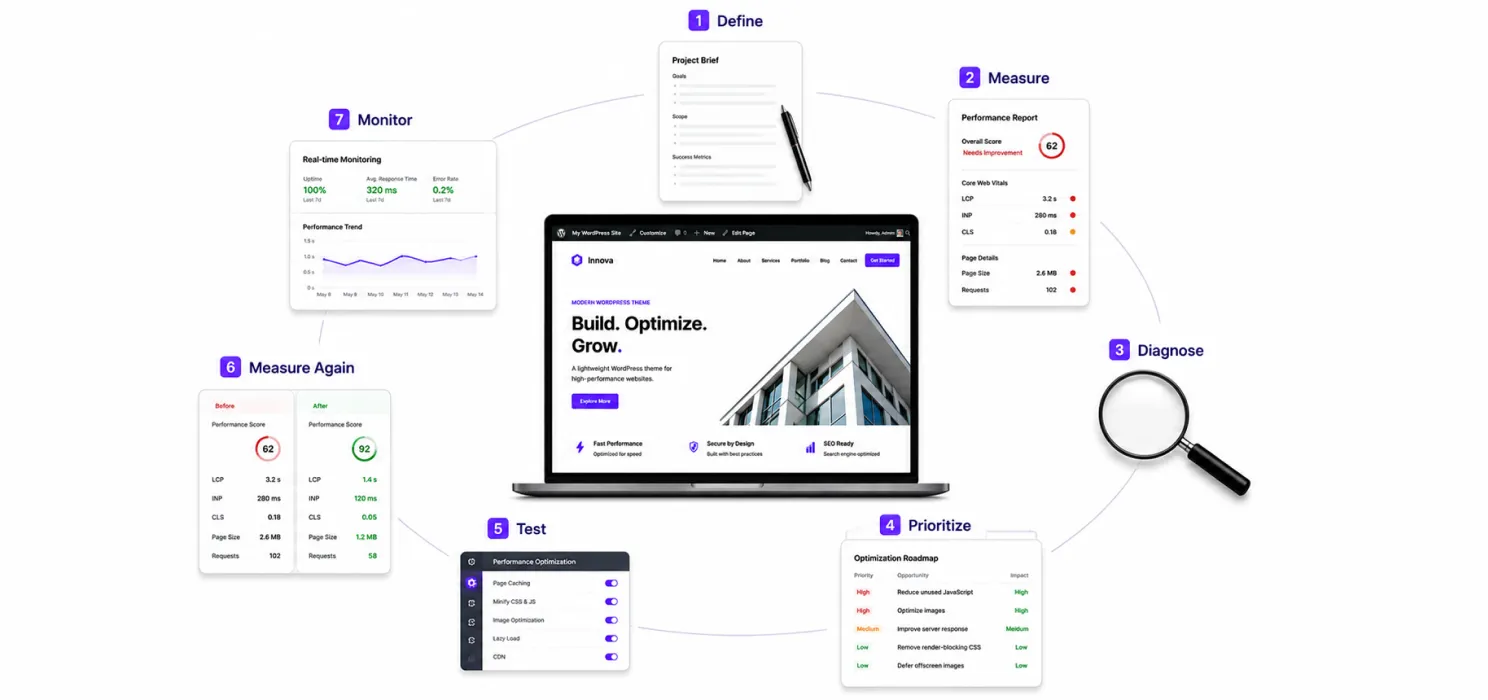
If you remember only one process from this guide, make it this:
1. Define the problem
Don’t simply say:
“My website is slow.”
Identify where and when it feels slow.
2. Measure the current experience
Look at important pages, devices and metrics.
3. Ask for diagnosis
Find out what is actually causing the problem.
4. Prioritize
Fix the biggest bottlenecks first.
5. Test
Make changes carefully.
6. Measure again
Compare the results with the baseline.
7. Keep monitoring
Performance can decline as your website evolves.
What a good performance expert should leave you with
When the project is finished, you shouldn’t just have a faster website. You should have a better understanding of it.
You should know:
- What was slowing it down
- What was changed
- Why those changes were made
- Which improvements had the biggest impact
- Which issues still remain
- How performance will be monitored
- What you should avoid doing in the future
That’s the difference between someone who tweaks a website and someone who understands website performance.
Final thoughts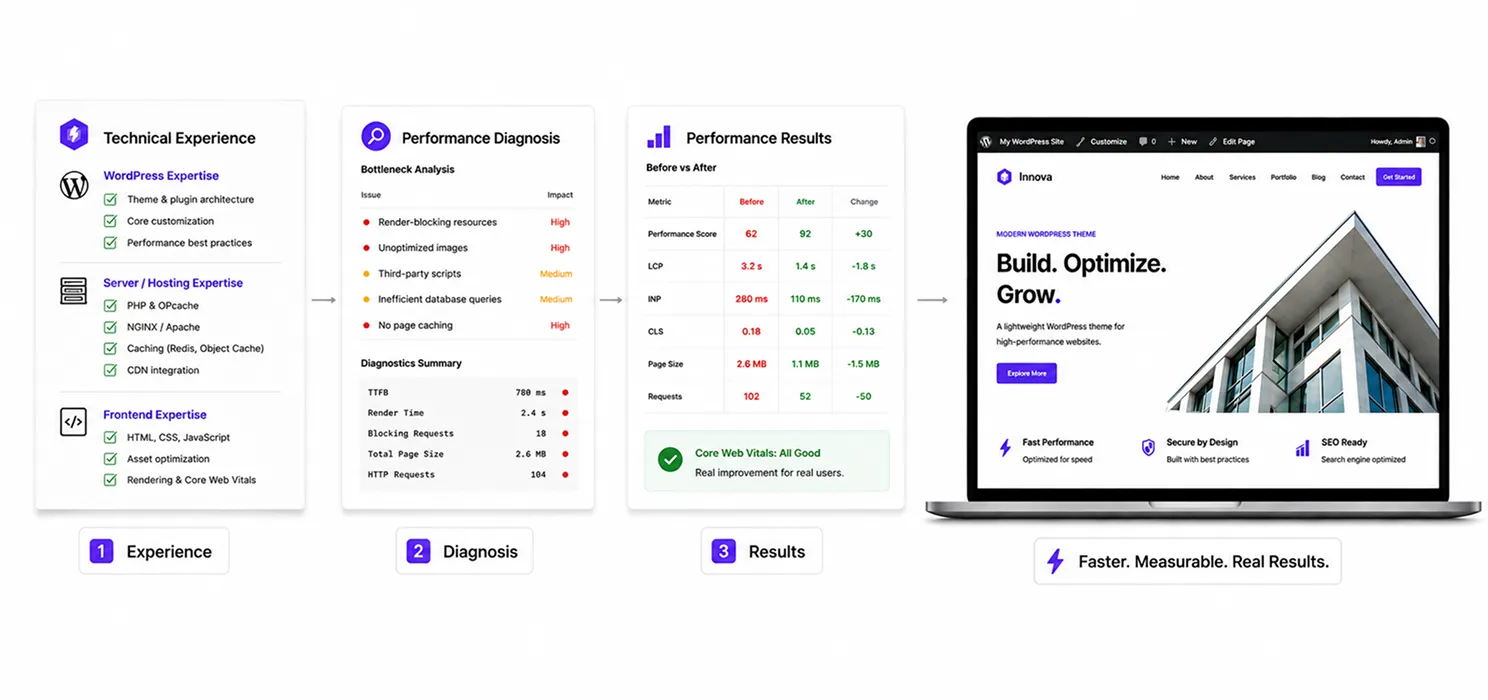
Hiring a WordPress performance expert isn’t about finding someone who uses complicated technical terms. You need someone who can diagnose the problem, explain it clearly, fix the right issues, and show measurable results.
Don’t hire based on promises. Hire based on experience, diagnosis, and results.
For straightforward issues, a good optimization tool may be enough. For complex problems, an expert can identify the root cause. For ongoing performance needs, combining expert support with the right tools can be even more effective.
For everyday WordPress optimization, SpeedyGo brings caching, image optimization, compression, asset optimization, and CDN capabilities into one solution.
Your goal isn’t a perfect score. It’s a website that feels fast to real visitors and helps them take action.
Frequently Asked Questions
Find answers to common questions about hiring a WordPress performance expert, website optimization, performance audits, Core Web Vitals, and WordPress speed.
What does a WordPress performance expert do?
A WordPress performance expert identifies what is slowing down your website and improves areas such as hosting, plugins, themes, images, CSS, JavaScript, caching, databases, CDNs, and Core Web Vitals.
When should I hire a WordPress performance expert?
Consider hiring an expert when your website is consistently slow, performance keeps getting worse, mobile performance is poor, WooCommerce pages are affected, or you have already tried several optimization plugins without solving the problem.
How do I know if my WordPress website is slow?
You can use tools such as PageSpeed Insights, Lighthouse, and Google Search Console to check performance. You should also consider how quickly important pages load and respond on real mobile devices.
Can a WordPress performance expert improve Core Web Vitals?
Yes. An expert can identify issues affecting LCP, INP, and CLS and optimize areas such as server response, images, JavaScript, CSS, fonts, caching, and layout stability.
What should a WordPress performance audit include?
A proper audit should include baseline measurements, hosting and server checks, plugin and theme analysis, image optimization, CSS and JavaScript review, caching, CDN configuration, database performance, Core Web Vitals, and mobile performance.
How much does WordPress performance optimization cost?
The cost depends on the complexity of the website, the number of issues, hosting environment, custom functionality, and whether ongoing optimization is required. A basic optimization project can be much simpler than a full technical performance audit.
Do I need a WordPress performance expert or an optimization plugin?
For straightforward issues such as caching, image optimization, compression, and asset optimization, an optimization tool may be enough. Complex server, WooCommerce, database, or custom-code issues may require an expert.