5 mins read
How to Defer Third-Party Scripts in WordPress Without Breaking Tracking
Share Article :


Quick summary
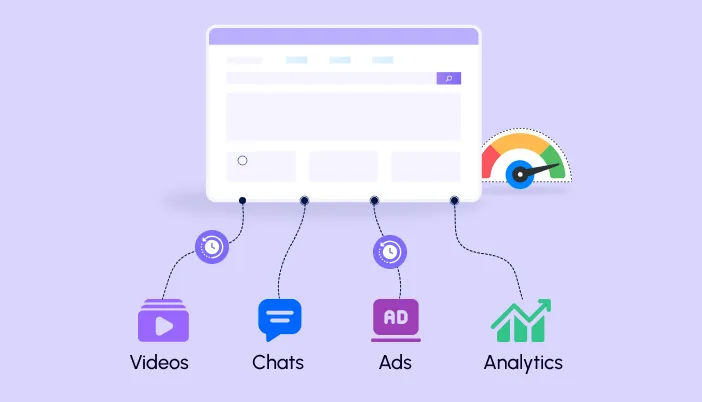
Analytics, ad pixels, chat boxes and video embeds are useful, but they run code from other companies on your site. That code can slow your pages and make taps feel laggy. This guide shows how to defer third party scripts WordPress sites use, which ones are safe to delay, and how to keep your tracking accurate. It ends with a checklist.
You add Google Analytics. Then a Facebook pixel. Then a live chat box, a heatmap tool and an embedded video. Each one felt small. Each one took two minutes to add.
Now your page loads code from ten different companies, and you control none of it.
The worry is real: if you slow those scripts down, will your tracking break? It does not have to. Let’s do it the safe way.
What are third-party scripts?
A third-party script is code that comes from a service outside your own website. You paste it in, and it runs on every visitor’s browser. Common examples are analytics tools, advertising pixels, chat widgets, heatmaps, social buttons, review widgets and embedded videos.
They are extremely common. The Web Almanac’s third-parties chapter shows that the vast majority of websites load at least one third-party resource. Most of them are added one by one, with no plan.
Why do third-party scripts slow your site?
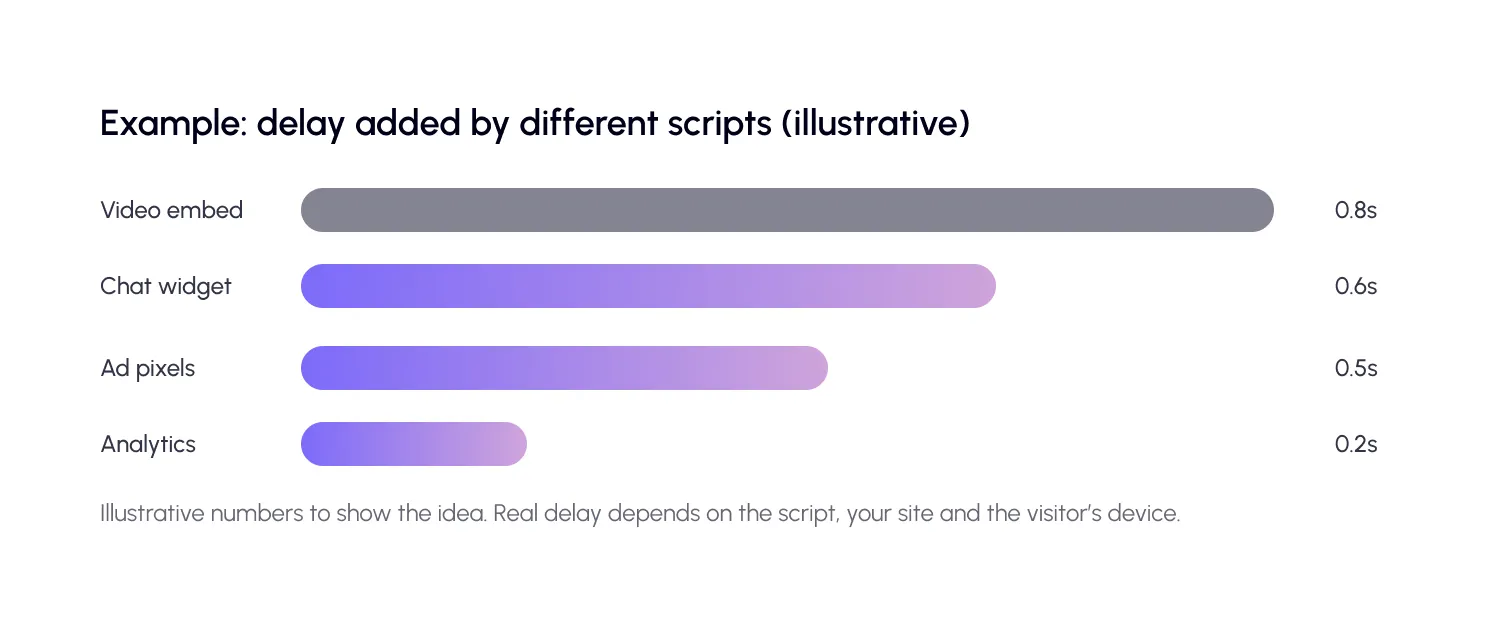
You do not control them. If the other company’s server is slow, your page waits. If their code is heavy, your visitor’s phone works hard to run it.
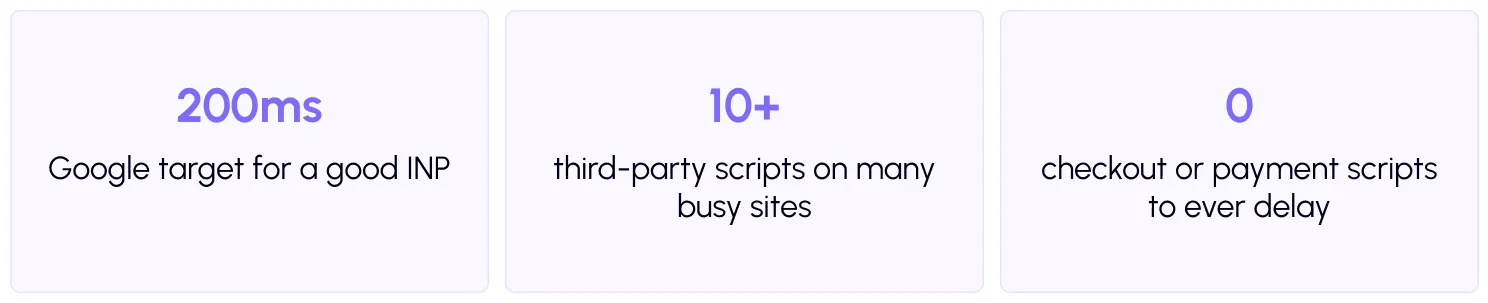
Google explains this in its guide onefficiently loading third-party JavaScript, and Lighthouse has a check to reduce the impact of third-party code. Too much of it blocks the main thread, which hurts your INP score. That is the metric for how fast a page reacts to taps and clicks.
Will delaying scripts break your tracking?
It can, if you delay the wrong ones. Here is the risk in simple terms. If analytics only starts after a visitor interacts, then a person who opens your page, looks, and leaves without touching anything may never be counted. Your visit numbers can drop, and your bounce rate can look odd.
The fix is to treat scripts differently. Keep analytics loading early, using defer. Delay the tools that do not affect measurement, like chat and heatmaps. For ad pixels, defer them, then confirm your key events still fire.
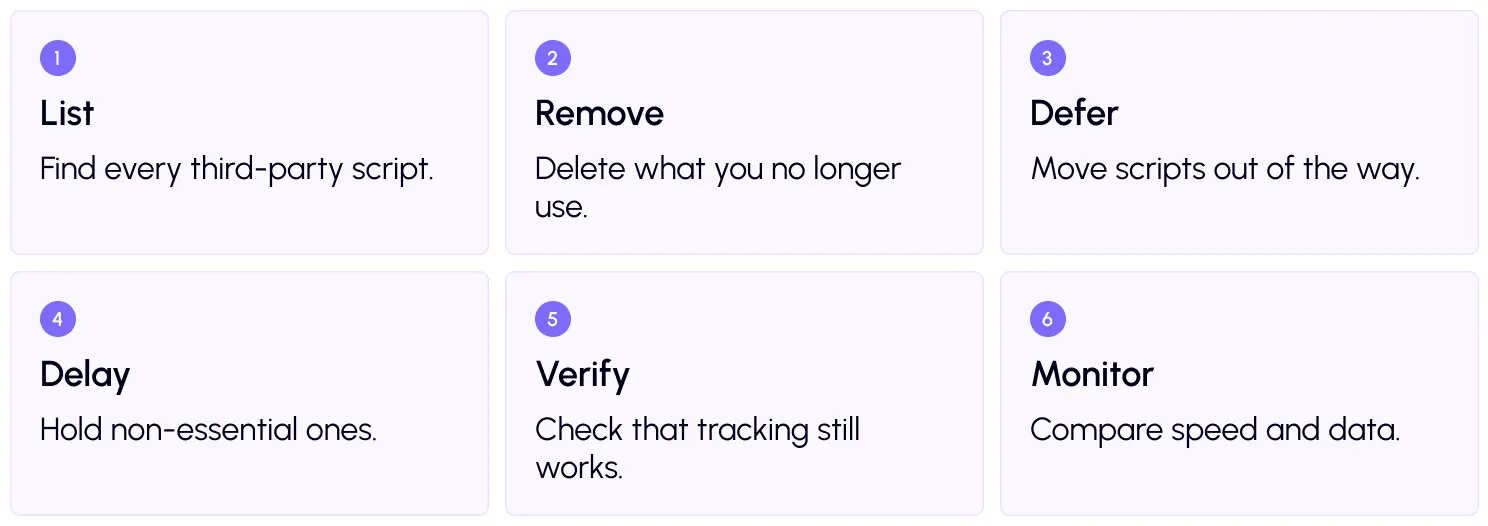
How to defer third-party scripts: 6 steps
Step 1 and 2: List, then remove
Run your page throughPageSpeed Insights or thefree SpeedyGo speed test, and note which external scripts show up. Then ask of each one: do we still look at this data? Old heatmap tools, unused pixels, and abandoned chat widgets are common leftovers. The lightest script is the one you delete.
Step 3: Defer what you keep
Usedefer scripts so the browser builds the page first. This helps visitors see content sooner, and it is usually safe for analytics and marketing tags. You can read more about how this works in ourJavaScript optimization guide.
Step 4: Delay the non-essential
For chat, heatmaps, and similar tools, useJS interaction delay. These scripts wait until the visitor interacts, so they stop competing with your page when it first loads. That frees the browser and helps INP.
Step 5: Verify your tracking
This step protects your data. After you change settings, open your site in a fresh browser window and visit a few pages. Then check that your analytics shows the visit in real time. UseGoogle Tag Assistant to confirm that your tags fire. Trigger a real action, such as a form submit or a test purchase, and make sure that the conversion appears.
If something is missing, exclude that script from delay and test again.
Step 6: Monitor over time
Compare speed scores and your traffic numbers for a week or two. If your visits suddenly drop, a delay setting may be hiding some. Also review your scripts every few months, since new ones tend to creep in.
To see all this in context, browse our other guides on the SpeedyGo blog.
A real-life example
An online course site has Google Analytics, a Meta pixel, a live chat box, a heatmap tool, and three embedded videos on its sales page. On a mid-range phone, taps take nearly half a second to react.
The owner removes an old heatmap tool that nobody checks. They keep analytics deferred, delay the chat box, and swap two video embeds for click-to-play thumbnails. Then they use Tag Assistant to confirm that the pixel still fires when someone signs up.
The sales page reacts faster, and the reports look the same as before. That is the goal: better speed with no data loss.
Common mistakes to avoid
The first mistake is delaying everything. Analytics and payment scripts need care, so treat them separately.
The second is never checking the data. If you do not verify tracking, you may lose weeks of numbers without knowing.
The third is adding new tools and forgetting them. Each one adds weight, so keep a short list of what you use and why.

Frequently Asked Questions
How do I defer third-party scripts in WordPress?
Use a speed plugin’s defer scripts setting, or add the defer attribute to the script tag. Then test your site and check that tracking still works.
What is the difference between defer and delay?
Defer downloads a script in the background and runs it after the page is built. Delay holds the script until the visitor interacts with the page.
Will delaying scripts affect Google Analytics?
It can, if analytics waits for interaction. Visitors who leave without tapping may not be counted. Defer analytics rather than delaying it.
Which scripts should I never delay?
Payment, cart and checkout scripts, and anything your page needs to show or work correctly. Delaying these can break sales.
Do third-party scripts hurt Core Web Vitals?
Yes, they can. Heavy scripts block the main thread, which hurts INP, and late-loading content can also affect LCP and layout stability.
Can SpeedyGo delay third-party scripts?
Yes. SpeedyGo offers defer scripts and JS interaction delay. Start with a preset, and test your tracking and key pages after enabling them.