5 mins read
WordPress Database Optimization: When Does Your Site Need It?
Share Article :


Quick summary
Your WordPress database holds everything: posts, settings, orders and comments. Over the years it fills with clutter that can slow your site. This guide explains WordPress database optimization in plain English. You will learn the signs that your site needs it, what is safe to clean, how to do it step by step, and when to leave it alone.
Think of your database as a filing cabinet. On day one, it is tidy and you find things instantly. Five years later, it is stuffed with old drafts, duplicate copies and papers nobody needs. WordPress still finds what it wants, but it takes longer. Every page can trigger many searches in that cabinet. When the cabinet is a mess, everything slows down.
The good news: cleaning it is not scary if you do it in the right order. And sometimes, you do not need to do it at all. Let’s find out which case is yours.
What is the WordPress database?
WordPress stores almost all your content and settings in a database, usually MySQL or MariaDB. Your posts, pages, comments, users, plugin settings and, on a store, your orders all live there.
Each time someone opens an uncached page, WordPress asks the database many questions and builds the page from the answers. Faster answers mean faster pages.
What clutters a WordPress database?
Most of the mess builds up quietly. Here are the usual causes.
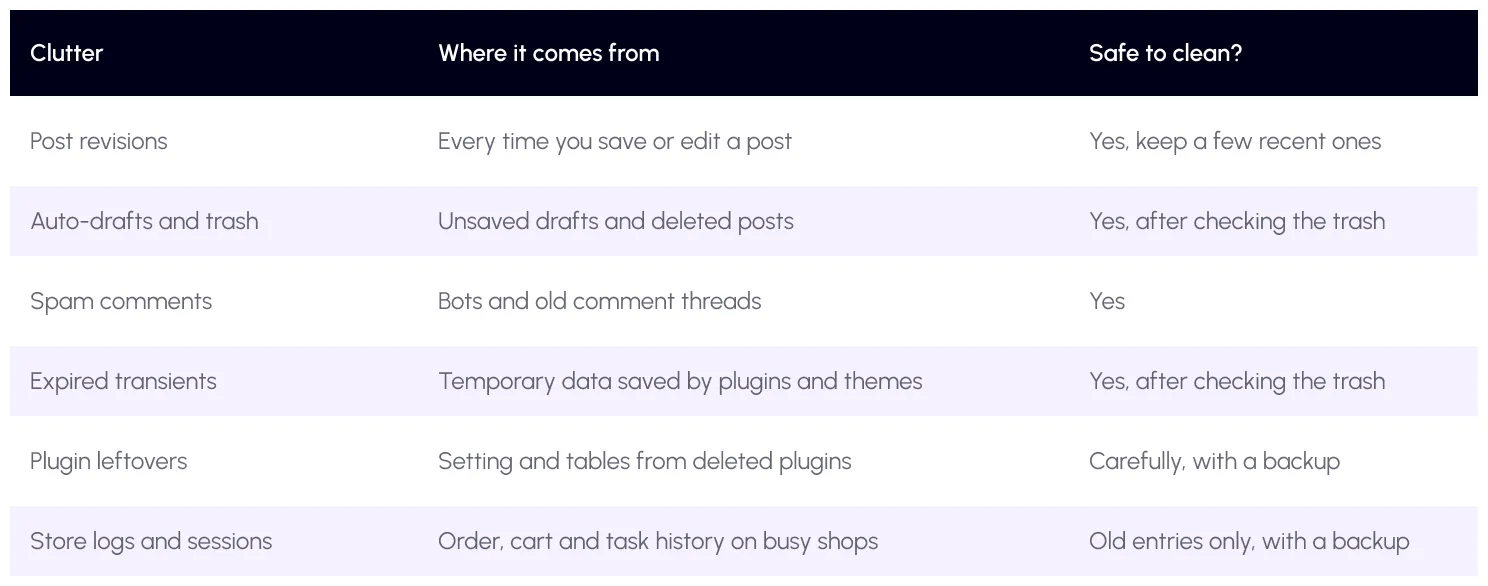
WordPress keeps post revisions without a limit by default, so a post you edit fifty times can carry fifty copies. You can cap this in yourwp-config.php settings. Temporary data calledtransients is meant to expire, but old ones can linger.

When does your site need database optimization?
You do not need to clean your database every week. Look for these signs first.
- The WordPress admin feels slow. Saving posts or opening lists takes ages, even when the front of the site is cached.
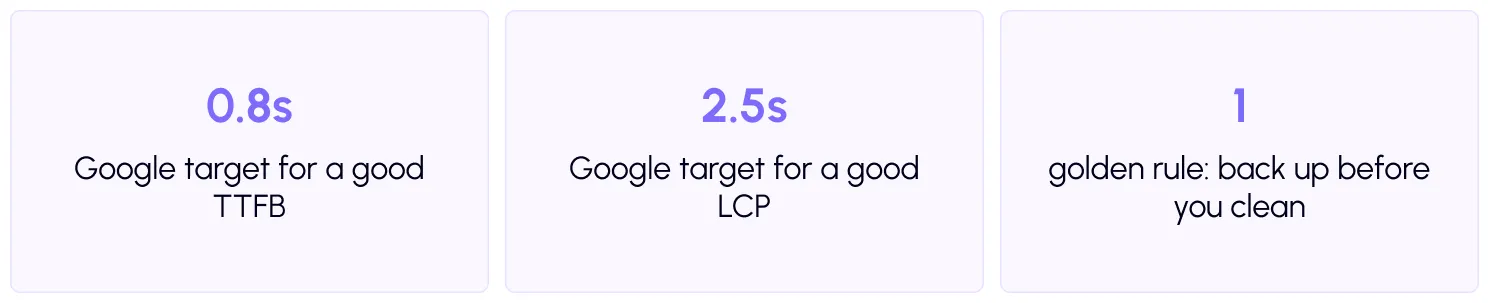
- Your server response is slow. Time to First Byte (TTFB) is how long the browser waits for the first data. Google says a good TTFB is 0.8 seconds or less. If yours is much higher on uncached pages, the database may be part of the cause.
- Backups are huge or slow. A database that is many times bigger than your real content is a red flag.
- Your site is old or busy. Sites with years of edits, thousands of comments, or a store with many orders collect the most clutter.
- Your host warns you. Some hosts send alerts about database size or heavy queries.
How do you find what is slowing the database?
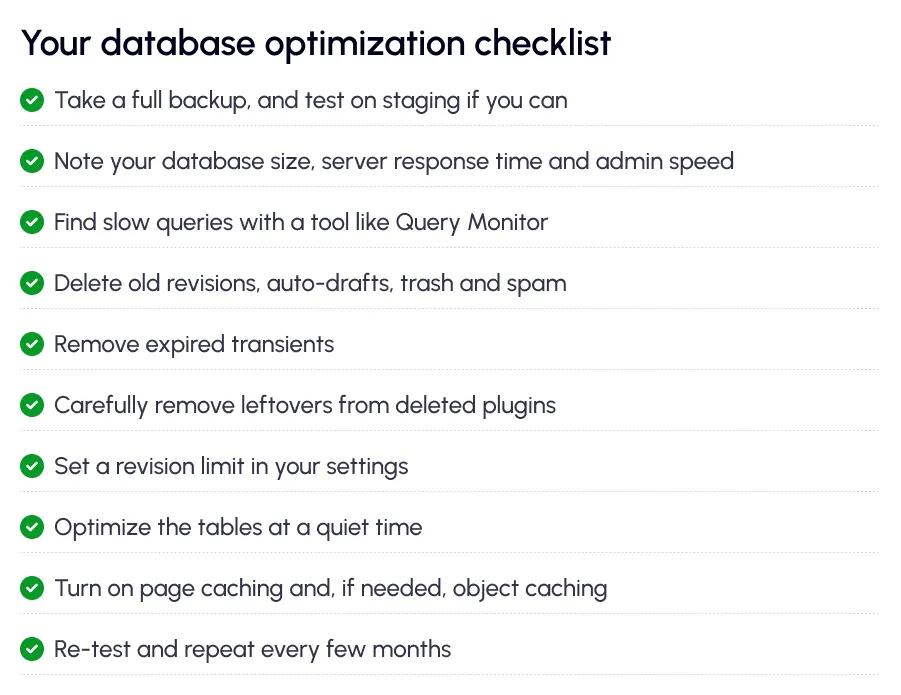
Do not guess. Free tools can show you the slow parts. The Query Monitor plugin lists every database query on a page and highlights the slow ones. It also shows which plugin or theme caused them.
Also test your speed. Run your key pages through thefree SpeedyGo speed test and note your server response time. Save the numbers so you can compare after cleanup.
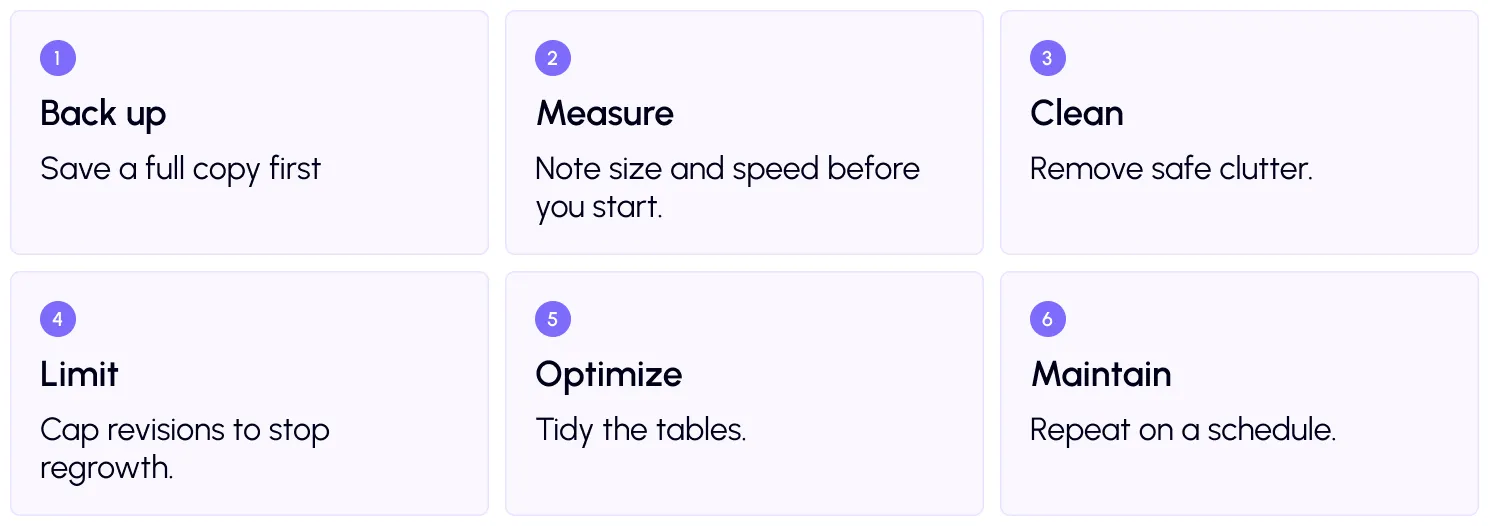
How to optimize your WordPress database: 6 steps
Step 1: Back up everything
This is not optional. Follow WordPress guidance in itsbackup guide and take a full copy of your files and database. If a cleanup goes wrong, you can restore in minutes. Test on a staging copy if your host offers one.
Step 3: Clean the safe clutter
Start with the easy items: old revisions, auto-drafts, trashed posts, spam comments and expired transients. A database cleanup plugin or your host’s tools can do this in a few clicks.
Be careful with plugin leftovers and store data. Only remove what you clearly recognize as unused, and always after a backup. If you are not sure, ask a developer.
Step 4: Limit future clutter
Cleaning once is not enough if the mess grows back. Set a revision limit, for example five per post. Empty the trash on a schedule, and use spam protection for comments. These small habits keep the database lean.
Step 5: Optimize the tables
After lots of deleting, database tables can have gaps, like empty spaces in a cabinet. Running a table optimization reclaims that space. MySQL explains howOPTIMIZE TABLE works. Some plugins and hosts run it for you.

What else reduces database load?
Cleaning helps, but the fastest query is the one that never runs. That is where caching comes in.
Full-page caching saves finished pages, so most visitors never trigger any database work.Object caching stores common query results in memory, which helps on busy sites and stores. Add ascheduled expiration and auto purge so saved pages stay fresh.
SpeedyGo focuses on caching, images, scripts and CDN delivery, which cuts how often WordPress touches the database. For deeper database cleanup, use a dedicated tool or ask your host or a developer. Want more tips? Browse the SpeedyGo blog.
A real-life example
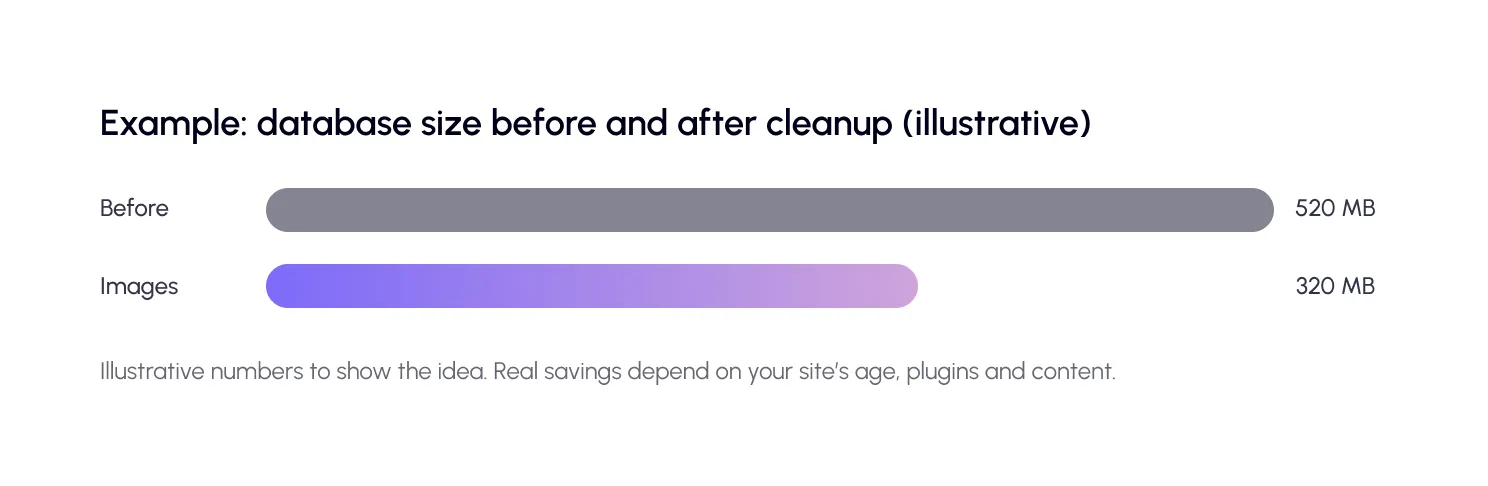
Imagine a five-year-old online store. It has 900 products, thousands of orders, and a blog with hundreds of posts. The admin takes eight seconds to open the orders list, and backups keep timing out.
The owner takes a backup, then removes years of old revisions, spam, and expired transients. They cap revisions at five, optimize the tables, and turn on page and object caching. Admin screens load faster, the backup finishes on time, and the front of the store feels lighter.
Nothing was rebuilt. The site just stopped carrying weight it did not need.
Common mistakes to avoid
The biggest mistake is cleaning without a backup. Deleted data is very hard to bring back.
The second is deleting things you do not recognize. Some tables belong to active plugins. If you are unsure, leave them.
The third is expecting miracles on a small site. If your database is healthy, your time is better spent on images, scripts and caching, which Google measures inCore Web Vitals.

Frequently Asked Questions
Find answers to common questions about WordPress database optimization, including when to clean your database, what data is safe to remove, how often to optimize it, and how database cleanup affects website speed.
What is WordPress database optimization?
It is the process of cleaning out unneeded data and tidying database tables, so WordPress can find information faster and your site runs smoothly.
How do I know if my WordPress database needs optimization?
Signs include a slow admin, slow server response on uncached pages, huge backups, an old or busy site, and host warnings about database size.
Is it safe to optimize my WordPress database?
Yes, if you take a full backup first and only remove data you understand. Revisions, spam and expired transients are usually safe to clear.
How often should I clean my database?
Most sites do well with a cleanup every few months. Busy stores or sites with heavy editing may need it more often.
Will database cleanup improve my Core Web Vitals?
It can help server response time on uncached pages, which supports a faster load. But images, scripts and caching usually bring bigger gains.