5 mins read
WordPress Performance Audit Checklist for Agencies
Share Article :


Quick summary
A good audit turns “the site feels slow” into a clear list of fixes, in the right order. This guide gives agencies a practical WordPress performance audit checklist: what to measure, which tools to use, how to prioritize, and how to report results in a way clients understand. Use it as a repeatable process for every client site.
A client emails you: “Our website is slow. Can you fix it?” You open the site, and it does feel sluggish. But where do you start?
Many agencies jump straight to installing a plugin and hoping for the best. It works sometimes. But it is hard to explain, hard to repeat, and hard to charge for.
A structured audit fixes that. It gives you evidence, a plan, and a before-and-after story the client can see. Here is a checklist you can reuse on every project.
Why should agencies run a formal performance audit?
An audit does three things. It shows what is really slow, so you do not waste hours on small stuff. It sets a baseline, so you can prove your work. And it gives the client a clear reason to approve the fixes.
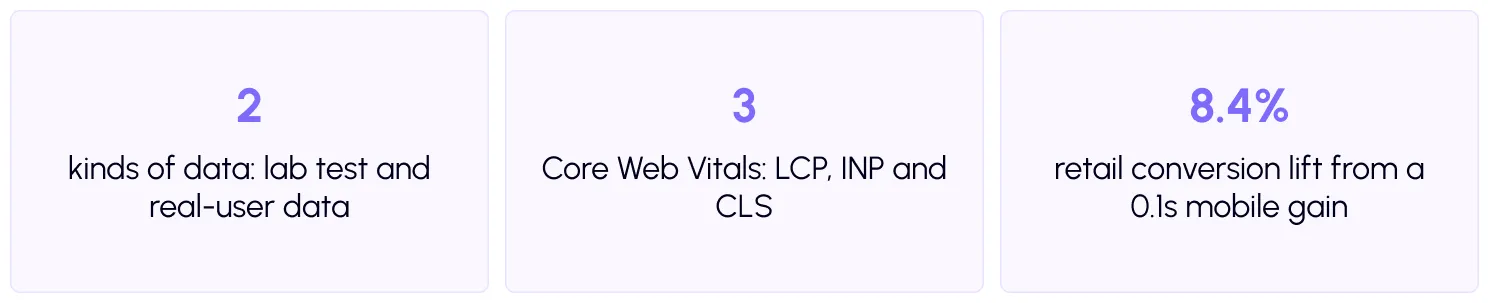
Speed also ties to business results. A Google and Deloitte study found that a 0.1-second mobile site speed gain lifted retail conversions by 8.4%. Clients understand revenue, so connect your findings to it.
What should you set up before you test?
Good audits are fair. Before you run any test, agree on these basics.
- Pick the right pages. Do not test only the home page. Test one of each template: home, blog post, service or product page, and any landing page that drives revenue.
- Keep conditions the same. Use the same tool, device type and location every time. Run each test three times and use the middle result.
- Take a backup. Before you change anything, back up files and database, and use staging when you can.
Which tools do you need?
You do not need expensive software. These free tools cover most audits.
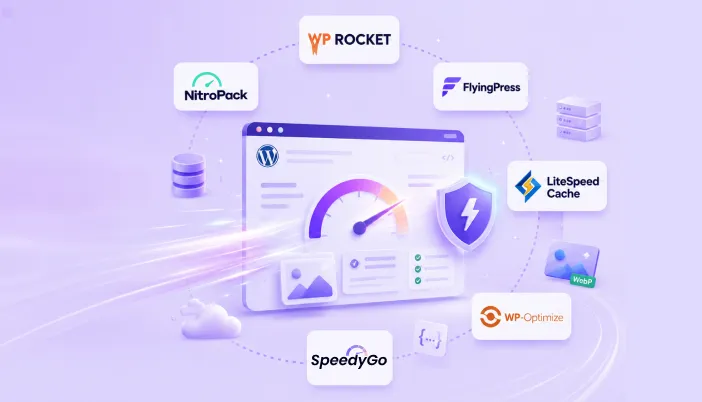
PageSpeed Insights gives you both lab results and real-user data for a page. The Chrome User Experience Report provides that real-user data. Lighthouse runs lab audits in Chrome. WebPageTest lets you test from different locations and devices. Google Search Console has a Core Web Vitals report that groups all pages on a site by status.
Inside WordPress, the Site Health screen flags basic problems, and Query Monitor shows slow database queries and which plugin caused them. For a quick client-friendly first look, the free SpeedyGo speed test works well.
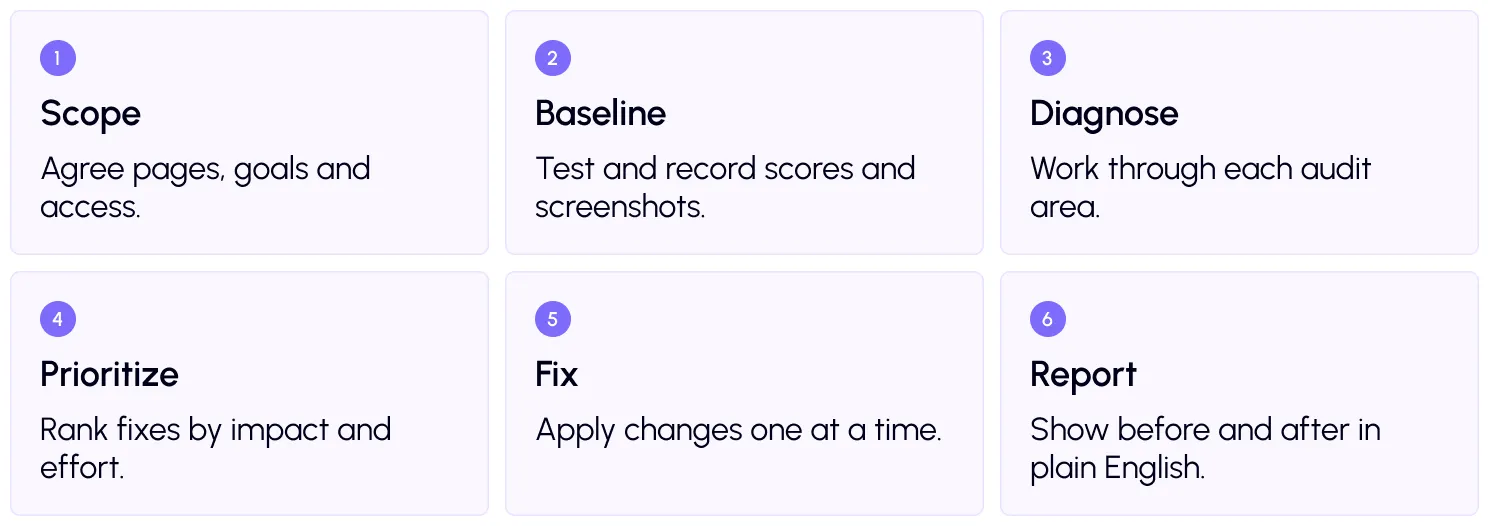
The agency audit workflow: 6 steps
Step 4: Prioritize with an impact and effort grid
You will find more problems than you can fix at once. Sort each one by how much it helps and how hard it is.
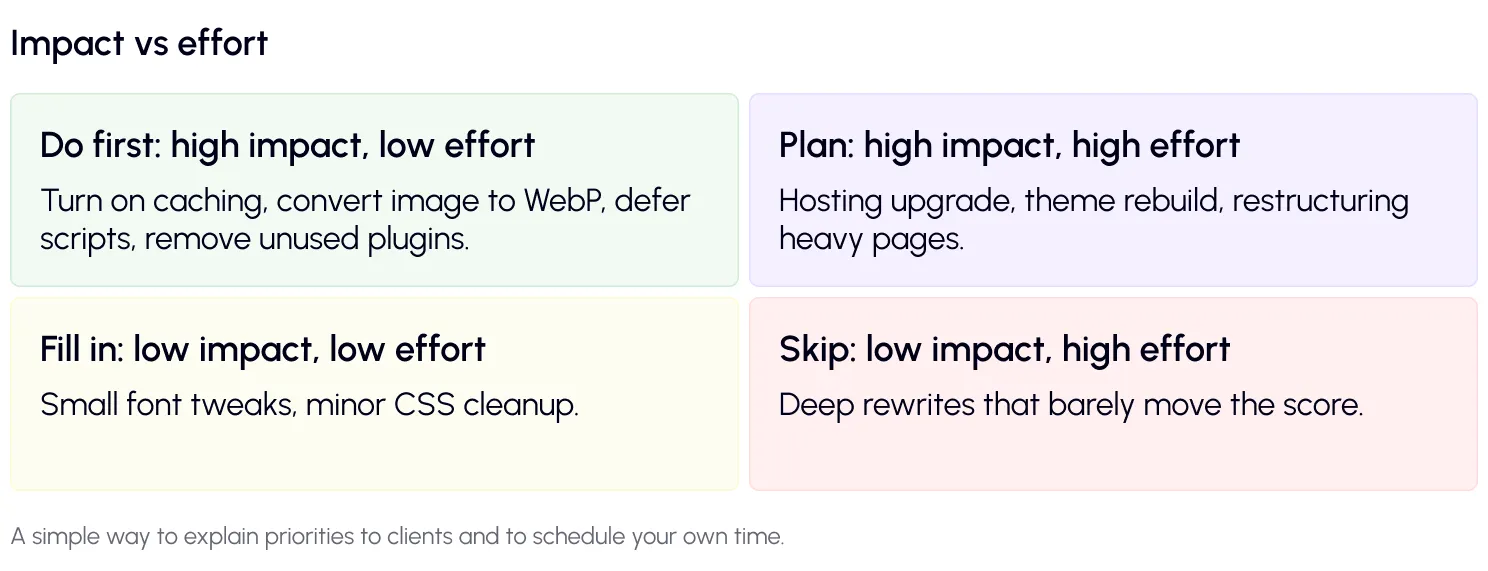
Start with the first box. These quick wins often deliver most of the speed gain. SpeedyGo covers many of them from one place: full-page caching, WebP conversion, defer scripts, and CDN integration. Its optimization presets give you a safe starting point.
Step 5: Fix one thing at a time
Change one setting, test, and note the result. This makes your report honest and makes it easy to undo anything that breaks. Always test forms, menus and, on stores, checkout. You can alsoexport and import SpeedyGo settings to reuse a setup that you have already tested on similar sites.
Step 6: Report in plain English
Clients do not want a wall of metrics. Keep your report to one page with these parts.
First, a short summary: “Your mobile home page now loads in 2.1 seconds, down from 4.3.” Second, a before-and-after table of key scores. Third, a list of what you fixed, in simple words. Fourth, what to do next and why.
For Pro users, SpeedyGo’s PageSpeed analytics and Google PageSpeed API integration help track scores over time, which is useful for monthly reports. Our blog also covers what agencies charge for speed work.
A real-life example
A small agency looks after 20 client sites. Every month, they audit the five most important pages on each site using the same checklist and a shared spreadsheet.
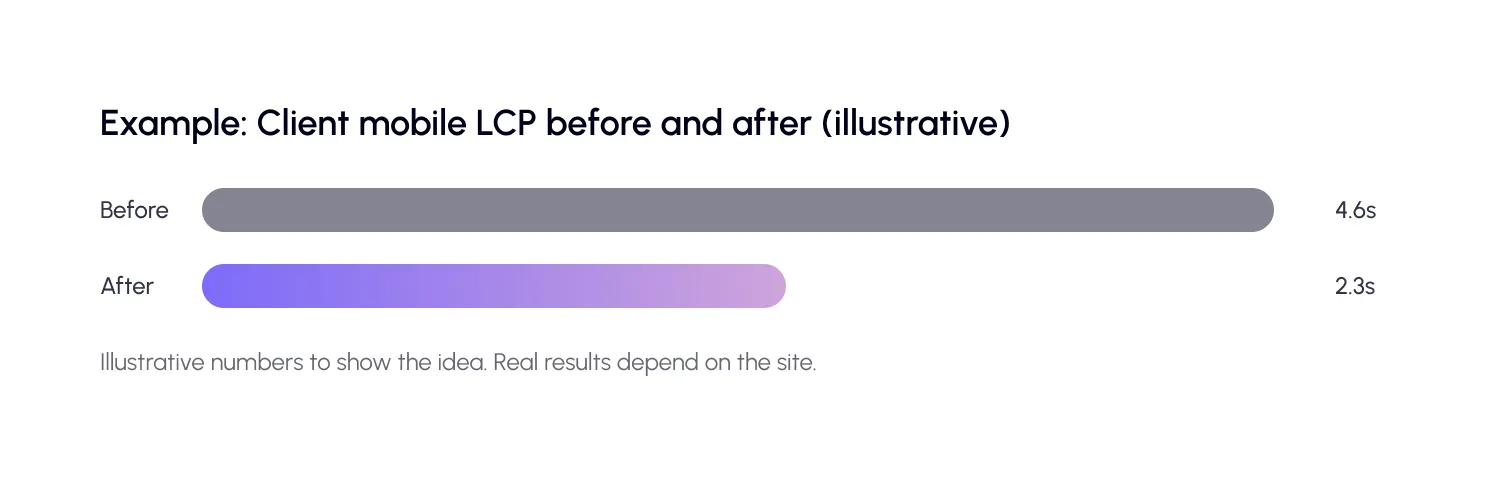
One site stands out. Its mobile LCP is 4.6 seconds. The audit shows huge JPEG images, no page caching, and five third-party scripts loading at once. The agency fixes these in an afternoon. LCP drops under 2.5 seconds.
The client sees a clear before-and-after report. They approve a monthly care plan on the spot. That is the real value of a repeatable audit: it wins trust and recurring work.
Common mistakes to avoid
The first mistake is auditing only the home page. Slow templates often hide on blog posts, product pages, and landing pages.
The second is reporting scores with no story. A score of 87 means little to a client. “Pages now load in half the time” means a lot.
The third is promising a perfect 100. Aim for passing Core Web Vitals and a site that feels fast, and say so to clients up front.

Frequently Asked Questions About WordPress Performance Audits
Find answers to common questions about WordPress performance audits, including essential checklist items, recommended testing tools, audit frequency, client reporting, and agency plans.
What is a WordPress performance audit?
It is a structured review of a site’s speed. You measure key pages, find what slows them down and rank fixes by impact and effort.
What should a WordPress performance audit checklist include?
Core Web Vitals, server response time, caching, images, CSS and JavaScript, third-party scripts, fonts, plugins and database, and CDN performance for global visitors.
Which tools should agencies use for a speed audit?
PageSpeed Insights, Lighthouse, WebPageTest, Search Console’s Core Web Vitals report, Query Monitor and the WordPress Site Health screen cover most needs.
How often should agencies audit client sites?
Run a full audit when you take on a site, and a lighter check every month or quarter. Also re-test after big changes like a redesign or new plugins.
How do I explain audit results to clients?
Use plain English and focus on outcomes: faster pages, better experience and business impact. Include a short before-and-after table and clear next steps.
Does SpeedyGo have an agency plan?
Yes. The Agency plan bundles multiple sites, seat-based access and priority human support under one bill. Contact the sales team for details.