7 mins read
WordPress Performance Workflow: Speed as a Standard
Share Article :


In this blog, you will learn why fixing your site’s speed once never seems to actually stick, what it looks like to build performance into your team’s regular workflow instead, and how to do that without turning every project into a bureaucratic checklist nobody follows.
Here’s something worth sitting with if you’ve ever run a big performance push and then watched the scores slowly creep back up over the following months: shaving even one second off load time has been shown to lift conversions by 2% or more, while delays past four seconds start driving real abandonment. That’s not a one-time win you bank and move on from. That’s a number that changes every time a new plugin, a new feature, or a new image gets added to the site.
So the real question isn’t “how do we make the site fast.” Most teams can answer that question once. The harder question is “how do we keep it fast,” and that’s a workflow problem, not a one-time fix.
Why the “big performance push” never really lasts
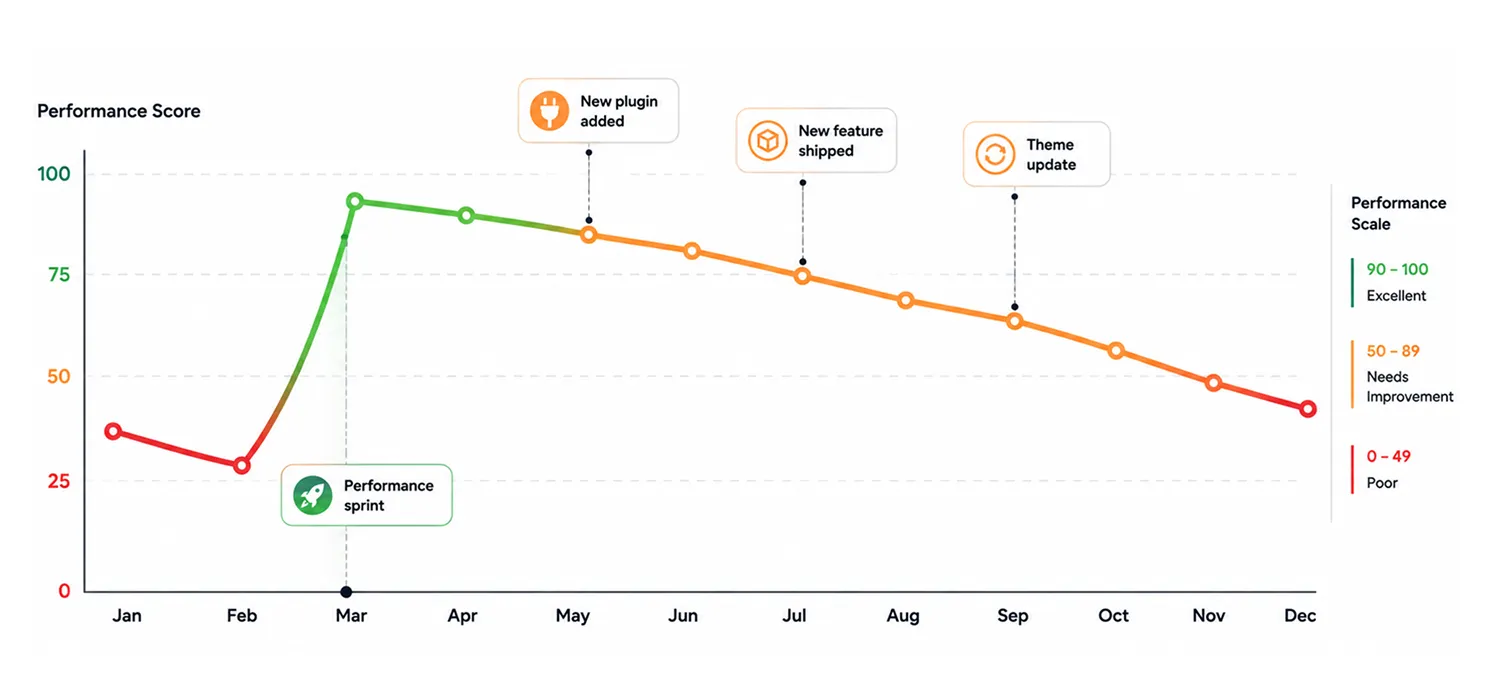
You’ve probably lived this cycle before. Someone flags that the site’s gotten slow. The team spends a sprint (or two) fixing it, images get compressed, caching gets configured, everyone feels good about the PageSpeed score. Then six months later, someone flags that the site’s gotten slow again.
This isn’t a failure of the original fix. It’s what happens when speed is treated as a project instead of a standard. Every new feature, every new plugin, every new image adds a little weight, and if nothing in your process is actually checking for that, it just accumulates quietly until someone notices the site feels sluggish again.
One breakdown of this exact pattern put it well:
“Performance debt hits growth, accessibility, and reliability all at once.”
That’s really the point. Performance debt isn’t its own isolated problem sitting off to the side. It compounds with everything else, and by the time it’s visible enough to flag, it’s usually already affecting real business outcomes.
What does “speed as a standard” actually mean?
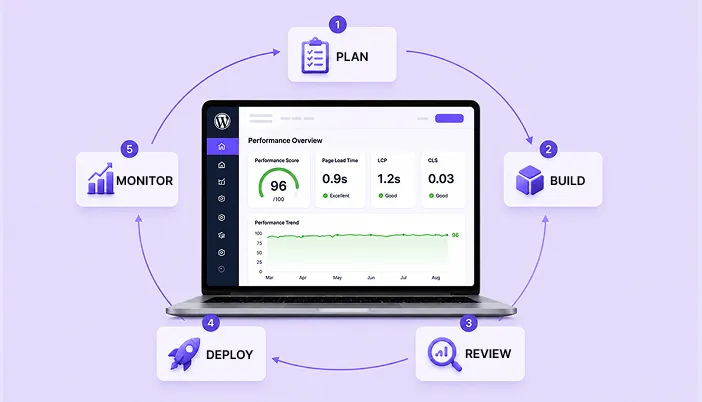
It means performance isn’t a phase of the project, it’s a property the project isn’t allowed to lose. In practice, that comes down to a few concrete things:
- A performance budget. A defined limit on things like total page weight, image size, and script count, that the team agrees not to exceed without a conscious decision
- Checks built into the workflow, not left to memory. Whether that’s a manual step in code review or an automated check before deployment
- Someone accountable for it. Not necessarily a dedicated role, but a clear answer to “who notices if this slips”
- Regular monitoring after launch, not just a one-time test before going live
None of this requires a huge process overhaul. It requires deciding, as a team, that speed is a requirement like any other, not a nice-to-have that gets sacrificed the moment a deadline gets tight.
One-off fixes vs a real workflow
| One-off performance fix | Speed built into the workflow | |
| When it happens | Whenever someone notices the site’s slow | Continuously, as part of normal development |
| Who’s responsible | Whoever gets assigned the “fix the speed” ticket | The whole team, with clear ownership for catching regressions |
| How regressions get caught | Usually by a client or user complaining | Caught in code review or automated checks before it ships |
| Long-term trend | Sawtooth pattern, fast after a push, slow drift downward after | Stays roughly stable over time |
| Team’s relationship to performance | Reactive, something to deal with when it becomes a problem | Proactive, part of how “done” is defined |
Setting an actual performance budget
Note: A performance budget doesn’t need to be complicated to be effective. Even a simple, agreed-upon set of numbers is far better than no limit at all.
A few things worth setting a real number on:
- Total page weight. A common target is keeping key pages under 1 to 2MB, though this depends on your site’s content
- Largest Contentful Paint. Aim to stay under Google’s 2.5 second “good” threshold on real devices, not just a fast office wifi connection. LCP is only one part of the picture, though. Your Core Web Vitals give you a broader view of how the site performs for real users.
- Number of third-party scripts. Cap how many external tools (analytics, chat widgets, tracking pixels) are allowed to load on a given page without a specific reason
- Image sizes. Set a maximum file size for uploaded images before compression is required, so it’s caught before it ever reaches production
Tip: Set the budget based on your slowest realistic user, not your fastest. Test on a mid-range phone over a throttled connection, not the developer’s laptop on office wifi. That’s usually where the gap between “feels fine to us” and “feels slow to real visitors” actually shows up.
Where to actually catch this in your process
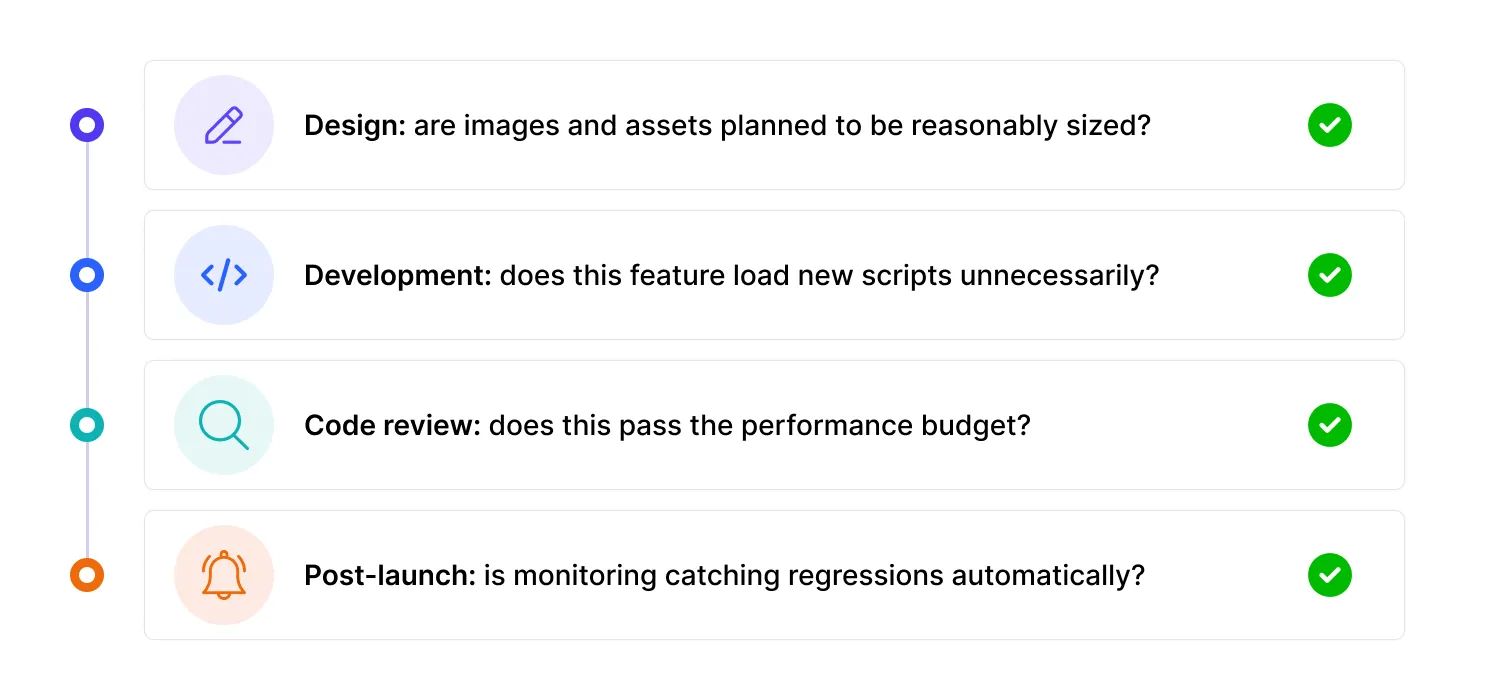
Performance issues don’t have to be caught at the very end. In fact, catching them early is a lot cheaper than catching them after launch.
- At design. Are hero images planned to be reasonably sized? Is the design relying on a heavy third-party embed that could be simplified?
- During development. Does this feature require a new plugin, or new JavaScript, and is that weight actually necessary for what it does?
- In code review. This is the step most teams skip, but it’s genuinely one of the most effective. A quick check against the performance budget before merging catches problems while they’re still cheap to fix.
- After launch. Automated monitoring (real user monitoring tools, or scheduled Lighthouse/PageSpeed checks) catches drift that happens slowly over time, which nobody notices day to day.
Tools that make this easier to actually enforce
| Purpose | Common options |
| Automated performance checks in CI/CD | Lighthouse CI, WebPageTest API |
| Real user monitoring after launch | DebugBear, SpeedVitals, Cloudflare’s built-in analytics |
| Image size enforcement | Build-time compression tools, or WordPress plugins with upload limits |
| Ongoing WordPress-specific monitoring | Query Monitor for development, plus a scheduled PageSpeed or GTmetrix check for production |
You don’t need every tool on this list from day one. Even just adding one automated check before deployment is a meaningful step up from relying on someone remembering to test manually.
Getting the rest of the team (and stakeholders) actually on board
This is often the harder part, not the technical setup. A few things that tend to help:
- Translate performance into terms stakeholders actually care about. “This adds 400ms to load time” lands better as “this could cost us roughly a percent of conversions”
- Make the budget visible, not a rule buried in a document nobody opens. A simple dashboard or a number in your project board works better than a policy nobody remembers exists
- Treat performance regressions the same way you’d treat a broken feature, not as a lower-priority “nice to fix eventually” item
- Celebrate when the budget catches something before launch. That’s the system working, not a delay to be annoyed about
The bottom line
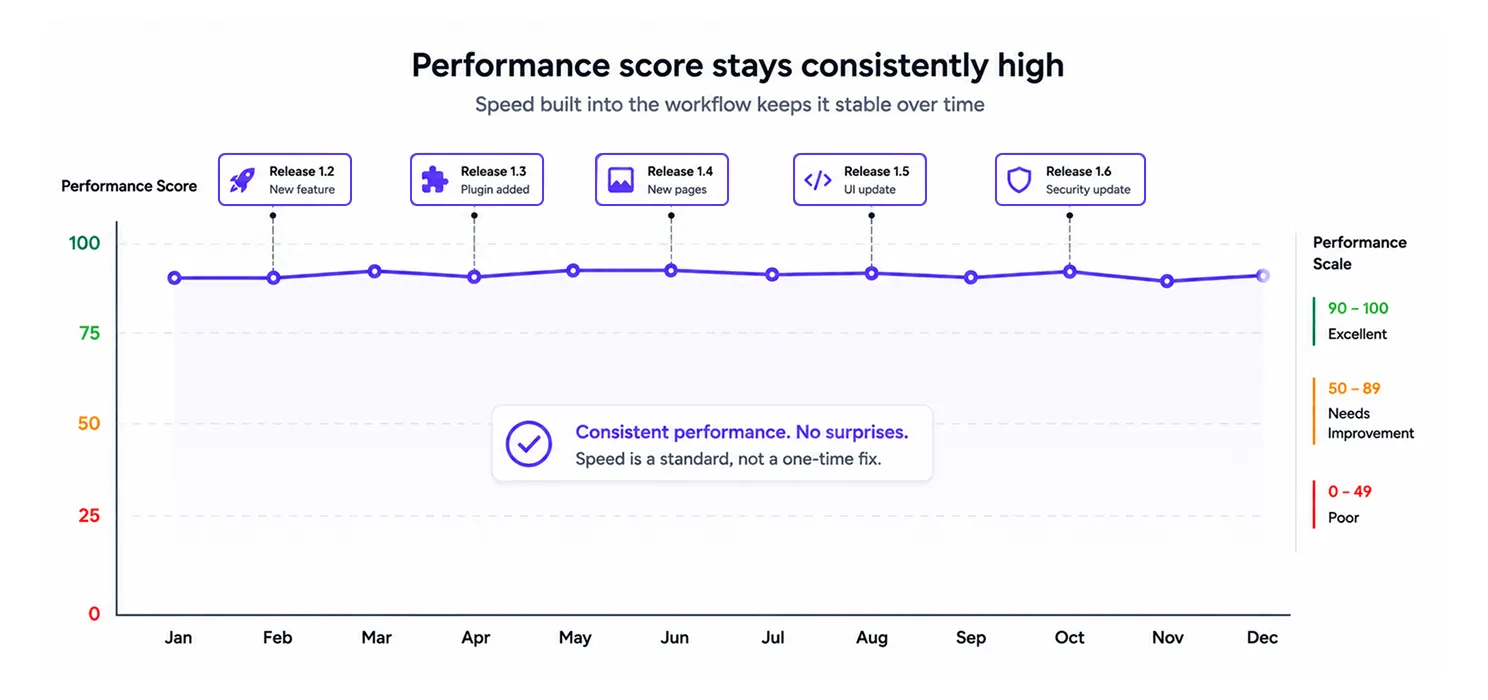
Speed isn’t something you fix once and check off. It’s a property of the site that either gets protected on purpose or slowly erodes by accident, one plugin, one image, one feature at a time. The teams that stay fast over the long run aren’t the ones who never have a slow moment, they’re the ones who built a process that catches it early, consistently, before it becomes the kind of problem that needs a whole sprint to undo.
If your team’s speed work still looks like an occasional fire drill, that’s usually a sign the workflow is missing this piece, not that your team isn’t capable of building a fast site. The capability’s already there. It just needs somewhere consistent to live.
Quick questions people ask
Isn't this just extra process for the sake of process?
It can feel that way at first, but the alternative is usually worse: an unplanned “performance sprint” every six to twelve months, which tends to cost more total time than small, ongoing checks would have.
What if we don't have the resources for automated monitoring tools?
Start manual. A five-minute PageSpeed check as part of your release checklist is far better than nothing, and it’s a reasonable starting point before investing in automated tooling.
Who should actually own the performance budget on a small team?
It doesn’t need to be a dedicated role. It can rotate, or sit with whoever’s doing code review that week. What matters more than who owns it is that someone consistently does.
How strict should the budget actually be?
Strict enough to catch real regressions, loose enough that it’s not blocking every reasonable feature. Most teams find the right balance by adjusting the numbers after a few real releases, rather than trying to get it perfect on the first try.