7 mins read
Manual WordPress Speed Optimization vs. Automated Plugins
Share Article :


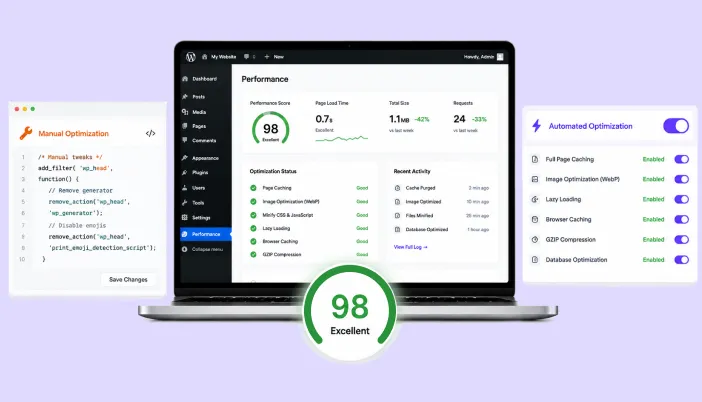
In this blog, you will learn how manual, hands-on WordPress speed optimization actually compares to letting a plugin do the work, where each approach genuinely wins, where it quietly fails, and how a hybrid of both works.
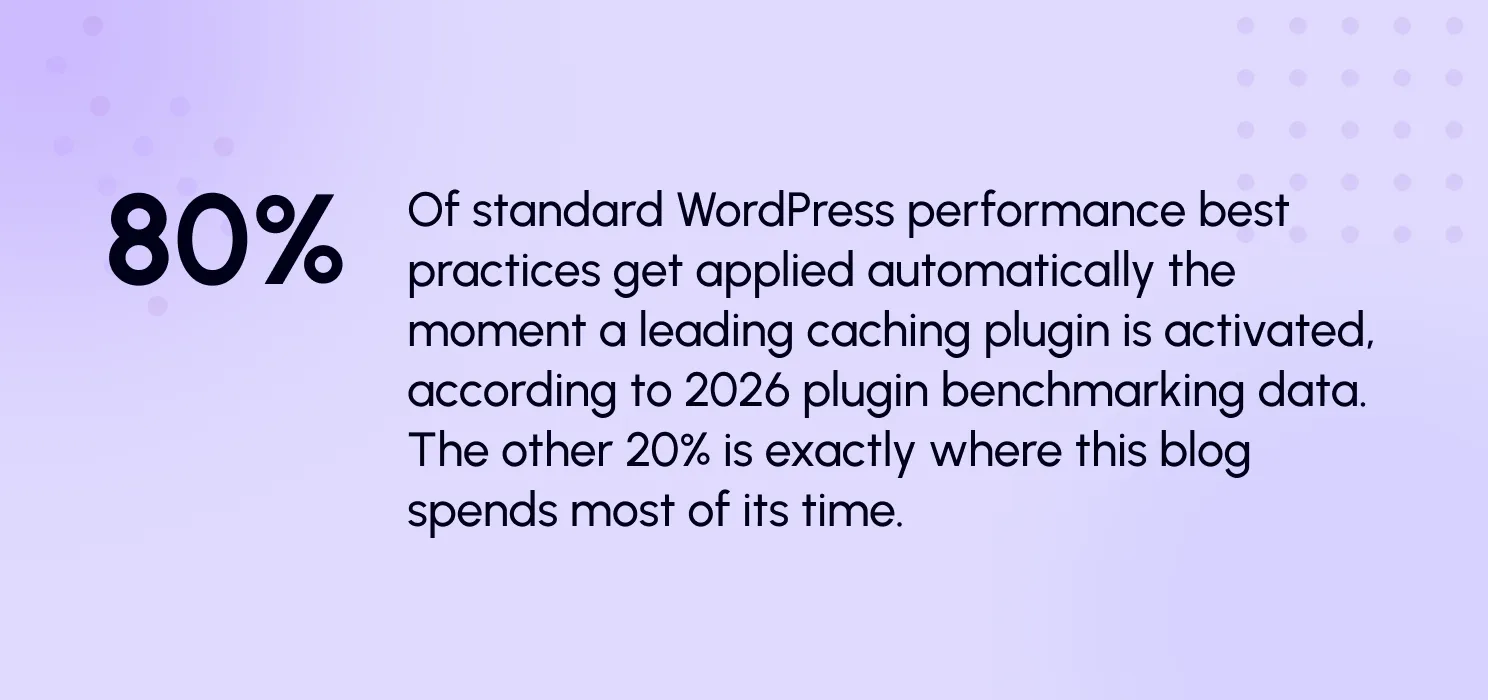
If you’ve ever sat in a meeting where one developer insists on hand-tuning every cache rule and another just wants to install SpeedyGo and move on, you’ve already lived this argument. Both of them are right about something, and both of them are missing something, and that’s really the honest starting point for this whole comparison.
We’re not going to tell you plugins are always better, and we’re not going to tell you manual optimization is a waste of time either. What we want to do is actually break down what each approach is good at, where each one quietly falls short, and what a genuinely well-run WordPress team does instead of picking a side and defending it forever.
What we actually mean by each approach
| Manual: Doing it by hand Editing caching rules directly, writing your own critical CSS, hand-compressing images, manually deferring specific scripts, and tuning your server configuration file by file.
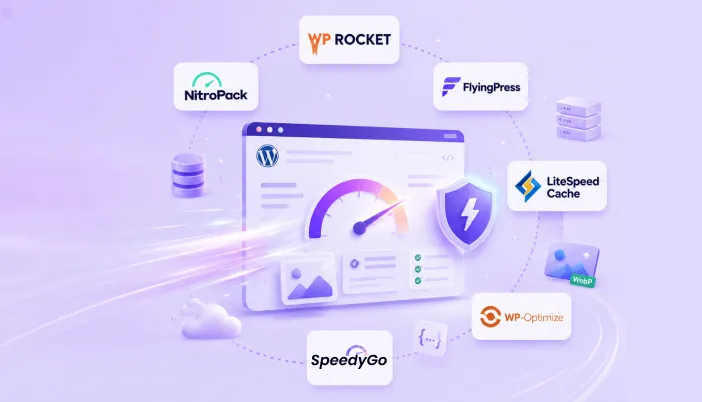
| Automated: Letting a plugin decide Installing a tool like WP Rocket, LiteSpeed Cache, or NitroPack, and letting it detect, configure, and apply most performance best practices for you, often within minutes of activation.
|
Where the time actually goes
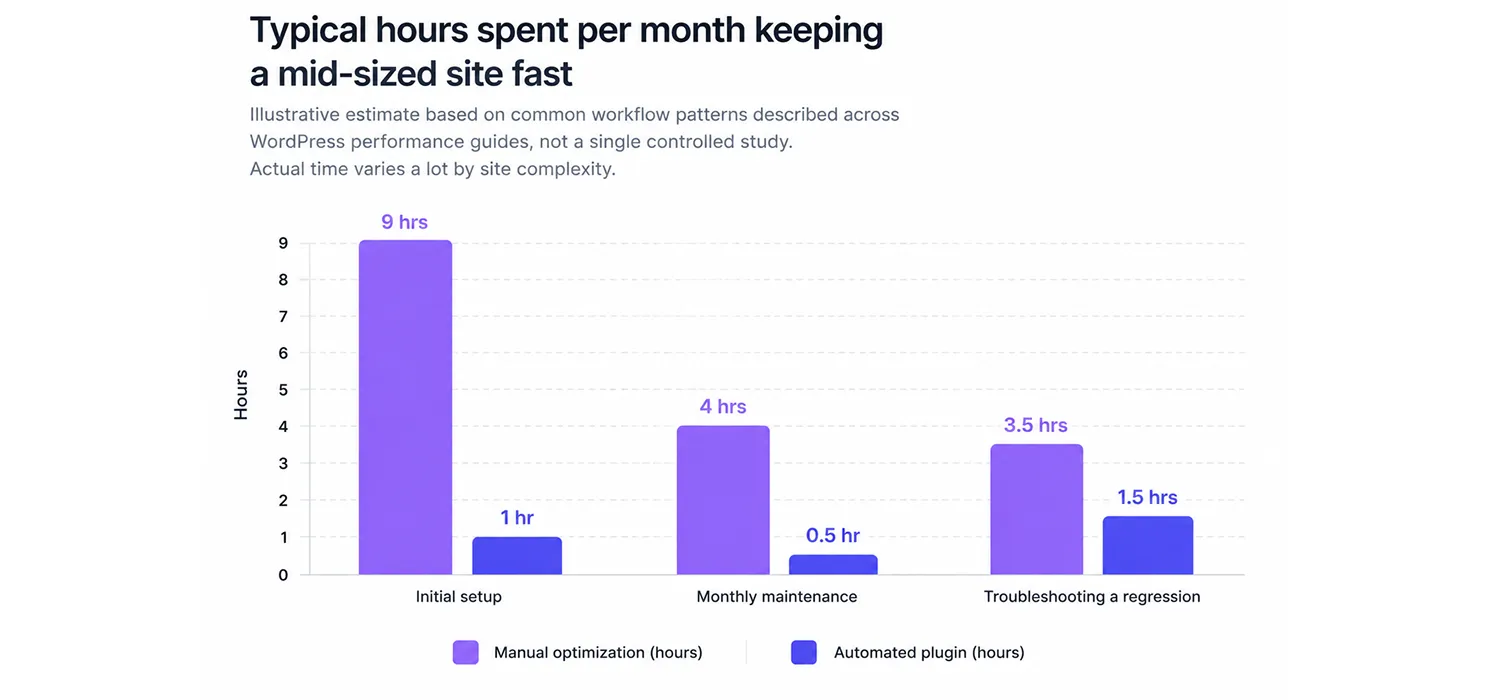
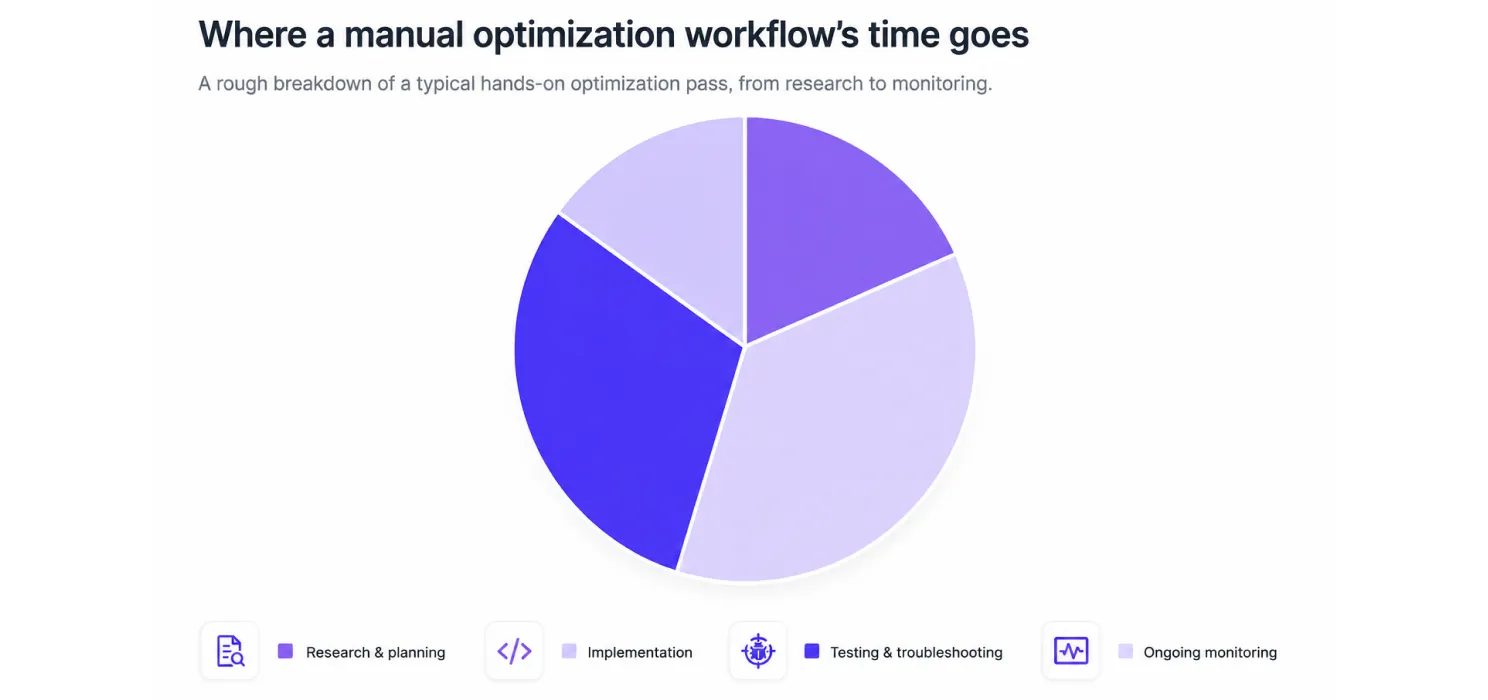
Notice that testing and troubleshooting alone eat up nearly half of a manual workflow’s time. That’s the exact chunk of work automated plugins are built to absorb, applying tested, pre-validated rules instead of a developer re-deriving them from scratch on every single site.
It’s also the exact chunk that still needs a human eye on genuinely unusual sites, which is the whole argument for a hybrid approach rather than an all-or-nothing one.
Speed isn’t a technical detail; it’s a revenue line
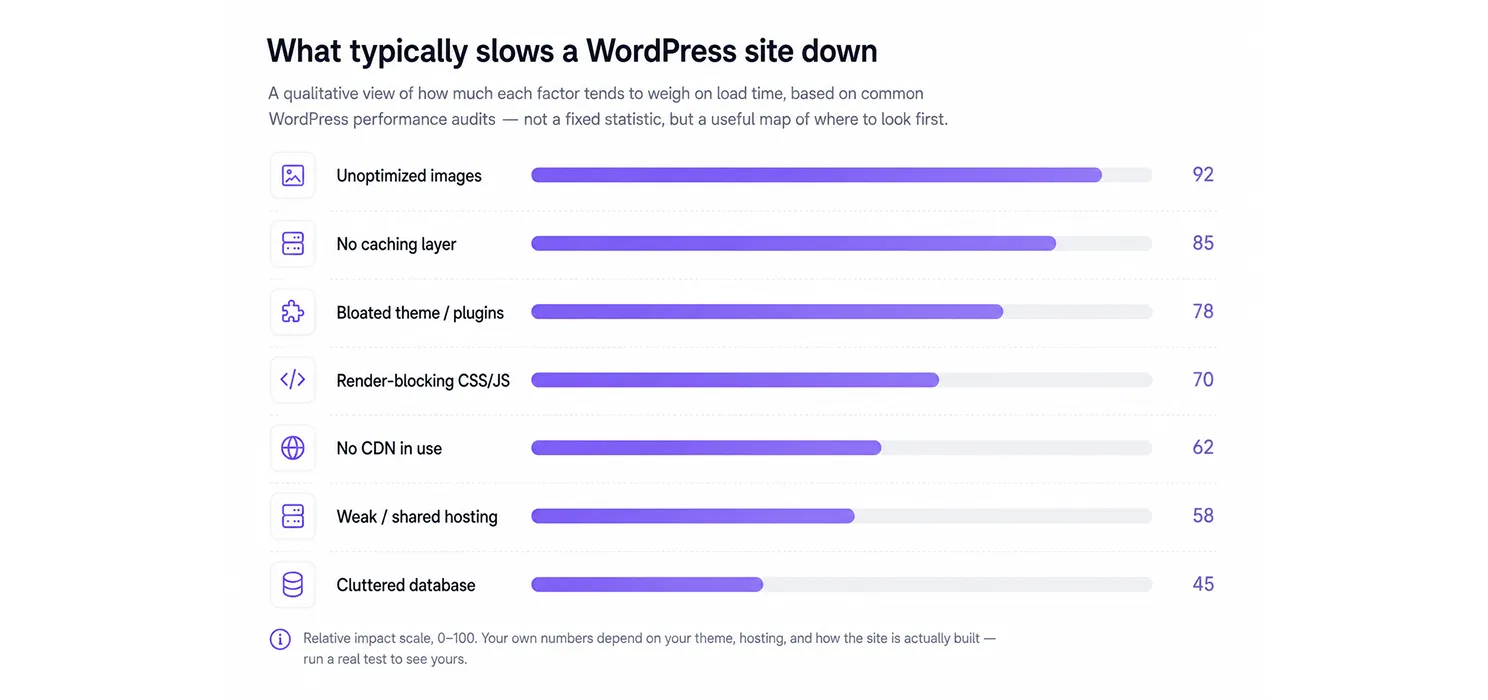
Google’s own crawl of mobile landing pages found that most sites took well over five seconds to show visible content, far past the point where visitors give up and leave. Faster mobile experiences, by contrast, convert noticeably better, and search engines factor loading experience directly into how pages rank. Before optimizing anything, it helps to know exactly what’s dragging a WordPress site down in the first place.

Inside Manual Optimization
What a developer actually does, step by step
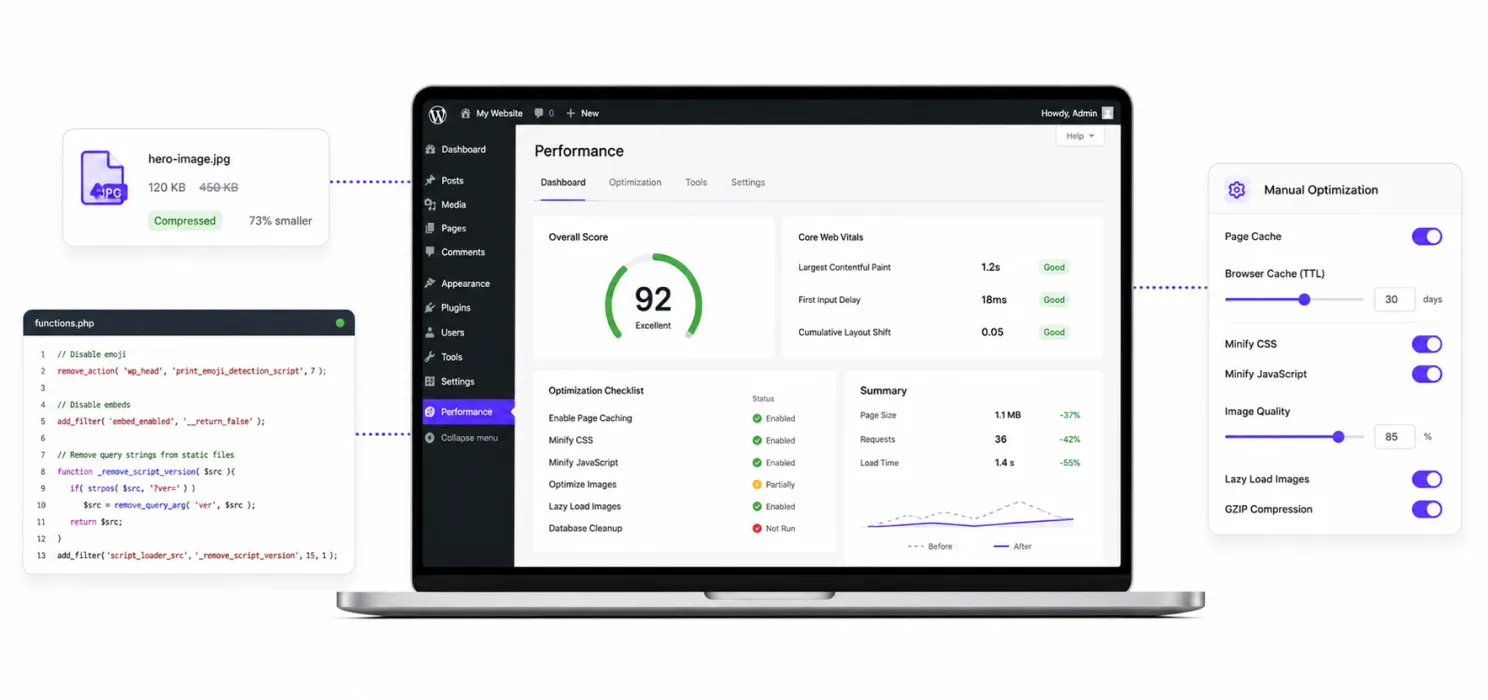
This is the craft side of speed work. Each item below is a distinct task a developer performs by hand, usually one at a time, usually repeated whenever the site changes.
Compressing and converting images: Oversized photos are the single biggest contributor to page weight. A developer resizes them to the dimensions actually used on the page and converts them to a lighter format like WebP, then repeats the process for every new image the site ever gets.
Minifying CSS, JavaScript, and HTML: Stripping whitespace, comments, and redundant characters from code files shrinks them and speeds up downloads. It has to be re-run any time the underlying code changes, which adds ongoing overhead to every release.
Eliminating render-blocking resources: Scripts and stylesheets that load before anything appears on screen delay the moment visitors actually see content. Fixing this means restructuring how resources load adding async or defer, or inlining the CSS needed above the fold.
Configuring browser caching: Telling browsers to store static assets locally so returning visitors don’t re-download them requires editing server configuration directly — meaning actual server access, which not every hosting plan grants.
Setting up lazy loading: Delaying offscreen images and video until a visitor scrolls near them cuts initial page weight. Simple to add once, but easy to forget as new content gets published over time.
Cleaning the database: Post revisions, spam comments, and transient data pile up in the background and slow down queries. A developer periodically clears the clutter and defragments the tables by hand.
Inside Automated Optimization
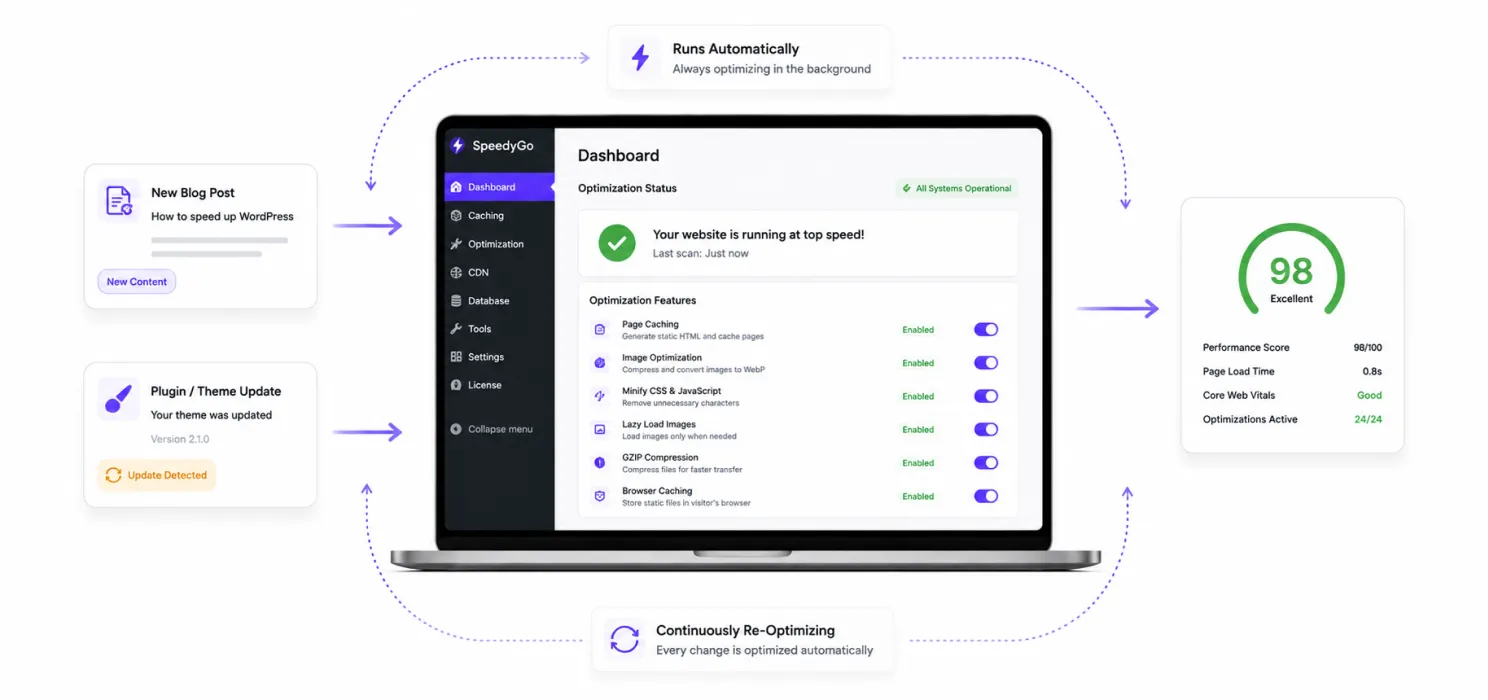
What a tool does without being asked twice
Automated optimization generally falls into two camps, and understanding the difference matters when you’re choosing a tool.
CDN-based delivery: A content delivery network stores copies of a site’s static files on servers around the world and serves each visitor from whichever copy is closest to them. This helps time-to-first-byte and cuts latency for distant visitors, but on its own, a CDN doesn’t touch render-blocking scripts or Core Web Vitals issues. It’s one piece of the puzzle, not the whole picture.
Full-stack optimization plugins: A plugin installed on WordPress handles caching, minification, image compression, and lazy loading from a single dashboard. Setup is a matter of toggling settings rather than editing code — and the plugin keeps re-applying its work automatically as the site changes, with no re-run required after every update.
Continuous re-optimization: The defining advantage of automation is that it doesn’t degrade. New blog post, new plugin, new theme update — the tool re-applies caching, compression, and lazy loading without anyone remembering to redo the work by hand.
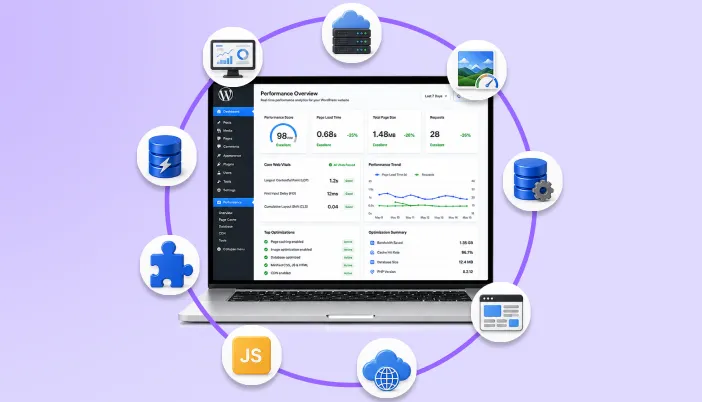
Built-in monitoring: Most automated tools include a dashboard that reports Core Web Vitals and PageSpeed scores over time, so site owners can see the effect of optimization without running third-party tests manually.

SpeedyGo
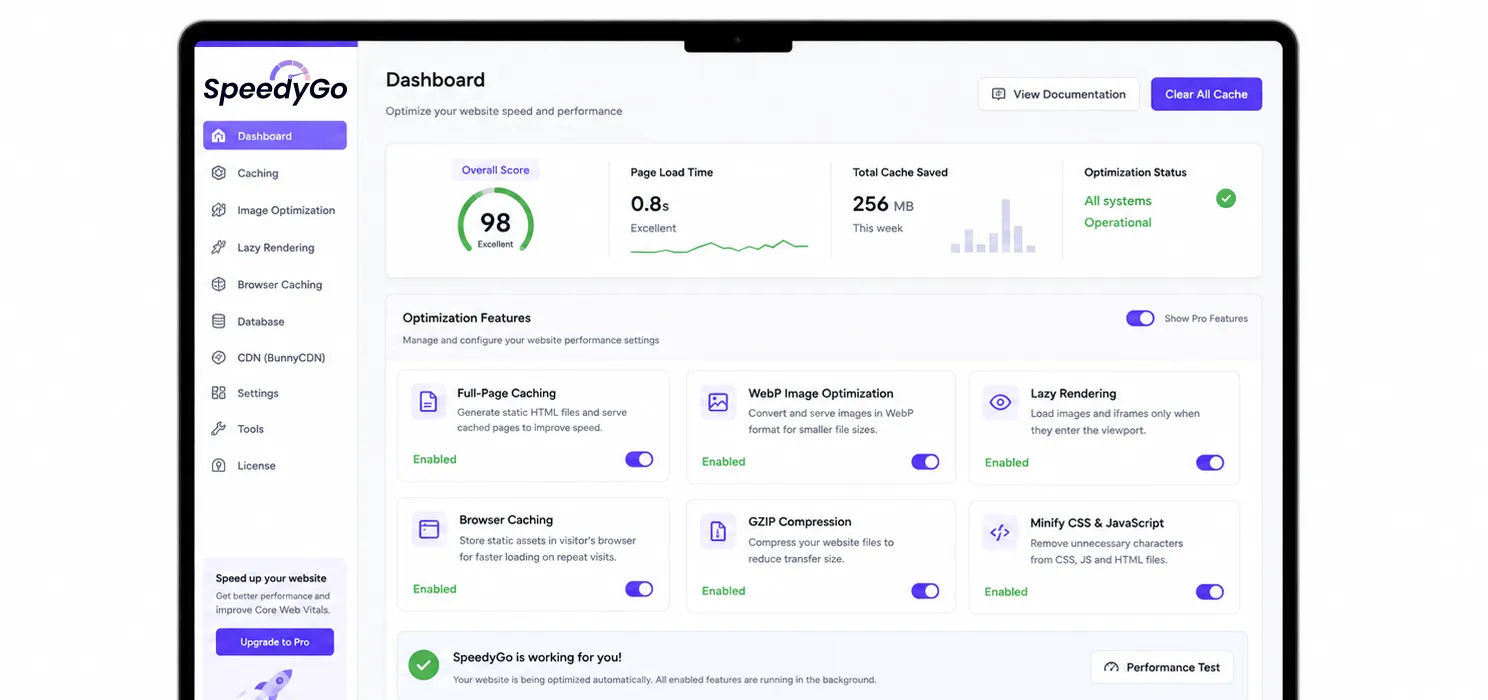
SpeedyGo is a WordPress speed plugin built to handle the exact maintenance burden described above caching, image optimization, code optimization, and delivery automatically, from one dashboard, without requiring technical skill to configure.
Full-page caching: Creates and stores optimized versions of every page so WordPress doesn’t have to rebuild them for each visitor.
WebP image optimization: Automatically converts uploaded images to WebP, so every page loads faster without a quality hit.
Cache preloading: Warms the cache in advance so pages are ready to load instantly the moment a visitor arrives.
Automatic lazy rendering: Delays offscreen images and video until they’re actually needed, improving speed and responsiveness by default.
Browser caching: Lets returning visitors load the site faster by storing static assets locally on their own device.
eCommerce optimization: Speeds up WooCommerce and other WP stores without breaking cart or checkout functionality.
GZIP compression: Compresses site files to cut transfer size and improve load speed across the board.
Broad compatibility: Tested against leading WordPress themes, plugins, and page builders to avoid conflicts.
BunnyCDN integration: Connects directly to BunnyCDN to deliver content faster to visitors anywhere in the world.
Where each approach genuinely wins
| Manual wins here | Automated wins here |
|
|
Conclusion
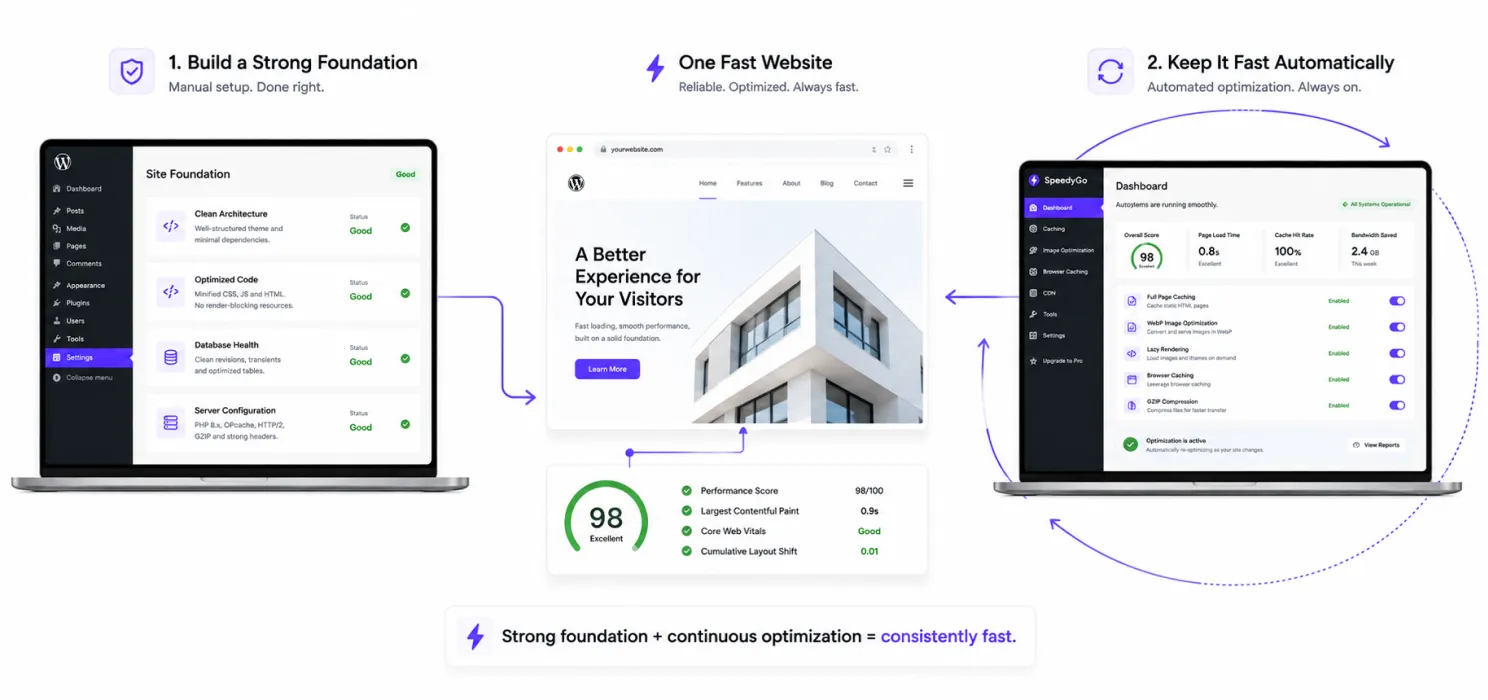
So which approach actually wins?
Honestly, they’re not really competing for the same job.
Manual optimization is the right call for foundational, one-time decisions: building a new site with clean architecture from day one, fixing a slow database query, or resolving a server-side bottleneck that no delivery-layer tool can reach. It’s also the only option for large, custom-built applications where the slowdown lives deep in the code itself.
Automated optimization is the right call for everything that happens after launch: the ongoing, unglamorous work of keeping a site fast as content, plugins, and traffic change week to week. For the vast majority of small and mid-size WordPress sites, that ongoing maintenance is exactly where speed quietly slips away, and it’s exactly the gap automation is built to close.
In practice, the fastest WordPress sites use both: a clean, well-built foundation, backed by a tool that keeps reapplying optimization automatically so the site never drifts back to slow.

Frequently Asked Questions
Find answers to common questions about manual and automated WordPress speed optimization, including when to use each approach, potential plugin conflicts, safety, and how SpeedyGo can help keep your website fast.
Should I just trust a plugin and skip manual work entirely?
For most sites, a good plugin genuinely gets you most of the way there safely. But “most of the way” isn’t “all of the way,” and the last stretch, especially for high-traffic or unusually built sites, usually benefits from a human eye eventually.
Is manual optimization actually better, or just more work?
It’s not automatically better; it’s more precise, at the cost of more time and required expertise. On a simple site, that precision often isn’t worth the extra hours. On a complex, high-stakes site, it frequently is.
Can automated plugins conflict with manual changes I've already made?
Yes, this happens more than people expect. If you’ve hand-configured something a plugin also tries to manage, like lazy loading or minification, check for overlap before turning both on.
How do I know when my site has outgrown "just install a plugin"?
When you find yourself repeatedly excluding pages, disabling features, or fighting the plugin’s defaults just to keep things working, that’s usually the sign some manual, hands-on work will serve you better than another setting toggle.
Is automated optimization safe for a live site?
Yes. Script- and plugin-based tools work as a delivery layer on top of the existing site rather than rewriting source files or the database directly, which makes them low-risk to turn on without a developer standing by.
Can automated tools fully replace manual work?
For most standard WordPress sites, yes — automation covers the majority of what affects Core Web Vitals and PageSpeed scores. The exception is server-side problems like slow response times or bottlenecks buried in custom code, which still need a developer.
Will SpeedyGo work with my theme and page builder?
SpeedyGo is tested against leading WordPress themes, plugins, and builders like Elementor, Divi, and Astra specifically to avoid the conflicts that generic caching plugins sometimes cause.