10 mins read
Top WordPress Cache Plugins for Faster Site Speed
Share Article :


In this guide, we’ll explain what a WordPress cache plugin actually does, how caching makes WordPress faster, which plugins are worth considering, how SpeedyGo compares with other popular options, what to look for before choosing a plugin, and how to avoid common caching mistakes that can actually make your website harder to manage.
If you’re searching for a WordPress cache plugin, you’ll leave this guide knowing not only which options are available, but which type of caching setup makes sense for your website.
Why is your WordPress website slow in the first place?
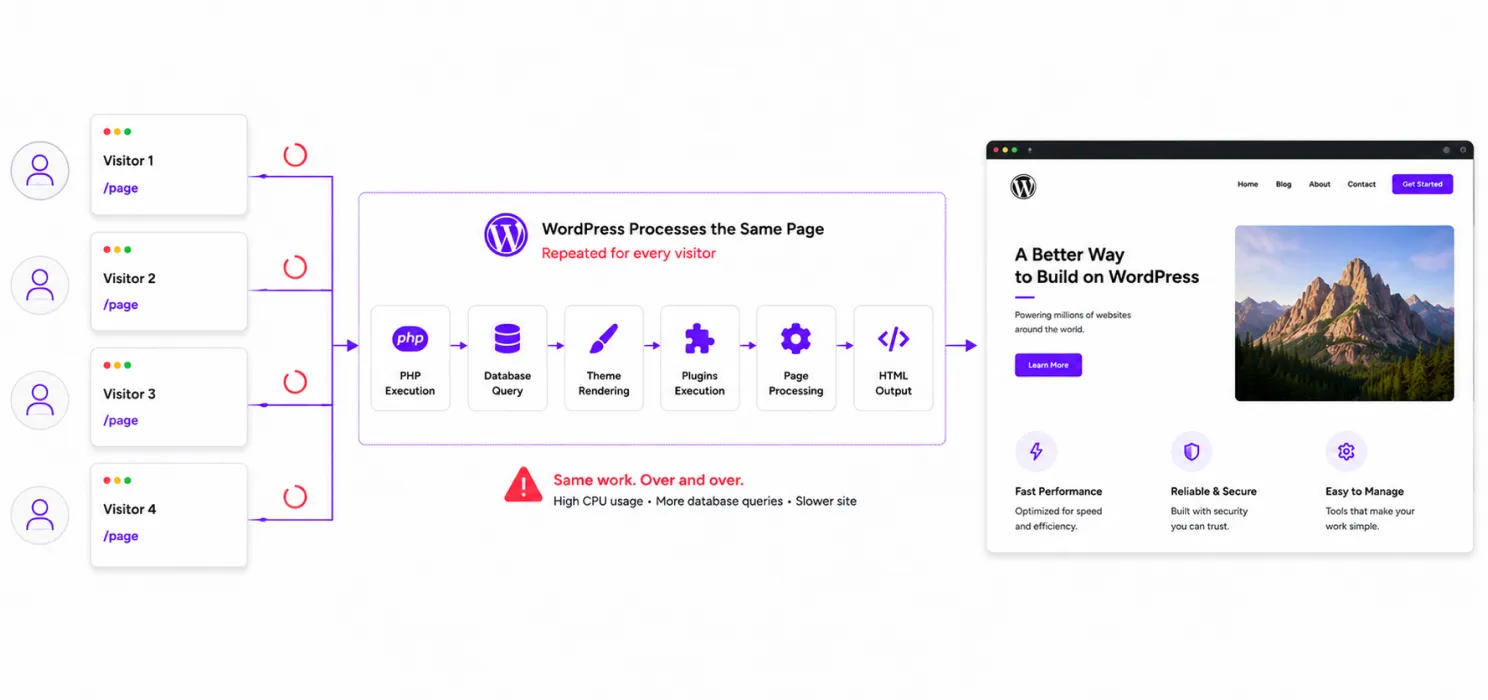
When someone visits a WordPress page, WordPress doesn’t always have a ready-made HTML file sitting there waiting.
Depending on your setup, it may need to:
- Process PHP.
- Query the database.
- Load your theme.
- Load plugins.
- Build the page.
- Generate the HTML.
- Send that HTML to the visitor’s browser.
For one visitor, that’s normal.
But what happens when hundreds or thousands of people request the same page?
WordPress may end up doing much of the same work repeatedly.
That’s unnecessary.
This is where caching becomes useful.
What is a WordPress cache plugin?
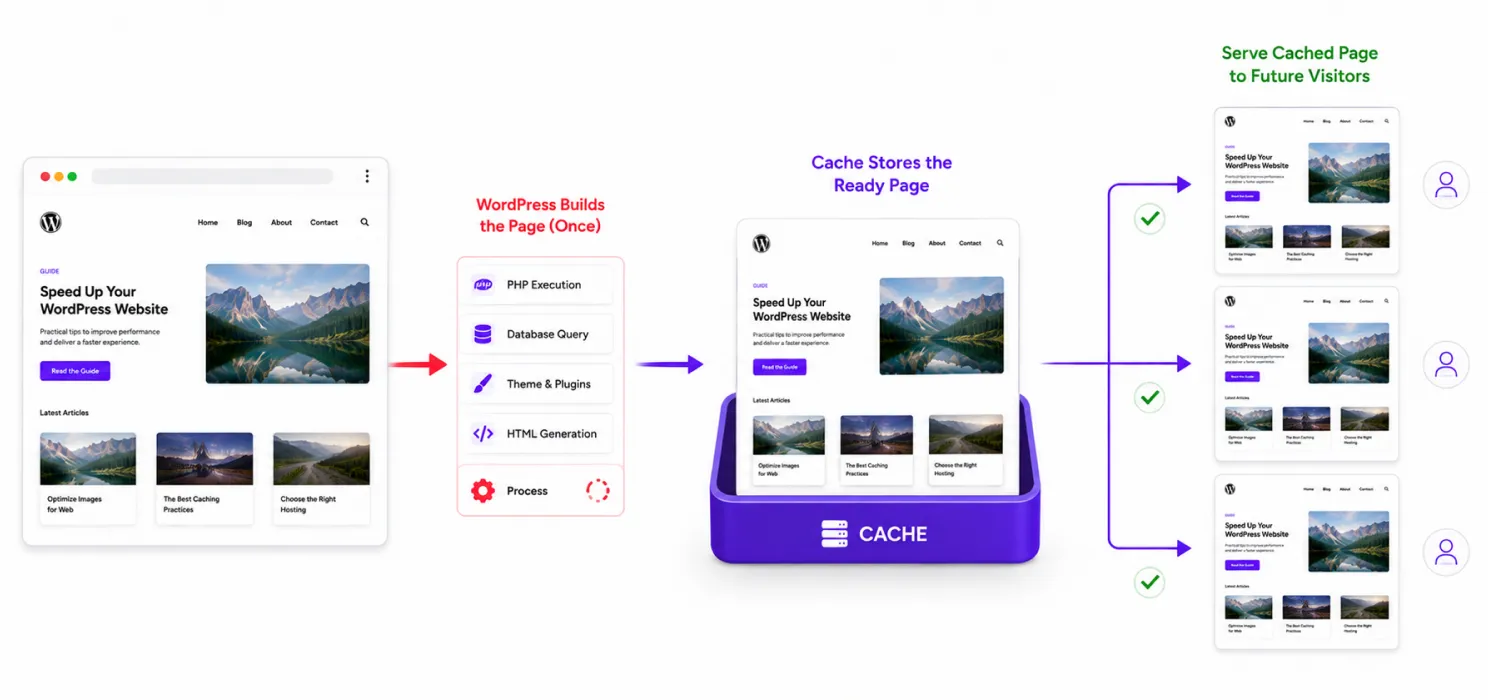
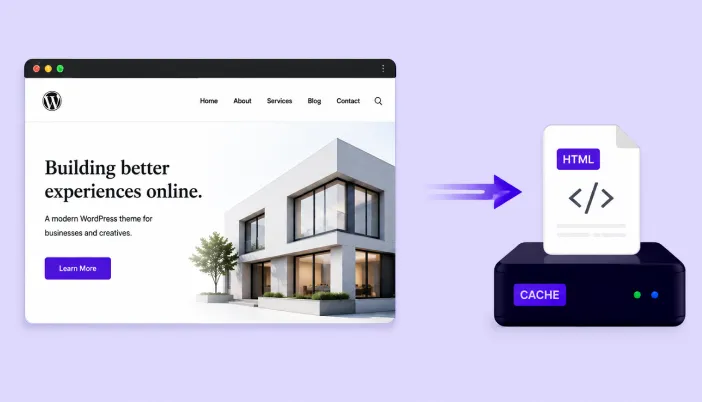
A cache plugin stores a ready-to-use version of your website’s content so WordPress doesn’t have to rebuild everything every time someone visits.
Instead of asking WordPress to generate the same article over and over, the cached version can be served much more efficiently.
WordPress itself recommends caching as an important performance technique because serving cached content can reduce repeated server processing.
And that’s the basic reason a good WordPress cache plugin can make such a noticeable difference.
But caching isn’t the same as speed optimization
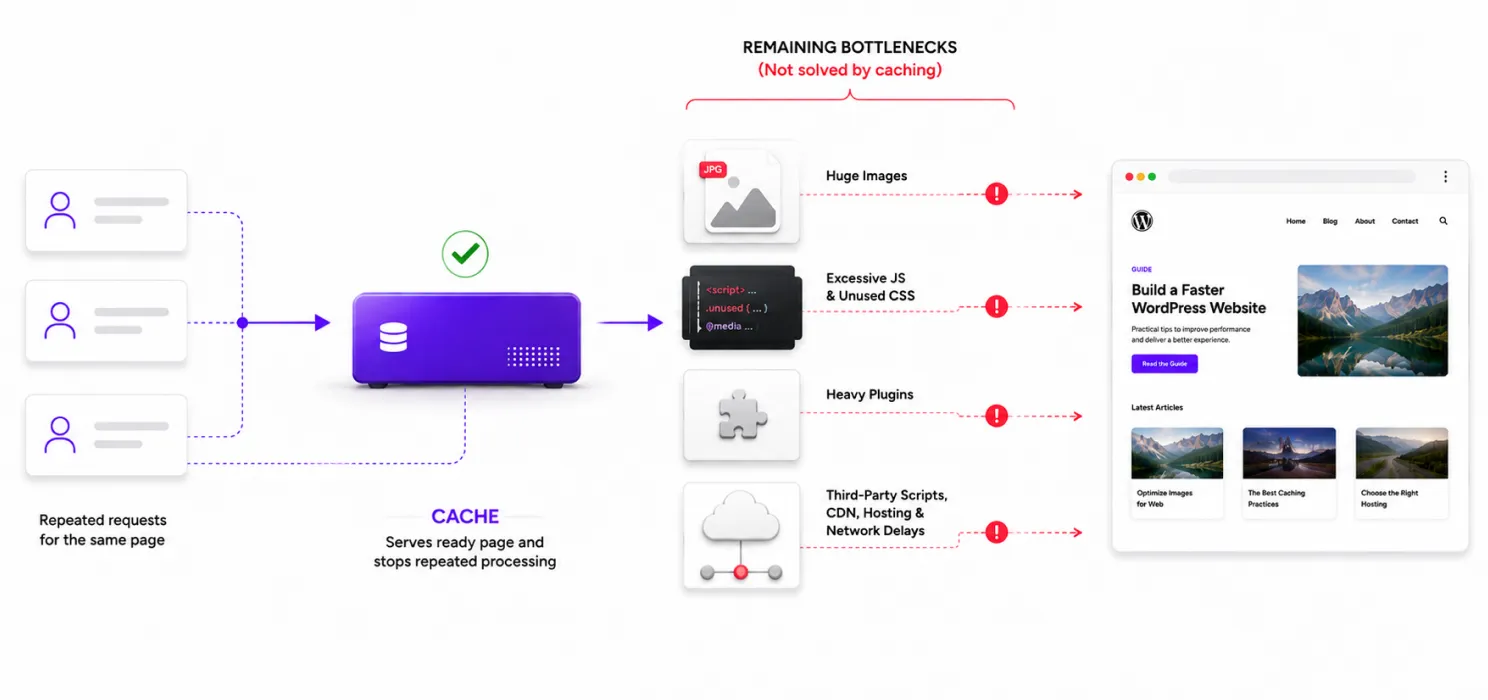
You may install a cache plugin and see an improvement.
But your website can still have:
- Huge images
- Too much JavaScript
- Unused CSS
- Heavy plugins
- Slow third-party scripts
- Poor font loading
- No CDN
- Slow hosting
- Database bottlenecks
Caching doesn’t automatically solve those problems.
Think about it this way:
Caching reduces repeated work.
Performance optimization reduces unnecessary work.You usually need both.
That’s why some modern WordPress performance plugins go beyond simple page caching.
And that’s exactly where SpeedyGo comes into the conversation.
The best WordPress cache plugins to consider
There are plenty of caching plugins available, but you don’t need to install all of them.
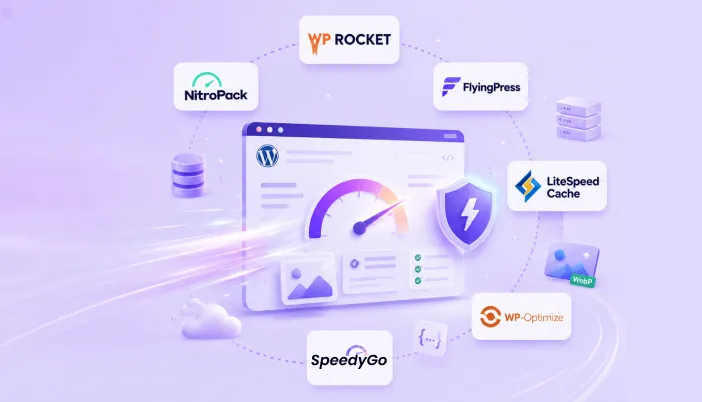
For most WordPress websites, these are the options worth looking at:
- SpeedyGo best all-in-one WordPress performance solution
- WP Rocket best for simple premium optimization
- LiteSpeed Cache best for LiteSpeed hosting
- W3 Total Cache best for advanced control
- WP Super Cache best for straightforward free caching
- WP-Optimize best for caching plus database and image optimization
- WP Fastest Cache good option for simple setups
Let’s look at what makes each one different.
1. SpeedyGo
If you’re searching specifically for a WordPress cache plugin, you may start by looking for page caching.
But once you actually start optimizing a website, you quickly discover that caching is only one part of the problem.
Your images may be too large. Your JavaScript may be delaying interaction. Your CSS may contain unnecessary assets. Your website may not have a CDN. Your mobile visitors may need a different caching strategy.
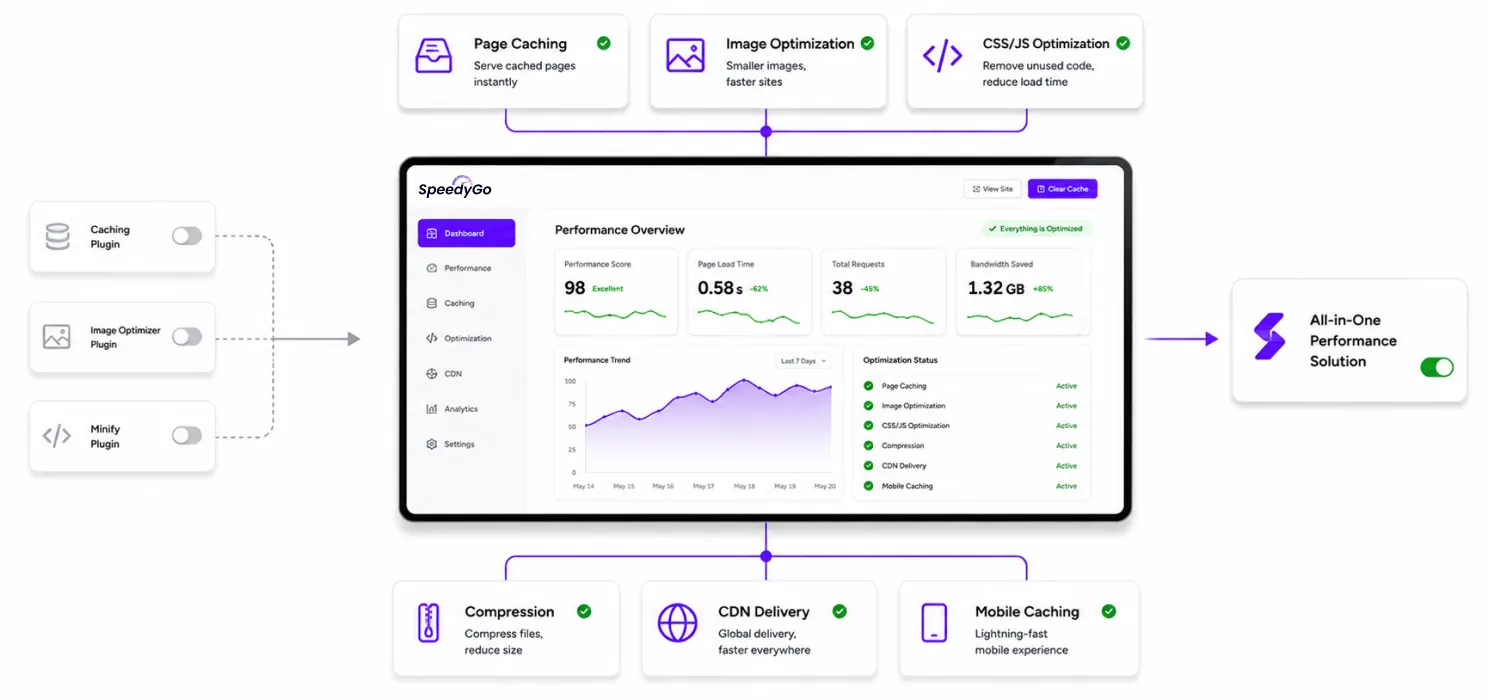
And managing one plugin for each problem can quickly become messy. SpeedyGo takes a broader approach.
Instead of focusing only on caching, it combines caching with several other WordPress performance optimizations in one system.
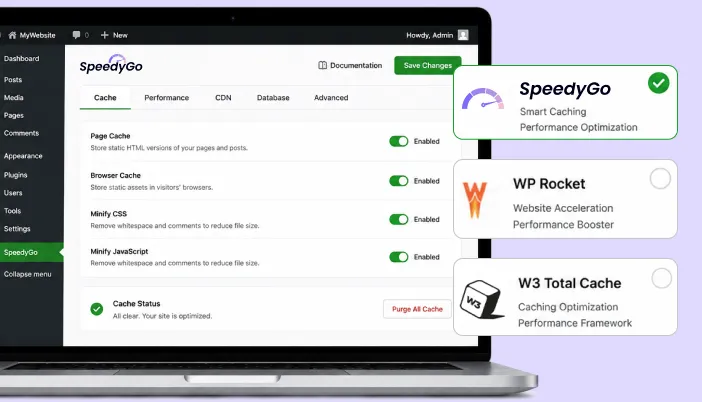
What SpeedyGo offers
SpeedyGo features includes:
- Page caching
- Mobile caching
- Cache preload and warm-up
- WebP image conversion
- Lazy loading
- CSS optimization
- JavaScript optimization
- Asset optimization
- GZIP compression
- Brotli compression
- CDN delivery
- WooCommerce-aware caching
- PageSpeed analytics
That means you don’t have to think about website performance as: “Which caching plugin should I install?”
You can think about it as: “How can I improve the complete loading experience of my WordPress website?”
That’s a much more useful question.
Why caching alone isn’t always enough
Imagine you run a photography portfolio. You install a caching plugin. The HTML is now cached. Great. But your homepage still contains ten 3 MB images. The browser still needs to download those images. Caching hasn’t made the files smaller. Now imagine your JavaScript is also heavy. And you have three third-party tracking scripts. And your visitors are located far away from your server. The website can still feel slow. This is why SpeedyGo combines:
Caching + image optimization + asset optimization + compression + CDN delivery.
Each one addresses a different part of the performance problem.
SpeedyGo for blogs
Blogs are one of the clearest examples of where caching helps.
Imagine you have a popular article that gets 10,000 visits.
You don’t want WordPress performing the same expensive work for every visitor if the content hasn’t changed.
SpeedyGo can cache the page and help deliver it more efficiently.
At the same time, your article may contain:
- Featured images
- Screenshots
- Embedded media
- Fonts
- JavaScript
- Related posts
That’s where the other optimization features become useful.
Cache the page. Optimize the images. Compress the resources. Reduce unnecessary assets. Deliver static content through a CDN.
You’re improving the entire experience rather than just one layer.
SpeedyGo for WooCommerce
Caching an online store is different from caching a blog. A product image can be cached. A CSS file can be cached. A JavaScript file can often be cached.
But a customer’s:
- Cart
- Checkout
- Account
- Personalized content
cannot simply be treated like a static blog post.
That’s why WooCommerce caching needs to understand which parts of the website are dynamic.
SpeedyGo is designed with WooCommerce-aware caching so you can improve static content delivery without treating every part of the store as publicly cacheable.
That distinction matters.
Faster isn’t useful if the caching setup breaks the shopping experience.
SpeedyGo for image-heavy websites
Images are often one of the biggest reasons WordPress websites become heavy.
A portfolio might contain dozens of high-resolution photographs.
A blog might have large featured images on every article.
An agency website might have:
- Case-study screenshots
- UI mockups
- Videos
- Illustrations
- Product images
SpeedyGo includes WebP conversion and lazy loading to help reduce unnecessary image weight and delay content that isn’t immediately needed.
The goal isn’t to remove your visuals.
It’s to make those visuals less expensive for the browser to load.
2. WP Rocket
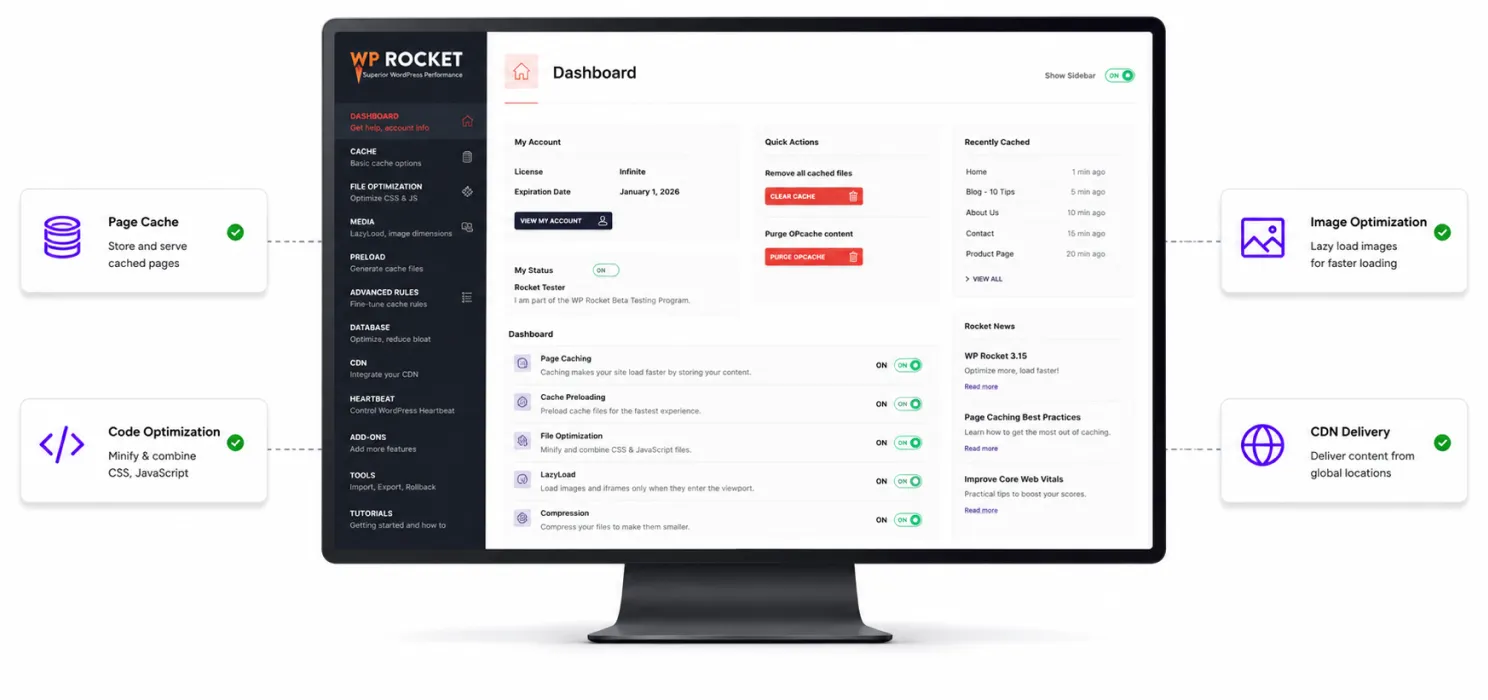
WP Rocket is one of the most recognized WordPress performance plugins.
Its main strength is simplicity.
You don’t necessarily need to understand every technical detail behind caching before getting started.
It provides features including:
- Page caching
- Cache preloading
- Browser caching
- GZIP compression
- CSS optimization
- JavaScript optimization
- Lazy loading
- CDN integration
- Database optimization
WP Rocket also automates several performance settings, including page caching, mobile caching, browser caching and GZIP compression.
Best for
- Business websites
- Blogs
- Agencies
- Freelancers
- WooCommerce websites
- Users who want a polished interface
The downside
WP Rocket is a premium plugin.
If you want to stay completely within a free setup, there are other options.
3. LiteSpeed Cache
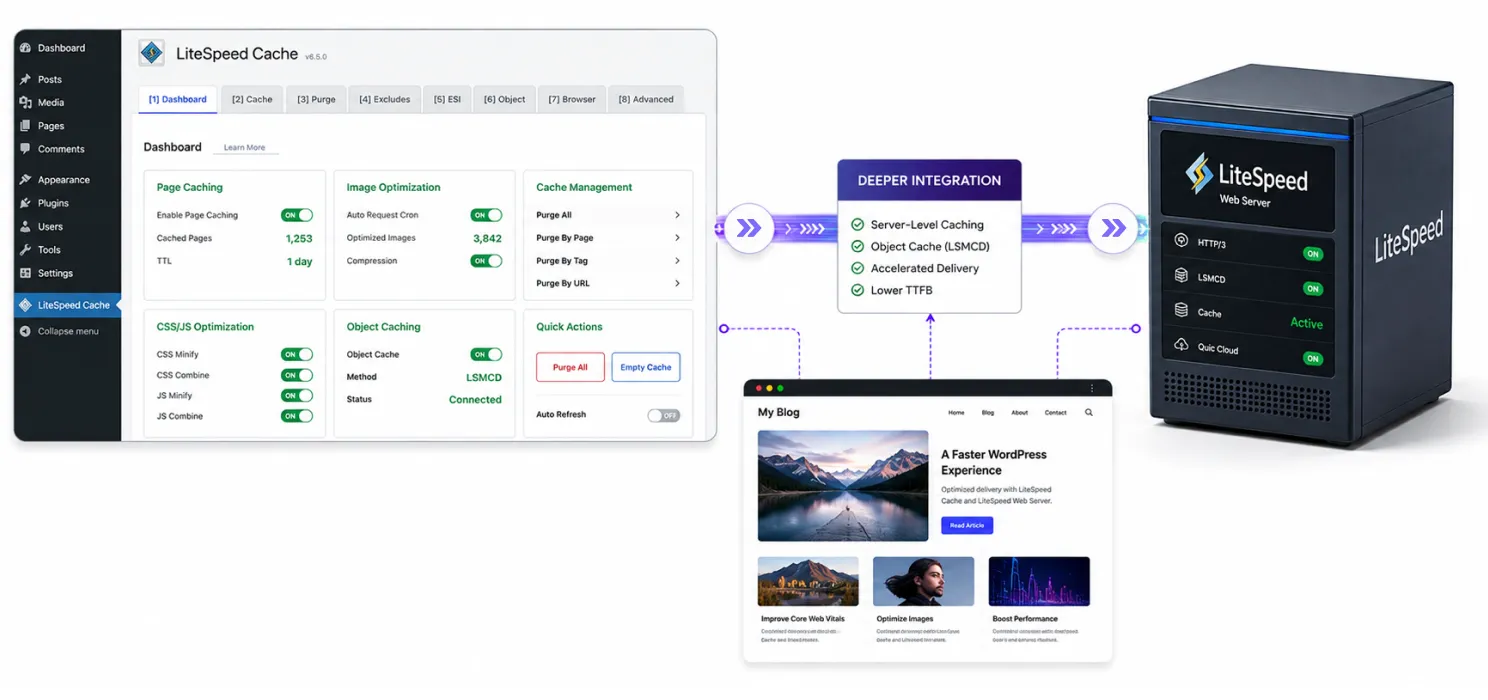
LiteSpeed Cache is another major name in the WordPress performance space.
But there’s an important detail:
Your hosting environment matters.
If your server runs LiteSpeed, this plugin can communicate with the server’s caching technology and offer deeper integration.
It also includes tools for:
- Page caching
- Image optimization
- CSS optimization
- JavaScript optimization
- Database optimization
- CDN integration
- Object caching
- Cache management
LiteSpeed Cache currently has millions of active WordPress installations, making it one of the most widely used WordPress optimization plugins.
Best for
Websites hosted on LiteSpeed servers.
The downside
If your hosting doesn’t use LiteSpeed, don’t assume you’re getting all of its biggest advantages simply because the plugin is installed.
Always check your server environment first.
4. W3 Total Cache
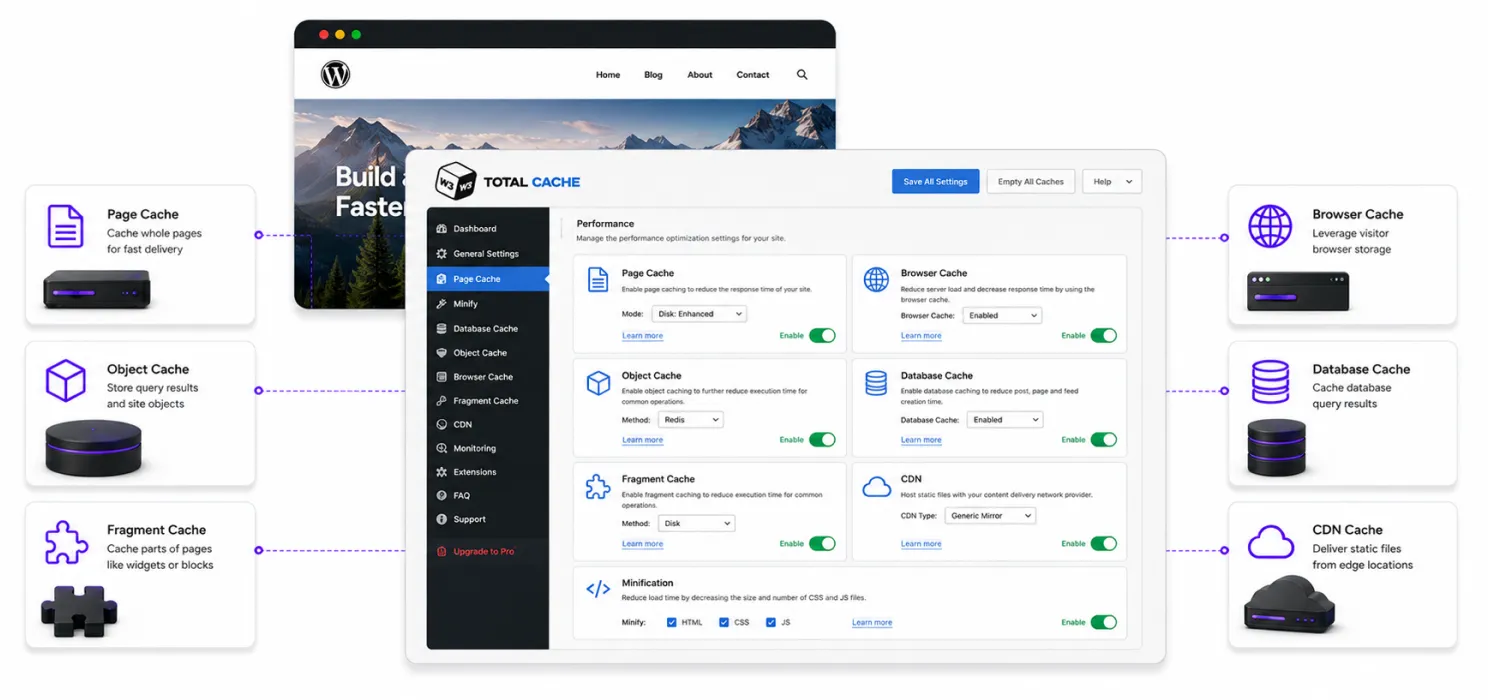
W3 Total Cache takes a more technical approach.
Instead of simply providing page caching, it supports several caching layers, including:
- Page cache
- Browser cache
- Object cache
- Database cache
- Fragment cache
- CDN integration
- Minification
It gives experienced users a lot of control over how WordPress handles caching.
That can be powerful.
It can also be overwhelming.
Best for
- Developers
- Agencies
- Advanced WordPress users
- Custom server environments
- High-traffic websites
The downside
You need to understand what you’re configuring.
More settings aren’t automatically better.
5. WP Super Cache
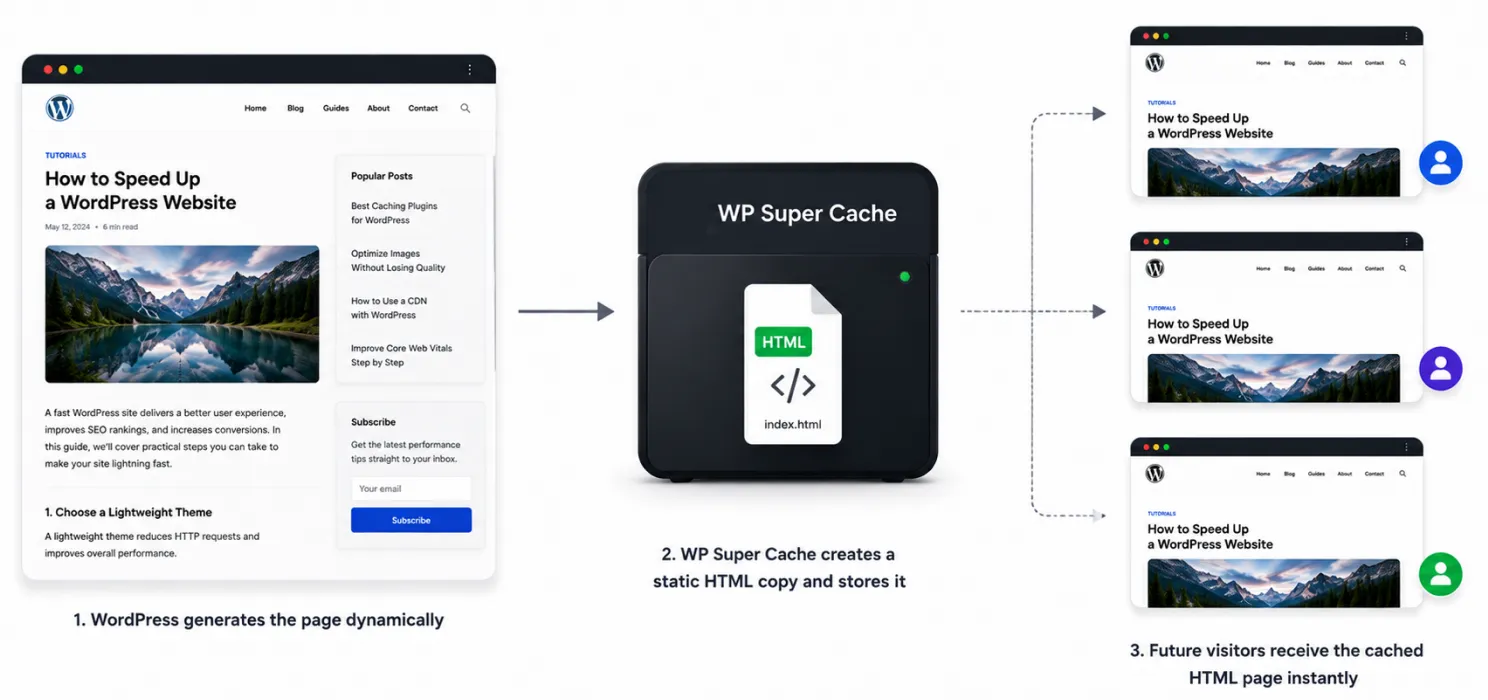
If you don’t need a huge collection of optimization features and simply want reliable page caching, WP Super Cache is worth considering.
Its primary purpose is straightforward:
Create static HTML versions of WordPress pages and serve those to visitors.
That can reduce the amount of processing required from WordPress.
Best for
- Blogs
- Small websites
- Content websites
- Beginners
- Users who want a free caching solution
The downside
It’s focused more heavily on caching than being a complete performance optimization suite.
You may still need separate tools for:
- Image optimization
- CDN
- Asset optimization
- Advanced performance monitoring
6. WP-Optimize
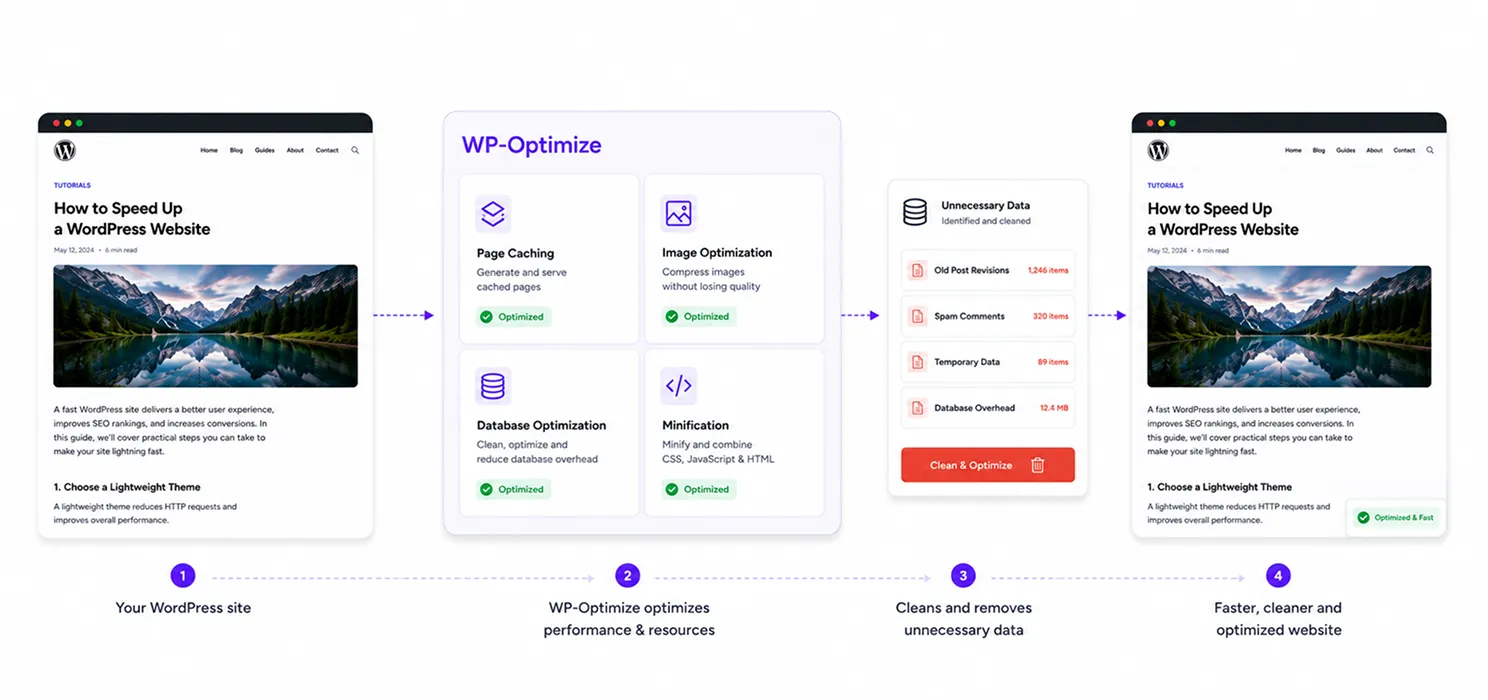
WP-Optimize takes a broader approach.
It combines:
Caching + image optimization + database optimization + minification.
This can be useful if your website has accumulated years of unnecessary database data.
For example:
- Post revisions
- Spam comments
- Temporary data
- Database overhead
WP-Optimize currently has more than one million active installations on WordPress.org.
Best for
Website owners who want caching and broader WordPress cleanup in one plugin.
Be careful
Database optimization shouldn’t be treated like deleting random files from your computer.
Always understand what you’re removing and keep a backup before making significant database changes.
7. WP Fastest Cache
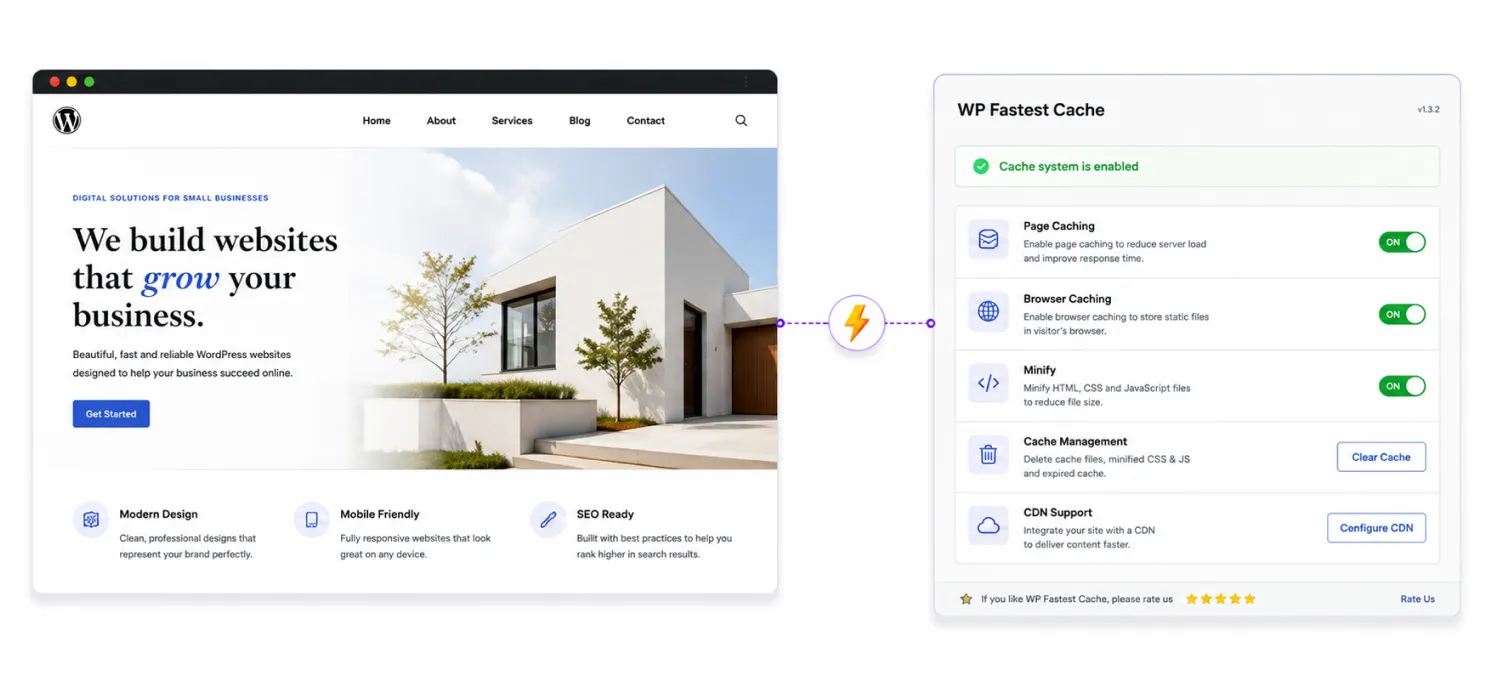
WP Fastest Cache focuses on making caching accessible without requiring users to understand every technical detail.
It provides common features such as:
- Page caching
- Browser caching
- Minification
- Cache management
- CDN support
It is another established option for smaller WordPress websites and blogs.
Best for
- Small business websites
- Blogs
- Portfolio websites
- Basic WordPress setups
WordPress cache plugin comparison
| Plugin | Best for | Main strength |
| SpeedyGo | Complete WordPress performance | Caching + optimization + CDN |
| WP Rocket | Easy premium optimization | Simplicity |
| LiteSpeed Cache | LiteSpeed hosting | Server-level integration |
| W3 Total Cache | Advanced users | Deep configuration |
| WP Super Cache | Basic caching | Simplicity |
| WP-Optimize | Cache + database | Broad optimization |
| WP Fastest Cache | Simple websites | Easy caching |
So which WordPress cache plugin should you choose?
The answer depends on what you actually need.
- Choose SpeedyGo if: You want more than page caching and prefer having: Caching + image optimization + compression + asset optimization + CDN + performance analytics in one WordPress performance solution.
- Choose WP Rocket if: You want a polished premium plugin with a relatively simple setup.
- Choose LiteSpeed Cache if: Your hosting runs LiteSpeed and you want deep server-level integration.
- Choose W3 Total Cache if: You are comfortable with technical configuration and want granular control.
- Choose WP Super Cache if: You mainly need straightforward free page caching.
- Choose WP-Optimize if: You want caching combined with database and image optimization.
- Choose WP Fastest Cache if: You want a relatively simple caching solution for a smaller website.
Conclusion
Choosing a WordPress cache plugin isn’t just about picking the one with the most features. It depends on what your website needs and how much control you want.
If you only need basic page caching, options like WP Super Cache or WP Fastest Cache can be enough. For advanced control, W3 Total Cache or LiteSpeed Cache may make more sense.
But if you want to improve more than just caching, SpeedyGo brings caching, image optimization, asset optimization, compression, CDN delivery, and performance analytics together in one solution.
The goal isn’t simply to install a cache plugin. It’s to build a faster, smoother WordPress experience for your visitors.

Frequently Asked Questions
Here are some basic questions about WordPress cache plugins and website caching
What is a WordPress cache plugin?
A WordPress cache plugin stores ready-to-use versions of website content so WordPress doesn’t have to generate the same page repeatedly. This reduces server processing and can help pages load faster.
Does a cache plugin make WordPress faster?
Yes. Caching can reduce repeated server processing by serving stored versions of pages. However, caching alone may not solve issues caused by large images, heavy JavaScript, slow hosting, or other performance problems.
What is the best WordPress cache plugin?
The best plugin depends on your website and hosting setup. SpeedyGo is suitable for users who want caching combined with image optimization, asset optimization, compression, CDN delivery, and performance analytics.
Is SpeedyGo only a caching plugin?
No. SpeedyGo combines page caching with features such as WebP image conversion, lazy loading, CSS and JavaScript optimization, GZIP and Brotli compression, CDN delivery, WooCommerce-aware caching, and performance analytics.
Is LiteSpeed Cache good for WordPress?
Yes, particularly for websites hosted on LiteSpeed servers. Its deeper integration with LiteSpeed’s server-level caching technology can provide advantages that may not be available on other hosting environments.
What is the difference between caching and performance optimization?
Caching reduces repeated work by serving stored content, while performance optimization reduces unnecessary work and resource usage. A fast WordPress website often benefits from both approaches.