7 mins read
WordPress Speed Optimization Services: When a Plugin Isn’t Enough
Share Article :


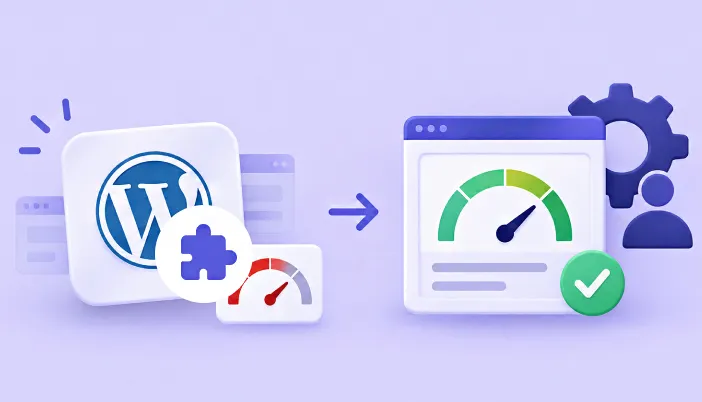
This blog explains exactly when a caching plugin stops being enough and a real WordPress speed optimization service becomes necessary. You’ll learn what actually happens behind the scenes when a plugin can’t fix the problem, what a WordPress speed optimization agency does differently, and how to tell whether you need to hire a WordPress speed expert or whether a plugin with built-in support can close the gap.
There’s a comparison table, a practical example, and an FAQ section covering the questions people ask before spending money on either option.
What’s the real difference between a plugin and a WordPress performance service?
A plugin optimizes what it can reach: page caching, image compression, script delivery, and browser caching headers. A WordPress speed optimization service goes further, diagnosing and fixing problems that live below the layer any plugin can touch, including your database, your hosting configuration, and custom code specific to your site.
This distinction matters because most people install a plugin, see their PageSpeed score improve, and assume the job is done. Often it is. But a meaningful share of WordPress sites stay slow in exactly the places a plugin can’t reach, and that’s where a WordPress speed optimization service earns its cost.
Why isn’t a plugin enough on its own?
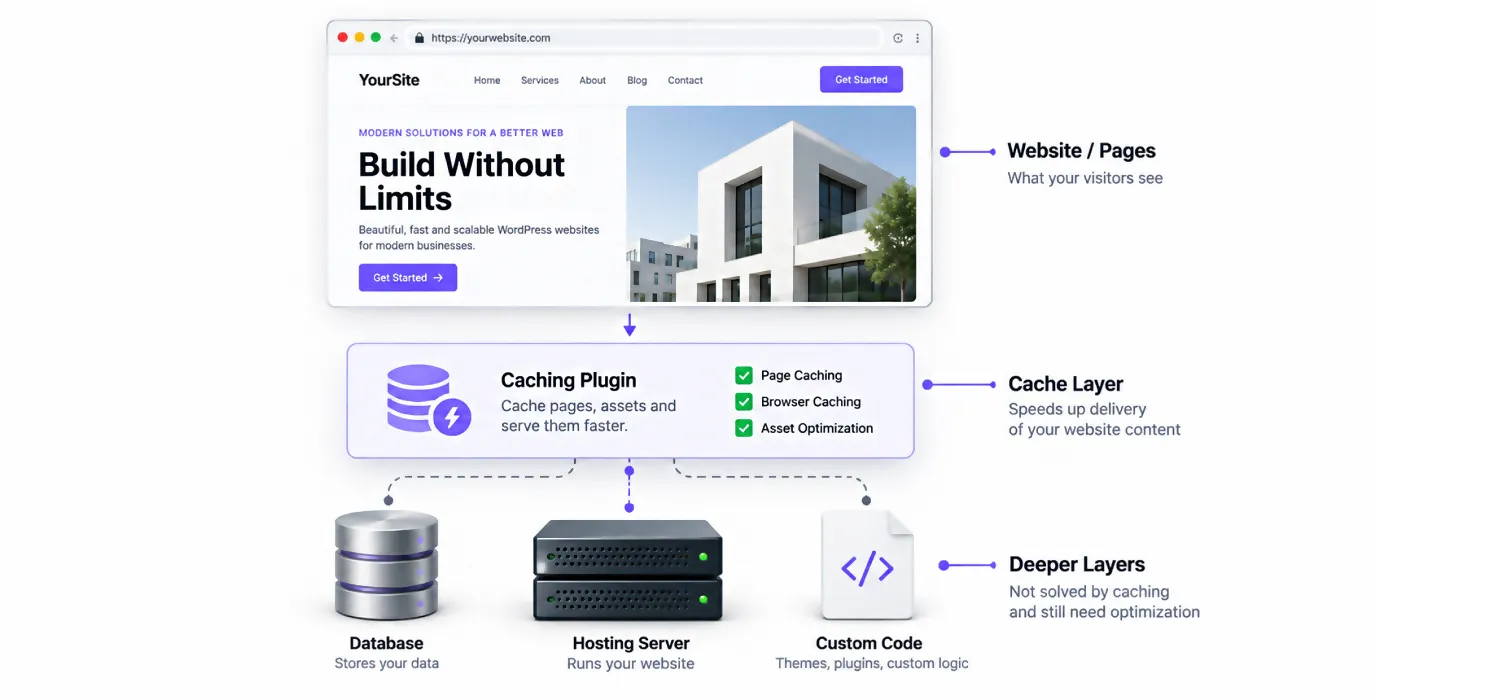
Caching plugins solve one specific problem extremely well: they save a static version of a page so WordPress doesn’t have to rebuild it from scratch on every visit. That’s genuinely valuable. It’s also not the whole picture.
Logged-in visitors skip the cache entirely. Cart pages, checkout flows, membership dashboards, and the WordPress admin area are dynamic by design, and most caching plugins don’t touch them. If your business runs on WooCommerce or a membership site, a large share of your actual traffic never benefits from page caching at all.
The database is often the real bottleneck. A typical WordPress page load runs anywhere from 30 to over 200 database queries. On a well-tuned site, that takes milliseconds. On a neglected one, custom plugin tables without proper indexes can turn a two-millisecond query into a two-second one, and caching does nothing to fix a query that was never fast to begin with.
Years of accumulated bloat add up quietly. WordPress keeps post revisions indefinitely by default, and expired transients and oversized autoloaded options in the wp_options table build up over time. None of this shows up in a PageSpeed report, because PageSpeed measures the finished page, not the time your database spent grinding through it.
Shared hosting means shared resources. If your site sits on the same server as hundreds of others, a traffic spike on a neighboring site can slow your database queries regardless of how well configured your own site is. A plugin cannot fix a resource contention problem happening one level below it.
Sudden traffic spikes overwhelm cache limits. A cache plugin handles steady, repeat traffic well. A sudden burst of visitors, from a viral post or a big campaign, can still bring a site to its knees if the underlying infrastructure isn’t built to absorb it.
What does a WordPress speed optimization agency actually do differently?
A proper agency or expert starts by measuring rather than guessing. That typically means checking Time to First Byte before touching anything else, since a TTFB consistently above 500 to 600 milliseconds usually points to a backend problem no amount of frontend optimization will fix.
From there, the work usually includes running query diagnostics to find slow or unindexed database calls, setting up persistent object caching through Redis or Memcached so dynamic, logged-in pages benefit from caching too, cleaning up database bloat from years of revisions and stale data, and reviewing hosting configuration to confirm the server itself can handle your actual traffic.
This is also where a proper Core Web Vitals audit service overlaps with speed optimization work broadly, since the root causes behind failing Core Web Vitals scores are often the same backend issues sitting underneath a plugin that’s already doing its job.
When should you hire a WordPress speed expert instead of relying on a plugin alone?
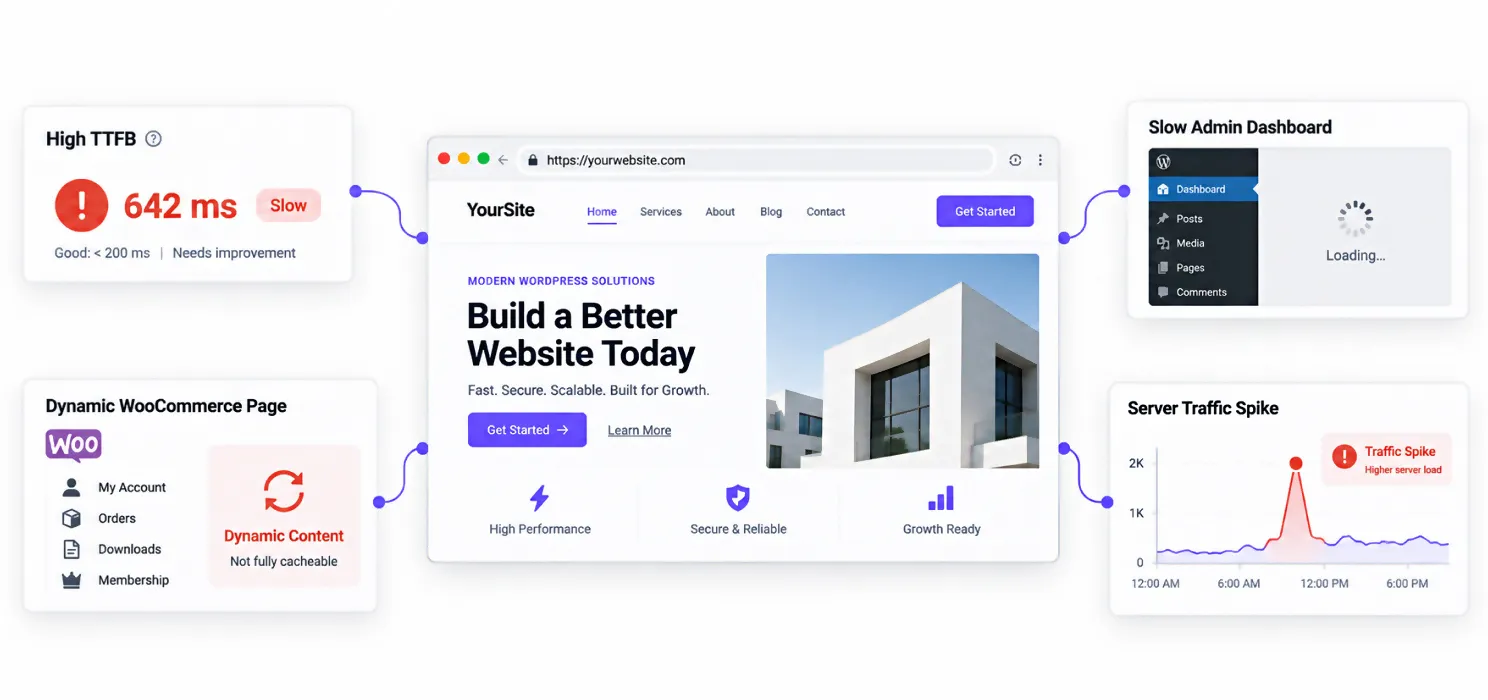
A few clear signals suggest it’s time to look past plugin settings.
Your Time to First Byte stays high even with caching active. Your WordPress admin dashboard feels sluggish despite your frontend loading quickly, since the admin area is rarely cached and reflects your database’s real performance. Your site runs WooCommerce, a membership system, or anything where most visitors are logged in, meaning most of your traffic never touches the cache at all. Or your site has crashed or slowed dramatically during a traffic spike, which points to infrastructure that can’t absorb real demand.
If none of these apply and your PageSpeed score already looks healthy, you likely don’t need to hire anyone yet. Plugins solve the majority of speed problems for the majority of sites.
How much does a WordPress performance service cost compared to just using a plugin?
This is where budgets need realistic expectations. A caching plugin costs anywhere from free to roughly $200 a year. A full WordPress speed optimization agency engagement, covering database diagnostics, hosting review, and custom fixes, typically runs into the thousands, similar to the ranges covered in our breakdown of page speed optimization cost in 2026.
Here’s how the three realistic paths actually compare:
| Approach | Typical Cost | What It Fixes | What It Misses |
| Plugin only (DIY) | Free to ~$200/year | Page caching, image compression, script delivery | Database queries, hosting-level bottlenecks, logged-in pages |
| Plugin with built-in developer support | ~$36 to $192/year | Everything above, plus hands-on technical fixes and human diagnosis | Very large-scale infrastructure rebuilds |
| Full agency engagement | $1,500 to $10,000+ | Complete backend audit, hosting migration, custom architecture | Nothing, but at a proportionally higher cost |
The middle option is worth taking seriously before jumping straight to a full agency engagement, since it covers a real gap most people don’t realize exists between a plugin and a specialist.
Can a plugin with built-in support close the gap?
For a lot of businesses, yes, and this is worth understanding before paying for a separate agency engagement.
SpeedyGo’s Plus and Pro plans include real human developer support and technical fixes as part of the plan itself, not as a separate consulting invoice. That means when a caching plugin alone genuinely isn’t enough, and the issue is something like a slow database query or a configuration problem specific to your setup, the fix is included in what you’re already paying for rather than requiring you to hire a WordPress speed expert separately.
This isn’t a fit for every situation. A large-scale infrastructure rebuild or a site with genuinely enterprise-level complexity still benefits from a dedicated agency engagement, and SpeedyGo’s Agency plan exists specifically for that scale, with priority support and custom pricing for teams managing multiple sites. But for the common cases described above- checkout pages loading slowly, an admin dashboard that drags, a database that’s never been cleaned up- a plan that includes technical fixes closes most of the gap a plugin alone leaves open.
A practical example
An online store running WooCommerce had a caching plugin active and a healthy PageSpeed score on its homepage. Checkout still took nearly four seconds to load, and the admin dashboard felt sluggish every time staff logged in to process orders.
The caching plugin was doing exactly what it was built to do. The problem was that checkout and admin pages are logged-in, dynamic pages that never touch the page cache, and the store’s database had years of accumulated order data with a missing index on a custom table. Rather than hiring a separate agency, the team used their SpeedyGo Plus plan’s included technical fixes to have a developer diagnose the query, add the correct index, and set up persistent object caching for logged-in sessions.
Checkout load time dropped to under a second, and the fix was included in a plan the store was already paying for. No separate agency invoice, no multi-week engagement, just the right diagnosis applied to the right layer of the problem.
Frequently Asked Questions
Do I need a WordPress speed optimization service if I already have a caching plugin?
Not always. If your PageSpeed score and Time to First Byte are already healthy, a plugin is likely handling the job well. A service becomes worth it when problems persist in areas a plugin can’t reach, such as database queries, logged-in pages, or hosting-level bottlenecks.
What does a WordPress speed optimization agency do that a plugin can't?
An agency diagnoses backend issues a plugin never touches, including slow or unindexed database queries, persistent object caching setup for logged-in pages, database cleanup of years of accumulated bloat, and hosting configuration review. Plugins primarily optimize the frontend delivery layer, not the backend that generates the page in the first place.
How do I know if I need to hire a WordPress speed expert?
Look for a Time to First Byte consistently above 500 to 600 milliseconds even with caching active, a slow admin dashboard despite a fast frontend, a site where most visitors are logged in (WooCommerce, membership platforms), or crashes during traffic spikes. Any of these point to a backend problem a plugin alone won’t fix.
Is a WordPress performance service expensive compared to just using a plugin?
It depends on the option. A full agency engagement typically costs $1,500 to $10,000 or more, depending on complexity. A plugin plan that includes built-in developer support and technical fixes, often priced between $36 and $192 per year, can close much of that same gap at a fraction of the cost for common issues.