9 mins read
10 Proven Ways to Increase Website Speed & Conversions
Share Article :


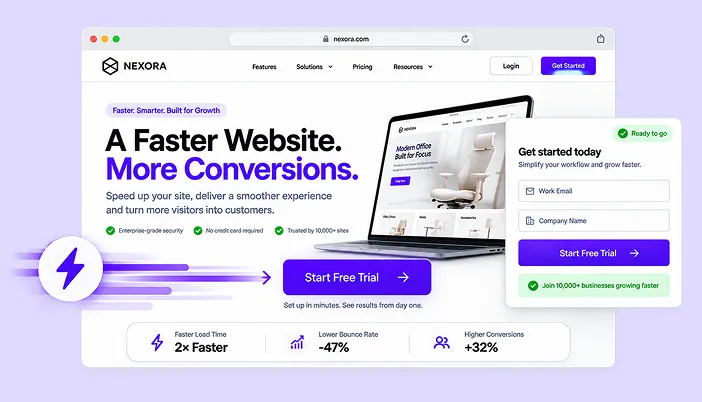
In this guide, we’ll look at 10 practical ways to increase website speed and conversions, from caching and image optimization to mobile performance, Core Web Vitals, CDN delivery, and reducing unnecessary scripts.
You’ll also see how to measure whether each change is actually helping and where SpeedyGo can simplify the process for WordPress websites.
Why website speed affects conversions
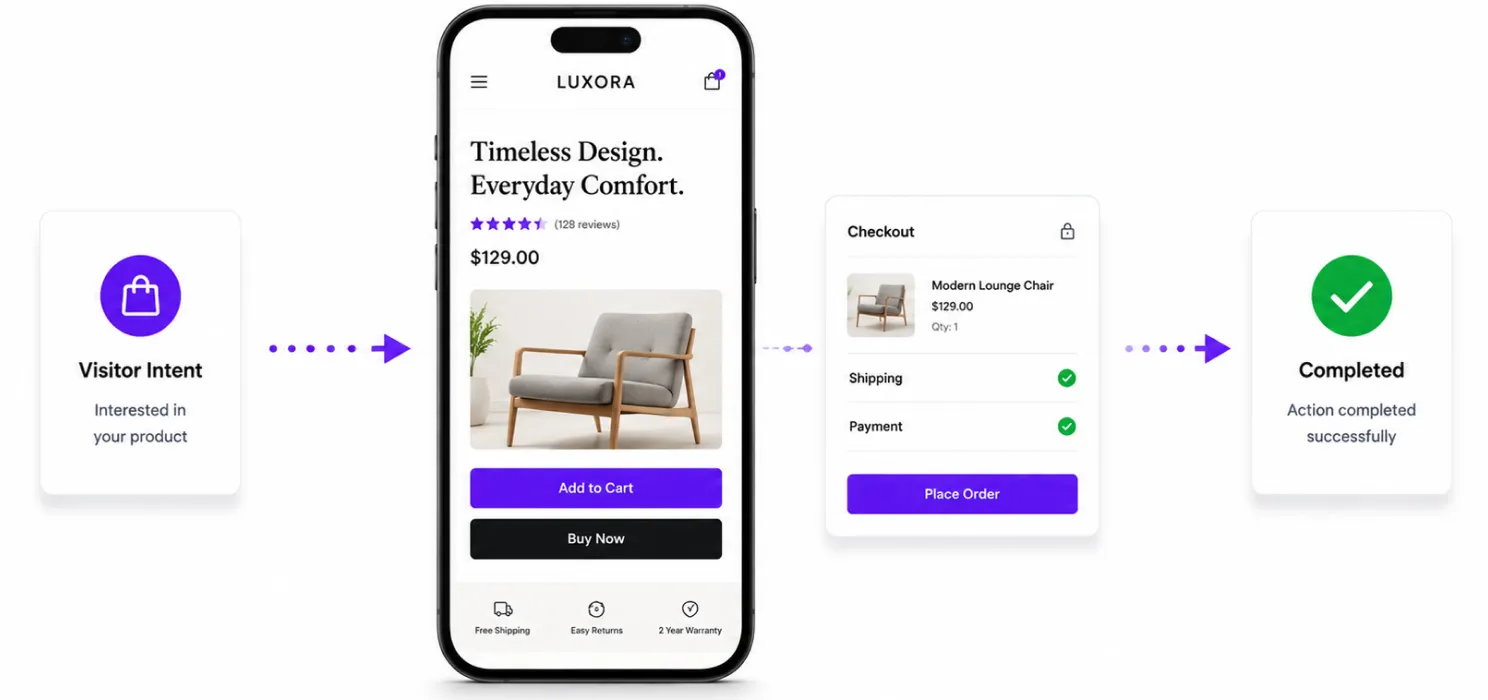
Let’s start with the obvious question: Does website speed really affect whether people convert?
Yes.
People don’t visit your website because they want to admire how technically sophisticated it is.
They come because they want something.
They want to:
- Read an article
- Buy a product
- Fill out a form
- Book a service
- Download something
- Contact your team
- Compare options
The longer they have to wait to do that, the more opportunities you create for them to leave.
Google’s research has found that as mobile page load time increases, the probability of a visitor leaving also increases significantly.
But there’s another important point:
Speed isn’t only about loading faster.
It’s about reducing the friction between:
“I want this.”
and
“Done.”
That’s where speed and conversion optimization meet.
1. Measure your website before changing anything
This sounds boring.
It isn’t.
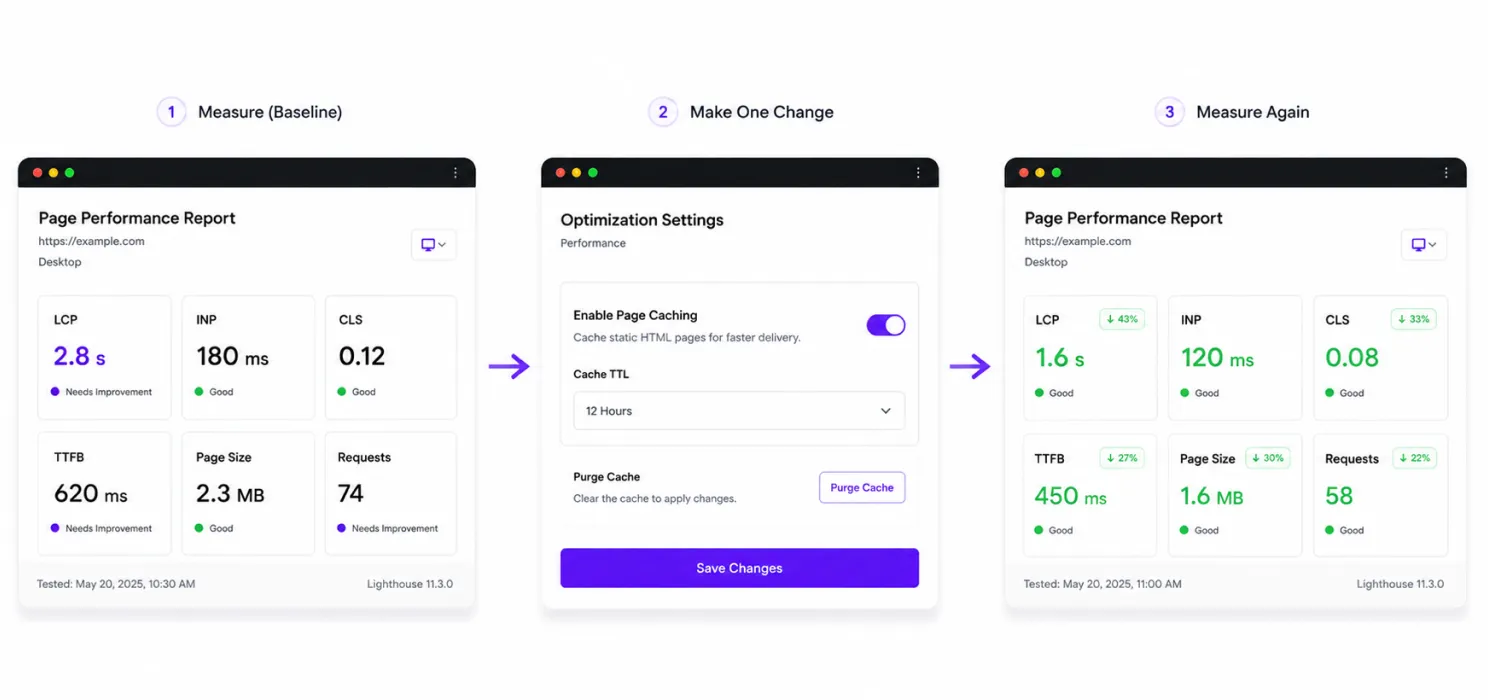
One of the biggest mistakes people make is opening a performance tool, seeing a score of 62, installing three plugins, changing ten settings, and then checking again.
Now they don’t know what actually helped.
Start with a baseline.
Measure:
- Page load performance
- LCP
- INP
- CLS
- TTFB
- Page size
- Number of requests
Also test your important conversion pages.
Don’t only test the homepage.
Check:
- Landing pages
- Product pages
- Pricing pages
- Contact forms
- Checkout
- Lead-generation pages
A simple rule
Measure → change → measure again.
You don’t need to chase a perfect score.
You need to find the bottlenecks that are affecting real users.
2. Improve your server response time
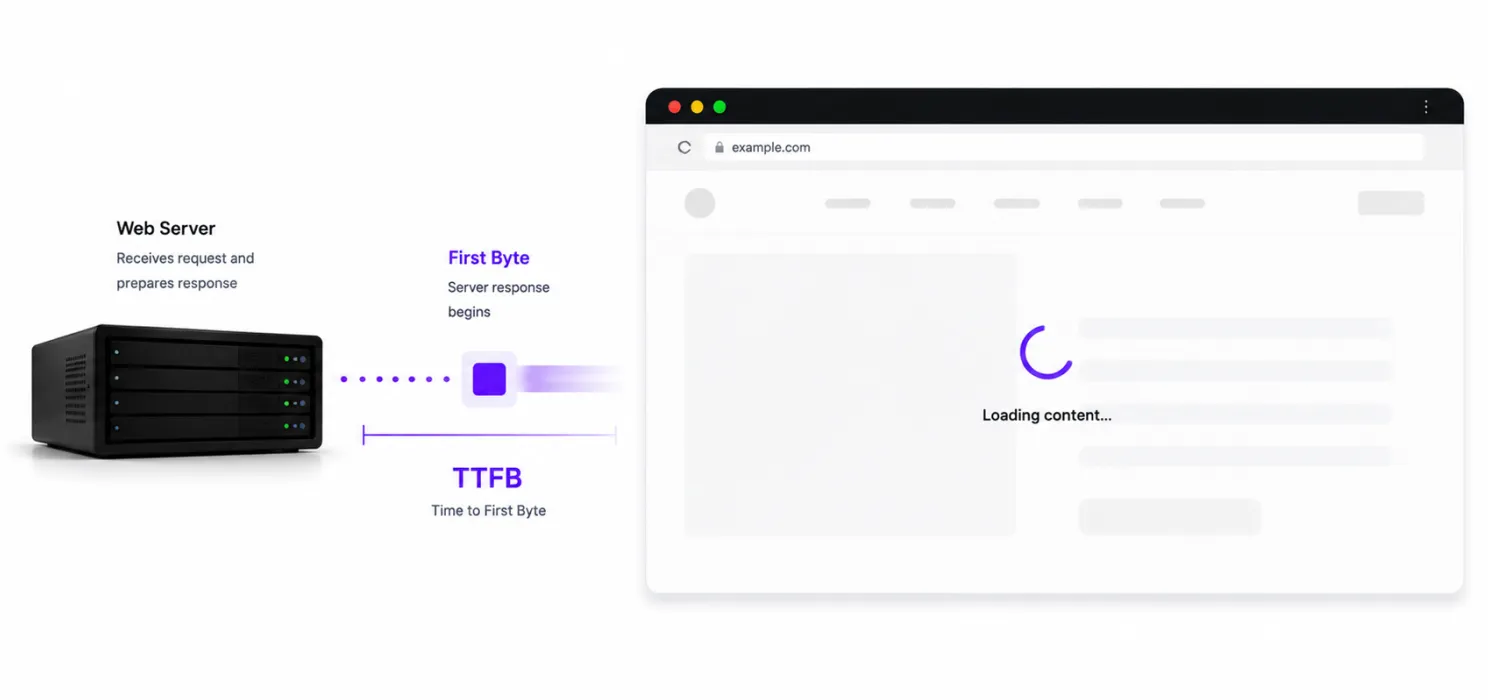
Before the visitor even sees your page, the server has to respond.
That’s where TTFB (Time to First Byte) becomes useful.
If your server takes too long to respond, everything that comes after it is delayed.
Think of it like ordering food.
You haven’t even received the menu yet.
So improving images won’t solve everything if your server is already taking too long to respond.
What can help?
- Better hosting
- Page caching
- Server-level caching
- Object caching
- Database optimization
- CDN configuration
For WordPress websites, caching can reduce how often the server has to generate the same page from scratch.
3. Add page caching
This is one of the easiest places to start with WordPress.
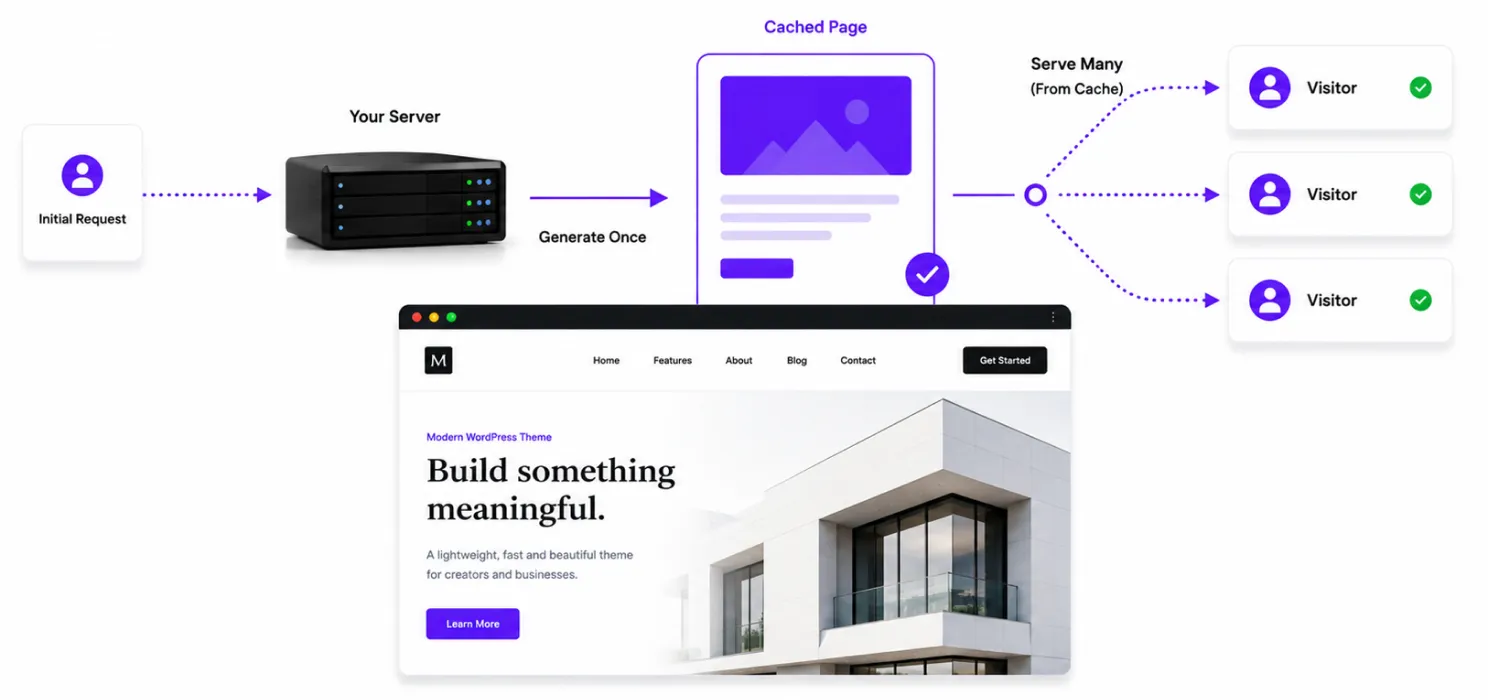
Without caching, WordPress may need to process the same request repeatedly.
With page caching, a ready-to-serve version of the page can be stored.
Without cache:
Visitor → WordPress → PHP → Database → Page
Visitor → WordPress → PHP → Database → Page
Visitor → WordPress → PHP → Database → Page
With caching:
First visitor → WordPress → Cached page
Next visitors → Cached page
That’s less repeated work.
And less server work can mean faster responses, particularly when traffic increases.
WordPress itself recommends caching as an important performance optimization technique.
4. Optimize your images

This is one of the most overlooked problems.
You may have a beautifully designed website.
But if your hero image is 2.5 MB, your website is still carrying unnecessary weight.
And if you have six more large images below it, the problem gets bigger.
Start with:
- Compressing images
- Using modern formats such as WebP
- Serving appropriately sized images
- Lazy-loading non-critical images
- Avoiding unnecessarily large originals
For example:
Before
5 images × 1 MB = 5 MB
After
5 optimized images × 200 KB = 1 MB
That’s a major difference.
And here’s the conversion connection:
When the page becomes usable faster, visitors can see your:
- Headline
- Product
- Offer
- CTA
- Form
sooner.
Speed isn’t the conversion itself.
Speed gets people to the conversion opportunity faster.
5. Make your website fast on mobile
This one deserves special attention.
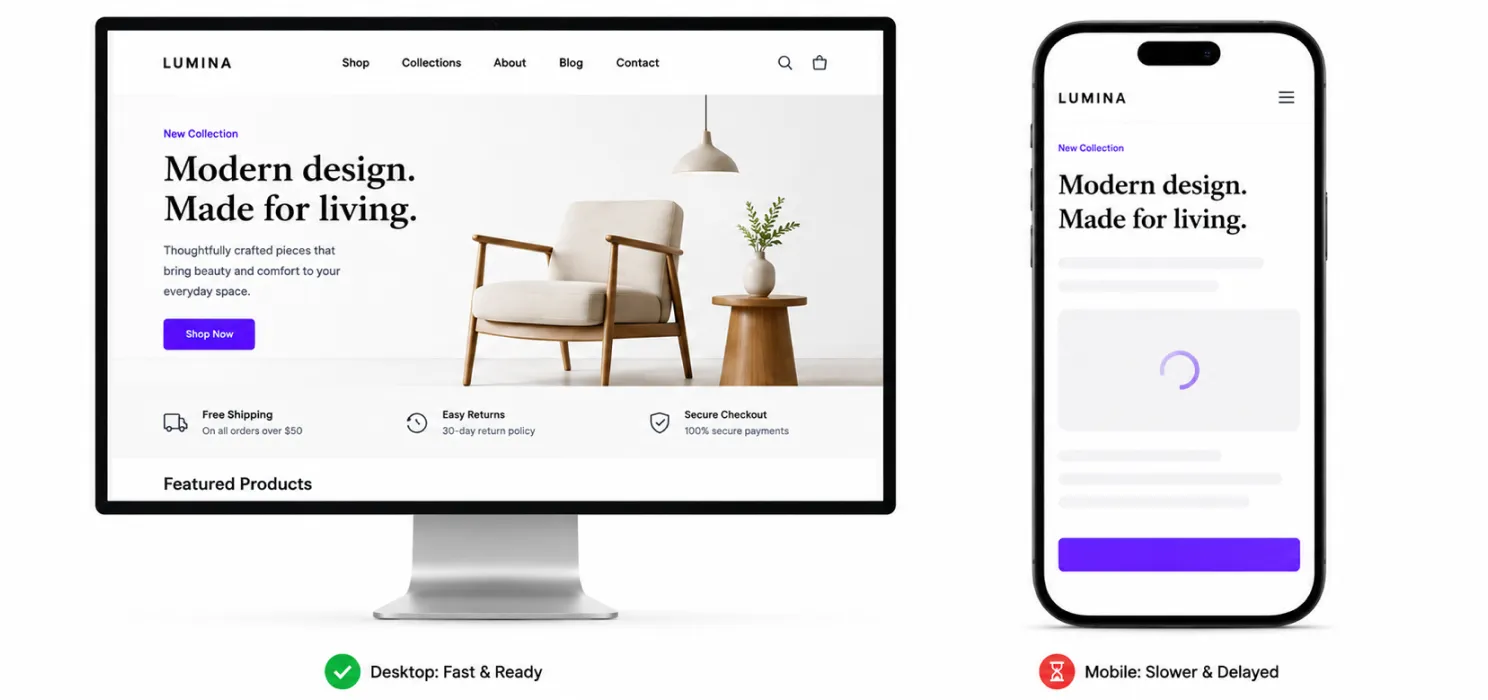
Your desktop website might feel extremely fast on your office computer.
That doesn’t mean your customer experiences the same thing.
Mobile users may have:
- Slower connections
- Less powerful devices
- Smaller screens
- More distractions
- Less patience
Google’s Core Web Vitals are designed around real user experience, including loading performance, responsiveness and visual stability.
So test your website on mobile.
Look at:
- Navigation
- Buttons
- Forms
- Hero images
- Popups
- Checkout
- Sticky elements
Ask yourself:
Can someone understand what this page is about and take the next step quickly on a phone?
If the answer is no, you have both a UX problem and potentially a conversion problem.
6. Reduce unnecessary JavaScript
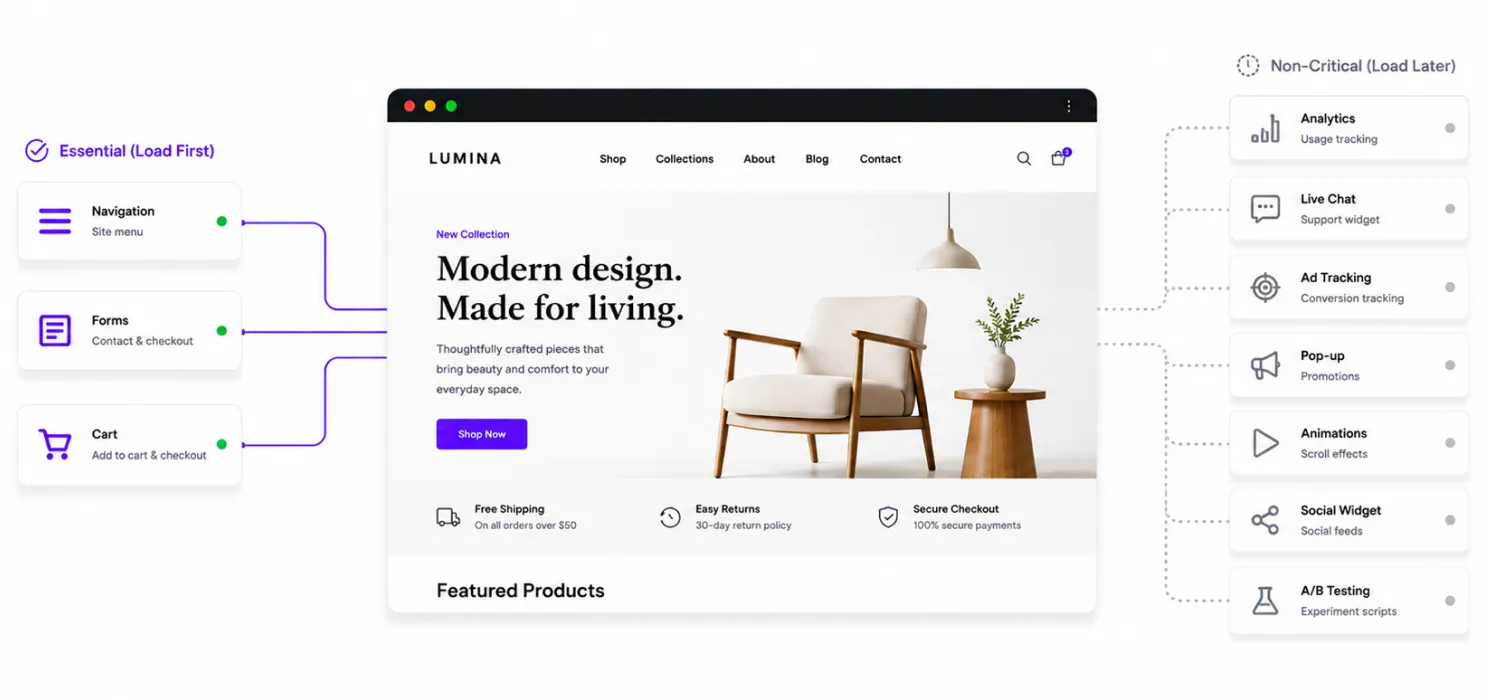
JavaScript can make websites interactive.
It can also make them heavy.
Your website might load scripts for:
- Analytics
- Chat
- Tracking
- Popups
- Animations
- Sliders
- Forms
- Social widgets
- A/B testing
- Third-party tools
The problem isn’t JavaScript itself.
The problem is unnecessary JavaScript loading before the visitor actually needs it.
Look for opportunities to:
- Remove unused scripts
- Defer non-critical JavaScript
- Delay scripts when appropriate
- Load scripts only where they’re needed
But be careful.
Aggressive JavaScript optimization can break menus, forms, carts and other functionality.
Always test after making changes.
7. Use a CDN for visitors in different locations
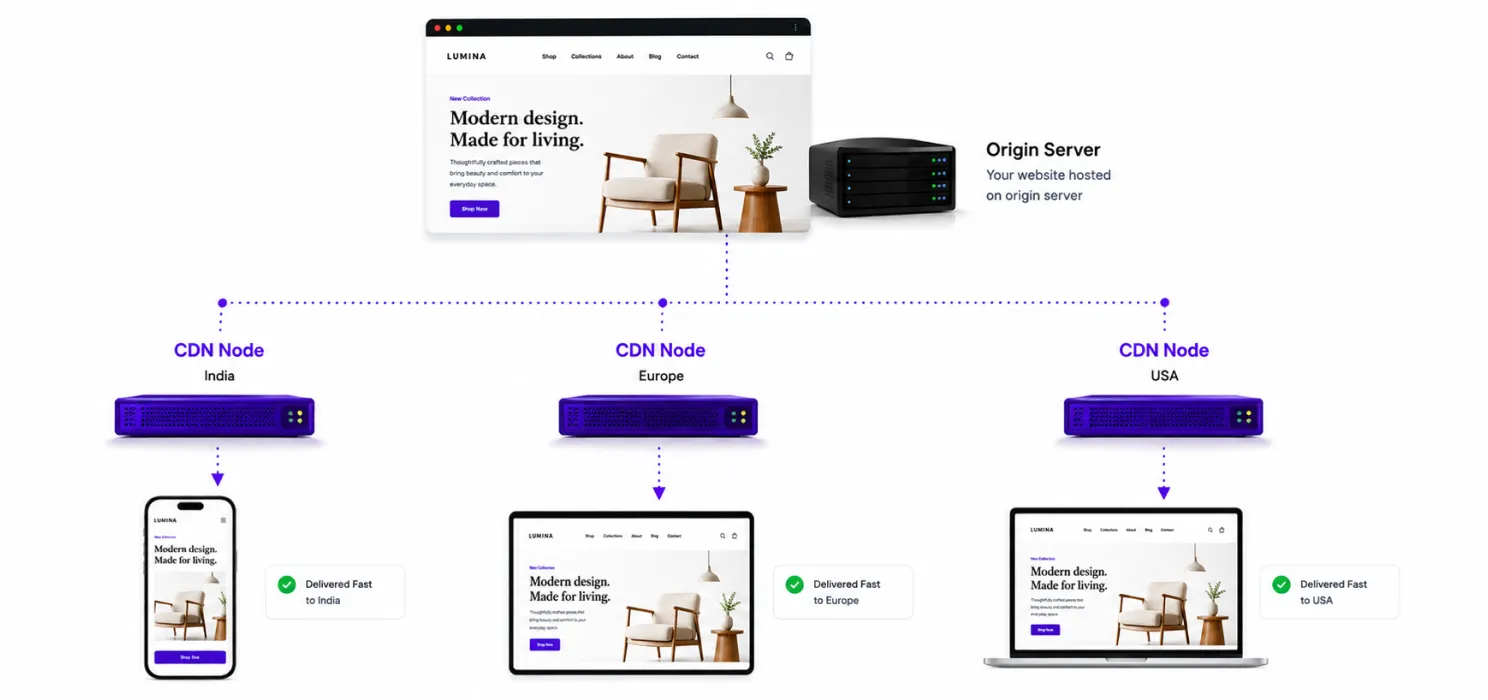
Let’s say your server is located in the United States.
Your visitor is in India.
Another visitor is in Germany.
Another is in Australia.
The physical distance between the visitor and your origin server can affect how resources are delivered.
A Content Delivery Network (CDN) helps by distributing static content through servers closer to users.
A CDN can be particularly useful for:
- Images
- CSS
- JavaScript
- Fonts
- Other static assets
And when those resources reach visitors more efficiently, the page can become more responsive.
8. Improve your Core Web Vitals
Speed isn’t just one number.
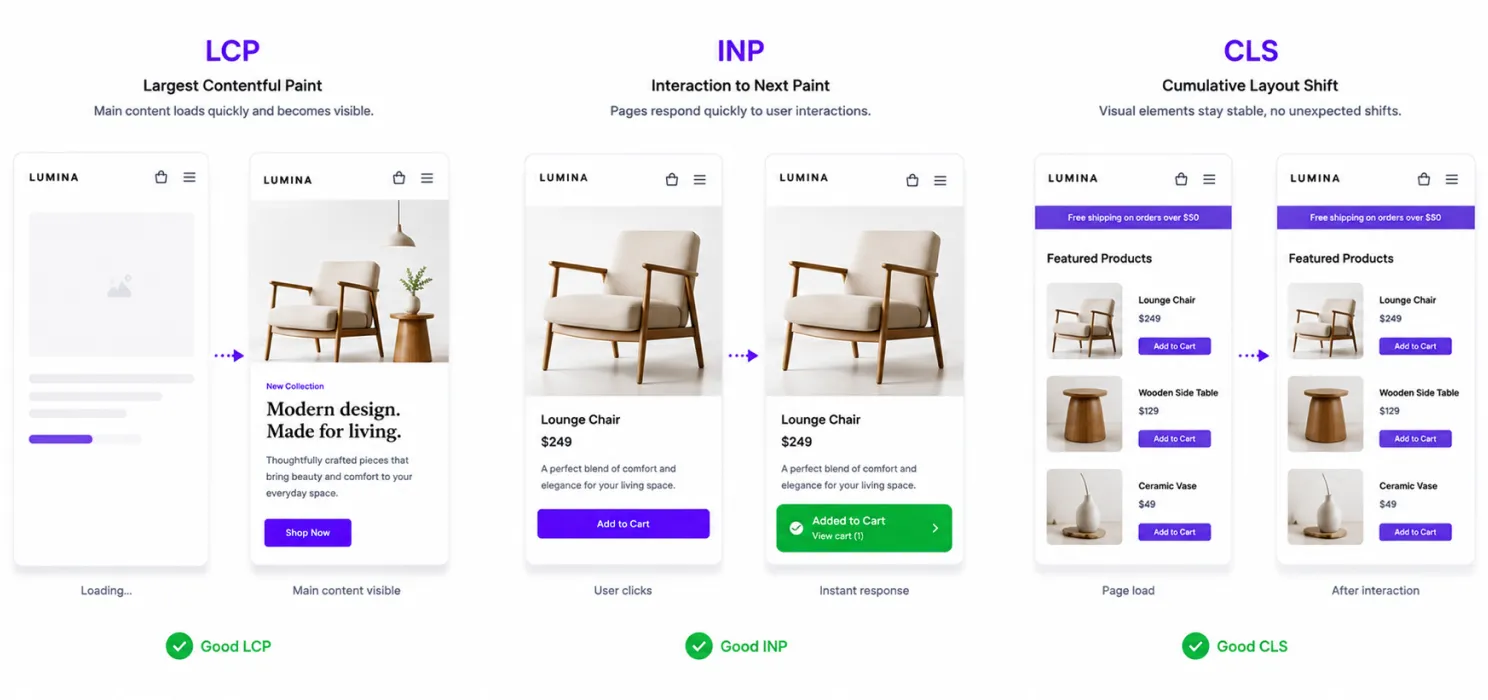
Google’s Core Web Vitals focus on three important user-experience metrics:
LCP Largest Contentful Paint
How quickly the main content becomes visible.
Good: 2.5 seconds or less.
INP Interaction to Next Paint
How quickly the page responds to user interactions.
Good: under 200 milliseconds.
CLS Cumulative Layout Shift
How much the page unexpectedly moves around.
Good: below 0.1.
These aren’t just technical numbers.
Think about what they mean for a customer.
Poor LCP
“I clicked the page and I’m still waiting.”
Poor INP
“I clicked the button. Did it work?”
Poor CLS
“I was about to click something, and the page moved.”
Those experiences create friction.
And friction is exactly what conversion optimization tries to remove.
9. Simplify your conversion pages
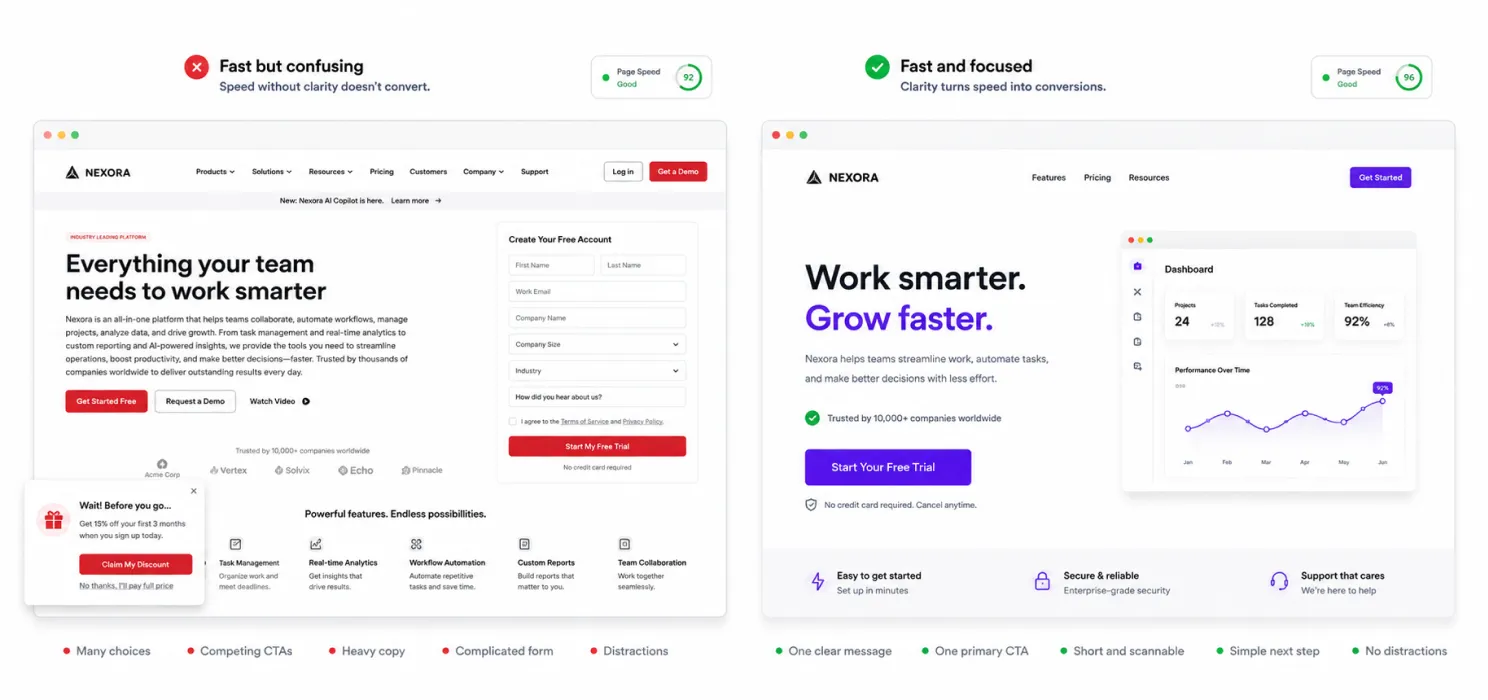
Here’s something important:
A fast website can still have terrible conversions.
Imagine your landing page loads in one second.
Great.
But then the visitor sees:
- Three navigation menus
- Four popups
- A huge paragraph
- Five competing CTAs
- A complicated form
- No clear value proposition
The website is fast.
The experience isn’t.
Your conversion page should make the next step obvious.
10. Use SpeedyGo to bring your WordPress optimization together
By now, you may have noticed something.
Website speed isn’t caused by one thing.
You might need to improve:
- Caching
- Images
- CSS
- JavaScript
- Compression
- CDN delivery
- Mobile performance
- Asset loading
You could manage each of these separately.
But that can quickly turn into a collection of plugins and settings that overlap with each other.
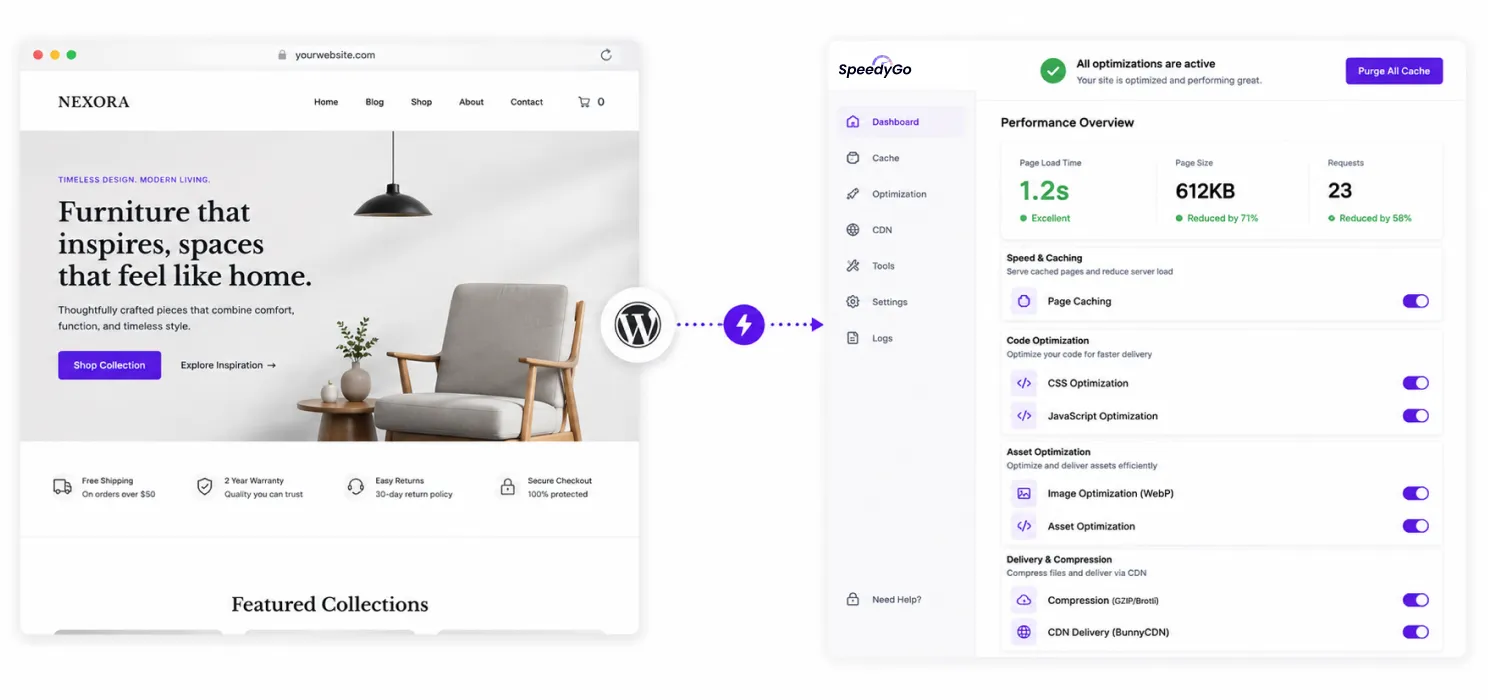
This is where SpeedyGo can simplify the process for WordPress websites.
SpeedyGo brings multiple performance features together, including:
- Page caching
- Mobile caching
- Cache preload
- WebP conversion
- Lazy loading
- CSS optimization
- JavaScript optimization
- Asset optimization
- GZIP compression
- Brotli compression
- CDN delivery
- WooCommerce support
- PageSpeed analytics
Instead of asking:
“Which plugin should I install for each performance problem?”
you can work from one broader performance setup.
Speed vs conversions: don’t optimize one and forget the other
Here’s a mistake that’s easy to make.
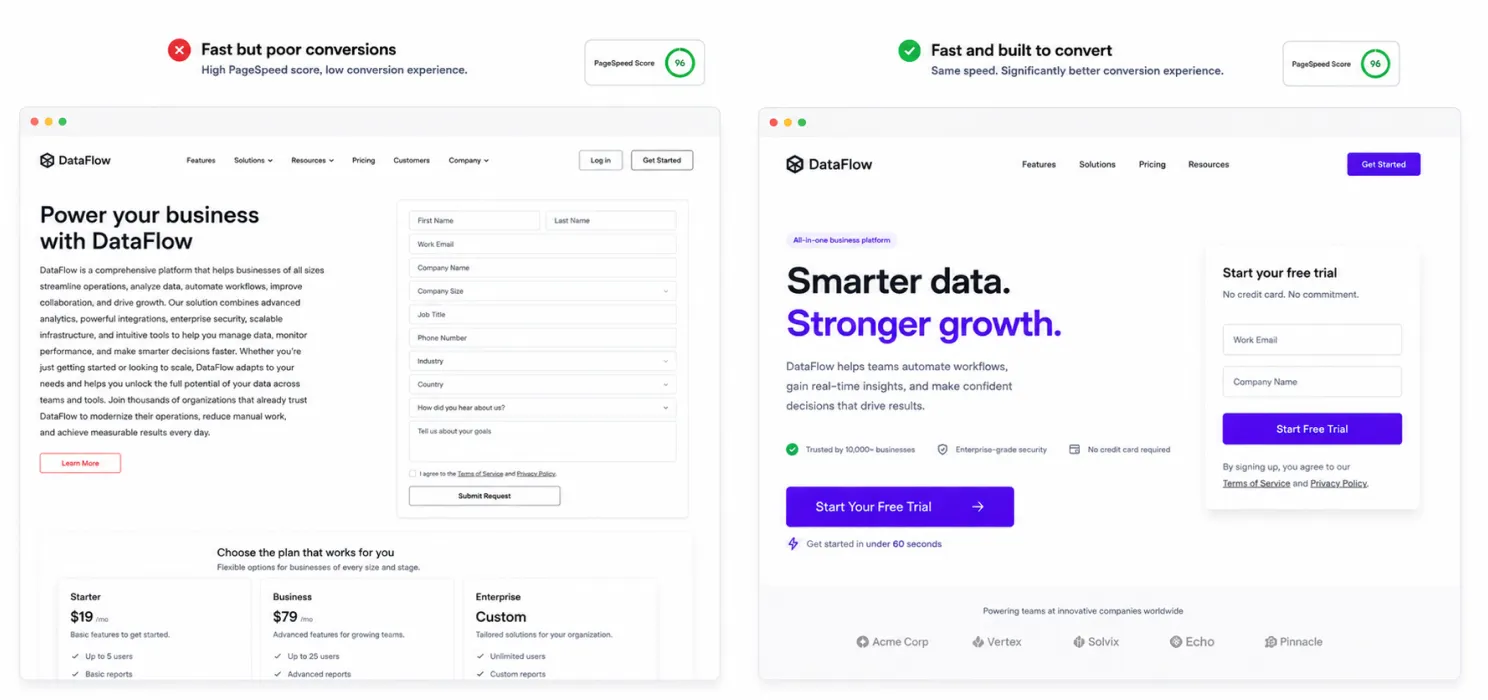
You improve your PageSpeed score from 55 to 92.
You celebrate.
But your conversion rate hasn’t moved.
Why?
Because speed is only one part of the experience.
A visitor can have a technically fast website and still not convert because:
- The offer isn’t clear
- The CTA is weak
- The form is too long
- The page lacks trust
- The pricing is confusing
- The design looks outdated
- The user doesn’t understand what happens next
That’s why your goal shouldn’t be: “Get a perfect PageSpeed score.”
Your goal should be: “Remove anything that makes it harder for the right visitor to take action.”
Speed is one of those things.
A simple website speed + conversion checklist
Before you finish optimizing, run through this list.
Technical speed
- Page caching enabled
- Images compressed
- WebP used where appropriate
- Lazy loading enabled
- Unnecessary CSS removed
- Unnecessary JavaScript reduced
- Compression enabled
- CDN configured
- Server response time checked
User experience
- Website tested on mobile
- Main content appears quickly
- Layout doesn’t jump around
- Buttons respond quickly
- Navigation is simple
- Forms are easy to complete
Conversion
- One clear primary CTA
- Value proposition is obvious
- Trust signals are visible
- Form isn’t unnecessarily long
- Important information appears above the fold
- Checkout is simple
Final thoughts
Increasing website speed and conversions isn’t about finding one magic setting.
Start with the basics.
Measure your current performance.
Cache your pages.
Optimize your images.
Reduce unnecessary JavaScript and CSS.
Use a CDN when it makes sense.
Improve mobile performance.
Watch your Core Web Vitals.
Simplify your conversion journey.
And if you’re running WordPress and want to manage several of these performance improvements from one place, SpeedyGo can help bring caching, optimization, compression, CDN delivery and performance monitoring into one workflow.
Because a faster website isn’t valuable just because the number on a speed test goes up.
It’s valuable when visitors can get what they came for faster, with less friction, and with a clearer reason to take the next step.

Frequently Asked Questions
Here are some basic questions about website speed, performance optimization, and conversions.
Does website speed affect conversions?
Yes, a faster website can help reduce waiting time and make it easier for visitors to take action.
How can I increase my website speed?
You can improve website speed by using caching, optimizing images, reducing unnecessary scripts, and improving server performance.
Why is website speed important for conversions?
A faster website can reduce friction and help visitors reach important content, offers, forms, and CTAs more quickly.
What is page caching?
Page caching stores a ready-to-use version of a webpage so it can be delivered faster to visitors.
How do images affect website speed?
Large and unoptimized images can increase page size and make a website take longer to load.