11 mins read
Best Free CDNs to Speed Up Your WordPress Website
Share Article :


In this guide, you’ll learn which free CDNs are worth considering for WordPress, what each one actually offers, where the limitations are, how to choose between them, how to add one to your website, and whether a free CDN is enough for your traffic.
We’ll also clear up something important: “Free CDN” doesn’t always mean the same thing. Some services offer a genuinely free CDN. Some offer a free trial. Some optimize only images and static files. And some have a free tier with limitations.
Knowing that difference can save you from choosing a CDN that doesn’t actually fit your website.
What does a CDN actually do?
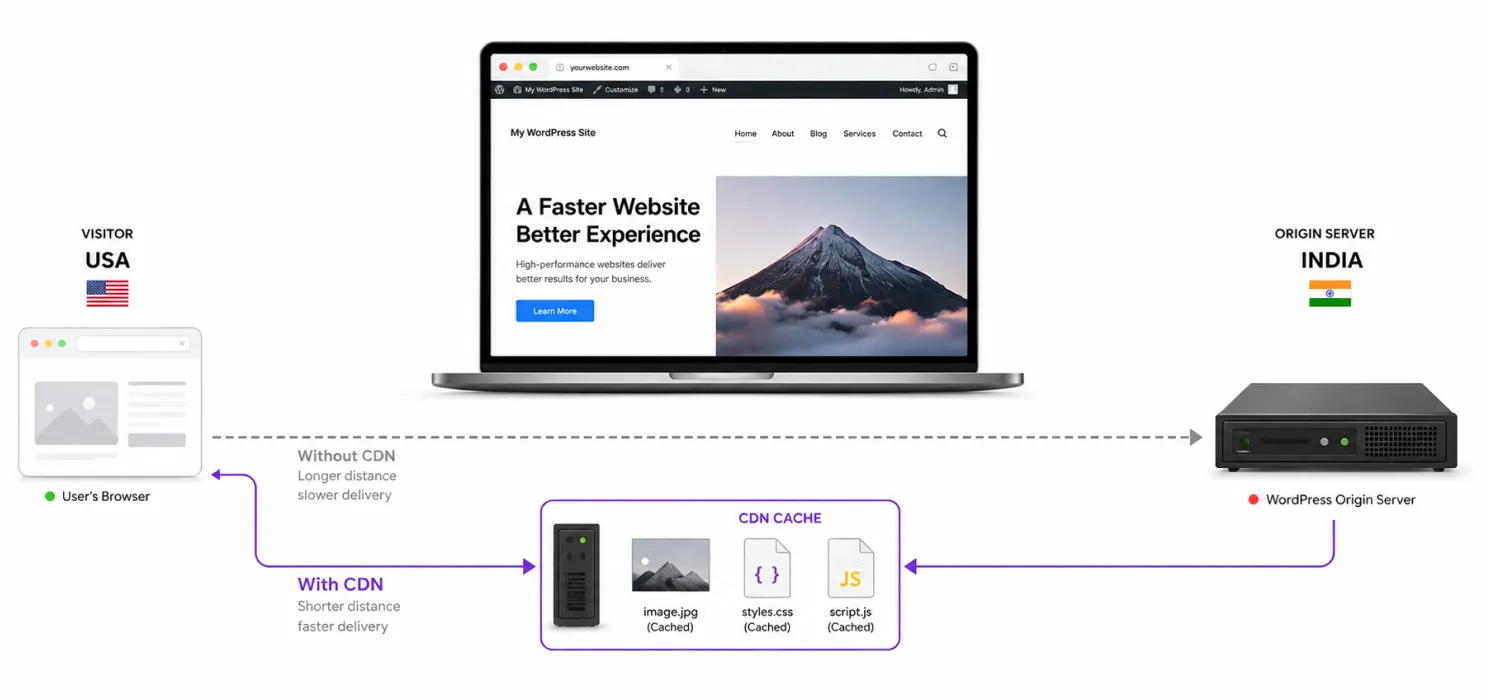
Before comparing providers, let’s make the concept simple. Your WordPress website is hosted on a server.
Let’s say that server is in India. Someone visits your website from the United States.
Without a CDN, the visitor’s browser may need to retrieve many resources directly from your origin server
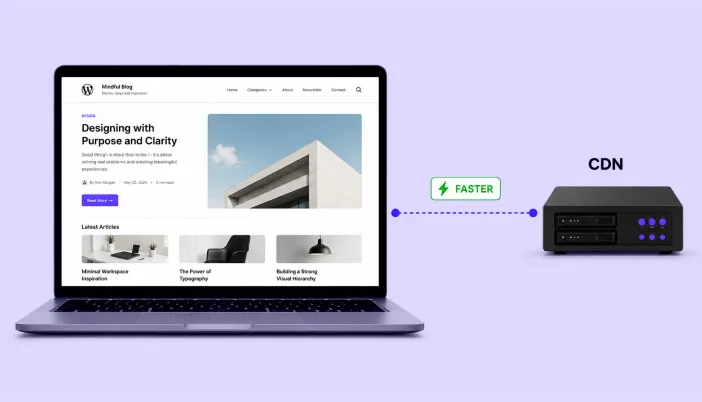
Instead of every visitor repeatedly requesting the same static files from your hosting server, the CDN can keep copies of those resources at its network locations. That can reduce latency and reduce the amount of work your origin server has to handle.
Cloudflare describes CDN caching as a way to cache content across its global network, while WordPress-oriented services such as Jetpack can serve images and static files from a distributed network.
Are free CDNs actually worth using?
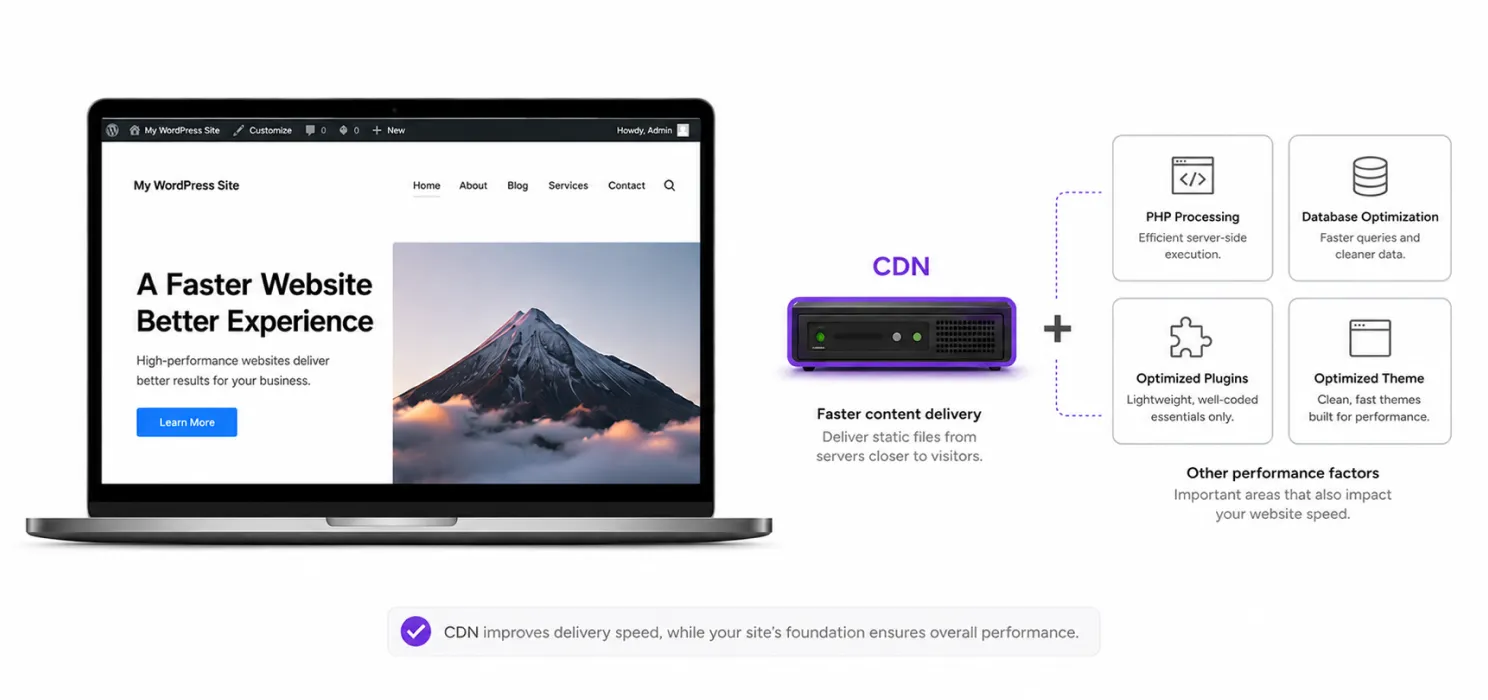
Yes but don’t expect a CDN to magically fix every performance problem.
A CDN is particularly useful when:
- Your visitors are geographically distributed
- Your website has many images
- Your pages contain large static files
- Your origin server is handling significant traffic
- You publish content regularly
- You have an international audience
For a small local website where almost every visitor lives close to the hosting server, the improvement may be less noticeable.
And remember: A CDN improves content delivery. It doesn’t automatically fix slow PHP, bad database queries, heavy plugins or poorly written themes.
That’s why a CDN should be one part of your WordPress speed optimization strategy.
The best free CDNs for WordPress
1. Cloudflare
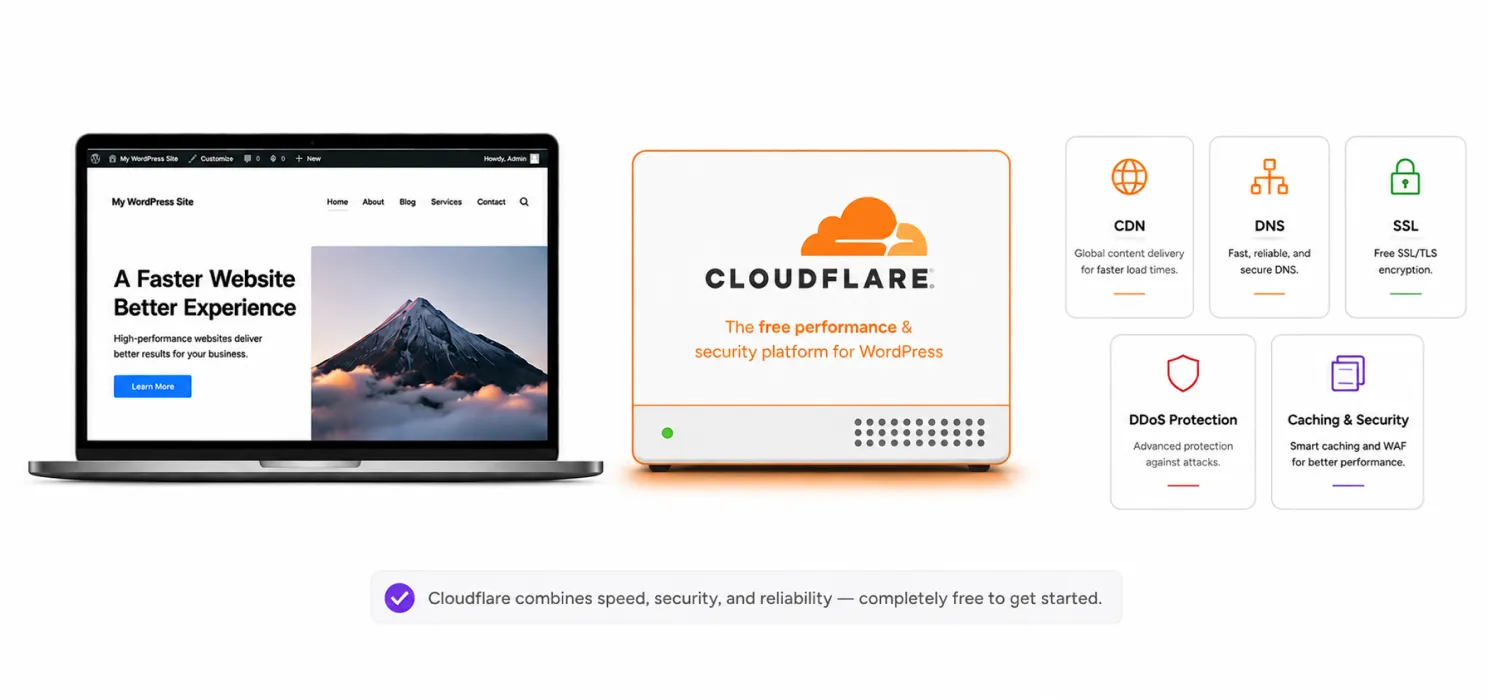
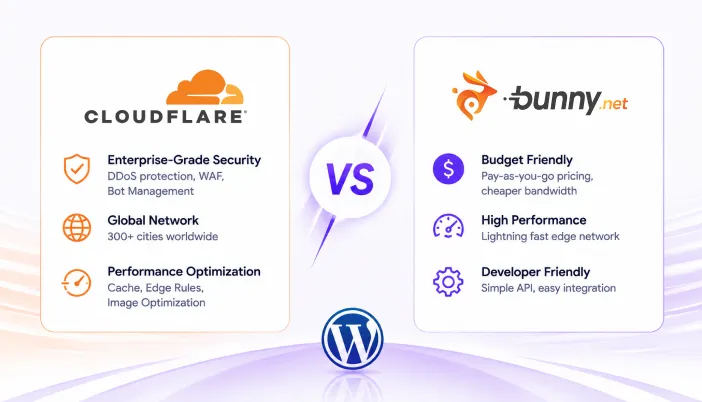
If someone asks: “What’s the first free CDN I should look at for WordPress?” Cloudflare is usually the obvious starting point. Cloudflare’s current Free plan is listed at $0/month and includes CDN functionality, universal SSL and unmetered DDoS protection. That combination makes it much more than just a static-file delivery service.
Why Cloudflare is popular
You get:
- CDN
- DNS
- SSL
- DDoS protection
- Caching controls
- Security features
- Performance features
- Global network delivery
For a small business website or blog, that can be a lot of infrastructure without a monthly CDN bill.
2. QUIC.cloud Free CDN
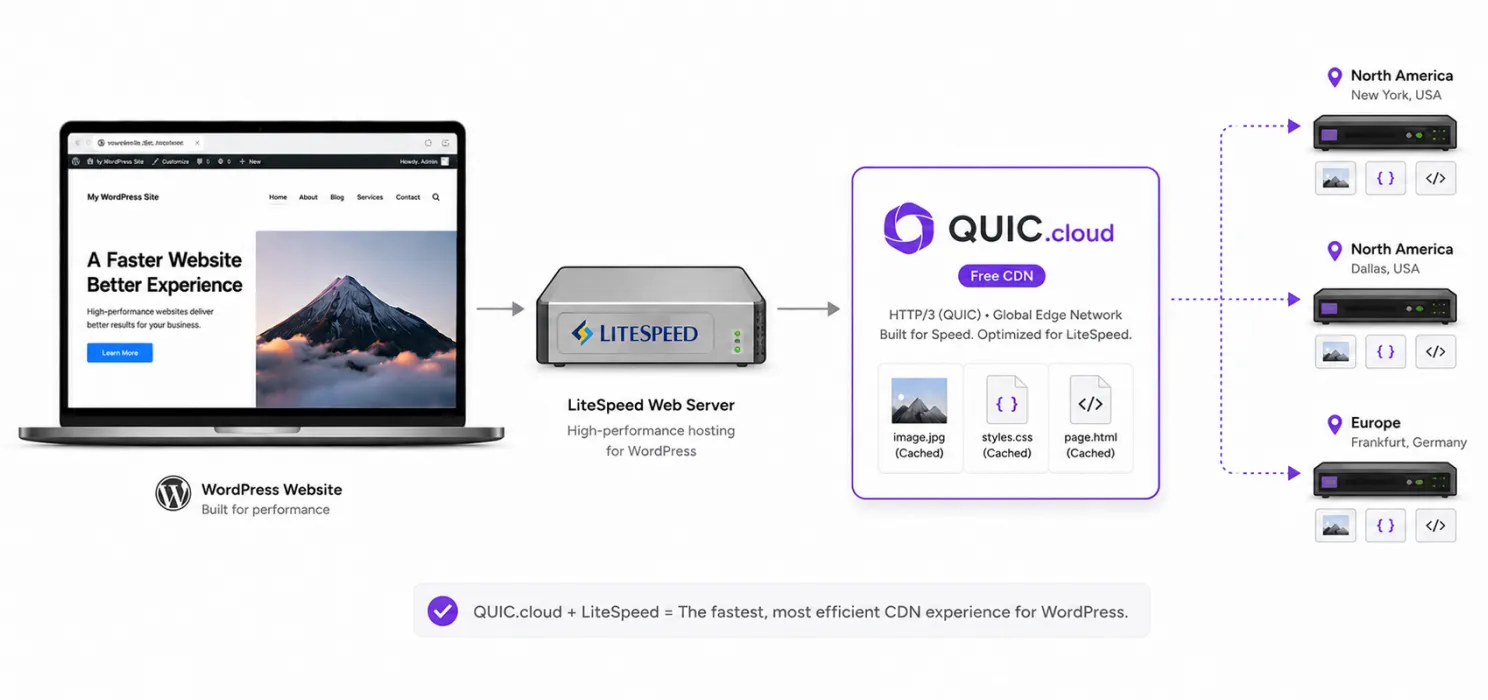
If your WordPress website runs on LiteSpeed, QUIC.cloud deserves serious consideration. QUIC.cloud currently offers a Free CDN plan with unlimited bandwidth, but its free CDN network is limited to selected points of presence in the US and Europe. Its Standard plan expands the network significantly and uses paid bandwidth after the included monthly credit.
That’s an important distinction. The free plan is genuinely free. But it isn’t the same global network you get on the paid Standard plan.
Why QUIC.cloud is interesting
It is designed specifically around WordPress and integrates closely with LiteSpeed Cache. That can make it especially attractive if your hosting uses:
LiteSpeed Web Server
or
LiteSpeed Enterprise.
It can provide:
- CDN delivery
- Static caching
- Dynamic caching
- WordPress-focused integration
- Basic security
- CDN management through the QUIC.cloud ecosystem
The free plan includes selected CDN nodes in North America and Europe, while the Standard plan has a much broader network.
3. Jetpack CDN
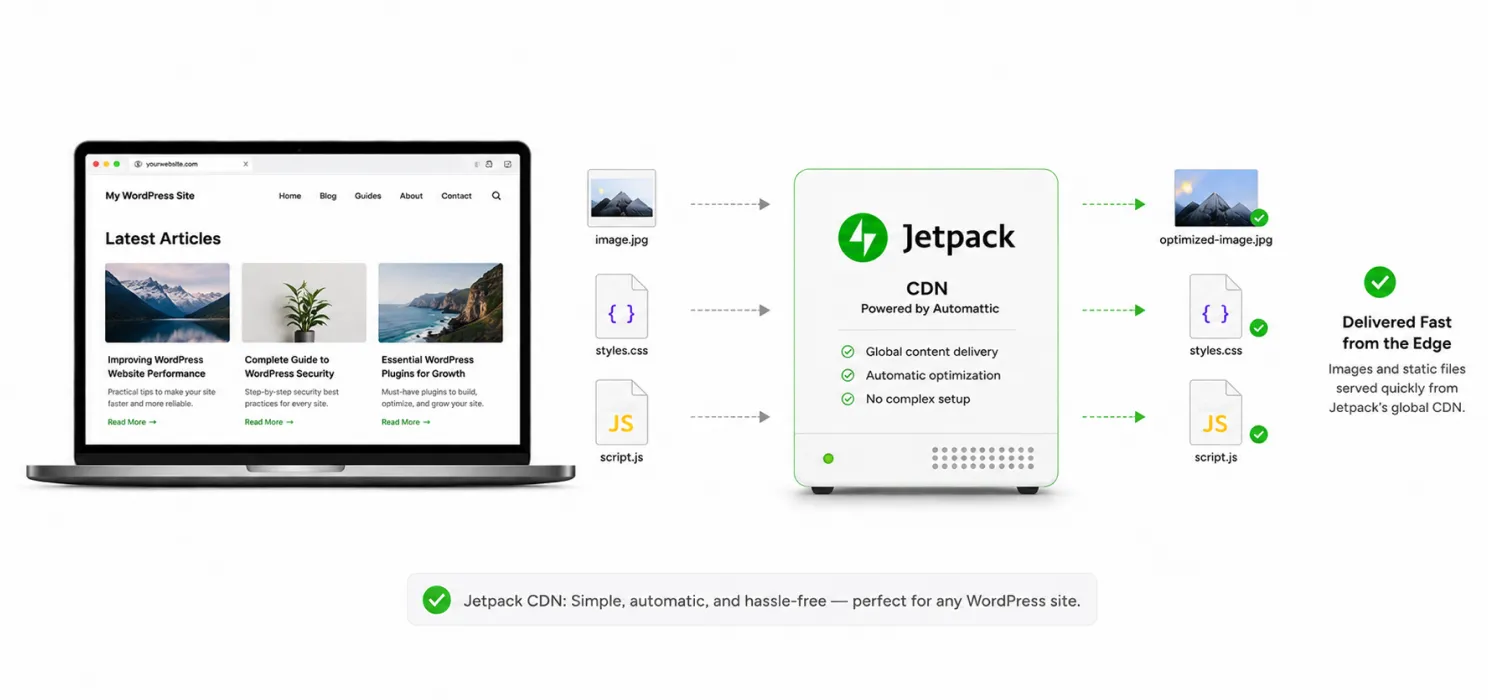
If your biggest concern is: “I don’t want to deal with complicated CDN configuration.”
Jetpack is worth looking at.
Jetpack’s CDN is available for free and can optimize and deliver images and certain static files such as CSS and JavaScript through its global network. Jetpack says the CDN supports an unlimited number of files and can be enabled through its WordPress integration. This makes it particularly attractive for content-focused websites.
What does Jetpack CDN handle?
Depending on the setup, it can deliver:
- Images
- Photos
- Some CSS
- Some JavaScript
- Optimized image versions
Jetpack also offers an Image CDN through Jetpack Boost, which can automatically optimize and serve images through its CDN.
4. Bunny CDN
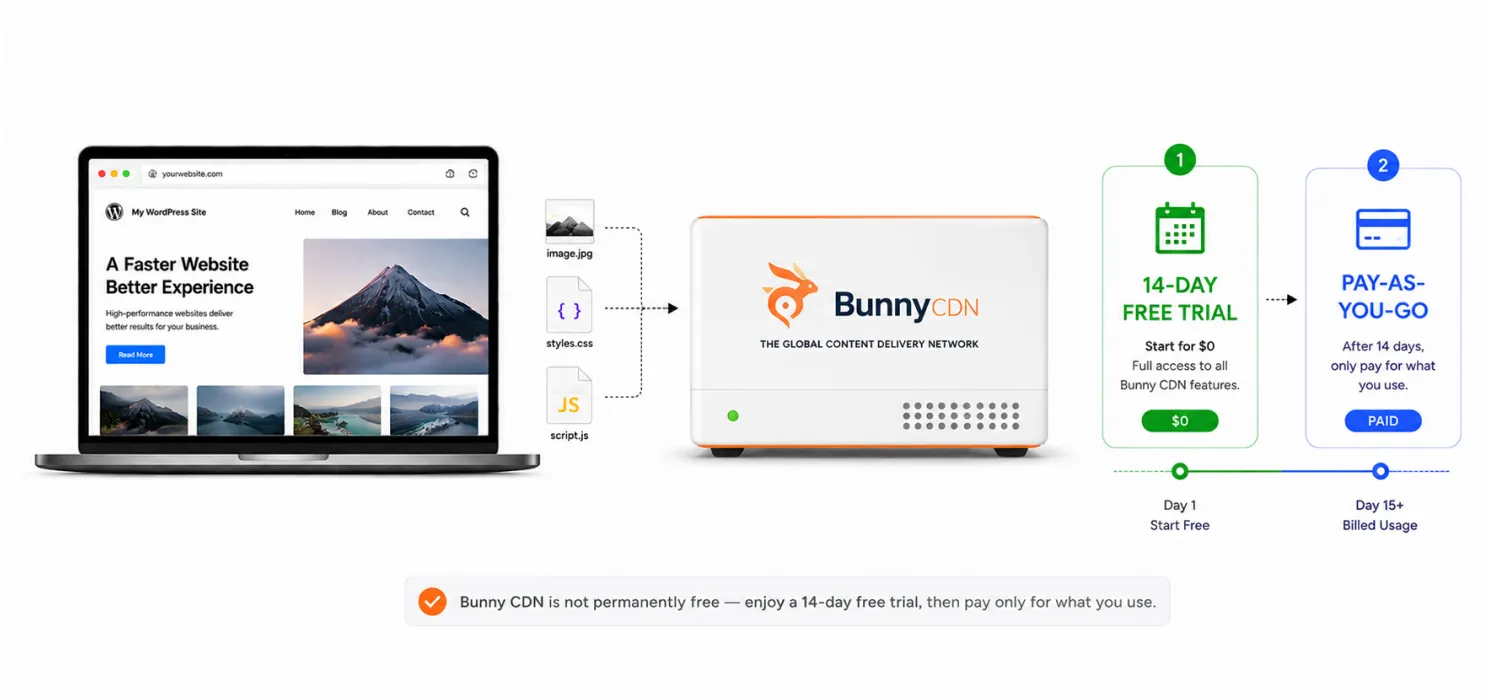
Let’s include Bunny because many “best free CDN” lists mention it. But here’s where being honest matters.
Bunny CDN is not a permanently free CDN. It currently offers a 14-day free trial, after which its CDN uses pay-as-you-go pricing. Its current Standard Network pricing starts at $0.01/GB in Europe and North America, $0.03/GB in Asia and Oceania, and $0.06/GB in the Middle East and Africa, with a $1 monthly minimum.
So why mention it? Because if your definition of “free” means: “I want to try a CDN without paying first,”
Bunny is worth considering. And if you’re willing to spend a very small amount once your website grows, it can be a strong option. Bunny currently lists 119 PoPs on its Standard Network and offers a WordPress-specific CDN integration. This is why there isn’t one universal “best free CDN.” The best choice depends on your website.
Which free CDN should you choose?
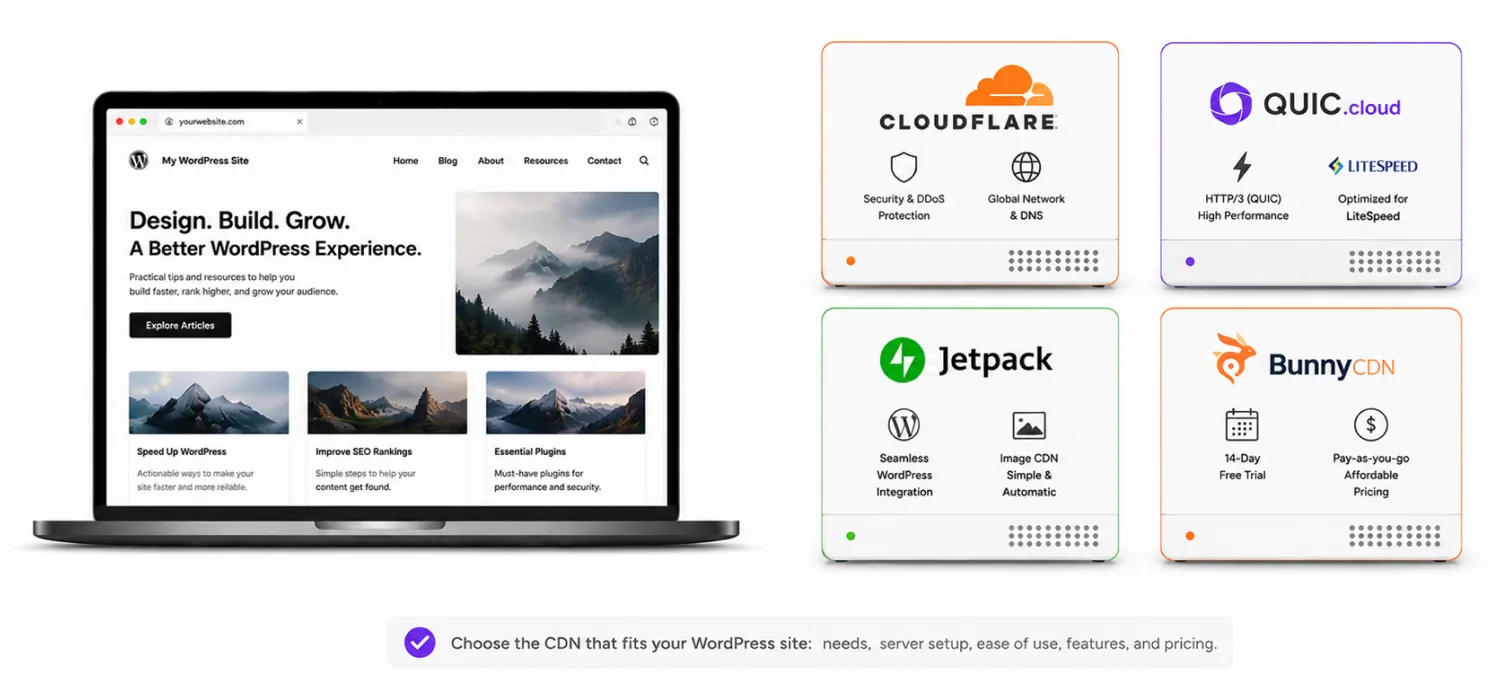
- Choose Cloudflare if: You want: CDN + security + DNS + broader control and you’re comfortable spending some time configuring it.
- Choose QUIC.cloud if: Your website uses: LiteSpeed + LiteSpeed Cache and the free network locations work for your audience.
- Choose Jetpack if: You want: Simple WordPress setup + free image/static-file CDN without dealing with a complicated CDN dashboard.
- Choose Bunny if: You’re okay with: a free trial rather than a permanently free plan and want a cost-effective CDN as your website grows.
What if most of your visitors are from India?
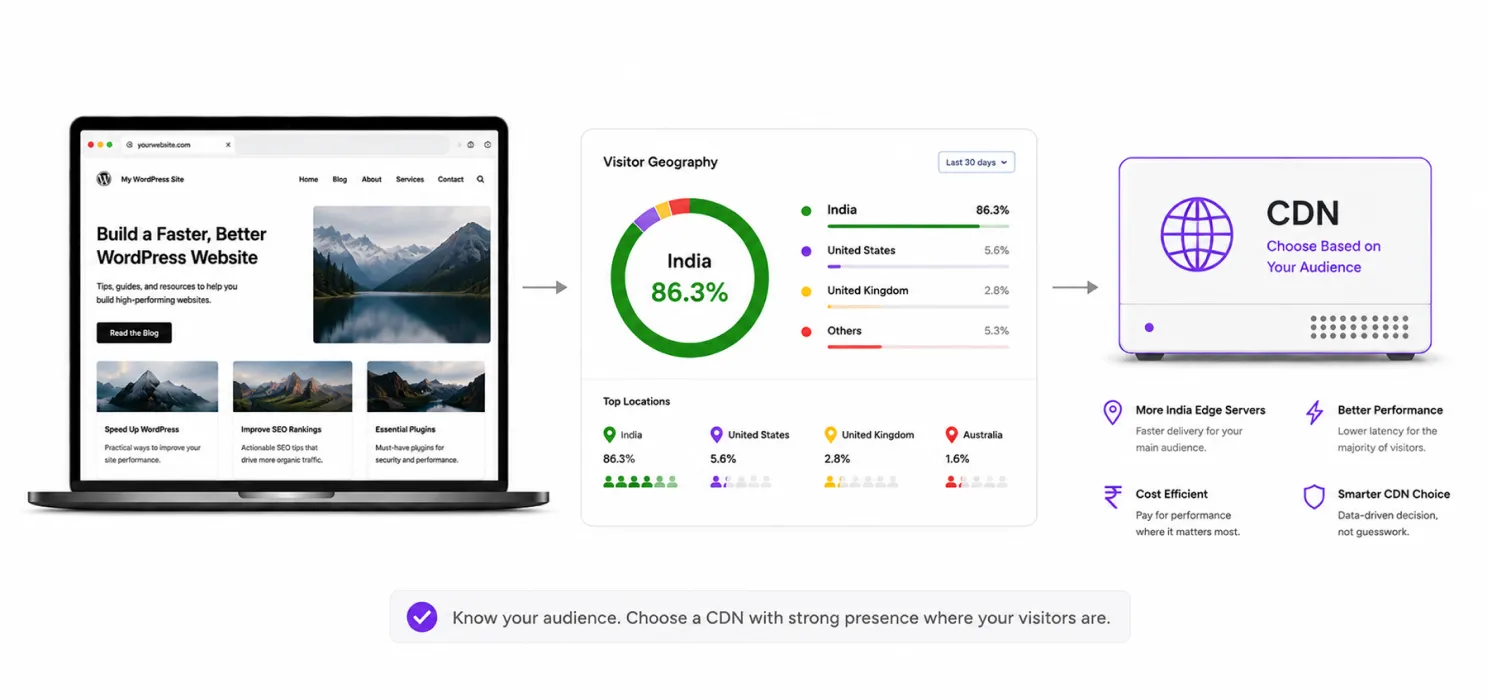
This is an important question for Indian WordPress websites. Don’t choose a CDN based only on the number of global locations.
Look at: Where are your visitors?
If 90% of your visitors are in India, you want a CDN that can efficiently serve that audience.
If your audience is: India + US + UK + Australia
then global coverage becomes more important.
Your analytics can answer this.
Look at: Google Analytics → Users → Geography
or whichever analytics platform you use. Then choose your CDN based on actual traffic.
Free CDN doesn’t mean your website is automatically fast
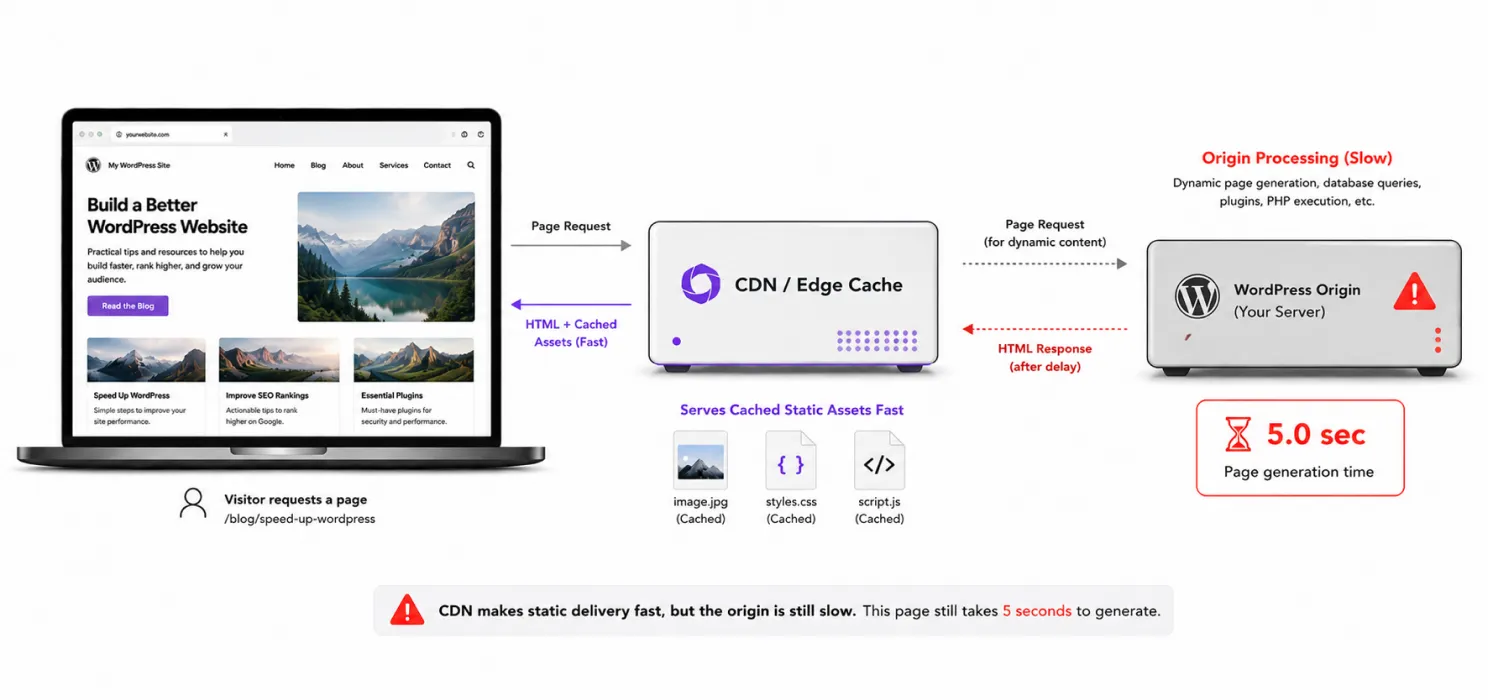
This deserves emphasis. You can connect Cloudflare today. And your website can still be slow tomorrow.
Why? Because the CDN doesn’t automatically fix:
- Huge images
- Slow PHP
- Heavy themes
- Too many plugins
- Poor database queries
- Excessive JavaScript
- Render-blocking CSS
- Third-party scripts
- Bad hosting
Imagine your website takes 5 seconds to generate the page.
You add a CDN. The CDN may help deliver cached assets faster. But if the request still reaches your origin server and WordPress takes 5 seconds to generate the page, your fundamental problem hasn’t disappeared.
That’s why you should combine: CDN + caching + image optimization + asset optimization + good hosting rather than relying on one setting.
CDN vs caching: they aren’t the same
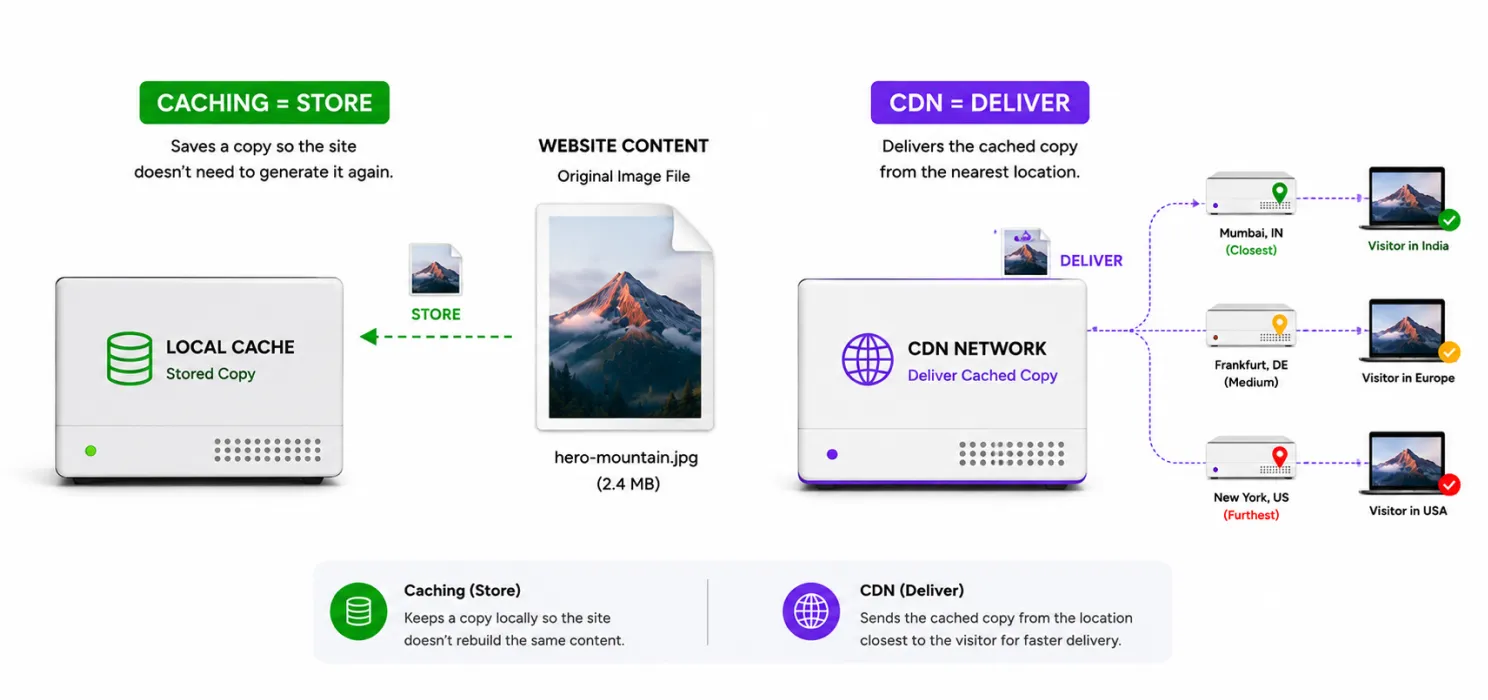
This is one of the most common points of confusion.
- Caching Stores a copy of content so it doesn’t need to be generated repeatedly.
- CDN Delivers cached content from distributed locations closer to visitors.
Think of it this way:
Caching answers: “Do we need to generate this again?”
CDN answers: “Where should we deliver this from?”
Together, they can be powerful.
How to add a free CDN to WordPress
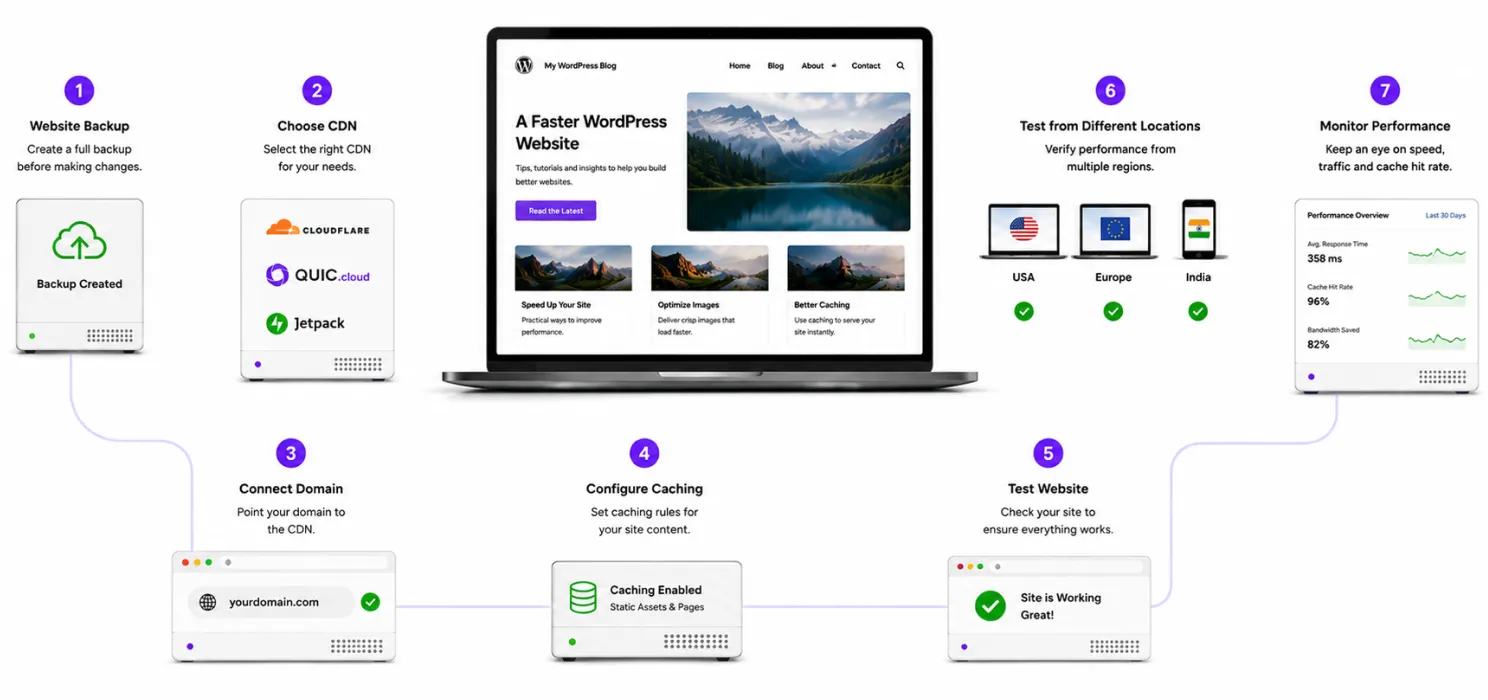
The exact steps depend on the CDN. But the overall process usually looks like this:
Step 1: Back up your website
Before changing DNS or caching rules, have a working backup.
Step 2: Choose your CDN
Start with: Cloudflare, QUIC.cloud or Jetpack depending on your needs.
Step 3: Connect your domain
Some services require DNS changes. Others work primarily through a WordPress plugin.
Step 4: Configure caching
Start conservatively. Don’t immediately cache every page.
Step 5: Test your website
Check:
- Homepage
- Blog posts
- Images
- CSS
- JavaScript
- Forms
- Login
- Cart and checkout if applicable
Step 6: Test from different locations
Your CDN’s value depends heavily on where your visitors are.
Step 7: Monitor
Look at:
- TTFB
- LCP
- INP
- CLS
- Cache hit rate
- Origin requests
- Server load
Be careful with WooCommerce
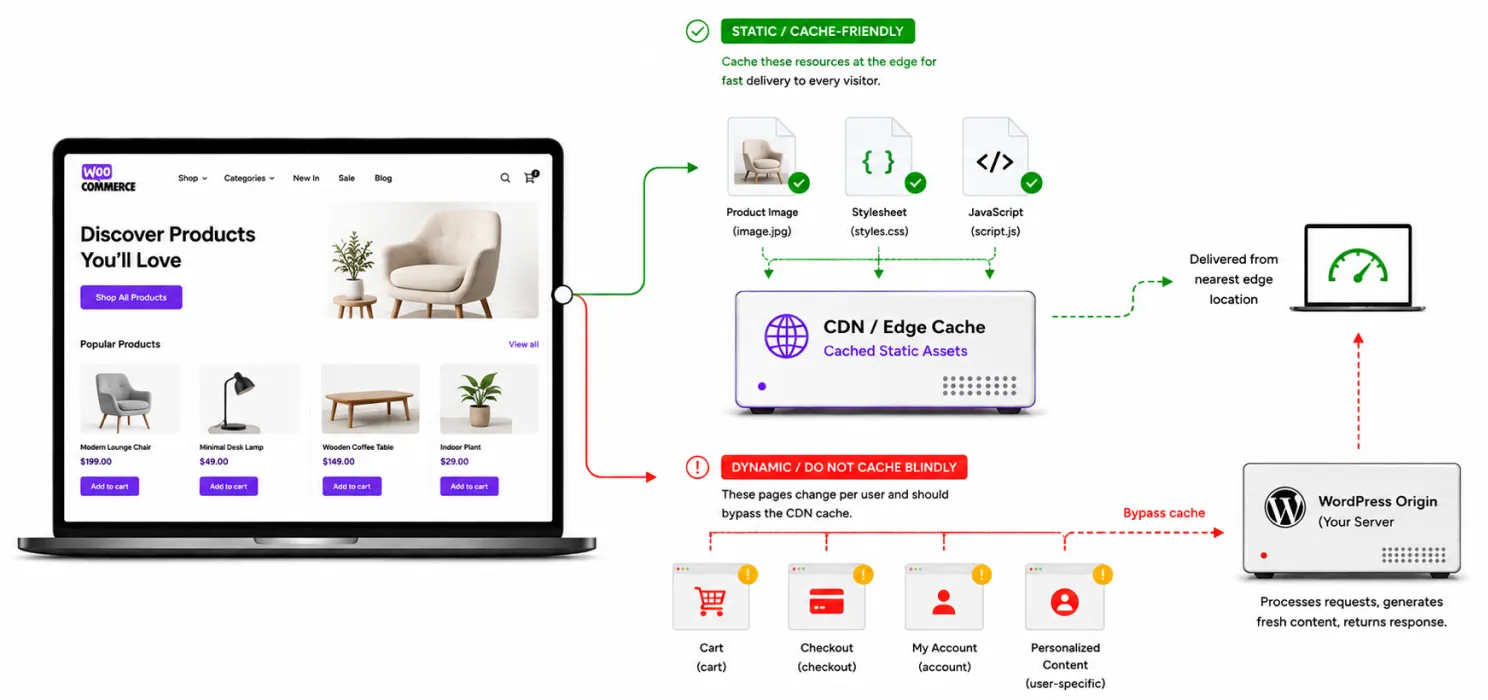
Free CDN doesn’t mean you should cache everything. WooCommerce websites contain dynamic pages.
For example:
Product images → generally cache-friendly
CSS → cache-friendly
JavaScript → generally cache-friendly
But:
Cart → dynamic
Checkout → dynamic
Account → dynamic
Personalized content → dynamic
Cloudflare specifically documents a WordPress setup where anonymous page views can be cached while logged-in and dynamic WooCommerce activity bypasses the edge cache when properly configured. So if you run WooCommerce, don’t copy a random “cache everything” rule from a tutorial. Understand what you’re caching first.
How to test whether your free CDN is working
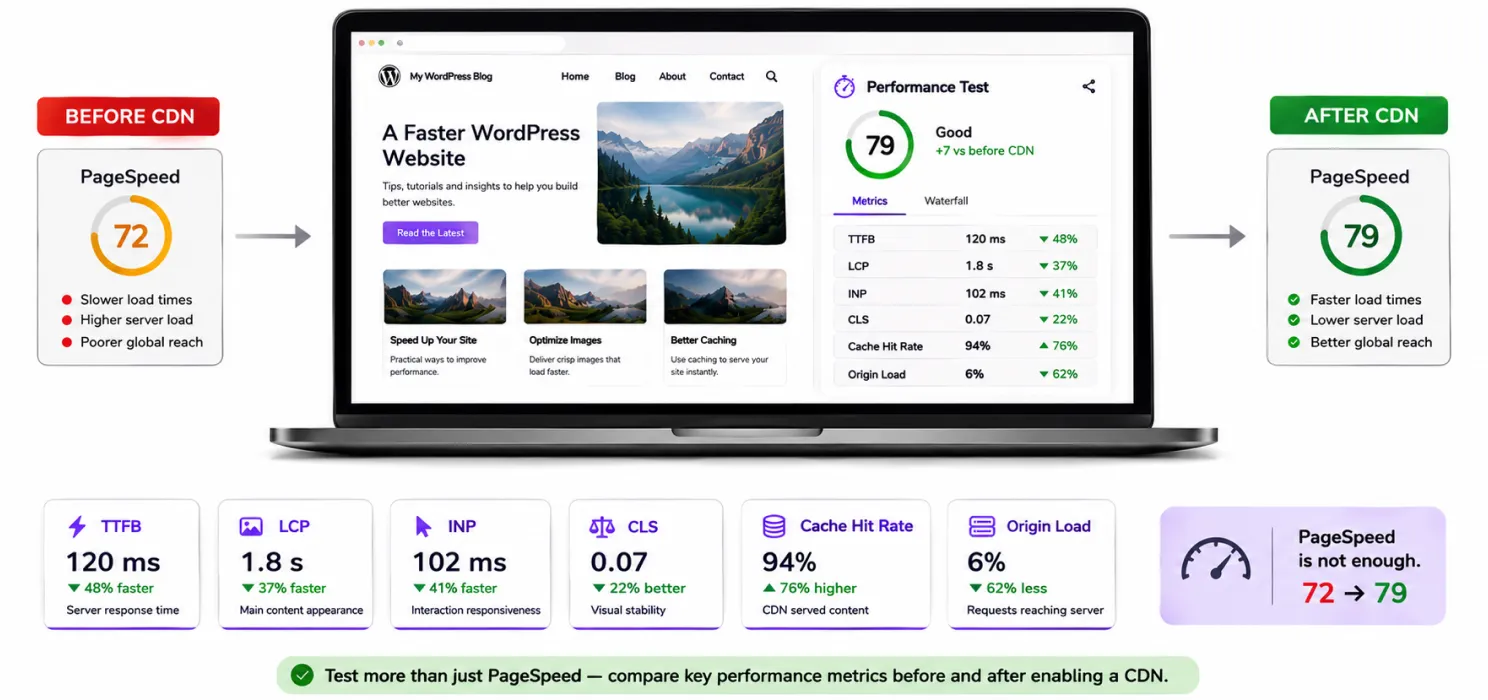
After setting up your CDN, don’t just assume everything is fine. Run a baseline test first. Then test again after the CDN is enabled.
Look at:
- TTFB How quickly does the server start responding?
- LCP How quickly does the main content appear?
- INP How quickly does the website respond to interaction?
- CLS Does the page stay visually stable?
- Cache hit rate How often can the CDN serve content without contacting your origin?
- Origin load Is your server handling fewer requests?
These measurements tell you much more than: “My PageSpeed score went from 72 to 79.”
A simple free CDN checklist
Before choosing one, ask:
- Where are most of my visitors located?
- Do I need only static-file delivery or full-page edge caching?
- Does the CDN integrate easily with WordPress?
- Does it support HTTPS?
- Can I purge cached content easily?
- Can I exclude dynamic pages?
- Does it have useful security features?
- What happens if my traffic grows?
- Is the “free” plan genuinely free or only a trial?
That last question is surprisingly important.
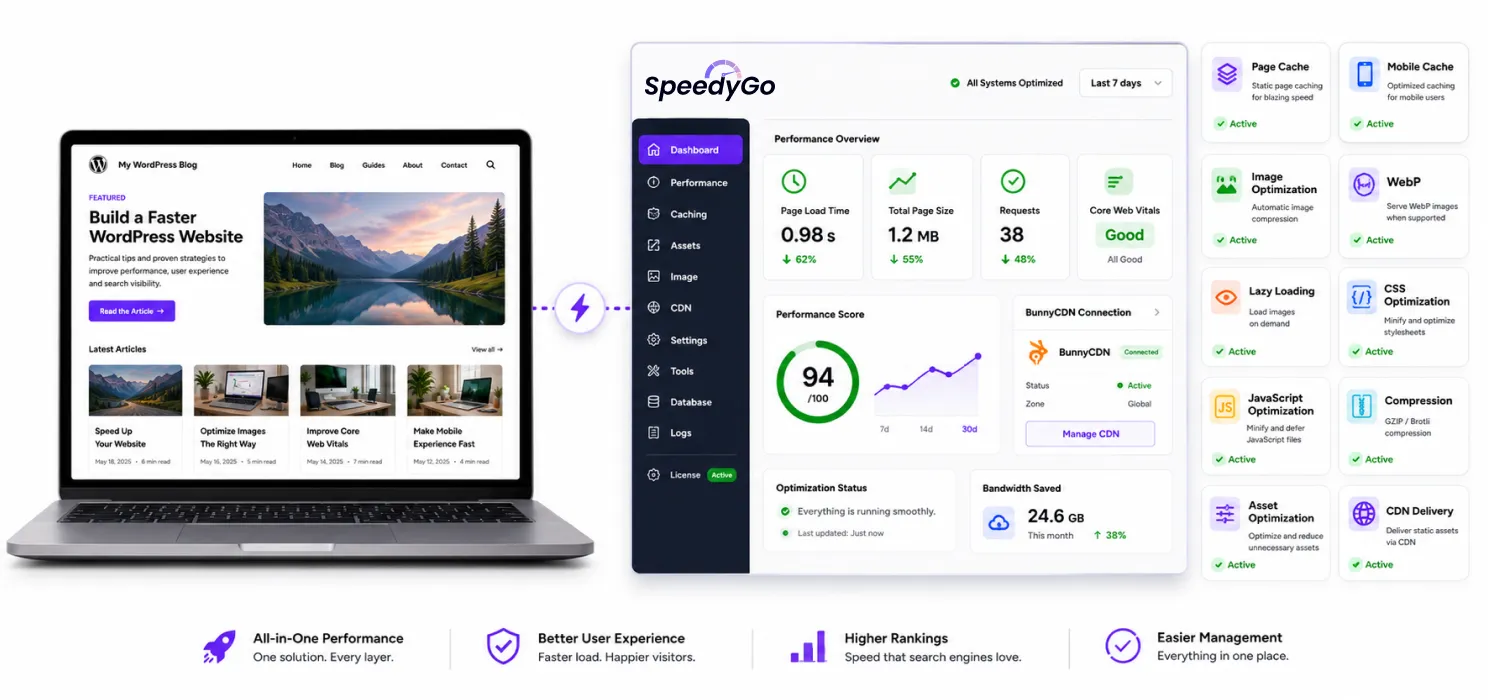
SpeedyGo
If you’re already managing WordPress performance, you may not want to assemble your setup from five different tools.
That’s where an integrated performance solution can be useful.
SpeedyGo combines several WordPress performance features, including:
- Page caching
- Mobile caching
- Image optimization
- WebP conversion
- Lazy loading
- CSS optimization
- JavaScript optimization
- GZIP and Brotli compression
- Asset optimization
- Cache preload and warm-up
- CDN delivery
SpeedyGo also includes a built-in BunnyCDN connection.
That isn’t a free CDN, so it shouldn’t be presented as one.
But it can be a useful next step when your website has moved beyond the limitations of a free CDN and you want CDN delivery integrated into your broader WordPress optimization workflow.
The bigger idea is:
Don’t choose a CDN in isolation.
Choose a performance setup that you can actually manage.
Final thoughts
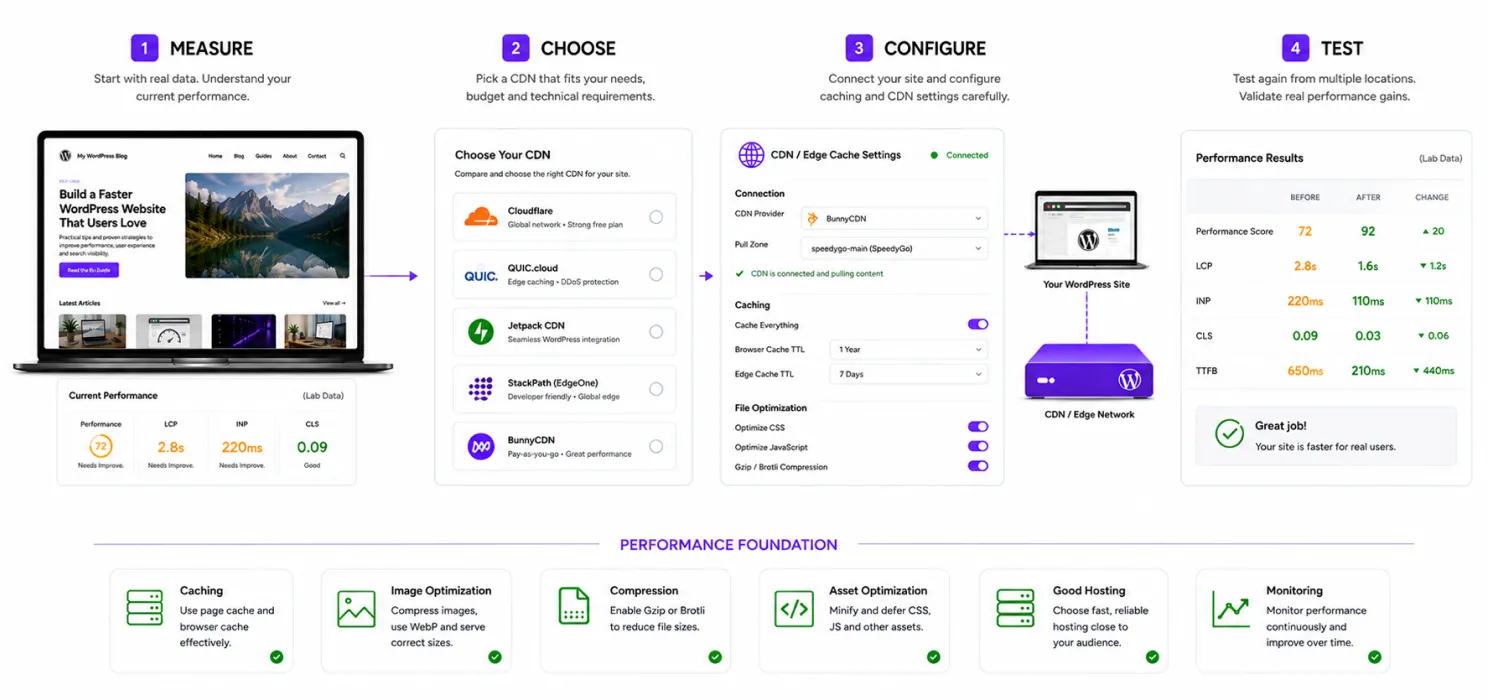
You don’t need to spend hundreds of dollars to start improving WordPress delivery. For many websites, a free CDN is a perfectly sensible first step. But choose based on your actual situation.
- Cloudflare is a strong all-rounder.
- QUIC.cloud makes particular sense for LiteSpeed users.
- Jetpack keeps things simple for WordPress-focused users.
- And Bunny is worth considering when you’re ready to move from “free” to a very affordable paid CDN.
Just remember: A CDN moves content closer to your visitors. It doesn’t automatically make bad content, bad code or bad hosting fast.
For the best results, combine your CDN with: Caching + image optimization + compression + asset optimization + good hosting + regular monitoring.
That’s when your WordPress website stops relying on one performance trick and starts using a proper speed strategy. And if you’re still unsure where to start, start small.
Measure your website.
Choose one CDN.
Configure it carefully.
Test the results.
Then decide whether you need anything more. You don’t need the most expensive performance stack. You need the right one for the website you actually have.

Frequently Asked Questions
Find answers to common questions about free CDNs for WordPress, including setup, performance, caching, WooCommerce, traffic limits, and choosing the right CDN.
What is a CDN and how does it speed up WordPress?
A CDN (Content Delivery Network) stores copies of website resources across multiple locations and delivers them from a location closer to the visitor. This can reduce latency and lower the number of requests handled directly by your WordPress server.
What is the best free CDN for WordPress?
There isn’t one CDN that is best for every website. Cloudflare is a strong all-round option, QUIC.cloud is particularly useful for LiteSpeed websites, and Jetpack is a simpler option for WordPress users who mainly want image and static-file delivery.
Is Cloudflare really free for WordPress?
Cloudflare offers a Free plan that includes CDN functionality, universal SSL, and DDoS protection. The exact features and limitations depend on the plan and configuration.
Is QUIC.cloud free for WordPress?
Yes. QUIC.cloud offers a free CDN plan, including unlimited bandwidth, but its free CDN network has limitations on available points of presence compared with its paid Standard plan.
Is Jetpack CDN free?
Yes. Jetpack provides a free CDN that can optimize and deliver images and certain static files such as CSS and JavaScript through its network.
Is Bunny CDN free?
Bunny CDN is not a permanently free CDN. It offers a free trial, after which its CDN operates on a pay-as-you-go pricing model. It can be a cost-effective option when you’re ready to move beyond a free CDN.
Does a free CDN make WordPress automatically faster?
No. A CDN mainly improves content delivery. It won’t automatically fix slow PHP, poor database queries, oversized images, heavy plugins, excessive JavaScript, or poor hosting. For better results, combine a CDN with caching, image optimization, compression, and other performance improvements.