8 mins read
Page Speed Optimization Cost in 2026: What Agencies Really Charge
Share Article :


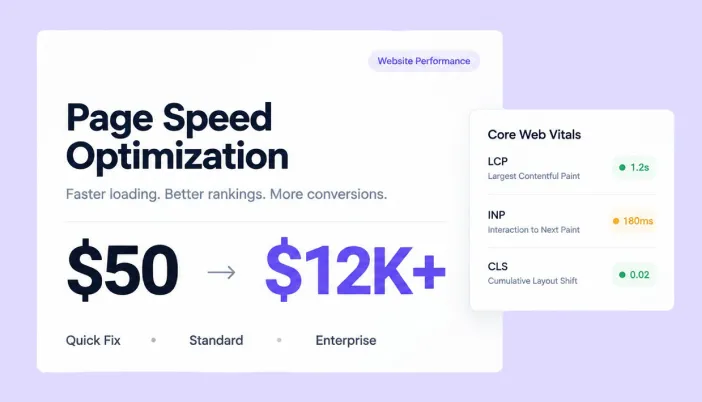
This blog breaks down real 2026 pricing for page speed optimization, from $50 plugin tweaks to enterprise retainers running thousands per month.
You’ll get actual price ranges by service tier, what drives website speed optimization pricing up or down, what a fair Core Web Vitals agency pricing structure looks like, and the ROI data that justifies the spend. There’s a pricing comparison table, a real-world example, and an FAQ section answering exactly what buyers ask before hiring an agency.
What does page speed optimization actually cost in 2026?
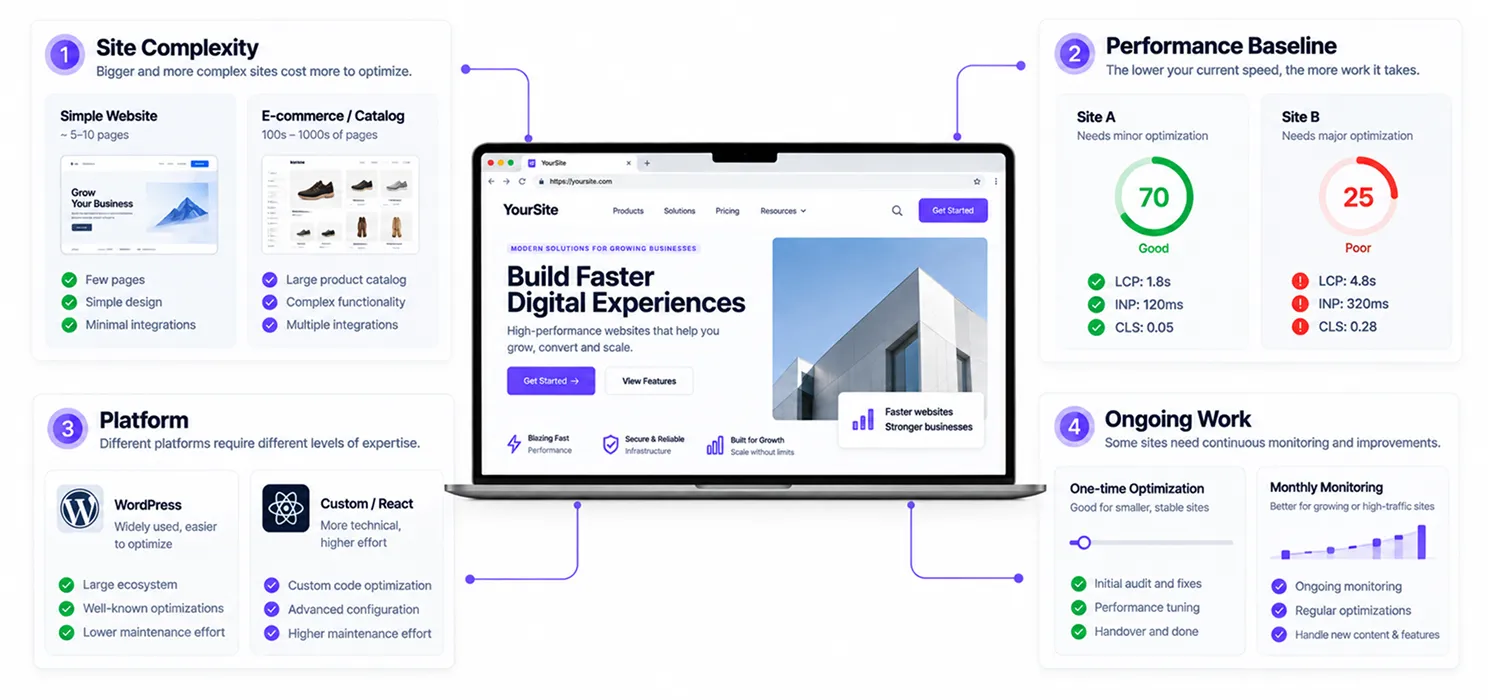
The honest range is wide: page speed optimization cost typically falls between $50 and $12,000, depending on what’s actually being fixed. Most agencies bill hourly, somewhere between $50 and $150 per hour, though flat-rate packages have become more common as the service has matured.
That range isn’t a vague disclaimer; it reflects genuinely different jobs. A $50 fix might mean enabling a caching plugin and compressing a few images. A $12,000 engagement might mean re-architecting how a high-traffic site renders content entirely.
For most standard business websites, the real number lands in the middle. A focused, comprehensive optimization package commonly runs $500 to $1,500 for straightforward WordPress sites, while more complex layouts, custom code, or large e-commerce catalogs push costs toward $1,500 to $5,000 as a one-time project.
Why does website speed optimization pricing vary so much?
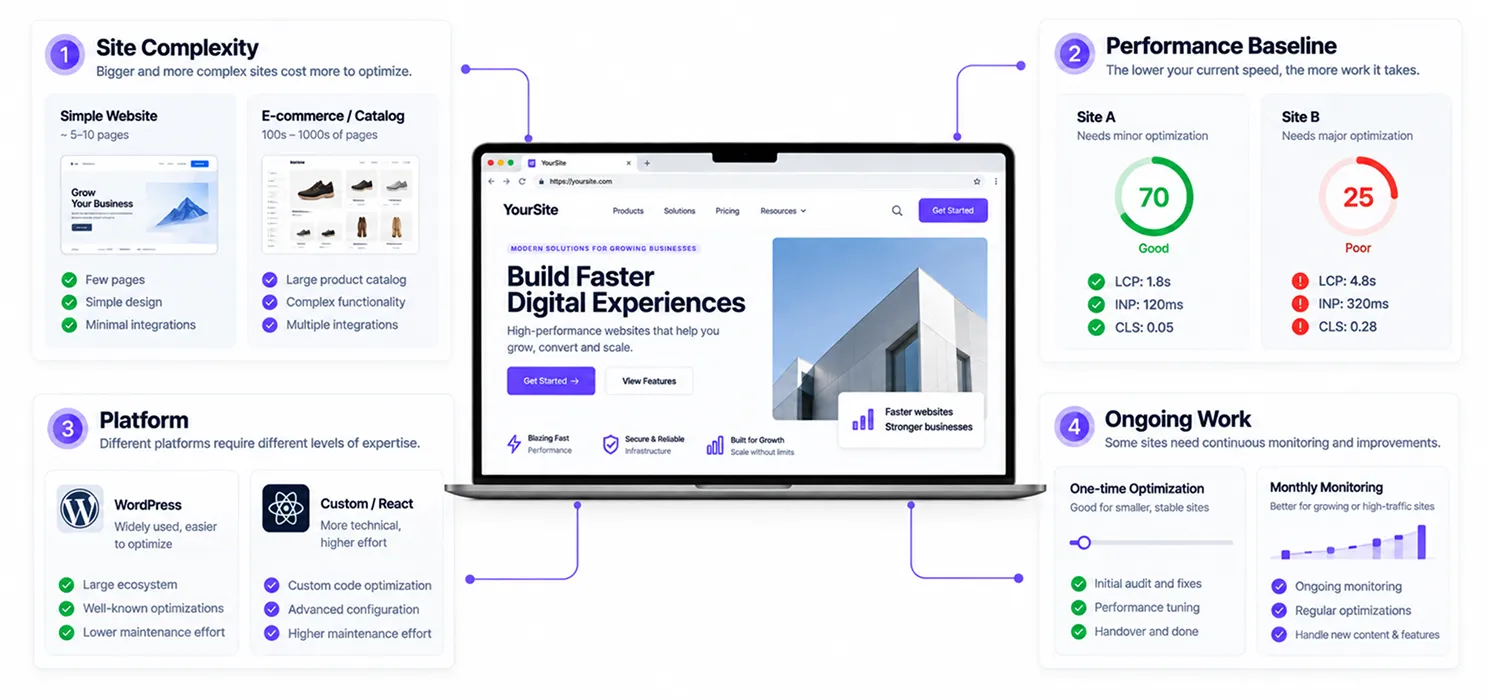
Because “make my site faster” can mean five different jobs, and each one costs differently.
- Site complexity is the biggest driver. A ten-page brochure site with a handful of images costs far less to optimize than a database-heavy e-commerce catalog with thousands of product pages and third-party integrations.
- Current performance baseline matters just as much. A site scoring 70 on PageSpeed Insights needs a few targeted fixes. A site scoring 25 usually has compounding issues: bloated themes, unoptimized images, render-blocking scripts, poor hosting that takes real diagnostic time to untangle. If you’re not sure which category you fall into, our breakdown of why your site is failing Core Web Vitals covers the most common root causes before you even talk to an agency.
- Platform shifts pricing too. WordPress optimization is generally cheaper because the tooling and plugin ecosystem are mature. A React or custom-coded site often costs more per hour, but the fixes tend to be more durable since there’s no plugin conflict risk to manage long-term a trade-off worth weighing if you’re already considering a custom React site vs. a WordPress theme.
- Ongoing vs. one-time work is the last major factor. A single optimization sprint is priced as a project. Ongoing monitoring and maintenance, which prevents scores from silently regressing after a plugin update, is priced as a monthly retainer.
What does Core Web Vitals agency pricing actually look like by tier?
Here’s how the market breaks down in practice, based on current 2026 pricing across agencies of different sizes:
| Tier | Typical Price | What’s Included |
| Basic / DIY-assisted | $50 – $500 | Plugin configuration, image compression, caching setup |
| Standard agency package | $500 – $1,500 | Full Core Web Vitals audit, render-blocking fixes, hosting review |
| Comprehensive project | $1,500 – $5,000 | Custom code optimization, CDN setup, database tuning, multi-page fixes |
| Enterprise / ongoing retainer | $1,800 – $4,800 per month | Continuous monitoring, editorial-scale performance engineering, dedicated team |
The “comprehensive” tier is where most established businesses find the best value; it’s the space between a cheap plugin toggle that won’t hold up over time and an enterprise retainer sized for sites with far higher traffic and complexity than most businesses actually have.
What’s included in a proper Core Web Vitals audit service?
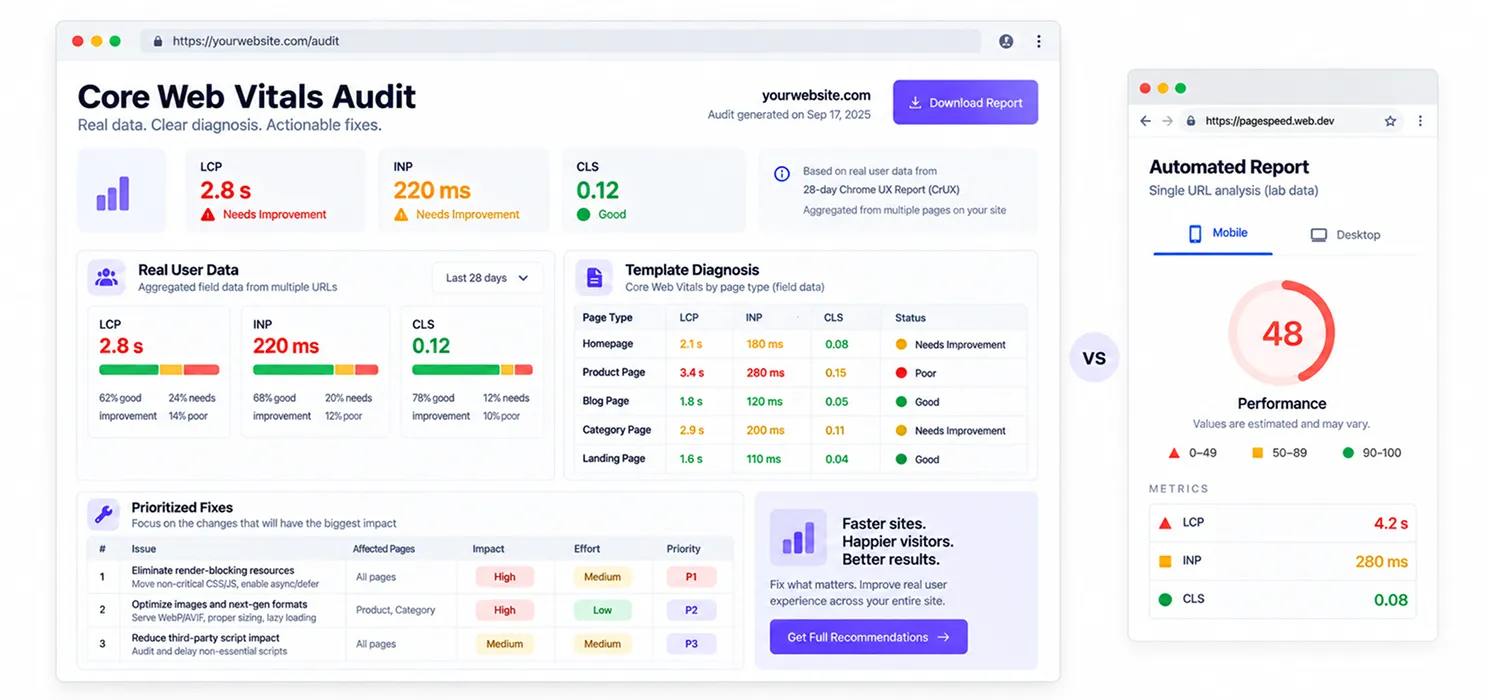
A real audit isn’t just running your homepage through PageSpeed Insights once. It typically includes pulling real-user field data from Search Console, diagnosing which specific templates are failing and why, and prioritizing fixes by actual impact rather than by whichever issue is easiest to fix first.
If you want the full breakdown of what a proper Core Web Vitals audit service should include before you pay for one, it’s worth reading alongside this pricing guide. Knowing what belongs in the deliverable is how you tell a $500 quote that’s a real audit from one that’s a five-minute automated report with your logo on it.
Is page speed optimization actually worth the cost?
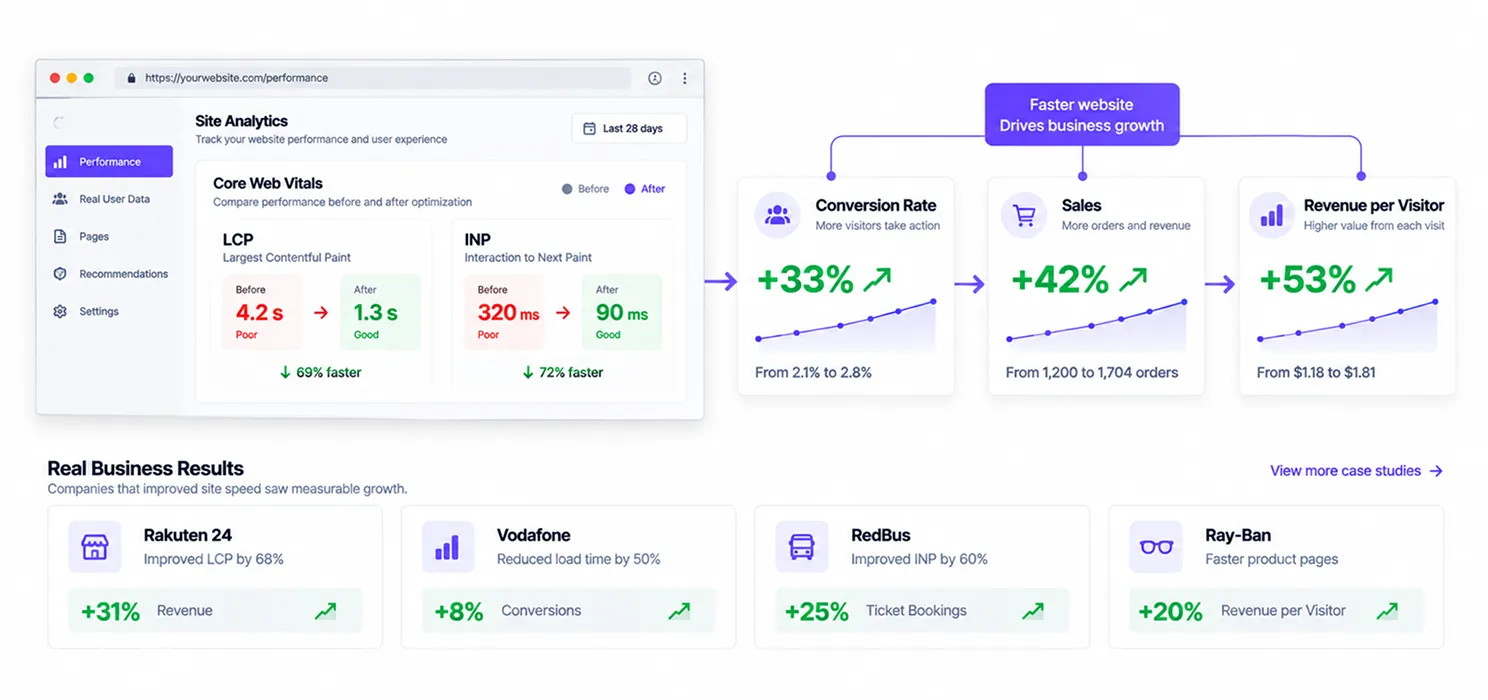
The ROI data here is some of the clearest in digital marketing, because Google has published verified case studies rather than agencies making the claims themselves.
Rakuten 24 ran an A/B test and found that improving LCP alone led to a 53.37% increase in revenue per visitor and a 33.13% increase in conversion rate. Vodafone Italy improved LCP by 31% and saw 8% more sales from the change alone. RedBus improved INP specifically and saw a 7% increase in sales, proof that responsiveness, not just load time, moves revenue. Ray-Ban’s mobile product page conversion rate increased by 101.47% after using prerendering to speed up key pages.
Sites that pass Core Web Vitals thresholds see an average ranking boost of around 25% compared to those that don’t, and Amazon’s often-cited internal finding that every 100 milliseconds of latency costs roughly 1% in sales still holds up as a rough industry benchmark today.
Given that only about 40% of mobile sites currently pass Core Web Vitals, the businesses that do invest in fixing this are competing against a majority that hasn’t. That gap is exactly where the return on a speed optimization budget tends to show up fastest.
How do you avoid overpaying for page speed optimization?
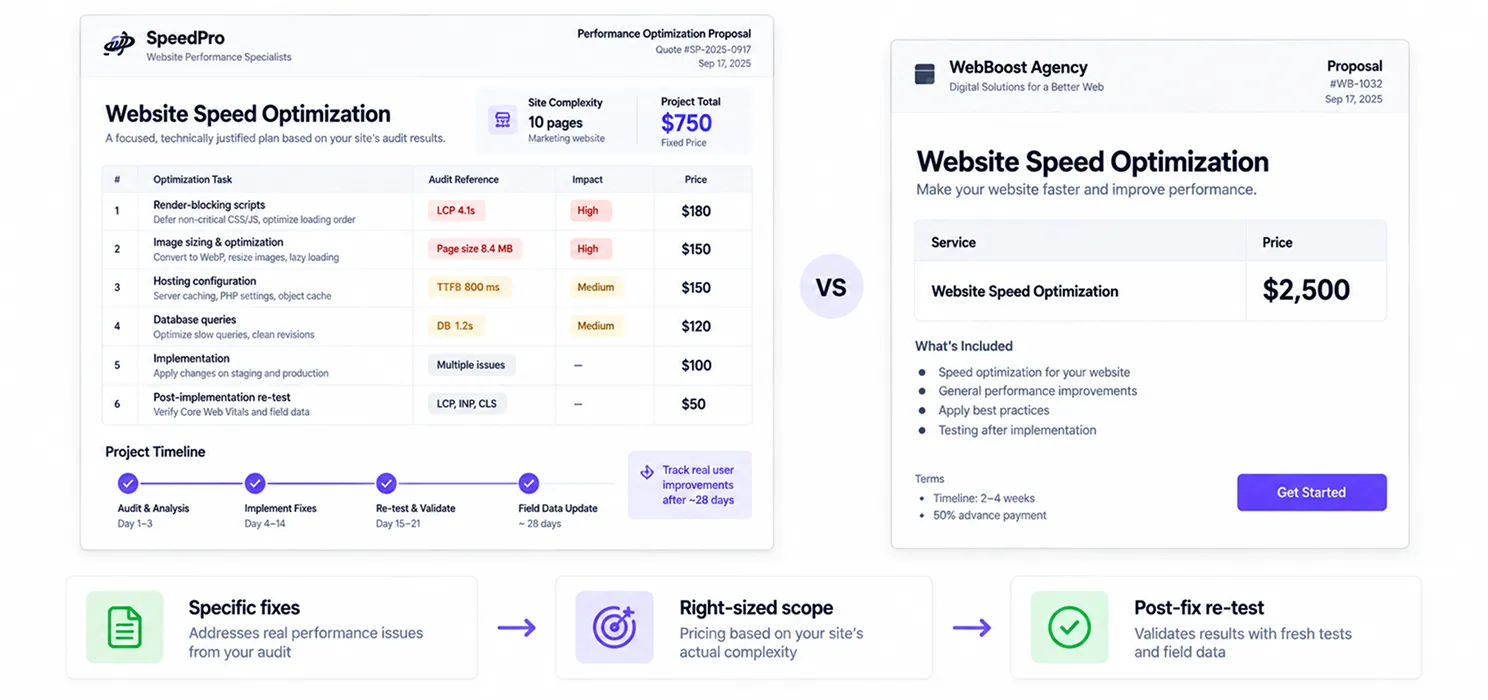
Three questions separate a fair quote from an inflated one.
Does the quote specify what’s actually being fixed?
A vague “we’ll speed up your site” proposal is a red flag. A real quote references specific issues: render-blocking scripts, image sizing, hosting configuration, and database queries tied to your actual audit results.
Is pricing scaled to your site’s real complexity?
A ten-page marketing site quoted at enterprise-retainer pricing is being overcharged. A high-traffic e-commerce catalog quoted at $200 flat is being underserved, and the fixes likely won’t hold.
Does it include a re-test after implementation?
Since Google’s CrUX field data takes roughly 28 days to fully update, any agency worth paying should build in a follow-up check rather than declaring victory the day changes go live.
A practical example
A mid-sized e-commerce brand was quoted $8,500 by one agency for a “full performance overhaul,” and $1,200 by another for a “comprehensive Core Web Vitals fix.” Same site, wildly different numbers.
The cheaper quote turned out to only address image compression and caching a good start- but it left unresolved render-blocking JavaScript from four different marketing scripts that were the actual cause of the site’s failing LCP score. The more expensive quote addressed all of it, including a CDN migration the site genuinely needed given its international traffic.
The lesson wasn’t “always pay more.” It was that the itemized scope, not the headline number, determined which quote was actually worth paying. The business ended up negotiating a middle-ground scope with the pricier agency once it became clear the cheaper option wouldn’t fix the root cause.
Can SpeedyGo reduce the cost of WordPress speed optimization?
If you run a WordPress website and don’t need a full custom performance project, a speed optimization plugin can cover many of the common fixes at a much lower cost.
SpeedyGo is built for WordPress websites and combines several performance features in one plugin, including page caching, cache preloading, WebP image optimization, lazy rendering, CSS and JavaScript minification, GZIP/Brotli compression, and JavaScript delay. It also includes built-in BunnyCDN and a managed cloud layer for sites that need more than basic plugin-level optimization.
The pricing is considerably lower than a typical agency engagement. SpeedyGo has a free plan for one website, while paid plans start at $3/month when billed annually. Higher plans add more storage, WooCommerce support, and additional developer support time.
That makes it useful for businesses that need to improve their site’s baseline performance without immediately spending $500 to $1,500 on a full optimization project.
However, a plugin isn’t a replacement for every type of performance work. If your site has inefficient custom code, database bottlenecks, poor hosting, third-party script issues, or architectural problems, you may still need a developer or performance agency to diagnose and fix those underlying issues.
The practical approach is to start with the fixes a performance plugin can handle, measure the results, and then invest in custom optimization if the remaining Core Web Vitals issues require deeper technical work.


Frequently Asked Questions
How much does page speed optimization typically cost?
Prices generally range from $50 for basic plugin-level fixes to $12,000 for complex, enterprise-scale projects. Most standard business websites land in the $500 to $1,500 range for a comprehensive one-time optimization package, with hourly rates typically running $50 to $150.
What is a fair price for Core Web Vitals agency pricing?
A standard agency package covering a full audit, render-blocking fixes, and hosting review typically runs $500 to $1,500. More complex sites with custom code or heavy e-commerce catalogs often run $1,500 to $5,000, while ongoing enterprise retainers with continuous monitoring range from $1,800 to $4,800 per month.
What's the cost to improve my PageSpeed score specifically?
It depends on your starting point. A site already scoring in the 60s or 70s might only need a few hundred dollars in targeted fixes. A site scoring below 30 usually has compounding issues bloated code, poor hosting, unoptimized images that require a more comprehensive project, typically starting around $1,000 and scaling with complexity.
Is website speed optimization pricing different for WordPress versus custom-coded sites?
Yes. WordPress optimization is generally cheaper due to a mature plugin ecosystem and standardized tooling, often landing in the $500 to $1,500 range. Custom-coded or React-based sites typically cost more per hour to optimize, though the fixes tend to be more durable since there’s no ongoing plugin conflict risk.
Is it worth paying for a professional Core Web Vitals audit service instead of doing it myself?
For most businesses with real traffic and revenue at stake, yes. DIY tools can flag surface-level issues, but a professional audit diagnoses root causes across templates, hosting, and third-party scripts, and prioritizes fixes by actual revenue impact something automated reports typically can’t do.
How long does it take to see results after paying for speed optimization?
Initial technical changes can usually be implemented within one to two weeks. However, Google’s Core Web Vitals field data reflects a rolling 28-day window, so official score improvements and ranking effects typically take a full month or more to fully reflect the changes.
Does spending more on speed optimization guarantee better results?
No, scope matters more than price. A cheaper quote that addresses only surface-level issues (like image compression) without fixing root causes (like render-blocking scripts or poor hosting) often needs to be redone. The best value tends to come from an itemized, comprehensive package rather than the highest or lowest price on the table.