7 mins read
SpeedyGo vs Traditional WordPress Caching Plugins: Which Setup Makes More Sense?
Share Article :


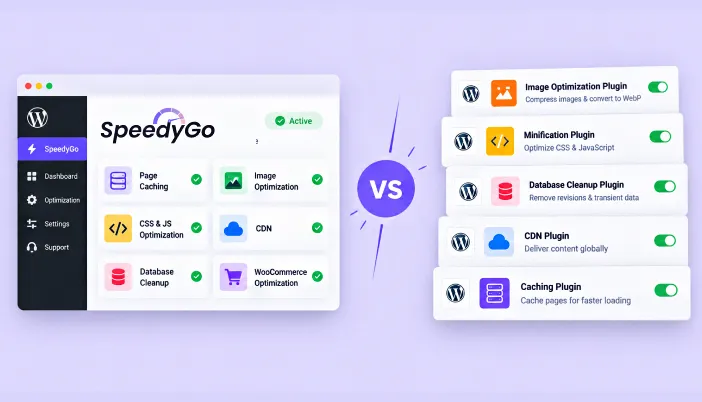
This blog compares SpeedyGo’s all-in-one approach against the traditional way most WordPress sites handle speed, stacking a caching plugin with separate image optimization, minification, and database cleanup tools.
You’ll get a real WordPress performance plugin comparison covering setup complexity, cost, and conflict risk, plus a clear breakdown of when an all-in-one WordPress speed optimization tool actually makes sense and when a traditional multi-plugin stack still holds up. There’s a comparison table, a practical example, and an FAQ section answering the questions people ask before switching their setup.
What’s actually different between SpeedyGo and a traditional caching plugin stack?
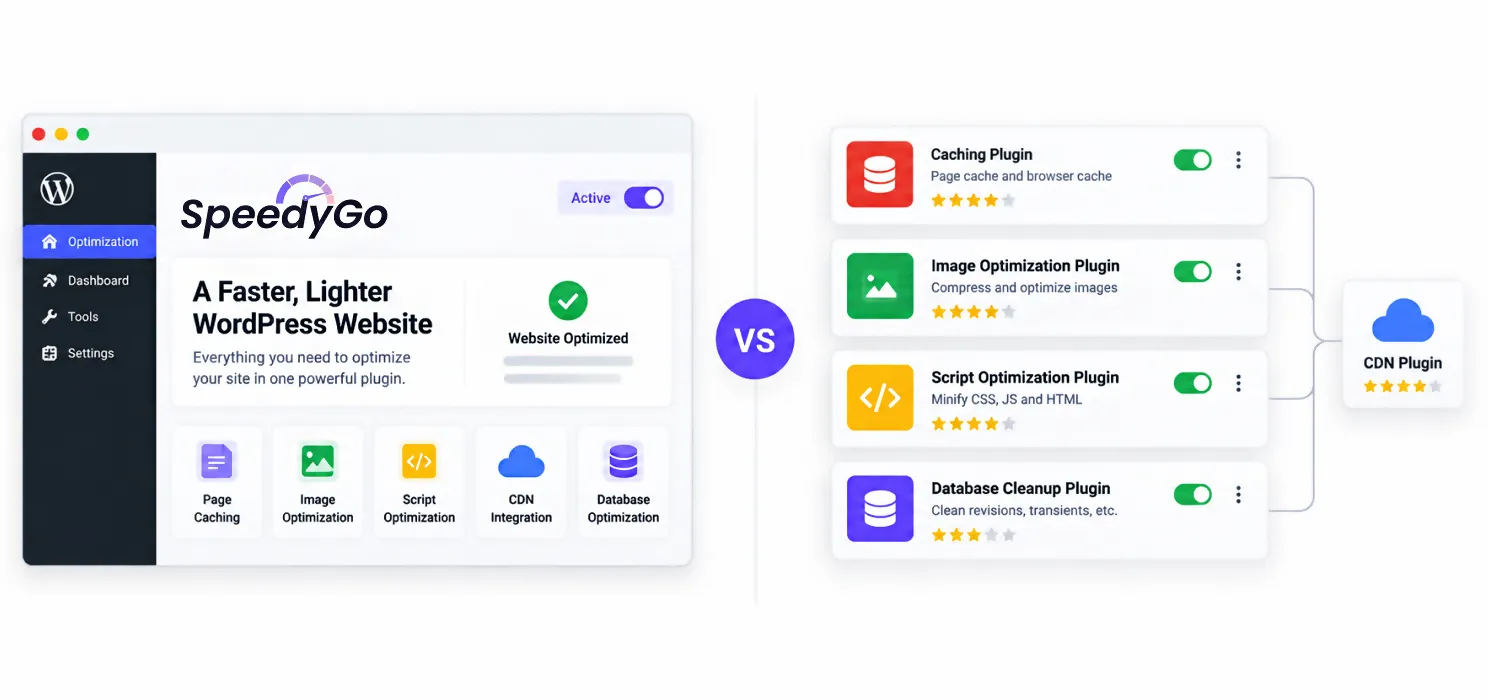
A traditional caching plugin does one job well: it saves a static version of your page so the server doesn’t rebuild it on every visit. Everything else your site needs- image optimization, script minification, database cleanup, a CDN- usually comes from separate plugins layered on top.
SpeedyGo takes a different approach by bundling page caching, WebP image conversion, cache preloading, lazy rendering, script optimization, a built-in CDN through BunnyCDN, and WooCommerce-safe optimization into one plugin with one settings panel. The comparison isn’t really “which plugin is faster.” It’s “one integrated tool versus several tools working together,” and each approach has genuine tradeoffs worth understanding before you pick one.
Why do most traditional caching setups end up needing more than one plugin?
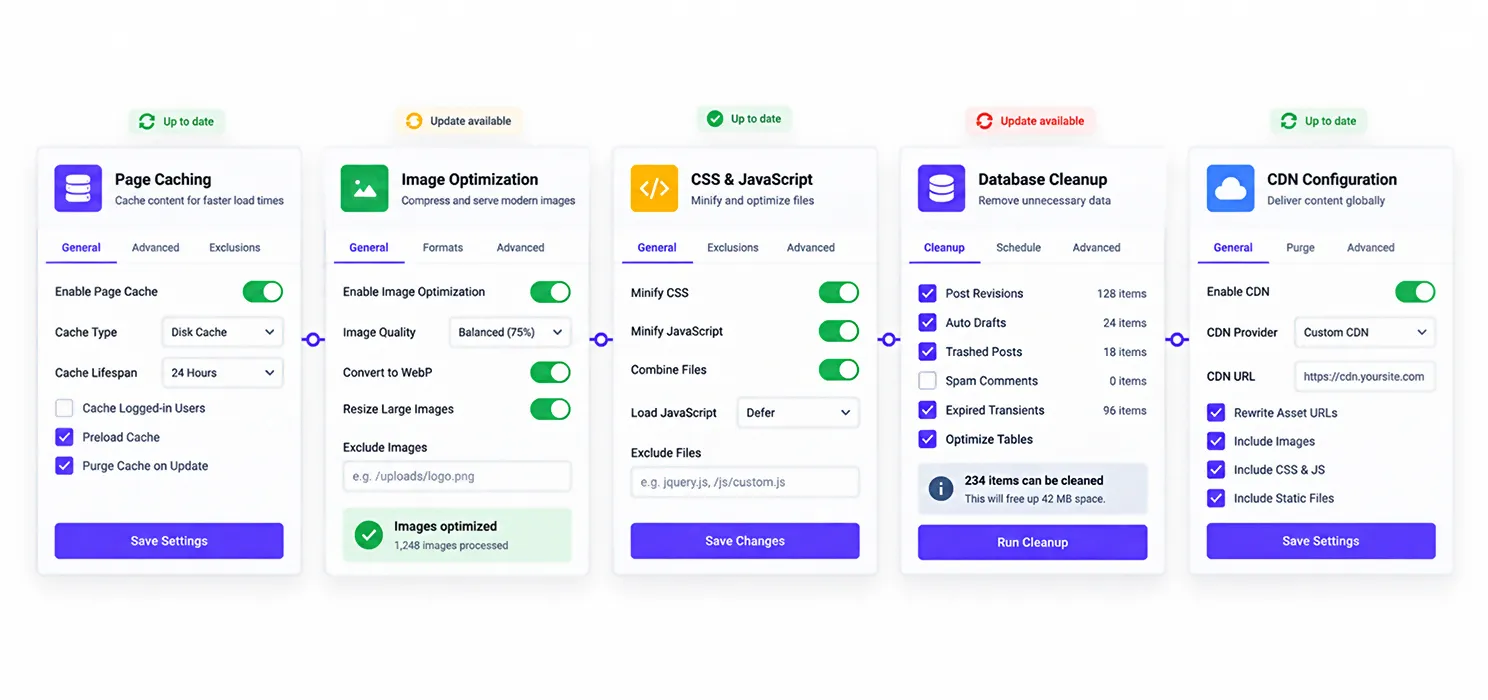
A caching plugin alone rarely covers everything a modern WordPress site needs for real performance. In practice, most sites running a traditional setup end up combining several tools: a page caching plugin like WP Rocket or LiteSpeed Cache, a separate image optimizer for compression and WebP conversion, a minification tool for CSS and JavaScript if the caching plugin doesn’t handle it well, a database cleanup plugin to manage post revisions and bloated options tables, and a CDN configured independently from all of the above.
That’s commonly four or five separate settings panels, each maintained by a different developer, each updating on its own schedule, and each with its own way of interacting with your theme and other plugins. It works, and plenty of well-optimized sites run exactly this kind of stack successfully. But it also means more surface area for something to conflict, and more places to check when a page suddenly starts loading differently after an update.
What does an all-in-one WordPress speed optimization approach actually include?
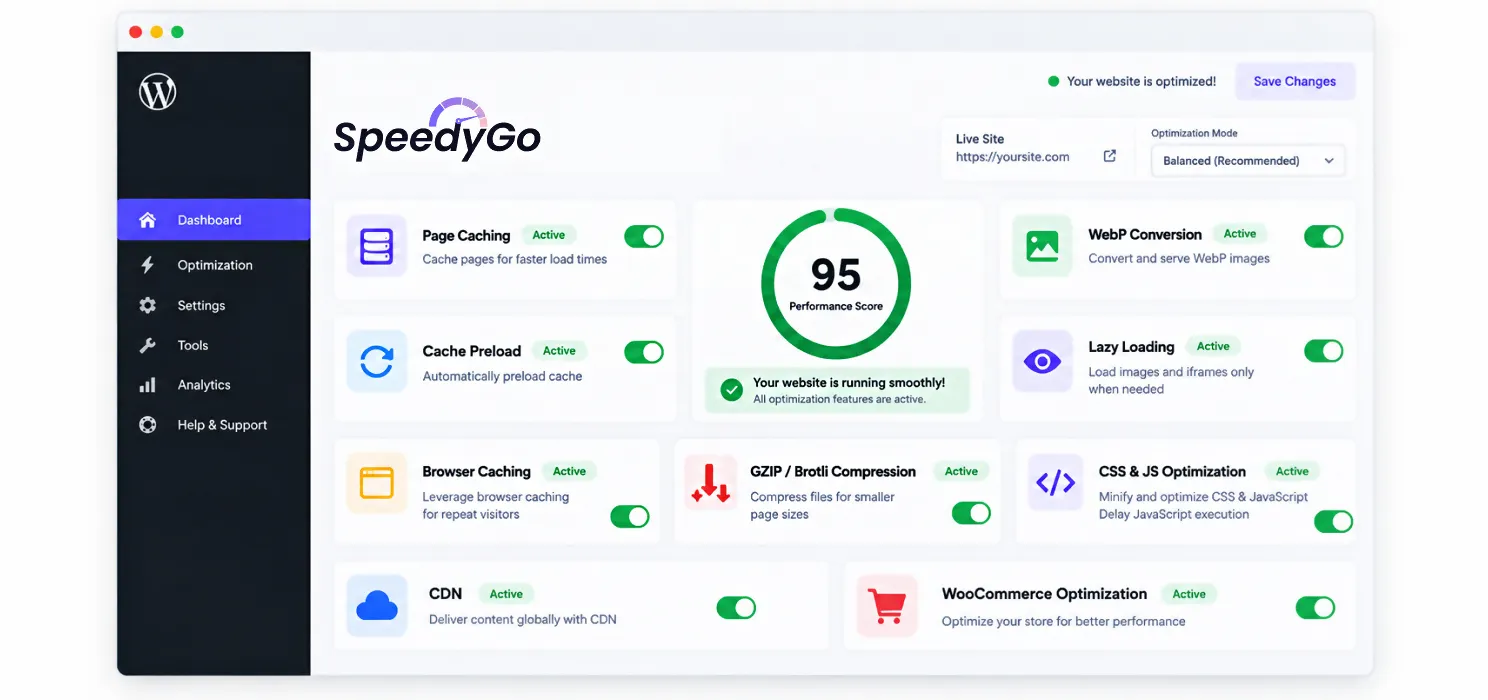
The appeal of a bundled tool is that the pieces are built to work together from the start, rather than assembled from plugins that were never designed with each other in mind.
SpeedyGo’s feature set covers page caching and cache preloading, automatic WebP image conversion, automatic lazy rendering for images and videos, browser caching, GZIP and Brotli compression, CSS and JavaScript minification and combination, JS interaction delay for improving responsiveness, a built-in CDN, and WooCommerce-specific optimization that leaves cart and checkout functionality untouched. All of it lives in one plugin, tested for compatibility with WooCommerce, Elementor, Divi, Astra, and the rest of the common WordPress stack.
The practical benefit shows up most clearly when something needs troubleshooting. With one plugin, there’s one place to look. With five plugins, isolating which one caused a conflict often takes longer than fixing the actual problem.
SpeedyGo vs traditional caching plugin comparison
Here’s how the two approaches stack up on the factors that actually affect day-to-day site management:
| Factor | SpeedyGo (all-in-one) | Traditional plugin stack |
| Number of plugins needed | One | Typically three to five |
| Setup complexity | Low, single settings panel | Higher, each tool configured separately |
| Plugin conflict risk | Low, | Higher, especially with minification settings |
| Image optimization | Built-in (WebP conversion) | Usually a separate plugin |
| CDN | Built-in (BunnyCDN) | Usually configured separately |
| Human support included | Yes, on paid plans | Rare, unless paying for a separate service |
| Granular control | Moderate | Higher, especially with tools like W3 Total Cache |
| Typical combined cost | From free, paid tiers starting around $3 to $16/month | Often $10 to $25+/month once stacked across tools |
Notice the tradeoff isn’t one-sided. An all-in-one tool wins clearly on simplicity, conflict risk, and combined cost. A traditional stack still wins if you specifically need the deepest possible control over one particular layer, which is where advanced tools like W3 Total Cache remain relevant for certain users.
Does combining everything into one plugin sacrifice depth or control?
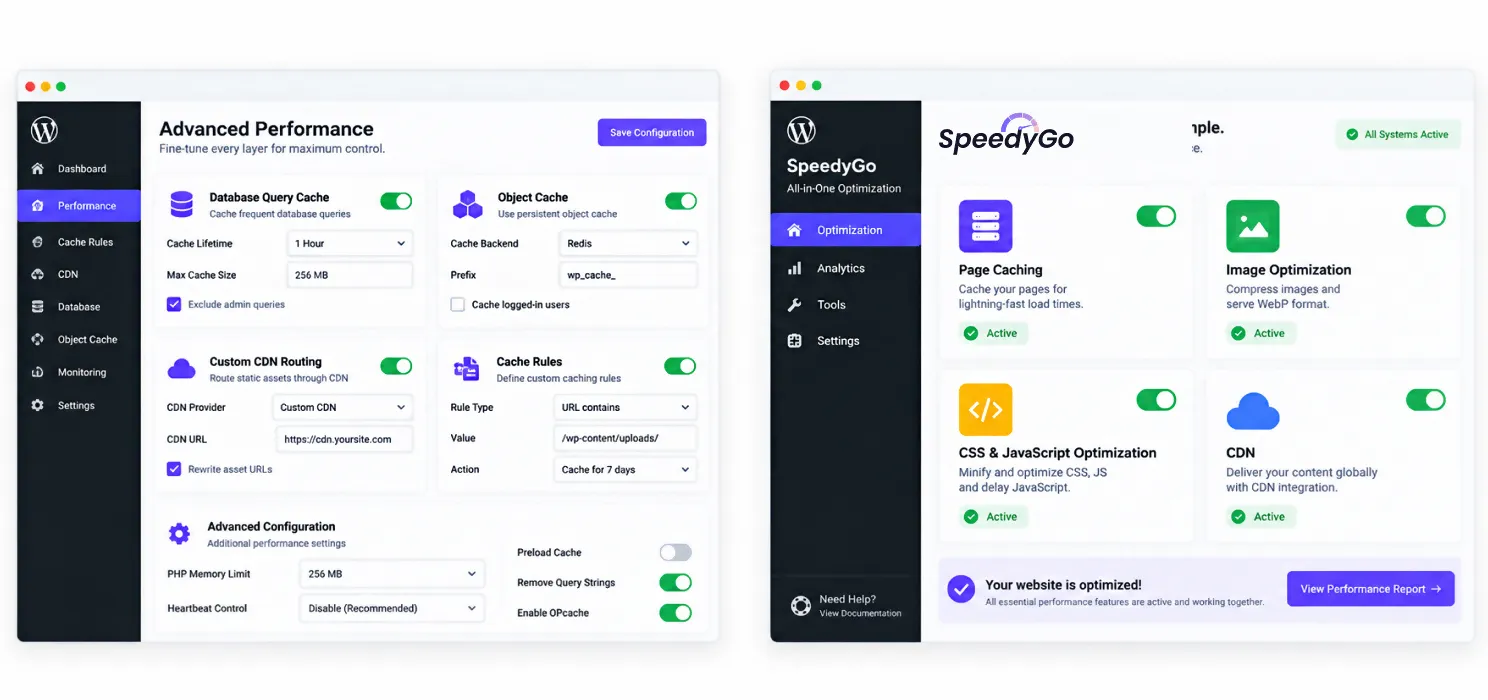
To some degree, yes, and it’s worth being honest about that rather than pretending an all-in-one tool is strictly better in every scenario.
A developer who wants to fine-tune exactly which database queries get cached, configure custom object caching rules, or set up highly specific CDN routing rules will generally find more granular knobs in a specialized tool built entirely around that one function. That depth is real, and for a small number of highly technical, high-traffic sites, it’s worth the added complexity.
For the large majority of business websites, though, that level of granularity solves problems most sites don’t actually have. The features an all-in-one plugin bundles- caching, image optimization, minification, and a CDN- cover the vast majority of what drives real performance gains without requiring anyone to become an expert in four separate tools.
When does a traditional multi-plugin stack still make sense?
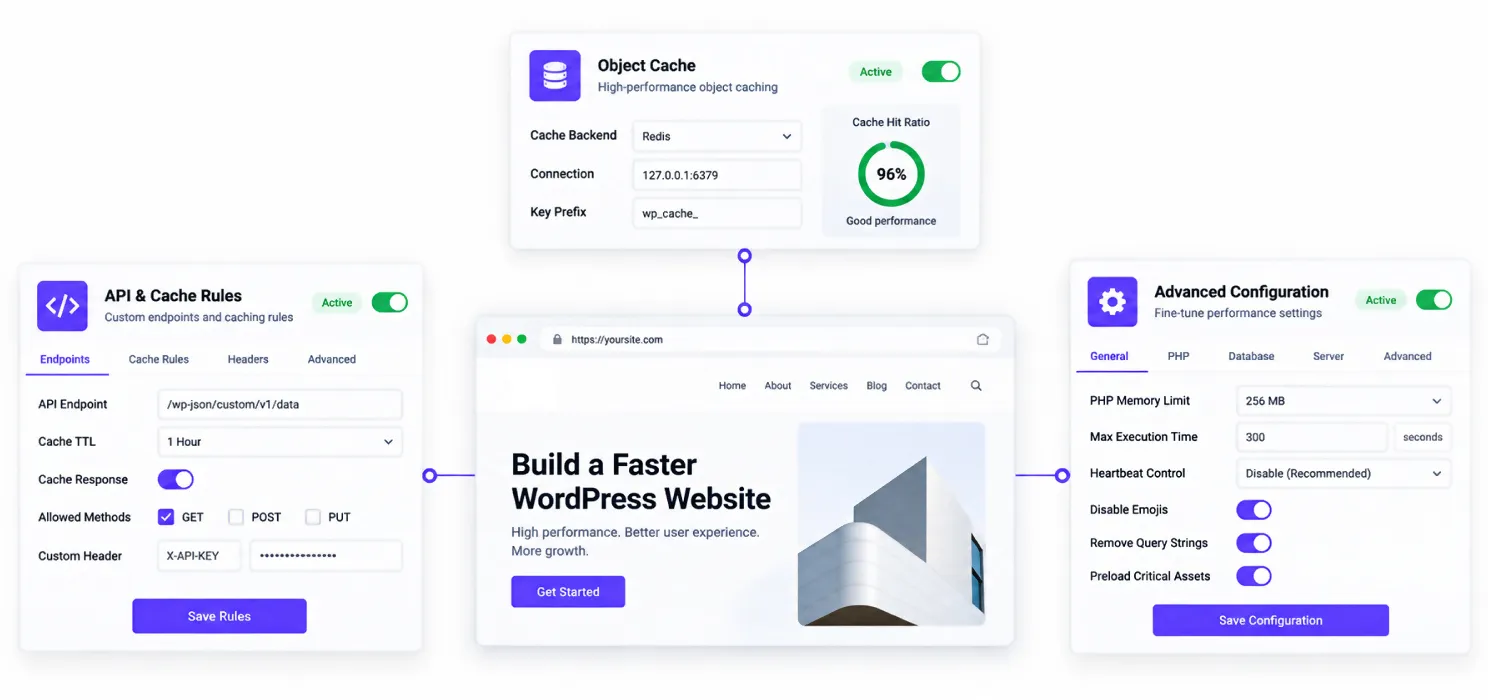
A multi-plugin approach still holds up well in a few specific situations. If you’re already deeply invested in a particular tool, like W3 Total Cache’s object caching configuration, and it’s working well, there’s no urgent reason to rip it out. If your site has genuinely unusual requirements, custom caching rules for a specific API integration, for example, a specialized tool built around that one function may handle it better than a generalist plugin. And if you have in-house technical staff who prefer maintaining full visibility into every layer independently, a stack of specialized tools fits that workflow more naturally than a bundled one.
Outside of those cases, most sites are choosing complexity without gaining a corresponding benefit from it.
A practical example
A small business site was running four plugins: LiteSpeed Cache for page caching, Smush for image optimization, Autoptimize for script minification, and WP-Optimize for database cleanup. Each one worked individually, but a routine WordPress core update caused a conflict between the minification settings in two of the plugins, resulting in broken CSS on the homepage for several days before anyone noticed.
Diagnosing the issue took longer than expected, since the site owner had to deactivate each plugin individually to isolate which one was causing the conflict. After resolving it, the business switched to SpeedyGo’s Plus plan, consolidating caching, image optimization, minification, and CDN delivery into a single tool. The combined monthly cost also dropped, since they’d previously been paying for premium tiers across three separate plugins.
Nothing about the site’s actual content changed. The difference was one settings panel instead of four, and one place to check the next time something needed attention.
Frequently Asked Questions
Is SpeedyGo a full replacement for a traditional caching plugin?
Yes, for most sites. SpeedyGo includes full-page caching as one of its core features, alongside image optimization, minification, and a built-in CDN, which covers what a traditional caching plugin plus several add-ons would otherwise require.
Is an all in one WordPress speed optimization plugin actually as effective as separate specialized tools?
For the majority of business websites, yes. The performance gains from caching, image optimization, and CDN delivery come from the same underlying techniques regardless of whether they’re bundled into one plugin or spread across several. Specialized tools offer more granular control, but most sites don’t need that level of depth to see real speed improvements.
Does using multiple caching related plugins together cause problems?
It can, particularly around minification and script optimization settings, where two plugins attempting to handle the same task can conflict with each other. This is one of the more common causes of unexplained styling or script issues after a routine update.
Is SpeedyGo cheaper than running a traditional multi-plugin stack?
Often, yes. A traditional setup combining a premium caching plugin, an image optimizer, and a database cleanup tool can add up to $10 to $25 or more per month once each tool’s premium tier is included. SpeedyGo’s paid plans start significantly lower, since the same functionality is bundled into a single subscription.
When should I stick with a traditional caching plugin stack instead of switching to an all in one tool?
If you’re already using an advanced, highly configurable tool like W3 Total Cache successfully, or your site has unusual technical requirements that need granular, specialized control over one specific layer, there’s little reason to switch. An all-in-one approach is most valuable for sites that want strong performance without managing several separate tools.
How do I know which caching plugin comparison actually applies to my site?
Start by counting how many separate plugins you’re currently running to handle caching, images, minification, and CDN delivery. If it’s more than one or two, and you haven’t run into a specific need for deep, tool-by-tool control, an all-in-one option is worth comparing directly against what you’re paying for and managing today.
Does switching from a multi-plugin stack to SpeedyGo require rebuilding my site?
No. Switching typically involves deactivating your existing caching, image optimization, and minification plugins, then activating and configuring SpeedyGo in their place. No theme or content changes are required, though it’s worth clearing all existing cached files during the switch and testing key pages afterward.