11 mins read
Why Is My WordPress Website So Slow? (15 Common Reasons and Fixes)
Share Article :



In this guide, we’ll look at 15 of the most common reasons WordPress websites become slow, how each one affects performance, and what you can do to fix it.
One of the biggest mistakes WordPress website owners make is assuming that a slow website has one root cause.
It doesn’t.
Over the years, we’ve seen websites where the hosting company was blamed, only to discover the real issue was a page builder overloaded with animations. We’ve also seen people spend hundreds of dollars upgrading their hosting when the biggest performance bottleneck was a few uncompressed images or plugins loading unnecessary CSS and JavaScript on every page.
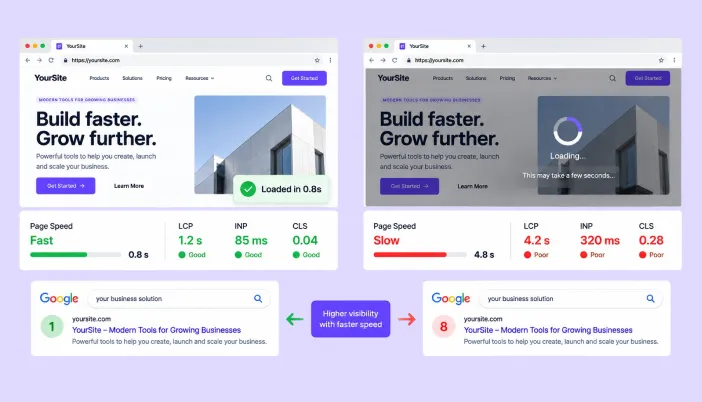
Website performance isn’t like a light switch; it’s more like a chain. Every plugin, theme, image, third-party script, font, and server response adds a little weight. Individually, these may seem insignificant. Together, they determine whether your website loads in two seconds or takes six.
That’s why there’s rarely a single fix that magically makes a WordPress website fast. The first step is understanding what’s actually slowing it down.
#Reason 1
You’re using low-quality or overloaded web hosting
Problem:
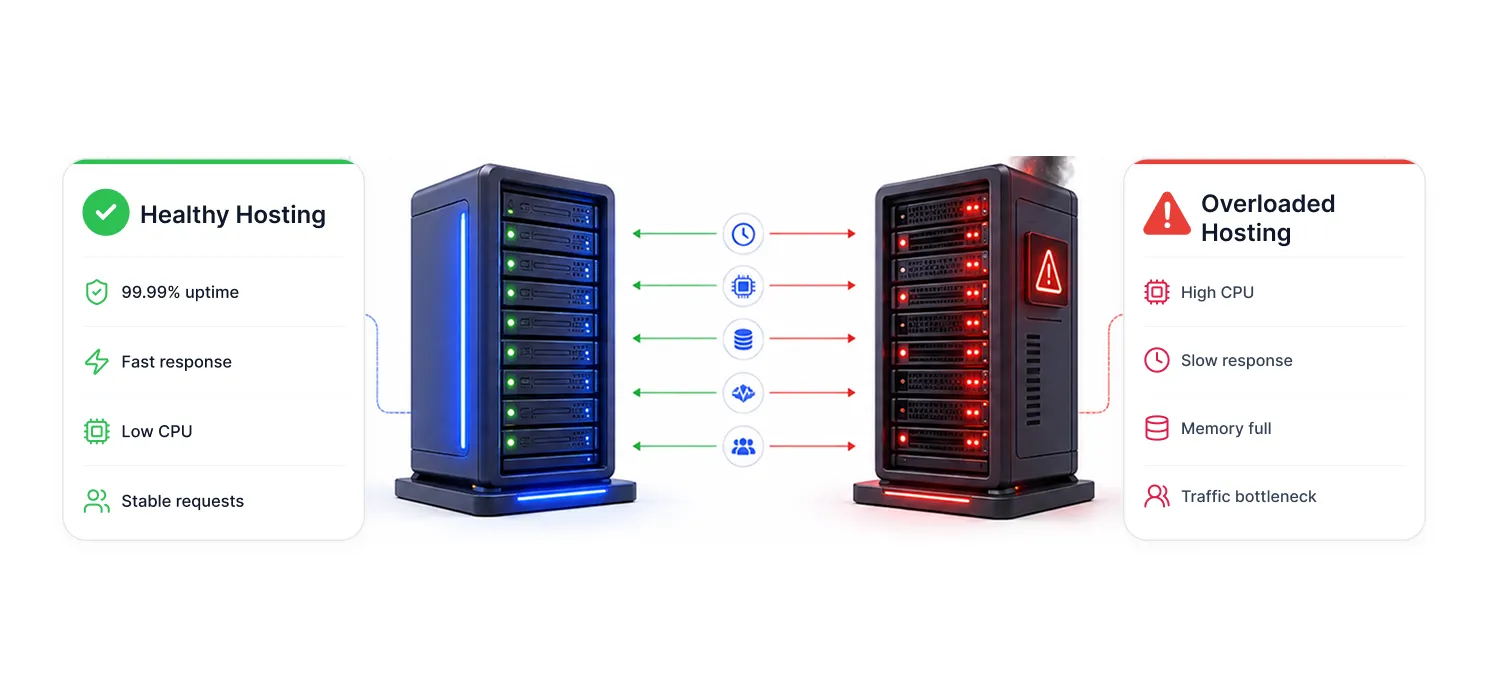
Your hosting is the foundation of your website. If your server is slow, overloaded, or has limited resources, your website will struggle to load quickly, even if everything else is optimized.
Many website owners spend time compressing images or installing speed plugins but ignore the server behind their website. A poor hosting environment can increase loading time, slow down the WordPress dashboard, and affect performance during traffic spikes.
Signs you have this issue:
- Your website is slow even after basic optimization.
- WordPress admin feels sluggish.
- Server response time is high.
- Website speed drops when traffic increases.
Fix:
Choose a reliable WordPress hosting provider with better resources, updated server technology, and proper performance support. If your website has grown, upgrading from basic shared hosting can make a noticeable difference.
#Reason 2
You’re running too many plugins
Problem:
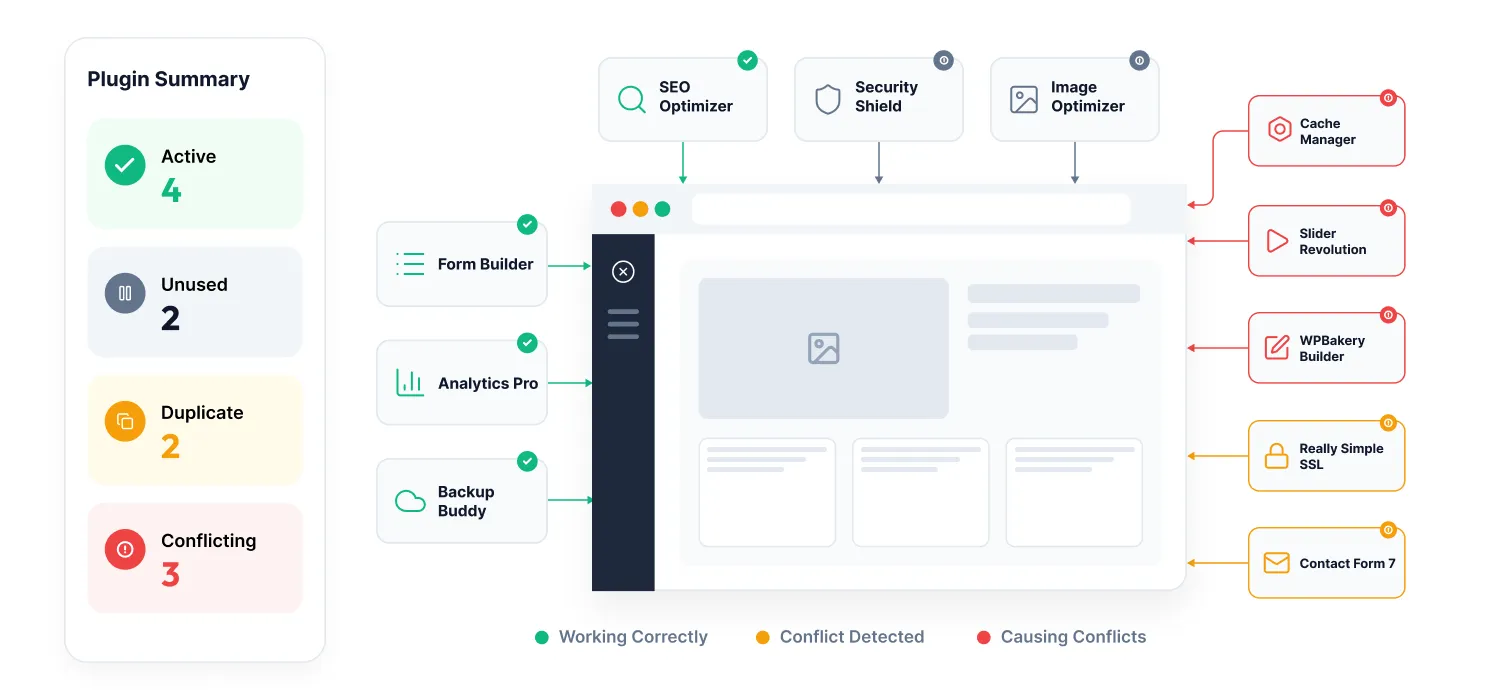
Plugins add useful features to WordPress, but too many poorly optimized plugins can slow down your website. The issue is not always the number of plugins; it’s how they work behind the scenes.
Some plugins load extra CSS, JavaScript, images, or database queries on every page, even when their features are not being used. Multiple plugins doing the same job can also create conflicts and affect performance.
Signs you have this issue:
- Your website became slower after installing a new plugin.
- You have unused or outdated plugins.
- Multiple plugins provide similar functionality.
- Your website loads many unnecessary files.
Fix:
Regularly review your installed plugins and remove anything you don’t need. Use lightweight, well-maintained plugins and avoid using multiple plugins for the same purpose.
#Reason 3
Your images are larger than they need to be
Problem:
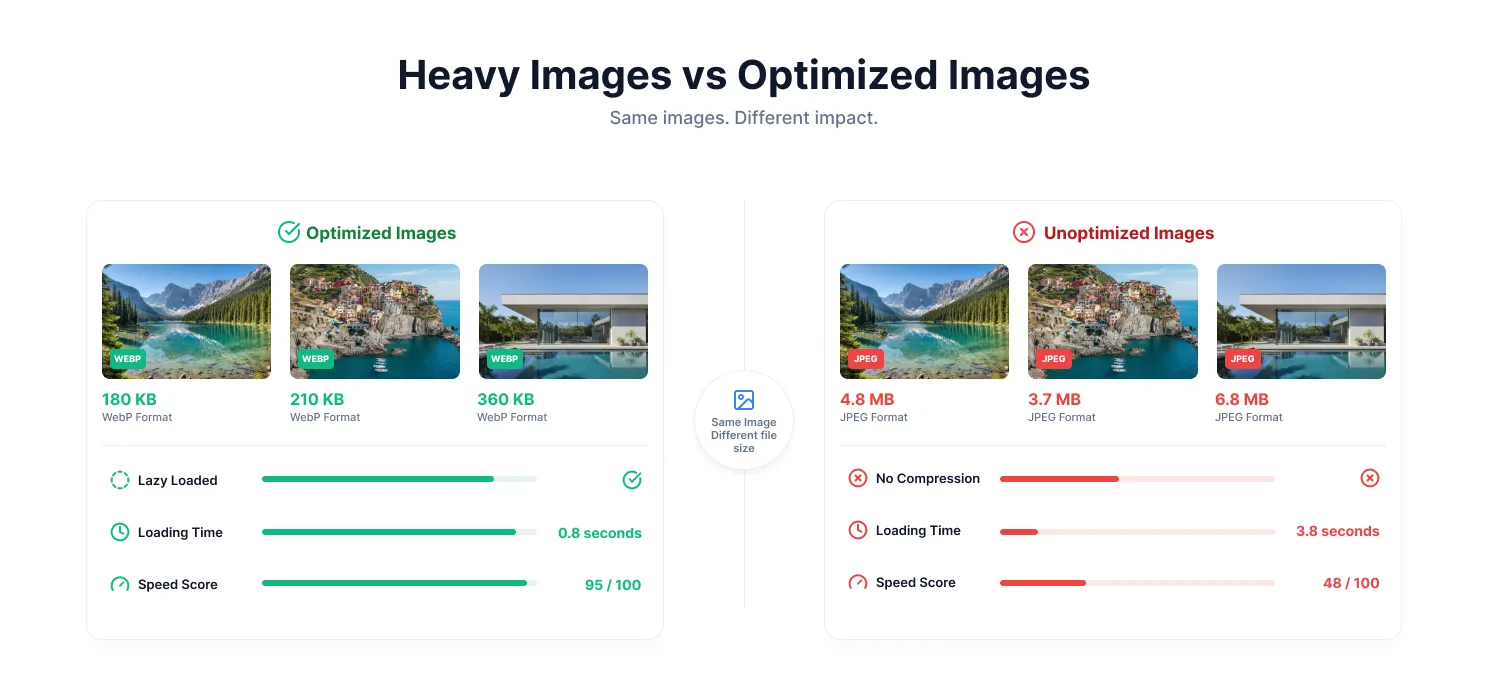
Images are often the largest files on a website, and uploading them without optimization can significantly slow down page loading.
A common mistake is uploading high-resolution images directly from cameras or design tools. While they may look good visually, large file sizes force visitors’ browsers to download more data than necessary, especially on mobile devices.
Signs you have this issue:
- Your pages contain large image files.
- Images are uploaded in their original size.
- Your website feels slower on mobile.
- PageSpeed reports issues with image optimization.
Fix:
Resize images before uploading, compress them without losing quality, and use modern formats like WebP. Enable lazy loading so images load only when visitors need them.
#Reason 4
Your theme is doing more than it should
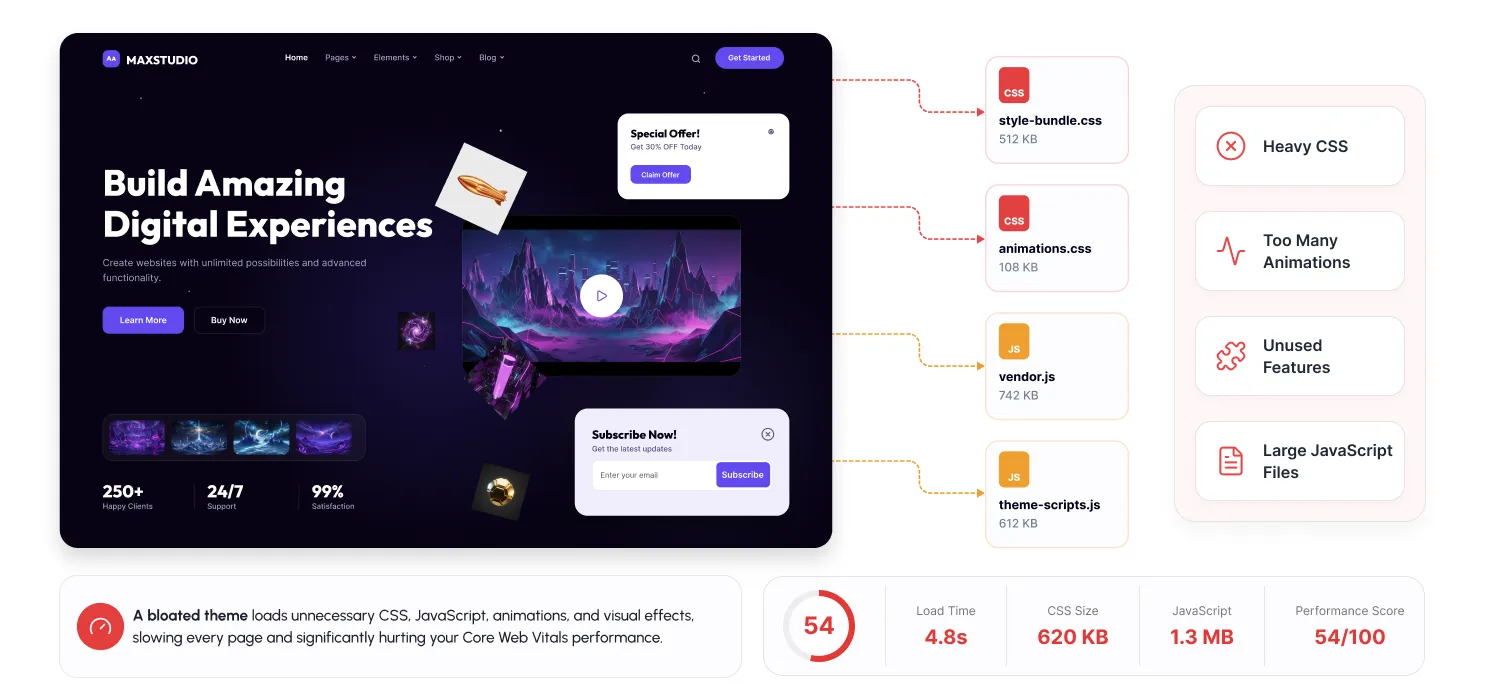
Problem:
Your WordPress theme controls more than just the design. Many themes come packed with sliders, animations, page builder elements, and extra features that load unnecessary CSS and JavaScript files.
Even if you are not using all these features, they may still run in the background, increasing the time your website takes to load.
Signs you have this issue:
- Your website uses many animations or visual effects.
- Pages feel slow before the main content appears.
- Your theme includes features you never use.
- Large CSS and JavaScript files are loading.
Fix:
Choose a lightweight, performance-focused theme and remove unnecessary design elements. A clean website with fewer unused features often performs better than an overloaded design.
#Reason 5
Your website is loading too many third-party scripts
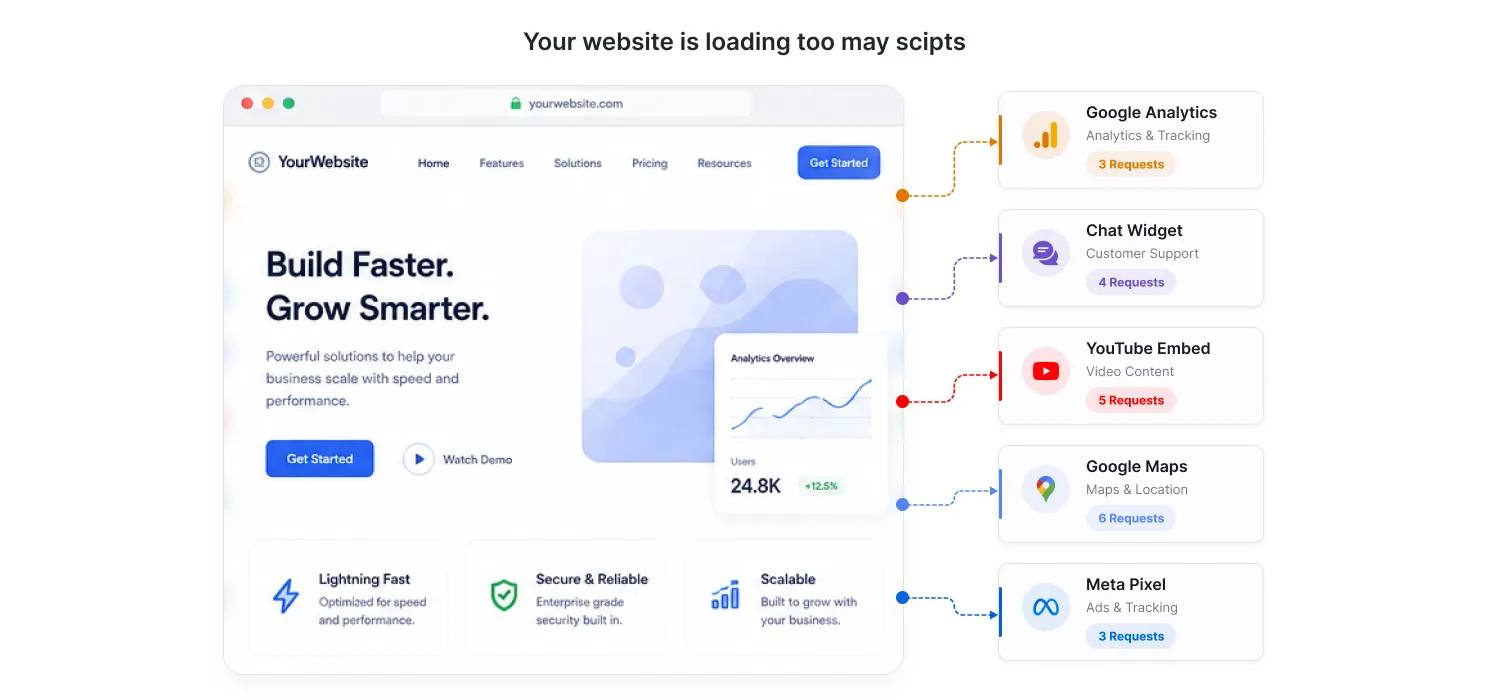
Problem:
Many websites use third-party tools like analytics, tracking pixels, chat widgets, social media feeds, and marketing tools. While these tools can be useful, too many external scripts can slow down your website.
Each script needs to connect with another server before it can load. If multiple tools are running together, they can increase loading time and delay the page from becoming fully interactive.
Signs you have this issue:
- Your website uses many marketing or tracking tools.
- PageSpeed reports issues with third-party code.
- Your website loads slowly despite good hosting.
- Old or unused scripts are still active.
Fix:
Review your third-party tools regularly and remove anything unnecessary. Load only essential scripts and delay non-critical resources to improve loading speed.
#Reason 6
Your database has become bloated
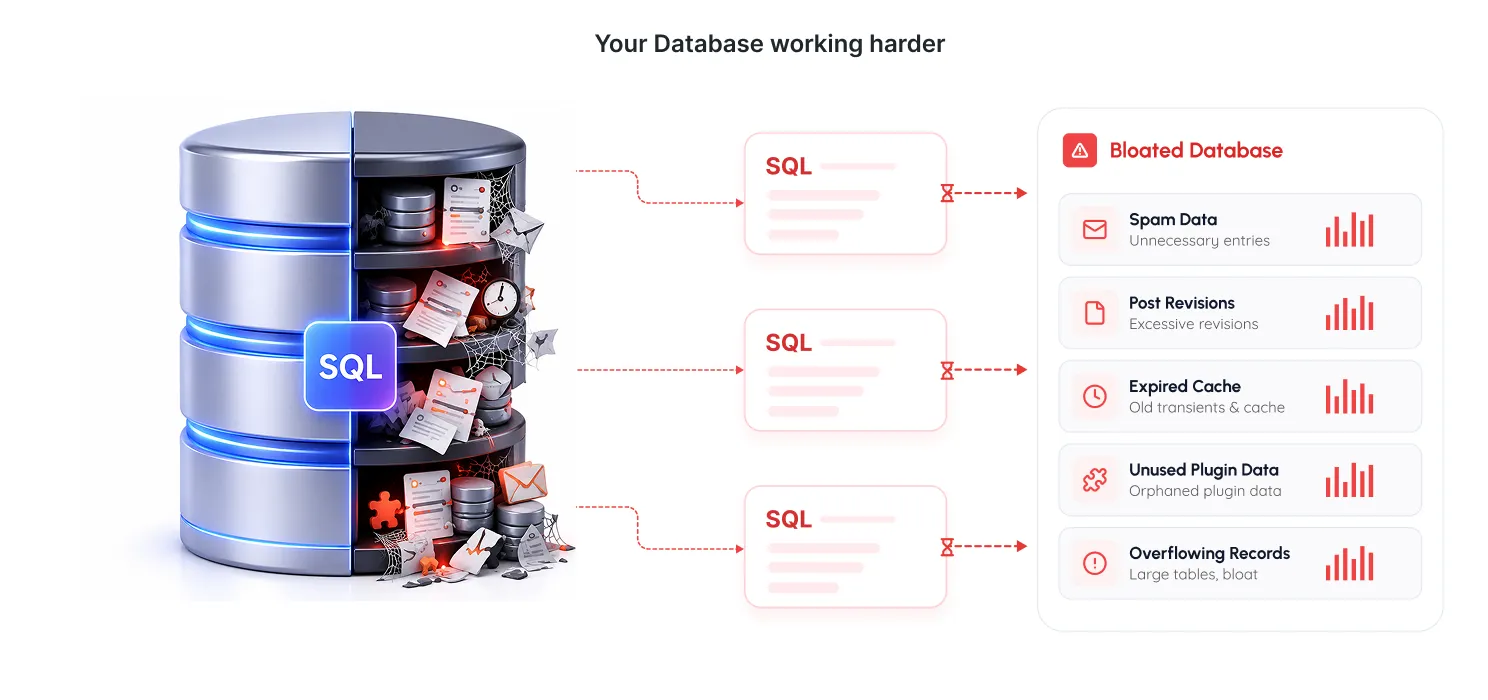
Problem:
Your WordPress database stores important website information, such as posts, pages, settings, and plugin data. Over time, it can also collect unnecessary data such as old revisions, spam comments, expired cache files, and leftover plugin records.
As this extra data keeps building up, database queries can become slower, affecting both your website speed and WordPress dashboard performance.
Signs you have this issue:
- Your website has been running for several years.
- You have installed and removed many plugins.
- WordPress dashboard feels slower than before.
- Your database contains a lot of old or unused data.
Fix:
Regularly clean and optimize your database by removing unnecessary revisions, spam comments, expired data, and unused plugin records. Always take a backup before making database changes.
#Reason 7
You’re not using page caching effectively
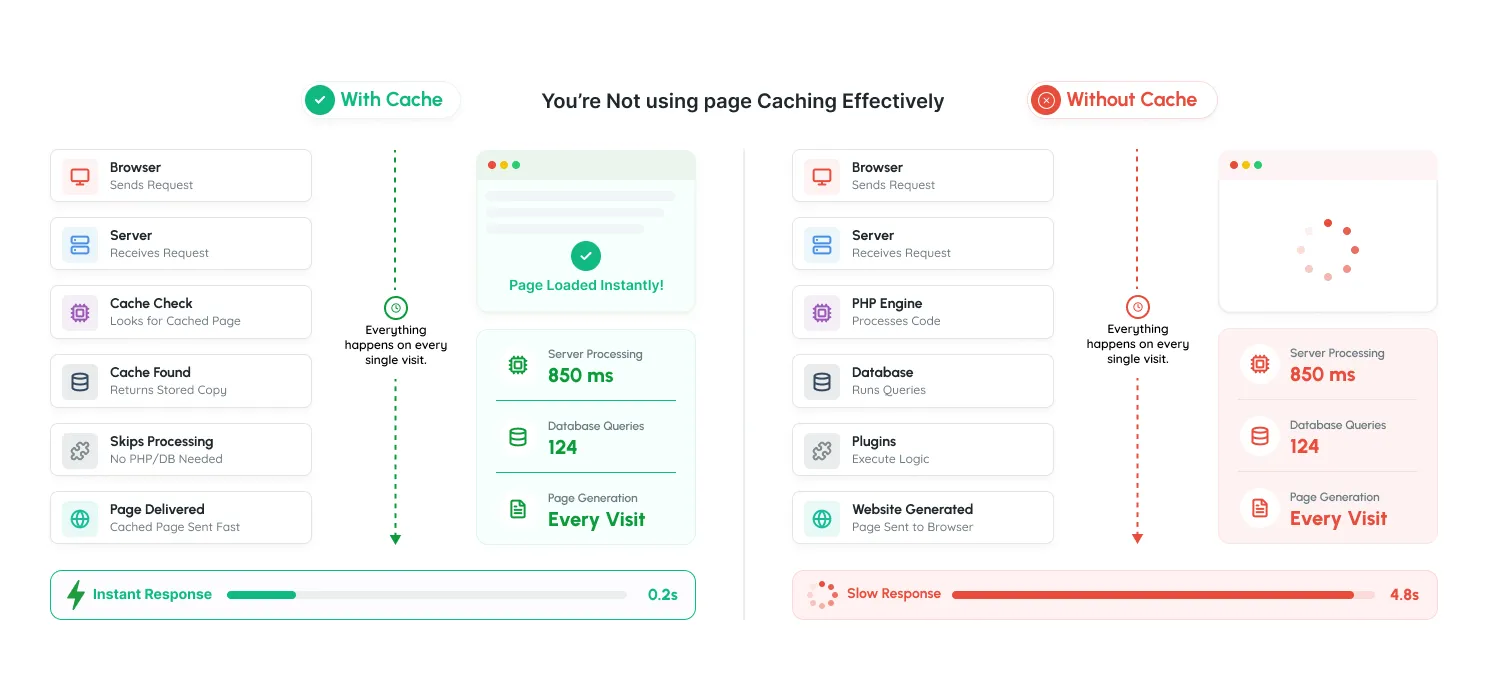
Problem:
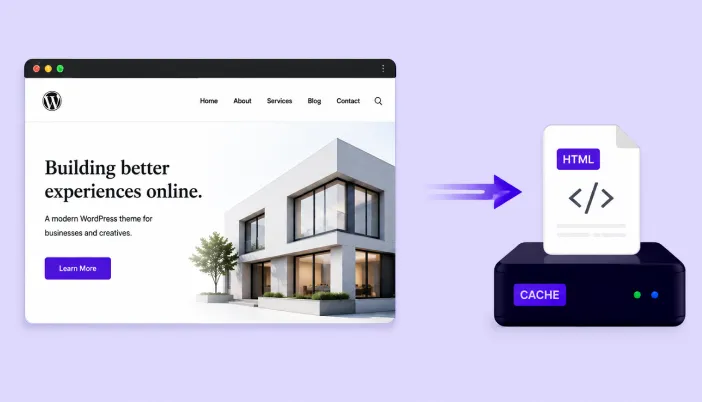
Without caching, WordPress has to rebuild pages every time a visitor opens your website. This means the server repeatedly processes PHP files, database requests, and plugins, which increases loading time.
However, simply installing a caching plugin is not enough. Incorrect settings, conflicts between multiple caching plugins, or poor configuration can prevent caching from working effectively.
Signs you have this issue:
- Website slows down when more visitors are online.
- Pages take longer to load even after optimization.
- Cache is not being generated properly.
- Multiple caching solutions are active.
Fix:
Use a reliable caching solution and configure it correctly according to your website’s needs. Avoid using multiple caching plugins together and regularly test whether your pages are being served from cache.
#Reason 8
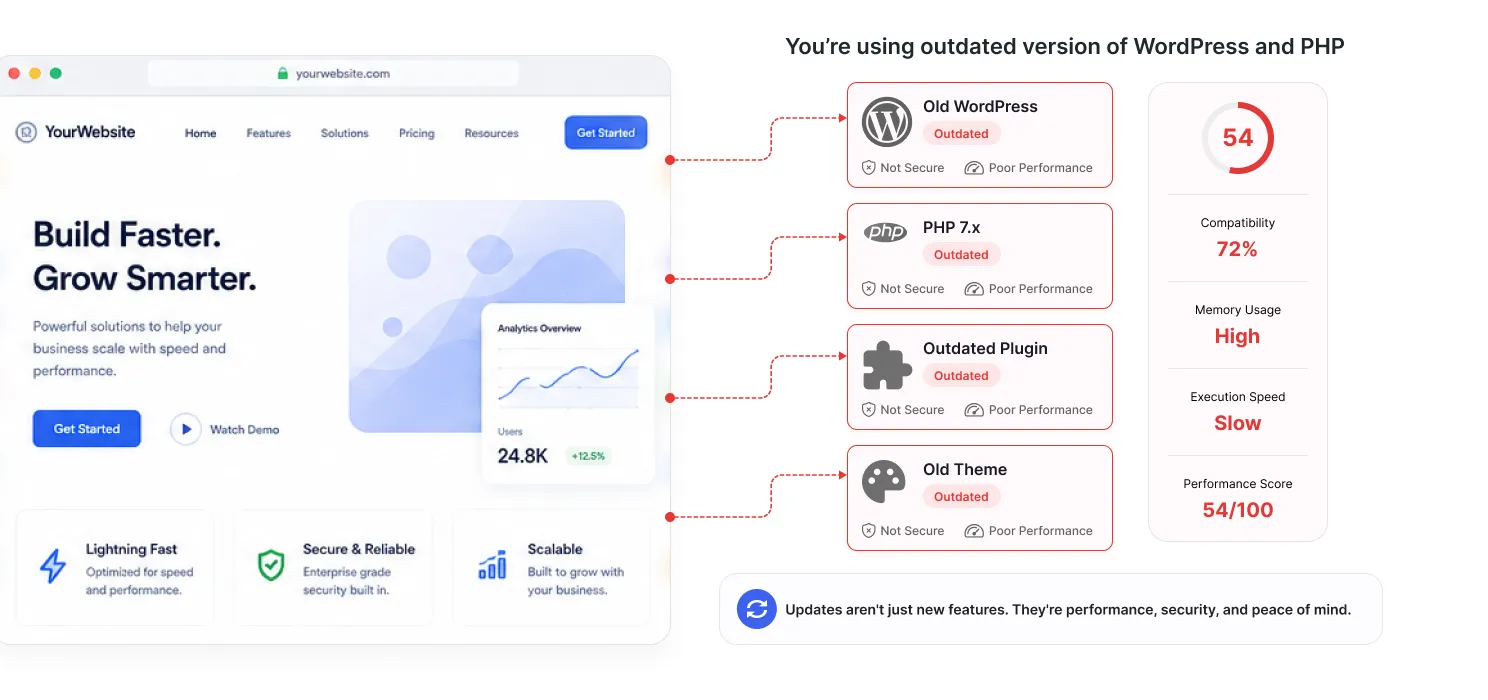
You’re using outdated PHP or WordPress versions
Problem:
WordPress, plugins, and PHP are regularly updated with performance improvements, security fixes, and better resource management. Running outdated versions can make your website slower and create compatibility issues.
Many website owners delay updates because they worry about breaking their website, but outdated software can gradually affect performance and reliability.
Signs you have this issue:
- Your WordPress dashboard shows pending updates.
- Your hosting uses an outdated PHP version.
- Plugins or themes haven’t been updated for a long time.
- You experience compatibility errors.
Fix:
Keep WordPress core, themes, plugins, and PHP updated to supported versions. Always take a backup before major updates and test changes properly to avoid unexpected issues.
#Reason 9
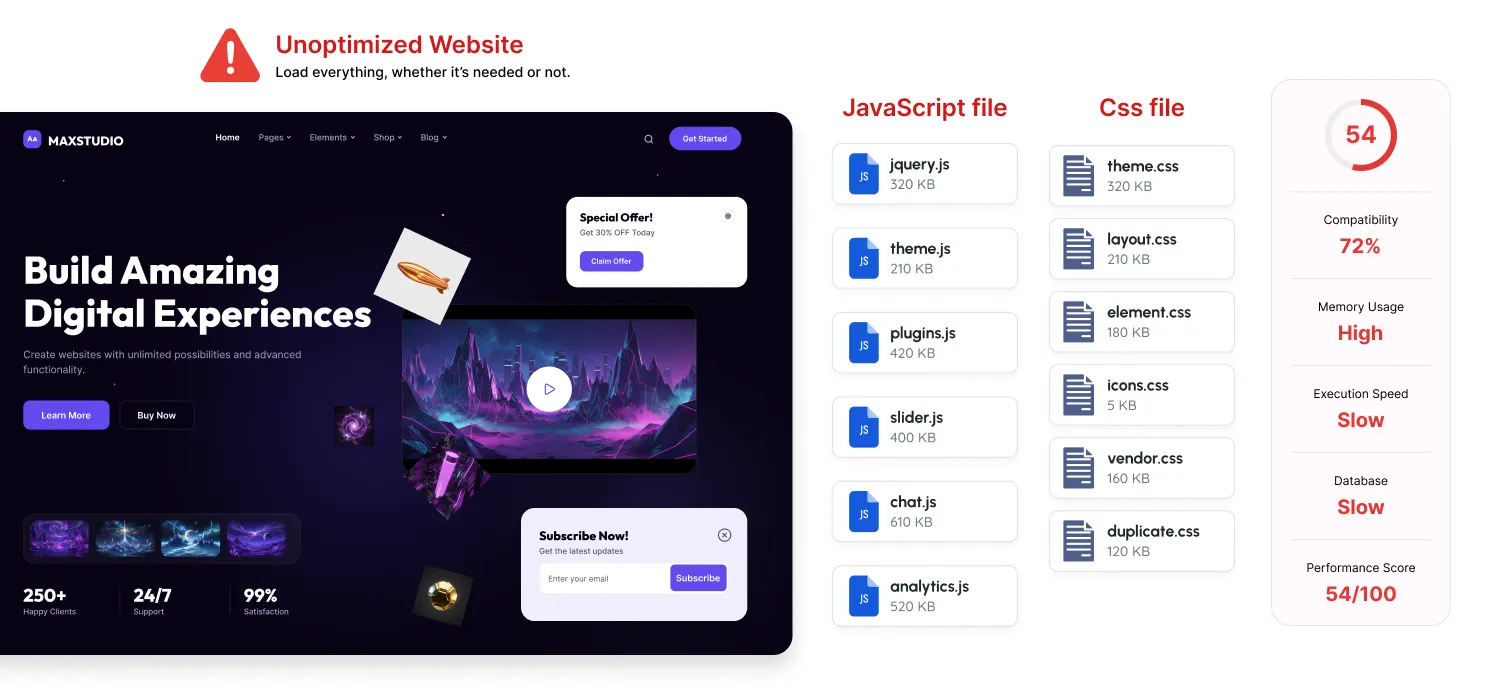
You’re loading CSS and JavaScript that your visitors don’t need
Problem:
Every WordPress website uses CSS and JavaScript to control design and functionality. The problem starts when your website loads files that are not actually needed on a particular page.
For example, a contact form plugin may load its scripts across your entire website, even if the form only exists on one page. Over time, these unnecessary files increase page size and make browsers work harder.
Signs you have this issue:
- PageSpeed Insights shows unused CSS or JavaScript warnings.
- Your website loads many files before displaying content.
- Plugins load assets on pages where they are not needed.
- Pages feel slow despite having good hosting.
Fix:
Remove unnecessary scripts, load assets only where they are required, and optimize CSS and JavaScript files through minification, compression, and proper loading techniques.
#Reason 10
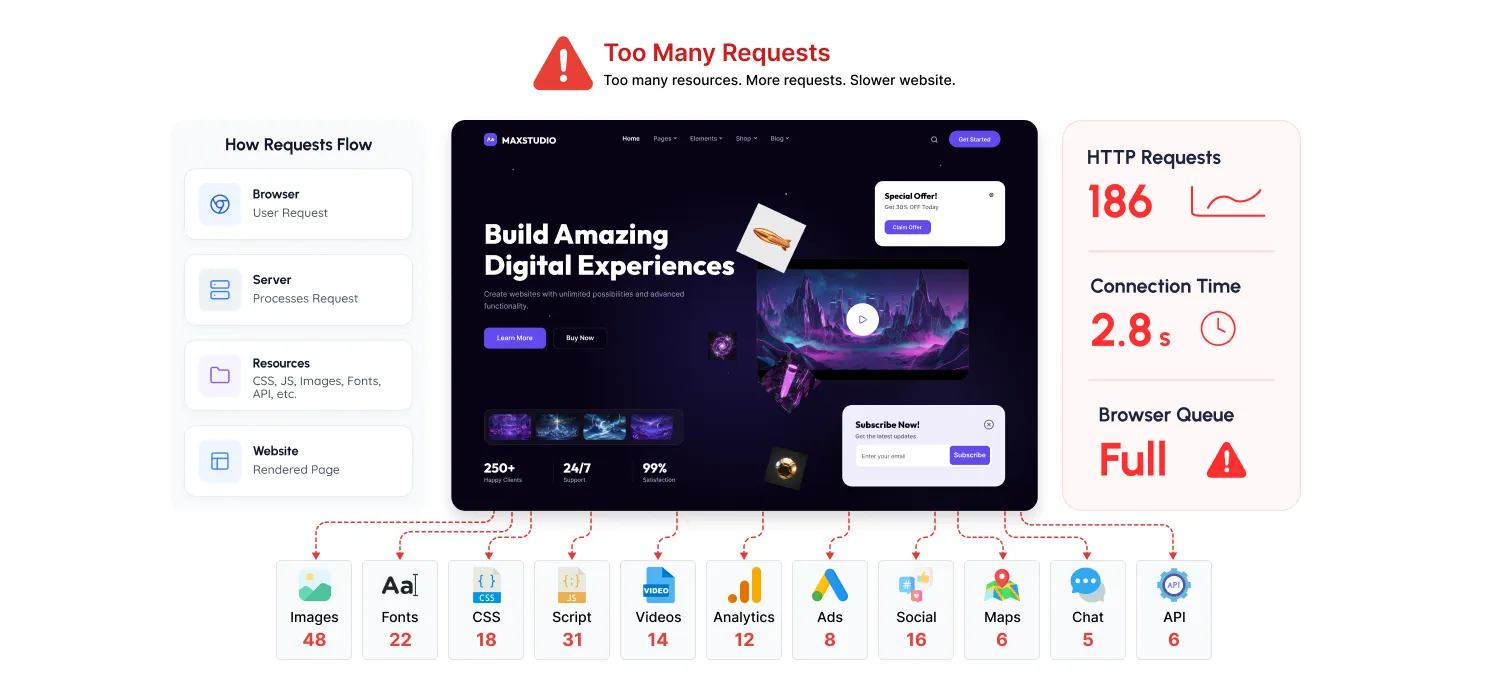
Your website is making too many HTTP requests
Problem:
Every element on your website- images, fonts, CSS files, JavaScript, videos, and plugins- creates a request that the browser has to process before the page fully loads.
As websites grow, these requests can quickly increase. Adding multiple plugins, custom fonts, animations, and third-party tools may seem harmless individually, but together they can make your pages heavier and slower.
Signs you have this issue:
- Your website loads hundreds of resources on a single page.
- Multiple plugins are adding their own files.
- You use many external fonts, icons, or embedded content.
- Performance tools show a high number of requests.
Fix:
Remove unnecessary resources, reduce unused plugins, limit external fonts and scripts, and optimize the files your website actually needs. Fewer unnecessary requests help your pages load faster.
#Reason 11
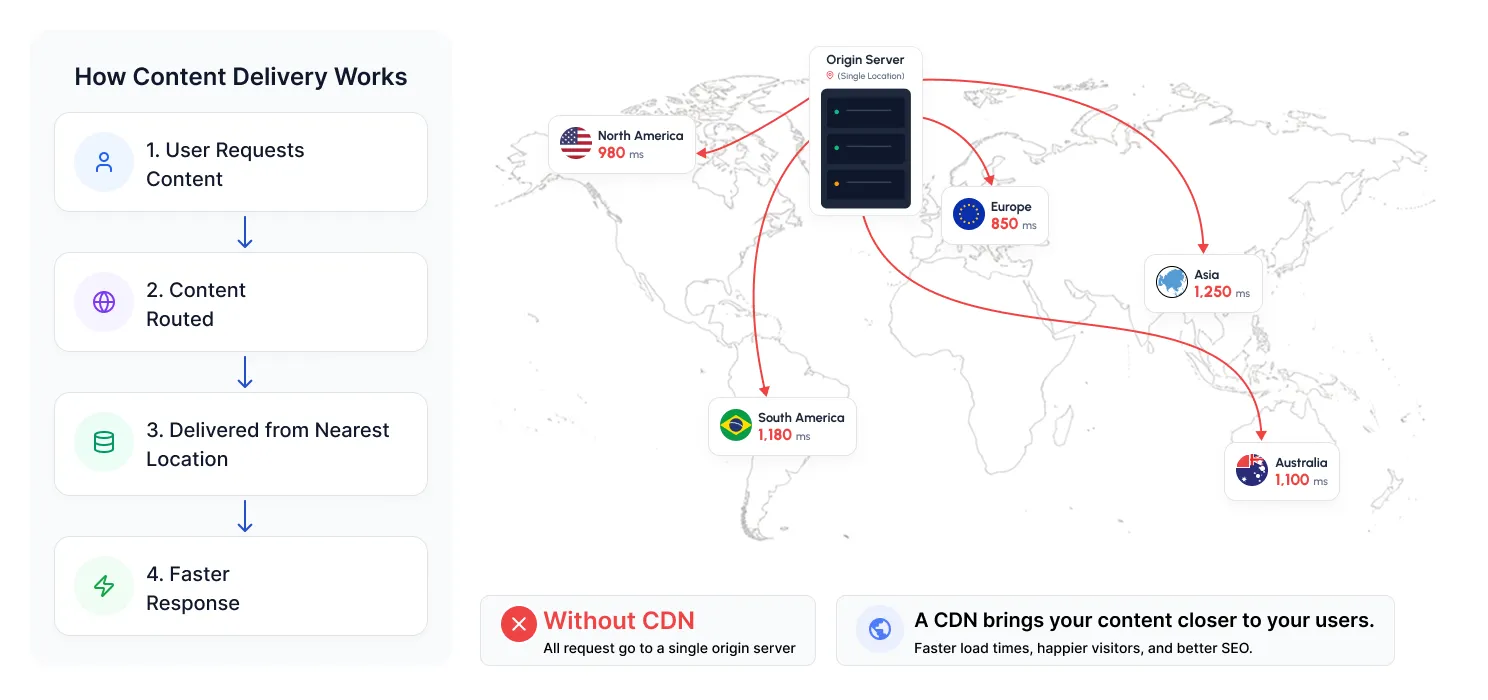
Your website isn’t using a content delivery network (CDN)
Problem:
The location of your server can affect how quickly your website loads for visitors. If your hosting server is far away from your audience, files like images, CSS, and JavaScript take longer to reach users.
A Content Delivery Network (CDN) solves this by storing copies of your website’s static files on multiple servers worldwide. Visitors can then receive these files from a server closer to their location.
Signs you have this issue:
- Website loads slower for visitors in different countries.
- Your audience is spread across multiple regions.
- Large images and files take longer to load.
- All website resources are coming from one server.
Fix:
Use a reliable CDN to deliver static content faster and reduce the load on your main hosting server. This is especially useful for websites with global visitors or heavy media content.
#Reason 12
You’re redirecting visitors more than necessary
Problem:
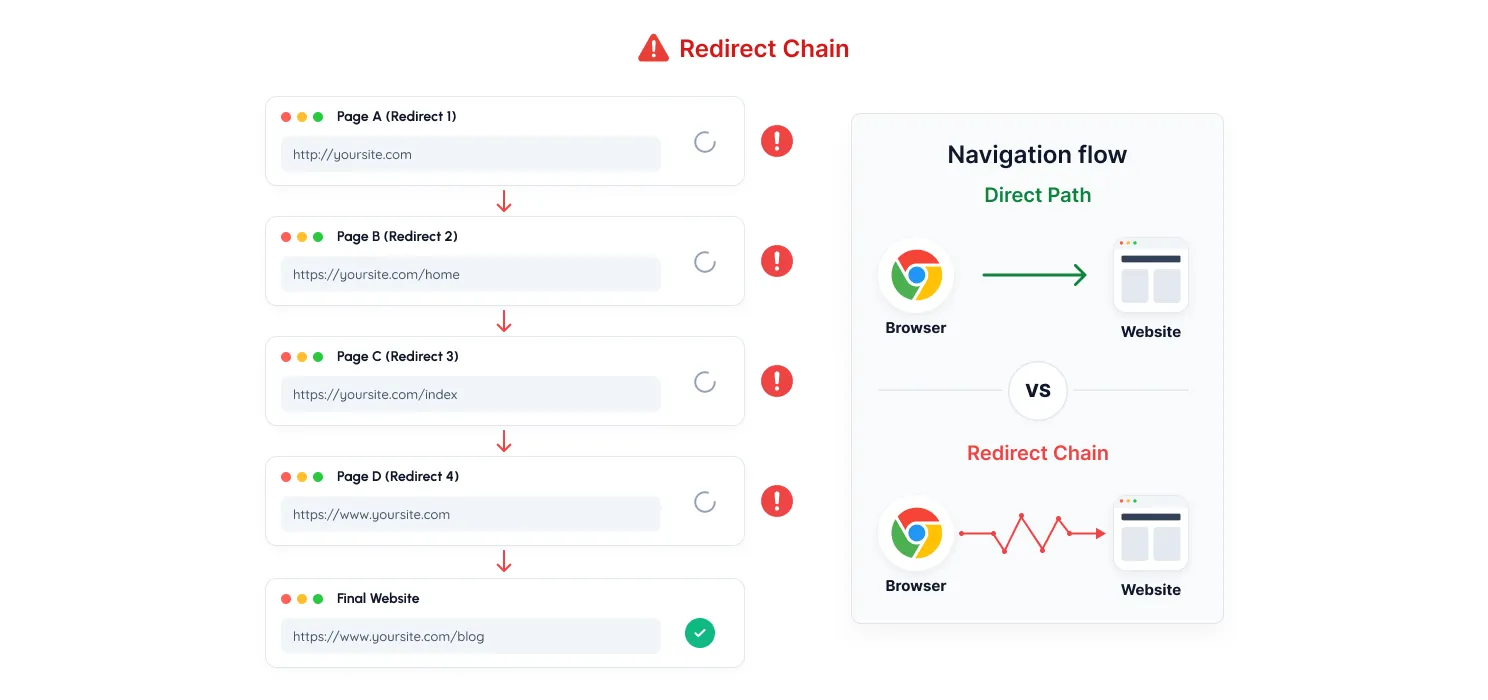
Redirects are useful when moving pages or changing URLs, but too many redirects can add unnecessary loading time. Each redirect creates an extra step before visitors reach the actual page they requested.
This commonly happens after website redesigns, migrations, or when old URLs are not properly updated.
Signs you have this issue:
- Pages take extra time before loading.
- Your website has gone through multiple redesigns.
- Performance tools show redirect chains.
- Old URLs redirect through multiple pages.
Fix:
Review your redirects regularly and remove unnecessary ones. Make sure old URLs point directly to the final destination and update internal links to avoid unnecessary redirects.
#Reason 13
Your website has too many heavy visual elements
Problem:
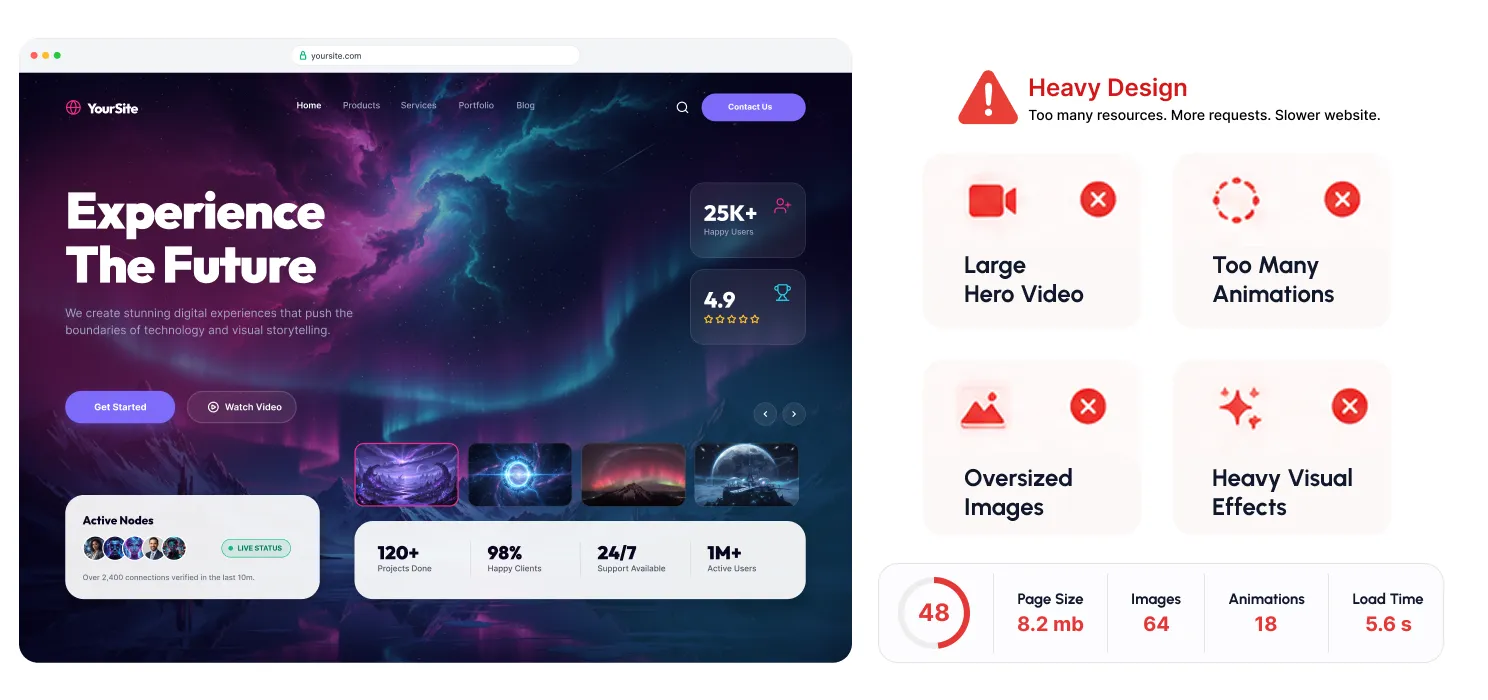
A visually attractive website can create a strong first impression, but too many heavy design elements can impact performance.
Large banners, background videos, sliders, animations, and complex page builder sections require additional resources to load. When too many of these elements are combined, your website becomes heavier and slower, especially on mobile devices.
Signs you have this issue:
- Homepage contains multiple sliders, animations, or videos.
- Website takes time to display the main content.
- Page builder pages have too many sections and effects.
- Mobile users experience slower loading.
Fix:
Keep your design focused on user experience. Optimize images and videos, remove unnecessary animations, and use visual effects only where they add real value. A simple, well-optimized design often performs better.
#Reason 14
Your website is not optimized for mobile users
Problem:
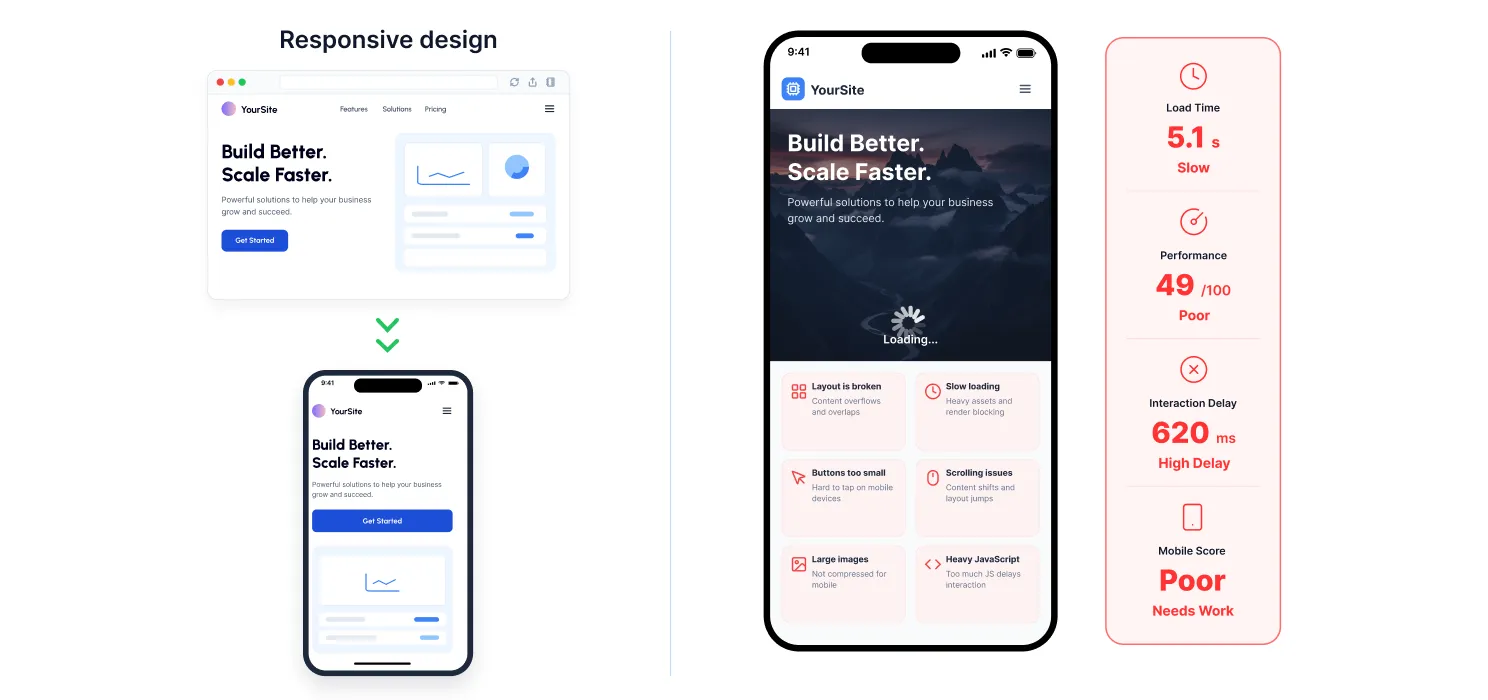
A website that loads quickly on desktop may still feel slow on mobile devices. Mobile users often have slower connections and less powerful devices, making optimization even more important.
Large images, heavy scripts, complex layouts, and animations that work fine on desktop can create a poor experience for mobile visitors.
Signs you have this issue:
- Desktop speed is good, but mobile performance is poor.
- Website takes longer to load on smartphones.
- Buttons or interactions feel delayed.
- Mobile users leave pages quickly.
Fix:
Optimize your website for mobile by compressing images, reducing unnecessary scripts, enabling mobile caching, and testing your website on real devices. A fast mobile experience helps visitors stay engaged and improves overall usability.
#Reason 15
Your website has not been optimized or maintained over time
Problem:
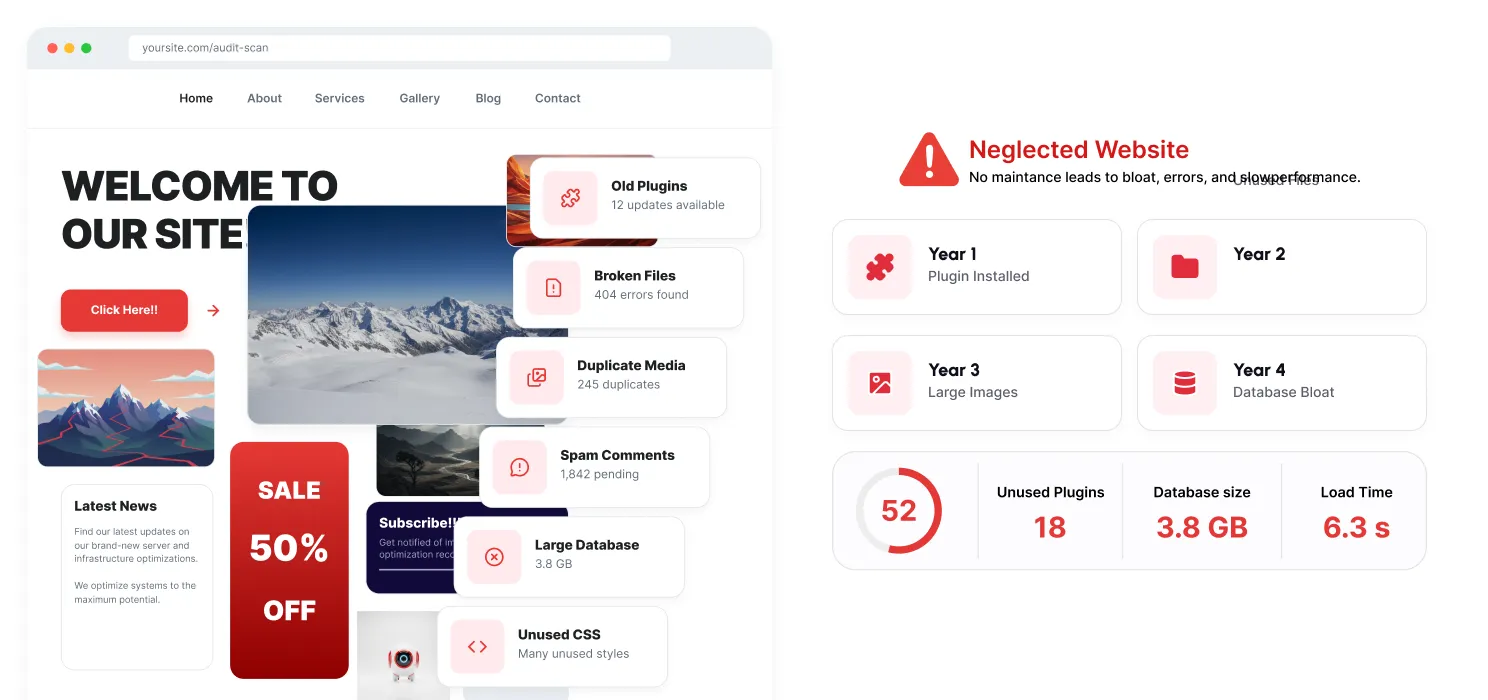
A WordPress website doesn’t usually become slow overnight. Performance problems build up gradually as you add new plugins, upload more content, change designs, and make updates over time.
Without regular monitoring, small issues like unused plugins, large images, outdated files, and unnecessary scripts can accumulate and slow down your website.
Signs you have this issue:
- Your website is slower than when it was first launched.
- Many unused plugins or files are still present.
- You haven’t performed a speed audit recently.
- Website changes are made without checking performance impact.
Fix:
Regularly review your website performance, remove unnecessary elements, optimize content, and monitor loading speed after major changes. Continuous maintenance helps keep your website fast as it grows.
Conclusion
A slow WordPress website is rarely caused by one single issue. It is usually the result of multiple factors from hosting and plugins to images, scripts, and outdated optimization practices.
The key is to regularly monitor your website, identify performance bottlenecks, and fix the issues that actually impact speed.
A faster website doesn’t just improve loading time; it creates a better experience for your visitors.