4 mins read
WordPress Speed Optimization for News and Content-Heavy Websites
Share Article :



Quick summary
News and content sites face special speed problems: heavy ads, endless archives, huge image libraries and sudden traffic spikes. This guide explains WordPress speed optimization for news websites in plain English. You will learn what slows publishers down, how to keep breaking stories fresh while still caching, and how to speed up your pages without hurting ad revenue.
A big story breaks. Your team publishes fast. Thousands of readers click through from social media at the same moment.
Your server strains. Pages crawl. Ads load late and push the headline down the screen. Readers hit the back button before they read a single word.
For a publisher, that is lost traffic and lost ad money. The good news is that content sites can be made fast without giving up what makes them work. Let’s see how.
Why are news and content sites harder to speed up?
A normal business site has a few dozen pages. A content site can have tens of thousands of articles, and every one carries images, ads, related links, and tracking tags.
Content also changes all the time. Stories are updated, headlines are corrected, and home pages refresh every few minutes. That makes caching trickier, because a saved copy must not show yesterday’s news.
And income often depends on third-party code. Ad networks, analytics, and social embeds all run on your pages. The Web Almanac’s third-parties chapter shows that most websites load at least one third-party resource, and publishers usually load many.

How do you stop ads from making pages jump?
Layout shift is the top complaint on ad-heavy sites. It happens when an ad loads late and pushes the text down. Readers lose their place, or accidentally tap the wrong thing.
The fix is simple in principle. Reserve space for each ad slot before the ad loads, so nothing moves.
Can you delay scripts without losing ad revenue?
This is the question every publisher asks, and the honest answer is: carefully. Ad and tracking scripts are the biggest weight on most news pages. Google explains how toload third-party JavaScript efficiently. But delaying the wrong scripts can lower ad views and revenue.
A safe approach is to sort scripts into groups. Keep your core analytics and your main ad scripts loading early, with defer. Delay scripts that do not earn money or measure traffic, like chat widgets, social buttons, heatmaps and extra pixels. Then compare your ad revenue and page views before and after.
SpeedyGo gives you defer scripts and JS interaction delay for this. Heavy scripts hurt INP, but always test your ad setup after any change.
How do you cache pages when stories change all the time?
You still cache, but smartly. Caching is what keeps your server alive during a spike, so do not turn it off. Instead, make sure saved pages refresh when stories change.
Use short cache lifetimes on the home page and section fronts, and longer ones on older articles. Set scheduled expiration and auto-purge so a published or updated story refreshes the right pages. After big changes, use cache preloading and cache warm-up so the first wave of readers does not hit an empty cache.
Turn on full-page caching and mobile caching too, since most readers use phones. This also speeds up what editors care about: when a story goes live, readers see it quickly.
Step 1: Audit your three key templates
Test the home page, a typical article, and a category page on mobile. Use the free SpeedyGo speed test.
Step 3: Fix images at scale
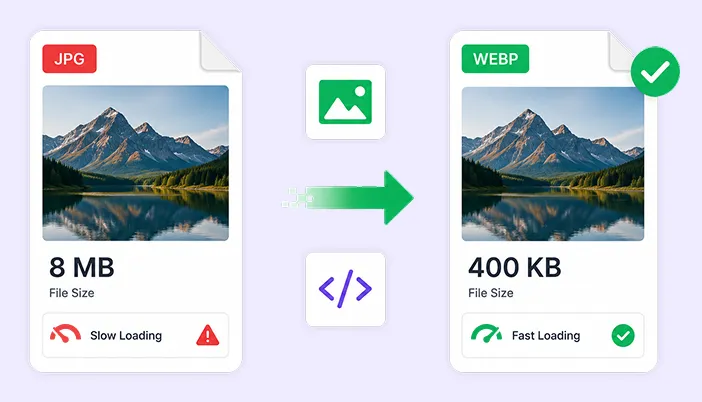
News sites upload many photos. Resize them to the size they show at, and convert them to WebP. SpeedyGo’s WebP conversion and WebP quality control help with this. Turn on lazy load for images further down long articles, but keep the top image loading normally.
Step 5: Use a CDN for spikes
A CDN serves your images and files from locations near readers, so your own server has less to do when a story goes viral. See CDN integration for how SpeedyGo connects to one.
Step 6: Lighten archives and the database
Category, tag, and search pages ask the database for long lists of posts. Show fewer posts per page, avoid heavy “related posts” widgets that run on every article, and use object caching where your host supports it. .
Common mistakes to avoid
The first mistake is turning off caching for fear of stale news. Use short lifetimes and auto-purge instead.
The second is delaying ad scripts blindly. Always measure revenue before and after.
The third is ignoring old content. Thousands of old articles with huge images add up, so set rules for new uploads and clean up the worst offenders.


Frequently Asked Questions
Running a WordPress news or content-heavy website comes with its own performance challenges, especially when pages have multiple ads, large images, frequent content updates, and sudden traffic spikes. Here are answers to some common questions about improving website speed, managing caching, reducing layout shifts, optimizing scripts, and keeping your news website fast without affecting the reader experience or ad revenue.
How do I speed up a WordPress news website?
Reserve space for ads, trim scripts, compress images to WebP, use caching with short lifetimes and auto purge, add a CDN for spikes and lighten archive pages.
Can I cache a news site if stories change often?
Yes. Use short cache lifetimes on the home page and section pages, and auto purge so published or updated stories refresh quickly.
How do I stop ads from causing layout shift?
Reserve fixed space for each ad slot before the ad loads, and avoid inserting banners above existing content.
Will delaying scripts hurt ad revenue?
It can if you delay core ad scripts. Keep them loading early, delay non-essential scripts, and compare revenue before and after.
What is the best way to handle traffic spikes?
Page caching and a CDN take most of the load off your server, so a viral story does not slow the site down.
Does SpeedyGo work for high-traffic content sites?
SpeedyGo offers caching, WebP images, script control and CDN delivery. The Pro plan is for high-traffic business websites and includes 300 GB of CDN bandwidth.