Why WebP Is the Smarter Image Format for Faster Websites

Why WebP Is the Smarter Image Format for Faster Websites

We all love beautiful images on our websites. They make things look polished, professional, and engaging. But those same images are often the reason your site loads slowly.

Big JPEGs. Heavy PNGs. Old-school GIFs. They take up space, eat bandwidth, and drag down your page speed.

And when your site’s slow, People bounce. Google drops your ranking. You lose clicks, sales, and trust.

That’s where WebP comes in. It’s a modern image format that’s lighter, faster, and smarter without sacrificing quality.

In this blog, we’ll break down why switching to WebP is one of the simplest ways to speed up your site and give your visitors a smoother experience.

What Is WebP (And Why It Matters)

WebP is a modern image format made by Google. It’s designed to do one thing really well: make images smaller without making them look worse.

Think of it like this: JPEG and PNG are the old-school formats. They’re fine, but they weren’t built for today’s web. WebP is.

Here’s why it matters:

  • Smaller file sizes mean faster load times
  • No quality loss – your images still look sharp
  • Supports transparency and animation like PNG and GIF
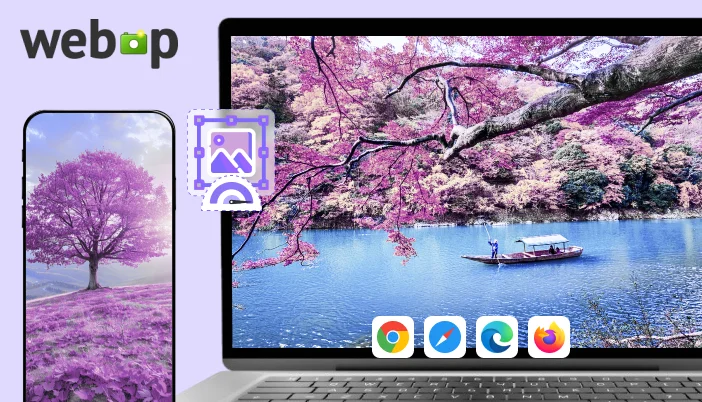
  • Works everywhere – Chrome, Safari, Firefox, Edge… It’s all covered

In short, WebP gives you the same visual impact with way less weight. And when your site loads faster, everything improves SEO, user experience, and conversions.

Real Benefits of Using WebP

Switching to WebP isn’t just a tech upgrade; it’s a smart move that makes your site faster, lighter, and more user-friendly. Here’s what you actually get:

  • Faster load times: WebP files are smaller, so your pages load quicker. Visitors stay longer, bounce less, and convert more.
  • Better SEO: Google loves fast sites. WebP helps your pages rank higher without extra effort.
  • Less storage and bandwidth: Smaller images mean less strain on your server and faster delivery to users, especially on mobile.
  • Cleaner mobile experience: WebP keeps your site snappy on slower connections and smaller screens.
  • One format for everything: WebP handles transparency, animation, and high-quality visuals so you don’t need to juggle PNGs, JPEGs, and GIFs anymore.
How WebP Stacks Up Against JPEG, PNG, and GIF

Let’s break it down. You’ve probably used JPEGs for photos, PNGs for graphics with transparency, and GIFs for animations. WebP does all of that and does it better.

Here’s a quick look:

Feature✅ WebPJPEGPNGGIF
File Size✅ Smallest❌ Larger❌ Larger❌ Larger
Image Quality✅ High✅ High✅ High⚠️ Limited
Transparency Support✅ Yes❌ No✅ Yes❌ No
Animation Support✅ Yes❌ No❌ No✅ Yes
Browser Compatibility✅ Full✅ Full✅ Full✅ Full
SEO Impact✅ Positive⚠️ Neutral⚠️ Neutral❌ Negative


How to Switch to WebP (Without the Headache)

Good news, moving to WebP doesn’t mean redoing your whole site. It’s actually one of the easiest upgrades you can make.

Here’s how to do it:

  • Use a plugin: If you’re on WordPress, tools like SpeedyGo already handle WebP conversion automatically. No extra setup needed.
  • Convert manually (if needed): Free tools like Squoosh or TinyPNG let you convert images to WebP in seconds.
  • Replace old formats: Swap out heavy JPEGs and PNGs with WebP versions. Your site will load faster instantly.
  • Test and preview: Make sure everything looks good across devices and browsers. WebP is widely supported, but it’s always smart to double-check.

No coding. No stress. Just faster images and a better experience for your visitors.

Final Thought:

If your site is still using JPEGs, PNGs, or GIFs, you’re missing out on faster load times, better SEO, and a smoother user experience.

WebP is the upgrade your site deserves: lighter, smarter, and built for today’s web.

It’s easy to switch. It’s easy to see the difference. And once you do, you won’t go back.

See what fast feels like

Start free, no credit card needed — or pick the plan that fits your site.

What is SpeedyGo Lazy Load?

We’ve all been there. You click on a website, and instead of seeing content, you’re stuck watching a spinner. The header loads, but the images take a while to load. Videos take their sweet time. You’re staring at a half-baked page, wondering if it’s broken or just bloated. And then you leave because no one has time to wait.

Now flip that around. What if it’s your site people are bouncing from?

It’s not always about broken code or bad hosting. In most cases, your site is trying to load everything: images, videos, background media, and iframes all at once, before the visitor even scrolls. That overload slows down your first impression, frustrates users, and quietly kills your SEO.

That’s where Lazy Load comes in.

Lazy Load is a smart web technique that delays loading non-essential content until it’s actually needed. Instead of dumping everything on the user upfront, it loads only what’s visible and waits to load the rest when the user scrolls near it.

Here’s what Lazy Load helps fix:

  • Slow first paint: Your site becomes interactive faster.
  • Heavy bandwidth usage: Only necessary assets are downloaded upfront.
  • Mobile frustration: Less data means smoother performance on slower connections.
  • High bounce rates: Faster load times keep users engaged.

“Images account for up to 70% of page weight.” – NitroPack

And the best part? You don’t need to code or configure anything manually. With tools like SpeedyGo, Lazy Load becomes automatic. One click, and your site starts breathing easier, loading faster, ranking higher, and keeping visitors around longer.

Let’s break it down: what Lazy Load actually is, how SpeedyGo makes it effortless, and why it’s one of the simplest ways to speed up your WordPress site.

What Is Lazy Load?

Lazy Load is one of those behind-the-scenes tricks that makes your site feel faster without changing how it looks. It’s not a flashy feature; it’s a smart one. And once you understand how it works, you’ll wonder why you didn’t use it sooner.

Here’s the simple idea: Instead of loading every image, video, and iframe the moment someone lands on your page, Lazy Load waits. It only loads what’s visible on the screen. The rest? It loads later when the user scrolls near it.

This means your site doesn’t waste time or bandwidth loading stuff people haven’t even seen yet. It speeds up the first impression and makes everything feel smoother.

Lazy Load helps with:

  • Faster initial load: Only key content loads first, so your site becomes interactive quicker.
  • Less bandwidth usage: Visitors download less data upfront, which helps on slow connections.
  • Better mobile experience: Phones don’t get bogged down by heavy media.
  • Improved SEO: Google rewards fast, efficient pages.

To make it even clearer, here’s a quick comparison:

FeatureNormal LoadLazy Load
Image loadingAll at onceOnly when needed
Page speedSlowerFaster
Bandwidth usageHighLow
User experienceDelayed visualsInstant interaction
Mobile performanceOften clunkyMuch smoother

Lazy Load isn’t just a performance booster; it’s a user experience upgrade. And when paired with a plugin like SpeedyGo, it becomes automatic. No coding. No setup headaches. Just faster pages and happier visitors.

Why Lazy Load Matters for Your Site

Lazy Load isn’t just a technical feature; it’s a performance upgrade that directly affects how people experience your site. When your page loads faster, users stay longer, bounce less, and are more likely to trust what they see. That’s not just good UX, it’s good business.

Here’s why Lazy Load makes a real difference:

  • Faster first impression: Visitors see your content quicker, even on slower connections.
  • Less data upfront: Only visible elements load first, saving bandwidth and speeding up interaction.
  • Better mobile experience: Phones don’t get bogged down by heavy media, making your site feel snappy.
  • Improved SEO: Google rewards fast-loading pages, especially those that pass Core Web Vitals.
  • Lower bounce rates: People are more likely to stick around when your site doesn’t lag.

Lazy Load helps your site feel alive the moment someone lands on it. Instead of waiting for every image and video to load, users get instant access to what matters, and that keeps them engaged.

How SpeedyGo Makes Lazy Load Easy

Lazy loading sounds technical, but with SpeedyGo, it’s not. You don’t need to touch code, tweak settings, or install five different plugins. SpeedyGo handles it all in the background, quietly making your site faster, lighter, and smoother.

Once installed, SpeedyGo automatically enables lazy loading for images, videos, iframes, and even background media. It adds the right attributes (loading=”lazy”) to your content, making sure browsers only load what’s needed when it’s needed.

Here’s what SpeedyGo does for you:

  • Auto-enables lazy load for all major media types, no setup required
  • Optimizes below-the-fold content, so your first screen loads lightning fast
  • Supports native browser lazy loading, compatible with WordPress 5.5+
  • Extends lazy load to background images and custom themes, going beyond default WordPress behavior
  • Works with other SpeedyGo features like caching, CDN, and file minification for full-stack speed

💡 Tips to Know:

  • Lazy Load is turned on by default in SpeedyGo
  • You can customize which elements get lazy-loaded (images, videos, iframes, backgrounds)
  • It works seamlessly with most WordPress themes and page builders

SpeedyGo doesn’t just add lazy load; it makes it smarter. By combining it with caching and compression, your site becomes faster across the board. And because it’s automated, you can focus on your content while SpeedyGo handles the performance.

Real Benefits You’ll See with SpeedyGo

Once Lazy Load is active through SpeedyGo, your site starts to feel different, lighter, faster, and more responsive. Visitors don’t have to wait for every image or video to load before they can interact. Instead, they get instant access to what matters most.

This isn’t just about technical performance it’s about how your site feels to real people. And that feeling translates into better engagement, stronger SEO, and higher conversions.

Here’s what you’ll notice:

  • Faster Page Loads: Your site becomes interactive in seconds, even on slower connections.
  • Lower Bounce Rates: Visitors stick around because the page doesn’t lag or stall.
  • Better Mobile Experience: Phones and tablets handle your site more smoothly, with less data strain.
  • Improved SEO: Google rewards fast-loading pages, especially those that pass Core Web Vitals.
  • Higher Conversion Rates: When your site feels fast and trustworthy, users are more likely to take action, buy, sign up, or share.

SpeedyGo doesn’t just enable Lazy Load, it amplifies it. By combining it with caching, compression, and smart file handling, it turns your WordPress site into a performance machine. And because it’s automated, you don’t have to worry about setup or compatibility; it just works.

Quick Checklist: How to Enable Lazy Load with SpeedyGo

If you’re using WordPress and want to speed up your site without touching code, SpeedyGo makes it incredibly simple. Lazy Load is built right into the plugin, and turning it on takes less than a minute.

Here’s your step-by-step checklist to get it working:

Install SpeedyGo: Go to your WordPress dashboard, search for SpeedyGo, and install the plugin. Activate it once installed.

Open SpeedyGo Settings: You’ll find a new tab in your dashboard. Click into it to access performance options.

Enable Lazy Load: Find the Lazy Load toggle and switch it on. SpeedyGo will automatically apply lazy loading to images, videos, iframes, and background media.

Choose What to Lazy Load: You can customize which elements get delayed images only, or include videos and iframes too.

Save Your Settings: Click “Save” and you’re done. No coding, no manual edits.

Test Your Site Speed: Use Google PageSpeed Insights or GTmetrix to see the difference. You’ll likely notice faster load times and better Core Web Vitals.

💡 Tip: Combine Lazy Load with SpeedyGo caching and minification features for even better results.

This checklist isn’t just for developers; it’s for anyone who wants a faster, smoother site without the stress. SpeedyGo handles the heavy lifting so you can focus on your content.

Final Thought:

Speed isn’t just a technical metric; it’s a feeling. When your site loads fast, it feels clean, trustworthy, and effortless. When it drags, even for a few seconds, it feels broken. That’s the emotional side of performance, and it’s exactly what Lazy Load helps fix.

By delaying the loading of off-screen content, Lazy Load gives your visitors a smoother experience. They see what they need instantly, without waiting for every image or video to load. And when you use SpeedyGo, that experience becomes automatic. No setup stress. No coding. Just results.

Lazy Load isn’t a luxury; it’s a necessity for modern websites. It improves load times, reduces bounce rates, boosts SEO, and makes your site feel alive. And with SpeedyGo, you get all those benefits with one click.

So if you’re serious about speed, user experience, and search rankings, Lazy Load is your starting point. Let SpeedyGo handle the tech so you can focus on what really matters: content, connection, and conversion.

See what fast feels like

Start free, no credit card needed — or pick the plan that fits your site.
Every Second Costs You Visitors: Speed Up Your Site Today

You ever click on a site and just… wait?

The spinner spins. The images crawl in. You’re staring at a blank screen, wondering if it’s broken or just lazy. And then you bounce because no one has time for slow.

Now flip that. What if it’s your site people are ditching?

It doesn’t matter how good your content is. If your site loads like molasses, people leave. And when they leave, you lose traffic, trust, and sales. Google sees it too and it hits you where it hurts: your rankings.

Here’s the brutal truth:

  • 53% of mobile users abandon sites that take longer than 3 seconds to load.
  • 1-second delay can result in a 7% drop in conversions.

Sites that load in under 2 seconds have the lowest bounce rates

Speed isn’t just technical it’s emotional. A fast site feels smooth, reliable, and worth sticking around for. A slow one feels broken.

This blog isn’t about chasing a perfect 100 on Google PageSpeed. It’s about making your site fast enough to keep people around, rank higher, and feel great on every screen.

No fluff. No tech overwhelm. Just real fixes, smart tools, and results you can see.
Let’s get into it.

What Is Google PageSpeed Insights?

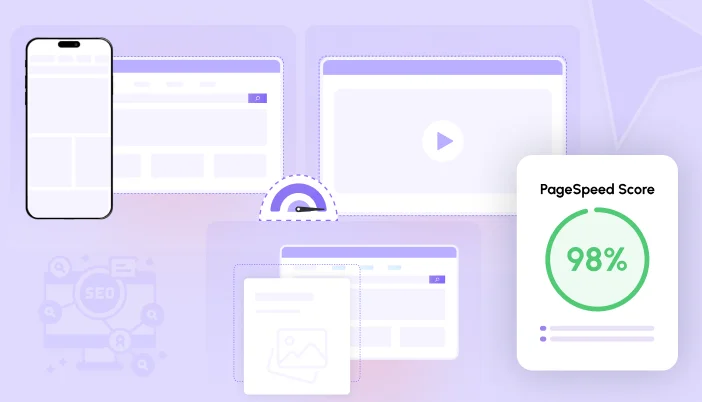
Google PageSpeed Insights is a free tool that tells you how fast your website loads and how well it performs in the eyes of Google. You plug in your URL, hit “Analyze,” and it spits out a score from 0 to 100.

But here’s the catch: That score isn’t just about speed. It’s about how your site behaves under the hood how quickly things show up, how smooth it feels, and whether it plays nice on mobile.

You’ll see two scores:

  • Mobile: How your site performs on phones and tablets
  • Desktop: How it performs on laptops and big screens

And two types of data:

  • Lab Data: Simulated tests in a controlled environment
  • Field Data: Real-world performance from actual users

The tool also highlights what’s slowing you down, like heavy images, bloated code, or scripts that block loading.

The average mobile site takes 27.3 seconds to fully load. That’s a lifetime online.

So if you’ve ever wondered why your site feels slow or why Google isn’t ranking you higher, PageSpeed Insights is where you start.

Why PageSpeed Score Actually Matters

Google doesn’t care how pretty your site looks. It cares about how fast it loads and how smooth it feels for users.

Your PageSpeed score isn’t just a number. It’s a signal. It tells Google whether your site deserves to rank higher… or get buried.

Here’s what a slow site does:

  • Pushes you down in search results
  • Frustrates visitors (especially on mobile)
  • Kills conversions at checkout or signup
  • Makes your brand feel outdated-even if your content is solid

Sites in the top 10 Google results have an average load time of 1.65 seconds.

So yes, PageSpeed matters. Not because you need a perfect score-but because speed builds trust. And trust builds traffic, engagement, and sales.

What Google Actually Measures

Most people see their PageSpeed score and think, “Cool number… but what does it mean?”

Google isn’t just measuring how fast your site loads. It’s measuring how fast it feels.

It looks at how quickly things show up, how smooth the experience is, and whether your site annoys people with layout shifts or delays. These are called Core Web Vitals, and they’re the heart of your score.

Here’s what they mean

MetricWhat It MeansWhy It Matters
FCP (First Contentful Paint)Time until the first thing appearsTells users your site is alive
LCP (Largest Contentful Paint)Time until the main content loadsBig impact on perceived speed
TTI (Time to Interactive)Time until your site can be clickedNo one likes waiting to interact
CLS (Cumulative Layout Shift)How much stuff jumps aroundJumping buttons = bad experience
TBT (Total Blocking Time)Time your site is frozenLong blocks = frustrated users

Google recommends LCP under 2.5 seconds and CLS under 0.1 for a good experience.

Why Your PageSpeed Score Might Be Low

So you ran your site through Google PageSpeed Insights… and the score came back ugly. Red zone. Low numbers. A list of “opportunities” that look more like a developer’s to-do list.

Here’s the truth: Most slow sites aren’t broken. They’re just bloated.

Here’s what usually drags your score down:

  • Heavy images: Big, uncompressed files that take forever to load
  • Render-blocking resources: Scripts and styles that stop your page from showing up quickly
  • Too much JavaScript: Fancy features that slow everything down
  • No caching: Your site reloads from scratch every time
  • Poor server response: Your hosting just isn’t fast enough
  • Layout shifts: Stuff jumps around while loading, making users feel dizzy

Images alone make up 60–70% of total page weight on most websites.

Tools That Help (Without the Headache)

You don’t need to be a developer to fix your PageSpeed score. You just need the right tools and a little guidance.

Here are four tools that make speed optimization easier, smarter, and way less stressful:

  • Google PageSpeed Insights

The starting point. Plug in your URL and get a full breakdown of what’s slowing you down images, scripts, layout shifts, and more. It’s free, fast, and shows both mobile and desktop scores.

Best for: Diagnosing issues and understanding what Google sees.

  • GTmetrix

Think of it as PageSpeed Insights with extra muscle. GTmetrix gives you waterfall charts, performance grades, and historical tracking so you can see how your site improves over time.

Best for: Visual learners and deeper analysis.

  • WebPageTest

This one’s for the detail-obsessed. You can test from different locations, browsers, and connection speeds. It even shows how your site behaves on slow mobile networks.

Best for: Real-world testing and advanced diagnostics.

  • SpeedyGo

Your shortcut to speed. SpeedyGo automates the hard stuff caching, compression, image optimization, lazy loading, and more. No setup guides. No coding. Just install, activate, and let it work.

Best for: Bloggers, freelancers, small business owners anyone who wants speed without the stress.

Stat: SpeedyGo reduced load time from 5.0s to 1.6s on a WooCommerce store (internal test data).

Step-by-Step Checklist for Beginners

Feeling stuck? Don’t worry. You don’t need to fix everything at once. Just follow this checklist, one step at a time, and you’ll start seeing real improvements in your Google PageSpeed score.

1. Run a Speed Test
Use Google PageSpeed Insights or GTmetrix to see what’s slowing you down.

2. Optimize Your Images

  • Convert to WebP
  • Compress with TinyPNG or Squoosh
  • Resize to match display size
  • Enable lazy loading

3. Enable Caching

  • Use a plugin like SpeedyGo
  • Turn on browser, page, and object caching
  • Set cache expiry times

4. Minify Your Code

  • Minify CSS, JS, and HTML
  • Combine files where possible
  • Remove unused styles/scripts

5. Turn On Compression

  • Enable GZIP and Brotli
  • Most plugins or hosting panels offer this with one click

6. Speed Up Mobile

  • Use responsive design
  • Enable mobile caching
  • Test mobile performance separately

7. Clean Up Plugins and Themes

  • Deactivate unused plugins
  • Delete bloated themes
  • Avoid plugins that load unnecessary scripts

8. Use a CDN

  • Connect to Cloudflare or similar
  • Serve content faster across regions

9. Choose Fast Hosting

  • Upgrade if needed
  • Look for SSD storage, built-in caching, and CDN support

10. Re-Test Your Site
Run another speed test and compare the results.

Final Thought

Speed isn’t just about numbers. It’s about how your site feels. Fast sites feel clean, trustworthy, and effortless. Slow sites feel broken even if the content is great.

You don’t need a perfect PageSpeed score. You need a site that loads quickly, works smoothly, and keeps people from bouncing.

And you don’t need to be a developer to get there. You just need to take a few smart steps: optimize your images, clean up your code, enable caching, and let tools like SpeedyGo do the heavy lifting.

Because at the end of the day, simplicity wins. Simple fixes. Simple tools. A simple experience that works.

“Simplicity is the ultimate sophistication.”

So go ahead, run your speed test, make a few changes, and watch your site transform. Not just in score, but in how it feels to every visitor who lands on it.

Fast is the new normal. Let’s make it yours.

See what fast feels like

Start free, no credit card needed — or pick the plan that fits your site.
Why Choose SpeedyGo Over Other Speed Plugin

If you’ve ever sat there waiting for your WordPress site to load, you know how frustrating it is. You click a link… and then you wait. And wait. And sometimes, your visitors don’t wait at all – they just leave.

That’s the problem. Slow sites don’t just annoy people – they cost you traffic, sales, and trust.

So what do most people do? They install a speed plugin. But here’s the catch: Most of them are way too complicated. You get a dashboard full of settings you don’t understand, and you’re left wondering if anything’s actually working.

That’s why we built SpeedyGo.

It’s designed for individuals who simply want their site to load quickly, without the technical headache. No coding. No confusing setup. Just install it, turn it on, and let it do the work.

In this blog, we’re going to show you exactly why SpeedyGo is different and why it’s a better choice than the usual speed plugins out there.

Let’s keep it simple. Let’s keep it fast.

What Makes SpeedyGo Different

Let’s say this upfront: SpeedyGo isn’t trying to be everything. It’s trying to be one thing and do it really well. That one thing? Making your WordPress site faster without making your life harder.

Most speed plugins throw a hundred features at you. You open the settings and feel like you need a developer to figure out what to click. SpeedyGo flips that.

Here’s what makes it stand out:

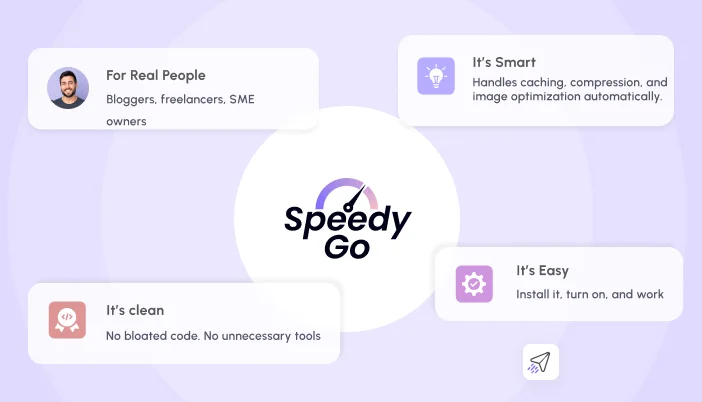
  • It’s easy. You install it, turn it on, and it starts working. No setup guide. No tech headaches.
  • It’s smart. SpeedyGo handles caching, compression, and image optimization automatically. You don’t have to babysit it.
  • It’s clean. You only use the features you need. No bloated code. No unnecessary tools.
  • It’s built for real people. Bloggers, freelancers, small business owners-anyone who just wants their site to load fast and run smoothly.

In short: SpeedyGo does the heavy lifting behind the scenes so you don’t have to.

How SpeedyGo Compares to Other Plugins

Let’s cut to the chase. There are a lot of WordPress speed plugins out there-WP Rocket, W3 Total Cache, LiteSpeed Cache, and more. They all promise faster load times, but most of them come with a catch: complicated setup, bloated features, or a steep learning curve.

SpeedyGo keeps things simple. Here’s how it stacks up:

FeatureSpeedyGoWP RocketW3 Total CacheLiteSpeed Cache
Easy Setup✅ Just install⚠️ Some setup❌ Very complex⚠️ Needs tweaking
Page Caching✅ Automatic✅ Manual setup✅ Manual setup✅ Manual setup
Image Optimization  (WebP)✅ Built-in⚠️ Add-on needed❌ None✅ Built-in
Lazy Loading✅ Built-in
GZIP & Brotli Compression✅ Both included⚠️ GZIP only
Mobile Caching✅ Yes❌ No❌ No✅ Yes
Caching
Cache Management✅ Smart & auto❌ Manual purge❌ Manual✅ Smart purge
Server Compatibility Check✅ Built-in❌ None❌ None❌ None
What this means for you:
  • SpeedyGo gives you the core speed tools without the clutter
  • You don’t need to read a manual or hire a developer
  • It just works right out of the box

Other plugins might be powerful, but they often feel like too much. SpeedyGo is built for people who want speed without the stress.

Why SpeedyGo Wins

You don’t want to spend hours tweaking settings or reading tutorials. You just want your site to load fast and work smoothly. That’s exactly what SpeedyGo gives you.

Here’s why it stands out:

  • It’s made for real people. You don’t need to be a developer. You don’t need to understand caching rules or file compression. SpeedyGo handles it all for you.
  • It’s clean and focused. No extra fluff. No bloated features. Just the tools that actually make your site faster.
  • It’s automatic. From caching to image optimization, SpeedyGo does the work in the background. You don’t have to lift a finger.
  • It’s easy to trust. You know what it’s doing, and you can see the results. No guessing. No wondering if it’s working.

Other plugins might offer more features, but more isn’t always better. SpeedyGo focuses on what matters and leaves out the rest.
If you’ve ever felt overwhelmed by other speed plugins, SpeedyGo is the breath of fresh air you’ve been waiting for.

Final Thought: Keep It Simple, Keep It Fast

At the end of the day, you just want your WordPress site to load quickly and run smoothly. You don’t want to mess with complicated settings, install extra tools, or feel like you need a developer on speed dial.

That’s exactly why SpeedyGo exists.

It’s not trying to be the most feature-packed plugin. It’s trying to be the most helpful one, the one that actually makes your site faster without making your life harder.

If you’ve tried other speed plugins and felt overwhelmed, SpeedyGo is your reset button. Simple, smart, and built for real people.

See what fast feels like

Start free, no credit card needed — or pick the plan that fits your site.
SpeedyGo Officially Launches: Your All-in-One WordPress Speed Optimization Plugin

After months of testing, tweaking, and obsessing over every little detail, we’re finally ready to say it out loud: SpeedyGo is live. And if you’ve ever struggled with a slow WordPress site, this one’s for you.

We built SpeedyGo because we were tired of watching good websites suffer from bad performance. You know the feeling: your site takes forever to load, images crawl in, and visitors bounce before they even see your content. It’s frustrating. It’s unfair. And it’s fixable.

So we fixed it.

SpeedyGo is a plugin plus a managed cloud layer that makes your WordPress site faster — without any complicated setup, without bloated features, and without needing to be a developer. It’s clean, lightweight, and does exactly what it says: speeds up your site. And it comes with something most caching plugins skip — a real human to help when you need one.

This isn’t just another plugin. It’s the one we wish we had years ago.

So… What Exactly Is SpeedyGo?

Let’s keep it simple.

SpeedyGo is a WordPress plugin that, together with our online dashboard and built-in CDN, makes your website load faster. That’s it.

We built it for people who just want their site to work better without spending hours digging through settings or hiring a developer. Whether you’re running a blog, a business site, or an online store, SpeedyGo helps your pages open quickly, images load smoothly, and everything just feels snappy.

Here’s what SpeedyGo does behind the scenes (so you don’t have to):

  • Stores ready-made versions of your pages so they load instantly
  • Converts your images to the modern WebP format to keep them light
  • Cleans up your site’s code (HTML, CSS, JavaScript) to make it smaller
  • Speeds things up on mobile too, not just desktop
  • Delivers your files worldwide through our built-in BunnyCDN integration
  • Gives you a real human to talk to when you need help

You don’t need to touch a single line of code. Just install, connect your site, pick a preset, and let SpeedyGo do its thing.

This plugin isn’t just for developers. It’s for anyone who wants a faster site without the headache.

What Features Does SpeedyGo Offer?

Here’s a quick look at what SpeedyGo includes:

FeatureWhat It DoesWhy It Matters
Page CachingSaves ready-made versions of your pagesVisitors get instant load times
Mobile CachingA dedicated cache for phones and tabletsFaster, smoother mobile experience
WebP Image ConversionConverts your images to the modern WebP formatLighter pages without losing quality
Lazy LoadingLoads images and videos only when neededSaves bandwidth and speeds up first view
GZIP & Brotli CompressionCompresses your site files for deliveryLess data to download, faster pages
CSS & JS OptimizationMinifies and combines stylesheets and scriptsSmaller, fewer files = faster site
JS Interaction DelayHolds non-critical scripts until first interactionFaster first paint and a snappier feel
Smart Cache ControlPreload, warm-up, scheduled refreshThe cache stays fresh automatically
Built-in BunnyCDNA global CDN, no separate account neededYour files delivered from servers near each visitor
WooCommerce-AwareKeeps cart, checkout and account out of the cacheSafe caching for online stores
Human SupportReal people on every paid planHelp when you need it, not just a forum
In Simple Words…
  • You don’t need to configure anything complicated.
  • You don’t need extra tools or plugins.
  • You don’t need to be a developer.

Just install SpeedyGo, connect your site to your dashboard, pick a preset, and we get to work in the background.

💡 Tip: Want the best results? Apply the Moderate or Extensive preset right after installation. WebP conversion, mobile caching, and Brotli compression alone can make a huge difference.

How SpeedyGo Actually Makes Your Site Faster

No one likes waiting. Not your visitors. Not Google. Not you. That’s why speed matters.

In our internal tests, SpeedyGo cut load times significantly across a range of WordPress sites:

Test SiteLoad Time BeforeLoad Time After
Blog site~4 seconds~1.5 seconds
Business site~4 seconds~1.5 seconds
WooCommerce store~5 seconds~2 seconds

Results vary depending on your hosting, theme, plugins and starting condition — but most sites see a real, visible difference within minutes of activation.

What Happens When Your Site Loads Faster?
  • Visitors stay longer and explore more
  • Bounce rate drops (people don’t leave right away)
  • More sales, if you run a store (checkout feels smoother)
  • Better rankings on Google (speed is a ranking factor)
  • Mobile users get a smoother experience

“Every extra second your site takes to load can cost you traffic, conversions, and trust.”

Why We Built SpeedyGo

We didn’t wake up one day and decide to build a speed plugin. We built SpeedyGo because we were tired of fixing slow websites over and over again.

We’ve worked with hundreds of WordPress sites over the years. And every time, it was the same story:

  • Too many plugins doing too little
  • Bloated dashboards full of confusing options
  • A CDN you have to buy and configure separately
  • Image optimization that costs extra
  • Support that disappears the moment something gets technical

We knew there had to be a better way. So we made one.

SpeedyGo is the plugin we always wished existed. Something clean. Something lightweight. Something all-in-one — cache, CDN, image conversion, and a real human to help — without making you feel like you need a degree in web development.

We stripped away the fluff. We focused only on the features that move the needle: caching, compression, image optimization, smart automation, a built-in CDN, and human support.

And we built it for everyone — not just developers or agencies. Whether you’re a freelancer, a small business owner, or someone running a personal blog, SpeedyGo is built to help you succeed.

Ready to Try SpeedyGo?

If you’ve made it this far, you already know: speed matters. And SpeedyGo is built to deliver it without the tech headache. Whether you’re just starting or managing multiple client sites, SpeedyGo gives you the performance boost your WordPress site deserves.

Here’s what you can do right now:

  1. Download SpeedyGo and activate it on your WordPress site
  2. Connect your site to your SpeedyGo dashboard
  3. Pick a preset — Starter, Moderate or Extensive — and let SpeedyGo do the work
  4. Check your site speed before and after — you’ll see the difference
  5. Try it risk-free with our 30-day money-back guarantee
Final Thought

We built SpeedyGo to solve a real problem. Now it’s out there — and it’s ready to help your site shine.

See what fast feels like

Start free, no credit card needed — or pick the plan that fits your site.