8 mins read
LCP, INP & CLS Explained: The Fastest Way to Fix All Three This Month
Share Article :


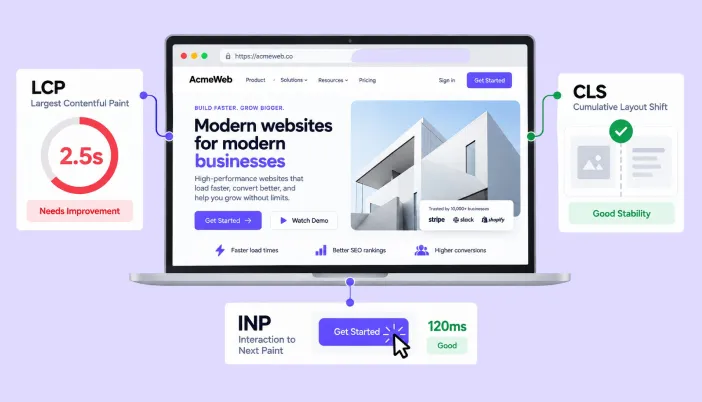
This blog explains exactly how to fix LCP, INP, and CLS the three Core Web Vitals with concrete, prioritized actions rather than vague advice. You’ll learn how to improve Largest Contentful Paint, reduce cumulative layout shift, and fix Interaction to Next Paint using the same techniques Google’s own documentation recommends, plus a practical checklist for tackling all three within a single month.
The article includes a comparison table of fixes by effort level, real diagnostic steps, and an FAQ section covering what people ask most before starting.
What are LCP, INP, and CLS, and why fix all three at once?
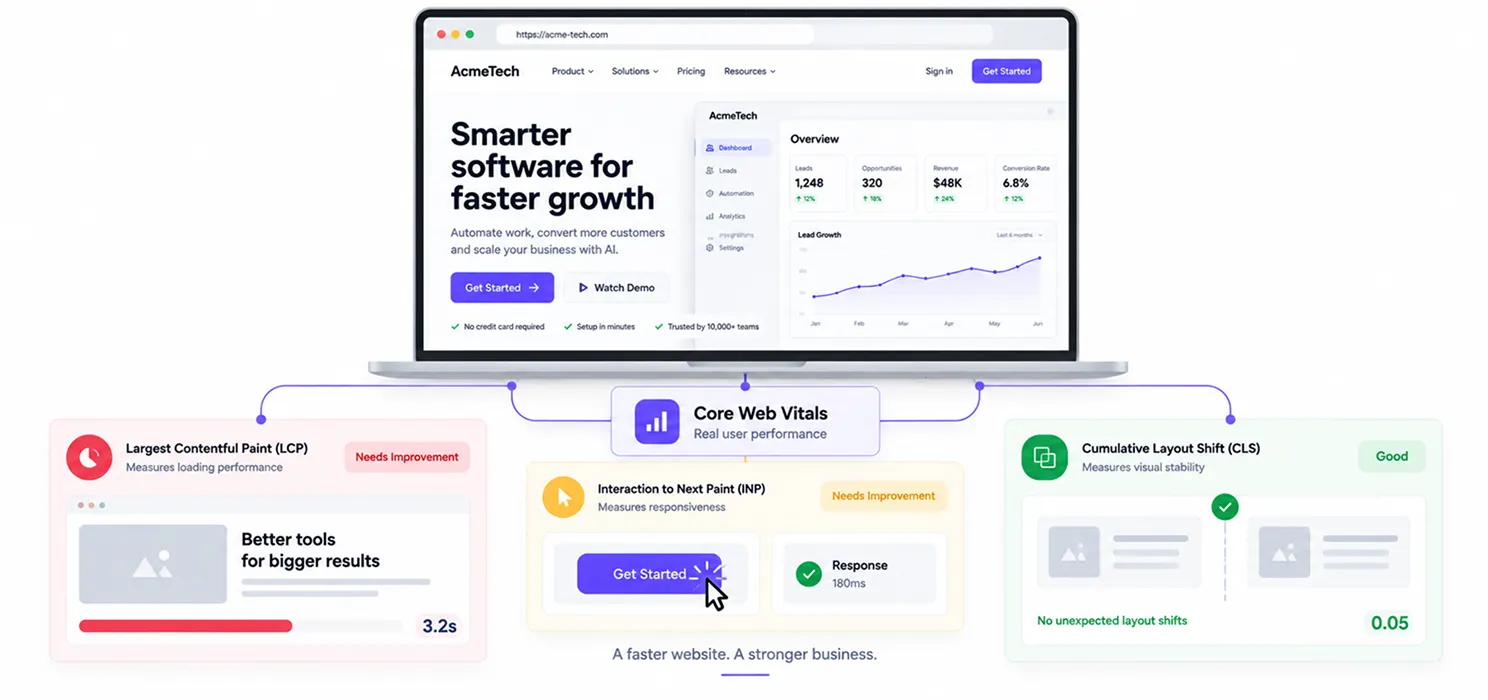
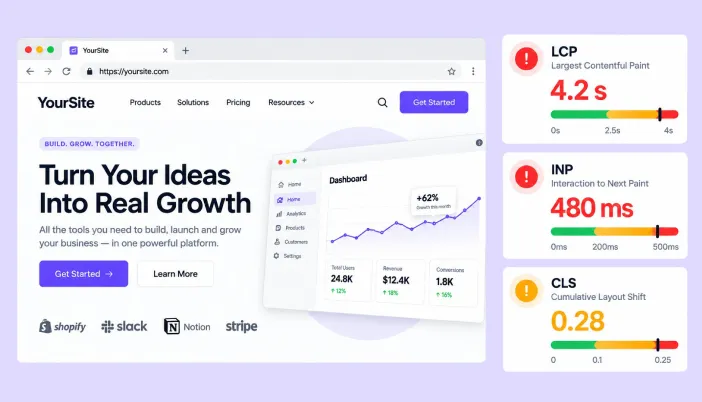
Largest Contentful Paint (LCP) measures loading speed. Interaction to Next Paint (INP) measures responsiveness. Cumulative Layout Shift (CLS) measures visual stability. Together, they’re what Google actually means by Core Web Vitals.
The reason to fix them together rather than one at a time is simple: Google scores each metric at the 75th percentile of real visits, and a page only “passes” when it clears all three. Fixing LCP while ignoring INP still leaves you failing overall and losing whatever ranking and conversion benefit passing would have given you.
The good news is that most fixes for one metric don’t conflict with fixes for another. A focused month of work touching images, scripts, and layout can realistically move all three at once.
How to improve Largest Contentful Paint (LCP)
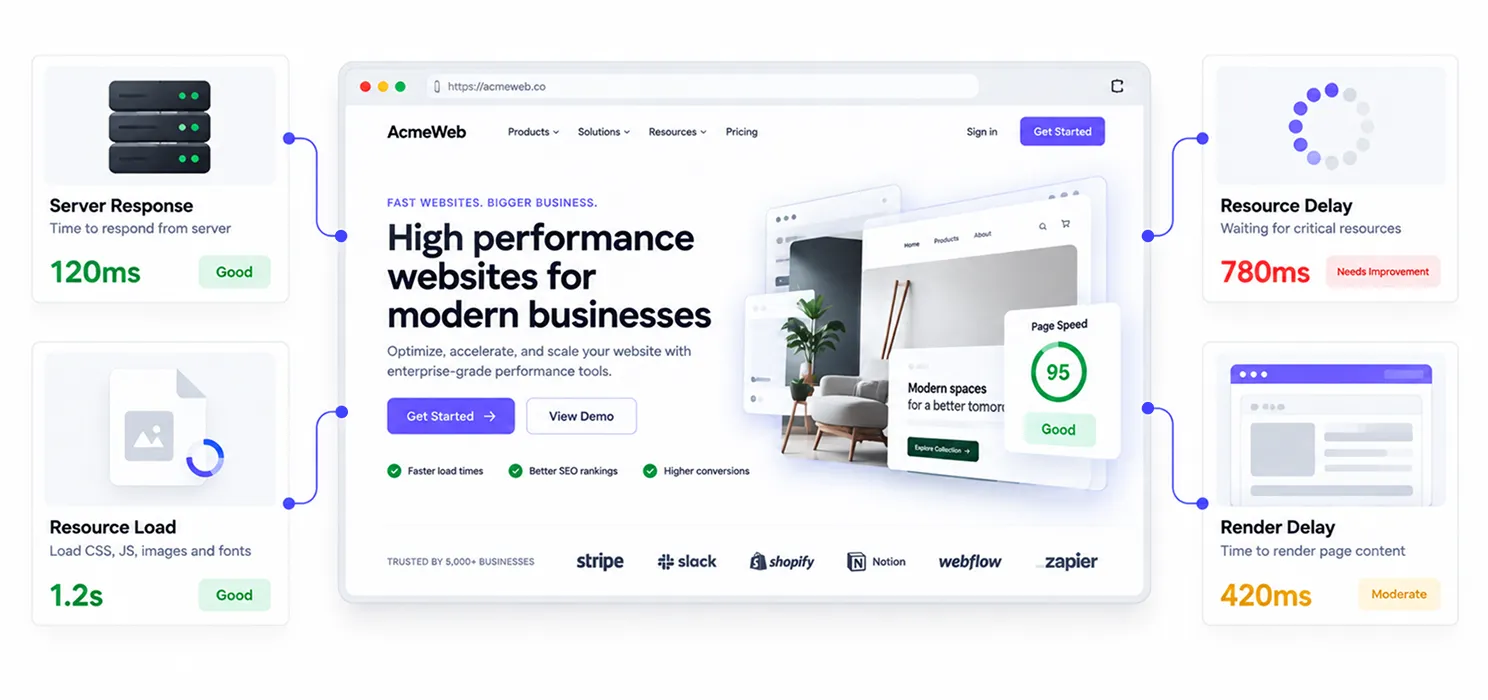
LCP has four failure points, and diagnosing which one is slowing you down determines what to fix first: time to first byte, resource load delay, resource load duration, and render delay.
Fix your server response time first. If your Time to First Byte is slow, no front-end optimization fully compensates. Upgrading hosting, adding a CDN, or enabling server-side caching addresses this directly.
Preload your LCP resource. If your hero image or main content block loads late because the browser doesn’t discover it until deep into the HTML, a <link rel=”preload”> tag tells the browser to fetch it immediately, rather than waiting.
Compress and properly size images. This remains the single most common cause of slow LCP across the web. Serving a 2,000-pixel-wide image to a 400-pixel-wide mobile viewport wastes bandwidth that directly delays paint.
Eliminate render-blocking resources. CSS and JavaScript that must load before your main content can render add directly to LCP. Inlining critical CSS and deferring non-critical scripts is the standard fix here.
Remove unnecessary render delay. Sometimes the LCP resource itself loads quickly, but something else a font swap, a JavaScript framework hydrating the page delays the actual paint. This is where font-display: swap and reducing client-side rendering overhead pay off.
How to fix Interaction to Next Paint (INP)
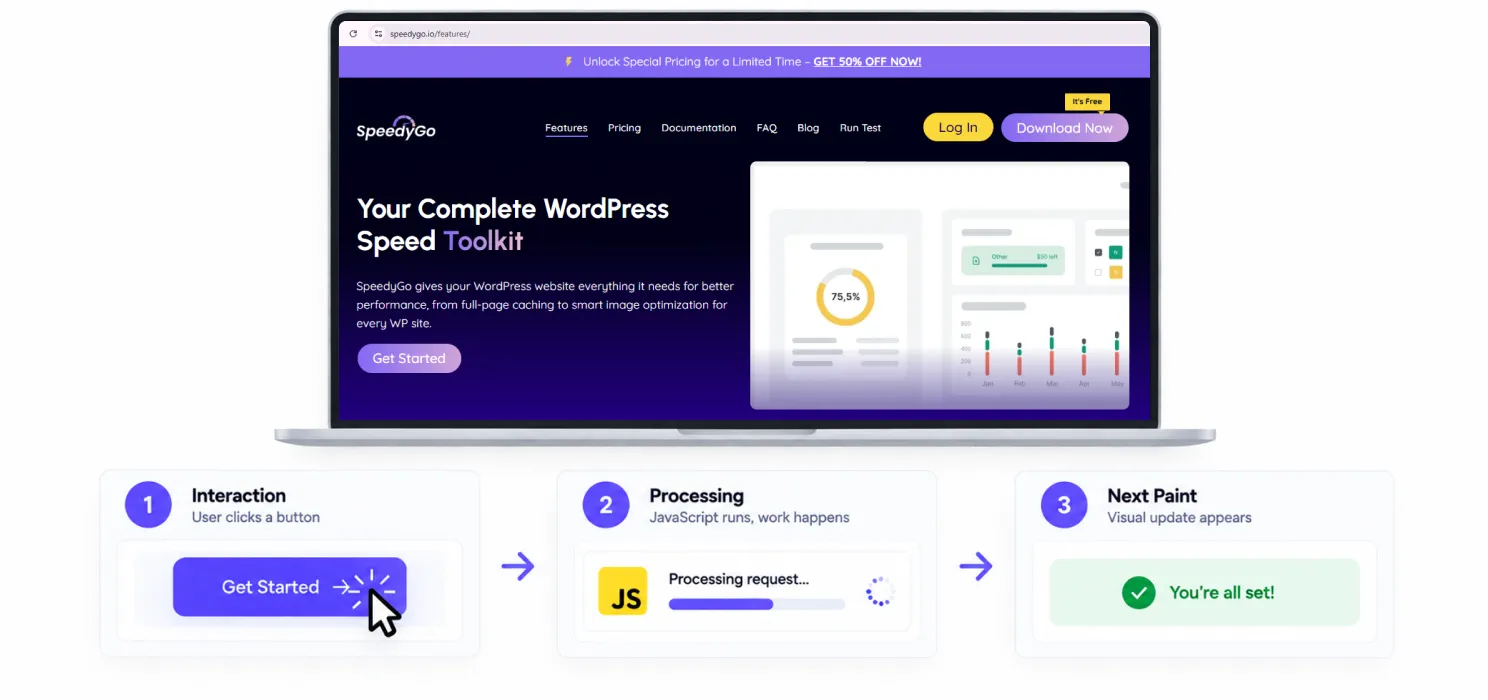
INP is widely considered the hardest Core Web Vital to pass, with roughly 40% of mobile origins still failing it heading into 2026. It replaced First Input Delay in March 2024 specifically because FID only measured the delay before a handler started running; INP measures the entire round trip, including the work your code does and the time it takes to paint the result.
Every interaction breaks into three phases, and fixing INP means figuring out which phase is dominating your worst interactions.
Break up long tasks. If a single script blocks the main thread for hundreds of milliseconds, a click that arrives mid-task has to wait. Using scheduler.yield() (or a setTimeout fallback where it’s not supported) lets the browser hand control back to the user between chunks of work instead of hogging the thread.
Optimize event handlers. Split your code into what must run immediately and what can wait. Non-critical work analytics calls, logging, non-visual updates should be deferred with requestIdleCallback or moved to a Web Worker, rather than running inline with the interaction itself.
Reduce presentation delay. Batch your DOM reads and writes instead of interleaving them, which causes layout thrashing. Reducing overall DOM size and using CSS containment also shortens the time the browser needs to compute and paint the next frame.
Tame third-party scripts. Chat widgets, ad tags, and tracking pixels are collectively one of the biggest causes of poor INP, since they compete for the same main thread your own code needs. Loading nice-to-have scripts during idle time, or replacing heavy embeds with lightweight facades that load the real thing only on interaction, removes this bottleneck without removing the tool entirely.
Unlike LCP, INP responds poorly to server-layer fixes alone the dominant cause lives in JavaScript execution, which means the real fix usually has to happen in your application code, not just your hosting configuration.
How to reduce Cumulative Layout Shift (CLS)
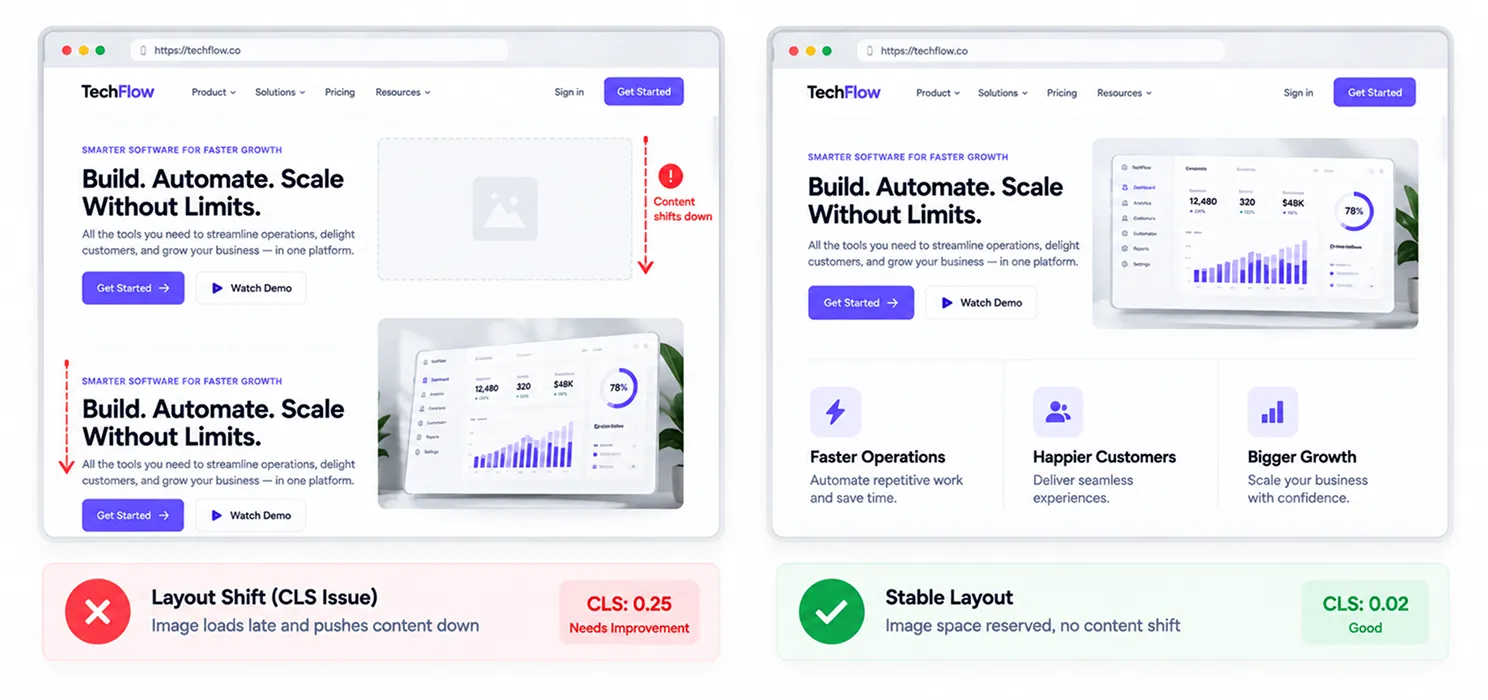
CLS is often the cheapest of the three metrics to fix, because the causes are usually simple and don’t require big architectural changes.
Set explicit width and height on every image and video. When the browser doesn’t know how much space an image needs before it loads, it reserves none, and the page jumps the moment the image appears. Explicit dimensions (or an aspect-ratio in CSS) solve this outright.
Reserve space for ads and embeds. Dynamically injected content, like ad slots or embedded widgets, is one of the most common unaddressed causes of layout shift, since you don’t know the space it needs until it loads.
Avoid inserting content above existing content. Adding a banner, notification, or cookie prompt above what a visitor is already reading pushes everything down and counts directly against your CLS score.
Use font-display: swap carefully. Font swaps can themselves cause a shift if the fallback font and the final font have significantly different sizes. Choosing a fallback with similar metrics minimizes the jump when the real font loads in.
Which fix should you prioritize first?
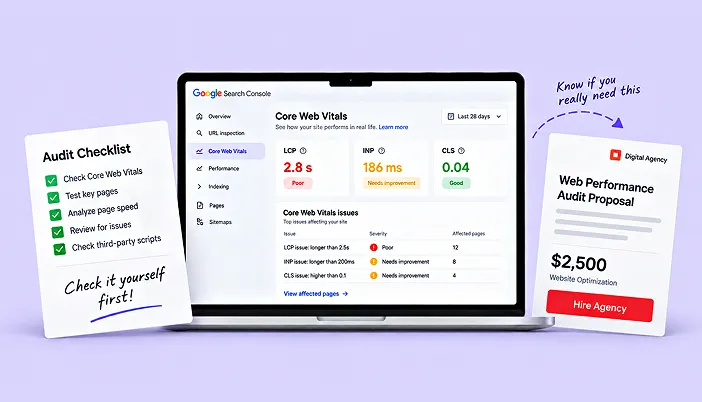
If you’re short on time this month, prioritize by which metric is furthest from “good” in your Search Console report, not by which fix sounds most technically interesting.
| Fix Type | Typical Effort | Metric Improved | Best For |
| Image compression & sizing | Low | LCP, CLS | Almost every site, first step |
| Preload LCP resource | Low | LCP | Sites with a clear hero image or headline |
| Break up long JavaScript tasks | Medium | INP | JavaScript-heavy sites, SPAs |
| Reserve space for ads/embeds | Low | CLS | Content and publishing sites |
| Defer third-party scripts | Medium | INP, LCP | Sites with chat widgets, ad tags, trackers |
| Server/hosting upgrade | Medium-High | LCP | Sites with slow Time to First Byte |
Notice the low-effort fixes cluster around LCP and CLS. That’s not a coincidence; it’s why most focused optimization sprints tackle those two first, then spend the remaining time on INP, which usually takes more sustained engineering work.
A realistic month-long plan

Week one: Run your site through Search Console’s Core Web Vitals report and PageSpeed Insights to identify which pages and metrics are actually failing. Don’t guess the field data tells you exactly where to start.
Week two: Fix the low-effort items: image compression, explicit dimensions on media, reserved space for ads, and preloading your LCP resource. This alone often produces a visible score jump.
Week three: Address third-party scripts and long JavaScript tasks. This is the most time-consuming part, and where a Core Web Vitals audit service tends to add the most value if you don’t have in-house engineering time to spare.
Week four: Re-test and monitor. Since CrUX field data reflects a rolling 28-day window, your official scores won’t fully update in a single week, but lab tools like PageSpeed Insights should already show improvement, giving you a signal the work is on track before the field data catches up.
A practical example
A mid-sized publishing site was failing all three metrics: LCP at 4.1 seconds, INP at 340ms, and CLS at 0.22. Over three weeks, the team compressed and preloaded the hero image (LCP fix), reserved fixed space for their ad slots (CLS fix), and moved their analytics and chat widget scripts to load during idle time (INP fix).
By the following month’s Search Console update, LCP had dropped to 2.1 seconds, CLS to 0.06, and INP to 180ms all three now passing. None of the changes required a full rebuild. They required knowing exactly which three or four fixes actually mattered, rather than trying everything at once.