10 mins read
Mastering Core Web Vitals for WordPress in 2026
Share Article :


This guide breaks down exactly what Core Web Vitals mean in 2026, why WordPress sites tend to struggle, and the concrete steps you can take to fix each metric, without needing to be a full-time developer.
If you run a WordPress site, you’ve probably heard the phrase “Core Web Vitals” thrown around in every SEO conversation for years now.
But in 2026, these metrics aren’t just a ranking checkbox anymore; they’re a real, measurable driver of conversions, bounce rates, and revenue. Google continues to treat them as part of its page experience signals, and the bar for “good enough” keeps rising.
The frustrating part? WordPress, by default, isn’t built to pass these tests out of the box.
Between heavy themes, bloated page builders, dozens of plugins injecting their own JavaScript and CSS, and budget hosting, it’s easy to end up with a site that looks great but performs poorly where it counts: in front of real users on real devices.
What are core web vitals in 2026?
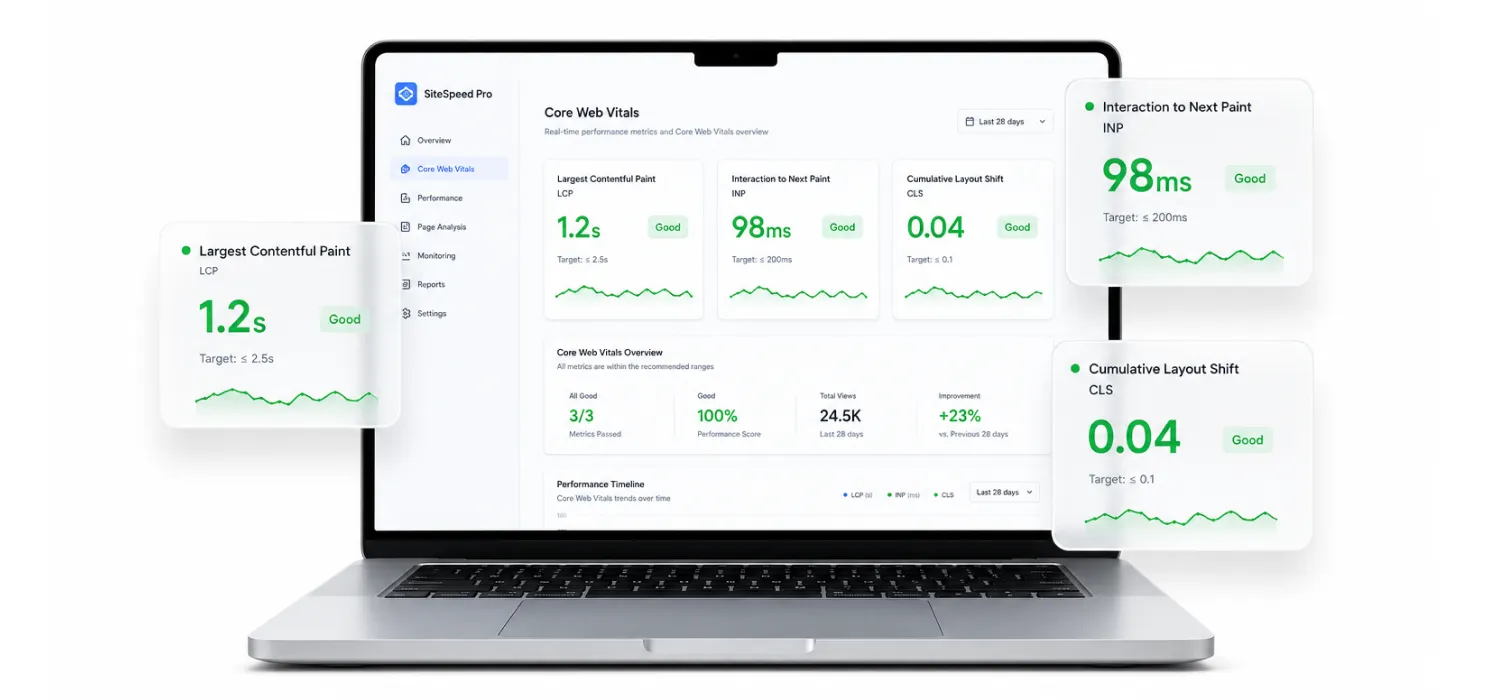
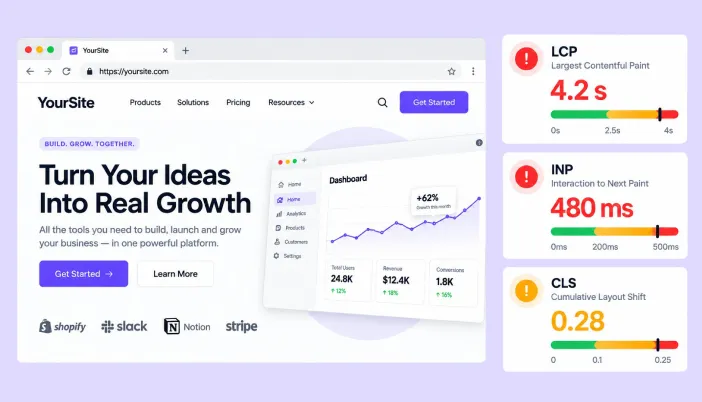
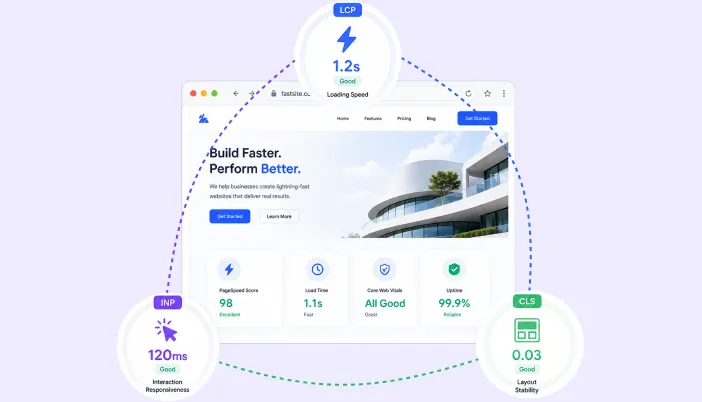
Core Web Vitals are three field metrics Google uses to measure real-world page experience:
- Largest Contentful Paint (LCP) measures loading speed. Good: under 2.5 seconds.
- Interaction to Next Paint (INP) measures responsiveness. Good: under 200 milliseconds.
- Cumulative Layout Shift (CLS) measures visual stability. Good: under 0.1.
One important update if you’re working from an old checklist: INP fully replaced First Input Delay (FID) in March 2024. Any guide that still mentions FID is outdated. INP is a much stricter test; instead of just measuring the delay before a browser starts processing a click, it measures the entire interaction lifecycle, from the moment someone taps or clicks to the moment the screen actually updates.
That includes all the JavaScript execution in between, which is exactly why it trips up so many WordPress sites loaded with plugins and page builders.
The 75th percentile rule
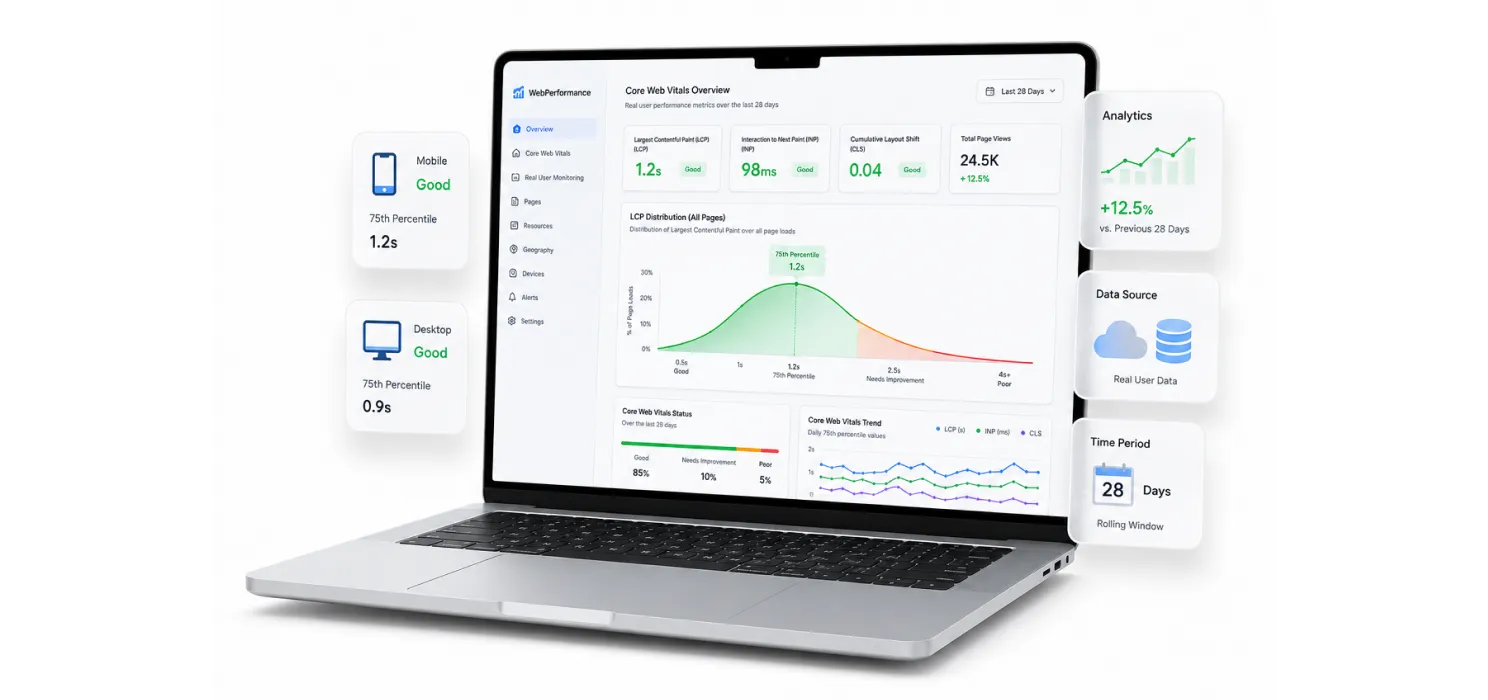
Here’s the detail most articles gloss over: Core Web Vitals are field data, not lab data. Google grades your site using the Chrome User Experience Report (CrUX), pulled from real Chrome users over a rolling 28-day window, and it evaluates the 75th percentile of those visits.
In practice, that means a perfect 100/100 score in your local Lighthouse test means very little if a quarter of your real visitors often people on mid-range phones with patchy connections are having a slow, janky experience. To “pass” a metric, at least 75% of real page views need to land in the “good” zone. This is also why results lag: after you ship a fix, you typically need to wait a few weeks for the CrUX window to refresh before you can confirm whether it worked.
Why WordPress sites struggle with core web vitals
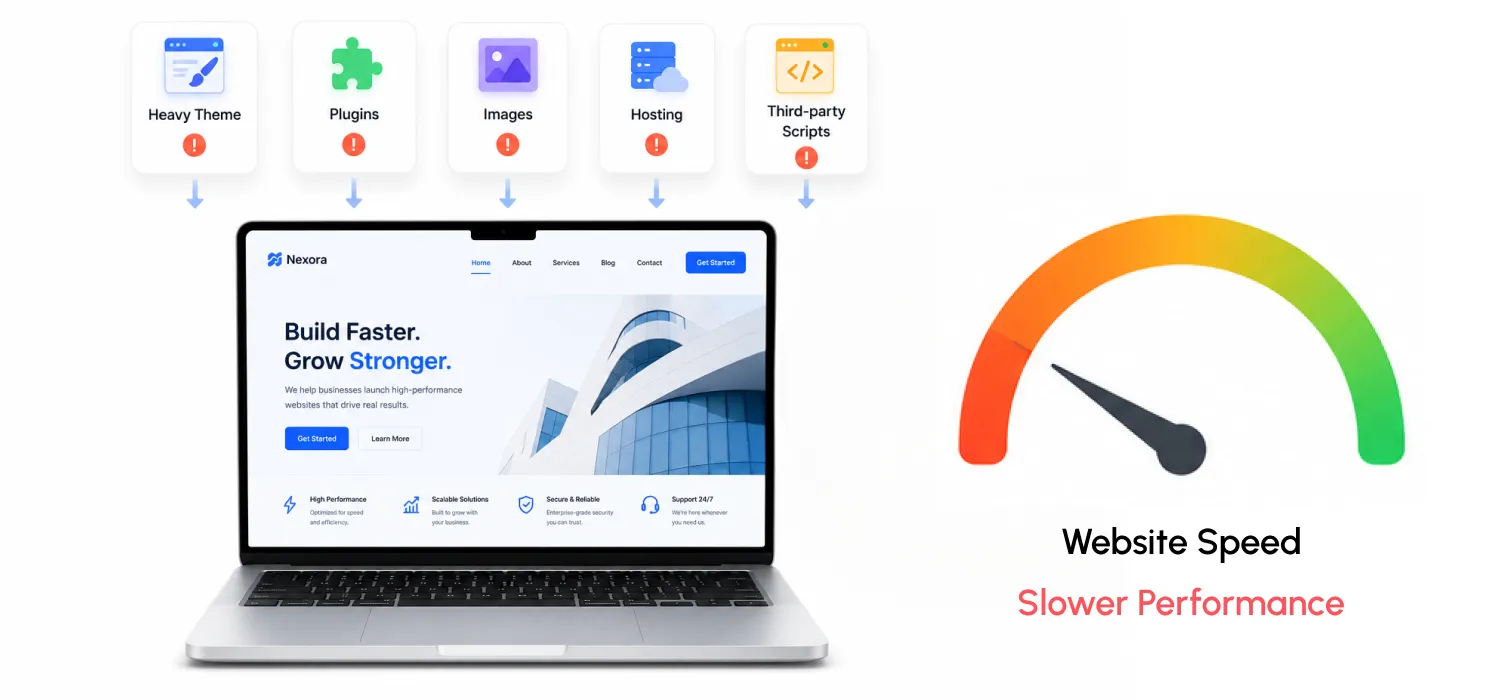
WordPress core itself is lean and fast. The problem is almost always what gets stacked on top of it:
- Heavy, multipurpose themes bundled with drag-and-drop builders that can add anywhere from 400KB to over 1MB of JavaScript to every single page load before you’ve installed a single plugin.
- Plugin sprawl, where each plugin injects its own scripts, styles, and render-blocking resources, often duplicating functionality other plugins already handle.
- Unoptimized images, especially hero images and featured images that load at full resolution with no modern format (WebP/AVIF) or responsive sizing.
- Cheap shared hosting, where slow server response times (TTFB) quietly sabotage your LCP before the browser even starts rendering.
- Third-party scripts, chat widgets, tracking pixels, ad tags, font embeds all competing for the main thread at the exact moment a user tries to interact with the page.
The good news is that because WordPress gives you full control over your code, hosting, and stack, it’s also a platform where deliberate optimization pays off enormously. Sites that get this right routinely pass all three metrics, on every template, consistently.
Fixing LCP: loading speed
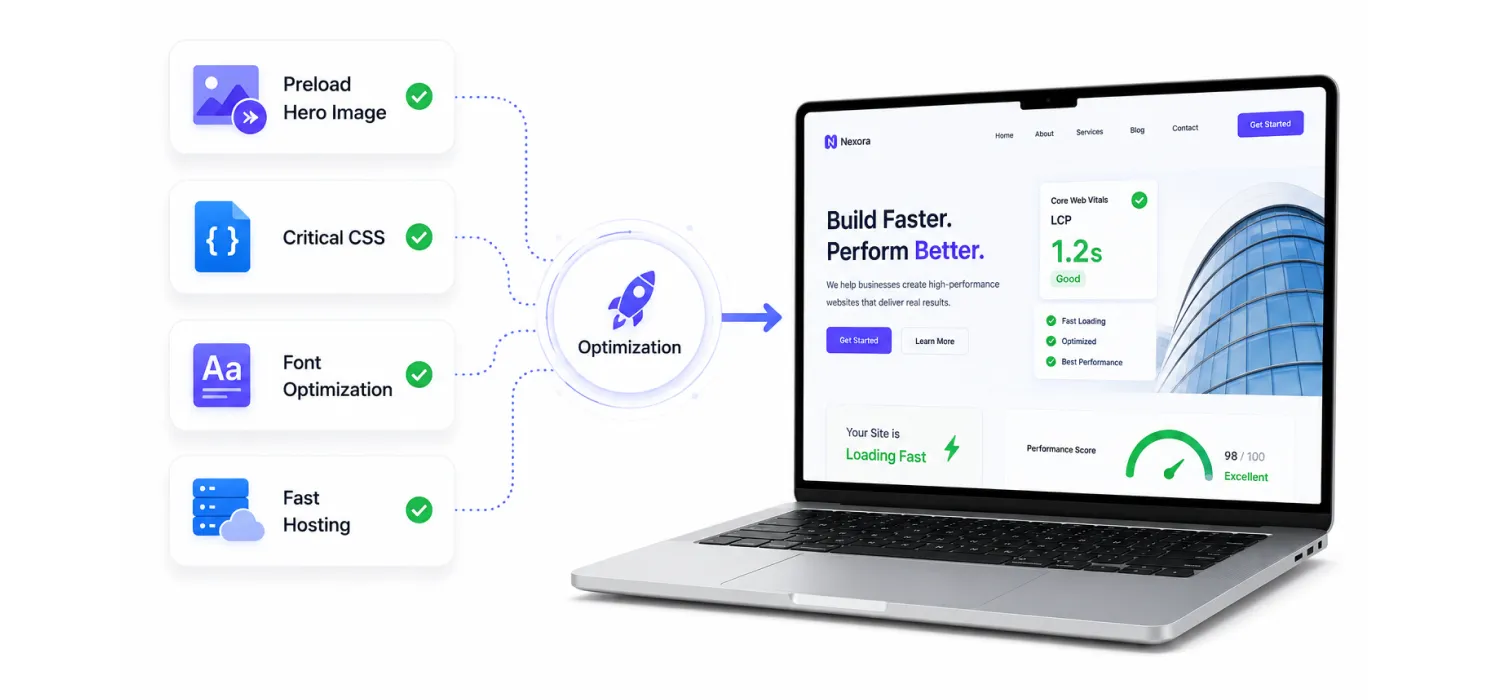
LCP is usually the most commercially important metric, since it directly affects perceived load speed and, according to Google’s own case studies, has moved the needle on real conversion numbers for companies like Vodafone and Tokopedia. Four fixes account for most of the improvement:
- Preload your LCP image. If your hero image or featured image is the largest content element, add a <link rel=”preload”> tag for it so the browser fetches it immediately instead of discovering it late in the page’s render sequence.
- Inline critical CSS. Extract the CSS needed to render above-the-fold content and inline it in the <head>, deferring the rest. This avoids render-blocking stylesheet requests.
- Preload key fonts with font-display: swap. This prevents invisible text while custom fonts load, and avoids a slow first paint.
- Improve your hosting and server response time. No amount of front-end optimization compensates for a server that takes 1.5 seconds just to respond. Managed WordPress hosting with proper caching and a modern PHP version (8.2+) makes a measurable difference.
Image optimization plugins (for compression and WebP/AVIF conversion) and a solid caching plugin will handle a large share of this automatically, but it’s worth manually checking your homepage and top landing pages to confirm the actual LCP element is what you think it is, sometimes it’s an ad slot or a slider image you didn’t expect.
Fixing INP: The hardest metric in 2026
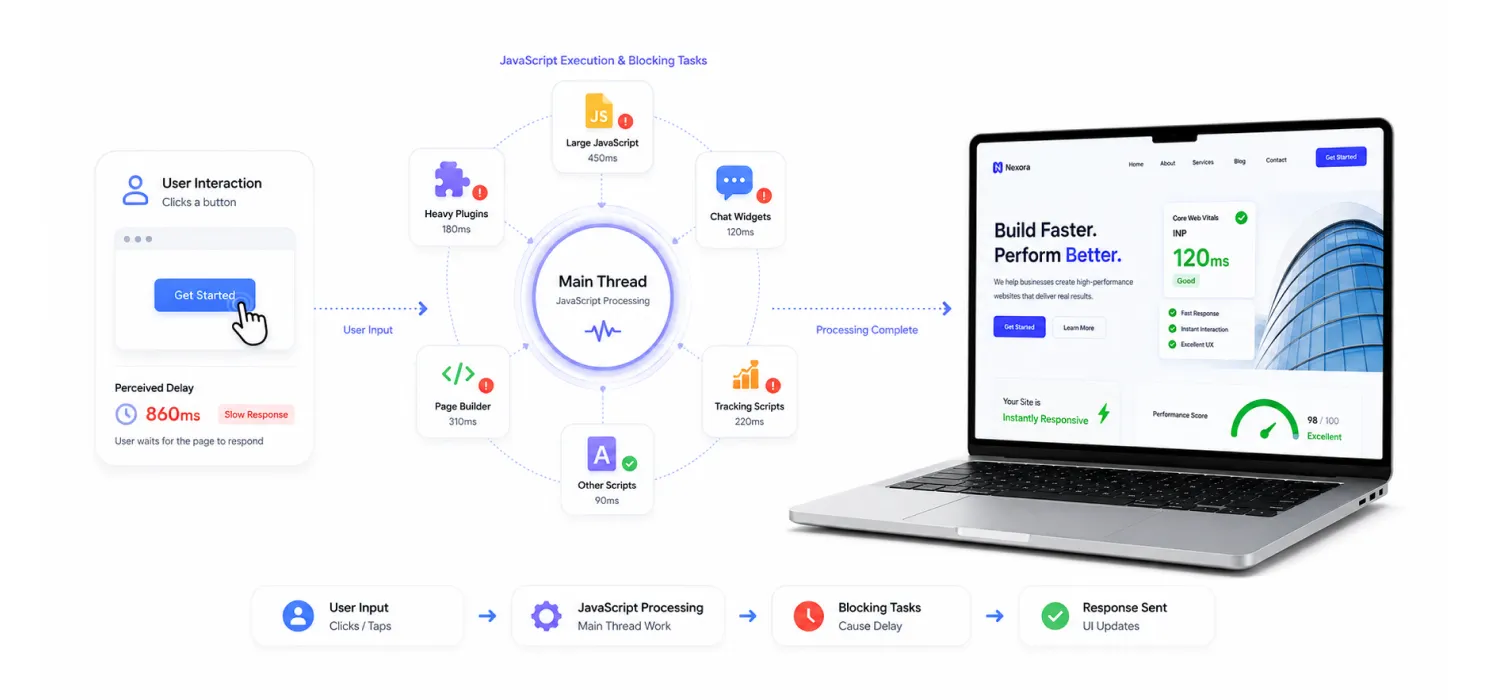
Roughly 43% of websites still fail the INP threshold, making it the most commonly failed Core Web Vitals across the web, and WordPress sites are disproportionately represented in that number. Unlike LCP and CLS, which have well-established fix patterns, INP requires rethinking how JavaScript runs on your site.
Key strategies:
- Delay non-critical JavaScript execution. Scripts like chat widgets, tracking pixels, and social embeds don’t need to run the instant the page loads. Delaying them until a user actually interacts with the page (moves their mouse, scrolls, or taps) clears up the main thread for the interactions that matter.
- Break up long tasks. Any JavaScript task that blocks the main thread for more than 50ms risks delaying the browser’s response to user input. Where you have control over custom code, look for opportunities to yield back to the browser between chunks of work.
- Reduce and audit plugins. Every plugin you run is a bundle of JavaScript that has to be evaluated on every page load, whether or not it’s needed there. A plugin audit checking which ones are actually earning their keep is often the single highest-leverage first step.
- Avoid heavy page builders where possible, or at least trim them down to only the modules you actively use. Multipurpose themes with built-in drag-and-drop builders are consistently the worst offenders for INP.
Diagnosing INP problems requires the Chrome DevTools Performance panel: record an interaction, then look for long tasks blocking the main thread at the exact moment a user clicked or tapped something.
Fixing CLS: visual stability
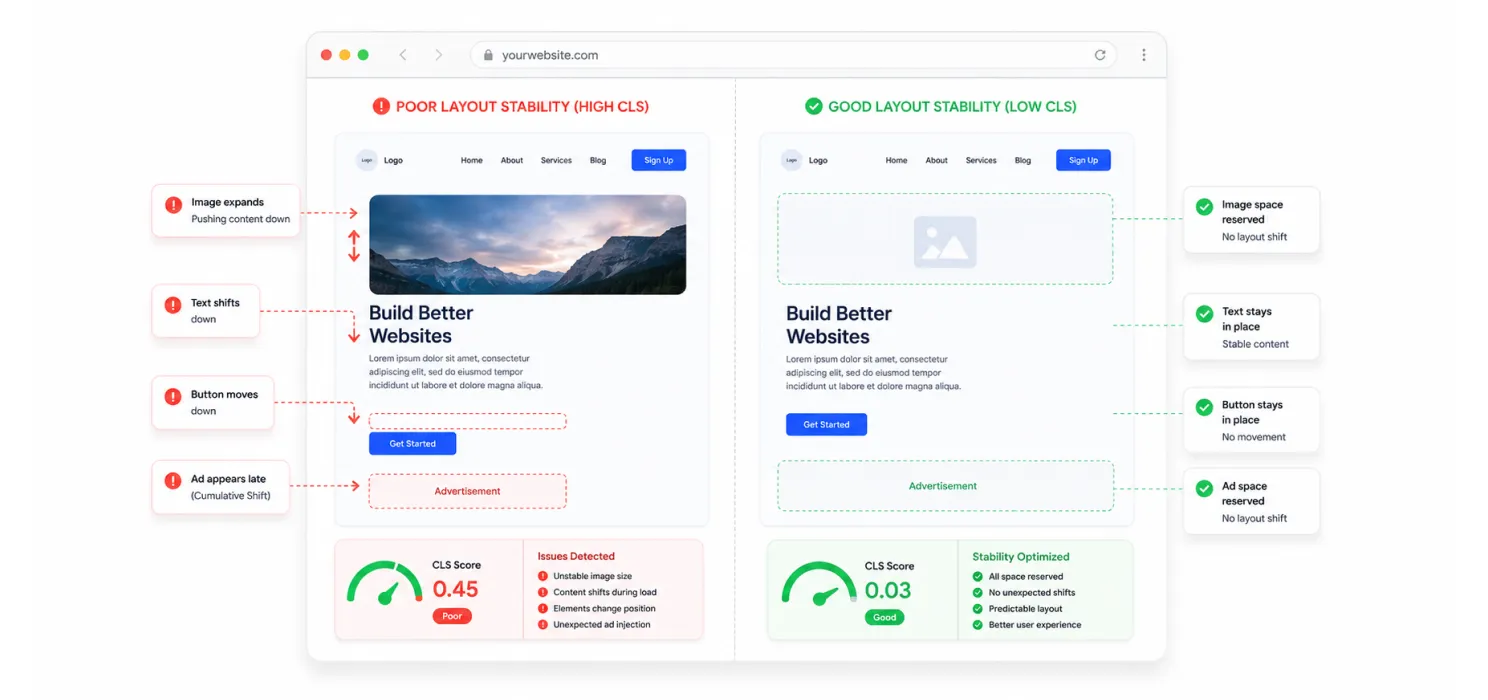
CLS is generally considered the easiest of the three to fix, and the fixes are mechanical rather than architectural:
- Set explicit width and height attributes on every image, video, iframe, and embedded ad slot, so the browser reserves the correct space before the resource loads.
- Reserve space for dynamically injected content, like cookie banners, promotional bars, or lazy-loaded widgets, so they don’t push the rest of the page down after it’s already rendered.
- Use font-display: swap carefully; while this helps LCP, make sure your fallback font has similar metrics to your custom font so text doesn’t visibly reflow once the custom font loads.
- Avoid inserting new content above existing content unless it’s in response to a user interaction (e.g., an accordion expanding is fine; an ad loading in above the fold mid-scroll is not).
Chrome DevTools has a “Layout Shift Regions” overlay that visually highlights exactly which elements are shifting and when, genuinely useful for tracking down the source instead of guessing.
Building a practical wordPress optimization stack
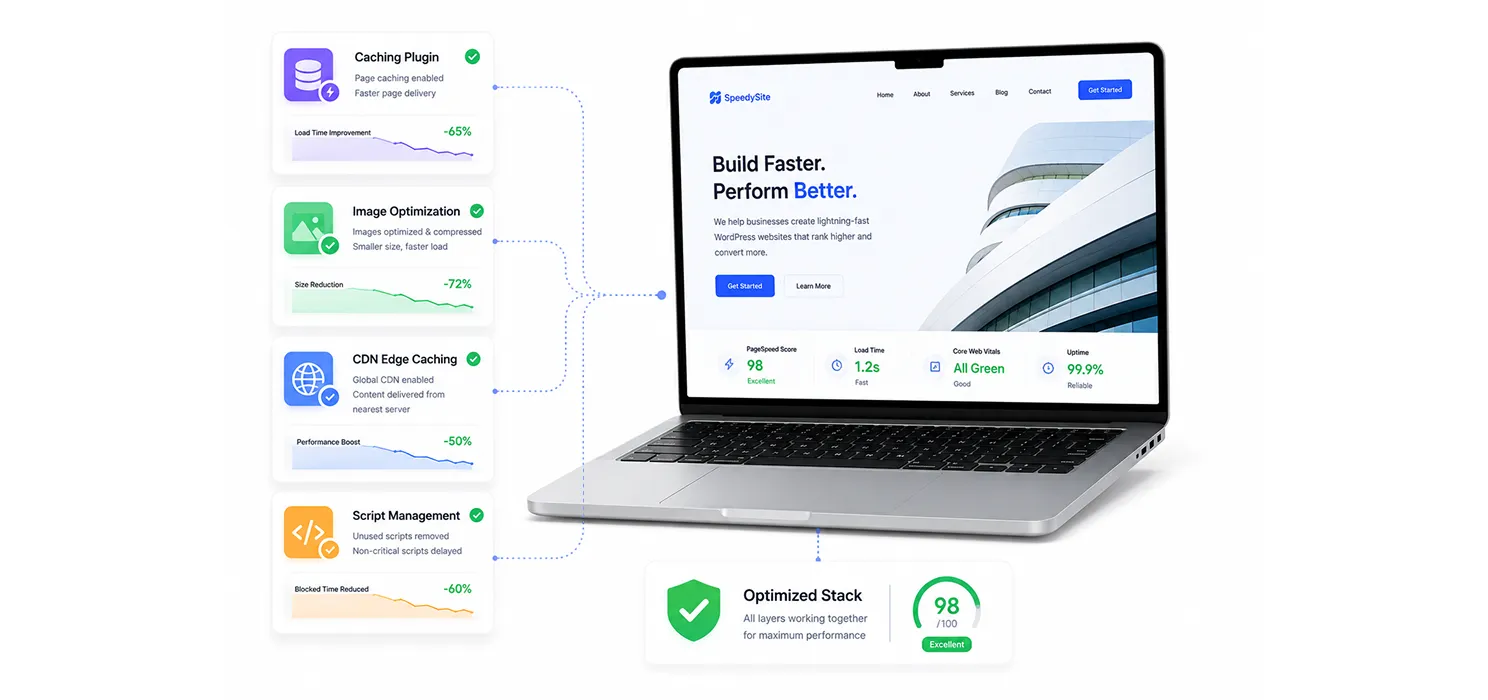
You don’t need to hand-code every fix. For most WordPress sites in 2026, a combination of a strong caching/optimization plugin, a dedicated image optimization plugin, and a CDN or edge-caching layer covers the majority of ground:
- A caching plugin that handles page caching, JavaScript delay/defer, and critical CSS generation.
- An image optimization plugin for automatic compression and modern format delivery (WebP/AVIF).
- A CDN or edge-caching layer (such as Cloudflare’s application-level caching) to cut server response times globally.
- A script-management plugin if you’re running numerous third-party tags, so you can control exactly when and where each one loads.
If you’re stuck with a chronically slow multipurpose theme, it may genuinely be worth migrating to a lighter, purpose-built theme rather than continuing to patch around the bloat. Sometimes the fastest fix is subtraction, not addition.
Measure first, fix second, then keep watching
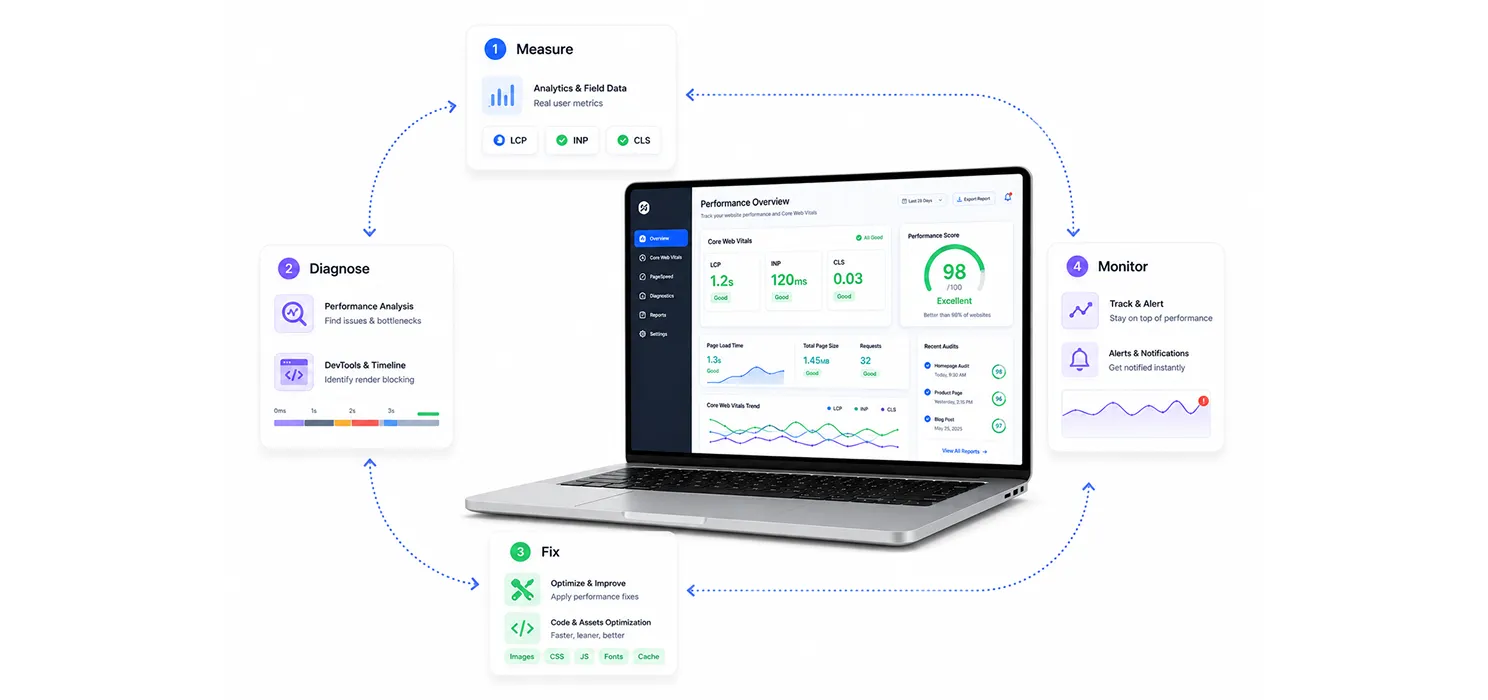
The workflow that actually works:
- Measure: check Google Search Console’s Core Web Vitals report and PageSpeed Insights for real field data. If your traffic is too low for CrUX data, use Lighthouse lab data as a rough starting point, understanding it’s an approximation.
- Diagnose: use Chrome DevTools to pinpoint exactly what’s driving each poor score: a network waterfall for LCP, main-thread long tasks for INP, layout shift regions for CLS.
- Fix: prioritize whichever metric is furthest from “good.” A common approach: fix whatever’s in the “poor” band first, then tackle INP (hardest to solve), then LCP (highest commercial impact), then CLS (easiest to close out). Don’t spend time polishing a metric that’s already green.
- Monitor continuously: a single theme or plugin update can quietly regress your Core Web Vitals months after you fixed them. Set up ongoing monitoring rather than treating this as a one-time project, and consider setting internal alert thresholds tighter than Google’s (for example, flagging INP above 160ms or LCP above 2.0 seconds) so you catch regressions before they show up in your CrUX data.
Why this matters beyond rankings
It’s easy to treat Core Web Vitals as a purely technical SEO exercise, but the business case is just as strong as the ranking case.
Google’s own case study repository documents real outcomes: one retailer saw a meaningful lift in ad revenue after tightening up CLS, a media company saw longer average session durations after cutting LCP significantly, and another saw a notable jump in organic traffic after improving load speed.
These aren’t marginal, cosmetic wins; they reflect the fact that a page which loads fast, doesn’t jump around, and responds instantly to taps and clicks simply keeps people around longer and converts better.
For WordPress specifically, this is also tied to advertising revenue for content sites. Slow, unstable pages don’t just rank worse; they show ads less effectively, since a shifting layout can cause users to misclick or bounce before an ad slot even finishes loading.
The bottom line
Core Web Vitals in 2026 aren’t about chasing a perfect Lighthouse score or memorizing a new trick; they’re about disciplined engineering applied consistently: ship less JavaScript, reserve layout space in advance, and prioritize what the user actually sees and touches first. WordPress makes this achievable because you have full control over the stack, but it also means the responsibility for keeping things lean falls entirely on you.
Get your hosting and caching right, trim the JavaScript your theme and plugins are shipping, give images and dynamic content their reserved space, and monitor field data continuously rather than checking once and forgetting about it. Do that, and Core Web Vitals stop being a recurring red flag in Search Console and start becoming a quiet, compounding advantage for your rankings, and for the people actually using your site.
FAQs
Do Core Web Vitals apply to my whole site or individual pages?
Google evaluates Core Web Vitals at the page level, not site-wide. You can have a fast, passing homepage and a slow, failing product or blog template at the same time. This is actually good news: it means you can prioritize your highest-traffic templates first rather than trying to fix everything simultaneously.
How long after a fix will I see results in Search Console?
Because Google uses a rolling 28-day window of real user data, expect to wait three to four weeks after deploying a fix before the CrUX data fully reflects the change. Don’t judge a fix after a day or two; it simply hasn’t had time to show up yet.
Is a 100/100 Lighthouse score the same as passing Core Web Vitals?
No, and this is one of the most common misunderstandings. Lighthouse is a lab test run under controlled, often best-case conditions. Core Web Vitals pass/fail status comes from real users on real devices and networks, captured in the CrUX dataset. You can have a perfect lab score and still fail the field data if a meaningful share of your visitors are on slower connections or older phones.
Which metric should I fix first?
Whichever one is currently in the “poor” band, since that’s doing the most damage to your ranking and user experience. After that, INP tends to be the hardest and most technically demanding to resolve, LCP usually carries the most direct commercial impact, and CLS is generally the quickest to close out once you’ve added explicit dimensions everywhere they’re missing.