6 mins read
SpeedyGo Free vs. Paid Plans: Which WordPress Optimization Plan Fits?
Share Article :


| Quick summary SpeedyGo has a Free plan, three paid plans (Starter, Plus, and Pro), and custom pricing for agencies. This guide compares them in plain English: what each plan includes, what the limits mean in real life, and how to pick the right one for your site. Prices and features come from the SpeedyGo pricing page at the time of writing, so always check the page before you buy. |
You open a pricing page and see four plans, a pile of numbers and words like “CDN bandwidth” and “WebP conversions.” You just want a faster website. Which plan do you need?
Many people pick the cheapest one and hit a limit. Others pick the biggest one and pay for features they never use.
The better way is to match the plan to your site. Let’s do that step by step.
What are the SpeedyGo plans at a glance?
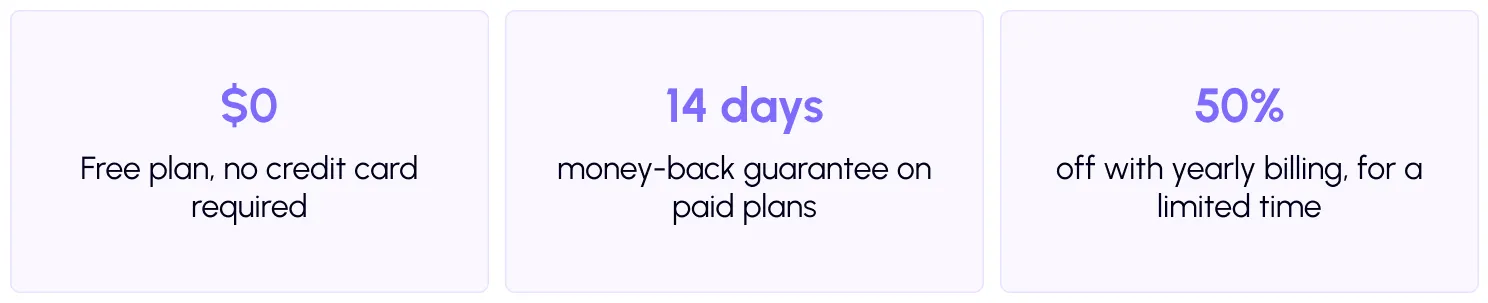
Here is the short version, using yearly billing prices from the pricing page.
Free: a limited plan to get started.
Starter: for small business websites, $3 a month billed yearly at $36. }
Plus: for growing business and WooCommerce websites, $9 a month billed yearly at $108.
Pro: for high-traffic business websites, $16 a month billed yearly at $192.
Agency: custom pricing for people who manage many client sites.
Monthly billing costs more: $6, $18, and $32 a month for Starter, Plus, and Pro. SpeedyGo is a recurring subscription, not a lifetime license, and the pricing page says you can switch plans or cancel anytime.

How do the plans compare feature by feature?
This table is taken from the plan comparison on the pricing page.
| Feature | Free | Starter | Plus | Pro | Agency |
| Websites | 1 | 1 | 1 | 1 | Multiple |
| CDN bandwidth | 1 GB | 8 GB | 35 GB | 300 GB | Custom |
| CDN storage | 0 GB | 5 GB | 25 GB | 75 GB | Custom |
| Image conversions | 20 | 200 | 2000 | Fair usage | Custom |
| Page caching | Included | Included | Included | Included | Included |
| Asset combination | No | Yes | Yes | Yes | Yes |
| JS interaction delay | No | Yes | Yes | Yes | Yes |
| Lazy loading | Included | Included | Included | Included | Included |
| WooCommerce support | No | No | Yes | Yes | Yes |
| Human support | No | 2 hours | 8 hours | 20 hours | Priority |
| Technical fixes | No | No | Yes | Yes | Yes |
| Did you know? CSS and JavaScript minification are on every plan, but the Free plan lists them as basic. The paid plans list them as included in full, along with deferred font loading on Starter, Plus and Pro. |
What do the limits mean in real life?
Three numbers decide most plan choices: CDN bandwidth, image conversions and support hours. Here is what each one means.
CDN bandwidth and storage
A CDN delivers your images and files from servers near your visitors. Bandwidth is how much data it sends out each month. Storage is how much it keeps.
As a rough guide, if each visit serves about 1 MB of images and files from the CDN, 10,000 visits would use about 10 GB. That is more than the Starter allowance of 8 GB, and well within Plus at 35 GB. This is only an estimate. Check your own page size with the free SpeedyGo speed test, and read the pricing FAQ to see what happens when bandwidth runs out.
WebP image conversions
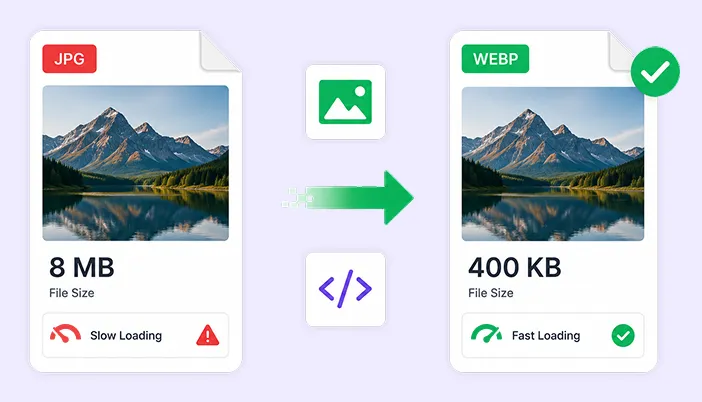
Smaller image files load faster, and WebP is a modern format that makes them smaller. The plans cap how many images can be converted: 20 on Free, 200 on Starter, 2,000 on Plus, and fair-usage unlimited on Pro. Image-heavy sites, such as photo blogs and online stores, should look at this number first. The pricing FAQ explains what counts as a conversion, so read it before you decide. Learn how conversion works in the docs forenabling WebP conversion.
Human support hours
Free has no human support. Starter includes 2 hours, Plus 8 hours, and Pro 20 hours, and Plus and Pro also include technical fixes. If you are not comfortable changing settings, or you run a store, this can matter more than any other row in the table.
Which plan fits your site?
Use these simple guides. They match the descriptions on the pricing page.
- A new or small personal site: start with Free or Starter. Free is a good way to try SpeedyGo on a small site. Starter adds more CDN, more image conversions, asset combination, JS interaction delay and 2 hours of human support. The pricing FAQ says that for a personal blog or small website, Starter is usually enough.
- A small business website: Plus is the most common choice. The pricing FAQ says most small WordPress business websites choose Plus, because it includes WooCommerce support, asset optimization, CDN bandwidth, and expert support.
- An online store: Plus or Pro. WooCommerce support starts on Plus. Stores with many products, lots of images, or heavy traffic may want Pro. Our blog has guides on speeding up WooCommerce.
- A high-traffic site: Pro. Pro has 300 GB of CDN bandwidth, 75 GB of storage, fair-usage unlimited image conversions, and 20 hours of human support.
- An agency or freelancer with several client sites: Agency. Each paid plan covers one website. The Agency plan bundles multiple sites, seat-based access and priority human support under one bill.Contact sales for details.
| Tip Count your sites, your images, and your visits before you choose. One store with 3,000 product photos needs a very different plan from a ten-page brochure site. |
What does every paid plan include?
Beyond the table, SpeedyGo lists several benefits across its plans: a secured CDN, WebP conversion, core caching, one-click optimization, a Core Web Vitals boost, a 14-day money-back guarantee, and human developer support on paid plans. You can see the full list of tools on the features page, and detailed how-to guides in the documentation.
Useful extras to check include JS interaction delay, which holds heavy scripts like chat widgets until visitors interact, and CDN integration, which delivers files from servers near your visitors. If you need help, you can open a support ticket.
Your plan selection checklist
- Run a speed test and save your mobile scores
- Count the websites you need to cover
- Estimate your number of images and monthly visits
- Decide if you run a WooCommerce store
- Check if you want human support or technical fixes
- Read the pricing FAQ on CDN bandwidth and image conversions
- Compare yearly and monthly billing
- Start free or use the 14-day money-back guarantee to test
- Re-test after setup and upgrade only if you hit a limit
Common mistakes to avoid
The first mistake is choosing by price alone. A cheaper plan that runs out of conversions or CDN bandwidth is not a bargain.
The second is forgetting the site limit. Each paid plan covers one website, so multiple sites need extra plans or the Agency plan.
The third is skipping the free test. A Free plan trial costs nothing and shows whether SpeedyGo fits your site.

Frequently Asked Questions
Choosing between SpeedyGo’s Free and Paid plans can be confusing when each option comes with different features, pricing, and usage limits. Here are answers to some common questions about CDN bandwidth, image conversions, WooCommerce support, subscriptions, multiple websites, and the money-back guarantee to help you decide which SpeedyGo plan is right for your website.
Is there a free SpeedyGo plan?
Yes. The pricing page offers a limited plan for $0.00 with no credit card required. It covers 1 website, 1 GB of CDN bandwidth and 20 image conversions.
Which SpeedyGo plan is best for a small business website?
According to the pricing FAQ, most small WordPress business websites choose Plus. For a personal blog or small website, Starter is usually enough.
Does SpeedyGo support WooCommerce?
Yes. WooCommerce support is included on Plus, Pro and Agency, and is not included on Free or Starter.
Is SpeedyGo a one-time purchase?
No. It is a recurring subscription, not a lifetime license. The pricing page also says you can switch plans or cancel anytime.
Can I use SpeedyGo on more than one site?
Each paid plan covers 1 website. The Agency plan covers multiple sites, with seat-based access and priority human support. Contact sales for details.
Is there a money-back guarantee?
Yes. The pricing page lists a 14-day money-back guarantee.