8 mins read
WordPress Optimization Services: Choosing the Right Plan
Share Article :



In this guide, you’ll learn what a WordPress optimization service includes, why every website needs a different approach, what factors affect pricing, and how to choose the right optimization plan based on your website’s goals, traffic, and performance needs.
Your website might have an attractive design, valuable content, and a solid SEO strategy, but if it takes too long to load, most visitors won’t stick around to see any of it.
Speed has become one of the biggest factors shaping user experience. People expect websites to load almost instantly, and when they don’t, they leave. Google’s own research shows that as page load time increases from 1 second to 3 seconds, the probability of a visitor bouncing increases by 32%. Push that to 5 seconds, and the probability jumps to 90%. Those lost visitors could have been customers, subscribers, or leads.
It’s not just about user experience either. Performance also affects search visibility, conversions, and trust. Google considers page experience, including Core Web Vitals, one of the signals it uses to evaluate webpages. Great content remains essential, but a slow website can still limit how effectively that content performs.
As Steve Jobs once put it, you have to start with the customer experience and work backward to the technology. That philosophy applies directly to site performance. Visitors don’t care what theme you’re using or how your site is built; they simply expect it to work quickly and smoothly.
This is exactly why more businesses are investing in a professional WordPress optimization service. Rather than relying on trial and error or stacking plugins, these services identify what’s actually slowing a site down and apply targeted fixes that make a measurable difference.
What is a WordPress optimization service?
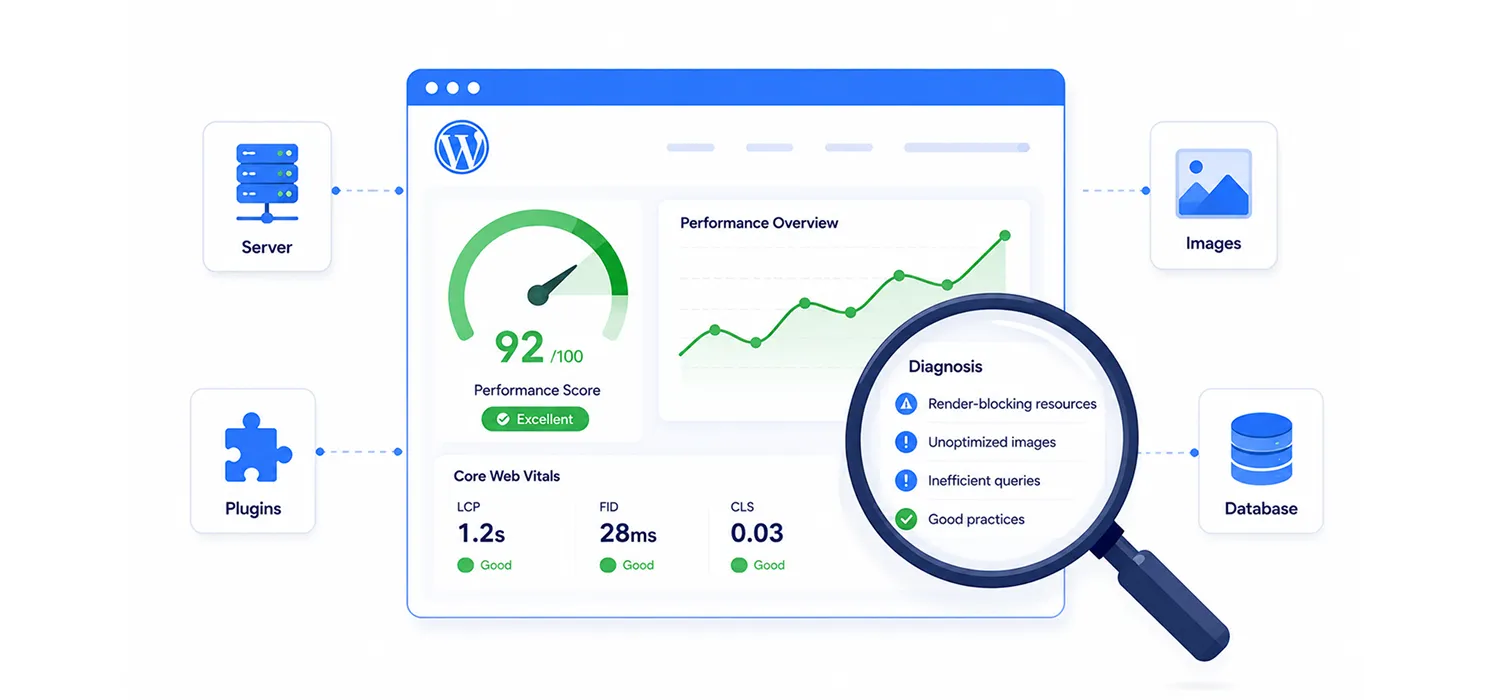
Many people assume optimization just means installing a caching plugin or chasing a better PageSpeed score. In reality, it’s a full process of identifying and fixing whatever is slowing a site down: hosting, theme, plugins, database, images, and code, rather than applying the same generic settings to every site.
Think of it like servicing a car. If a car isn’t running well, replacing the tires won’t necessarily fix it; the real issue could be the engine or the battery. Similarly, a slow WordPress site could be caused by oversized images, outdated plugins, poor hosting, inefficient code, or third-party scripts. A good service investigates the root cause before making any recommendations.
A complete optimization service typically includes a performance audit, Core Web Vitals analysis, image optimization, caching configuration, code minification, database cleanup, plugin/theme review, CDN setup, hosting evaluation, and ongoing monitoring. The goal isn’t a perfect speed-test score, it’s a site that loads quickly for real users, stays stable under traffic, and feels smooth across devices.
Why website performance matters more than ever
A fast website isn’t a “nice to have” anymore; it’s an expectation. Whether someone’s reading a blog post or checking out at an online store, every second of delay affects whether they stay or leave.
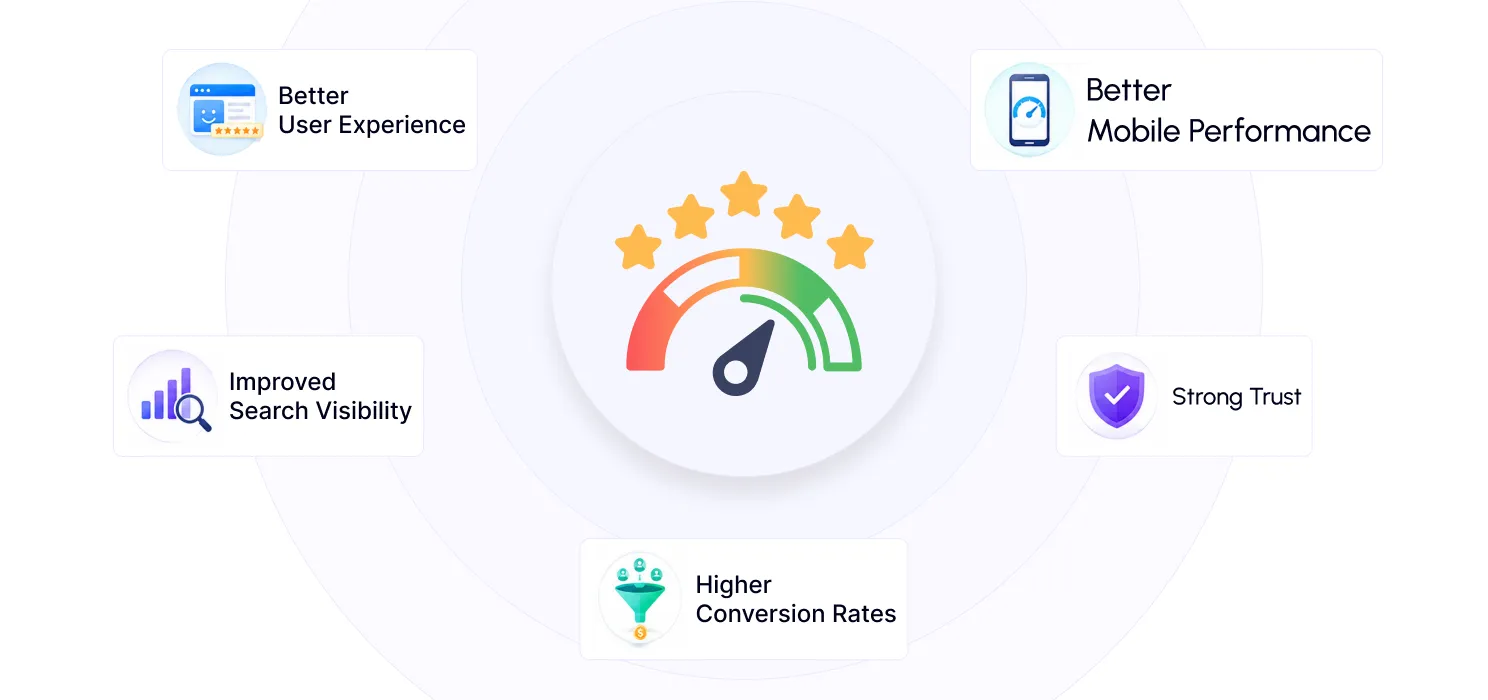
Portent’s research on this found that websites with faster load times generally achieve higher conversion rates than slower ones. Speed is one of the few conversion factors businesses can directly control. Here’s what improving it actually delivers:
Better user experience. Visitors don’t consciously notice speed; they just notice whether a site feels smooth or frustrating. Delays can make even a well-designed site feel unreliable.
Improved search visibility. Core Web Vitals Largest Contentful Paint (how fast main content appears), Interaction to Next Paint (how responsive the site feels), and Cumulative Layout Shift (how visually stable it is) are signals Google factors into page experience.
Higher conversion rates. Every extra second of waiting during checkout or form submission is another chance for a visitor to abandon. Faster pages remove that friction.
Better mobile performance. A large share of traffic now comes from phones, often on inconsistent networks. Oversized images and unnecessary scripts hit mobile users hardest.
Stronger trust. A site that loads quickly and responds reliably signals professionalism. As usability expert Jakob Nielsen put it, the first rule of usability is simply not making people wait. Simple, but true — people value websites that respect their time.
What a professional optimization service should include
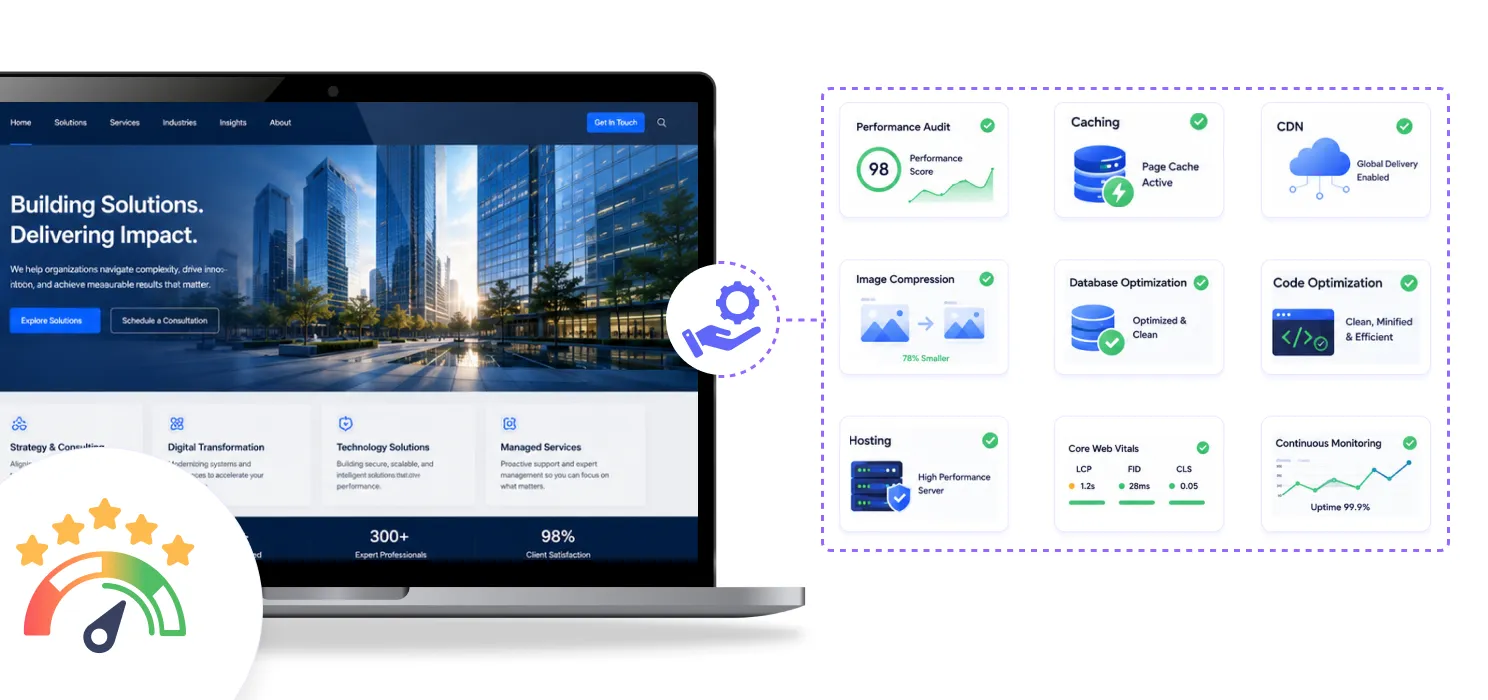
Not all providers deliver the same value; some just install a few plugins and call it done. A reliable service should address root causes, not just scores. Here’s what to expect:
- Performance audit: speed testing, Core Web Vitals analysis, server response evaluation, and identifying render-blocking resources.
- Image optimization: compression, WebP conversion, resizing, and lazy loading, since oversized images are one of the most common causes of slow WordPress sites.
- Caching configuration: page, browser, and object caching, tailored to the site’s setup rather than a default plugin install.
- Code optimization: minifying CSS/JS/HTML, removing unused CSS, and deferring non-critical scripts.
- Database cleanup: removing old revisions, expired transients, spam comments, and orphaned metadata.
- Plugin and theme review: flagging duplicate functionality, outdated plugins, and resource-heavy themes.
- CDN configuration: serving static files from servers closer to visitors, especially valuable for global audiences.
- Hosting evaluation: sometimes the bottleneck isn’t the site at all, but the server it sits on.
- Ongoing monitoring: because plugins, updates, and new content can quietly erode performance over time.
The best services explain why a site is slow, what they’ll change, and how they’ll measure success not just promise a “100/100 score” or an “instant speed boost.”
DIY optimization vs. hiring a professional
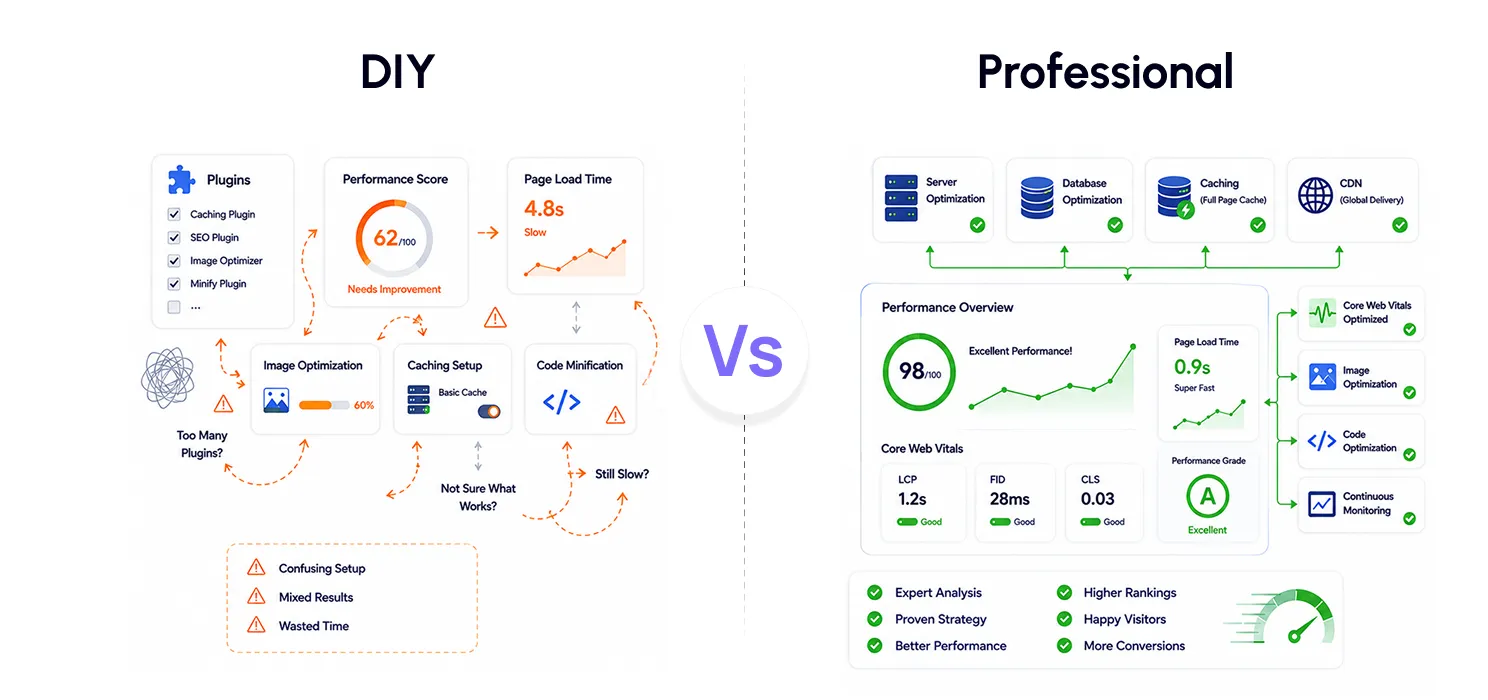
If you’ve searched for WordPress speed tips, you’ve seen no shortage of tutorials and plugin recommendations, and many are genuinely useful for basic fixes.
DIY makes sense for small blogs or simple business sites. Compressing images before upload, keeping everything updated, removing unused plugins, enabling caching, and choosing a lightweight theme can meaningfully improve speed without great technical skill.
DIY has real limits, though. Problems like inefficient database queries, server misconfiguration, or plugin conflicts often aren’t visible on the surface, and a fix that helps one site can break another. It’s easy to spend hours tweaking settings with little to show for it, or to accidentally break something in the process.
A professional service brings a structured audit before any changes, tailored fixes, safe implementation with backups, and measurable before-and-after reporting. That reduces both the guesswork and the risk of breaking a working site.
| DIY Optimization | Professional Service | |
| Cost | Lower upfront | Higher upfront, often better long-term value |
| Best for | Simple sites | Business, ecommerce, high-traffic sites |
| Approach | Trial and error | Structured analysis |
| Tools | Limited | Professional-grade |
| Risk | Plugin conflicts, misconfiguration | Tested, backed up |
| Results | Variable | Consistent, measurable |
DIY is a reasonable starting point for simple sites. But if your website generates leads, processes sales, or drives significant traffic, professional optimization is usually worth it; even small speed gains can lift conversions meaningfully. As Warren Buffett put it, price is what you pay, value is what you get. The cheapest option isn’t always the most cost-effective one.
How much does a WordPress optimization service cost?
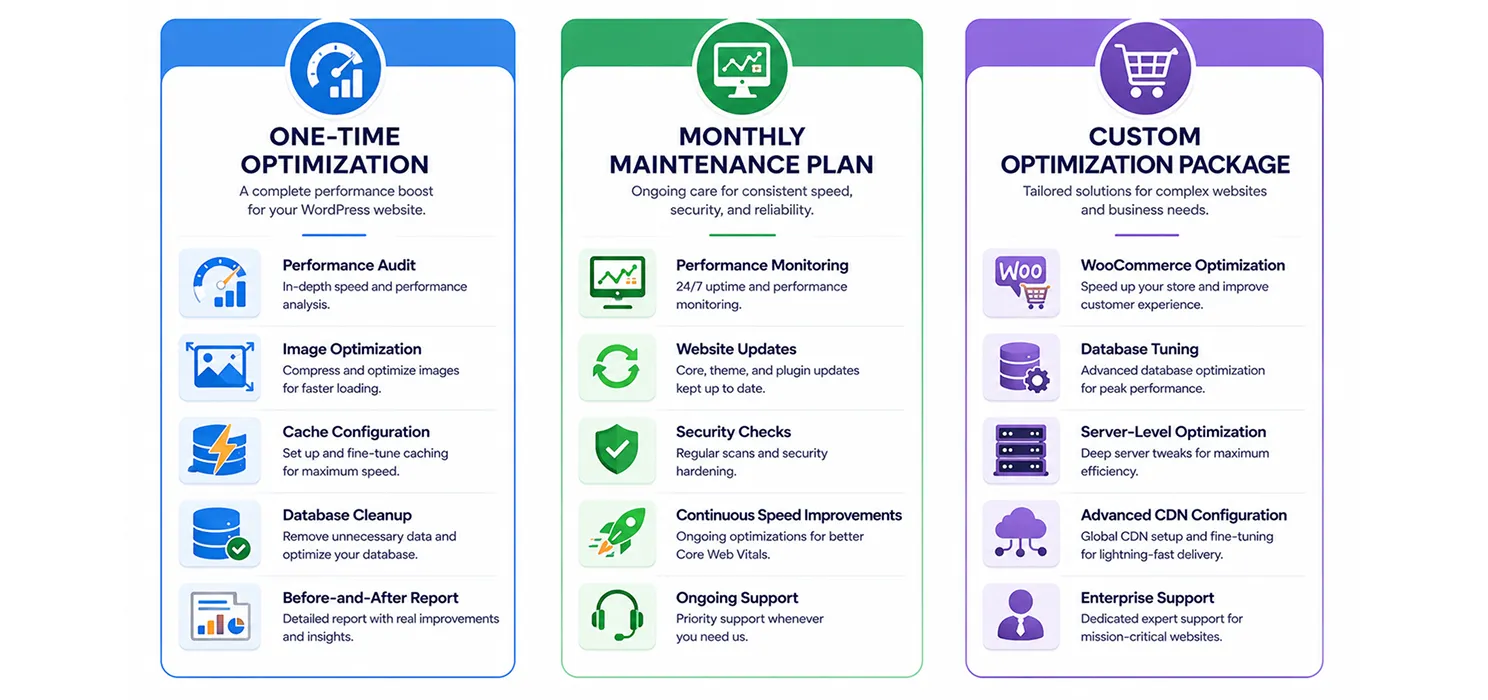
There’s no universal price, because optimizing a five-page brochure site is a very different job from optimizing a WooCommerce store with thousands of products and multiple integrations. Pricing generally falls into three models:
- One-time optimization: a full audit, image and cache fixes, database cleanup, and a before-and-after report. Works well for blogs, portfolios, and small business sites that have never been optimized.
- Monthly maintenance plans: ongoing monitoring, updates, security checks, and continued speed improvements. Better suited to WooCommerce stores, membership sites, and any business that depends heavily on online leads or sales, since performance issues tend to creep back in over time.
- Custom packages: for larger sites needing WooCommerce database tuning, checkout performance work, server-level optimization, or advanced CDN configuration.
What actually drives the price: site size and complexity, how neglected the site currently is, traffic volume, the type of website (a blog’s needs differ a lot from a store’s), and how much ongoing support is included.
A word of caution on cheap options: some low-cost services install unnecessary plugins instead of fixing the real problem, skip testing, chase speed-test scores instead of real stability, or skip backups entirely. A trustworthy provider will always explain what’s wrong, what they’re changing, and how they’ll measure the result.
Choosing the right plan for your site
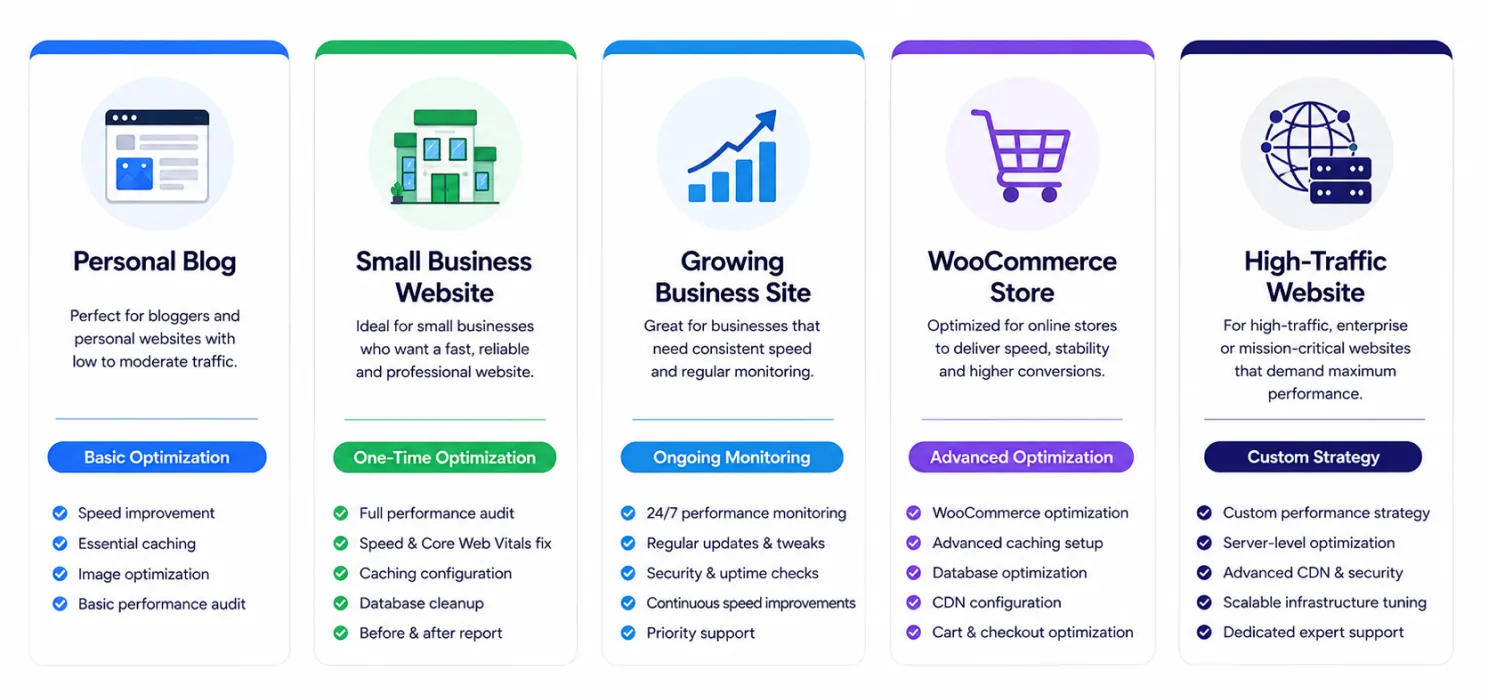
Instead of asking “what’s the cheapest option,” ask “what does my site actually need?”
- Personal blog → basic optimization and periodic checks
- Small business website → one-time optimization plus occasional reviews
- Growing business site → optimization with ongoing monitoring
- WooCommerce store → advanced optimization with continuous support
- High-traffic website → a custom performance strategy
Match the plan to your site’s traffic, complexity, and how much revenue or leads depend on it, not just your budget.
Final thought
A WordPress optimization service is an investment in long-term performance, not a one-time cosmetic fix. A faster site improves user experience, supports SEO, increases conversions, and makes it easier for visitors to actually do business with you.
Rather than choosing based on price alone, look for expertise, transparency, and measurable results. The right plan should make your site faster today — and keep it that way as it grows.