8 mins read
WordPress WebP vs AVIF: Which Image Format Is Better for Speed and SEO?
Share Article :


Quick summary
WebP and AVIF are both modern image formats that make your site load faster. AVIF makes smaller files, but WebP is easier to use and works almost everywhere. This guide compares them in plain English, shows what each means for Core Web Vitals and SEO, and gives you a simple plan for WordPress image optimization that takes minutes.
Picture this. A visitor taps your link on a phone. Your page starts to load. One big photo at the top takes forever to appear. Two seconds pass. Three. The visitor leaves, and you never even knew they came.
This happens on WordPress sites every day, and the culprit is often not your theme or your host. It is your images. The good news is that WordPress image optimization is one of the easiest speed wins you can get.
The big question today is which format to use. Should you pick WebP, or jump to the newer AVIF? Let’s clear it up.
Why do images matter so much for site speed?
Images are usually the heaviest part of a web page. The HTTP Archive’s Web Almanac, which studies millions of websites, keeps finding that images make up a big share of the total page weight. More weight means a slower load, especially on mobile data.
They also decide how fast your page feels. On most pages, the biggest thing on the screen is an image, and that image is what Google measures for Largest Contentful Paint (LCP). The Web Almanac reports that around 7 in 10 mobile pages have an image as their LCP element.

Bars are not to scale, because each metric uses a different unit. Source: Google web.dev Core Web Vitals.
So image optimization for Core Web Vitals is not just a technical chore. It directly affects the score Google uses to judge your page experience. If you want to see where you stand today, run the free SpeedyGo PageSpeed test.
Did you know?
Google is not just guessing about speed. Its own research has shown that as page load time goes from 1 to 3 seconds, the chance of a mobile visitor leaving rises by 32%.
What are WebP and AVIF?
Old formats like JPEG and PNG were made decades ago. Newer formats do the same job with less data, so your files get smaller, and your pages load faster. Here are the two you will hear about most.
What is WebP?
WebP was created by Google. It handles photos, graphics, transparent backgrounds, and even simple animations. Google says WebP lossless images are about 26% smaller than PNGs, and lossy WebP images are 25–34% smaller than comparable JPEGs.
WordPress added WebP upload support in version 5.8, so it has been a trusted choice for years.
What is AVIF?
AVIF is newer and is based on video compression technology. It can squeeze images even smaller than WebP at similar quality. Netflix, which tested it on real streaming images, found large savings compared with JPEG. WordPress added AVIF support in version 6.5.

Illustrative averages based on the savings reported by Google and Netflix. Real results vary by image.
WebP vs AVIF: how do they compare?
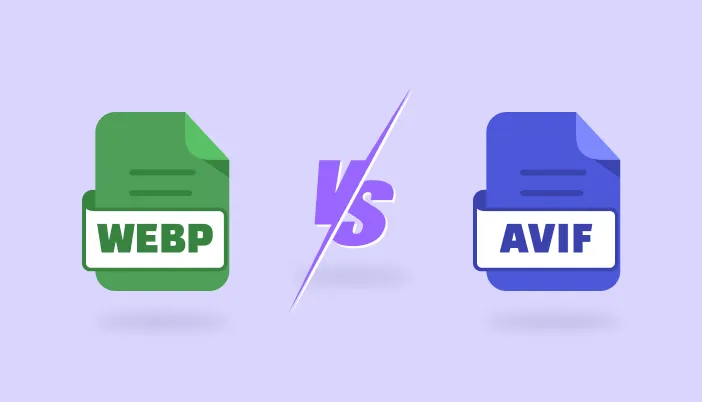
AVIF wins on size. WebP wins on ease and reach. Here is the side-by-side view.
| Feature | WebP | AVIF |
|---|---|---|
| File Size | 25–34% smaller than JPEG | Often smaller than WebP |
| Browser Support | About 97% of users | About 93–94% of users |
| Conversion Speed | Fast | Slower, uses more server power |
| WordPress Support | Since version 5.8 | Since version 6.5 |
| Best For | Almost every site | Very image-heavy sites with strong servers |
Browser figures come from Can I use for WebP and AVIF. They change over time, so check them before big decisions.
Is AVIF really faster than WebP?
Usually, the file is smaller, so it downloads faster. But “smaller” does not always mean “faster for your visitor”. There are three catches.
First, decoding. A phone has to unpack every image it downloads. AVIF can take a bit more effort to decode than WebP, which matters on older, cheaper phones.
Second, conversion. Making AVIF files takes more server power and time. On shared hosting, converting hundreds of images can slow your server down.
Third, gains shrink on small images. If your thumbnails are already tiny, the extra saving from AVIF is often only a few kilobytes.
Note
The best format is the one that gets set up correctly and covers all your images. A perfect AVIF plan that never gets finished helps nobody. A working WebP setup helps every visitor today.
Which format is better for SEO?
Here is the honest answer: Google does not rank you higher just because you use WebP or AVIF. There is no “AVIF bonus”.
What Google does measure is how fast your pages load and how they feel to use. Since Core Web Vitals are part of Google’s page experience signals, lighter images help you indirectly. Faster pages also keep visitors on your site longer, which is good for sales and sign-ups.
That means WebP WordPress speed gains and AVIF gains both help SEO in the same way: by making your LCP smaller. Choose the format that you can roll out across your whole site.
So, which one should you pick?
For most WordPress sites, start with WebP. It gives you a big saving, works for about 97% of visitors, and is quick to convert. Consider AVIF later if you run a photography site or a huge store and have a powerful server.
How do you optimize WordPress images for speed?
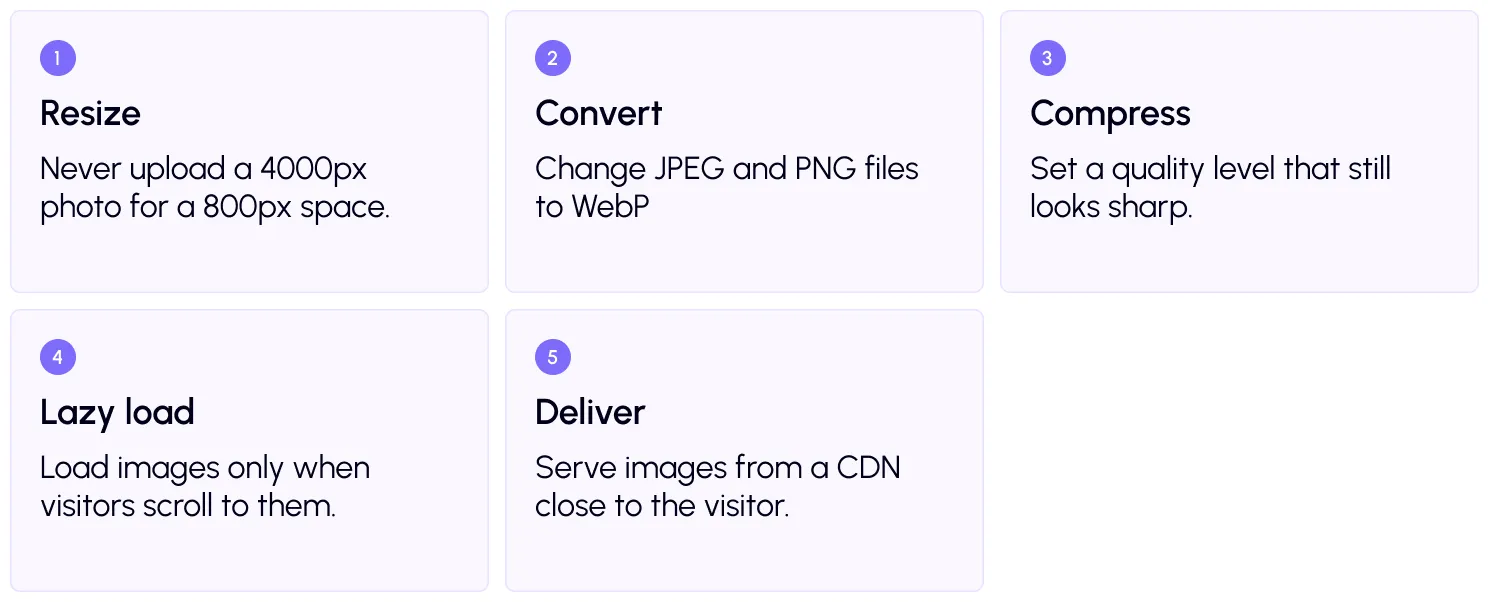
You do not need to be a developer. Follow this simple flow to optimize WordPress images for speed.
Do it the easy way with SpeedyGo
Doing all this by hand takes hours. SpeedyGo automates most of it. You can enable WebP conversion and tune the look with WebP quality control. Use conversion scope rules to choose which images get converted.
Next, switch on lazy load so off-screen images wait their turn, and connect CDN integration with BunnyCDN to deliver images faster worldwide. SpeedyGo also checks your server and alerts you if it does not support WebP.
A real-life example
Imagine a small WooCommerce shop with 40 product photos on a category page. Each is a 400 KB JPEG. That is about 16 MB of images on one page.
After converting to WebP with a 25–34% saving, the same page could drop to roughly 10.5–12 MB. Add lazy loading, and the phone downloads only the first few images at start. The page feels far lighter, and the top image appears sooner. That is what a real image optimization Core Web Vitals win looks like.
If you sell online, see how SpeedyGo optimizes WooCommerce without breaking cart or checkout.
Your WordPress image optimization checklist
- Resize images to the largest size they actually display at
- Convert JPEG and PNG files to WebP
- Use descriptive file names and alt text
- Lazy load images below the fold, not the top image
- Serve images through a CDN
- Test your speed before and after with the SpeedyGo speed test
Note
Image optimization is one part of speed. Pair it with caching and file compression for the best results. Our blog covers caching plugins, CDNs and Core Web Vitals in depth.
Common mistakes to avoid
Many site owners over-compress until photos look blurry. Others convert everything but forget old images already in the media library. Some upload huge originals and rely only on a plugin to shrink them.
Do a small test first. Convert a few images, compare them side by side, and then apply the setting to the whole site.
Frequently asked questions
Is WebP or AVIF better for WordPress?
AVIF usually makes smaller files, but WebP is better for most WordPress sites because it works in about 97% of browsers and converts quickly. Start with WebP.
Does WebP improve SEO?
Not directly. Google does not favor a format. But smaller images improve load speed and LCP, which are part of Core Web Vitals and the page experience.
Does WordPress support AVIF?
Yes. WordPress added AVIF support in version 6.5. WebP has been supported since version 5.8.
How do I convert images to WebP in WordPress?
Use a plugin like SpeedyGo. Turn on WebP conversion and it converts your images automatically, with no code needed.
Will WebP images work in every browser?
Almost. About 97% of users have browsers that support WebP, and all major modern browsers are included.
Does image optimization affect image quality?
Only if you push compression too far. With sensible quality settings, most people cannot see a difference.

Sources
Can I use: WebP and AVIF
Netflix Tech Blog: AVIF for next-generation image coding