6 mins read
WordPress Multisite Speed Optimization: How to Improve Performance Across Every Site
Share Article :


Quick summary
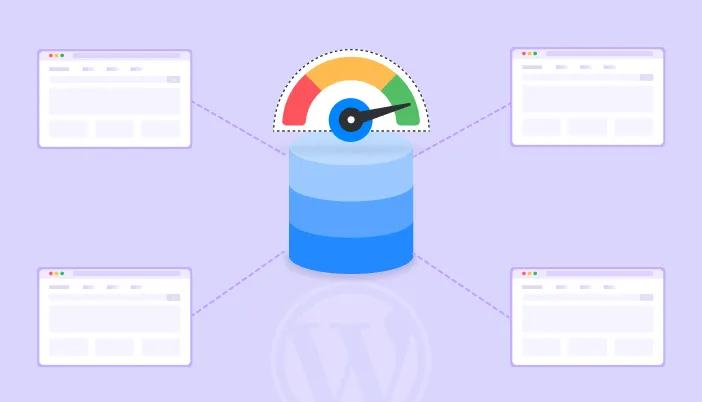
A Multisite network runs many websites from one WordPress install. That is handy, but one heavy plugin or weak setting can slow down every site at once. This guide explains why Multisite gets slow and how to fix it with better caching, lighter plugins, a healthier database and smart image delivery. You will get a simple plan and a checklist you can use today.
You manage a network of twelve sites. One morning a client calls: “My site feels slow.” Then a second client calls. Then a third.
You check, and nothing is broken. But every site is a little heavier than last month. Sound familiar?
With Multisite, small problems spread. The upside is that fixes spread too. Fix something once at the network level, and every site gets faster. Let’s see how.
What is WordPress Multisite, in simple words?
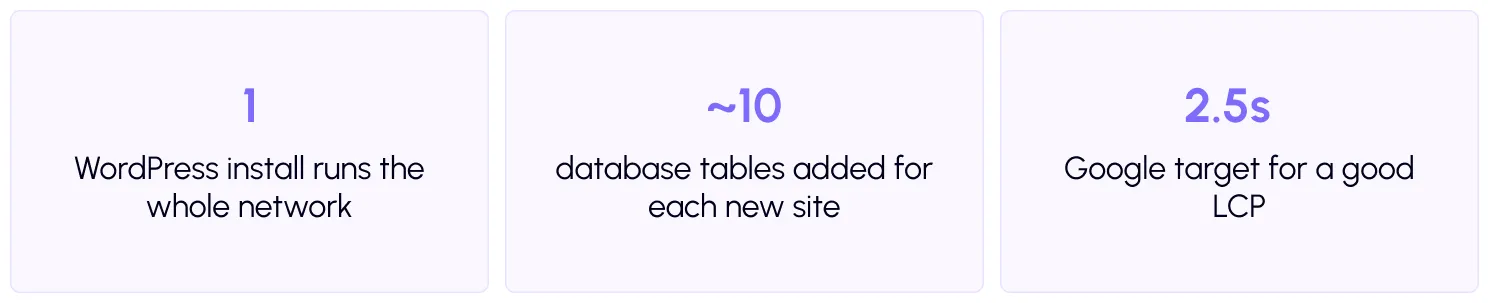
Multisite lets you run many websites from a single WordPress installation. Think of an apartment building. There is one building, one set of pipes, and one roof. But each family has its own flat.
According to the WordPress developer handbook, sites in a networkshare the same WordPress core, plugins, and themes. Each site keeps its own content and settings. Universities, agencies, media groups and franchise brands often use it.
Why is Multisite often slower?
The shared setup that saves you time also creates shared problems. There are four main causes.
- Shared plugins. A plugin that is “network activated” runs on every site. If it is heavy, all sites pay for it, even the ones that do not use it.
- A growing database. Every new site adds its own set of tables. With 50 or 100 sites, the database can hold thousands of tables, which slows down queries and backups.
- Shared server power. All sites use the same server resources. A traffic spike on one site can slow down the others. This is often called the noisy neighbour problem.
- Uneven care. With many sites to look after, some get forgotten. Old images, unused plugins and unoptimized pages pile up.

How does multisite caching work?
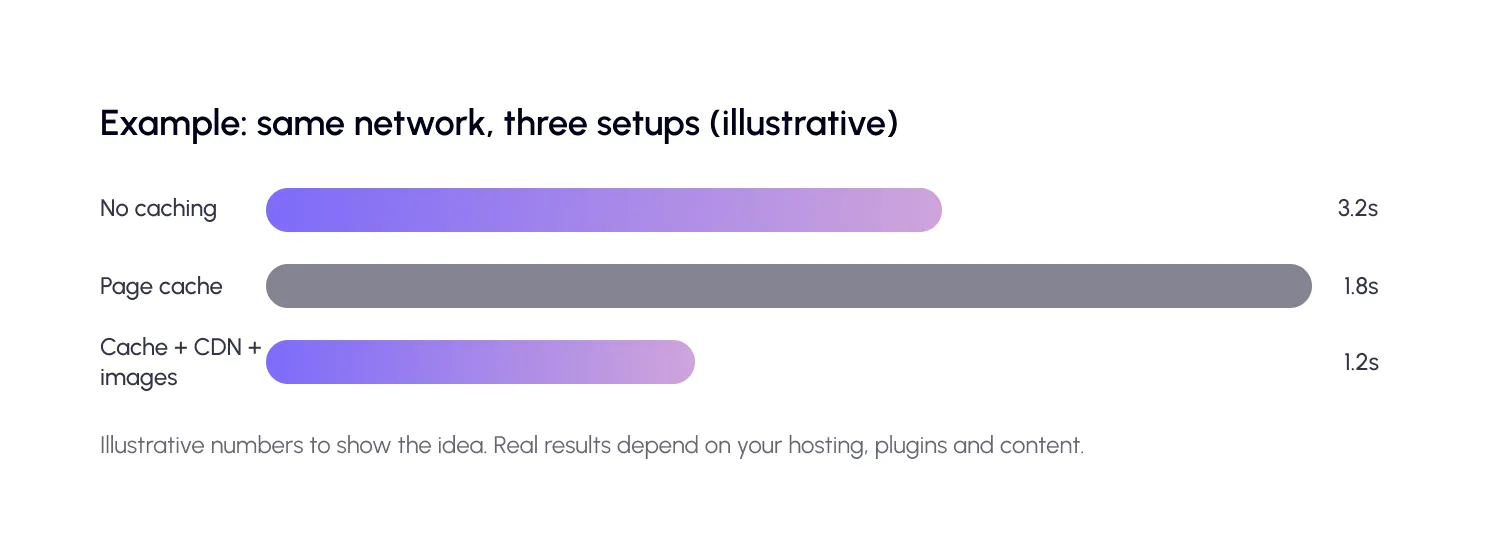
Multisite caching follows the same idea as normal caching, but it needs to be done per site. Each site has its own pages, so each needs its own saved copies. Three kinds matter.
Page caching
This saves a ready-made copy of each page, so WordPress does not rebuild it for every visitor. It is the biggest single win. SpeedyGo covers this withfull-page caching.
Browser caching
This tells a visitor’s browser to keep files like images and styles, so returning visitors reload less. See howbrowser caching works in the docs.
Object caching
This saves the results of common database queries in memory. WordPress has a built-inobject cache, but it forgets everything after each page load unless you connect a persistent store such as Redis. On a large network with a busy database, this can help a lot.


How can you lighten plugins and themes?
Start with the plugin list. Open the network admin and ask three questions for each plugin. Do all sites need it? Is it network activated? Has it been updated recently?
Only network-activate plugins that every site truly uses. For the rest, activate them on the sites that need them. Also reduce the number of different themes. Ten sites on one well-built theme are easier to speed up than ten sites on ten themes.

How do you keep the database healthy?
A bigger network means a bigger database. You cannot avoid growth, but you can slow it down.
Delete old post revisions, spam comments, and expired temporary data. Remove sites you no longer use. And back up regularly, since a large database takes longer to restore.
Also look at scheduled tasks. By default, WordPress runs its background jobs when someone visits a site. On a big network, that adds extra work at the wrong time. The handbook explains how torun WP-Cron from a real server task scheduler instead, which is smoother. Ask your host or developer to set this up.
Do images and CDN matter more on a network?
Yes. Images are usually the heaviest files on any site, and many sites mean many images. Converting them to WebP and loading them lazily saves a lot. SpeedyGo helps withWebP conversion, lazy loading, and CDN integration.
A CDN also protects your server. It serves files from locations near visitors, so your main server has less to do. That leaves more power for every site in the network. Curious if you need one? We wrote about CDN costs and trade-offs on theSpeedyGo blog.
Multisite speed plan: 6 steps

For step one, use thefree SpeedyGo speed test or PageSpeed Insights on each site’s home page and one key inner page. Save the scores in a simple sheet.
How does SpeedyGo fit a Multisite setup?
SpeedyGo is a lightweight plugin that only runs the features you turn on, which suits a shared network. It handles caching, WebP images, script optimization, and CDN in one place.
On the plan side, the Starter, Plus and Pro plans each cover one website. If you manage many sites, the Agency plan bundles multiple sites, seat-based access, and priority human support. Since every network is set up differently, contact the team through a support ticket to confirm how your Multisite structure is supported before you roll it out.
A real-life example
An agency runs 15 client sites on one network. All sites load a slider plugin that was network-activated years ago. Most clients do not use it.
The agency removes the plugin from the network and keeps it only on two sites. They turn on page caching, convert images to WebP, and connect a CDN. Page loads drop across the board, and the server no longer struggles on Monday mornings.
Because they fixed the issues at the network level, the work took a couple of days, not weeks. That is the power of WordPress Multisite performance work: fix once, benefit many times.

Common mistakes to avoid
The first mistake is network-activating a plugin because it is convenient. Ask if every site needs it.
The second is optimizing only the main site. Clients and visitors judge each site on its own.
The third is skipping tests after changes. On a network, a small mistake can affect many sites at once, so always test one site first.

Frequently Asked Questions
Find out how to improve WordPress Multisite performance with better caching, lighter plugins, database optimization, image compression, and CDN integration.
Is WordPress Multisite slower than single sites?
It can be, because sites share plugins, database and server resources. With good caching, light plugins and a strong host, a Multisite network can run very fast.
How do I speed up a WordPress Multisite network?
Audit each site, remove heavy plugins, turn on page and browser caching, add object caching, optimize images and use a CDN. Then test every month.
Does each site need its own caching setup?
Each site needs its own cached pages, because content differs. Many settings can be applied network-wide, but test each site after you change them.
What is object caching and do I need it?
Object caching stores common database results in memory. It helps most on large or busy networks with many database queries.
Can a CDN help a Multisite network?
Yes. A CDN serves images and files from servers near visitors, which speeds up pages and reduces the load on your main server.