5 mins read
How to Speed Up Divi WordPress Websites: Practical Optimization Guide
Share Article :


Quick summary
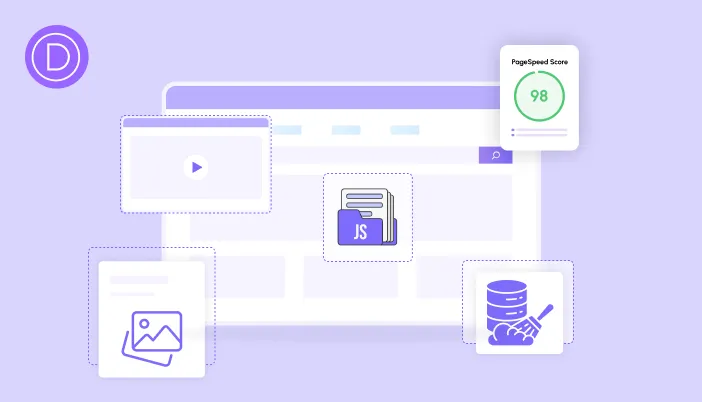
Divi lets you build beautiful pages without code, but its rich features can slow a site down when they pile up. This guide shows how to speed up Divi website pages in a practical order: use Divi’s own performance settings, trim heavy effects, fix images and fonts, then add caching and script control. You will get a clear plan and a checklist.
Divi makes it easy to add a parallax banner, a video background, a slider and five animations to one page. It feels amazing while you build.
Then a visitor opens it on a phone. The text jumps. The buttons wait. The whole page feels stuck in mud.
Here is the good news. You do not need to drop Divi or rebuild your site. A few smart changes can make your Divi site far faster.
Is Divi slow?
Divi is not slow by itself. It is a powerful toolkit, and power comes with extra code. Speed problems usually come from how the toolkit is used.
WordPress runs a huge part of the web. W3Techs data shows it powersover 4 in 10 websites, and many of those use builders like Divi. So lots of people face the same speed problems, and the fixes are well understood.
The usual suspects on Divi sites are:
- Visual effects. Parallax, animations, and video backgrounds need a lot of processing.
- Large images. Full-width sections often hold oversized photos.
- Too many fonts. Each font family and weight adds a download.
- Old code left behind. Unused modules and extra plugins keep loading scripts.
- No caching. WordPress rebuilds every page for every visitor.

Where do you start with Divi speed optimization?
Start by measuring. Run your home page and one inner page through thefree SpeedyGo speed test or PageSpeed Insights. Note your mobile scores, and screenshot how the pages look.
Then find the biggest problem. If the top image is slow, focus on images. If taps feel laggy, focus on scripts and effects. If everything is slow from the start, focus on caching and hosting.

Which Divi effects hurt speed the most?
Effects are the fun part of Divi. They are also the heaviest. Here is how to keep the look while lowering the cost.
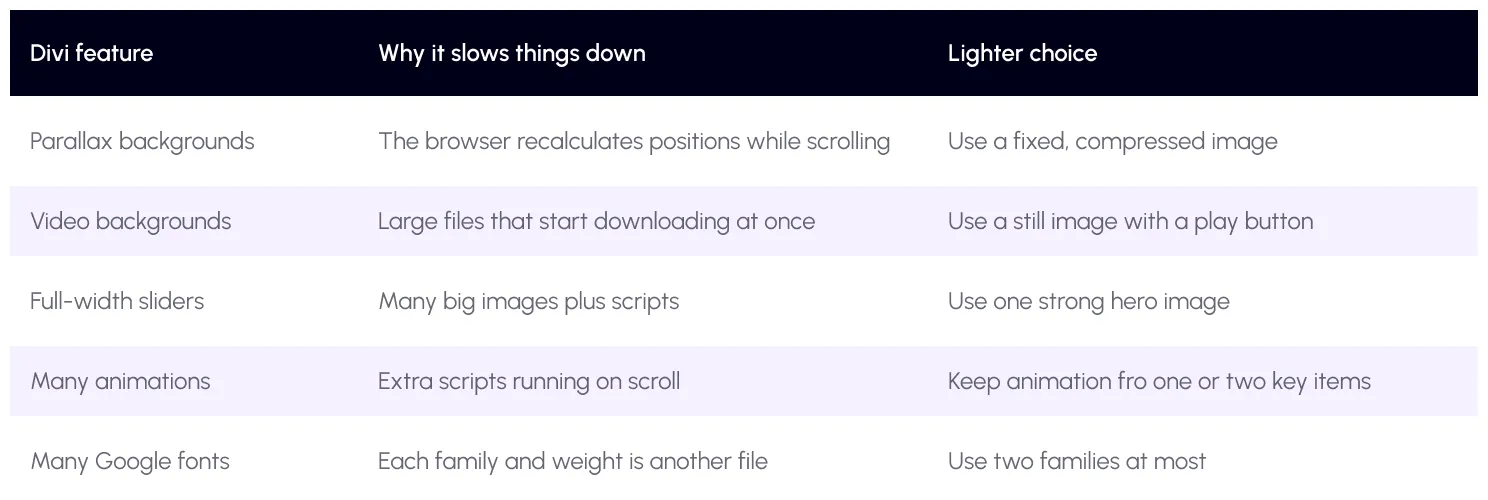
You do not have to remove everything. Keep the effects that truly help your message, and drop the rest.
Divi speed plan: 6 steps
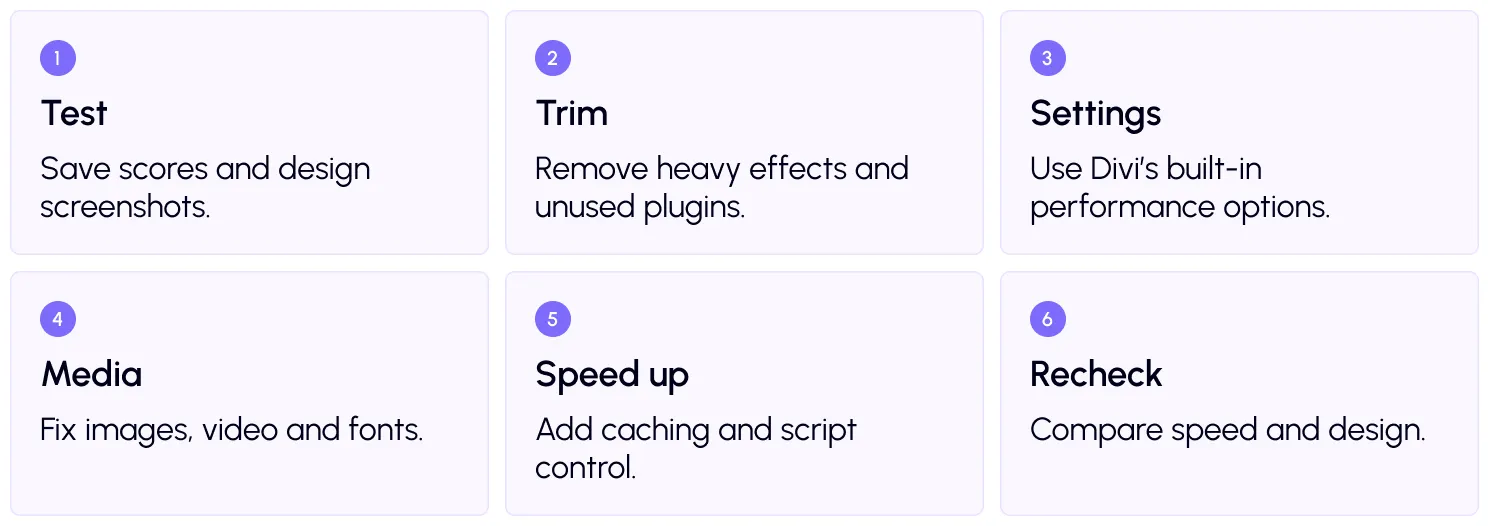
Step 2: Trim what you do not need
Open each main page and ask if every section earns its place. Remove hidden or old sections. Delete plugins that you no longer use.
Be careful about one Divi habit. If you ever switch themes, leftover builder shortcodes can stay in your content and cause clutter. Clean up carefully with a backup in hand.
Step 3: Use Divi’s own performance settings
Divi includes performance options in its settings. Depending on your version, these can include loading only the CSS a page needs, generating static CSS files, deferring jQuery and improving how Google Fonts load. The Elegant Themes help center lists what is available in your version.
Turn these on one at a time and test. Also, avoid doing the same job twice. If Divi already handles a task, do not turn on the same feature in another plugin, or the two can clash.

Step 4: Fix images, video, and fonts
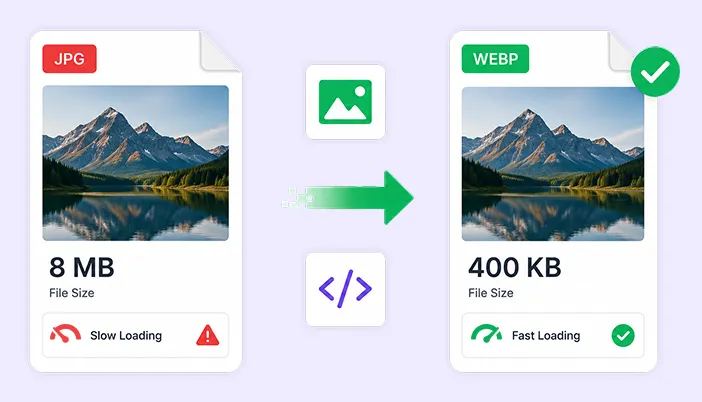
Images are usually the biggest gain. Resize them to their real display size and convert to WebP. SpeedyGo does this withWebP conversion, andWebP quality control lets you balance size and sharpness. See our full image guide on the SpeedyGo blog.
Turn onlazy load for images lower on the page. But keep the top image loading normally. Google explains why in its guide onnot lazy-loading your LCP image.
For fonts, choose two families and only the weights you use. Google shares tips in itsfont best practices. SpeedyGo plans also include deferred font loading.
Step 5: Add caching and script control
Caching is the single biggest server-side win.Full-page caching saves ready-made pages, so Divi does not rebuild them every visit. Addmobile caching if your phone layout differs.
Next, cut code weight withCSS optimization andJavaScript optimization. Then usedefer scripts so the page can show first.
For laggy taps, tryJS interaction delay. It waits to load heavy scripts, like chat widgets, until the visitor interacts. Scripts that run for a long time block the page, which Google callslong tasks, and this hurts INP. If you are unsure where to begin, pick a safe starting point from theoptimization presets.
Step 6: Recheck
Run your tests again and compare with your starting scores and screenshots. Click your menu, sliders, forms and buttons. Check again after a week, once the cache is fully built.
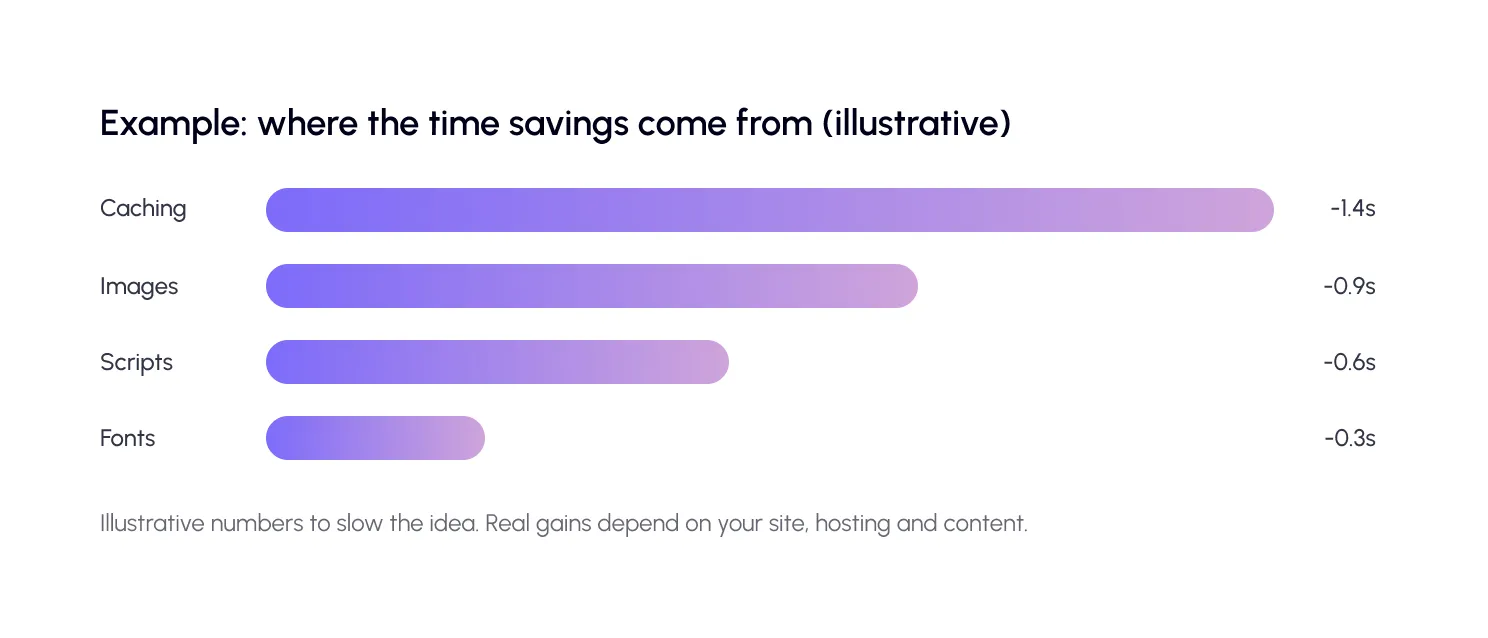
A real-life example
Imagine a portfolio site for a photography studio, built with Divi. The home page has a full-screen video, a parallax banner and a gallery slider with 20 large photos. On a phone, it takes over five seconds to show anything useful.
The owner swaps the video for a compressed hero image, keeps parallax on just one section, and converts the gallery photos to WebP with lazy load. Then they turn on caching and defer scripts. The design still looks premium. But the first screen appears much sooner, and the gallery scrolls smoothly.
This is the main idea behind Divi speed optimization: keep what makes the site special, and remove what only adds weight.
Common mistakes to avoid
The first mistake is running two tools that do the same job. For example, two plugins that both combine CSS can break your layout.
The second is building for the desktop only. Most visitors use phones, so test there first.
The third is making all changes at once. Go step by step, so you always know what worked.
Want to compare caching options? We cover them on our blog.

Frequently Asked Questions
Find answers to common questions about Elementor website speed, performance optimization, caching, image lazy loading, SEO, and keeping your design intact.
Why is my Divi website slow?
Common causes are heavy effects, large images, too many fonts, extra plugins and no caching. A speed test shows which one hurts most.
How do I speed up my Divi website?
Use Divi’s performance settings, trim heavy effects, compress images to WebP, limit fonts, add caching and defer scripts. Test after each step.
Is Divi bad for SEO?
No. Divi sites can rank well when they are fast and well built. Focus on Core Web Vitals and clean, useful content.
Do I need a caching plugin with Divi?
Yes, in most cases. Divi has performance options, but page caching is a separate job that makes pages load much faster for visitors.
Can optimization break my Divi layout?
It can if settings clash or you change many things at once. Change one setting at a time, and undo or exclude a script if something looks off.
Does SpeedyGo work with Divi?
Yes. SpeedyGo lists Divi among the popular themes and plugins it is compatible with, and its team can help with any issue.