6 mins read
Do You Need a CDN for WordPress? Cost, Speed and SEO Trade-Offs
Share Article :


| Quick summary A CDN can make your WordPress site load faster for visitors far away from your server. But it is not always needed, and it adds cost and a few things to manage. This guide explains what a CDN does, how it differs from caching, what it costs, how it affects SEO, and how to decide if you need one. It also shows how to pick the best CDN for WordPress. |
Your site loads in under two seconds on your laptop. You are happy. Then a customer in another country says your pages take forever to open.
Nothing is wrong with your site. The problem is distance. Your server sits in one place, and that visitor is on the other side of the world.
A CDN is built to fix exactly that. But before you pay for one, let’s find out if you really need it.
What is a CDN, in simple words?
CDN stands for Content Delivery Network. It is a group of servers spread across many countries. Your site’s files, such as images, scripts and styles, are copied to those servers.
When someone visits, the files come from the server closest to them. A CDN reduces the distance data has to travel, and that means less waiting.
Think of a pizza brand with one kitchen in New York. Someone in Mumbai would wait a very long time. Now open kitchens in every big city. Each order comes from the nearest one. That is a CDN.
CDN vs caching in WordPress: what is the difference?
Many people mix these up. They solve different problems, and you often want both.
Caching saves a ready-made copy of your page, so WordPress does not rebuild it for every visitor. It reduces the work your server does.
A CDN stores copies of your files in many places around the world. It reduces the distance between your site and your visitor.
So CDN vs caching WordPress is not a fight. Caching makes your server faster. A CDN makes the trip shorter. Start with caching, because it helps everyone. Add a CDN when distance is the issue. You can read how SpeedyGo handlesfull-page caching in the docs.
How does a CDN affect speed?
It helps most in three ways.
Faster first response. Time to First Byte (TTFB) is how long the browser waits for the first piece of data. Google says agood TTFB is around 0.8 seconds or less. A far-away visitor can easily miss that without a CDN.
Faster images. Images are heavy, and a CDN serves them from a nearby server. This directly helps your Largest Contentful Paint, where agood LCP is 2.5 seconds or less.
Handling traffic spikes. When a post goes viral, the CDN takes on much of the load. Your own server stays calm.
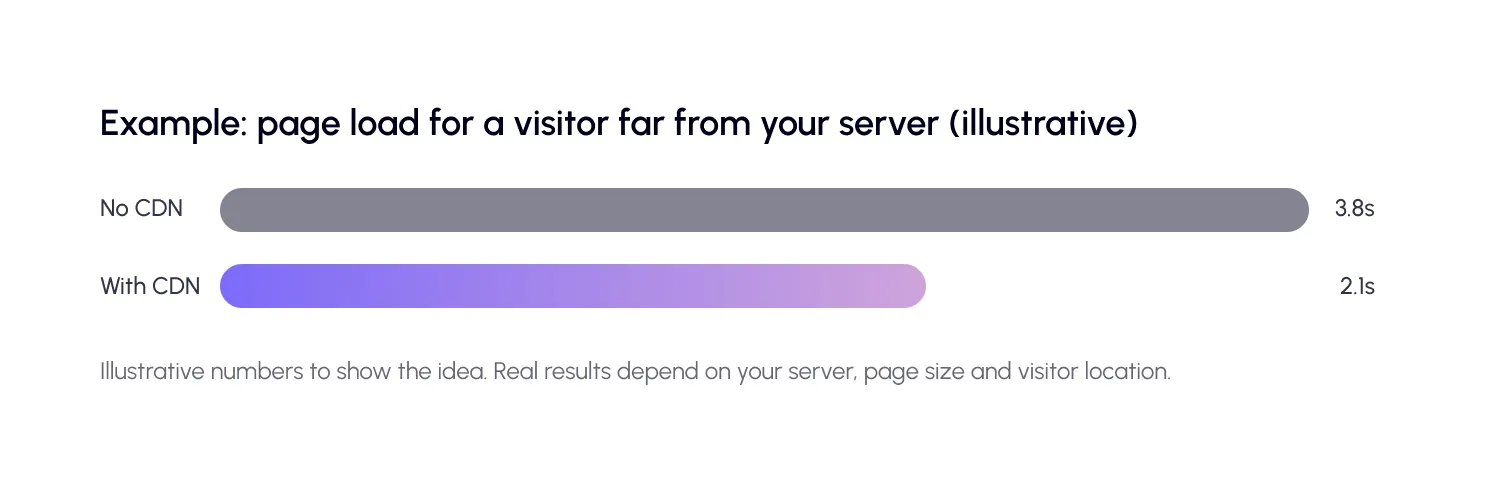
To improve WordPress global speed, this is the biggest lever after caching. Want proof for your own site? Test from a far-away location usingWebPageTest, and compare with theSpeedyGo speed test.

Does a CDN help SEO?
Google does not give a ranking bonus for simply using a CDN. But a CDN can help indirectly.
Faster loading improves your Core Web Vitals. Google measures these using real visitor data from Chrome, known as theChrome UX Report. If many of your real visitors are far from your server, a CDN can lift your scores for them.
Speed also affects behavior. People stay longer on fast sites, and they buy more. That is good for SEO and for revenue.
A CDN also has small risks. If it is set up badly, you can get mixed content warnings, broken images or old pages showing after an update. These hurt the visitor experience, so test after setup.
How much does a CDN for WordPress cost?
Costs range from free to a few dollars a month for most small and medium sites. Prices depend on how much data you send out, called bandwidth.
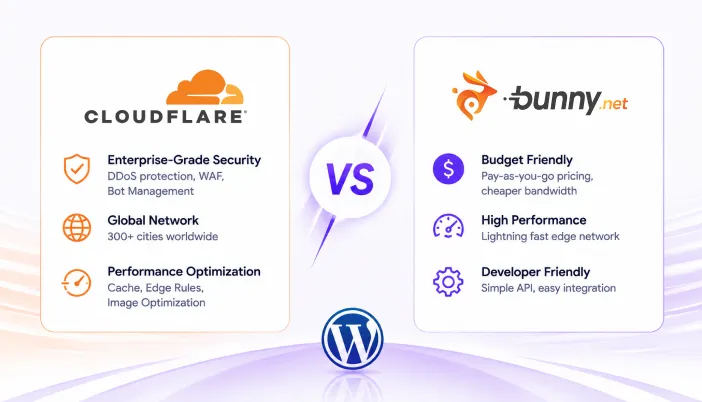
Some CDNs are pay-as-you-go. For example, BunnyCDNlists prices starting at around $0.01 per GB in some regions. Check the current price on their page, as it varies by region and changes over time.
A quick cost example
Say you get 10,000 visits a month, and each page uses about 2 MB of images and files. That is around 20 GB of data. At roughly $0.01 per GB, the data cost is close to 20 cents. Providers may have a minimum monthly charge, but it shows why a CDN is often cheaper than people expect.
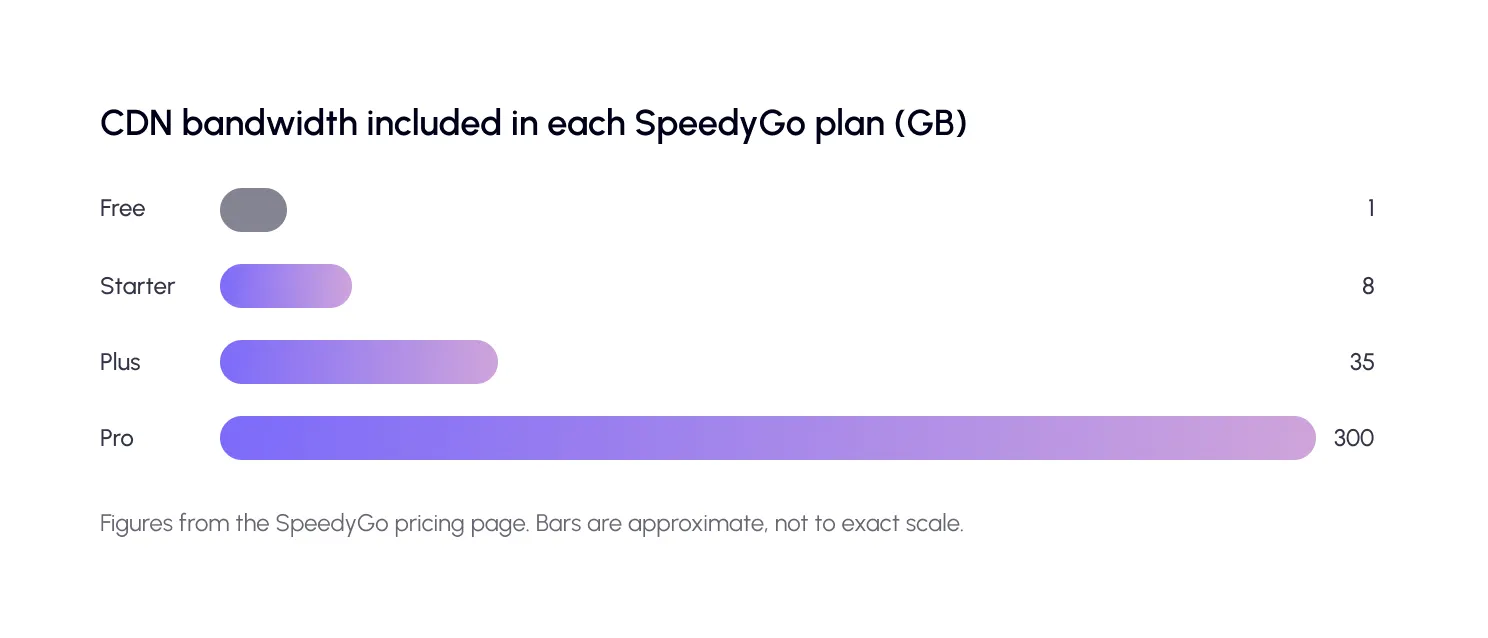
With SpeedyGo, CDN is built into your plan, so you do not manage a separate bill. Each plan includes a set amount of CDN bandwidth.
What are the trade-offs of using a CDN?
A CDN is helpful, but it is not free of downsides. Here is an honest comparison of the three common choices.
Other things to keep in mind:
Old content. A CDN keeps copies. If you update a page, the old copy may show until the cache is cleared. Good tools clear it for you.
Privacy. Files pass through another company’s servers. If you serve EU visitors, check the provider’s data policies.
Extra setup. It is one more thing to configure and monitor. The right plugin makes this simple.
So, do you need a CDN for WordPress?
You probably need one if: your visitors come from many countries, your pages are image-heavy, you run a WooCommerce store, or you expect traffic spikes.
You may not need one yet if: almost all your visitors are near your server, your site is small and light, and your pages already load fast for everyone.
What is the best CDN for WordPress?
There is no single winner. The best CDN for WordPress is the one that fits your traffic, budget and skills.
Free options are great to start. Paid options give more control and steady speed. What matters most is how easily it connects to your site. A CDN that you never finish setting up helps no one.
SpeedyGo uses BunnyCDN through itsCDN integration, so setup happens inside your dashboard. It also pairs well withimage optimization, since images are usually the biggest files a CDN delivers. We have already compared free options and setup steps on ourblog.
How to set up WordPress CDN optimization: 5 steps
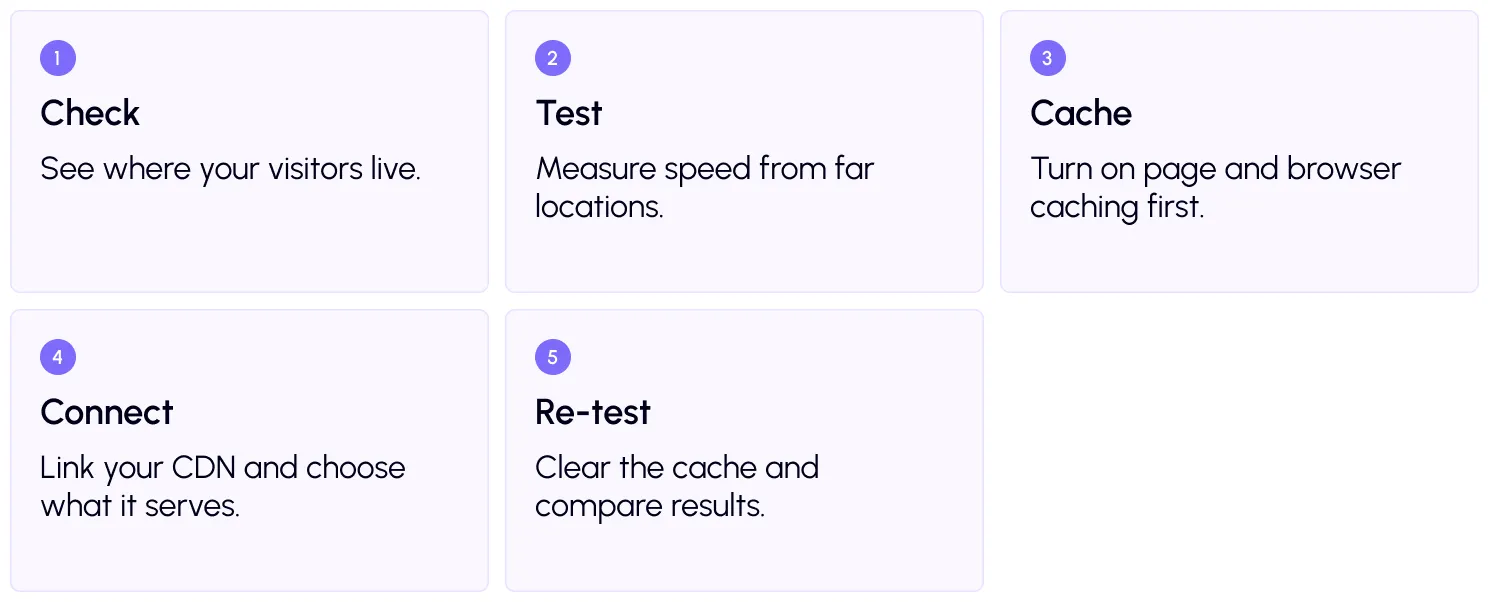
For strong WordPress CDN optimization, turn onbrowser caching too, so returning visitors reuse files they already have. Then useWebP conversion to shrink images before they travel.
A real-life example
Picture an online store based in India with customers in the US, UK and Australia. Product photos are large, and pages feel slow overseas. The owner turns on caching, converts images to WebP and connects a CDN.
Now a shopper in London gets images from a nearby server, not from India. Pages start faster, the product image appears sooner, and fewer people leave before checkout.

Frequently Asked Questions
Find answers to common questions about WordPress CDNs, including costs, speed improvements, SEO benefits, CDN vs caching, setup risks, and SpeedyGo’s BunnyCDN integration.
Do I need a CDN for WordPress?
You need one if your visitors are spread across different countries, or if your pages carry many images. If most visitors are near your server and your site is light, caching may be enough for now.
Is a CDN better than caching?
They do different jobs. Caching reduces the work your server does. A CDN reduces the distance data travels. Most sites benefit from using both.
Does a CDN improve SEO?
Not directly. But it can improve loading speed and Core Web Vitals for far-away visitors, which supports better user experience and SEO.
How much does a WordPress CDN cost?
Many small sites pay a few dollars a month or less, and some free options exist. Cost depends on how much bandwidth you use.
Can a CDN break my website?
If set up wrongly, it can cause old content, mixed content warnings or missing images. Test your key pages after setup and clear the cache after changes.
Which CDN does SpeedyGo use?
SpeedyGo connects with BunnyCDN, and each plan includes a set amount of CDN bandwidth.