5 mins read
WordPress Hosting vs CDN vs Caching: What Actually Improves Speed?
Share Article :


Quick summary
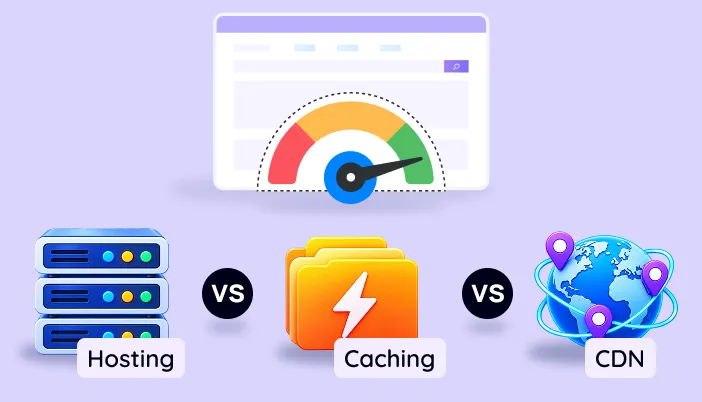
Hosting, a CDN and caching all promise a faster WordPress site. But they fix different problems, and buying the wrong one wastes money. This guide explains WordPress hosting vs CDN vs caching in plain English, shows what each one can and cannot fix, and gives you the right order to build your WordPress performance stack.
Your site is slow. You search for help. One person says “upgrade your hosting.” Another says “use a CDN.” A third says “install a caching plugin.”
They are all right. And they are all partly wrong, because the answer depends on what is actually slow.
It is like a car that will not go fast. You might need a better engine, better tyres or a lighter load. Guess wrong, and you spend money and nothing changes. Let’s sort it out.
What does each one actually do?
The easiest way to remember is a restaurant.
Hosting is the kitchen. It is where your website lives and where every page is made. A small, slow kitchen makes everything slow.
Caching is pre-made meals. Instead of cooking every order from scratch, you prepare popular dishes ahead. Orders go out in seconds.
A CDN is delivery branches. You open small outlets in many cities, so food travels a short distance. Far-away customers get it faster.
Three different jobs. Now let’s see each in detail.
Hosting: the foundation
Your host provides the server that runs WordPress. Its power, its location and its setup decide how fast your site can respond. A key measure is Time to First Byte (TTFB), the wait before the browser gets the first data. Google says agood TTFB is around 0.8 seconds or less.
Modern software helps too. WordPress publishesits recommended server requirements, and PHP only supports newer versions with updates and fixes, as shown on thePHP supported versions page. Running an old PHP version is like driving on an old engine.
Caching: less work for the server
Normally, WordPress builds each page from scratch using PHP and the database. Caching saves the finished page and hands it out again. That means far less work per visit and a quick response. SpeedyGo offersfull-page caching,browser caching andobject caching.
CDN: a shorter trip
A CDN copies your files to servers around the world.It reduces the distance data has to travel to each visitor. It helps most with images, styles and scripts. We go deeper on this in ourCDN articles on the SpeedyGo blog.
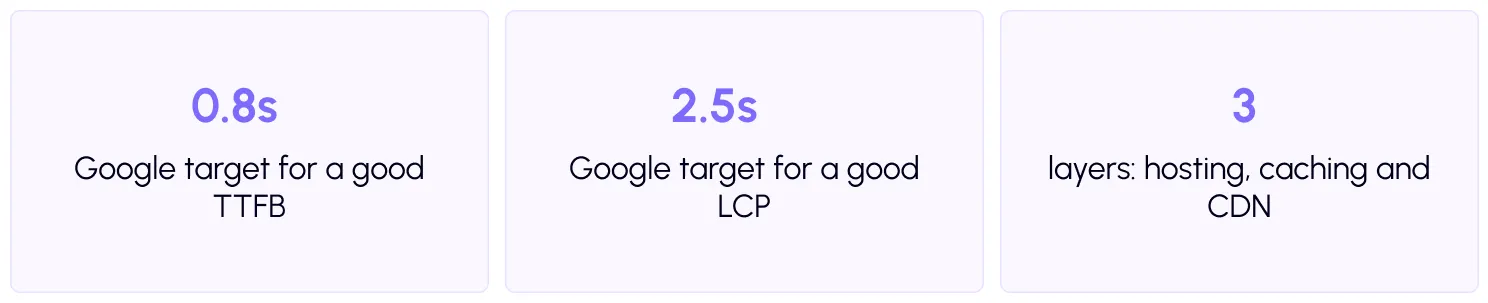
WordPress hosting vs CDN vs caching: the comparison
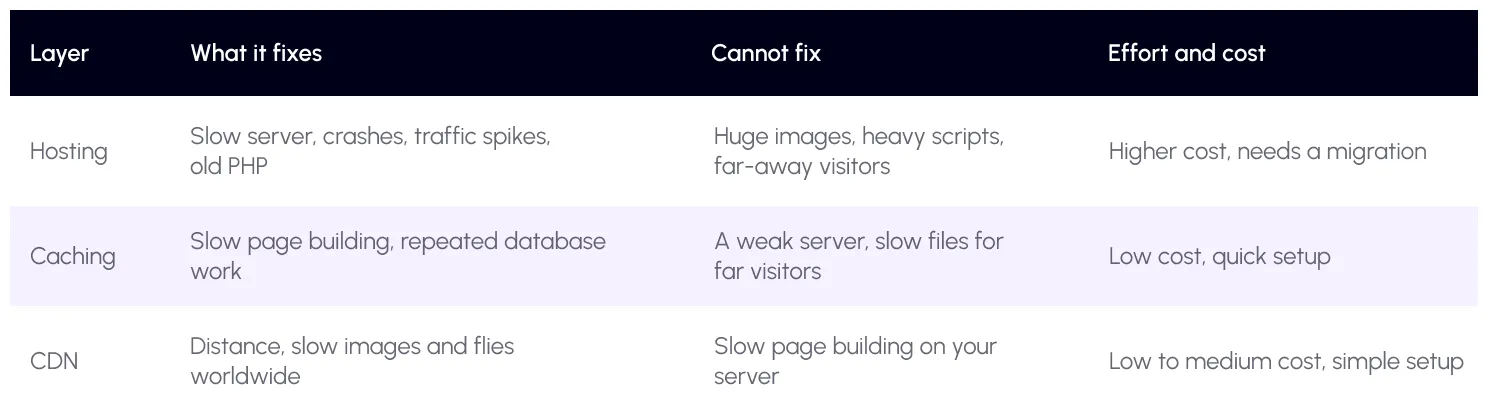
Notice how each layer has a blind spot. That is why the best sites use all three, in the right amounts.

How do you know which one you need?
Match what you see to the cause. Test your site first with thefree SpeedyGo speed test or PageSpeed Insights.
The first response is slow even on repeat visits. Start with caching. If it is still slow with caching on, your hosting is the likely limit.
The site is fast near you but slow for visitors abroad. That is a distance problem. Add a CDN. You can check this by testing from other countries with WebPageTest.
The site goes down or crawls during traffic spikes. Look at hosting first, then add caching and a CDN to reduce the load.
The first big image appears late. This is often about image size, not the server. Fix images with WebP and lazy load, then checkLCP.
Taps feel laggy. None of the three will fully fix this. Heavy scripts are the cause, so use script deferral and delay.

What is the right order to fix speed?
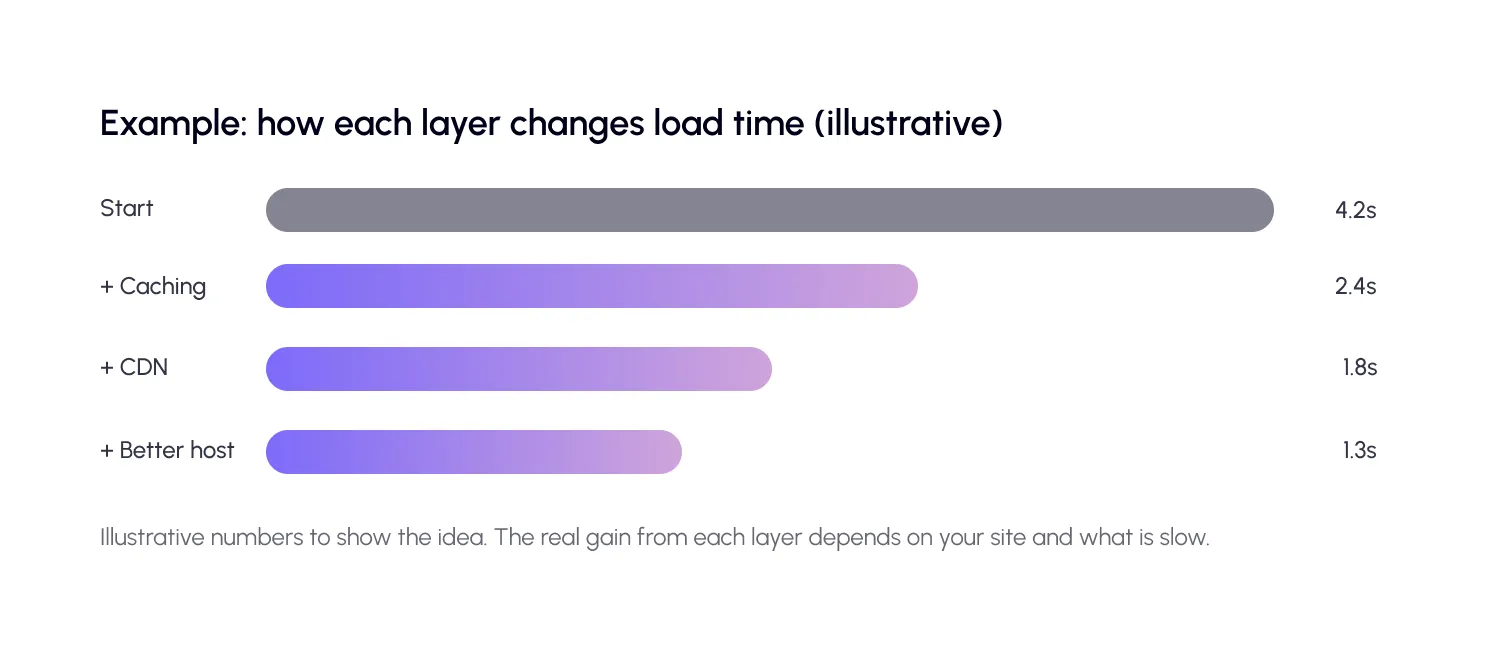
Start with the cheapest, fastest wins and move toward bigger changes.
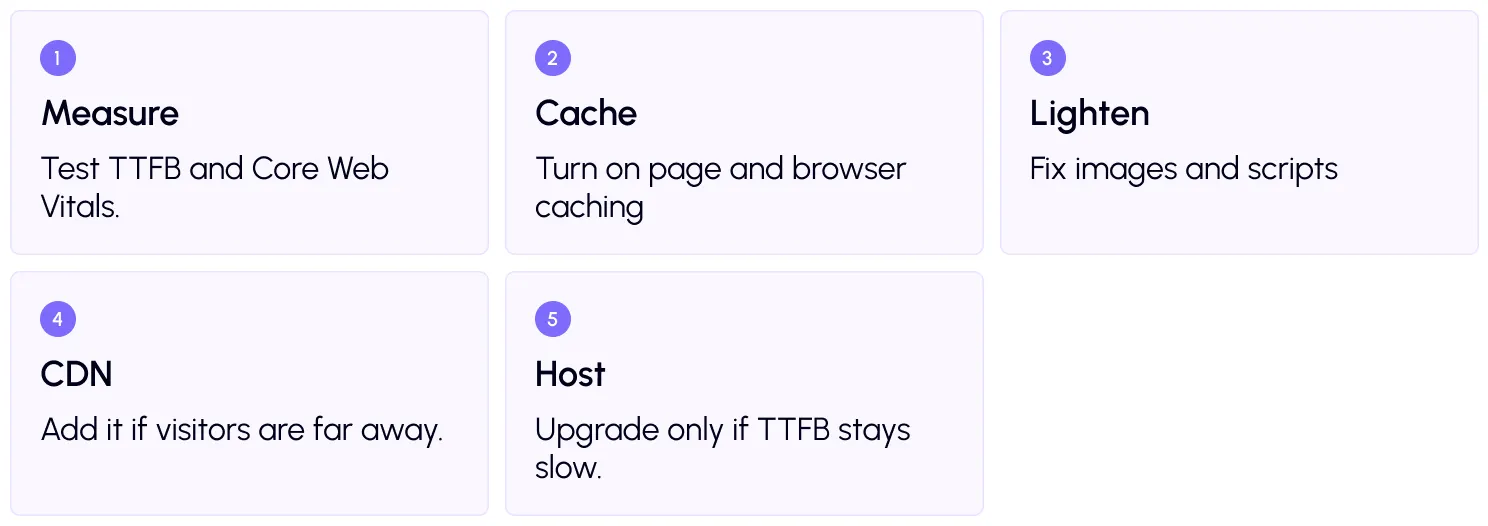
Why hosting last? Because it costs the most and takes the most effort. Caching and images often solve the problem first, and you may find you never need to move.
Step by step, with SpeedyGo
Start with full-page caching, then addWebP conversion andlazy load. Use defer scripts for scripts. If visitors are worldwide, connect theCDN integration.
SpeedyGo works on your existing host, and its homepage lists compatibility with popular hosts such as Bluehost, GoDaddy, Flywheel and Pantheon. It cannot make a very weak server powerful, but it can cut how much work that server has to do.

When is hosting the real problem?
Sometimes the server is the limit. Signs include a slow TTFB even with caching, frequent downtime, resource limit warnings, and slow admin screens. Sites on very cheap shared plans, or with an old PHP version, often hit this wall.
In that case, consider a better plan, a managed WordPress host or a VPS. Ask about PHP version, server-side caching, server location and resource limits. And pick a location close to most of your visitors.
A real-life example
A small business owner has a slow site on a cheap shared plan. A friend says to buy a CDN. She does. Nothing improves much, because her pages are slow to build, not slow to travel.
Then she turns on page caching, converts images to WebP and defers scripts. The site jumps from about four seconds to under two. Her customers in Europe still feel a delay, so she adds a CDN. It gets a little better again. Her host handles it fine, so she never has to move.
Order mattered. Doing the cheap, fast fixes first saved her both time and money.
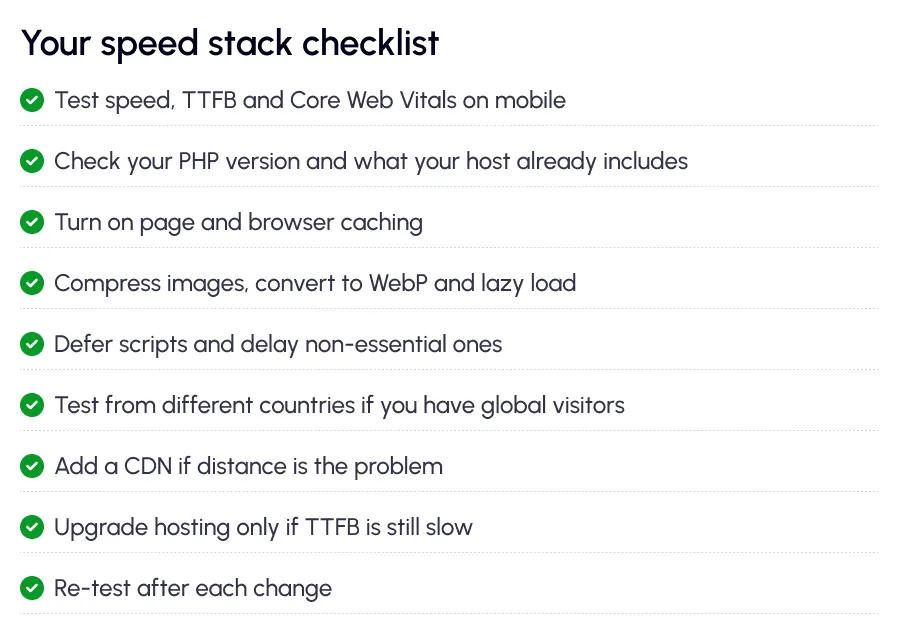
Common mistakes to avoid
The first mistake is buying the most expensive fix first. A pricey host will not shrink your images.
The second is stacking duplicate tools. Two caching systems, or a plugin CDN on top of a host CDN, can clash.
The third is skipping tests. Without before-and-after numbers, you cannot tell what actually worked.

Frequently Asked Questions
Learn the difference between WordPress hosting, CDN, and caching, including their benefits, performance impact, and when to use each for a faster website.
What is the difference between hosting, CDN and caching?
Hosting runs your website on a server. Caching saves finished pages so the server does less work. A CDN stores copies of your files in many locations to shorten the distance to visitors.
Is caching better than a CDN?
They solve different problems. Caching cuts server work, and a CDN cuts distance. Start with caching, since it helps every visitor, then add a CDN if you have far-away visitors.
Will better hosting make my WordPress site faster?
It will if your server is the bottleneck, such as a slow TTFB or downtime. It will not fix large images or heavy scripts.
Do I need all three?
Not always. Small local sites may do well with good hosting and caching. Sites with global visitors or heavy images benefit most from adding a CDN.