9 mins read
WooCommerce Checkout Speed Optimization: How to Fix Slow Checkout Pages
Share Article :


| Quick Summary This guide breaks down why WooCommerce checkout pages slow down (plugin bloat, unoptimized images, heavy scripts, and poor hosting), what Google and industry data say about how speed affects conversions, and a practical, non-technical checklist you can use today to speed up WooCommerce checkout, including caching, image optimization, script cleanup, and Core Web Vitals fixes. |
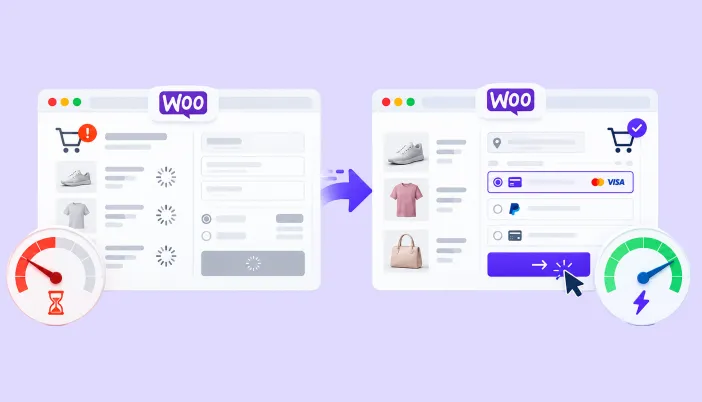
You’ve done the hard part. A visitor found your store, liked what they saw, and added a product to their cart. Then they hit “Checkout” and waited. Three seconds. Five seconds. A spinner that never quite finishes loading the payment fields. By the time the page is ready, they’re gone.
This is one of the most common, and most expensive, problems in WooCommerce. Store owners spend money on ads, SEO and product photography, then lose the sale on the one page that actually collects the money. If your checkout feels sluggish, you’re not imagining it, and you’re not alone.
In this guide, we’ll walk through exactly why checkout pages slow down, what the data says about how much this actually costs you, and a clear, practical plan to optimize WooCommerce checkout speed without needing to touch a line of code.
Why Checkout Speed Matters More Than Any Other Page
Every page on your site matters for SEO and user experience, but checkout is different. It’s the page where intent is highest, and patience is lowest. A shopper browsing your blog will forgive a slow load. A shopper trying to pay for something already in their cart will not.
The numbers back this up clearly:
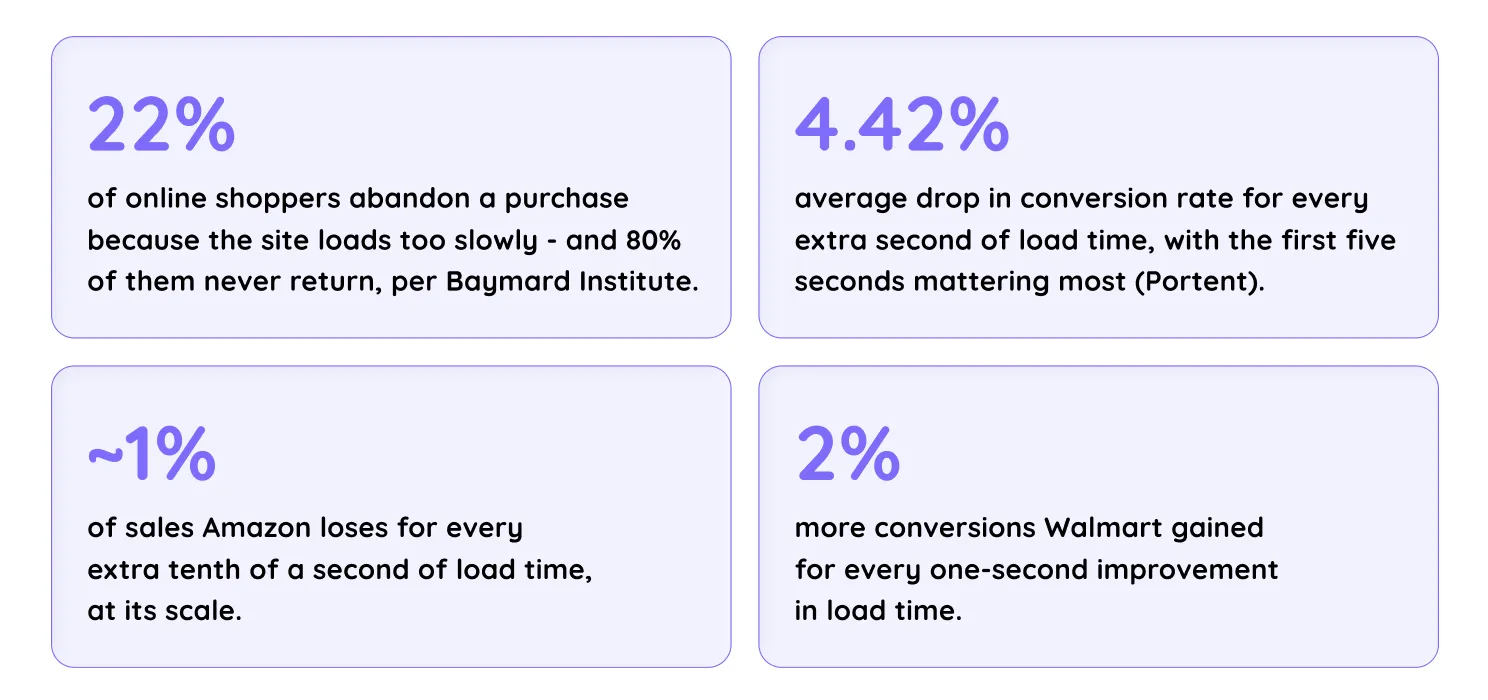
The pattern holds everywhere: speed isn’t a “nice to have”; it’s a revenue line item. Amazon built its whole checkout philosophy on one-click ordering, saved payment details, and removing exactly this kind of friction. The good news is that fixing checkout speed is usually a matter of configuration, not code.
What Counts as “Fast” for a WooCommerce Checkout Page?
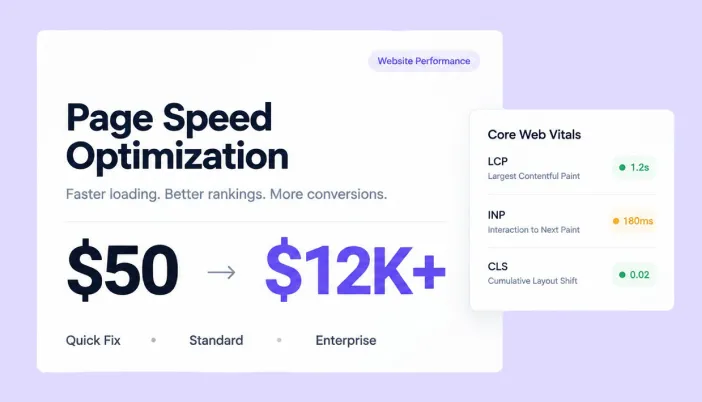
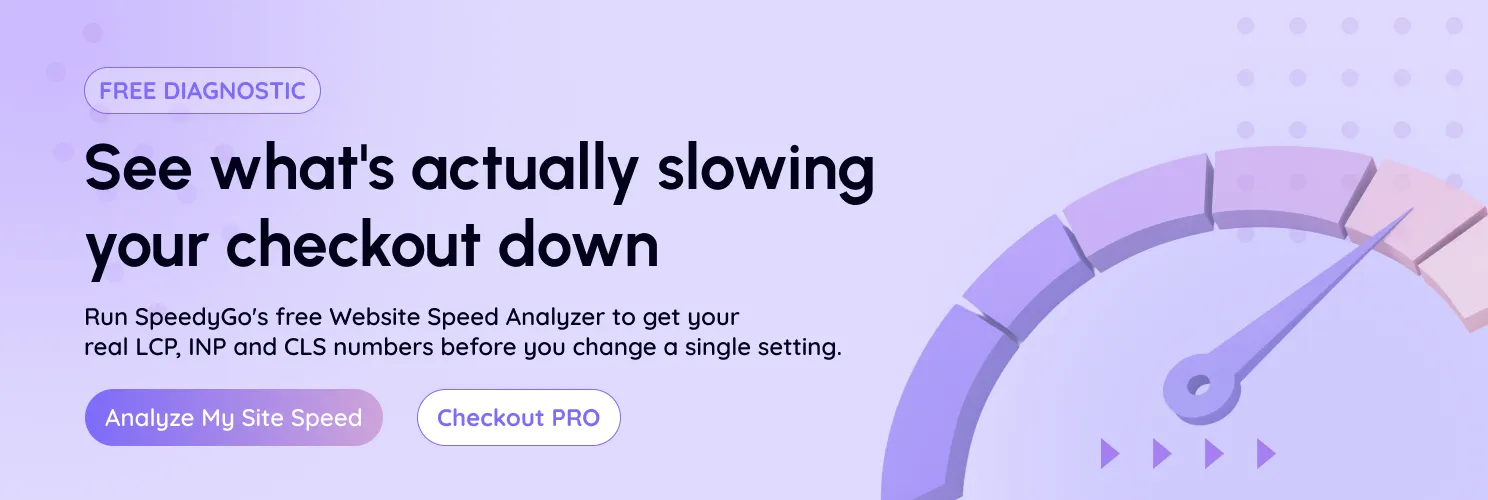
Google measures real-world page experience using three metrics called Core Web Vitals: Largest Contentful Paint (how fast the main content appears), Interaction to Next Paint (how quickly the page responds when a shopper taps a field or button), and Cumulative Layout Shift (how much the page jumps around while loading).
| Metric | What It Measures | Good | Needs Work | Poor |
| Largest Contentful Paint (LCP) | How fast the main checkout content loads | ≤ 2.5s | 2.5s – 4.0s | > 4.0s |
| Interaction to Next Paint (INP) | How quickly fields/buttons respond to taps | ≤ 200ms | 200ms – 500ms | > 500ms |
| Cumulative Layout Shift (CLS) | How much the page jumps while loading | ≤ 0.1 | 0.1 – 0.25 | > 0.25 |
These aren’t arbitrary numbers. Google’s own research found that 2.5-second LCP targets were realistically achievable for top-performing sites, while tighter 1.5 to 2-second targets were not, which is why 2.5 seconds became the industry benchmark for a “good” loading experience.
If your checkout page is landing in the “poor” range on any of these three metrics, that’s very likely where your lost sales are coming from, and it’s also actively working against your WooCommerce Core Web Vitals score and search rankings.
You can check exactly where your checkout page stands using SpeedyGo’s freeWebsite Speed Analyzer; it’s the fastest way to see your real LCP, INP, and CLS numbers before you start optimizing.
Why Do WooCommerce Checkout Pages Slow Down in the First Place?
Here are the most common culprits we see across hundreds of WooCommerce stores:
- Plugin bloat: Every extra plugin loading scripts and styles on the checkout page adds render-blocking weight, even if the plugin has nothing to do with checkout itself.
- Unoptimized product and cart images: Large, uncompressed images in the order summary quietly add seconds to load time.
- Heavy or conflicting themes: Some page-builder-based themes load extra CSS/JS frameworks that checkout pages never actually use.
- Payment gateway scripts: Multiple payment methods each load their own external JavaScript, and stacking too many at once slows the page down.
- No caching on dynamic elements: Checkout pages are dynamic by nature, but poorly configured caching (or none at all) forces the server to rebuild everything from scratch on every visit.
- Weak or shared hosting: Database-heavy pages like checkout suffer the most on underpowered servers during traffic spikes.
- Too many form fields: This isn’t a speed issue technically, but it feels like one every unnecessary field adds perceived friction and abandonment risk.
The encouraging part is that almost none of these require custom development. They’re configuration and optimization problems, and they’re fixable in an afternoon.
How to Speed Up WooCommerce Checkout: A Step-by-Step Fix
1. Simplify the checkout form itself
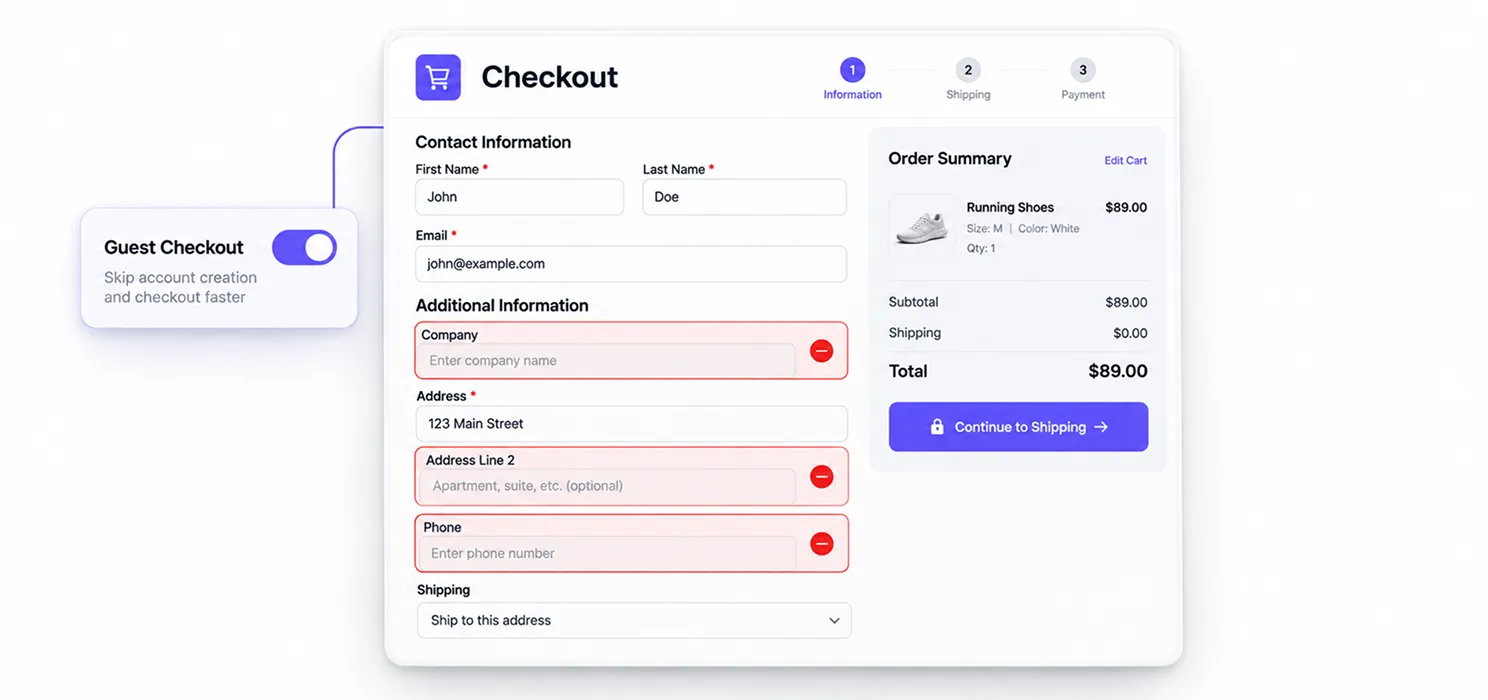
Before touching any technical settings, look at your checkout form. Remove fields you don’t actually need (company name, a second address line, phone number if you don’t use it for shipping updates). Enable guest checkout so shoppers aren’t forced to create an account mid-purchase. Fewer fields mean less for the browser to render and less friction for the shopper.
2. Turn on smart caching
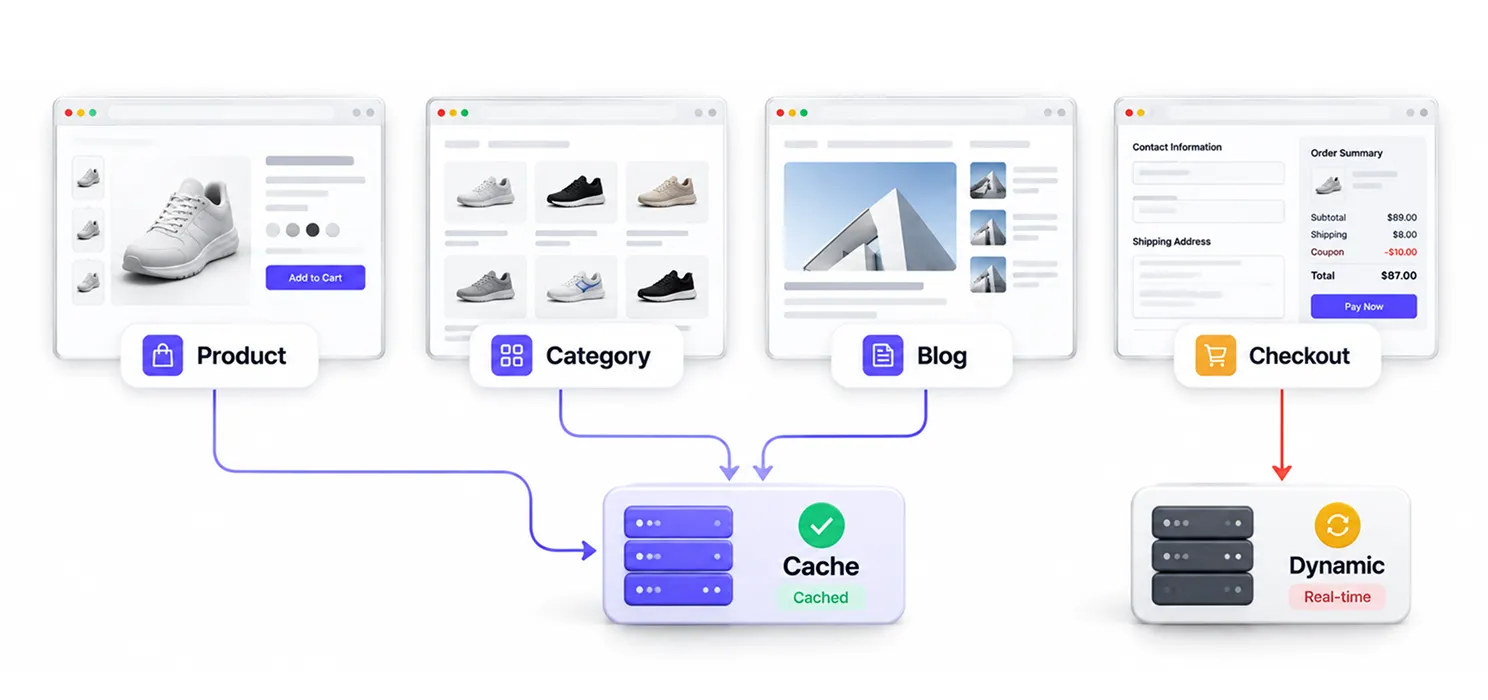
Full-page caching is one of the biggest speed wins available, but checkout pages need to stay dynamic (cart totals, shipping costs, and coupon codes change per visitor). A properly configured caching plugin will automatically exclude cart and checkout pages from static caching while still caching everything else your product pages, category pages, and blog so the server has more resourcesavailable when it matters most. SpeedyGo’s full-page cachingand cache preloadingare built to handle this automatically for WooCommerce sites.
3. Compress and convert images to WebP
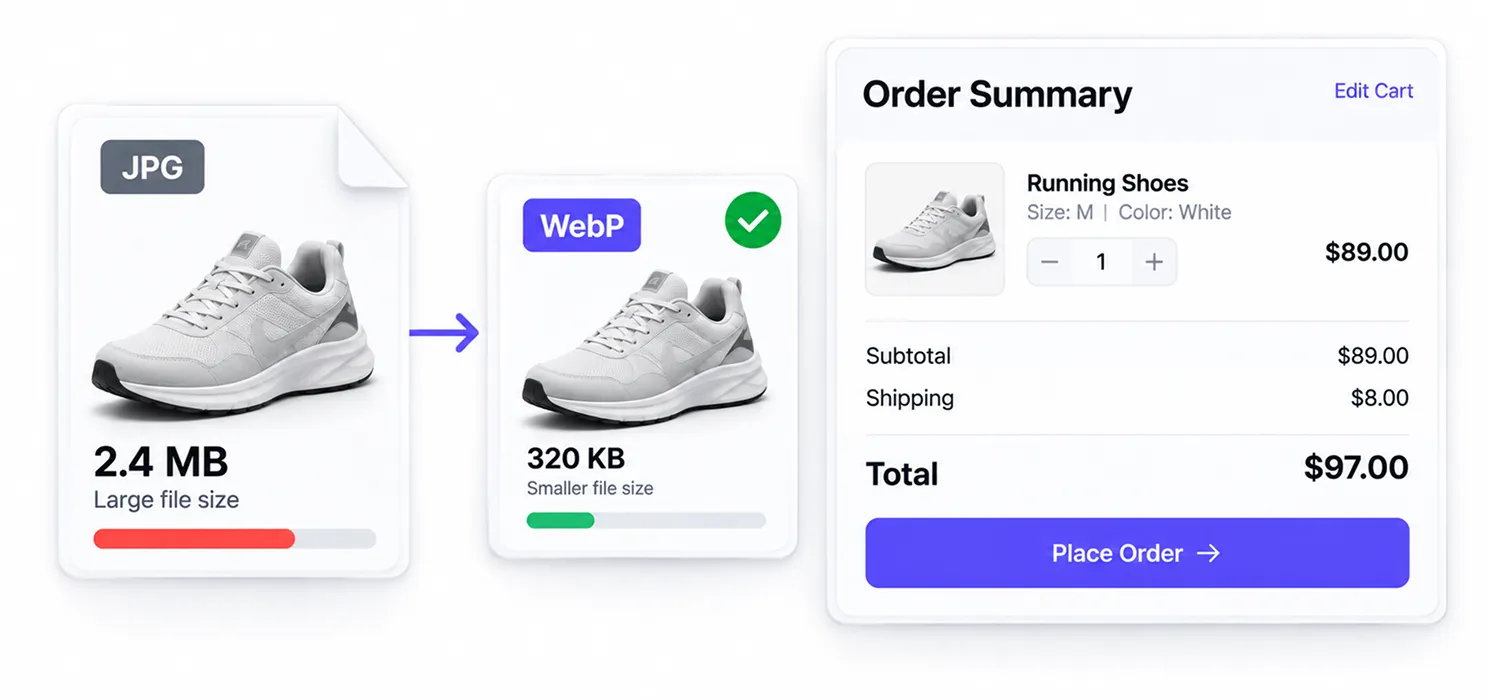
Cart thumbnails and order-summary images are often the heaviest files loading on checkout. Converting them to the WebP format typically cuts file size significantly without a visible quality loss. This is one of the easiest wins for speed up WooCommerce efforts overall, not just checkout. SpeedyGo automates this through automatic WebP conversionand lazy loading, so images below the fold don’t load until they’re needed.
4. Minify and combine CSS and JavaScript
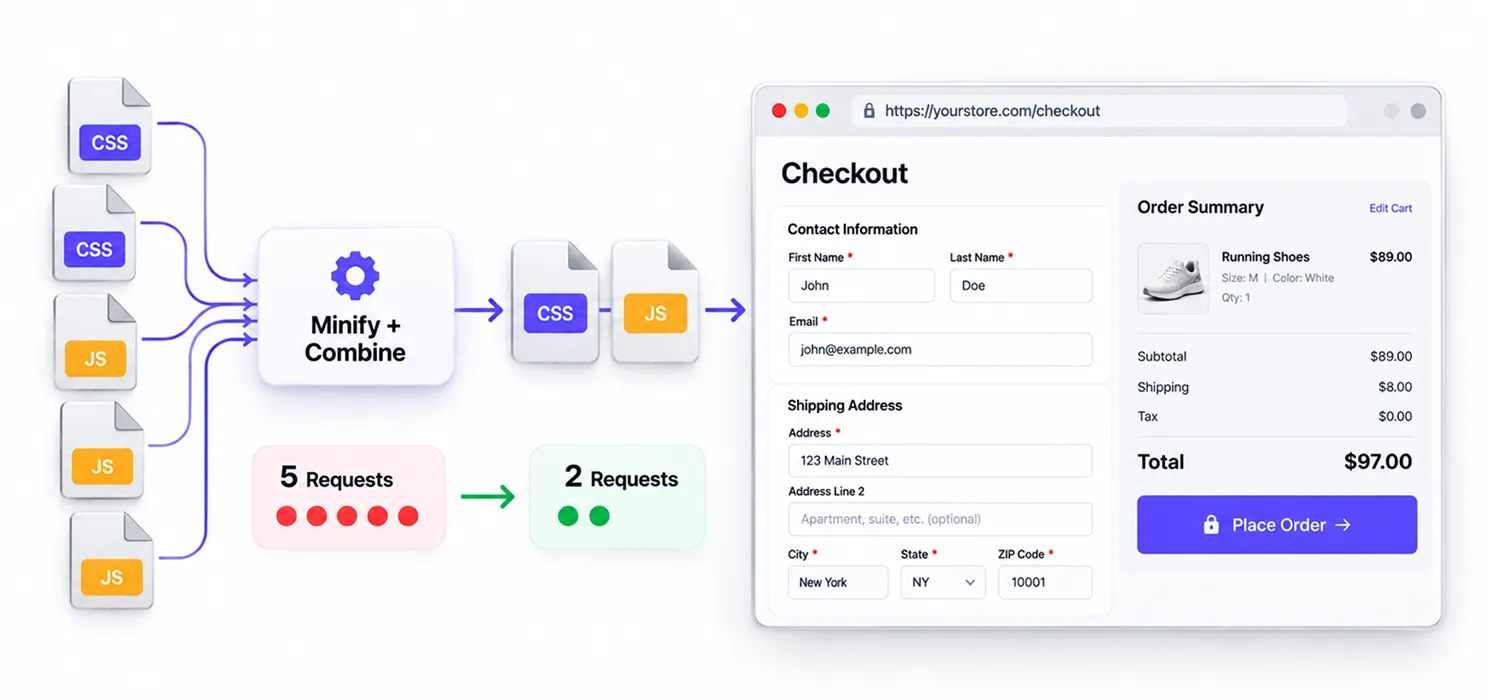
Every unminified stylesheet and script is extra bytes the browser has to download and parse before checkout becomes interactive. Combining and minifying these files — while being careful not to break payment gateway scripts — reduces the number of requests the browser has to make. See SpeedyGo’s guides on CSS minificationand JavaScript minificationfor the safe way to do this on WooCommerce.
5. Delay non-essential JavaScript
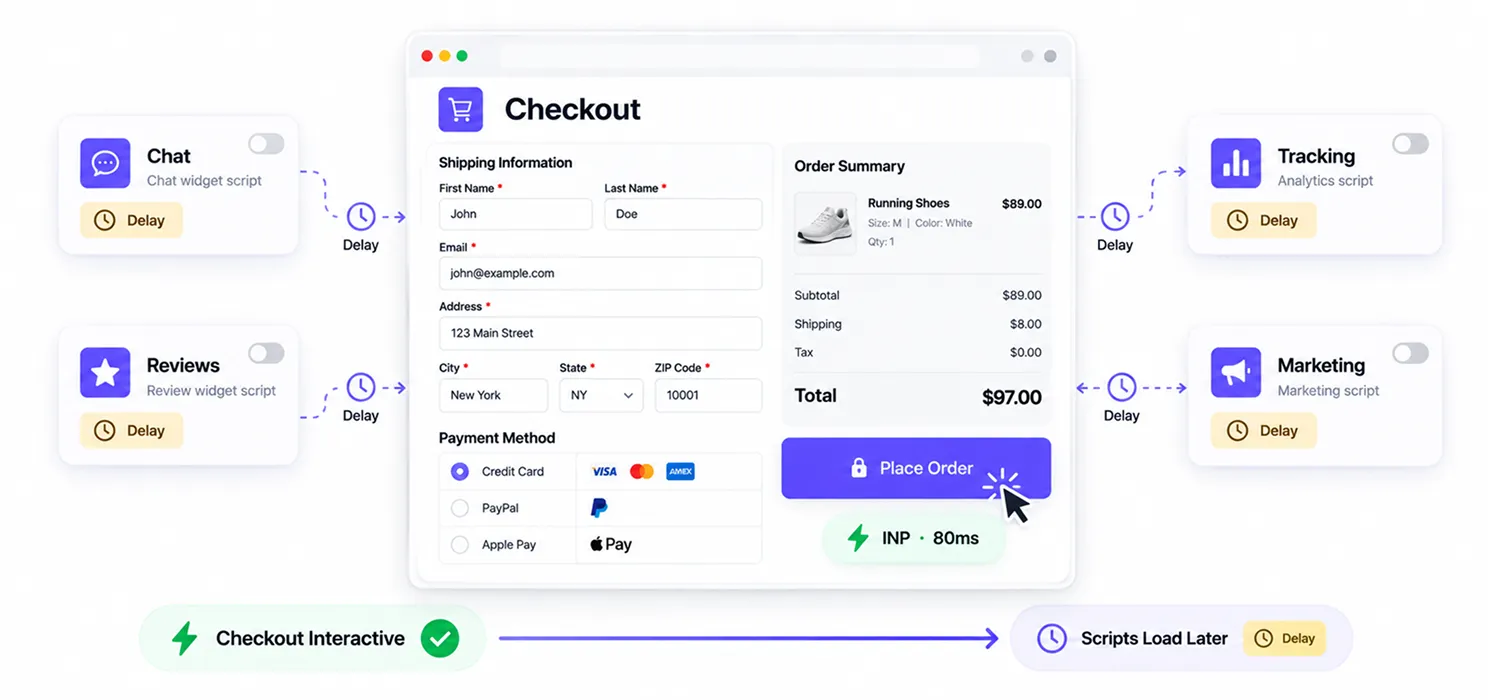
Chat widgets, review pop-ups, tracking pixels, and marketing scripts don’t need to load before a shopper can click “Place Order.” Deferring or delaying these until after the main content is interactive directly improves your INP score. This is exactly what SpeedyGo’sJS Interaction Delayfeature is built for.
6. Serve everything through a CDN
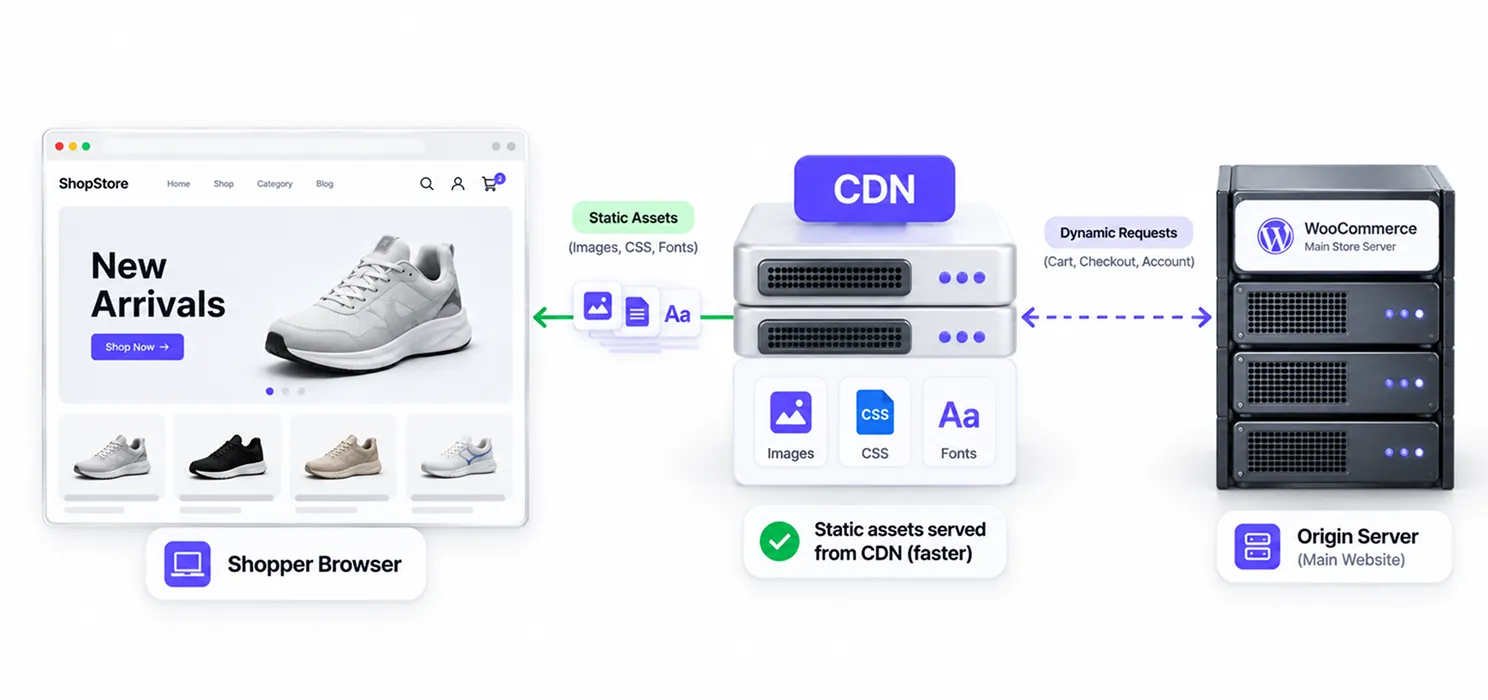
A content delivery network stores static assets (images, CSS, fonts) on servers physically closer to your shopper, instead of routing every request back to your main server. For stores with customers across different regions, this alone can meaningfully cut load times. Data compiled from multiple WooCommerce performance audits indicates that adding a CDN can reduce page load time by up to50% for typical WooCommerce stores. SpeedyGo includes built-inCDN integration via BunnyCDN.
7. Upgrade hosting if the server itself is the bottleneck
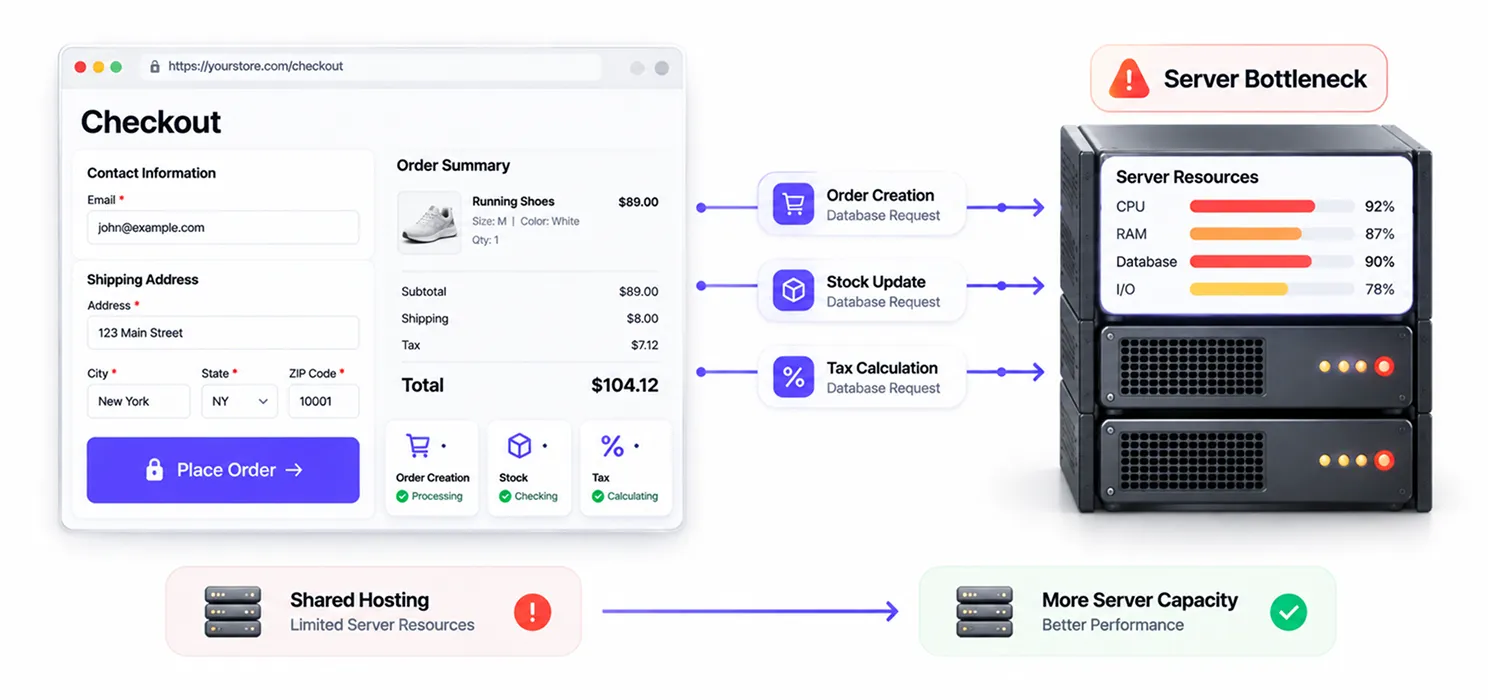
If your checkout is slow even after every optimization above, the server may simply be underpowered for your traffic. Database queries during checkout (order creation, stock updates, tax calculation) hit the server directly and can’t be cached away. If you’re on basic shared hosting and running a growing store, this is usually the next investment to make.
8. Reduce third-party payment gateway clutter
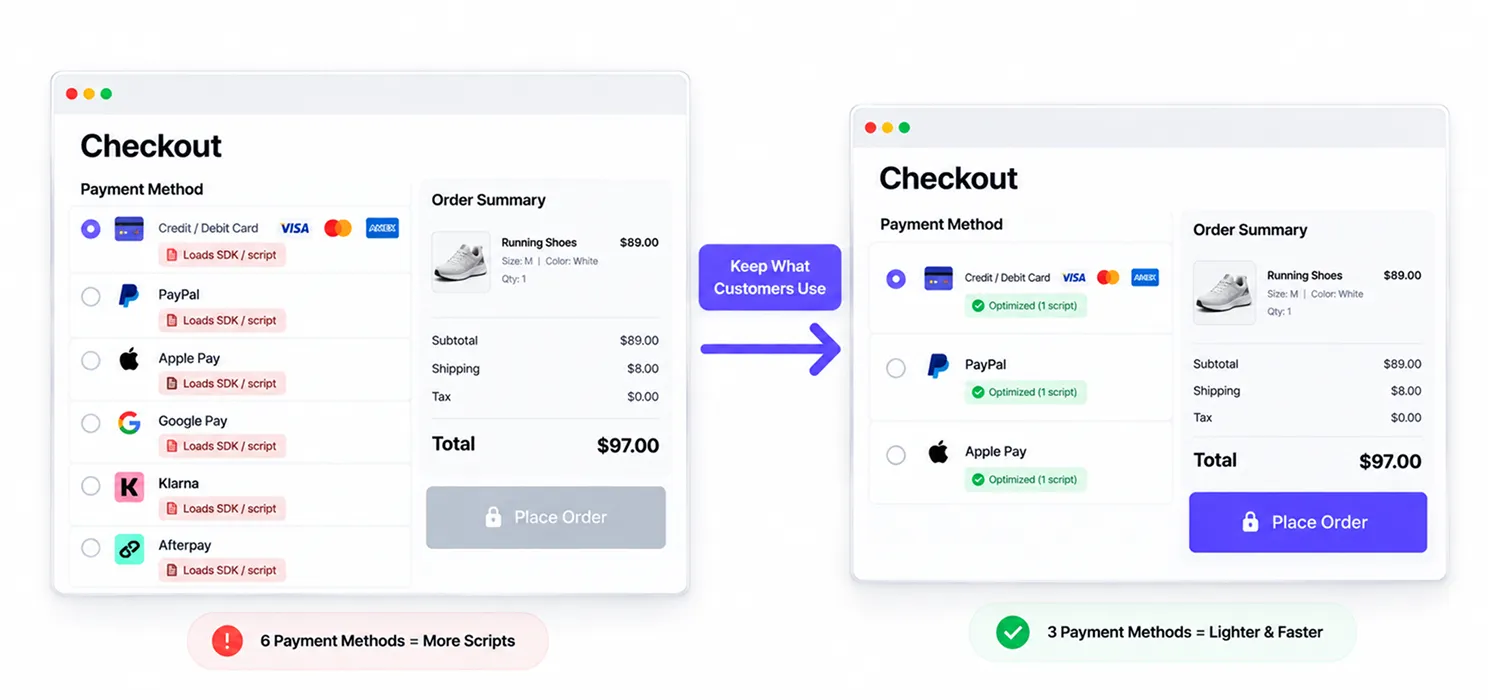
Offering five payment methods sounds good for conversion, but each one typically loads its own SDK or iframe script. Keep the two or three payment methods your customers actually use, and remove the rest. This lightens the page without hurting the checkout experience.
The Fast-Checkout Checklist
✔Guest checkout enabled, unnecessary fields removed
✔Cart and checkout pages excluded from static caching; everything else cached
✔All checkout and cart images converted to WebP
✔CSS/JS minified and combined where safe to do so
✔Non-essential scripts (chat, pop-ups, tracking) delayed until after load
✔CDN active for images, fonts, and static assets
✔Only essential payment gateways active
✔Hosting reviewed if the above changes don’t move the needle
Source
|
| SpeedyGo Editorial Team Written by the SpeedyGo team of developers who’ve spent years diagnosing and fixing slow WordPress and WooCommerce sites. We test every optimization on real stores before writing about it. |

Frequently Asked Questions
Find answers to common questions about slow WooCommerce checkout pages, caching, Core Web Vitals, load times, and practical ways to improve checkout speed.
Why is my WooCommerce checkout page slower than the rest of my site?
Checkout pages load more moving parts at once: payment gateway scripts, tax and shipping calculations, and cart data, and much of it can’t be cached the same way a static blog post can. That extra complexity is usually why checkout feels noticeably slower than your homepage or product pages.
Will caching break my WooCommerce checkout?
Not if it’s configured correctly. Cart and checkout pages should always be excluded from static full-page caching so totals, coupons, and stock stay accurate. A WooCommerce-aware caching plugin does this automatically, so you get the speed benefit everywhere else without breaking checkout functionality.
How much does checkout speed actually affect sales?
Research from Portent found that conversion rates drop by an average of 4.42% for each additional second of load time, and Baymard Institute’s research shows roughly 22% of shoppers abandon a purchase due to slow loading. On a page as high-intent as checkout, that impact tends to be even more pronounced.
Do I need to hire a developer to fix WooCommerce checkout speed?
Usually not. Most of the fixes covered here caching, image optimization, minification, CDN setup, and script delay can be handled through a well-built WordPress speed plugin like SpeedyGo without touching any code.
What's a good page load time for a WooCommerce checkout page?
Aim for a Largest Contentful Paint of 2.5 seconds or less, which is Google’s benchmark for a “good” experience. Anything above 4 seconds is considered poor and is likely costing you completed orders.