
JavaScript Minification compresses JS files by removing whitespace, comments, and unnecessary characters, and by shortening internal variable names. The scripts function identically — they are simply smaller, so they download and parse faster.
Dashboard path: Cache Settings → Asset Optimization
Section: Asset Optimization
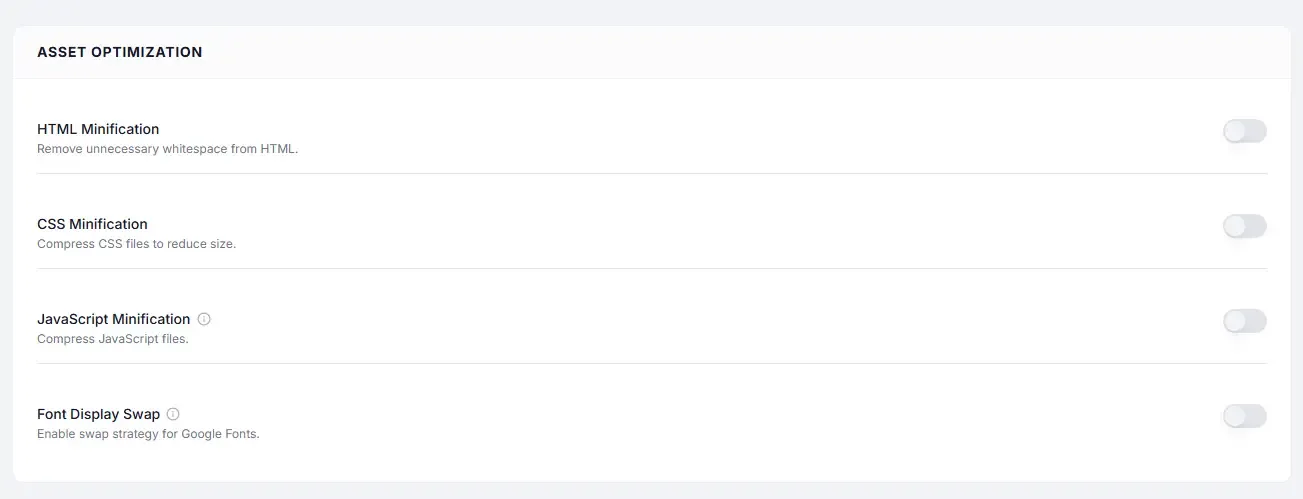
Settings #
| Setting | Type | Description |
|---|---|---|
| JavaScript Minification | Toggle | Compresses all enqueued JS files by removing non-functional characters. |
What Gets Removed / Changed #
| Before minification | After minification |
|---|---|
| Whitespace and line breaks | Removed |
Single-line comments (// ...) | Removed |
Multi-line comments (/* ... */) | Removed |
Long variable names (userLoginStatus) | Shortened (a) |
| Unnecessary semicolons | Removed |
The resulting file is functionally identical but significantly smaller.
Performance Impact #
| Metric | Typical improvement |
|---|---|
| JS file size | 20–50% reduction |
| Parse time | Faster — smaller file = less to read |
| Network transfer | Faster download |
| Combined with Gzip / Brotli | 70–90% total reduction vs original |
How to Enable #
- Go to Cache Settings → Asset Optimization.
- Under Asset Optimization, toggle JavaScript Minification to ON.
- Click Save Changes.
- Visit your site and check the browser console (F12) for any JavaScript errors.
When Minification Can Cause Issues #
Minification is safe for the vast majority of scripts. Rare edge cases where it may cause issues:
| Case | Issue | Workaround |
|---|---|---|
| Scripts that rely on function names being preserved | Name mangling breaks reflection/eval | Use a minifier-aware coding pattern; contact the plugin author |
| Old-style JS with implicit globals | Can be broken by strict parsing | Update or replace the script |
| Inline scripts with conditional comments | IE-specific patterns stripped | Usually not a concern on modern sites |
Troubleshooting #
| Symptom | Likely cause | Fix |
|---|---|---|
| JS error in browser console after enabling | Minification broke a specific script | Identify the script in DevTools, check if it is a plugin — update the plugin first; if still broken, report to the plugin author |
| Site features work normally | No issue — minification is transparent | No action needed |
Tips #
Tip: JavaScript Minification is the lowest-risk JS optimization to enable first. It rarely causes compatibility issues compared to Combine JS or Defer Scripts.
Tip: Always combine JS Minification with Gzip Compression or Brotli Compression – they compress at different levels and complement each other for maximum savings.


