5 mins read
WordPress Mobile Speed Optimization: How to Improve Performance on Phones
Share Article :


Quick summary
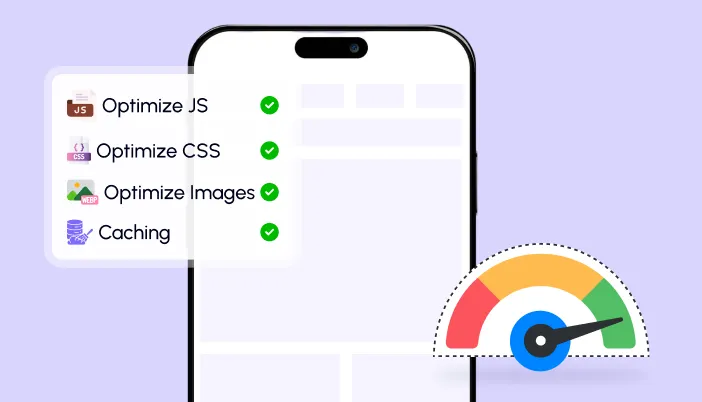
Your site may look fast on your laptop and still feel slow on a phone. This guide explains WordPress mobile speed optimization in simple words. You will learn why phones struggle, what Google measures on mobile, how to fix the top problems, and how to test your site the right way. It ends with a plan and a checklist.
You open your website on your office computer. It loads in a flash. You feel proud. Then you open it on your phone, on mobile data, on a bus.
The page crawls. The text jumps around. The menu does not open on the first tap.
This is what most of your visitors see. So let’s fix it, step by step.
Why does mobile speed matter more than ever?
Because most people browse on phones. According to StatCounter, mobile devices account for well over half of all web traffic worldwide. Your site is mostly a mobile site, whether you planned it or not.
Google also treats mobile as the main version of your site. Under mobile-first indexing, Google mostly uses the mobile version of your pages for indexing and ranking. A slow or broken mobile page can hold back your rankings, even if the desktop version is perfect.
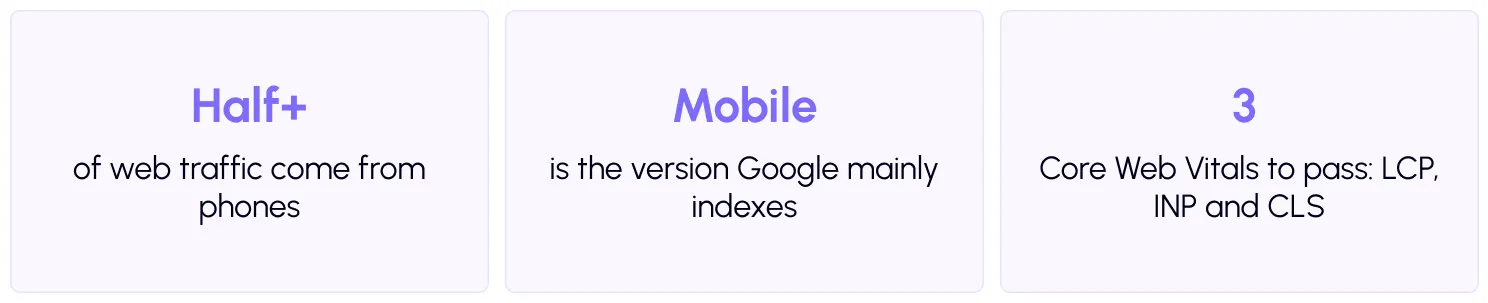
Many sites still fall short. The Web Almanac’s Core Web Vitals data shows that fewer than half of mobile sites pass all three metrics, and mobile scores trail desktop scores. That gap is your opportunity.
Why are phones slower than computers?
Two reasons: the network and the processor.
Slower networks. Mobile data can be weak or change from second to second. Every extra file you send adds waiting time.
Weaker processors. A phone has to run your page’s code with far less power than a laptop. Heavy JavaScript that feels instant on a computer can freeze a mid-range phone.
That is why PageSpeed Insights tests mobile with a simulated slower connection and processor. It is not being harsh. It is showing how a typical phone user may feel.

What do the Core Web Vitals mean on mobile?
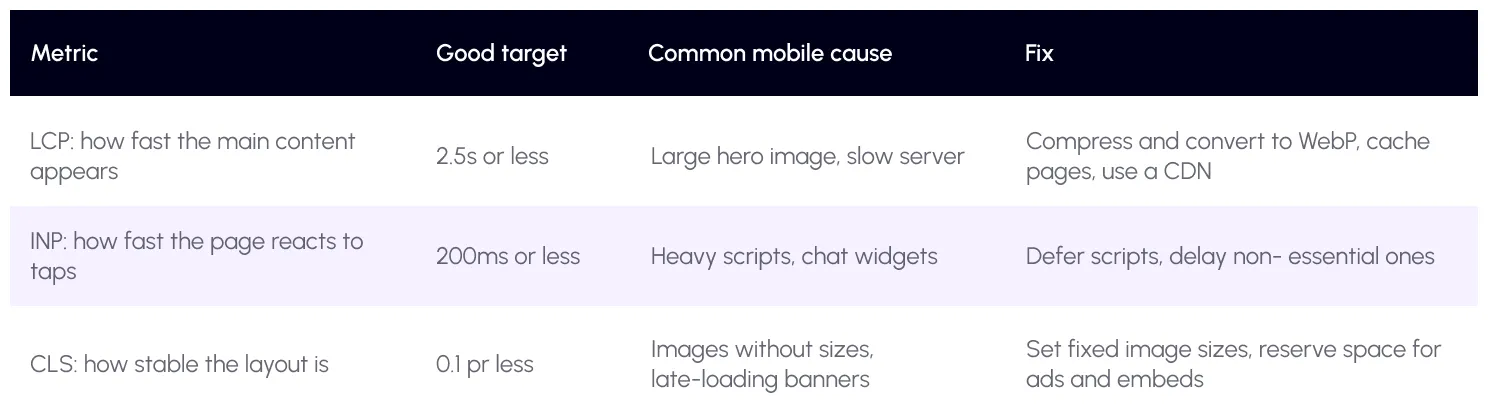
Google’sCore Web Vitals are three simple checks. Here is what each one means, what usually goes wrong on phones, and the fix.
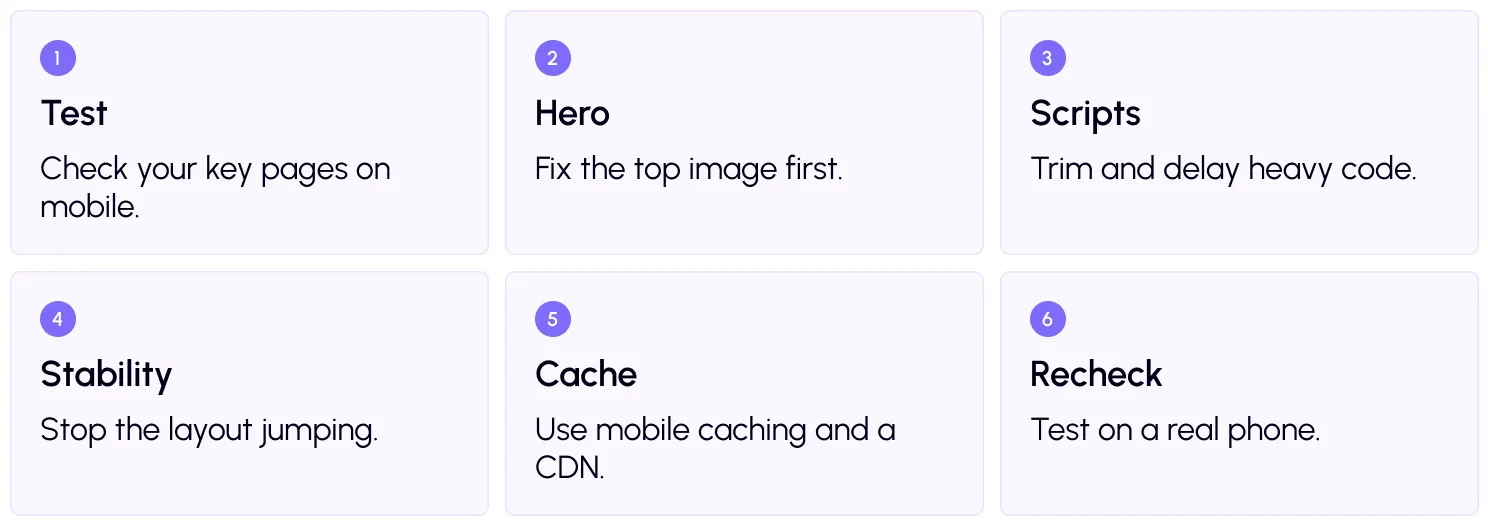
WordPress mobile speed plan: 6 steps
Step 1: Test on mobile
Run your home page and two key inner pages through thefree SpeedyGo speed test or PageSpeed Insights. Look at the mobile tab, and write down your scores.
Then test on a real phone too. Open your site on mobile data, not Wi-Fi. If you do not have a spare phone, Chrome’s device mode lets you preview your site at phone sizes on your computer.
Step 2: Fix the top image
The first large image is usually your LCP element, so it decides how fast your page feels. Resize it so it is not bigger than needed, then convert it to WebP. SpeedyGo helps withWebP conversion and WebP quality control. You can learn why WebP helps in our guide on the SpeedyGo blog.
Use lazy load for images further down the page. But do not lazy load the top image. Google explains that lazy-loading the LCP image delays it.
Step 3: Trim and delay scripts
Phones struggle most with JavaScript. Remove plugins you do not need. Then usedefer scripts so the page appears first, and delay JS interaction to hold chat widgets and trackers until the visitor taps or scrolls. This directly helps your INP score.
Also shrink your code with CSS optimization and JavaScript optimization, so phones have less to download and process.
Step 4: Stop the layout from jumping
Layout shift happens when something loads late and pushes content down. Give every image a fixed width and height. Reserve space for banners, ads and embedded videos. Keep pop-ups from shoving the page around. Google explains the score in its guide toCumulative Layout Shift.
Step 5: Use mobile caching and a CDN
Caching saves ready-made pages so the server answers fast. SpeedyGo offersfull-page caching and mobile caching, which is especially useful if your phone layout differs from desktop. Turn on browser caching so returning visitors reuse files. Add CDN integration to serve files from a location near your visitor, which helps a lot on mobile networks.
For extra savings, turn on Gzip or Brotli compression, so text files travel smaller.
Step 6: Recheck, and keep watching
Run your tests again and compare. Look at real-user data after a few weeks, since it updates slowly. With SpeedyGo Pro, mobile vs desktop tracking lets you follow both scores in one place.
A real-life example
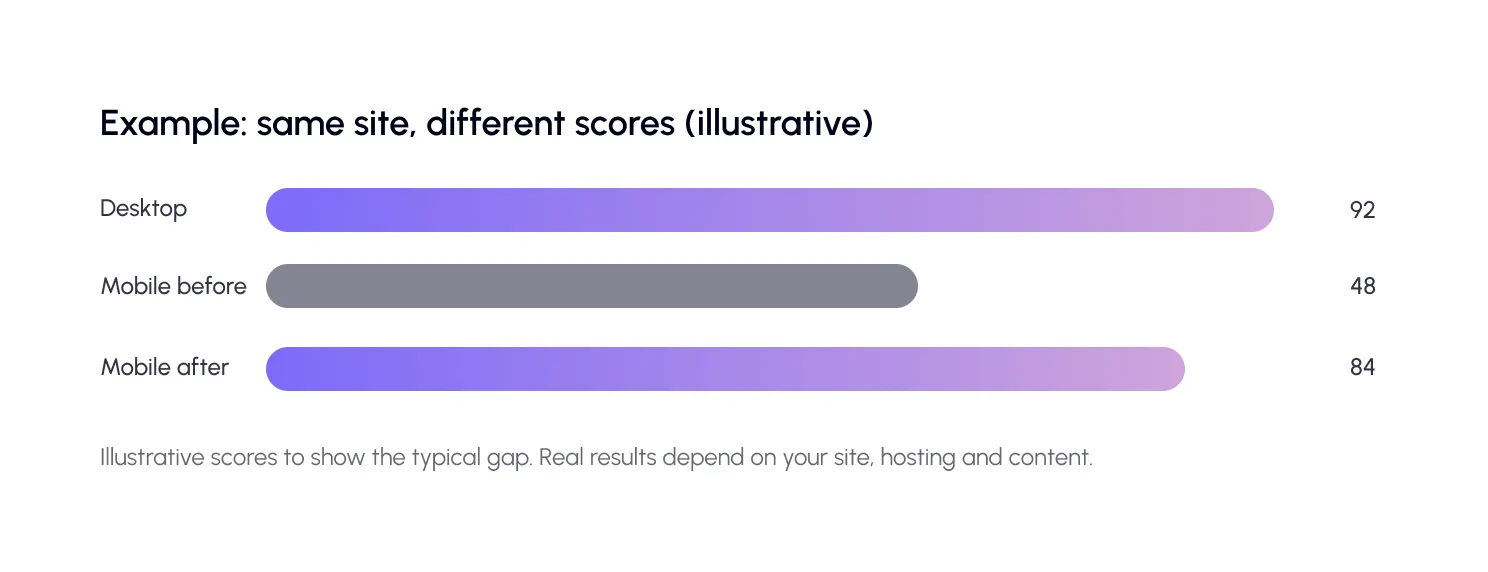
Imagine a local restaurant site. On desktop it scores 90, but on mobile it scores 45. The home page has a full-screen slider of six huge photos, a chat widget and three fonts. The menu button often needs two taps.
The owner replaces the slider with one compressed WebP image, keeps two fonts, delays the chat widget and turns on mobile caching. Now the main photo appears sooner, the menu reacts on the first tap, and the mobile score rises well into the 80s.
The site looks almost the same. It just respects the phone in your visitor’s hand.
Common mistakes to avoid
The biggest mistake is testing only on a fast computer. Always check mobile first.
Another is hiding heavy content on phones with CSS. The files may still download, so the page stays slow. Remove what you do not need instead.
And do not chase a perfect 100. A page that feels fast, works well and passes Core Web Vitals is a great result.

Frequently Asked Questions
Get answers to common questions about WordPress mobile speed optimization, including PageSpeed scores, mobile SEO, caching, image optimization, and Core Web Vitals.
Why is my WordPress site slow on mobile but fast on desktop?
Phones have slower networks and weaker processors. Large images and heavy JavaScript hurt them far more than a desktop computer.
How do I improve mobile PageSpeed?
Compress and convert images to WebP, cache your pages, defer heavy scripts, set fixed image sizes and use a CDN. Then retest on the mobile tab.
Does mobile speed affect SEO?
Yes. Google mainly uses the mobile version of your site for indexing, and page experience is measured with Core Web Vitals.
What is a good mobile PageSpeed score?
A score of 90 or above is considered good, but real-user Core Web Vitals matter more than one lab score. Aim for steady improvement.
Do I need a separate mobile version of my site?
No. Use a responsive theme that adapts to any screen size. Then use mobile-aware caching to serve the right version quickly.
Does SpeedyGo help with mobile speed?
Yes. SpeedyGo offers mobile-first caching, WebP images, script optimization and CDN support. Pro users also get mobile vs desktop tracking.