
Gzip Compression enables server-side compression of your site’s assets — HTML, CSS, JavaScript, and fonts — before they are sent to the browser. The browser decompresses them automatically. Visitors receive the same files, just in a fraction of the transfer size.
Dashboard path: Cache Settings → Asset Optimization
Section: JS Interaction & Compression
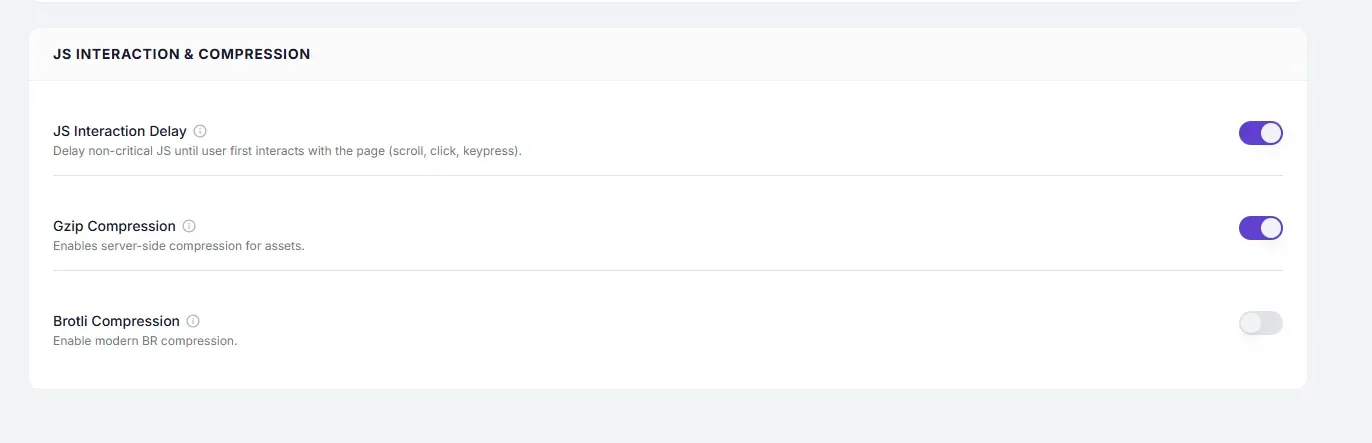
Settings #
| Setting | Type | Description |
|---|---|---|
| Gzip Compression | Toggle | Enables server-side Gzip encoding for HTML, CSS, JS, and font responses. |
Performance Impact #
| Asset type | Typical size reduction |
|---|---|
| HTML | 60–80% |
| CSS | 60–75% |
| JavaScript | 55–70% |
| JSON / XML | 70–85% |
| Images | Minimal — already compressed formats (JPEG, PNG, WebP) |
A typical WordPress site’s total page weight drops by 50–70% with Gzip enabled.
How to Enable #
- Go to Cache Settings → Asset Optimization.
- Under JS Interaction & Compression, toggle Gzip Compression to ON.
- Click Save Changes.
- Verify it is working: open Chrome DevTools → Network tab → click a CSS or JS file → check Response Headers for
Content-Encoding: gzip.
Server Support #
Gzip is supported by all web servers:
| Server | Gzip support |
|---|---|
| Apache | mod_deflate (standard, almost always enabled) |
| Nginx | gzip module (standard, enabled by default) |
| LiteSpeed | Built-in |
| All shared/managed hosts | Supported |
Note: If your hosting provider already enables Gzip at the server level, enabling it in SpeedyGo is redundant but harmless. The
Content-Encoding: gzipheader will be present either way.
Gzip vs Brotli #
| Feature | Gzip | Brotli |
|---|---|---|
| Browser support | Universal (100%) | All modern browsers |
| Compression ratio | Good | ~15–20% better than Gzip |
| Server requirement | All servers | Nginx 1.11.6+ or Apache mod_brotli |
| CPU cost | Low | Slightly higher |
Recommendation: Enable both Gzip and Brotli. Modern browsers use Brotli; older browsers and edge cases fall back to Gzip.
Troubleshooting #
| Symptom | Likely cause | Fix |
|---|---|---|
Content-Encoding: gzip not appearing in response headers | Host-level configuration blocks it, or SpeedyGo plugin not active | Check that the SpeedyGo WordPress plugin is active and connected; check with your host |
| PageSpeed still flagging “Enable text compression” | Gzip not applied to all asset types | Verify the SpeedyGo plugin version; check server .htaccess or nginx config for conflicting rules |
Tips #
Tip: Gzip Compression is a universal, zero-risk setting. Enable it on every site — there is no downside.
Tip: Combine Gzip with CSS Minification and JavaScript Minification for maximum savings: minification reduces the raw file size, then Gzip compresses the already-smaller result.


