
Cache preloading automatically crawls your site to build cached copies of pages before real visitors arrive. Without preloading, the cache is built on-demand: the first visitor to a page always gets a slow, uncached response. With preloading, that cold request never reaches real visitors.
Dashboard path: Cache Settings → Caching & Preloading
Section: Cache Preloading & Scheduling
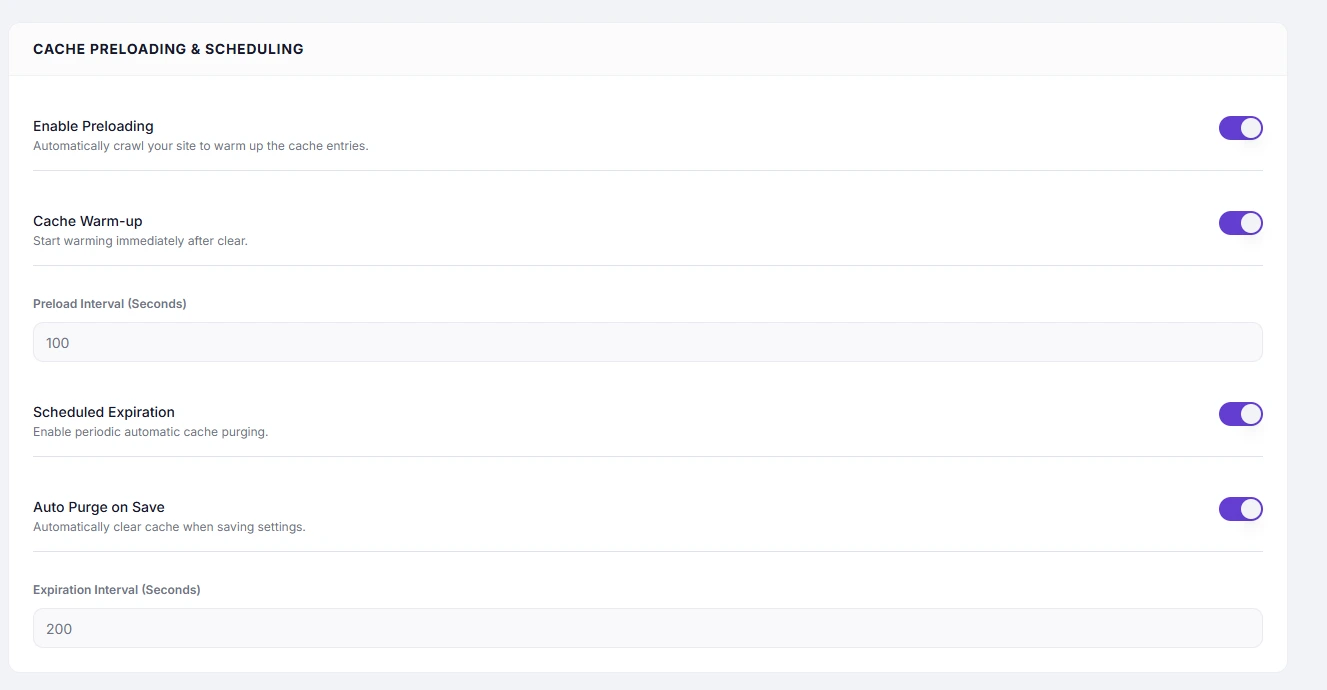
Settings #
| Setting | Type | Description |
|---|---|---|
| Enable Preloading | Toggle | Automatically crawls your site to generate and store cached pages. |
| Cache Warm-up | Toggle | Triggers a preload crawl immediately after a cache clear or purge. |
| Preload Interval (Seconds) | Number | How often the preloader re-crawls all pages to refresh the cache. |
| Scheduled Expiration | Toggle | Enables periodic automatic cache purging on a fixed interval. |
| Auto Purge on Save | Toggle | Clears the relevant cached page whenever a post or page is saved in WordPress. |
| Expiration Interval (Seconds) | Number | How often Scheduled Expiration runs a purge cycle. |
Recommended Values #
| Setting | Recommended | Notes |
|---|---|---|
| Preload Interval | 3600 (1 hour) | Keeps cache fresh for most sites. Lower to 1800 for high-publish sites. |
| Expiration Interval | 86400 (24 hours) | Controls how often the full scheduled purge runs. |
| Cache Warm-up | ON | Always enable alongside preloading |
| Auto Purge on Save | ON | Recommended for any site that publishes content regularly |
How to Enable #
- Go to Cache Settings → Caching & Preloading.
- Under Cache Preloading & Scheduling, toggle Enable Preloading to ON.
- Toggle Cache Warm-up to ON.
- Toggle Auto Purge on Save to ON.
- Set Preload Interval (e.g.
3600). - Optionally enable Scheduled Expiration and set Expiration Interval.
- Click Save Changes.
How Warm-up Works #
When a cache clear or purge runs (manually, via Auto Purge on Save, or via Scheduled Expiration), SpeedyGo immediately begins crawling your sitemap to rebuild the cache. Pages are served from cache again within seconds rather than being built one-by-one as real visitors arrive.
Troubleshooting #
| Symptom | Likely cause | Fix |
|---|---|---|
| Content changes not appearing after publish | Auto Purge on Save is off | Enable Auto Purge on Save |
| Site is slow for the first visitor after a purge | Cache Warm-up is off | Enable Cache Warm-up |
| Cache being rebuilt too frequently | Preload Interval is too low | Increase Preload Interval |
Tips #
Tip: Auto Purge on Save is the most practical setting for editorial teams. When a writer publishes or updates a post, the stale cached copy is immediately replaced, so readers always see the latest version.
Tip: Scheduled Expiration is useful as a safety net — even if Auto Purge on Save is ON, a periodic full purge ensures nothing goes stale due to third-party changes (e.g. widget updates, sidebar changes).


