
WebP Conversion automatically generates WebP versions of your site’s images and serves them to browsers that support the format. WebP files are 25–35% smaller than JPEG and 26% smaller than PNG at equivalent visual quality. Browsers that do not support WebP automatically receive the original image format.
Dashboard path: Cache Settings → Images & Media
Section: WebP Conversion
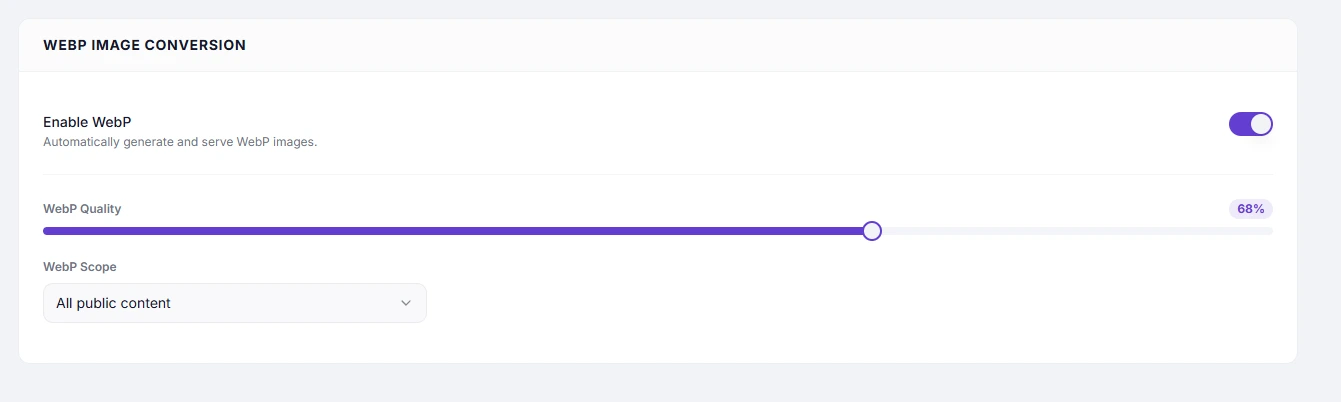
Settings #
| Setting | Type | Description |
|---|---|---|
| Enable WebP | Toggle | Master switch. Activates automatic WebP generation and delivery for the site’s images. |
Performance Impact #
| Metric | Typical improvement |
|---|---|
| Image file size | 25–35% smaller than JPEG, 26% smaller than PNG |
| Page weight | Significant reduction on image-heavy pages |
| LCP (Largest Contentful Paint) | Improved — hero and large images download faster |
| Bandwidth used | Reduced — meaningful cost saving on high-traffic sites |
How It Works #
- A visitor requests a page.
- SpeedyGo checks if a WebP version of each image exists.
- If not, it generates one from the original file.
- The browser’s
Acceptheader is checked — if the browser supports WebP, the.webpfile is served. - Browsers without WebP support (rare) receive the original JPEG or PNG.
WebP conversion is lossless from the visitor’s perspective — they see the same image, just delivered as a smaller file.
How to Enable #
- Go to Cache Settings → Images & Media.
- Under WebP Conversion, toggle Enable WebP to ON.
- Set WebP Quality (recommended:
80). - Choose WebP Scope — start with All public content.
- Click Save Changes.
Requirements #
- The SpeedyGo WordPress plugin must be active and connected.
- Your server must support image processing (GD library or Imagick — standard on all modern WordPress hosts).
Clearing WebP Cache #
To regenerate all WebP files (e.g. after changing quality settings):
- Free plan: Click Clear WebP Cache in the WebP Conversion section header.
- Pro plan: Use Purge All Cache from the CDN page, or save settings to trigger a new sync.
Troubleshooting #
| Symptom | Likely cause | Fix |
|---|---|---|
| Images still served as JPEG/PNG | WebP generation not completing | Check the SpeedyGo plugin is active and connected in WordPress |
| WebP files generated but browser shows JPEG | Server not sending correct MIME type | Contact your host — the server must serve .webp files with image/webp content type |
| Image quality looks poor | WebP Quality set too low | Increase quality slider above 75 |
| Specific images not converting | Post IDs scope not including that page | Switch scope to All public content or add the page to the selection |
Tips #
Tip: Enable WebP Conversion alongside Lazy Load for maximum image delivery optimisation — smaller files that also only load when needed.
Note: WebP conversion only applies to images served through SpeedyGo’s cache layer. Images served directly from your CDN or an external image host are not affected.


