
Cache Warm-up automatically triggers a preload crawl immediately after any cache clear or purge. Without it, the first real visitor to each page after a purge experiences a slow, uncached response while the cache is being rebuilt. With it, the cache is rebuilt before visitors arrive.
Dashboard path: Cache Settings → Caching & Preloading
Section: Cache Preloading & Scheduling
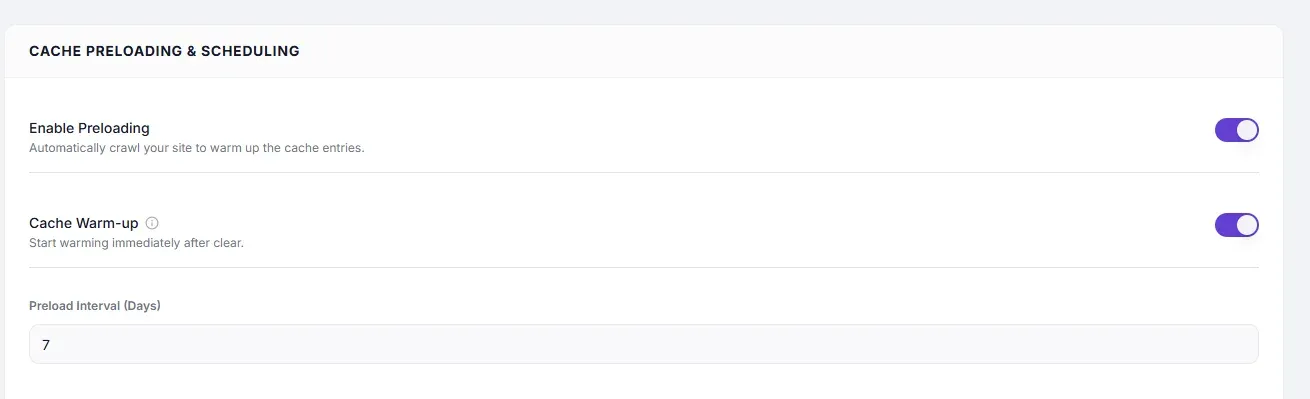
Settings #
| Setting | Type | Description |
|---|---|---|
| Cache Warm-up | Toggle | Starts a preload crawl immediately after any cache clear or purge event. |
How It Works #
- A purge event occurs (manual purge, Auto Purge on Save, or Scheduled Expiration).
- The cache is cleared.
- SpeedyGo immediately begins crawling your sitemap URLs in the background.
- Each page is loaded headlessly, generating and storing a fresh cached copy.
- Real visitors hit the warm cache instead of triggering individual cold loads.
How to Enable #
- Go to Cache Settings → Caching & Preloading.
- Under Cache Preloading & Scheduling, toggle Enable Preloading to ON first.
- Toggle Cache Warm-up to ON.
- Click Save Changes.
Note: Cache Warm-up requires Enable Preloading to be active — it triggers the same preload crawler, just immediately after a purge rather than on the scheduled interval.
When to Use #
| Situation | Recommendation |
|---|---|
| High-traffic site where cold cache causes noticeable slowdowns | Always enable |
| Small site with few pages and low traffic | Optional — low impact either way |
| WooCommerce store with frequent product updates | Enable — warm the cache after each product save |
| Site with hundreds or thousands of pages | Enable — but also set a reasonable Preload Interval so the crawler doesn’t run too frequently |
Troubleshooting #
| Symptom | Likely cause | Fix |
|---|---|---|
| First visitor after purge still gets slow response | Cache Warm-up is OFF, or Preloading is OFF | Enable both Enable Preloading and Cache Warm-up |
| Server CPU spikes after every save | Warm-up crawling too many pages on each Auto Purge | Disable Cache Warm-up and use only Scheduled Expiration + Preload Interval instead |
Tips #
Tip: Cache Warm-up is most impactful on sites that purge frequently (via Auto Purge on Save). Without it, a busy editorial site constantly clears its cache and each cleared page gets rebuilt by real visitors rather than the preloader.
Tip: Pair Cache Warm-up with a sensible Preload Interval — the interval controls routine rebuilds while Warm-up handles post-purge rebuilds.


