
Defer Scripts adds the defer attribute to JavaScript <script> tags. Deferred scripts download in parallel with HTML parsing but only execute after the full HTML document has been parsed. This prevents JavaScript from blocking the browser from rendering the page.
Dashboard path: Cache Settings → Asset Optimization
Section: CSS & JS Optimization
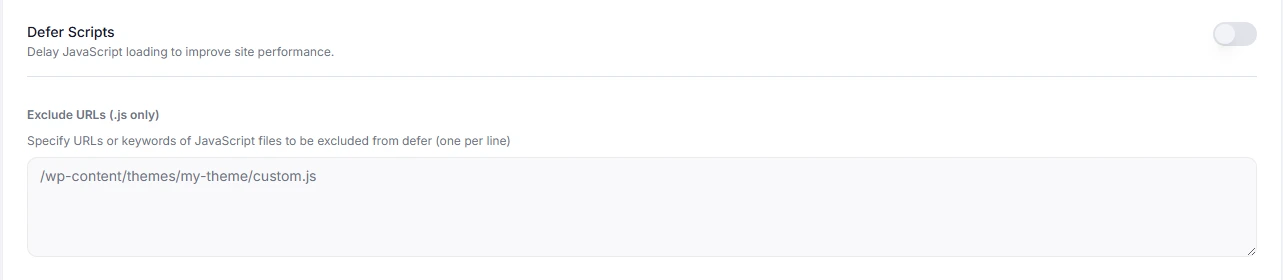
Settings #
| Setting | Type | Description |
|---|---|---|
| Defer Scripts | Toggle | Adds defer to eligible script tags across the site. |
| Exclude JS Files | Text area | One file path or URL keyword per line. Scripts matching these are left untouched and load normally. |
How to Enable #
- Go to Cache Settings → Asset Optimization.
- Under CSS & JS Optimization, toggle Defer Scripts to ON.
- Click Save Changes.
- Visit your site and test all interactive elements: menus, sliders, popups, checkout forms, chat widgets.
- If anything breaks, add the problematic script path to Exclude JS Files and save again.
What to Exclude #
Scripts that must run before the page is interactive should be excluded:
/wp-content/plugins/some-plugin/script.js
 /wp-content/themes/my-theme/critical.js
 google-analytics
 intercom
 crisp
Partial matches work — entering intercom will match any script URL containing that string.
When to Use #
| Situation | Recommendation |
|---|---|
| Site has many third-party scripts (analytics, chat, ads) | Use Defer Scripts — most of these can safely defer |
| Site uses jQuery-dependent theme | Test carefully; some themes break if jQuery is deferred |
| PageSpeed score is penalised for “render-blocking resources” | Defer Scripts directly fixes this warning |
| Site has a JS-driven hero or slider visible above the fold | Exclude that script so the hero loads immediately |
Troubleshooting #
| Symptom | Likely cause | Fix |
|---|---|---|
| Navigation menu doesn’t open | Menu JS is being deferred | Add the theme’s main JS file to Exclude JS Files |
| Slider/carousel is broken on load | Slider script deferred past its init timing | Exclude the slider script |
| WooCommerce add-to-cart broken | WooCommerce JS deferred | Add woocommerce to Exclude JS Files |
| Chat widget doesn’t appear | Chat script deferred | Exclude the chat provider script (e.g. crisp, intercom) |
Tips #
Tip: Use your browser’s DevTools (F12 → Console) to identify which script is causing an error after enabling Defer Scripts. The error will name the script file — add that to the exclusion list.
Note:
deferhas no effect on inline<script>blocks — only external script files. If a plugin uses inline scripts, they will always execute in order regardless of this setting.


