
Optimization Presets are curated groups of settings that apply in a single click. Instead of configuring every option individually, you pick a preset that matches your site’s needs and SpeedyGo configures all the relevant options automatically.
Dashboard path: Cache Settings → General → General tab
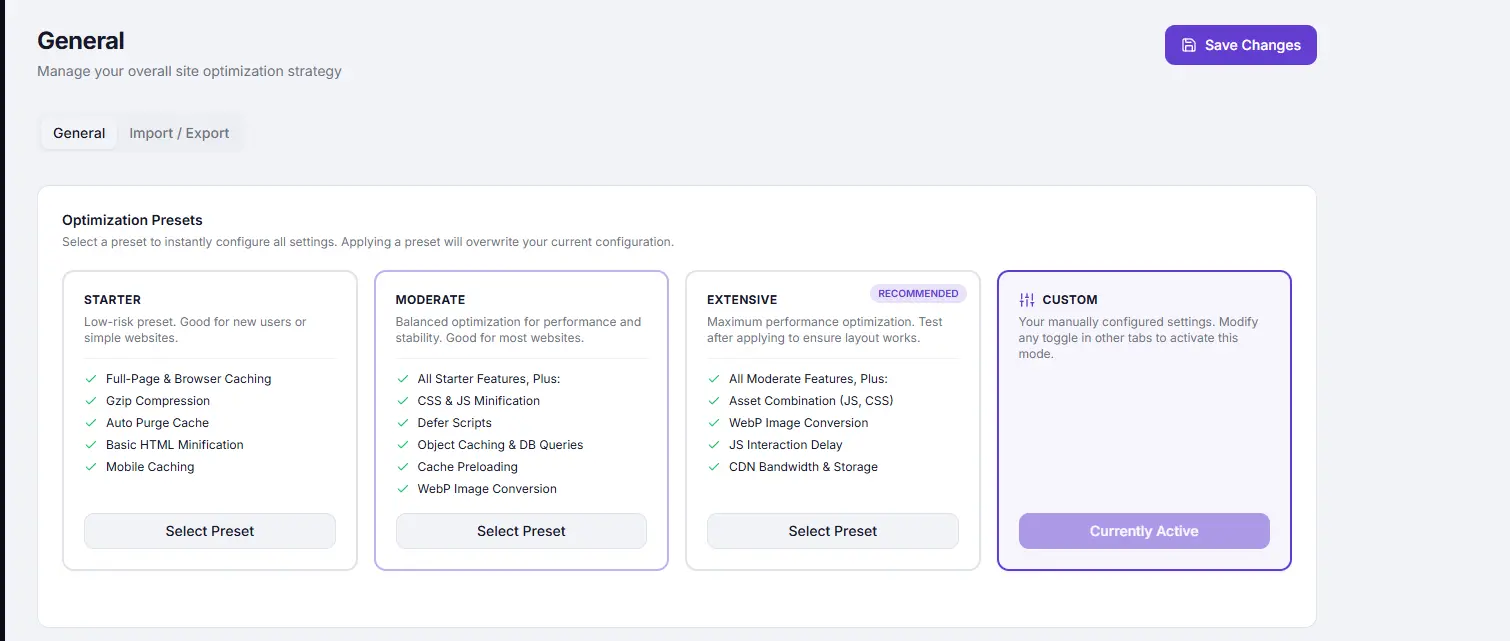
Available Presets #
STARTER #
Best for: New users, simple brochure sites, blogs with low traffic.
Low-risk settings that improve speed without risk of breaking anything.
| Feature | Included |
|---|---|
| Full-Page & Browser Caching | ✅ |
| Gzip Compression | ✅ |
| Auto Purge Cache | ✅ |
| Basic HTML Minification | ✅ |
| Mobile Caching | ✅ |
MODERATE #
Best for: Most WordPress sites, WooCommerce stores, established blogs.
Balanced optimization for maximum benefit with minimal compatibility risk.
| Feature | Included |
|---|---|
| All Starter features | ✅ |
| CSS & JS Minification | ✅ |
| Defer Scripts | ✅ |
| Object Caching & DB Queries | ✅ |
| Cache Preloading | ✅ |
| WebP Conversion | ✅ |
EXTENSIVE (Recommended)#
Best for: High-traffic sites, landing pages, sites optimized for PageSpeed scores.
Maximum performance. Always test your site after applying.
| Feature | Included |
|---|---|
| All Moderate features | ✅ |
| Asset Combination (JS, CSS) | ✅ |
| WebP Image Conversion | ✅ |
| JS Interaction Delay | ✅ (Pro only) |
| CDN Bandwidth & Storage | ✅ (Pro only) |
CUSTOM #
Automatically activated when you change any toggle or value in any other settings tab. You cannot select Custom manually — it appears on its own as soon as you deviate from a standard preset.
How to Apply a Preset #
- Go to Cache Settings → General.
- Click the preset card you want — STARTER, MODERATE, or EXTENSIVE.
- The card is highlighted as selected.
- Click Save Changes in the top-right header.
An animated progress indicator shows each feature being applied as the save completes.
Recommended Starting Point #
| Site type | Start with |
|---|---|
| First time using SpeedyGo | STARTER |
| Active WordPress blog or business site | MODERATE |
| WooCommerce store | MODERATE (test checkout thoroughly) |
| High-traffic or PageSpeed-focused site | EXTENSIVE |
Share Anonymous Usage Data #
Also on the General tab:
| Setting | Description |
|---|---|
| Share anonymous usage data | Help improve SpeedyGo by sharing anonymous usage statistics. No personal data is ever collected. |
Tips #
Warning: Applying a preset overwrites your current configuration for all options the preset covers. If you have custom settings you want to keep, export them first from the Import / Export tab before switching presets.
Tip: Apply STARTER first, test your site, then gradually move to MODERATE and EXTENSIVE — this makes it easier to identify any compatibility issue if one appears.


