
SpeedyGo provides two CSS delivery optimizations: minification (reducing file size) and combination (reducing request count). Both are configured in the Asset Optimization page.
Dashboard path: Cache Settings → Asset Optimization
Sections: Asset Optimization · CSS & JS Optimization
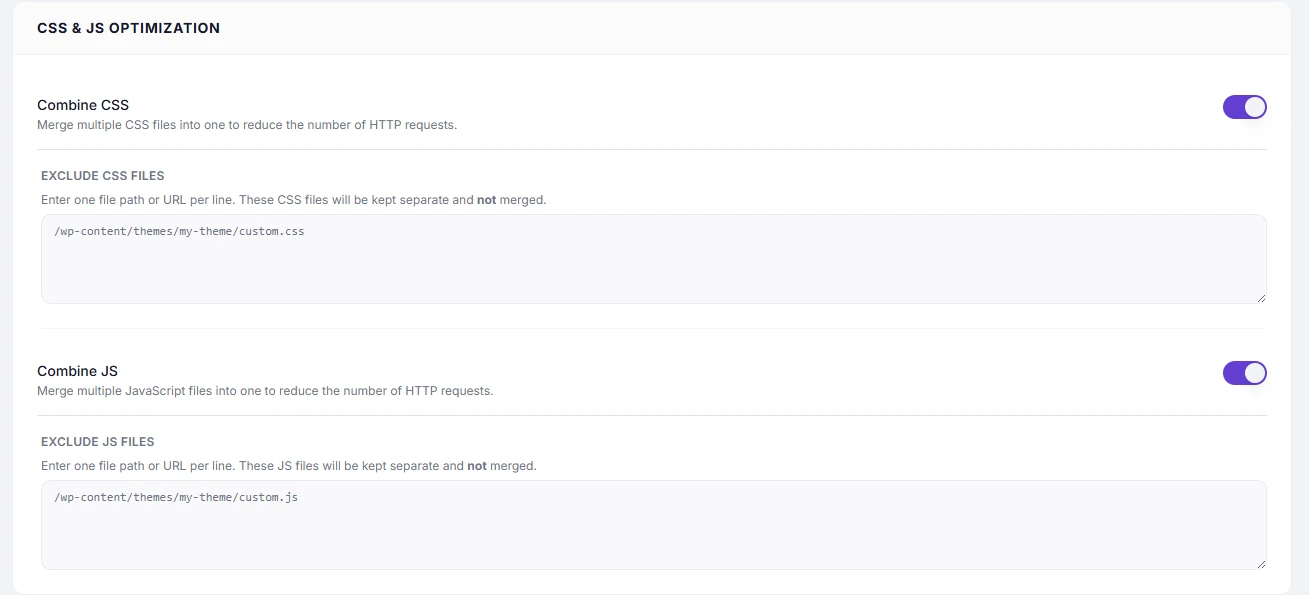
Settings #
| Setting | Section | Description |
|---|---|---|
| CSS Minification | Asset Optimization | Removes whitespace, comments, and redundant semicolons from CSS files. |
| Combine CSS | CSS & JS Optimization | Merges all enqueued CSS files into a single file. |
| Exclude CSS Files | CSS & JS Optimization | One file path or URL per line — these files are kept separate and not merged. |
CSS Minification #
Minification strips non-functional characters from CSS files without affecting how styles are applied. A typical CSS file can shrink by 20–40%.
How to Enable #
- Go to Cache Settings → Asset Optimization.
- Under Asset Optimization, toggle CSS Minification to ON.
- Click Save Changes and verify site layout.
Combine CSS #
Combination merges all WordPress-enqueued stylesheets into one file. This reduces the number of HTTP requests the browser must make to load the page — particularly beneficial on HTTP/1.1 servers.
How to Enable #
- Go to Cache Settings → Asset Optimization.
- Under CSS & JS Optimization, toggle Combine CSS to ON.
- Click Save Changes and test your full site — check header, footer, menus, sidebar widgets, and any sliders or carousels.
- If a specific stylesheet causes issues, add its filename or URL to Exclude CSS Files and save.
When Combine CSS is Less Helpful #
On HTTP/2 servers, the browser can load multiple CSS files in parallel with minimal overhead. Combining provides less benefit and slightly more risk. Check with your host whether HTTP/2 is enabled.
Exclude CSS Files #
Use one file path or URL keyword per line:
/wp-content/plugins/woocommerce/assets/css/woocommerce.css
 /wp-content/themes/my-theme/style-critical.css
 elementor
Partial matches work — elementor will exclude any CSS file whose path contains that word.
Troubleshooting #
| Symptom | Likely cause | Fix |
|---|---|---|
| Layout shifts or broken styles | Combine CSS conflicts with load order | Add the conflicting stylesheet to Exclude CSS Files one at a time |
| Third-party plugin styles broken | Plugin CSS depends on being loaded separately | Exclude that plugin’s CSS path |
| No visible improvement in file count | Host is already combining/bundling CSS | Check your hosting caching layer |
Recommended Combination #
Use CSS Minification + Combine CSS + Browser Caching together for maximum CSS delivery performance.
Tip: If Combine CSS breaks your layout, add conflicting files to Exclude CSS Files one at a time until you identify the source. Third-party plugin stylesheets are the most common cause of conflicts.


